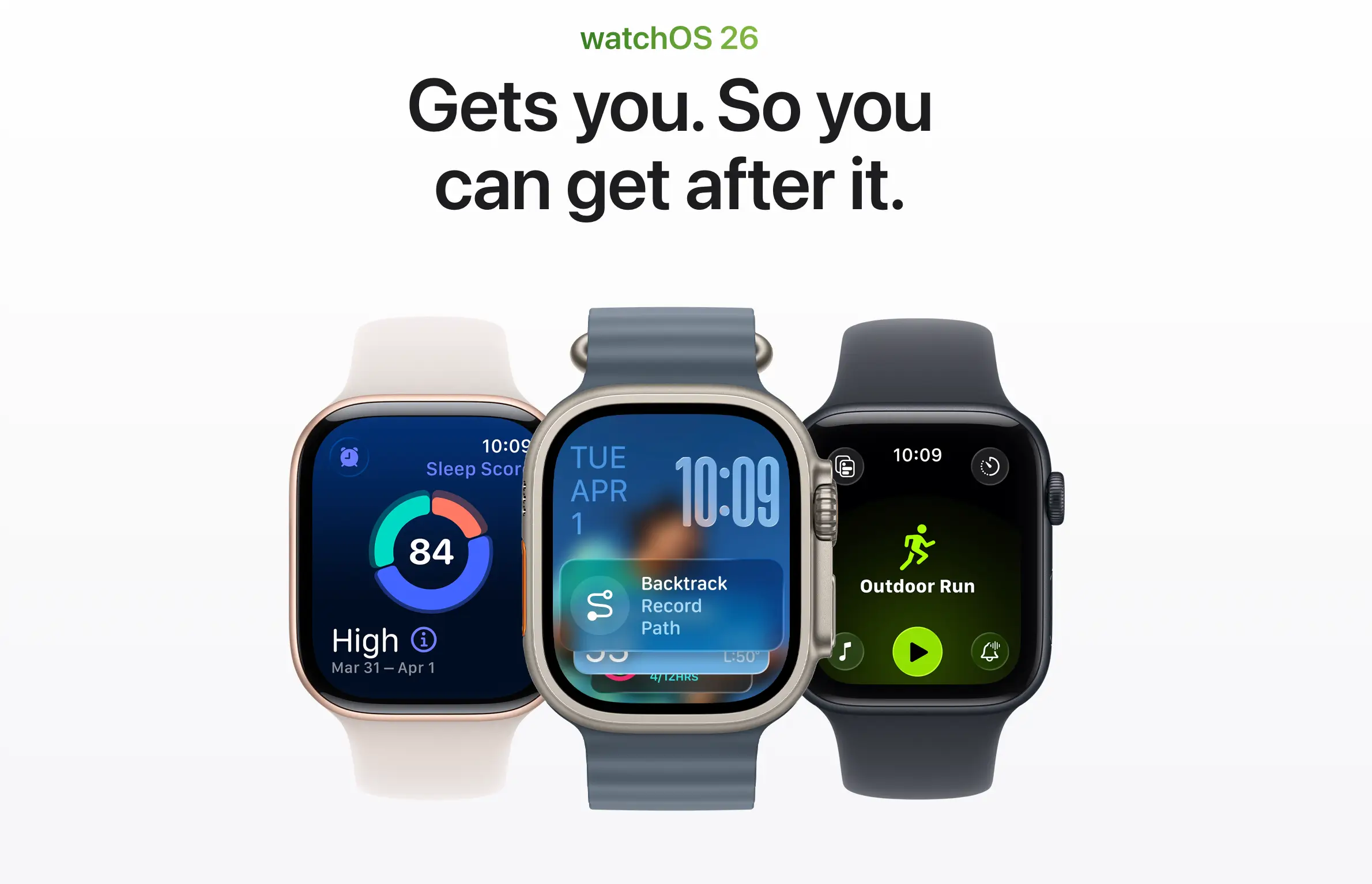
Apple released the watchOS 26.4 Release Candidate on March 18, 2026, delivering a fix for one of the most common complaints about the redesigned Workout app on Apple Watch. The update restores the ability to start a workout by tapping the workout type icon — a feature users lost when watchOS 26 launched in September 2025.
Why This Matters
The Workout app is central to the Apple Watch experience. Millions of users rely on it daily to track runs, swims, and gym sessions. A slower, less intuitive startup process affected every single workout session for nearly nine months, making this fix one of the most user-impactful changes in a watchOS point release.
What the Update Changes
According to Apple’s official release notes, the watchOS 26.4 update adds a workout type icon in the Workout app that lets users start a workout with a single tap. Both the workout icon and the existing play button now perform the same action: they begin tracking a session immediately.
The change addresses a specific usability gap. In watchOS 26.0 through 26.3, tapping the large workout type icon — which visually resembled a button — did nothing. Users had to locate and tap a smaller play icon at the bottom of the screen to begin recording.
Zac Hall, a senior editor at 9to5Mac who has tested the update, noted that the fix resolves the core frustration but flagged one remaining limitation. Tapping the workout icon from the scrollable list view still requires the full workout layout to load before the tap registers. Users who tap too quickly while the list is still visible will find their input ignored.
How the watchOS 26 Redesign Broke Muscle Memory
When Apple overhauled the Workout app in watchOS 26, it replaced a straightforward list of tappable workout tiles with a new scrollable interface. The redesign introduced four corner buttons for adjusting Workout Views, Goals and Targets, Media, and Workout Buddy settings. The centered workout icon became decorative rather than functional.
The result clashed with a decade of established user behavior. Apple Watch owners had spent years tapping workout icons to begin sessions instantly. The new design prioritized preventing accidental starts and encouraging users to explore additional settings — but it came at the cost of speed.
User frustration surfaced across Apple Support Communities and Reddit’s r/AppleWatch forum within weeks of the watchOS 26 launch. Common complaints included the small size of the play button, confused tap targets in wet conditions during swimming workouts, and the extra steps required to switch between workout types mid-session.
What Led to This
Apple shipped watchOS 26 in September 2025 alongside the Apple Watch Series 11. The broader update introduced Liquid Glass visual effects, hypertension notifications, sleep scoring, and a generative AI-powered Workout Buddy voice for personalized motivation during exercise.
The Workout app redesign arrived as part of that package. Subsequent updates — watchOS 26.1 through 26.3 — addressed various bugs but left the workout startup flow untouched until the 26.4 beta cycle began in February 2026.
Other Changes in watchOS 26.4
The update includes several additional features beyond the Workout app fix. Apple added an Average Bedtime metric to the Sleep app that tracks bedtime consistency over two-week periods and syncs with the Health app on iPhone. The update also brings eight new emoji characters, including an orca, a trombone, a ballet dancer, and a landslide.
Apple also resolved a bug where Workout Buddy audio motivation failed to trigger during outdoor runs and made minor Liquid Glass visual refinements for improved legibility in the Smart Stack. The Release Candidate carries build number 23T239.
What Happens Next
The watchOS 26.4 Release Candidate is available now for developers and public beta testers. The final public version is expected to launch early next week, alongside iOS 26.4, iPadOS 26.4, and macOS Tahoe 26.4. Users will need an Apple Watch running watchOS 26 or later, at least 50% battery, and a Wi-Fi connection to install the update.