9 Best Budgeting Apps for Android in 2026: Every Money Tracker Tested
The best budget app for Android in 2026 is YNAB if you want to actively plan every dollar, Monarch Money if you share finances with a partner, and Rocket Money or Goodbudget if you want a genuinely useful free money tracker. We tested and researched more than 20 Android budgeting apps on the Play Store and cut the list to the 9 that are actually worth installing today — with current August 2026 pricing verified against each developer's own site, because several apps (Monarch and PocketGuard especially) changed their plans this year.
In a hurry? Jump to Quick Picks, the Pricing Comparison Table, YNAB (best overall), Goodbudget (best free), How We Picked, or the Bottom Line.
Most people don't fail at budgeting because they lack discipline. They fail because they picked the wrong app: too complicated, too expensive, or a poor match for how they actually think about money. Below, every pick is grouped by who it's best for, with the budgeting method it uses and the honest trade-offs no app store listing will tell you.
Quick Picks: Best Budget App by Use Case
| Use Case | Best App |
|---|---|
| Best overall (active budgeters) | YNAB |
| Best for couples & households | Monarch Money |
| Best free app for canceling subscriptions | Rocket Money |
| Best free envelope budgeting | Goodbudget |
| Best for Dave Ramsey followers | EveryDollar |
| Best automated "safe-to-spend" number | PocketGuard |
| Best free app for couples | Honeydue |
| Best one-time-payment / open source | Cashew |
| Best privacy-first (no bank linking) | Money Manager |
Pricing Comparison Table (August 2026)
| App | Pricing (2026) | Free Plan? | Bank Sync | Budget Method | Best For |
|---|---|---|---|---|---|
| YNAB | $14.99/mo or $109/yr | No (34-day trial) | Yes | Zero-based | Hands-on budgeters |
| Monarch Money | Core: $14.99/mo or $99.99/yr; Plus: $199/yr | No (7-day trial) | Yes | Flexible | Couples & households |
| Rocket Money | Free + premium ~$7–$14/mo | Yes | Yes | Category-based | Subscription cleanup |
| PocketGuard | Free (capped) or $12.99/mo / $74.99/yr | Yes (very limited) | Yes | Automated | Set-and-forget users |
| Goodbudget | Free or $10/mo / $80/yr | Yes (20 envelopes) | Premium only | Envelope | Free manual budgeting |
| EveryDollar | Free or $17.99/mo / $79.99/yr | Yes (manual only) | Premium only | Zero-based | Dave Ramsey followers |
| Honeydue | Free | Yes | Yes (unreliable) | Category-based | Free couples budgeting |
| Cashew | Free or ~$20 lifetime | Yes | No | Category-based | Simple tracking, open source |
| Money Manager | Free or paid upgrade | Yes (limited assets) | No | Double-entry | Privacy-first tracking |
Prices reflect US plans as of August 2026 and can vary by region and promotion. Always confirm the current price on the app's official listing before subscribing.
1. YNAB (You Need a Budget) — Best Overall for Hands-On Budgeters
Price: $14.99/month or $109/year | Free trial: 34 days, no card required | Method: Zero-based budgeting
YNAB is the gold standard for people who want to actively manage their money rather than watch it disappear. The core idea is deceptively simple: give every dollar a job before you spend it. Every dollar that comes in gets assigned to a category — rent, groceries, savings, going out — until none is left unassigned. You stop reacting to your bank balance and start planning ahead.
Key features:
- Real-time sync across phone, tablet, and web
- Home-screen widgets for instant spending visibility
- Bank linking for US, Canada, UK, and EU accounts
- Built-in reconciliation, loan planner, and detailed spending reports
- One subscription covers up to 6 people, so couples and families can share a single plan
- Free for 12 months for students with a valid .edu email
- Extensive free courses, workshops, and a large, active Reddit community
Best for: People who want to intentionally plan every dollar and are willing to spend a few minutes a day to make it stick.
Skip it if: You want something passive that runs in the background, or you aren't ready to learn a new money method — YNAB has the steepest learning curve here and no permanent free tier.
Official site: ynab.com
2. Monarch Money — Best for Couples and Households
Price: Core plan $14.99/month or $99.99/year; Plus plan $199/year (annual only) | Free trial: 7 days | Method: Flexible (category or flex budgeting)
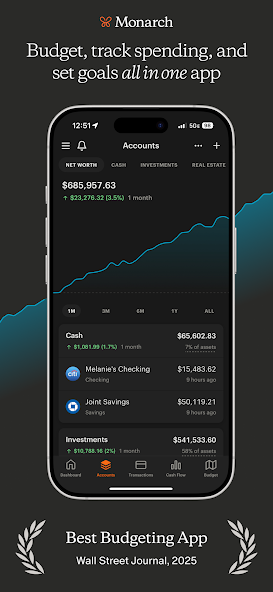
If you share finances with a partner — or want to — Monarch Money is the most capable option on Android. It was built by a former Mint product leader and became the most-recommended replacement after Mint shut down in 2024. Everything lives in one clean dashboard: checking, savings, credit cards, investments, loans, and even crypto.
One 2026 change to know before you subscribe: Monarch split into two tiers this year. Monarch Core ($99.99/year) keeps everything most people used Monarch for — unlimited account syncing, household sharing, and the AI assistant — while the new Monarch Plus ($199/year) adds deeper investment analytics and priority support for power users. For a typical couple budgeting together, Core is the right plan.
Key features:
- Add a household member to the same subscription at no extra cost
- Privacy controls for purchases you'd rather keep to yourself
- Automatic subscription detection and net-worth tracking that updates in real time
- Investment portfolio monitoring and customizable spending reports
- Both strict category budgeting and flexible "flex" budgeting modes
- No ads — the subscription model means your data isn't the product
Best for: Couples and households who want a single shared financial command center, with privacy where they need it.
Skip it if: You're budgeting solo and don't need sharing, or you need a free option — there's no free tier after the 7-day trial.
Official site: monarch.com
3. Rocket Money — Best Free App for Canceling Subscriptions
Price: Free basic plan | Premium: pay-what-you-think-is-fair, roughly $7–$14/month | Method: Category-based
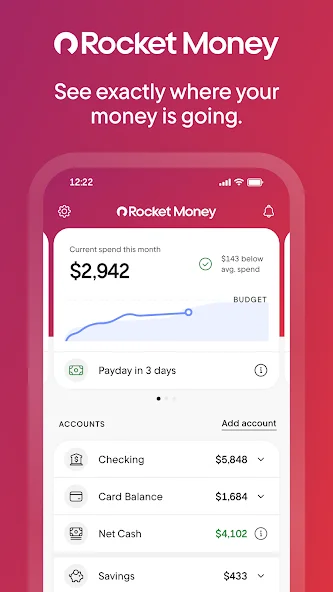
Most budgeting apps show you where your money went. Rocket Money actually helps stop money from leaving your account. Its headline feature is subscription management: the app scans every linked account, surfaces recurring charges you may have forgotten, and — on premium — will cancel many of them for you without a single phone call.
Key features:
- Automatic detection of recurring charges across all linked accounts
- Subscription cancellation assistance (premium)
- Bill negotiation, available even to free users, with experts contacting providers on your behalf
- Spending budgets, balance and overspending alerts
- Net-worth and credit-score tracking (premium)
- Free plan includes account linking, budgets, and subscription identification
Best for: Anyone quietly leaking money on forgotten streaming services, apps, and memberships who wants it fixed semi-automatically.
Skip it if: You want granular zero-based budgeting — Rocket Money is a savings optimizer first and a budget planner second.
Official site: rocketmoney.com
Also Read: Best Budgeting Apps for College Students
4. PocketGuard — Best Automated "Safe-to-Spend" Number
Price: Limited free plan, or $12.99/month / $74.99/year (a one-time lifetime option is also offered) | Free trial: 7 days | Method: Automated
PocketGuard is for people who want to budget but don't want to think about budgeting. Connect your accounts and it calculates how much you have left to spend after bills, savings goals, and essentials are set aside. The "In My Pocket" number answers the one daily question that matters: can I actually afford this right now?
Key features:
- "In My Pocket" real-time disposable-income calculator
- Automatic transaction categorization and recurring-bill tracking
- Subscription manager and net-worth tracker
- Debt payoff planning tools
- Rollover budgets — unspent money carries forward automatically
Best for: People who want budgeting insights without daily manual work.
Skip it if: You need a genuinely usable free tier — PocketGuard removed its old free plan, and the remaining free version is heavily capped (a couple of accounts and categories), so most users need Plus.
Official site: pocketguard.com
5. Goodbudget — Best Free Envelope Budgeting
Price: Free | Premium: $10/month or $80/year | Method: Envelope budgeting
Goodbudget is the digital version of the old-school cash-envelope method. You create an envelope for each spending category, fill it with your budgeted amount for the month, and when the envelope is empty, you stop spending in that category. It sounds old-fashioned, but the psychology works — and Goodbudget has been refining this approach for well over a decade.
Key features:
- 20 envelopes on the free plan (10 regular plus 10 annual/goal envelopes)
- One financial account, two-device sync, and one year of history on free
- Shared budgets with a partner at no cost
- Savings-goal and debt-paydown tracking
- No bank credentials required on the free tier — maximum privacy
- Premium adds bank syncing, unlimited envelopes, 5 devices, and 7 years of history
Best for: Solo budgeters (and couples) who want a proven, free system and don't mind entering transactions by hand.
Skip it if: You want automatic bank sync without paying — on Goodbudget, syncing is a premium-only feature. The interface is also more functional than flashy.
Official site: goodbudget.com
6. EveryDollar — Best for Dave Ramsey Followers
Price: Free (manual) | Premium: $17.99/month or $79.99/year | Free trial: 14 days | Method: Zero-based budgeting

EveryDollar is Dave Ramsey's budgeting app, built by Ramsey Solutions. It was relaunched in January 2026 with a more guided, coaching-style experience and a new Margin Finder tool that walks you through subscriptions, recurring bills, and spending habits to surface money you can redirect. If you're following Ramsey's Baby Steps or the debt snowball, this app is built around exactly that framework.
Key features:
- Fully customizable zero-based budget
- Savings funds with automatic monthly rollover
- Paycheck planning for irregular or biweekly income
- Margin Finder, short daily lessons, and personalized roadmaps (premium)
- Live group coaching with human coaches (premium)
- Bank connectivity (premium)
Best for: People actively following Dave Ramsey's plan who want an app that mirrors his Baby Steps methodology.
Skip it if: You're not a Ramsey follower — you'll find more flexibility, and often a lower cost, with YNAB or Goodbudget. The free version is also 100% manual entry with no bank sync.
Official site: EveryDollar by Ramsey Solutions
7. Honeydue — Best Free App for Couples
Price: Free (no paid tier) | Method: Category-based
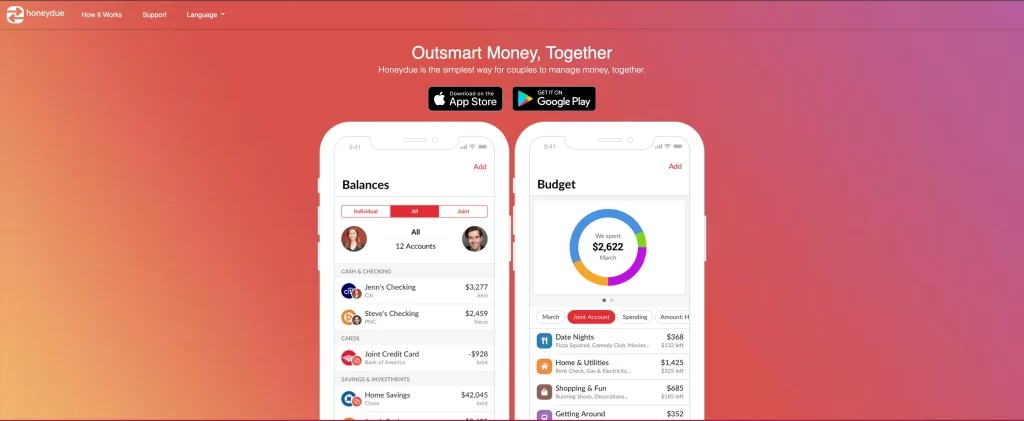
Honeydue is built exclusively for couples, and every feature is free. Both partners link their accounts, set spending limits by category, and communicate about transactions through built-in chat and emoji reactions. You control exactly how much your partner can see, per account.
Key features:
- Per-account privacy: share balances only, share balances plus transactions, or hide an account entirely
- In-app chat on specific transactions, so you can discuss a charge without arguing over text
- Bill reminders, custom categories, and expense splitting between partners
- Bank syncing included free (most competitors charge for this)
Best for: Couples who want financial transparency without paying for Monarch Money.
Skip it if: You need reliability. Honeydue appears to be in maintenance mode in 2026 — bank sync fails for some users, there's no web or desktop version, and support has been slow. It works best for basic shared visibility rather than precise daily tracking.
Official site: honeydue.com
8. Cashew — Best One-Time-Payment / Open-Source Pick
Price: Free basic | Pro: roughly $20 one-time lifetime (subscription options also available) | Method: Category-based tracking
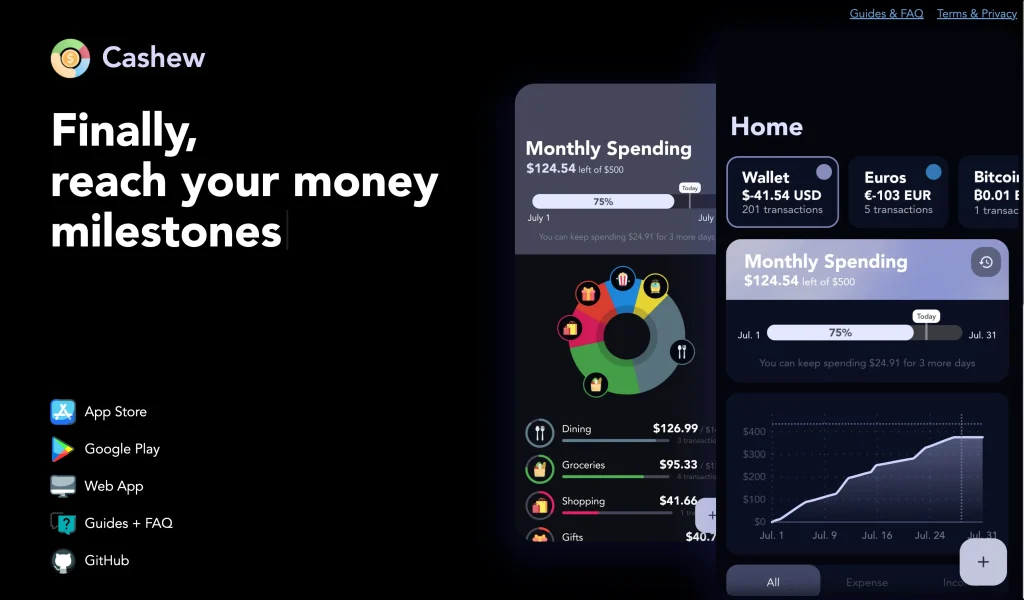
Cashew is a clean, fast, open-source expense tracker that runs on Android, iOS, and the web. It works locally, syncs through Google Drive, and a one-time lifetime payment unlocks Pro permanently — no recurring charges. It's one of the better value picks in personal finance apps right now.
Key features:
- Fast, frictionless expense entry with a polished, ad-free interface
- Category budgets, goals, loans, and budget alerts
- Multi-currency support and Google Drive backups
- Open source, so the project is transparent and community-driven
- An experimental natural-language entry option powered by Google Gemini
Best for: People who want a beautiful, simple money tracker that doesn't require a bank login and won't charge them every year.
Skip it if: You need automatic bank imports or a full financial dashboard with investments and net worth — Cashew is manual entry by design.
Official site: cashewapp.web.app
9. Money Manager (Realbyte) — Best Privacy-First, No Bank Linking
Price: Free with limits | Premium: paid upgrade to remove limits | Method: Double-entry bookkeeping
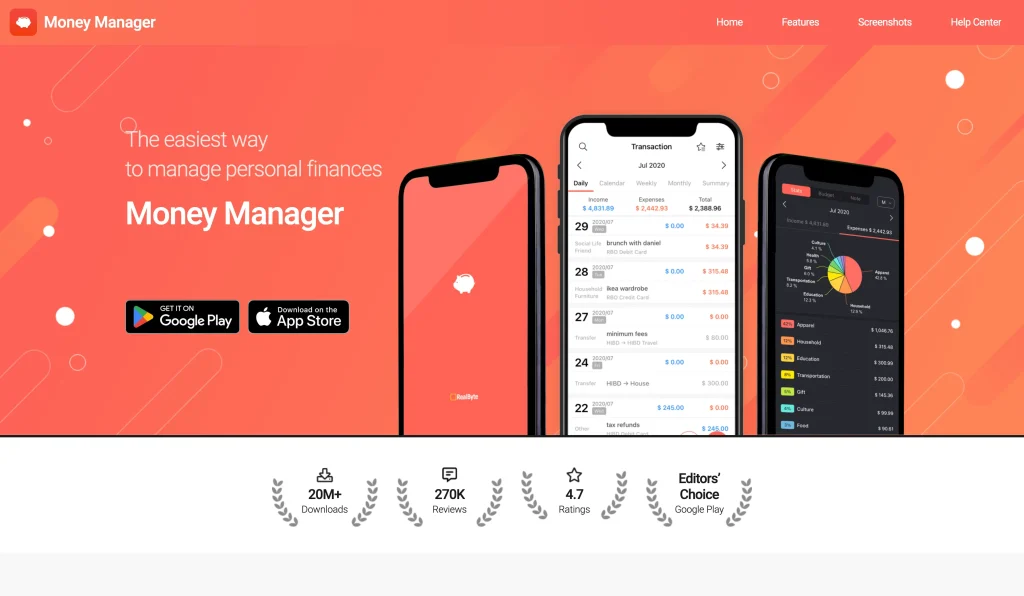
Money Manager by Realbyte uses a double-entry bookkeeping system — the same method businesses have relied on for centuries. Income deposits to an account, expenses draw from it, and balances stay accurate in real time. There are no bank credentials and no third-party data sharing; everything stays on your device.
Key features:
- Double-entry accounting that keeps balances accurate and catches discrepancies
- Budget vs. actual graphs for instant variance analysis
- Recurring-expense bookmarks, subcategories, and a calendar transaction view
- Receipt photo attachments and Excel backup/export — your data is never locked in
- PC editing over Wi-Fi and full offline operation
Best for: Privacy-first users who refuse to hand bank credentials to any app, and people tracking both personal and small-business expenses.
Skip it if: You want automatic transaction imports or a visually modern experience — the interface is utilitarian, and the free version caps the number of asset accounts.
Official site: realbyteapps.com
How We Picked and Tested These Apps
We installed and used each app on Android, then cross-referenced our hands-on impressions against Google Play ratings, thousands of real user reviews, official pricing pages, and 2026 feature updates. To make the cut, an app had to pass three filters:
- Available on Android via Google Play with a large base of verified reviews.
- Actively maintained — updated in 2025 or 2026. Abandoned apps don't belong on a 2026 list, and where an app shows signs of neglect (like Honeydue), we say so.
- A genuine budgeting tool — not just an account aggregator that shows you a balance and calls it "budgeting."
We also deliberately chose apps spanning different budgeting philosophies. Some people thrive on zero-based budgeting; others just want to stop forgetting about a gym membership they haven't used since February. We re-verified every price against the developer's official listing in August 2026 — including Monarch's new Core/Plus split and PocketGuard's capped free tier — and we omitted any figure we couldn't confirm.
How to Pick the Right Budget App: 3 Questions
1. How hands-on do you want to be?
- Plan every dollar → YNAB or EveryDollar
- Let the app do the work → PocketGuard or Rocket Money
- Somewhere in the middle → Monarch Money or Goodbudget
2. Do you share finances with anyone?
- Couples, free → Honeydue (with the reliability caveats above)
- Couples, full-featured → Monarch Money
- Families up to 6 → YNAB
- Solo → any other app on this list
3. How do you feel about manual entry?
- Either is fine → PocketGuard, EveryDollar Premium, or Honeydue
- Happy to enter every transaction → Goodbudget, Cashew, or Money Manager
- Bank sync only → YNAB, Monarch Money, or Rocket Money
Tips to Actually Stick With Your Budget App
The app you choose matters less than how you use it. These habits separate people who transform their finances from people who download an app and forget it.
Start by tracking, not budgeting. Use the app for one week with no targets. Just record what you spend and watch the patterns. Build your real budget from actual data, not optimistic estimates.
Turn on every alert. Enable spending alerts, bill reminders, and low-balance notifications. Apps that nudge you at the right moment keep you engaged; silent ones get deleted.
Do a Sunday review, not a monthly one. Five minutes every Sunday catches overspending while you can still change course. Monthly reviews only tell you what already went wrong.
Use the free trial fully. Test the features you'll actually use, not the ones that sound impressive in the store description. Students juggling classes may also want to pair a budget app with one of the best productivity apps for students to keep bills and deadlines in one routine.
Don't app-hop. Pick one, give it 30 days, and let the data accumulate. The insight comes from consistent tracking, not from chasing a perfect app.
Related reading
Bottom Line
The best budgeting app for Android is the one you'll actually open tomorrow. If you want to plan proactively and don't mind a learning curve, start with YNAB. If you and a partner want one shared dashboard, Monarch Money (the Core plan) is the strongest pick. If you want real value for free, Rocket Money (for cutting subscriptions) and Goodbudget (for envelope budgeting) are the ones to install first. Pick one, track every purchase for seven days without judging the spending, and let that real data show you where to start. On a student budget? See our dedicated guide to the best budgeting apps for college students.
Frequently Asked Questions
What is the best budget app for Android in 2026?
For most people who want to actively manage money, YNAB is the best budget app for Android in 2026, using zero-based budgeting where every dollar gets a job before you spend it. Monarch Money is the best choice for couples and households, Rocket Money is the best free app thanks to its subscription-canceling tools, and Goodbudget is the best free envelope-budgeting system. The right pick depends on how hands-on you want to be and whether you share finances.
What is the best free budgeting app for Android in 2026?
For solo budgeters, Goodbudget is the best truly free option: its free plan includes 20 envelopes, two-device sync, savings-goal and debt tracking, and never asks for your bank login. For couples, Honeydue is completely free with shared budgets and transaction-level chat, though its bank sync has become unreliable. Rocket Money also offers a genuinely useful free plan that identifies subscriptions, tracks spending, and even includes bill negotiation.
Can a budget app cancel my subscriptions for me?
Rocket Money is the main budget app that actively cancels unwanted subscriptions on your behalf. The free version identifies recurring charges, and premium adds a team that contacts providers and cancels many services directly, often without a phone call. Apps like PocketGuard and Monarch Money surface and organize your subscriptions for you to review, but you have to cancel them yourself.
Do budgeting apps need my bank login?
No. Goodbudget, Cashew, Money Manager, and EveryDollar's free version all work through manual entry without ever touching your bank credentials. Apps that do link to banks typically use services like Plaid, which use bank-level encryption and read-only access, so they can see transactions but cannot move money. Manual-entry apps also have a hidden upside: physically logging each purchase forces you to confront your spending in a way automatic syncing does not.
What happened to Mint, and what is the best replacement on Android?
Intuit shut Mint down on March 23, 2024, and directed users to Credit Karma, which tracks accounts and net worth but cannot build a budget or manage subscriptions the way Mint did. Monarch Money is the most-recommended replacement: it was built by a former Mint product leader and rebuilds the all-in-one dashboard with better customization, no ads, and no data selling. YNAB, Rocket Money, and PocketGuard are also popular, depending on how hands-on you want to be.
Is YNAB worth the price in 2026?
YNAB costs $14.99 per month or $109 per year and has no permanent free tier, which makes it one of the most expensive picks here. It is worth it for people who want to actively plan every dollar using zero-based budgeting and will use it consistently, since one subscription covers up to six people and students get 12 months free. If you want a passive or free tool, YNAB is probably more than you need, and Rocket Money or Goodbudget will serve you better.
How much does Monarch Money cost in 2026?
In 2026 Monarch Money split into two tiers. Monarch Core costs $14.99 per month or $99.99 per year and includes unlimited account syncing, household sharing for couples at no extra cost, and the AI assistant. Monarch Plus costs $199 per year (annual billing only) and adds deeper investment analytics and priority support for power users. Both plans come with a 7-day free trial, and for most couples the Core plan is the right choice.
What is the cheapest budgeting app for Android?
If you want to avoid recurring fees, Cashew and Money Manager are the cheapest long-term options because both offer a one-time payment instead of a subscription, with Cashew's lifetime Pro around $20. Among subscription apps, Goodbudget's free tier and Rocket Money's free plan cost nothing, and Rocket Money even lets you choose your own premium price between roughly $7 and $14 per month. PocketGuard, by contrast, has become one of the pricier picks after capping its free tier.