Google Wallet Now Adds Physical Transit Cards by NFC Tap in Play Services 26.35
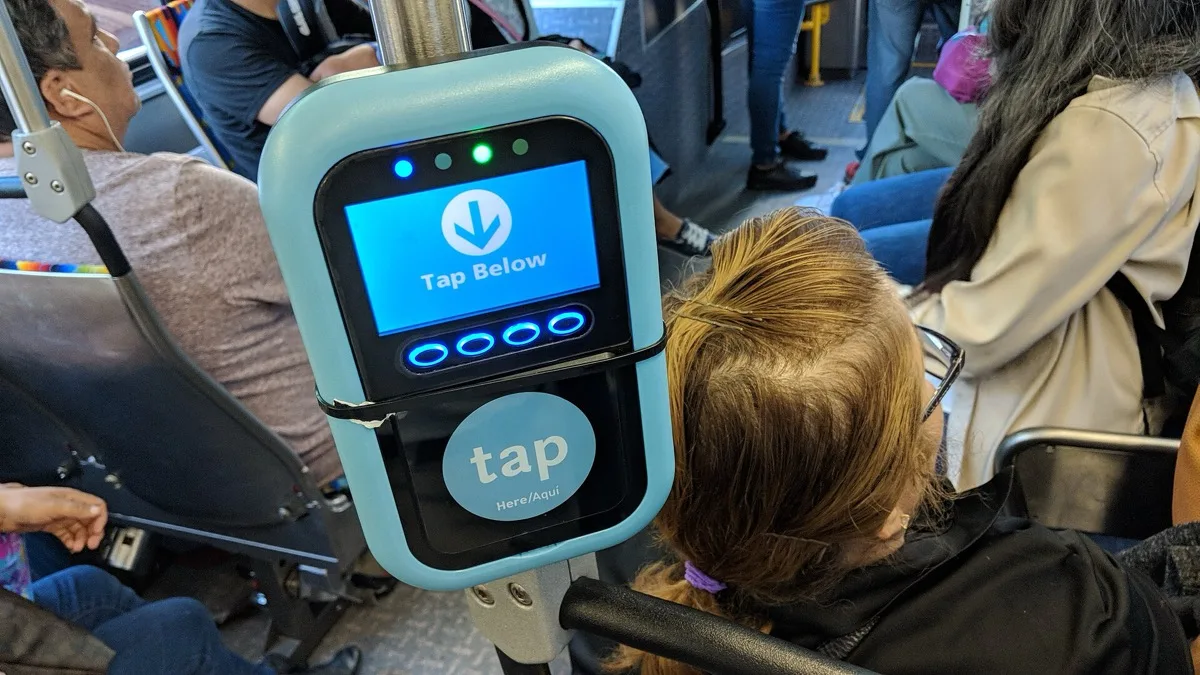
Google has switched on a way to move a physical transit card into Google Wallet by holding it against the back of an Android phone. The change arrived in Google Play services v26.35, whose release notes state that you can now use NFC to add physical transit card passes and balances to Wallet — no ticket office, no card number to type in.
What the release note actually says
The wording in Google's Play system update changelog is short and precise: NFC can now be used to add physical transit card passes and balances to Google Wallet. That second half matters. Reading the stored value off the card is what separates this from simply registering a card number — the credit that was sitting on the plastic comes across with it.
The same Wallet entry in v26.35 adds a redesigned "Add a card" success screen. That is cosmetic, but it is the screen you land on at the end of this flow, which suggests the two shipped together deliberately.
Two hardware and software conditions apply. Your phone needs an NFC chip, which rules out the cheaper end of the Android range outright. And the feature rides on Play services rather than a Wallet app update, so it reaches devices on Google's own schedule.
Why your card may still not work
Here is the part the headline version of this story leaves out: Google shipping the capability does not mean your local transit operator has enabled it. Wallet's closed-loop transit platform is something agencies opt into and configure, and Google's consumer help page for transit still says plainly that Wallet does not work with all public transport systems and points riders at their operator's own website to check.
That help page has not yet been rewritten to describe tapping a physical card at all. Taken together with the staged nature of Play services rollouts, the sensible reading is that the plumbing is live and agency-by-agency availability will follow rather than arrive all at once. Google has not published a list of participating networks or a country breakdown, and no region has been named as first.
How the transfer works underneath
Google's developer documentation for closed-loop transit describes two models an agency can pick, and which one it uses decides how a converted card behaves:
- Card emulation. The phone mimics the plastic card directly, using protocols such as MIFARE DESFire, MIFARE Plus and CMD2 (ITSO). Google's own description is that the phone becomes the source of truth and emulates the behaviour of a typical closed-loop card. Balance lives on the device.
- Account-based tokens. The phone carries an identifier and the agency's server holds the balance, closer to how a bank card works. Agencies already running open-loop contactless payments tend to sit here.
The documentation explicitly covers converting an existing physical card to a digital one, which is the mechanism this consumer-facing feature exposes. Agencies on the emulation model are the ones for whom a balance read genuinely has to happen over NFC.
How to check whether you have it
There is no toggle to hunt for. Open Settings, go to About phone or Apps, and confirm your Google Play services version reads 26.35 or higher — anything lower and the option cannot appear yet. Then open Wallet, choose to add a pass, and see whether a transit option offers to scan a card. If it does not, the answer is either Play services or your operator, not a setting you have missed.
Wallet has been steadily absorbing things that used to live in a physical wallet, from supervised balances for children to the wider contactless push that brought tap-to-pay to holdout retailers. Transit cards were one of the last categories that still required carrying the original.
The rest of the September batch
The same Play system update round carried other changes worth knowing about. Play services v26.35 also improved Supervision on phones and Wear OS, added infrastructure in the Kids Auth Module for displaying regulatory compliance notices, and started attaching safety status information to shared locations through the location sharing API. Google Play Store v53.1 added short feature descriptions in the similar apps section, showed which of your devices an app is installed on when browsing recommendations, and introduced a new navigation bar on Play home pages. Android System Intelligence B.29 and C.7, dated a few days earlier, were bug fixes only.
Frequently Asked Questions
Which Google Play services version adds NFC transit card support?
Google Play services v26.35 is the release that adds it. Its changelog states that you can now use NFC to add physical transit card passes and balances to Google Wallet. Play services updates roll out in stages, so the version reaching your phone may lag behind the announcement by days or weeks.
Which transit cards and countries does this work with?
Google has not published a list of participating transit networks or countries. Wallet's closed-loop transit platform is something each agency enables and configures, and Google's own transit help page still says Wallet does not work with all public transport systems. Check your operator's website to see whether it supports adding its card to Google Wallet.
Do I need an NFC phone to add a transit card this way?
Yes. The feature reads the card over NFC, so a phone without an NFC chip cannot use it at all. On such devices you would still need whatever method your transit operator offers, such as buying a pass inside its own app and saving that to Wallet.
Does my balance transfer when I add the card?
Google's release note specifically says NFC can be used to add physical transit card passes and balances, so the stored value is part of what is read across. How that behaves afterwards depends on your agency's setup: with card emulation the balance sits on your phone, while with account-based tokens the agency's server holds it.
Is there a setting I need to turn on in Google Wallet?
No. There is no toggle for it. Confirm your Google Play services version is 26.35 or higher, then open Google Wallet and start adding a pass to see whether a transit card scanning option appears. If it does not, either the update has not reached you or your transit operator has not enabled the feature.