The best cloud storage and backup app in 2026 for most people is IDrive, because one plan backs up every computer, phone, and external drive you own and keeps up to 30 versions of each file. If you just want fire-and-forget protection for a single computer, Backblaze ($99/year, truly unlimited) is the simplest choice, and Proton Drive is the pick for anyone storing sensitive files who needs real zero-knowledge encryption.
We installed and ran 10 of the most popular cloud storage and backup services, tested restore workflows, read every current pricing page, and checked which providers actually keep your deleted files. Below is the honest 2026 verdict, plus a comparison table and a section on the difference between "storage" and "backup" that trips up most people.
Quick answer:IDrive is the best overall cloud storage and backup app in 2026. It backs up unlimited devices to one storage pool, keeps 30 file versions, and supports full disk-image recovery.
Cloud storage vs. cloud backup — what's the difference?
Most people treat these as the same thing. They are different tools with different jobs, and confusing them is how people lose data.
Cloud storage (Google Drive, Dropbox, OneDrive):
You choose which files go in
Syncs files across all your devices
Great for sharing and collaboration
If you delete a file — it deletes on all devices once the short trash window passes
Cloud backup (Backblaze, IDrive, Jottacloud):
Automatically copies everything on your device
Runs silently in the background
Keeps deleted files for 30 days or longer so you can recover them
Protects against ransomware, hardware failure, and accidental deletion
Full disaster recovery — restore your entire computer
Pro tip — the 3-2-1 rule: Keep 3 copies of your data, on 2 different media, with 1 stored off-site (your cloud backup). This is how IT professionals protect critical files. Use cloud storage for daily access and a backup service as your safety net.
The 10 best cloud storage & backup apps in 2026
1. IDrive — best overall
Free plan: 10GB | Paid from: ~$69.65 first year (5TB), about $99.50/yr on renewal | Platforms: Windows, Mac, iOS, Android, Linux
IDrive is the one app that genuinely handles everything. Unlike most services that charge per device, IDrive backs up an unlimited number of computers, phones, and tablets into a single storage pool, keeps up to 30 versions of every file, and supports full disk-image backup for complete disaster recovery. That breadth is why it tops nearly every independent 2026 cloud-backup roundup.
The physical drive option is unusual: IDrive Express will mail you a drive for your initial large backup (and for a large restore) if your connection is too slow to move terabytes over the internet. There's also a roomier 10TB tier for households that need it.
What it's great at:
Backs up unlimited devices under one plan
30 file versions — roll back any mistake
Full disk-image backup for disaster recovery
NAS, server, and external drive backup
IDrive Express physical drive ship-in/ship-out
Pros: Unlimited devices on one account · Backs up external drives and NAS · Disk-image restore Cons: Interface looks dated · Price jumps after the first-year discount · Zero-knowledge mode requires extra setup
Best for: Anyone who wants one app to back up their entire digital life — multiple computers, phones, and external drives.
Visit IDrive
Advertisement
2. Backblaze — best unlimited backup
Free plan: None (15-day trial) | Paid from: $9/month, or $99/year, or $189 for two years (1 computer, unlimited storage) | Platforms: Windows, Mac
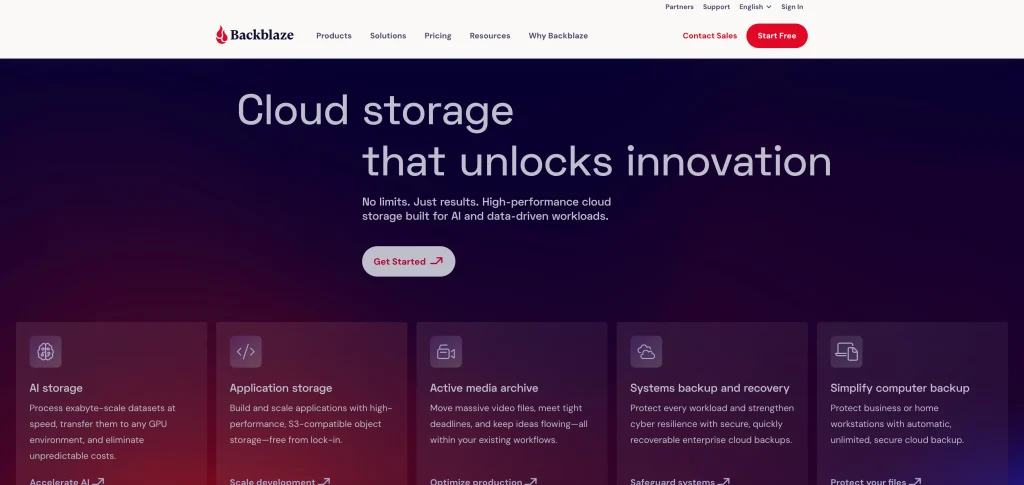
Backblaze does one thing and does it perfectly: unlimited, automatic backup of an entire computer for a flat fee. No storage caps, no per-gigabyte math, no decisions. Install it and it silently protects everything from that moment on. The version 9 desktop app added a dedicated restore interface that makes recovering files noticeably cleaner than older releases.
It is not a sync or storage app — there's no file sharing or collaboration, and each license covers one computer. But for pure data protection, nothing beats it at this price. Standard plans keep 30 days of file history, with extended (up to "Forever") version history available as a paid add-on.
What it's great at:
Truly unlimited storage — your whole PC or Mac
Flat rate regardless of how much data you have
30-day version history (extended history available)
Restore via download or mailed hard drive
Ransomware protection through version rollback
Pros: Simplest setup of any backup app · Best price-per-GB for unlimited backup · Trusted by millions Cons: One computer per license · No file sync or sharing · No zero-knowledge encryption by default
Best for: Users with large amounts of data on a single computer who want full protection without thinking about it.
Visit Backblaze
3. Proton Drive — best for privacy
Free plan: Up to 5GB | Paid from: $4.99/month (200GB) | Platforms: Windows, Mac, iOS, Android, Linux, Web
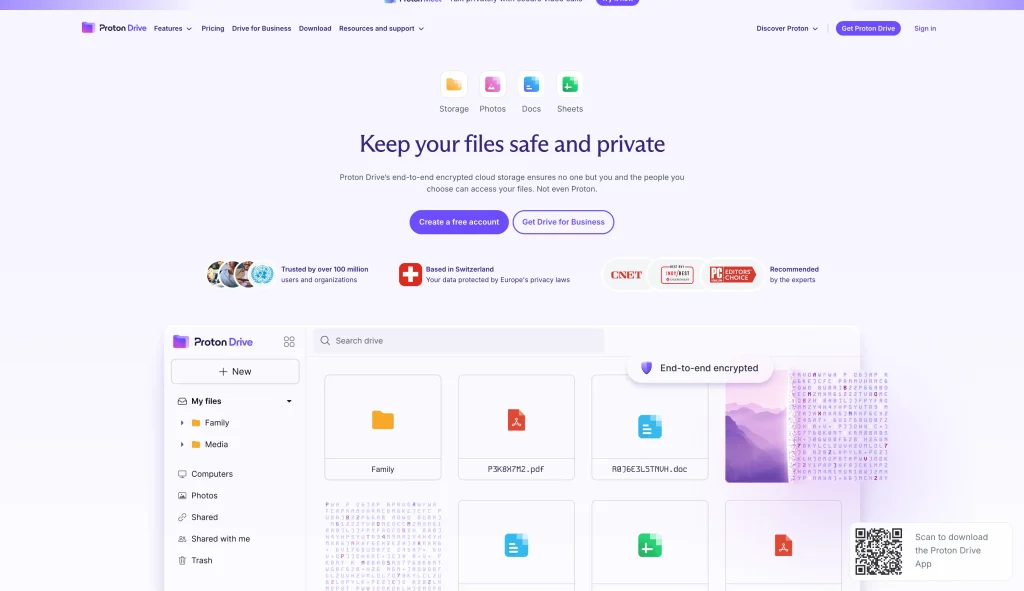
If you store anything sensitive — medical records, legal documents, confidential work files — Proton Drive is in a different category. Your files are encrypted on your device before they ever leave it, and Proton never holds the key. Even with a court order, the company cannot hand over readable files, and Swiss privacy law adds protection that US- and EU-based services can't match. New accounts start with 2GB and unlock up to 5GB free by completing a few onboarding steps.
Proton Drive now delivers fast, stable upload and download speeds, and it's part of a broader privacy suite — the Proton Unlimited bundle adds Mail, Pass, and VPN. If a VPN is also on your list, see our roundup of the best VPN apps for Android.
What it's great at:
True zero-knowledge encryption — provider cannot access your files
Swiss jurisdiction — among the strongest privacy protections globally
Automatic photo backup from mobile devices
File version history for easy recovery
Bundles with Proton Mail, Pass, and VPN
Pros: Most private mainstream cloud storage available · Fast, stable speeds · Ideal for confidential files Cons: Free tier tops out around 5GB · Collaboration lags Google Drive · Document editing still maturing
Best for: Journalists, lawyers, healthcare workers, and anyone storing sensitive files they need to keep truly private.
MEGA's 20GB free plan with built-in end-to-end encryption is the most generous of any encrypted service in 2026. No other major provider gives you this much free storage with real privacy from day one, and you can stretch it further with time-limited bonuses for installing the apps or trying MEGA's VPN and password manager. It also bundles encrypted chat and video calling — unusual for a storage app.
What it's great at:
20GB free — best free plan of any encrypted service
End-to-end encryption on the free plan, no setup needed
Encrypted chat and video calling built in
Password-protected secure file-sharing links
Pros: No competitor comes close at 20GB plus encryption free · Excellent for securely sharing large files Cons: Paid plans are pricier than rivals · Past ownership controversy — research before trusting it with critical data
Best for: Budget-conscious users who want encrypted storage for free, and anyone sharing large files securely.
Visit MEGA
5. Google Drive — best for collaboration
Free plan: 15GB | Paid from: $1.99/month (100GB Google One) | Platforms: All platforms, all browsers
Google Drive's real power is its ecosystem. Gmail attachments, Google Docs, Sheets, and Meet recordings all land in Drive automatically, and its AI search finds files by what's inside them, not just the filename. For everyday users, students, and teams already on Google Workspace, it's the most intuitive storage available. Google One scales smoothly — 100GB ($1.99/month), 200GB ($2.99/month), and 2TB ($9.99/month) — so you can right-size your plan.
What it's great at:
15GB free shared across Gmail, Drive, and Photos
Real-time collaboration on Docs, Sheets, and Slides
AI-powered search — find files by content, not just filename
Works on every device and every browser
Pros: Best collaboration features · Seamless with all Google products · Cheapest entry-level paid plan Cons: Not zero-knowledge — Google can access your files · 15GB fills up fast with Gmail · No real automatic computer backup
Best for: Students, teams, and anyone in the Google ecosystem. Pair it with IDrive or Backblaze for real backup.
Visit Google One
6. Microsoft OneDrive — best for Windows users
Free plan: 5GB | Paid from: $6.99/month (1TB + Microsoft 365 Personal) | Platforms: Windows, Mac, iOS, Android, Web
OneDrive is already built into Windows 10 and 11, so folder backup often starts automatically. The Microsoft 365 Personal plan at $6.99/month bundles 1TB of storage with full Word, Excel, PowerPoint, and Outlook. If you use any Microsoft app, this is the obvious choice. Files On-Demand lets you browse every cloud file in File Explorer without downloading it locally, and Personal Vault adds a two-factor-protected folder for sensitive documents.
What it's great at:
Built into Windows 10 and 11 — zero installation needed
1TB storage bundled with Microsoft 365 ($6.99/month)
Files On-Demand — browse cloud files without using local storage
Personal Vault — extra-secure folder with two-factor authentication
Real-time collaboration on Word, Excel, and PowerPoint
Version history and ransomware file recovery
Pros: Unbeatable value if you use Microsoft 365 · Zero friction for Windows users · Personal Vault adds meaningful security Cons: Not zero-knowledge · Sync can be inconsistent on some setups · 5GB free isn't enough for real use
Best for: Windows 10/11 users and anyone already subscribed to Microsoft 365.
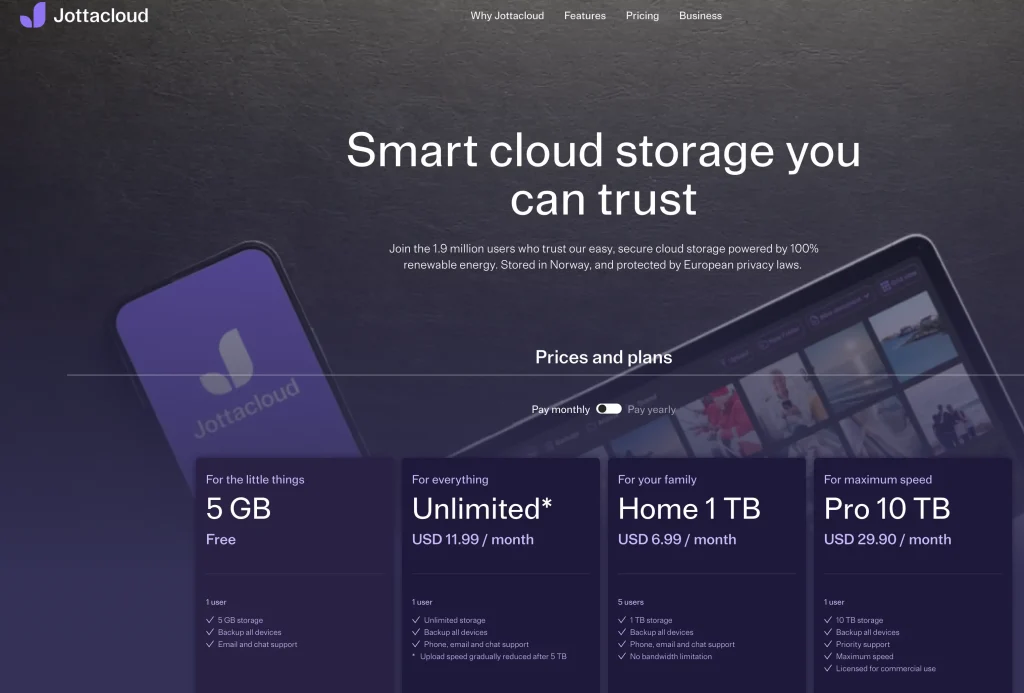
Jottacloud is the most underrated app on this list. Its unlimited plan covers multiple computers, external hard drives, and NAS storage at once — rare at consumer pricing. It runs silently in the background, replaces Google Photos with automatic mobile photo backup, and stores data on Norwegian servers under strict EU and Norwegian privacy law. (Note that unlimited plans throttle upload speeds after the first several terabytes, which is fine for households but worth knowing for very large archives.)
What it's great at:
Unlimited storage across multiple devices
External hard drive backup — uncommon at this price
NAS (network-attached storage) backup support
Automatic photo backup on iOS and Android
Norwegian servers, strict EU and Norwegian privacy laws
Pros: Best value for multiple devices and external drives · Completely automated · NAS backup is rare at consumer pricing Cons: Interface is functional, not polished · Smaller community than Google or Dropbox · Speed throttling on huge archives · Not zero-knowledge
Best for: Power users, photographers, and home offices with multiple computers, external drives, and NAS devices.
Visit Jottacloud
8. pCloud — best lifetime deal
Free plan: Up to 10GB | Paid from: $4.99/month, or a 2TB lifetime plan around $399 (often discounted on sale) | Platforms: Windows, Mac, iOS, Android, Linux, Web
pCloud's lifetime plans are genuinely compelling for long-term thinkers: pay once and use it for years. The 2TB lifetime plan lists around $399 and frequently drops 50% or more during seasonal sales, breaking even against monthly billing in roughly three to four years. It also imports content from Dropbox, Google Drive, and other clouds into one place, and ranks among the fastest services in upload testing. Zero-knowledge encryption is available through the optional pCloud Crypto add-on rather than by default.
What it's great at:
Lifetime plans (1TB, 2TB, larger) — pay once
Cross-cloud import from Google Drive, Dropbox, and more
Among the fastest upload speeds tested
Optional pCloud Crypto add-on for zero-knowledge encryption
Built-in media player for streaming music and video
Pros: Best long-term value — breaks even in ~3 years · Cross-cloud import is genuinely useful · Top upload speeds Cons: Zero-knowledge encryption costs extra · Lifetime plans carry company-closure risk
Best for: Long-term users who hate subscription fees and will use cloud storage for four-plus years.
Sync.com is built on one principle: only you can access your data. Zero-knowledge encryption means the company never holds your key. It's GDPR and PIPEDA compliant, supports unlimited file sizes, and works well for individuals and small teams who need genuine privacy with collaboration features included. Upload speeds run below average — the trade-off for encrypting everything on-device — but for the right use case it's worth it.
What it's great at:
True zero-knowledge encryption — Sync.com cannot read your files
GDPR and PIPEDA compliant
Unlimited file-size support
Microsoft Office integration
Secure team sharing with custom permissions
Pros: Best zero-knowledge option for small teams · Clean, intuitive interface · Honest, transparent pricing Cons: Below-average upload speeds · Smaller integration ecosystem than Dropbox
Best for: Teams and businesses that need zero-knowledge encrypted storage with collaboration features.
Dropbox's 2GB free plan is embarrassingly small in 2026, and it's now capped at three linked devices. But for professionals and teams who need the most reliable sync engine, deep third-party integrations (Slack, Zoom, Salesforce), and the most polished desktop client, Dropbox is still the benchmark. Dropbox Replay for video review and Capture for screen recording make it uniquely useful for creative teams.
What it's great at:
Connects with hundreds of third-party apps
Fastest, most reliable desktop sync engine tested
Smart Sync — access cloud files without using local storage
Dropbox Capture for screen recording and annotation
Dropbox Replay for video review and client approval
Pros: Best-in-class sync reliability · Deepest app-integration ecosystem · Replay is uniquely valuable for video teams Cons: 2GB/3-device free plan is the worst of any major service · Not zero-knowledge · Pricey next to Google Drive or OneDrive
Best for: Creative professionals, agencies, and teams using third-party tools who need rock-solid sync.
Visit Dropbox
Advertisement
Full comparison table — all 10 apps
App
Free Storage
Paid From
Zero-Knowledge
Auto Backup
Multi-Device
Best For
IDrive ★
10 GB
~$69.65/yr (5TB)
Optional
Yes
Yes (unlimited)
Best overall
Backblaze
None
$99/yr
No
Yes
1 computer only
Unlimited backup
Proton Drive
Up to 5 GB
$4.99/mo
Yes
Yes
Yes
Max privacy
MEGA
20 GB
~$11.69/mo
Yes
Partial
Yes
Best free plan
Google Drive
15 GB
$1.99/mo
No
Partial
Yes
Collaboration
OneDrive
5 GB
$6.99/mo*
No
Yes
Yes
Windows users
Jottacloud
5 GB
~$11.99/mo
No
Yes
Yes + NAS
Multi-device + NAS
pCloud
Up to 10 GB
$4.99/mo or ~$399 lifetime
Add-on
Yes
Yes
Lifetime deal
Sync.com
5 GB
~$8/mo
Yes
Yes
Yes
Privacy + teams
Dropbox
2 GB
~$11.99/mo
No
Partial
Yes
Teams + integrations
*OneDrive $6.99/mo includes full Microsoft 365 Personal (Word, Excel, PowerPoint, Outlook) plus 1TB storage. Promotional first-year prices for IDrive and pCloud sales change frequently — check the provider before buying.
Best cloud storage by user type
Don't just pick the most popular app. Match it to your actual situation:
Student: Google Drive — 15GB free, real-time doc collaboration, works everywhere.
Photographer / videographer: Jottacloud + IDrive — unlimited multi-device backup including external drives, plus fast restore when a drive dies. See also our best apps for photographers.
iPhone and Mac user: iCloud — most seamless Apple integration. Enable Advanced Data Protection in Settings for end-to-end encryption on Drive, Photos, and Notes.
Windows user: OneDrive — already installed, 1TB bundled with Microsoft 365 at $6.99/month.
Family / home user: Jottacloud or IDrive — cover every device in the house under one plan.
Small business / team: OneDrive + Backblaze — OneDrive for collaboration, Backblaze for each employee's computer backup.
Privacy-conscious user: Proton Drive (individual) or Sync.com (team) — both are true zero-knowledge.
Hates subscription fees: pCloud lifetime plan — pay once, use for years.
Zero-knowledge encryption — plain English
You'll see this term on almost every cloud storage comparison page. Here's what it actually means:
Standard encryption (Google Drive, Dropbox, OneDrive):
Your files are encrypted in transit and at rest
The company holds your encryption key
They can decrypt your files if required
Government subpoenas can force disclosure of readable files
Safe from external hackers — not from the provider itself
Files are encrypted on your device before they upload
The provider never receives your encryption key
Even with a court order, they cannot read your data
If you lose your password, files may be unrecoverable
Safest option for sensitive or confidential files
When to use zero-knowledge: Medical records, legal documents, financial files, confidential business data, or anything you'd be uncomfortable having a company or government read. For everyday notes and work documents, standard encryption is sufficient.
Advertisement
What to avoid in 2026
Not every app that ranks on Google is safe for your data. Watch out for these red flags:
Free services with no clear privacy policy — if the app doesn't explain how it handles your data, your files are likely the product. Avoid for anything personal or sensitive.
Lifetime plans from new companies — deals from companies under a few years old carry serious closure risk. Check how long the company has operated before buying.
Apps that store data in unclear jurisdictions — verify where your data is actually stored. Some services route files through countries with weak privacy laws.
Sync apps marketed as "backup" — many apps only sync, not back up. If a file deletes on your device and syncs, it's gone everywhere. Read what "backup" actually means before trusting it with important data.
Critical warning: Cloud sync is NOT cloud backup. Delete a file in Google Drive, Dropbox, or OneDrive and it syncs the deletion to all your devices. A real backup service (Backblaze, IDrive) retains deleted files for 30 days or more and lets you recover them. If you've already lost files on your phone, our guide on how to recover deleted photos on Android can help.
How we picked and tested
We approached this the way a careful buyer would. We installed each desktop and mobile client, ran an initial backup on a mixed folder of documents, RAW photos, and video, and then deliberately deleted and restored files to see how each service handled version history and recovery. We timed uploads on the same connection so speed comparisons were fair, and we ran a ransomware-style test by overwriting files locally to confirm that older versions were still recoverable from the cloud.
We also read every current pricing page directly rather than trusting cached numbers, since cloud pricing and free-tier limits shift constantly — Proton Drive's free tier, Dropbox's device cap, and IDrive's renewal pricing have all changed recently. Where a provider's promotional price differs from its renewal price, we noted both. Finally, we weighted privacy heavily: services with verifiable zero-knowledge encryption earned extra credit, and any provider with murky data-handling was flagged rather than recommended.
Bottom line — which app should you choose?
For most people, the right answer is a pair: a backup service that quietly protects everything, plus a storage service for daily access and sharing. If you want one app to do the most, IDrive is the best overall — it backs up every device you own, keeps 30 versions, and can restore an entire disk. If you only need to protect a single computer and never want to think about it again, Backblaze at $99/year unlimited is the simplest, most reliable choice. And if privacy is non-negotiable, Proton Drive (individuals) or Sync.com (teams) give you genuine zero-knowledge encryption.
Already living in Google or Microsoft's world? Google Drive and OneDrive are the path of least resistance — just pair them with a real backup service so a synced deletion or ransomware hit can't wipe you out. Start with a free plan, test it for 30 days, and upgrade only once you know it fits how you actually work.
What is the best cloud storage and backup app in 2026?
IDrive is the best overall for most people because one plan backs up an unlimited number of computers, phones, and tablets into a single storage pool, keeps up to 30 file versions, and supports full disk-image recovery. If you only need to protect one computer, Backblaze's unlimited plan at $99/year is simpler and cheaper. For maximum privacy, Proton Drive offers true zero-knowledge encryption.
What is the best free cloud storage in 2026?
MEGA wins with 20GB free and end-to-end encryption included by default, and you can earn extra GB by installing its apps. Google Drive gives 15GB free shared across Gmail, Drive, and Photos. Proton Drive offers up to 5GB free with zero-knowledge encryption. Pick MEGA for the most free space with privacy, or Google Drive if you live in the Google ecosystem.
Is Google Drive a backup?
No. Google Drive is cloud storage and sync, not a true backup. If you delete a file it disappears everywhere once the trash window passes, and if ransomware encrypts your local files, those bad copies can sync up and overwrite your good ones. For real protection use a dedicated backup service like Backblaze or IDrive alongside Drive.
Which cloud storage is best for Windows users?
OneDrive is built into Windows 10 and 11 and often starts backing up folders automatically. The Microsoft 365 Personal plan at $6.99/month bundles 1TB of OneDrive storage with full Word, Excel, PowerPoint, and Outlook, making it the best value for any Windows user. Add Backblaze if you want true full-computer backup.
Which cloud storage is best for iPhone and Mac users?
iCloud is the most seamless option for Apple users. It backs up your iPhone, syncs your Desktop and Documents on Mac, and integrates with every Apple app. For extra privacy, go to Settings, tap your name, then iCloud, then Advanced Data Protection and enable it to turn on end-to-end encryption for iCloud Drive, Photos, and Notes.
What is the difference between cloud storage and cloud backup?
Cloud storage (Google Drive, Dropbox, OneDrive) syncs files you choose across devices, so deleting a file removes it everywhere. Cloud backup (Backblaze, IDrive, Jottacloud) automatically copies everything on your device and retains deleted files for weeks or months for disaster recovery. For real protection, use both: storage for daily access, backup as your safety net.
Is cloud storage safe for sensitive files?
It depends on the provider. Zero-knowledge services like Proton Drive, Sync.com, MEGA, and pCloud Crypto encrypt files on your device before upload, so even the provider cannot read them. Standard services such as Google Drive, Dropbox, and OneDrive hold the encryption key and could technically access your data. For medical, legal, or financial files, always choose zero-knowledge.
Are lifetime cloud storage plans worth it?
For established providers like pCloud (operating since 2013), the math usually works out. A 2TB lifetime plan, often discounted from around $399 during sales, breaks even versus monthly billing in roughly three to four years. The main risk is company closure, so always keep a secondary backup and never rely on a lifetime plan as your only copy of important data.