Puffin Browser in 2026: What It Is, What It Costs and Whether It's Safe

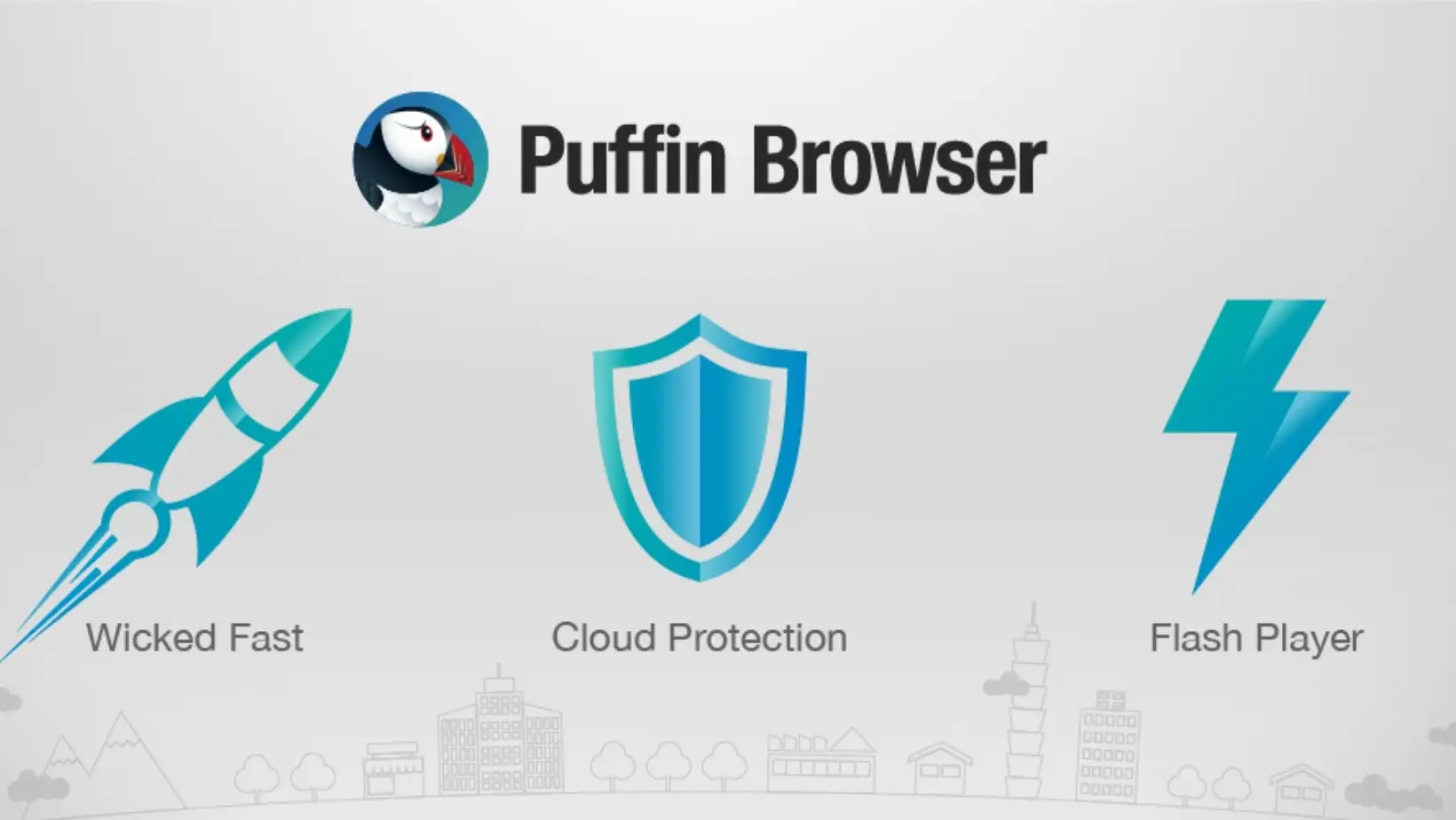
Puffin Browser is a cloud browser from CloudMosa, a Cupertino, California company: its servers load each web page and send a drawing of it back to your device. As of 3 October 2026 it is still updated, but Android use needs a paid subscription (from $0.05 a day), and Puffin Web Browser is now called Puffin Flash Browser.
Older guides are often wrong or out of date on three points: they say Puffin dropped Flash (CloudMosa says its Flash Browser still runs it), they describe a free ad-supported Android tier (CloudMosa says the apps now need a subscription), and they use the old app name. The facts below were checked on 3 October 2026 against CloudMosa's own pages, the US store listings and the sources listed at the end.
In a hurry? Jump to: what it is · which Puffin is which · safe or private? · cost · Flash · safe download · alternatives · FAQ
What is Puffin Browser?
Puffin is a remote browser: the app on your phone or PC is a viewer, and the browser that loads websites runs on CloudMosa's servers. CloudMosa's App Store listing says the Puffin app is not a web browser itself but a client for one running in the cloud, like a remote-desktop viewer. CloudMosa calls this a split browser: lightweight drawing on your device, full page rendering in the cloud.
The company is CloudMosa, Inc., founded in 2009 by Shioupyn Shen. Its privacy policy gives a Cupertino, California address, and its About page lists a second office in Taipei, Taiwan and investors including GIC, Foxconn, Inventec and Lenovo. Puffin has existed since 2010, and puffin.com claims over 200 million downloads across all devices.
How cloud browsing works, and what it means for your data
- You tap a link. The app sends the request, encrypted, to a CloudMosa server (CloudMosa lists US and Singapore locations).
- The server loads the site. Scripts run there, and your cookies and anything you type into the page pass through it. The site sees the server's IP address; your real IP can go along in an X-Forwarded-For header for sites that read it.
- The server sends back a drawing of the page. Your device only paints it. CloudMosa says it does not log what the pages contain.
The trade: page code no longer runs on your device, which is why CloudMosa says budget phones can browse smoothly and why browser exploits have less to work with. But a company's servers now sit between you and every site you open. Only what you open inside Puffin takes this route.
Sources: CloudMosa's listings, technology page and privacy policy (updated 14 November 2023).
Which Puffin is which? Puffin Web Browser is now Puffin Flash Browser
"Puffin" is a family of apps, and the names have just changed. Archived copies show Google Play still listed the Android app as Puffin Web Browser at the end of August 2026 and puffin.com still used that name in mid-September; both now say Puffin Flash Browser. It is the same Google Play listing, so search results and many guides still use the old name.
| App (checked 3 Oct 2026) | What it is | Platforms | Last update |
|---|---|---|---|
| Puffin Flash Browser (was Puffin Web Browser) | Legacy browser; CloudMosa says it still runs Flash | Android, Windows, macOS | Android: 15 Sep 2026 |
| Puffin Cloud Browser | Mostly preloaded on phones; no Flash | Android | 15 Sep 2026 |
| Puffin Cloud Browser (iPhone, iPad) | Older app, free with in-app plans | iOS | 15 Feb 2023 |
| Puffin Incognito Browser | Wipes tabs and cookies on exit; no downloads | Android | 8 Sep 2026 |
| Puffin TV Browser | Browser built for Android TV | Android TV | 26 Sep 2025 |
| Puffin Secure Browser | Desktop; sold as a security product | Windows, macOS | Build 152.0.114.37 (early access) |
| Puffin Cloud Phone and Cloud Store | Websites as cloud-rendered app shortcuts | Android | 15 Sep 2026 |
- Flash Browser is the one most people mean. It has a virtual trackpad, an on-screen gamepad, desktop mode, Flash theater mode and a built-in ad blocker that CloudMosa's help page labels beta. On 3 October 2026 its Google Play listing (version 10.6.1.98088) showed 100M+ downloads and a 1.4-star rating from about 874,000 ratings.
- Cloud Browser is mainly for phones that ship with it. CloudMosa says phone makers preload it, the Play listing exists to deliver updates, and everyone else must subscribe.
- Desktop is split in two. puffin.com's Windows and macOS downloads are the older Flash Browser build (10.1.1.609 and 9.2.0.1283 today); cloudmosa.com offers the newer Secure Browser build.
- The iPhone app has not been updated since February 15, 2023 (version 5.2.9; the App Store showed 3.9 stars from about 6,700 ratings on 3 October 2026).
You may also see "Puffin OS", CloudMosa's name for a cloud-based phone operating system. The Android apps it lists today for that idea are Puffin Cloud Phone and Cloud Store.
Is Puffin Browser safe? Is it private?
Puffin is safer for your device than for your privacy. Page code runs on CloudMosa's servers instead of in your phone's browser engine, which is the point of its isolation design. But every page passes through those servers, so the real question is whether you trust CloudMosa. Its privacy policy, last updated 14 November 2023, says:
- Logs: it records your IP address, request times and URLs for internal analysis, troubleshooting and what it calls self-defense, and deletes the logs after 180 days while keeping aggregate reports.
- Page contents: it does not log what the pages you browse contain.
- Your IP: sites see CloudMosa's server address, but Puffin may forward your real IP in an X-Forwarded-For header, and some ad providers use it to target ads by location. Android release notes say Puffin stopped showing ads in October 2024; the policy text dates from 2023.
- Passwords and cookies: saved passwords stay on your device, encrypted. Cookies are stored on your device but pass through CloudMosa's servers to reach sites.
- Outside requests: it does not comply with outside requests for personal data, except that it may cooperate with law enforcement as required by law in criminal investigations.
Two more points. Google Play's Data safety label, which the developer fills in itself, said on 3 October 2026 that no data is collected or shared, while the policy describes the logs above, so read the policy, not just the label. And Puffin is not a VPN: only what you open inside Puffin takes this route. If you want a VPN, see our best VPN apps for Android.
The Incognito build closes tabs and clears cookies on exit, blocks camera, microphone and location, and omits the X-Forwarded-For header. Its page promises that only you will know which sites you visit, yet the policy's log section makes no exception for it, and its incognito section covers only what is stored on your device. Treat the anonymity promises with caution.
How much does Puffin Browser cost? Is it free?
On Android it is not free to use. The apps are free to download, but CloudMosa says a paid subscription is needed for them to work: $1 a month, or prepaid at $0.25 a week or $0.05 a day. Prices are US dollars as listed on 3 October 2026; tax and country change what you pay.
| Where you buy | Plan | Price | Notes |
|---|---|---|---|
| Google Play (Android) | Monthly, weekly or daily prepaid | $1 / month, $0.25 / week, $0.05 / day | Per app: Flash, Incognito, TV, Cloud Store |
| App Store (iPhone, iPad) | In-app plans | $0.99 / month or $4.99 / year | Puffin Cloud Browser |
| App Store (iPhone, iPad) | Puffin Browser Pro | $4.99 once | Last updated 29 Aug 2023 |
| puffin.com | Puffin 365 Personal | $2 / month or $20 / year | Up to 3 apps |
| puffin.com | Puffin 365 Family | $5 / month or $50 / year | Up to 10 apps |
| puffin.com | Business, Education, Enterprise | $5, $1, $10 / month | 5, 20 and 20 users minimum |
- The free, ad-supported tier is gone. Android release notes for version 10.4.1 (October 2024) said Puffin no longer contained ads, and CloudMosa's help pages now say there is no free usage quota. Its pages disagree about trials: the Play listing mentions Android's 7-day trial on the monthly plan, one help page says there is no free trial, and another describes a 30-day Puffin 365 evaluation. Check the checkout screen instead of counting on a trial.
- Which plan: for one app on one phone, $1 a month, or $0.05 a day if you need Puffin for a day. Puffin 365 Personal ($2) covers up to three apps, such as a phone and a PC.
- Canceling: in the Google Play app, tap your profile icon, then Payments and subscriptions, then Subscriptions, pick the Puffin app and choose Cancel subscription. For Puffin 365, sign in on puffin.com and choose Cancel Subscription. CloudMosa's terms call fees non-refundable, and Puffin 365 is not refunded mid-cycle.
Does Puffin Browser still support Flash?
CloudMosa says yes, but only in Puffin Flash Browser. Its website says Puffin runs Flash content in the cloud and streams it to your device, and the Google Play listing calls the legacy app "a niche browser to extend the life of Flash". Cloud Browser, Cloud Store, Cloud Phone and Incognito Browser do not support Flash. Guides that say Puffin dropped Flash are out of date.
Adobe ended Flash Player support on December 31, 2020, began blocking Flash content in Flash Player on January 12, 2021, and still recommends uninstalling it. Puffin does not revive Flash Player on your device; the content runs on CloudMosa's servers. CloudMosa explains that the engine behind it is stuck on an older Chromium because Flash needed a plugin interface Chromium removed. Treat "it works" as CloudMosa's claim.
For one old game, Ruffle is the free alternative: an open-source Flash emulator with extensions for Chrome, Edge, Firefox and Safari and desktop apps for Windows, macOS and Linux, but no Android app on its download page. Its compatibility page rates coverage between 82% and 99% depending on the ActionScript version, so some games still break. Our GunBlood guide covers playing one classic Flash game today.
Puffin vs a normal mobile browser: what is actually different
Compared with a browser that loads pages on your own device, such as Chrome, Firefox or Brave:
| Question | Puffin | Chrome, Firefox, Brave |
|---|---|---|
| Where is the page built? | On CloudMosa's servers | On your device |
| Which IP does a site see? | CloudMosa's, plus yours in a header | Yours, or your VPN's |
| Cost on Android | Subscription | Free |
| Router or intranet pages | Not supported | Work |
| Flash | Flash Browser only, per CloudMosa | No |
| Private tabs | Separate Incognito app | Built in |
Puffin also hits walls normal browsers do not. CloudMosa lists China, Iran, Saudi Arabia, the UAE and some US schools as blocking it, says Amazon Prime Video blocks its server addresses, and does not support Java-plugin games. Video and Flash are not compressed, so video-heavy browsing gets little data saving.
How to download Puffin safely (and why to skip APK, Pro and mod files)
- Pick the app. For general use, Puffin Flash Browser; Puffin TV Browser for Android TV; Puffin Incognito Browser for the private build.
- Android: use Google Play and check the seller reads CloudMosa Inc. The Flash Browser's Google Play ID is
com.cloudmosa.puffinFree, and an update from 15 September 2026 shows it is maintained. - iPhone and iPad: use the App Store (Puffin Cloud Browser, CloudMosa, Inc.) and skip IPA files from anywhere else.
- Windows and Mac: download from puffin.com or cloudmosa.com. CloudMosa lists Windows 10 or macOS 12 and newer; you do not need an Android emulator.
- Pay only through the store or puffin.com. Puffin 365 takes credit cards (Visa, Mastercard, American Express); Play subscriptions can use Play gift cards. Never give card details to a site selling "Puffin Pro".
Why not a Puffin Pro APK or mod
The Android Puffin Browser Pro was a one-time paid app. Its price counted down from $5 to $0 during 2022, CloudMosa scheduled its end for January 1, 2023, and its Google Play page now returns "not found". A "Pro" or "premium unlocked" APK today is an old build or someone's repackaged copy. Because the service itself runs on CloudMosa's servers, a modded file is more likely to be broken or tampered with than genuinely free, and a tampered browser can read everything you type, including passwords.
Puffin Browser alternatives: pick by what you needed it for
All are free, and each loads pages on your device except Opera's data-saving mode. Checked on Google Play on 3 October 2026 unless noted:
- Firefox, for privacy. Blocks social trackers, cross-site cookies, crypto miners and fingerprinting scripts by default and supports add-ons. 4.6 stars from about 6.5 million ratings.
- Brave, for fewer ads. Built-in ad blocker, data and battery saving, Android 7 and above; 4.8 stars from about 3.9 million ratings. Our Chrome vs Brave comparison helps if you are choosing between those two.
- Opera Mini or Opera, for saving data. Opera's help page says Opera for Android compresses data on its servers before it reaches your device when data savings is on, so this also trades some privacy for savings. Opera Mini lists data saving and an ad blocker; 4.6 stars from about 10 million ratings.
- Chrome, as a plain default. 10B+ downloads, 4.1 stars from about 49 million ratings, no subscription.
- Ruffle, for old Flash games. Desktop browsers and desktop apps only, as above.
Who should (and should not) use Puffin
Puffin still makes sense if you need old Flash content on Android, Windows or macOS and accept that CloudMosa runs it for you; your phone shipped with Puffin Cloud Browser or Cloud Phone (CloudMosa says phone makers pay for the preloaded copies); you want a browser built for Android TV (its last update was September 2025); or you are an organization evaluating browser isolation (Puffin 365 Enterprise includes an admin console, virus scanning of downloads and controls for uploads, downloads and the clipboard).
Skip it if you want privacy or anonymity, a free everyday browser or an iPhone browser that is still updated, or if you need router, intranet or geo-restricted pages.
How we picked and verified this
This guide is a desk check of primary sources, not a usage review. On 3 October 2026 we compared:
- CloudMosa's pages: puffin.com (products, Puffin 365 pricing, Flash Browser), its support center, cloudmosa.com, the privacy policy (updated 14 November 2023) and the terms of service.
- Store listings: US Google Play listings for the Flash, Cloud, Incognito and TV browsers, Cloud Store and Cloud Phone; US App Store listings for Puffin Cloud Browser and Puffin Browser Pro; Google Play's response for the retired Android Pro app; and archived copies of the Play listing and puffin.com to date the rename.
- Flash: Adobe's end-of-life page and Ruffle's download and compatibility pages.
- Alternatives: each one's Google Play listing and Opera's help page.
How Puffin behaves (Flash playback, speed, data savings) is CloudMosa's claim, and we say so each time. We chose alternatives by why people reach for Puffin: Flash, saving data, privacy, fewer ads or an everyday default. Where CloudMosa's pages disagree, as with free trials, we say so. We left out figures we could not confirm: CloudMosa no longer states a data-saving percentage on the current Android listing.
Bottom line
Use Puffin for a specific job, not as your everyday browser. Those jobs are old Flash content (per CloudMosa), a phone that ships with it, or an Android TV browser. Otherwise it costs money, cannot reach private or blocked sites, and puts CloudMosa's servers between you and everything you do. For privacy or fewer ads, Firefox or Brave are free and load pages on your own device; for saving data, Opera's data savings also use servers but the app is free.
Frequently Asked Questions
What is Puffin Browser?
Puffin Browser is a cloud browser made by CloudMosa, Inc. of Cupertino, California. Instead of loading websites on your device, the app asks CloudMosa's servers in the US and Singapore to load them and sends back a drawing of each page. CloudMosa has offered Puffin since 2010 and claims over 200 million downloads. As of 3 October 2026 its Android app is named Puffin Flash Browser.
Is Puffin Browser safe?
It is safer for your device than for your privacy. Page code runs on CloudMosa's servers rather than in your phone's browser engine, which limits exposure to browser exploits. But every page passes through those servers: CloudMosa's privacy policy (updated 14 November 2023) says it logs IP addresses, request times and URLs for 180 days, and Puffin can forward your real IP to websites. Puffin is not a VPN.
Is Puffin Browser free?
Not on Android. The apps are free to download, but CloudMosa says a paid subscription is needed to use them: $1 a month, $0.25 a week or $0.05 a day on Google Play (US prices checked 3 October 2026; tax and country change the amount). The iPhone app lists in-app plans at $0.99 a month or $4.99 a year, and Puffin 365 on puffin.com starts at $2 a month.
What is the difference between Puffin Web Browser, Puffin Cloud Browser and Puffin Secure Browser?
Puffin Web Browser is the old name of the Android app now called Puffin Flash Browser, the legacy build that CloudMosa says still runs Flash. Puffin Cloud Browser is a separate Android app mostly preloaded on phones, and it is also the name of the iPhone app. Puffin Secure Browser is the Windows and macOS browser CloudMosa markets as a security product. All use cloud rendering.
Does Puffin Browser still support Flash?
CloudMosa says yes, but only in Puffin Flash Browser, formerly Puffin Web Browser. Its website says Puffin runs Flash in the cloud and streams it to your device. Puffin Cloud Browser, Cloud Store, Cloud Phone and Incognito Browser do not support Flash. Adobe ended Flash Player support on December 31, 2020 and began blocking Flash content on January 12, 2021, so treat Puffin's Flash support as CloudMosa's claim.
Is it safe to download a Puffin Browser APK, Pro APK or mod?
No. Download Puffin only from Google Play, the App Store or CloudMosa's own sites, puffin.com and cloudmosa.com. The Android Puffin Browser Pro app was retired (CloudMosa scheduled its end for January 1, 2023, and its Google Play page is gone), so a Pro or mod APK is an old or repackaged file, and a tampered browser can read everything you type, including passwords.
Is there a Puffin Browser for PC?
Yes. CloudMosa offers Windows and macOS versions, and its help page lists Windows 10 or macOS 12 and newer. puffin.com carries the older Puffin Flash Browser build, while cloudmosa.com carries a newer Puffin Secure Browser build that CloudMosa's support site calls early access. You do not need an Android emulator. Desktop use needs a Puffin 365 account, and Personal costs $2 a month or $20 a year.
What is the best alternative to Puffin Browser?
It depends on why you used Puffin. For privacy, Firefox. For fewer ads, Brave. For saving mobile data, Opera Mini or Opera, though Opera also compresses pages on its own servers. For a default browser, Chrome. For old Flash games, Ruffle, a free open-source emulator with desktop browser extensions but no Android app listed. All are free, checked 3 October 2026.