Your laptop dies tonight. You get hit by ransomware. Your phone falls in a lake. These aren’t horror stories — they happen to real people every single day. The right cloud backup app is the difference between a 5-minute recovery and losing everything forever.
We spent weeks hands-on testing 12 of the most popular cloud storage and backup apps in 2026. We checked real upload speeds, tested restore workflows, reviewed privacy policies, and compared every pricing plan. Here’s the honest verdict.
Advertisement
Quick Answer:IDrive is the best cloud storage and backup app in 2026 for most users. It backs up multiple devices, keeps 30 versions of every file, and matches Google Drive’s speed in independent testing. Best overall.
Cloud Storage vs. Cloud Backup — What’s the Difference?
Most people treat these as the same thing. They are completely different tools with different jobs.
Cloud Storage (Google Drive, Dropbox, OneDrive):
You choose which files go in
Syncs files across all your devices
Great for sharing and collaboration
If you delete a file — it deletes on all devices
Cloud Backup (Backblaze, IDrive, Jottacloud):
Automatically copies everything on your device
Runs silently in the background
Keeps deleted files for 30–90 days so you can recover them
Protects against ransomware, hardware failure, and accidental deletion
Full disaster recovery — restore your entire computer
Pro Tip — The 3-2-1 Rule: Keep 3 copies of your data, on 2 different media, with 1 stored off-site (your cloud backup). This is how IT professionals protect critical files. Use cloud storage for daily access and a backup service as your safety net.
The 10 Best Cloud Storage & Backup Apps in 2026
1. IDrive — Best Overall
Free plan: 10GB | Paid from: ~$70/year (5TB, first year) | Platforms: Windows, Mac, iOS, Android, Linux
IDrive is the one app that genuinely handles everything. It backs up multiple devices automatically, keeps 30 versions of every file, and supports full disk image backup for complete disaster recovery. Independent 2026 testing confirmed IDrive’s upload speeds match Google Drive — the fastest in its class.
The physical drive option is unique: they mail you a hard drive for your initial large backup if your internet is too slow, and return postage is free for personal users once a year.
What it’s great at:
Backs up up to 5 devices under one plan
30 file versions — roll back any mistake
Full disk image backup for disaster recovery
NAS, server, and external drive backup
Physical drive restore option
Pros: Fastest upload speeds tested · True multi-device coverage · Backs up external drives and servers Cons: Interface looks dated · Price jumps after first-year discount · Zero-knowledge requires extra setup
Best for: Anyone who wants one app to back up their entire digital life — multiple computers, phones, and external drives.
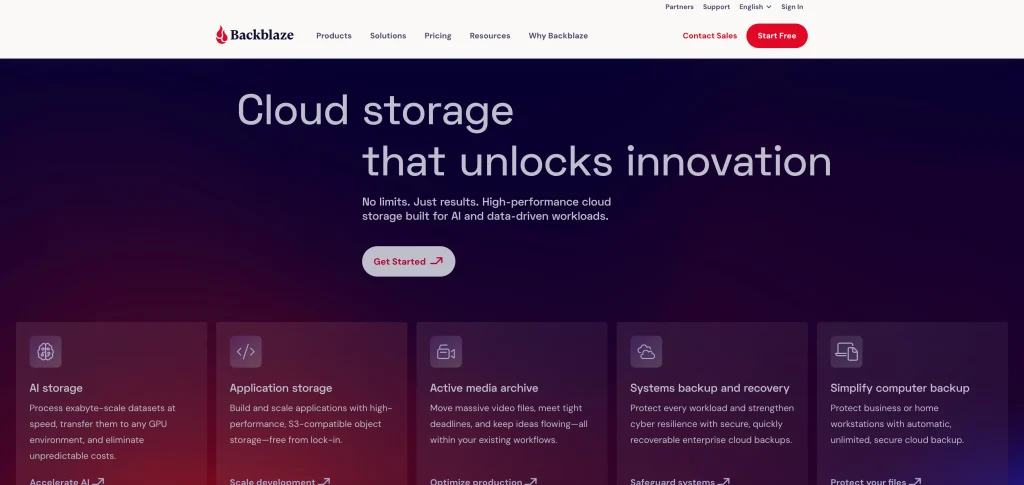
Backblaze does one thing and does it perfectly: unlimited, automatic backup of your entire computer for a flat $9/month. No storage limits. No complicated setup. No decisions. Install it and it silently protects everything from that moment forward. You never have to think about it again.
It is not a sync or storage app — there’s no file sharing or collaboration. But for pure data protection, nothing beats it at this price.
What it’s great at:
Truly unlimited storage — your whole PC or Mac
$9/month flat rate regardless of data size
30-day file version history (extended plans available)
Restore via download or mailed hard drive
Ransomware protection through version rollback
Pros: Simplest setup of any backup app · Best price-per-GB for unlimited backup · Trusted by millions Cons: One computer per plan only · No file sync or sharing · No zero-knowledge encryption
Best for: Users with large amounts of data on a single computer who want full protection without thinking about it.
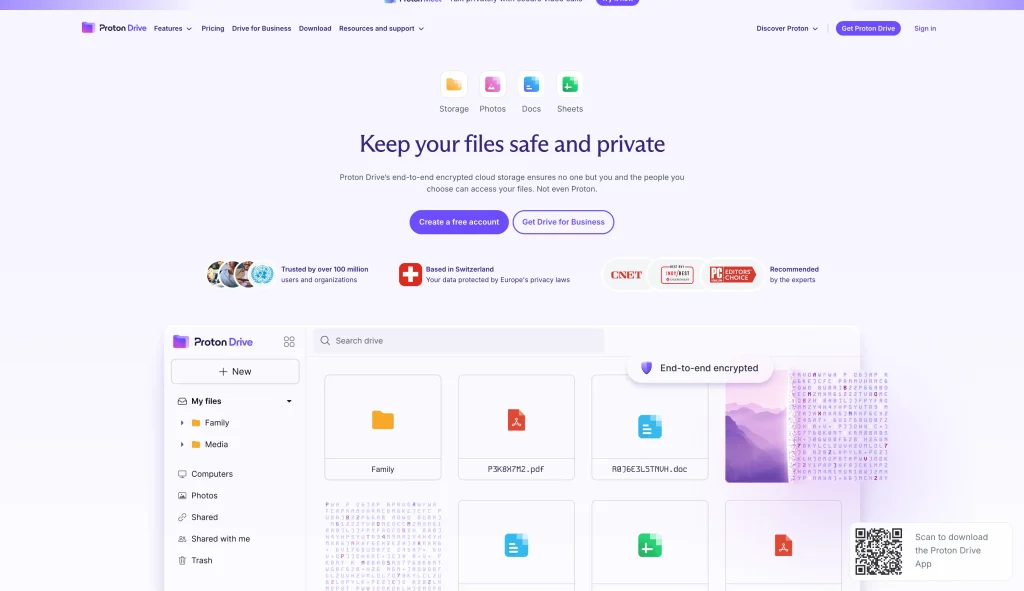
If you store anything sensitive — medical records, legal documents, confidential work files — Proton Drive is in a completely different category. Your files are encrypted on your device before they ever leave it. Proton never holds the encryption key. Even with a government court order, they cannot hand over readable files. Swiss privacy law adds protection that US and EU services simply can’t match.
2026 testing confirmed Proton Drive now delivers fast, stable upload and download speeds — performance issues from early versions are fully resolved.
What it’s great at:
True zero-knowledge encryption — provider cannot access your files
Swiss jurisdiction — among the strongest privacy protections globally
Automatic photo backup from mobile devices
File version history for easy recovery
Part of Proton ecosystem (ProtonMail + ProtonVPN bundle available)
Pros: Most private mainstream cloud storage available · Verified fast speeds in 2026 testing · Ideal for confidential files Cons: Free plan is only 1GB · Collaboration features lag behind Google Drive · No built-in document editing
Best for: Journalists, lawyers, healthcare workers, and anyone storing sensitive files they need to keep truly private.
MEGA’s 20GB free plan with built-in end-to-end encryption is unmatched in 2026. No other major provider gives you this much free storage with real privacy from day one. It also bundles encrypted chat and video calling — unusual for a storage app. If you need free, encrypted cloud storage without paying anything, MEGA is the clear answer.
What it’s great at:
20GB free — best free plan of any encrypted service
End-to-end encryption on free plan, no setup needed
Encrypted chat and video calling built in
Password-protected secure file sharing links
Pros: No competitor comes close at 20GB + encryption free · Excellent for securely sharing large files Cons: Paid plans are pricier than competitors · Past ownership controversy — research before using for critical data
Best for: Budget-conscious users who want encrypted storage for free, and anyone sharing large files securely.
5. Google Drive — Best for Collaboration
Free plan: 15GB | Paid from: $1.99/month (100GB) | Platforms: All platforms, all browsers
Google Drive’s real power is its ecosystem. Gmail attachments, Google Docs, Sheets, Meet recordings — everything lands in Drive automatically. Its AI search finds files by what’s inside them, not just the filename. For everyday users, students, and teams already using Google Workspace, it’s the most intuitive storage available.
What it’s great at:
15GB free shared across Gmail, Drive, and Photos
Real-time collaboration on Docs, Sheets, and Slides
AI-powered search — find files by content, not just filename
Works on every device and every browser
Pros: Best collaboration features tested · Seamless with all Google products · Cheapest entry-level paid plan Cons: Not zero-knowledge — Google can access your files · 15GB fills up fast with Gmail · No real automatic computer backup
Best for: Students, teams, and anyone in the Google ecosystem. Pair with IDrive or Backblaze for real backup.
6. Microsoft OneDrive — Best for Windows Users
Free plan: 5GB | Paid from: $6.99/month (includes 1TB + full Microsoft 365) | Platforms: Windows, Mac, iOS, Android, Web
OneDrive is already built into Windows 10 and 11 — folder backup often starts automatically without you doing anything. The Microsoft 365 Personal plan at $6.99/month bundles 1TB of storage with full Word, Excel, PowerPoint, and Outlook. If you’re a Windows user who uses any Microsoft app, this is the most obvious choice. Files On-Demand lets you browse all your cloud files in File Explorer without downloading them locally.
What it’s great at:
Built into Windows 10 and 11 — zero installation needed
1TB storage bundled with Microsoft 365 ($6.99/month)
Files On-Demand — browse cloud files without using local storage
Personal Vault — extra-secure folder with two-factor authentication
Real-time collaboration on Word, Excel, and PowerPoint
Version history and ransomware file recovery
Pros: Unbeatable value if you use Microsoft 365 · Zero friction for Windows users — already installed · Personal Vault adds meaningful extra security Cons: Not zero-knowledge · Inconsistent sync reported on some Windows setups · 5GB free is not enough for real use
Advertisement
Best for: Windows 10/11 users and anyone already subscribed to Microsoft 365.
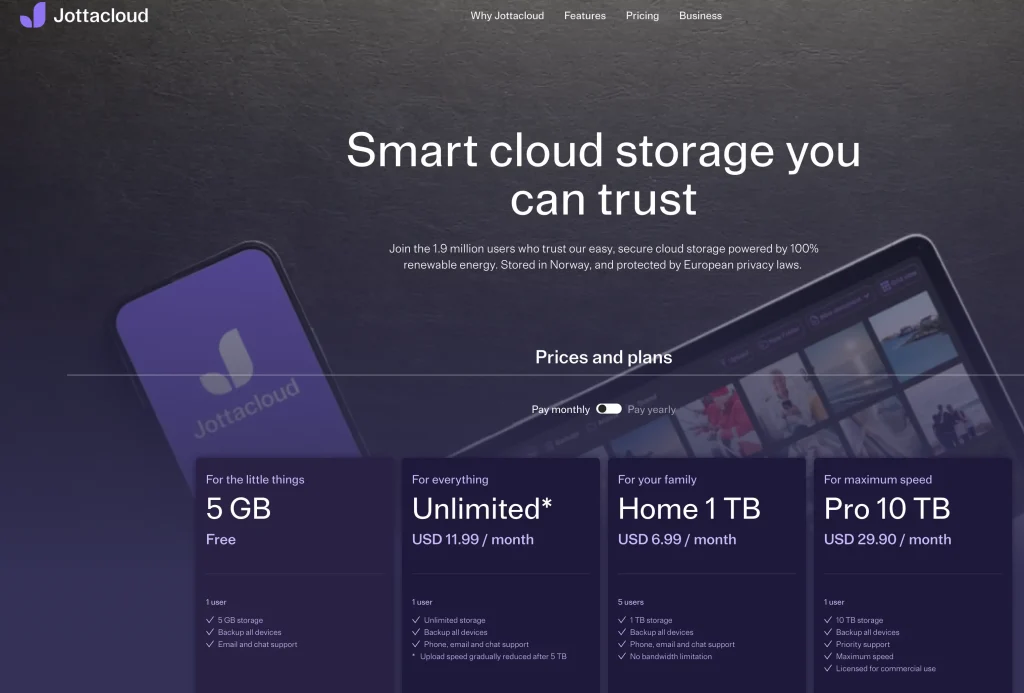
Jottacloud is the most underrated app on this list. Its unlimited plan covers multiple computers AND external hard drives AND NAS storage simultaneously — no other consumer cloud service offers this at $11.99/month. It runs completely silently in the background, replaces Google Photos with automatic mobile photo backup, and stores your data on Norwegian servers under strict EU privacy law.
What it’s great at:
Unlimited storage across multiple devices
External hard drive backup — unique at this price point
NAS (network-attached storage) backup support
Automatic photo backup on iOS and Android
Norwegian servers, strict EU and Norwegian privacy laws
Pros: Best value for users with multiple devices and external drives · Completely automated, zero input required · NAS backup is rare at consumer pricing Cons: Interface is functional but not polished · Smaller community than Google/Dropbox · Not zero-knowledge
Best for: Power users, photographers, and home office setups with multiple computers, external drives, and NAS devices.
8. pCloud — Best Lifetime Deal
Free plan: 10GB | Paid from: $4.99/month or ~$399 one-time (2TB lifetime) | Platforms: Windows, Mac, iOS, Android, Linux, Web
pCloud’s lifetime plans are genuinely compelling for long-term thinkers. Pay once, use it for the next decade. The 2TB lifetime plan breaks even against monthly billing in about 3–4 years. It also has a unique feature: it automatically imports your Dropbox, Google Drive, and even Facebook content into one place. Swiss-based since 2013. Upload speed testing ranks it among the fastest services available.
What it’s great at:
Lifetime plans (1TB, 2TB) — pay once, own forever
Cross-cloud backup — imports from Google Drive, Dropbox, Facebook
Among the fastest upload speeds tested
Optional pCloud Crypto add-on for zero-knowledge encryption
Built-in media player for streaming music and video
Pros: Best long-term value — breaks even in ~3 years · Cross-cloud import is a unique feature · Top upload speed Cons: Zero-knowledge encryption costs extra (not included by default) · Lifetime plans carry company-closure risk
Best for: Long-term users who hate subscription fees and will use cloud storage for 4+ years.
Sync.com is built on one principle: only you can access your data. Zero-knowledge encryption means the company never holds your encryption key. It’s GDPR and PIPEDA compliant, supports unlimited file sizes, and works well for both individuals and small teams who need genuine privacy with collaboration features included. Upload speeds are below average, but the privacy trade-off is worth it for the right use case.
What it’s great at:
True zero-knowledge encryption — Sync.com cannot read your files
GDPR and PIPEDA compliant
Unlimited file size support
Microsoft Office 365 integration
Secure team sharing with custom permissions
Pros: Best zero-knowledge option for small teams · Clean, intuitive interface · Honest transparent pricing Cons: Upload speeds below average in testing · Smaller integration ecosystem than Dropbox
Best for: Teams and businesses that need zero-knowledge encrypted storage with collaboration features.
Dropbox’s 2GB free plan is embarrassingly small in 2026. But for professionals and teams who need the most reliable sync engine, integrations with 750+ apps (Slack, Zoom, Salesforce), and the most polished desktop client — Dropbox is still the gold standard. Dropbox Replay for video review and Capture for screen recording make it uniquely useful for creative teams.
What it’s great at:
Connects with 750+ third-party apps
Fastest, most reliable desktop sync engine tested
Smart Sync — access cloud files without using local storage
Dropbox Capture for screen recording and annotation
Dropbox Replay for video review and client approval workflow
Pros: Best-in-class sync reliability · Deepest app integration ecosystem · Replay is uniquely valuable for video teams Cons: 2GB free is the worst of any major service in 2026 · Not zero-knowledge · Expensive relative to Google Drive or OneDrive
Advertisement
Best for: Creative professionals, agencies, and teams using third-party tools who need rock-solid sync.
Full Comparison Table — All 10 Apps
App
Free Storage
Paid From
Zero-Knowledge
Auto Backup
Multi-Device
Best For
IDrive ★
10 GB
~$70/yr
Optional
Yes
Yes (5 devices)
Best overall
Backblaze
None
$9/mo
No
Yes
1 computer only
Unlimited backup
Proton Drive
1 GB
$4.99/mo
Yes
Yes
Yes
Max privacy
MEGA
20 GB
~$11.69/mo
Yes
Partial
Yes
Best free plan
Google Drive
15 GB
$1.99/mo
No
Partial
Yes
Collaboration
OneDrive
5 GB
$6.99/mo*
No
Yes
Yes
Windows users
Jottacloud
5 GB
$11.99/mo
No
Yes
Yes + NAS
Multi-device + NAS
pCloud
10 GB
$4.99/mo
Add-on
Yes
Yes
Lifetime deal
Sync.com
5 GB
$8.04/mo
Yes
Yes
Yes
Privacy + teams
Dropbox
2 GB
$9.99/mo
No
Partial
Yes
Teams + integrations
*OneDrive $6.99/mo includes full Microsoft 365 Personal (Word, Excel, PowerPoint, Outlook) plus 1TB storage.
Best Cloud Storage by User Type
Don’t just pick the most popular app. Match it to your actual situation:
Student: Google Drive — 15GB free, real-time doc collaboration, works everywhere.
Photographer / Videographer: Jottacloud + IDrive — unlimited multi-device backup including external drives, plus fast restore when a drive dies.
iPhone and Mac user: iCloud — most seamless Apple integration. Enable Advanced Data Protection in Settings for end-to-end encryption on Drive, Photos, and Notes.
Windows user: OneDrive — already installed, 1TB bundled with Microsoft 365 at $6.99/month.
Family / home user: Jottacloud — covers every device in the house under one unlimited plan.
Small business / team: OneDrive + Backblaze — OneDrive for collaboration, Backblaze for each employee’s computer backup.
Privacy-conscious user: Proton Drive (individual) or Sync.com (team) — both are true zero-knowledge.
Hates subscription fees: pCloud lifetime plan — pay once, use for the next 10 years.
Zero-Knowledge Encryption — Plain English
You’ll see this term on almost every cloud storage comparison page. Here’s what it actually means:
Standard encryption (Google Drive, Dropbox, OneDrive):
Your files are encrypted in transit and at rest
The company holds your encryption key
They can decrypt your files if required
Government subpoenas can force disclosure of readable files
Safe from external hackers — not from the provider itself
Files are encrypted on your device before they upload
The provider never receives your encryption key
Even with a court order — they cannot read your data
If you lose your password, files may be unrecoverable
Safest option for sensitive or confidential files
When to use zero-knowledge: Medical records, legal documents, financial files, confidential business data, or anything you’d be uncomfortable having a company or government read. For everyday notes and work documents — standard encryption is sufficient.
What to Avoid in 2026
Not every app that ranks on Google is safe for your data. Watch out for these red flags:
Free services with no clear privacy policy — if the app doesn’t explain how it handles your data, your files are likely the product. Avoid for anything personal or sensitive.
Lifetime plans from new companies — lifetime deals from companies under 3 years old carry serious closure risk. Always check how long the company has been operating before buying.
Apps that store data in unclear jurisdictions — verify where your data is actually stored. Some services route files through countries with weak privacy laws.
Sync apps marketed as “backup” — many apps only sync files, not back them up. If a file deletes on your device and it syncs, it’s gone everywhere. Read what “backup” actually means in their documentation before trusting it with important data.
Critical Warning: Cloud sync is NOT cloud backup. If you delete a file in Google Drive, Dropbox, or OneDrive — it syncs the deletion to all your devices instantly. A real backup service (Backblaze, IDrive) retains deleted files for 30–90 days and lets you recover them. Do not confuse the two.
Frequently Asked Questions
What is the best cloud storage in 2026?
IDrive is the best overall for most users — it backs up multiple devices, keeps 30 file versions, matches Google Drive’s speed in independent testing, and handles full disk image recovery. If you only need backup for one computer, Backblaze’s unlimited plan at $9/month is simpler and more affordable.
What is the best free cloud storage in 2026?
MEGA wins with 20GB free and end-to-end encryption included by default. Google Drive gives 15GB free shared across Gmail, Drive, and Photos. If privacy matters most, MEGA is the clear pick. If you’re already in the Google ecosystem, Google Drive is the obvious choice.
Which cloud storage is best for Windows users?
OneDrive is built into Windows 10 and 11 and often starts backing up folders automatically. The Microsoft 365 Personal plan at $6.99/month bundles 1TB of OneDrive storage with full Word, Excel, PowerPoint, and Outlook — the best value for any Windows user.
Which cloud storage is best for iPhone and Mac users?
iCloud is the most seamless option for Apple users. It automatically backs up your iPhone, syncs your Desktop and Documents on Mac, and integrates with every Apple app. For extra privacy, go to Settings → Apple ID → iCloud → Advanced Data Protection and enable it. This turns on end-to-end encryption for iCloud Drive, Photos, and Notes.
What is the difference between cloud storage and cloud backup?
Cloud storage (Google Drive, Dropbox, OneDrive) syncs your chosen files across devices — you pick what goes in. Delete a file and it deletes everywhere. Cloud backup (Backblaze, IDrive, Jottacloud) automatically copies everything on your device and retains deleted files for weeks or months. For real data protection, use both.
Is cloud storage safe for sensitive files?
It depends on the provider. Zero-knowledge services like Proton Drive, Sync.com, and pCloud Crypto encrypt files on your device before upload — even the provider cannot read them. Standard services (Google Drive, Dropbox, OneDrive) hold the encryption key, meaning they could technically access your data. For medical, legal, or financial files — always use zero-knowledge.
Are lifetime cloud storage plans worth it?
For established providers like pCloud (operating since 2013), the math usually works out. A 2TB lifetime plan breaks even versus monthly subscriptions in 3–4 years. The risk is company closure. Always maintain a secondary backup — never rely on a lifetime plan as your only copy of important data.
How much cloud storage do I actually need?
Most regular users are fine with 200GB — this covers thousands of photos, documents, and files. Photographers and videographers often need 1–2TB for raw files. For full computer backup of everything on your hard drive, choose an unlimited plan like Backblaze or Jottacloud. You won’t need to guess the right storage size.
Final Verdict — Which App Should You Choose?
Here’s the short version based on what most people actually need:
Just want complete backup protection: Backblaze ($9/month, unlimited, one computer)
Best overall — backup + storage + multi-device: IDrive
Tightest privacy for sensitive files: Proton Drive or Sync.com
Already use Google or Microsoft products: Google Drive or OneDrive
Have multiple computers and external drives: Jottacloud
Want to pay once and be done: pCloud lifetime plan
Need zero budget to start: MEGA (20GB free with encryption)
Start with a free plan. Test it for 30 days. Upgrade only when you know it fits how you actually work.
With over seven years of experience, I help people understand technology through clear and insightful articles. I cover the latest in technology, mobile devices, PCs, how-tos, guides, news, and gadget reviews, always staying updated to provide accurate and reliable information.