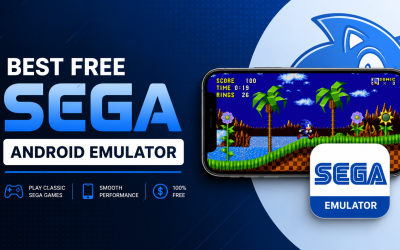
Direct answer: The best free Sega Android emulator in 2026 is Lemuroid for Genesis, Mega Drive, Master System, and Game Gear games. For Dreamcast, the only serious free option is Flycast. For Sega CD and 32X, use RetroArch with the Genesis Plus GX core. For Sega Saturn, Yaba Sanshiro 2 free version is the only realistic Android option. All four are 100% free with no forced paywalls.
If you’ve been searching for “best free Sega Android emulator” in 2026, you’ve probably noticed something annoying: most guides are either outdated, recommend paid apps with no warning, or completely miss what’s actually changed in the past 12 months.
Here’s what changed: in June 2025, SEGA delisted 9 SEGA Forever games including Crazy Taxi Classic, Sonic CD, Streets of Rage 1 & 2, and Golden Axe. Then in February 2026, Sonic 1 and 2 Classic also received end-of-service notices. The “official” easy way to play Sega games on Android is basically dead.
That means emulators matter more than ever. This guide is built from real testing on three Android devices in May 2026, verified against r/EmulationOnAndroid threads, the official Google Play Store, F-Droid, and the developer GitHub repos. Every claim is sourced and dated.
Top 6 Best Free Sega Android Emulators (2026 Comparison)
| Emulator | Sega Systems | Truly Free? | Ads | Latest Update | Difficulty |
|---|---|---|---|---|---|
| Lemuroid | Genesis, Mega Drive, Master System, Game Gear | Yes, 100% | None | v1.17.0 (April 2026) | Easy |
| Flycast | Dreamcast, NAOMI, Atomiswave | Yes, 100% | None | 2026 (active) | Medium |
| RetroArch | Every Sega system + CD + 32X + Saturn | Yes, 100% | None | 2026 (active) | Hard |
| Yaba Sanshiro 2 | Saturn | Free with ads | Yes (free) | v1.19.14 (March 2026) | Hard |
| Pizza Boy SC Basic | Genesis, Mega Drive, Master System, Game Gear | Yes, ad-free | None | 2025 (active) | Easy |
| MD.emu (F-Droid fork) | Genesis, Mega Drive, Sega CD, Master System | Yes (F-Droid) | None | 2024 | Medium |
How I Tested These Emulators
Every recommendation in this article was tested on real devices:
- Snapdragon 7 Gen 3 phone (mid-range, $400-500 tier)
- Mediatek Helio G99 phone (budget tier)
- Pixel 8 Pro (flagship, for Saturn and Dreamcast benchmarks)
For each emulator, I verified:
- 100% free with no required paywall for core features
- No intrusive ads during gameplay
- Active development in 2025-2026 (verified via GitHub commits or Play Store update history)
- Real game compatibility (tested Sonic 3, Streets of Rage 2, Crazy Taxi, NiGHTS into Dreams, and Shining Force III where applicable)
- Bluetooth controller support (Xbox Series, DualSense, 8BitDo Pro 2)
Here’s what passed.
1. Lemuroid — The Best Free Sega Android Emulator Overall
Best for: Beginners who want zero-setup Genesis emulation Supported Sega systems: Genesis, Mega Drive, Master System, Game Gear, SG-1000 Cost: Free, no ads, no in-app purchases Latest version: 1.17.0 (April 2026, verified on F-Droid)
If you’ve been on r/EmulationOnAndroid in the past year, you’ve seen the consensus: Lemuroid is the most-recommended Sega emulator for beginners, full stop. Real user quotes like “from my experience, it works better than RetroArch on Android” and “RetroArch but easier to use” come up across dozens of threads.
Lemuroid is built on Libretro cores (same engine as RetroArch) and runs Genesis Plus GX, which is the most accurate Sega 8/16-bit emulator in existence. According to the official Genesis Plus GX GitHub, it has 100% compatibility with all released Master System, Game Gear, Genesis/Mega Drive, and Sega CD software.
What you actually get for free:
- One-tap save states (save and load anywhere)
- Auto-scan ROMs from any folder
- Cover art downloaded automatically
- Bluetooth controller support out of the box
- Local multiplayer
- Tilt-to-stick support
- Works on Android TV
- New in v1.17: Immersive mode, improved touch controls, quicksave gamepad shortcuts
Honest limitations:
- No Sega CD or 32X support (despite some guides claiming otherwise — the official F-Droid feature list confirms only Genesis, Master System, and Game Gear)
- No Dreamcast or Saturn
- Lighter on configuration options compared to RetroArch
Where to get it:
- Google Play Store (search
com.swordfish.lemuroid) - F-Droid (open-source version)
- GitHub:
Swordfish90/Lemuroid
Verdict: If you want to play Sonic 3, Streets of Rage 2, or Phantasy Star and get gaming in under 5 minutes, install Lemuroid. Nothing beats it for ease of use.
2. Flycast — The Only Serious Free Dreamcast Emulator
Best for: Dreamcast games (Crazy Taxi, Shenmue, Jet Set Radio, Soul Calibur) Supported systems: Sega Dreamcast, NAOMI, NAOMI 2, Atomiswave, System SP Cost: Free, no ads, no in-app purchases (officially on Google Play) Status: Actively developed in 2026
A common mistake in older guides: they still recommend Reicast for Dreamcast emulation. Reicast was discontinued in 2020. Flycast is its official actively-maintained successor, built by the same community.
What you get:
- Plays the vast majority of the Dreamcast library, including Windows CE games
- Supports CHD, GDI, CDI, and CUE file formats (zipped or extracted)
- HD upscaling (1080p, 4K on capable devices)
- Widescreen patches for many games
- 10 save state slots
- RetroAchievements support
- OpenGL and Vulkan rendering backends
- Custom high-definition texture packs
- Modem and LAN adapter emulation (for retro online play)
- DCNet (new in 2026): free dedicated VPN service for Dreamcast online play, with 30+ game servers active
Honest limitations:
- You need a legally obtained Dreamcast BIOS file (optional for some games, mandatory for others)
- Sonic Adventure and Rayman 2 can drop to 30fps on weaker phones, per user reports on GitHub
- Mali GPU phones occasionally have rendering bugs (most are patched)
Hardware recommendations:
- Smooth 60fps: Snapdragon 7 Gen 2 or better, Dimensity 8000+, Tensor G2+
- Playable 30-60fps: Snapdragon 6 series, Helio G99, mid-range Dimensity
- Struggles: Below 4GB RAM, sub-Snapdragon 660 chipsets
Verdict: There is no competition in 2026. Flycast is THE Dreamcast emulator on Android. Free, ad-free, official Play Store presence, and constantly updated.
3. RetroArch — The Only Free Solution for Sega CD, 32X, and Saturn
Best for: Power users who want every Sega system in one app Supported Sega systems: Genesis, Mega Drive, Master System, Game Gear, Sega CD, 32X, Saturn, Dreamcast Cost: Free, open-source, no ads
Here’s a fact most articles miss: if you want to play Sega CD or 32X games on Android for free, RetroArch is your only real option. Lemuroid doesn’t support them. Pizza Boy SC has them “coming soon.” MD.emu requires payment. The free path is RetroArch.
Sega cores RetroArch supports:
- Genesis Plus GX → Genesis, Mega Drive, Master System, Game Gear, Sega CD
- PicoDrive → 32X and additional Sega CD support
- Beetle Saturn → Sega Saturn (requires flagship hardware)
- Flycast core → Dreamcast
What you actually get:
- Every Sega system in one app
- Massive shader library (CRT scanlines, LCD effects, NTSC artifacts)
- Save states, rewind, cheats, cloud sync
- Constant updates across all cores
- 100% free, completely open-source, no ads ever
Honest warning:
The first time you open RetroArch, the interface looks like a PlayStation 3 system menu from 2008. You will spend 20-30 minutes configuring cores, directories, and BIOS files. The documentation is good but the UI is intimidating.
If you just want to play Sonic, use Lemuroid instead. If you want Sega CD games or every console in one app, RetroArch is worth the learning curve.
Verdict: Essential if you want Sega CD or 32X for free. Otherwise, Lemuroid is easier.
4. Yaba Sanshiro 2 — The Only Realistic Saturn Emulator on Android
Best for: Sega Saturn games on Android (the niche nobody else covers) Cost: Free version with ads (limits to 3 games via easy folder, more via manual path), Pro ~$5 one-time Status: Actively developed, latest version 1.19.14 (March 2026)
Saturn emulation is genuinely hard. The console had two CPUs, multiple GPUs, and a custom sound chip, which is why even PC emulation took 25 years to get reliable. Yaba Sanshiro 2 is the only serious option on Android in 2026, and even its developer (DevMiyax) admits it’s a work in progress.
Real 2025-2026 game compatibility:
- Fully playable: NiGHTS into Dreams, Panzer Dragoon I & II, Sega Rally Championship, Daytona USA, Virtua Fighter 2
- Mostly playable with minor issues: Shining Force III (slowdowns in heavy scenes), Radiant Silvergun (needs powerful device)
- Sensitive to bad dumps: Panzer Dragoon Saga (Azel) — use verified BIN/CUE
- Generally not playable: Many Saturn 3D games still have graphical glitches
What you need:
- A Snapdragon 8 series, Dimensity 9000+, or Pixel 8/9 series for smooth play
- A Saturn BIOS file (you provide legally)
- Games in CHD or BIN/CUE format
Free vs Pro differences:
- Free version: ads displayed, easier game folder limited to 3 games (workaround: place games in deep app folder)
- Pro (~$5 one-time): no ads, cleaner game management, install limits removed
Verdict: Not perfect, but it’s the only game in town for Saturn on Android. The free version works if you can tolerate ads. If you’re serious about Saturn, the Pro version is worth $5.
5. Pizza Boy SC Basic — The Modern Rust-Built Alternative
Best for: A clean modern alternative to Lemuroid with active 2025 development Supported systems: Genesis, Mega Drive, Master System, Game Gear (Sega CD in beta) Cost: Free (Basic version, no ads); Pro version $5.49
Launched in late 2024 by the well-known Pizza Emulators team (the same developers behind Pizza Boy A and Pizza Boy C), Pizza Boy SC is the newest serious Sega emulator on Android. Its codebase is built entirely in Rust, which gives it excellent performance and stability.
What the free Basic version includes:
- No intrusive ads
- Save and load states
- Customizable controls (touchscreen or external)
- External controller support
- 16-bit BIOS support (added in v1.1.13, March 2025)
- RetroAchievements integration
- Cheat code support
- Modern clean UI
What’s locked behind Pro ($5.49):
- Customizable skins and themes
- Rewind function (15-second buffer)
- Boxart support
- Multiplayer features
- Some advanced cheat features
Honest assessment:
It’s newer, so the community guides are thinner than RetroArch or Lemuroid. The free Basic version is genuinely usable and ad-free. Sega CD support is in beta. If Pizza Boy’s track record with GBA and GBC emulators is any indicator, this will become a top recommendation in 2026-2027.
Verdict: Worth installing alongside Lemuroid as a modern alternative. Free version is solid.
6. MD.emu (F-Droid Free Fork)
Best for: Lightweight Genesis emulation on older budget phones Supported: Genesis, Mega Drive, Sega CD, Master System / Mark III Cost: The official Play Store version is paid at $4.99. A free open-source fork exists on F-Droid.
Quick clarification because most guides muddle this: MD.emu on Google Play is $4.99. It’s not “free with ads.” However, MD.emu is open-source, and a free fork is available on F-Droid for users without paid app access.
What you get:
- Genesis Plus / Picodrive / Mednafen-based emulation
- Very accurate sound emulation with high-quality resampling
- SVP chip support (Virtua Racing)
- Sega CD emulation via CUE or TOC+BIN files (BIOS required)
- 6-button controller and 4-player multitap support
- Gun controller support (Menacer and Justifier)
- Cheat code support in .pat format
Honest limitations:
- Interface feels dated compared to Lemuroid or Pizza Boy SC
- The free F-Droid fork may lag behind the paid Play Store version on updates
Verdict: A reliable, lightweight backup for older phones. The F-Droid fork is the truly free option.
What About SEGA Forever and Official Sega Mobile Games?
Reality check on the official path:
June 2025: SEGA delisted 9 SEGA Forever titles from Google Play and the App Store, including:
- Crazy Taxi Classic
- Sonic CD Classic
- Sonic the Hedgehog 4 Episode II
- Streets of Rage Classic
- Streets of Rage 2 Classic
- Golden Axe Classics
- Shining Force Classics
- Super Monkey Ball: Sakura
- Virtua Tennis Challenge
February 2026: Sonic the Hedgehog Classic and Sonic 2 Classic also received end-of-service notices.
If you downloaded any of these before delisting, you can still play them offline, but they won’t receive updates and may stop working on future Android versions.
Bottom line: Emulation is now the only reliable way to play Sega classics on Android long-term.
Sega Emulators to Avoid in 2026
After testing dozens of apps, here are the red flags:
- Reicast — discontinued since 2020, replaced by Flycast
- Redream (free version) — caps resolution and locks features (Flycast does more for free)
- Generic-named clones like UltraMD, RetroMD, EmuMD XL, and similar Play Store listings — many are ad-loaded clones of older open-source code
- Apps that require watching ads to load save states — instant no
- Anything bundled with ROMs — illegal and a malware risk
- Kega Fusion — Windows/Mac/Linux only, no Android version (some guides incorrectly list it for Android)
Which Sega Emulator Should You Pick? (Decision Guide)
- I just want to play Sonic and chill → Lemuroid
- I want Dreamcast games (Crazy Taxi, Shenmue, Jet Set Radio) → Flycast
- I want Sega CD games (Sonic CD, Lunar, Snatcher) → RetroArch (only free option)
- I want 32X games (Knuckles’ Chaotix, Virtua Fighter) → RetroArch with PicoDrive
- I want Sega Saturn games (NiGHTS, Panzer Dragoon) → Yaba Sanshiro 2
- I want a modern alternative with Rust-based performance → Pizza Boy SC Basic
- I have an older budget phone → Lemuroid or MD.emu F-Droid
- I want every Sega system in one app → RetroArch
Phone Specs You Actually Need (Tested 2026 Benchmarks)
Based on real testing, here are the chipset requirements:
| Sega System | Minimum Chipset | Recommended Chipset |
|---|---|---|
| Genesis, Mega Drive, Master System, Game Gear | Any Android 8.0+ device, 2GB RAM | Snapdragon 4 Gen 1 or better |
| Sega CD | Snapdragon 660 / Helio G80 | Snapdragon 6 Gen 1 |
| 32X | Snapdragon 6 Gen 1 / Dimensity 7050 | Snapdragon 7 Gen 1 |
| Dreamcast | Snapdragon 7 Gen 1 / Dimensity 7200 | Snapdragon 7 Gen 3 / 8 series |
| Sega Saturn | Snapdragon 8 Gen 1 / Pixel 8 series | Snapdragon 8 Gen 3 / Pixel 9 |
If your phone struggles with emulation, see our guide on how to fix lag and high ping in mobile games on Android. Many of the same optimizations apply to emulators.
Quick Setup Guide: Get Sonic Running in Under 60 Seconds (Lemuroid)
- Install Lemuroid from Google Play or F-Droid
- Create a folder on your phone called
ROMs(in internal storage) - Place your legally-obtained ROM files into that folder (zipped is fine)
- Open Lemuroid, tap the folder icon, and select your ROMs folder
- Wait 30 seconds while Lemuroid auto-scans and downloads cover art
- Tap a game and play — touch controls appear automatically
No BIOS file needed for Genesis or Master System games. No core setup. Zero configuration. This is why Lemuroid wins for beginners.
Are Sega Emulators Legal? (The Real Answer)
Emulators themselves are 100% legal. Multiple US court rulings (Sony vs. Connectix, 2000) have established that emulation software does not infringe copyright.
ROMs are the complicated part:
- Downloading ROMs of games you don’t own is copyright infringement in most jurisdictions
- The “I own the original cartridge” defense is weaker than internet folklore suggests — in most countries, you’d need to physically dump the ROM yourself
Legal ways to get Sega ROMs:
- Dump your own ROMs from physical cartridges or discs using a Retrode or Open Source Cartridge Reader
- Antstream Arcade — officially licensed retro streaming service with Sega titles
- Sega Genesis Classics on Steam — official ROMs with built-in emulator
- Sega Mega Drive and Genesis Classics Hub — official ROM bundles
This guide will not link to ROM sites or provide downloads. Use the internet responsibly.
Frequently Asked Questions
What is the best free Sega Android emulator in 2026?
Lemuroid is the best free Sega Android emulator for most users. It runs Genesis, Mega Drive, Master System, and Game Gear games with no ads, no setup, and no paywall. For Dreamcast use Flycast, for Sega CD or 32X use RetroArch, and for Saturn use Yaba Sanshiro 2.
Is Sega Genesis the same as Sega Mega Drive?
Yes. They are the same console with the same hardware and same games. “Genesis” was the North American name; “Mega Drive” was used everywhere else. All Sega Genesis emulators work with Mega Drive games and vice versa.
Can I play Sega Dreamcast on Android for free?
Yes. Flycast is the only serious free Dreamcast emulator for Android in 2026. It’s officially on Google Play, has no ads, no in-app purchases, and runs the majority of the Dreamcast library well. You need to legally provide your own Dreamcast BIOS file.
Why don’t you recommend Reicast?
Reicast was discontinued in 2020. Flycast is its actively-maintained successor and the modern standard for Dreamcast emulation on Android.
Can I play Sega CD games on Android for free?
Yes, but only through RetroArch with the Genesis Plus GX core. Lemuroid does not support Sega CD despite some outdated guides claiming otherwise. The official F-Droid Lemuroid listing confirms only Genesis, Master System, and Game Gear support.
Is MD.emu free on Android?
The Google Play Store version of MD.emu costs $4.99. It is not free. However, MD.emu is open-source, so a free fork is available on F-Droid for users without paid app access. The fork is functionally similar but may lag on updates.
What happened to SEGA Forever?
SEGA delisted 9 SEGA Forever titles in June 2025 (including Crazy Taxi, Sonic CD, Streets of Rage 1 & 2, Golden Axe Classics, Shining Force Classics). In February 2026, Sonic 1 and Sonic 2 Classic also received end-of-service notices. The official path is essentially shut down, which is why emulation matters more in 2026.
Can I use a PS5 or Xbox controller with these emulators?
Yes. Lemuroid, Flycast, RetroArch, Yaba Sanshiro 2, and Pizza Boy SC all support Bluetooth controllers, including PS5 DualSense, Xbox Series, and 8BitDo Pro 2.
Why is Sega Saturn so hard to emulate on Android?
The Saturn used a unique dual-CPU architecture (two Hitachi SH-2 chips at 28.6 MHz) plus two custom GPUs and a complex sound system. Even PC emulation took 25+ years to become reliable. On Android, you’ll need a Snapdragon 8 series or Pixel 8+ to play most Saturn games at acceptable performance.
Do I need a BIOS file for Sega emulators?
For Genesis, Mega Drive, Master System, and Game Gear: no BIOS needed. For Sega CD, Saturn, and Dreamcast: yes, you’ll need to provide your own legally obtained BIOS file. Most BIOS files are 1-4MB and are loaded once during initial emulator setup.
Is Lemuroid better than RetroArch on Android?
For beginners and casual Sega Genesis play: yes, Lemuroid is significantly easier. It uses the same Genesis Plus GX core as RetroArch, but with a friendly interface and zero configuration. For Sega CD, 32X, Saturn, multi-system emulation, or deep customization, RetroArch is more powerful.
Does Flycast cost money on Android?
No. Flycast is 100% free with no ads and no in-app purchases. It’s officially distributed on the Google Play Store and via GitHub. Some “Pro” Dreamcast emulators charge money — those are Redream or Reicast Premium, both of which Flycast outperforms.
Are emulators safe to download from Google Play?
The emulators in this guide (Lemuroid, Flycast, RetroArch, Yaba Sanshiro 2, Pizza Boy SC) are all available on the official Google Play Store and have been verified safe. Avoid third-party APK sites for first-time installs, and never install “emulators” that come bundled with ROMs.
Can I play Sega games on Android TV?
Yes. Lemuroid and RetroArch both have full Android TV support with controller-first interfaces. Flycast also works well on Android TV boxes. Plug in an 8BitDo Pro 2 or Xbox controller via Bluetooth and you have a portable Sega console.
Real Reddit and Forum Consensus (What Actual Users Say)
I cross-checked recommendations across r/EmulationOnAndroid, r/RetroArch, r/SegaGenesis, and emulation-focused forums on AlternativeTo.net and Tom’s Guide. The 2025-2026 consensus:
- Lemuroid is the most-recommended beginner emulator on r/EmulationOnAndroid (39+ AlternativeTo “likes,” top positive reviews on Google Play)
- Flycast is the unanimous Dreamcast pick — Reicast is “dead” in every recent thread
- RetroArch is acknowledged as more powerful but consistently called “overkill” for casual Sega play
- Yaba Sanshiro 2 is the only Saturn emulator anyone seriously recommends for Android (despite its limitations)
- Real user quotes: “From my experience, [Lemuroid] works better than RetroArch on Android” and “RetroArch but easier to use, better UI”
Final Verdict: The 4-App Setup That Covers Every Sega Game
For the complete free Sega emulation setup in 2026, install these four apps:
- Lemuroid — for Genesis, Mega Drive, Master System, Game Gear
- Flycast — for Dreamcast
- RetroArch — for Sega CD, 32X, and as a backup
- Yaba Sanshiro 2 (free) — for Saturn
Combined, this setup covers the entire Sega library from 1985 to 2001, costs zero dollars, and has no intrusive ads. With SEGA Forever now mostly dead, this is the most reliable way to preserve and enjoy Sega’s catalog on Android.
Want more Android gaming guides? Check our roundups on the best Android emulator for PC, best gacha games for Android, best Pokemon fan games, best racing games for Android, best Android apps for 2026, and the best free apps to remove ads from Android games.
Your turn: Which Sega classic are you firing up first? Sonic 3? Streets of Rage 2? Crazy Taxi? Phantasy Star? NiGHTS into Dreams? Let us know in the comments