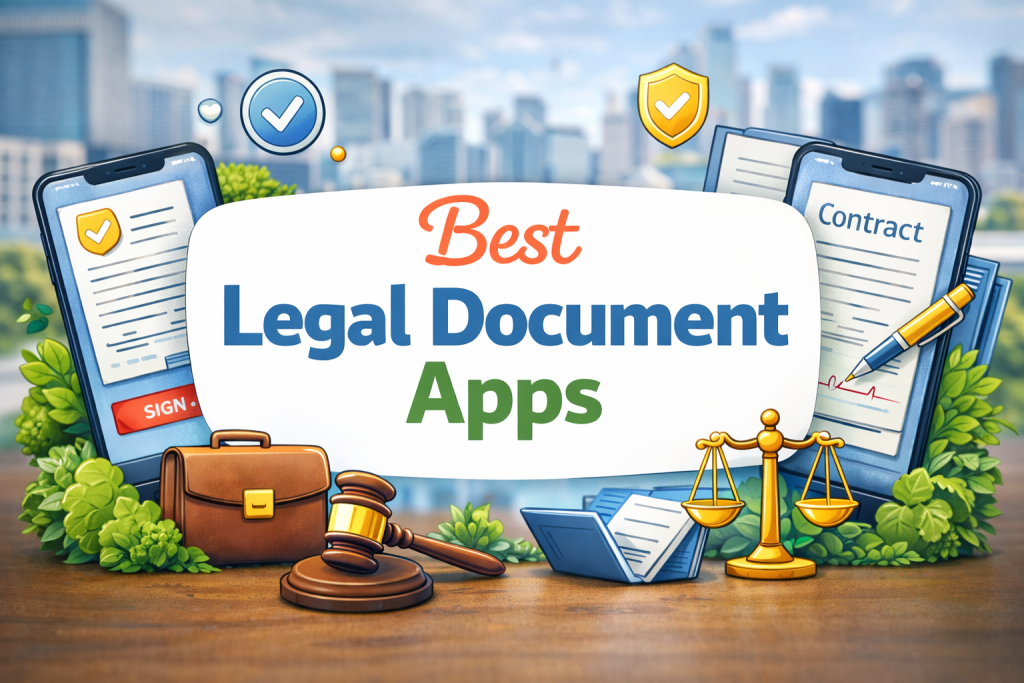
Hiring a lawyer for every small contract? That gets expensive fast — a basic consultation runs $150 to $400 per hour in the US. The good news: you don’t always need one. The best legal document apps for Android let everyday Americans create contracts, sign leases, draft NDAs, and handle legal forms right from their phone. We tested each app hands-on to see which ones actually deliver. Whether you’re a freelancer, landlord, renter, or small business owner, there’s an app on this list built exactly for your situation.
Quick Fact: The US e-signature market is on track to exceed $14 billion by 2026. If you’re still printing, signing, and scanning contracts, you’re wasting hours every week — and there are free apps that fix this today.
Why You Need a Legal App on Your Android Phone
Most people think legal apps are only for lawyers. That’s wrong. The average American signs dozens of legal documents every year — apartment leases, freelance contracts, NDAs, vehicle sale agreements, wills, medical directives. Most of those don’t need an attorney. They need the right form, filled out correctly, signed digitally.
Here’s what you can do from your Android phone right now:
- Sign a binding contract from anywhere, with a legally valid e-signature
- Access 85,000+ state-specific legal forms for every US state
- Create an NDA, freelance contract, or LLC agreement in under 20 minutes
- Ask a real attorney a question for a fraction of traditional consulting costs
These apps are used by millions of Americans every year. They’re not workarounds — they’re how modern legal paperwork actually gets done.
Best Legal Document Apps for Android (2026)
Each app below was tested on Android for ease of use, legal validity in the US, pricing value, and real user reviews from the Google Play Store.
1. Rocket Lawyer — Best Overall Legal App for Android
Pricing: $39.99/month | 7-day free trial | Android rating: 4.5/5
Best for: Freelancers, small business owners, families with estate planning needs
If you want one app that does it all — documents, signing, and real attorney access — Rocket Lawyer is it. Since 2008 it has helped over 30 million Americans handle their legal needs without the traditional law firm price tag.
We tested it on a Pixel 8 to create a freelance services agreement. The process took under 15 minutes: pick a template, answer guided questions, customize, and e-sign. Every document is vetted by real legal professionals and guaranteed enforceable in all 50 states.
What separates Rocket Lawyer from every other app on this list is the human layer. When you have a question that a template can’t answer, you can submit it online and get a response from a licensed attorney within one business day. For complex situations, you can book a 20-minute phone call with a lawyer. Their “Rocket Copilot” AI assistant — trained on 17 years of proprietary legal data — handles instant questions around the clock.
What works:
- Every document is lawyer-vetted and enforceable in all 50 US states
- Real attorney access via chat, Q&A, and phone consultations
- Covers everything: LLC formation, wills, NDAs, leases, employment contracts
- Built-in e-signature and document storage
- Rocket Copilot AI for immediate legal questions
Watch out for:
- The free tier is very limited — full access requires a subscription
- $39.99/month feels steep if you only need it once or twice a year
- Some users in Play Store reviews reported confusion around what’s included for free
Real scenario: You’re a freelancer about to sign a client contract that looks off. Open Rocket Lawyer, submit your question to a Legal Pro, and get a real attorney’s read on it within 24 hours — for $39.99/month instead of $300 for a one-hour consultation.
2. DocuSign — Best App to Sign Legal Documents on Android
Pricing: Free (3 sends/month) | From $15/month | Android rating: 4.7/5
Best for: Real estate agents, HR professionals, sales teams, freelancers
When people say “just DocuSign it,” they’re talking about this app. DocuSign is the e-signature industry standard — trusted by companies like Yamaha, LinkedIn, and American Airlines. On Android, it’s fast, clean, and works even without an internet connection, which matters when you’re closing deals in the field.
We tested it on a Samsung Galaxy S24 — uploaded a freelance services contract, added signature and date fields, and sent it for signing. The whole process took under four minutes. The document arrived at the recipient’s inbox instantly, and we got a real-time notification the moment they signed. Airplane mode test: offline signing worked without any issues.
Every signed document comes with a court-admissible audit trail showing timestamps, IP addresses, and authentication records. Over 350 integrations — Google Drive, Dropbox, Salesforce, Microsoft 365 — mean it fits into whatever workflow you already use.
What works:
- Offline signing — works on airplane mode, no internet needed
- Court-admissible audit trails on every document
- Over 350 app integrations including Google Drive and Salesforce
- Multi-factor authentication for added legal security
- Clean, fast Android interface with real-time status notifications
Watch out for:
- Free plan is limited to 3 sends per month — enough for personal use, not business
- No document creation tools — you need a document ready before signing
- Costs add up quickly at higher tiers if you send a lot of documents
Real scenario: You’re a landlord who needs a lease signed before a tenant moves in this weekend. Send it through DocuSign, get it back signed and legally binding within the hour — no printing, no scanning, no running to a notary for a basic signature.
3. Adobe Acrobat Reader & Sign — Best PDF Tool for Android
Pricing: Free (basic) | From $9.99/month | Android rating: 4.3/5
Best for: Office workers, real estate professionals, anyone who handles PDFs daily
If your legal life revolves around PDFs — government forms, leases, tax documents, contracts — Adobe Acrobat is in a class by itself on Android. The free version handles reading, annotations, and basic signatures. Upgrade to a paid plan and you get full PDF editing: rewrite text, add or remove pages, fill in forms with smart field detection, and use Adobe Sign for collecting e-signatures from others.
We tested PDF editing on a lease agreement downloaded from a government website. Adobe’s smart form detection automatically found the fillable fields. Adding text, initials, and a drawn signature all felt natural with a fingertip. The deep integration with Microsoft 365 and OneDrive made saving and sharing straightforward.
One honest note: Adobe Acrobat Sign’s Android app ratings are meaningfully lower than its iOS version. It works, but power users occasionally report slowdowns on older Android devices with large documents.
What works:
- Best-in-class PDF editing on any mobile platform
- Smart form field detection — tap to fill, no manual placement
- Touch-friendly annotations and signature drawing
- Seamless with Microsoft 365, OneDrive, and Dropbox
- Free tier is genuinely useful for basic reading and signing
Watch out for:
- Android ratings are lower than iOS — occasional performance issues on older phones
- Advanced editing features require a paid Adobe subscription
- Can feel overwhelming if all you need is a simple signature
Real scenario: Your landlord emails you a 10-page lease as a PDF. Open it in Adobe Acrobat, use the free tier to read through it carefully, annotate the two clauses you want changed, and send it back with your notes — all from your phone before dinner.
4. US Legal Forms — Best App for State-Specific Legal Forms
Pricing: Subscription-based | Android rating: 4.2/5 (258 reviews)
Best for: Landlords, tenants, first-time home buyers, small business owners
Need a lease agreement that’s legally valid in Texas? A small claims form for California? A New York LLC operating agreement? US Legal Forms has been providing state-specific legal templates for over 25 years — and their Android app puts more than 85,000 documents in your pocket.
Every form in the library is written and updated to match each state’s current laws. This matters more than most people realize. A generic lease template from a random website may not hold up in a Florida or California court. US Legal Forms’ templates do, because they’re built specifically for each state’s legal requirements.
We browsed the real estate section looking for a standard residential lease agreement for Pennsylvania. We found it in under 60 seconds. Download options in PDF, DOCX, or RTF. Fill it out, print, or email directly from the app.
What works:
- 85,000+ documents covering all 50 US states — the largest library on this list
- Covers real estate, estate planning, business formation, family law, and more
- Documents are regularly updated to match current state laws
- Download in PDF, DOCX, or RTF for maximum flexibility
- 25+ years of legal document experience behind the product
Watch out for:
- No built-in e-signature tool — pair it with DocuSign or Dropbox Sign to complete the workflow
- Subscription required for full library access
- The interface feels dated compared to newer apps like Rocket Lawyer
Real scenario: You’re renting out your basement apartment for the first time. Open US Legal Forms, find the residential lease for your state, fill in the names, dates, and rent terms, then send it to the tenant through DocuSign to get it signed — legally solid, total cost under $5.
https://play.google.com/store/apps/details?id=com.uslegal.android
5. Dropbox Sign — Easiest Free Legal Signing App for Android
Pricing: Free (3 requests/month) | From $15/month | Rating: 4.8/5 (50,000+ reviews)
Best for: Individuals, freelancers, small teams who need fast, simple signing
If DocuSign has more features than you need and Rocket Lawyer is more than your budget allows, Dropbox Sign is the app to download. It was designed around one idea: make e-signing so simple that anyone — even someone who barely uses email — can get a document signed in minutes.
The drag-and-drop interface is the cleanest on this list. We signed a consulting agreement on a budget Android device in under three minutes: upload the PDF from Google Drive, drag in a signature field, draw our signature, done. The recipient doesn’t even need an account to sign.
The free plan gives you three signature requests per month from one sender — enough for personal use, rental agreements, and occasional freelance contracts. Dropbox integration means signed documents automatically save to your cloud storage.
What works:
- The simplest, most intuitive e-signing interface available on Android
- Free tier is genuinely useful — 3 sends/month costs nothing
- No account required for the person receiving and signing
- Native Dropbox cloud storage integration
- 50,000+ reviews on the App Store with a 4.8 rating — proven reliability
Watch out for:
- Automatic field placement is hit-or-miss and sometimes needs manual correction
- No document creation tools — you need a finished document before you can use it
- Analytics and reporting are basic compared to DocuSign
Real scenario: You’re a dog walker who needs clients to sign a service agreement before the first walk. Send it through Dropbox Sign’s free plan, clients sign with a finger tap on their phone, and you have a legally valid signed contract waiting in your Dropbox — without spending a dollar.
Quick Comparison: Best Legal Document Apps for Android
| App | E-Signatures | Legal Forms | Attorney Access | Free Tier | Works Offline | Starting Price |
|---|---|---|---|---|---|---|
| Rocket Lawyer | Yes | Yes | Yes | No | No | $39.99/mo |
| DocuSign | Yes | No | No | Yes | Yes | $15/mo |
| Adobe Acrobat Sign | Yes | No | No | Yes | Yes | $9.99/mo |
| US Legal Forms | No | Yes | No | No | No | Subscription |
| Dropbox Sign | Yes | No | No | Yes | No | $15/mo |
Which Legal App Is Right for You?
Not every app fits every situation. Here’s how to decide in 30 seconds.
You’re a freelancer who signs contracts regularly
DocuSign at $15/month is the best value. You get unlimited sends, offline capability, and audit trails that hold up legally in any US court. Pair it with US Legal Forms to generate contracts, then sign them in DocuSign.
You’re a landlord or renter handling lease agreements
Use US Legal Forms to get the right state-specific lease template. Then use Dropbox Sign or DocuSign to get it signed digitally. This two-app combo replaces a trip to an attorney’s office for standard rental agreements.
You run a small business
Rocket Lawyer is worth every dollar at $39.99/month. You get legally vetted documents for every business situation, attorney Q&A access, LLC formation tools, and tax consultations — all in one place. Think of it as a part-time in-house counsel for small business owners.
You work with PDFs constantly
Adobe Acrobat is the only real choice. Nothing else on Android comes close to its PDF editing capability. Use the free tier for reading and basic signatures, upgrade to a paid plan if you need to edit document text or run bulk signature workflows.
Frequently Asked Questions
What is the best free legal document app for Android?
Dropbox Sign is the best free option for e-signatures — you get 3 free sends per month with no credit card required. For free legal forms, US Legal Forms offers a limited free tier. For free legal research, Fastcase gives you access to all 50 states’ laws and federal statutes at no cost.
Can I sign legal documents on my Android phone and have them hold up in court?
Yes. E-signatures are legally binding in the United States under the ESIGN Act (2000) and UETA. Apps like DocuSign, Dropbox Sign, Adobe Acrobat Sign, and Rocket Lawyer all produce court-admissible signed documents with full audit trails. The signature is as legally valid as a handwritten one for the vast majority of contract types.
Is DocuSign free on Android?
DocuSign has a free plan that allows you to sign documents yourself at no cost. Sending documents for others to sign is limited to 3 per month on the free plan. To send unlimited documents, you need a paid plan starting at $15/month. The Android app itself is free to download.
What app do I use to create a contract on my Android phone?
Rocket Lawyer is the best app for creating contracts — it walks you through a guided questionnaire and generates a customized, legally valid contract from its template library. US Legal Forms is the best option if you need a state-specific document (lease, bill of sale, LLC agreement) rather than a custom contract.
Are legal document apps safe to use for sensitive information?
The major apps on this list — DocuSign, Adobe Acrobat Sign, Rocket Lawyer, and Dropbox Sign — use bank-level encryption (AES 256-bit) and are SOC 2 Type II certified. DocuSign is the choice used by enterprise clients like Yamaha and American Airlines for sensitive agreement workflows. That said, always review an app’s privacy policy before uploading highly sensitive personal or financial information.
Do I need a lawyer if I use a legal document app?
For standard documents — freelance contracts, NDAs, basic leases, simple wills — no. Apps like Rocket Lawyer and US Legal Forms produce templates vetted by attorneys that are enforceable in all 50 states. For anything involving litigation, criminal law, complex business structures, or major financial transactions, you should still work with a licensed attorney.
Final Verdict: Best Legal Document Apps for Android
Legal help used to be expensive and slow. These five apps have changed that for everyday Americans.
If you want one app that does everything — documents, signing, and attorney access — Rocket Lawyer is the winner. If you just need to sign documents quickly and reliably, DocuSign is the standard for good reason. For the simplest free option, Dropbox Sign is hard to beat. Landlords and renters should have US Legal Forms on their phone. And if PDFs are central to your work, Adobe Acrobat is in a league of its own on Android.
Our top picks at a glance:
- Overall best: Rocket Lawyer
- Best for signing: DocuSign
- Easiest to use: Dropbox Sign
- Best PDF tool: Adobe Acrobat
- Most US legal forms: US Legal Forms
Download one, test the free tier, and see what fits your workflow. Legal paperwork doesn’t need to slow you down anymore.
Disclaimer: This article is for informational purposes only and does not constitute legal advice. Always consult a licensed attorney for your specific legal situation. App pricing and features may change — verify current details on the Google Play Store before purchasing