Your Android phone can do a lot more than you think — if you have the right apps. In 2026, the best Android apps are not just tools. They are AI-powered assistants, creative studios, and security shields all rolled into one. The problem? The Google Play Store has over 3 million apps. Picking the good ones is hard.
That is why we built this guide. We reviewed competitor articles, dug into Reddit threads, and tested dozens of apps to bring you the best Android apps in 2026 — sorted by category, with no fluff.
Whether you are a student, a working professional, a content creator, or just someone who wants a smarter phone, this list has something for you.
⚡ Quick Answer: The best Android apps of 2026 include ChatGPT (AI), Notion (productivity), Bitwarden (security), CapCut (video editing), Duolingo (learning), and Telegram (messaging). Keep reading for the full breakdown by category.
What Makes a Great Android App in 2026?
Before we dive in, here is what separates a truly great app from a mediocre one in 2026:
- It solves one real problem really well — not ten problems halfway
- It works offline — not every user has fast internet all the time
- It respects your privacy — no sketchy permissions, no selling your data
- It has a usable free tier — you should not have to pay just to try it
- It uses AI smartly — not as a buzzword, but as a real feature that saves time
- It keeps getting updates — abandoned apps are security risks
With those criteria in mind, here are the best apps across every major category.
Best AI Apps for Android (2026)
Primary use case: Writing help, research, brainstorming, coding, daily tasks
Who needs this: Students, freelancers, professionals, curious learners
AI apps are the biggest shift in Android in 2026. They do not just answer questions — they write emails, explain code, summarize documents, and even have full voice conversations with you. If you are not using at least one AI app, you are working harder than you need to.
1. ChatGPT — Best All-Around AI Assistant
Price: Free (Plus plan from $20/month for GPT-4o access)
Best for: Writing, research, coding, general help
Works offline: No
ChatGPT is the most popular AI app on Android right now, and for good reason. It handles almost any task you throw at it — from writing a professional email to explaining a complex math problem in simple English.
Why it stands out:
- Voice mode lets you speak naturally and get a spoken reply
- Camera mode lets you point your phone at anything and ask questions about it
- Works for writing, summarizing, translating, coding, and brainstorming
- Free version is genuinely useful — not just a teaser
One honest downside: The free version does not have internet access, so answers may be slightly outdated. The Plus plan fixes this.
💡 Pro Tip: Use ChatGPT’s custom instructions feature to tell it your name, job, and preferences. It will remember these across every conversation and give more relevant answers every time.
2. Google Gemini — Best for Android-Native AI
Price: Free (Advanced plan from $19.99/month)
Best for: Google ecosystem users, Android phone owners
Works offline: Partially
Google Gemini is the AI assistant built directly into Android. Unlike other AI apps, Gemini connects to your Gmail, Google Calendar, Google Maps, and Google Photos — meaning it actually knows your schedule, your emails, and your saved places.
Why it stands out:
- Deep Android integration — asks Gemini to add a calendar event and it does it
- Personal Intelligence feature (rolling out in 2026) learns your habits over time
- Replaces Google Assistant as the default AI on most Android phones
- Works inside YouTube, Google Docs, and Gmail on mobile
Best choice if: You are already using Google apps for email, calendar, and notes.
3. Perplexity AI — Best for Research and Fact-Checking
Price: Free (Pro plan from $20/month)
Best for: Research, news, fact-checking, current events
Works offline: No
Perplexity AI is what you get when you combine a search engine with an AI assistant. Every answer comes with clickable source links — so you can always verify what it tells you. This makes it far more trustworthy for research than a standard AI chatbot.
Why it stands out:
- Real-time web search built in — always current information
- Sources every claim with links you can verify yourself
- Pro mode lets you choose which AI model to use (GPT, Claude, Gemini)
- Better than Google for complex multi-part questions
4. Microsoft Copilot — Best for Office and Business Users
Price: Free
Best for: Microsoft 365 users, professionals, students
Works offline: No
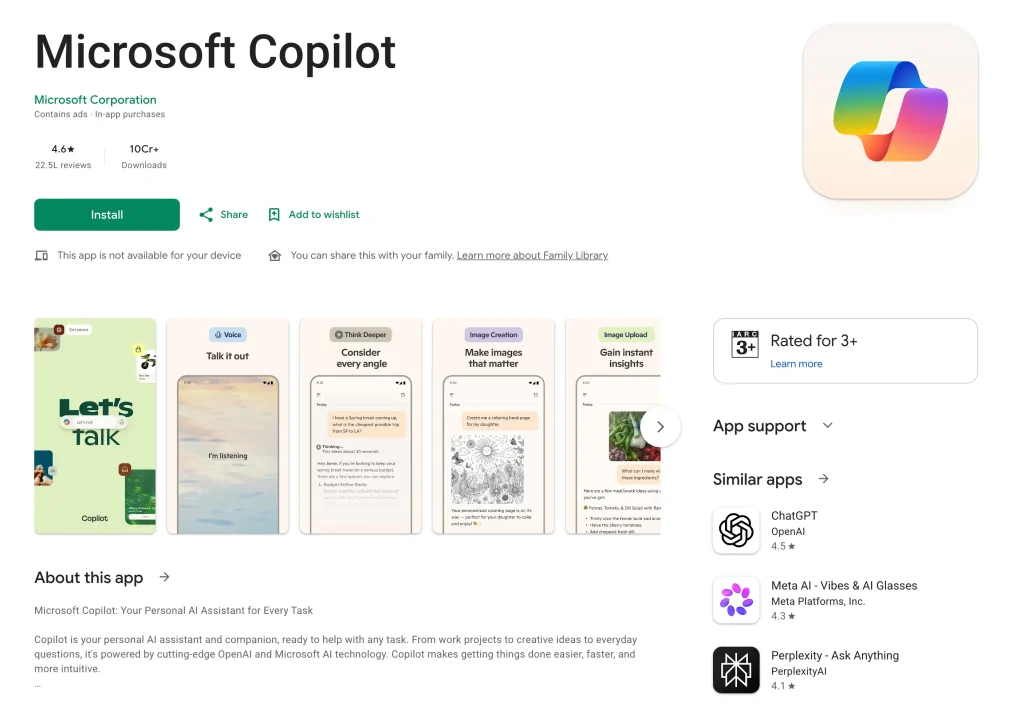
Microsoft Copilot brings GPT-4o to your Android phone for free. It works inside Word, Excel, and PowerPoint on mobile, making it the top AI choice for anyone using Microsoft tools at work or school.
Why it stands out:
- Completely free access to GPT-4o — no subscription needed
- Summarizes long documents and email threads in seconds
- Generates images using DALL-E 3 for free
- Best AI app to have alongside a Microsoft 365 subscription
Best Productivity Apps for Android (2026)
Primary use case: Task management, notes, project planning, focus
Who needs this: Students, remote workers, entrepreneurs, busy people
Smartphones are now full workstations. The best Android productivity apps in 2026 come with AI writing tools, smart calendars, and automation built right in. Here are the ones that actually help you get more done — without adding more complexity.
5. Notion — Best All-in-One Workspace
Price: Free (Plus plan from $10/month)
Best for: Notes, project management, personal organization
Works offline: Yes (limited)
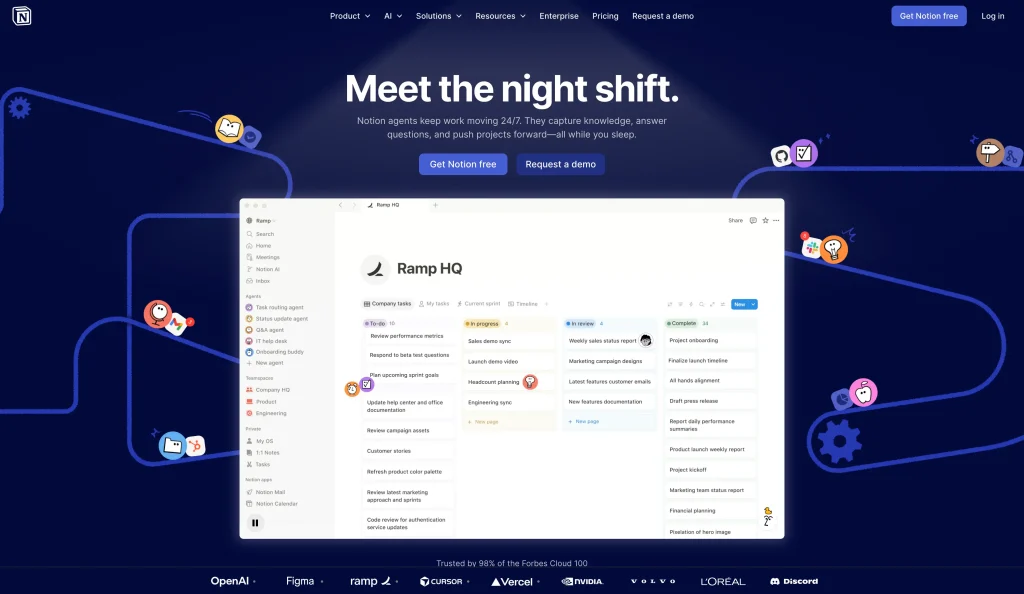
Notion is the closest thing to a digital second brain. You can use it as a simple note-taking app, a full project manager, a personal wiki, or all three at once. In 2026, the mobile app is faster than ever, with home-screen widgets, offline editing, and AI blocks built in.
Why it stands out:
- One place for notes, tasks, databases, and documents
- AI can summarize your notes, create action items, and draft content
- Works for students, freelancers, teams, and solo creators equally well
- Free plan covers most individual needs
💡 Start here: Create a simple “Today” dashboard with three sections: tasks due today, recent notes, and a small calendar. That one page will save you 15 minutes every morning.
6. Todoist — Best Simple Task Manager
Price: Free (Pro plan from $5/month)
Best for: Daily to-do lists, recurring tasks, quick planning
Works offline: Yes
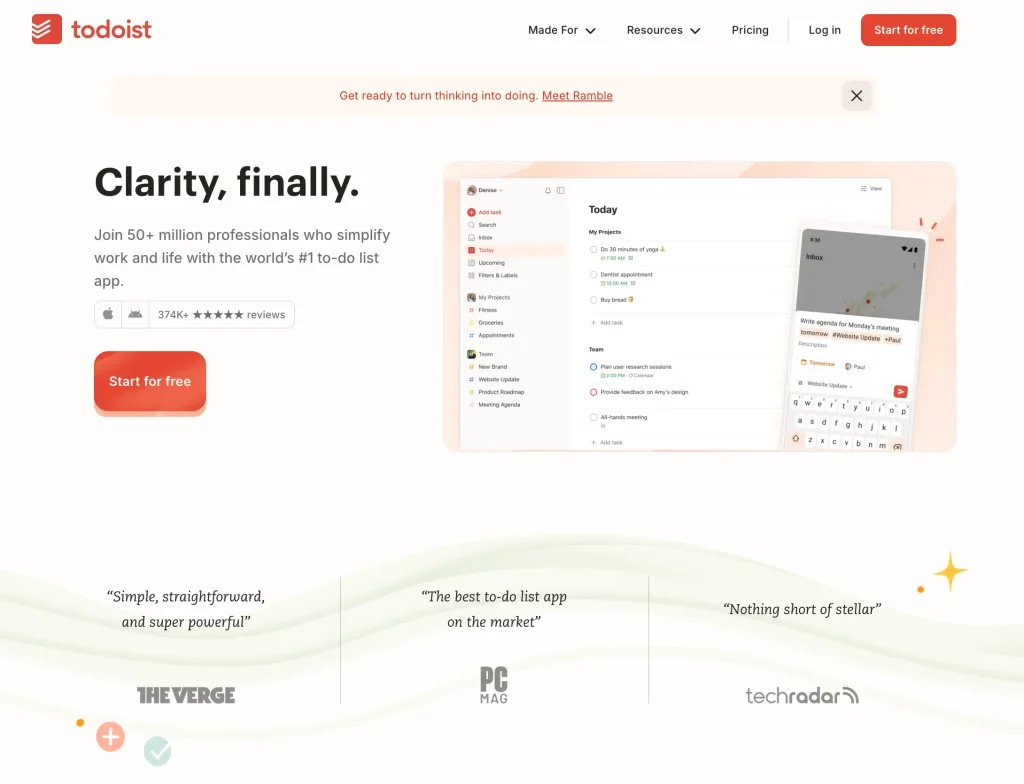
Todoist is the cleanest task manager on Android. Type a task in plain English like “Call dentist next Tuesday at 2pm” and Todoist automatically sets the date, time, and reminder. No extra steps needed.
Why it stands out:
- Natural language input saves time when adding tasks quickly
- Integrates with Google Calendar, Slack, and Gmail
- Karma system tracks your productivity over time (gamified but subtle)
- Stays usable even if you miss a week — no overwhelming backlog
7. TickTick — Best for Focus + Tasks Combined
Price: Free (Premium from $2.99/month)
Best for: Combined tasks, habits, and Pomodoro sessions
Works offline: Yes
TickTick packs a task manager, habit tracker, calendar, and Pomodoro focus timer into a single app. If you have been juggling three separate apps for these things, TickTick replaces all of them.
Why it stands out:
- Built-in focus timer stops procrastination before it starts
- Habit tracker shows your streaks and completion patterns
- Clean interface that is easier to use than most productivity apps
8. Tasker — Best for Android Power Users
Price: $3.49 (one-time)
Best for: Automation, custom workflows, advanced users
Works offline: Yes
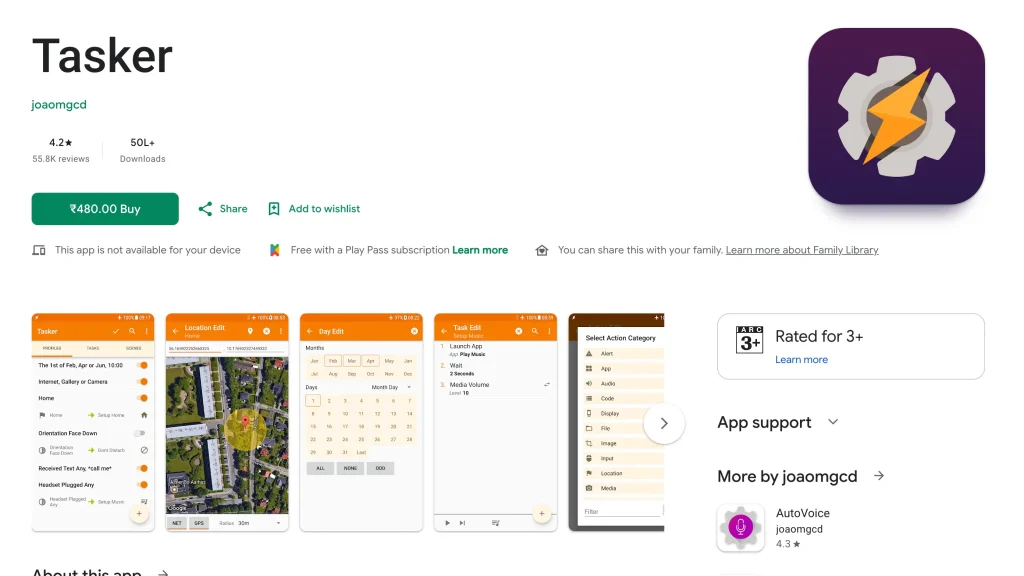
Tasker is the most powerful Android app that most people have never tried. It automates almost anything on your phone based on location, time, battery level, or app usage. In 2026, it now supports AI-generated automation profiles for beginners who find it too complex.
Why it stands out:
- Automatically silences your phone when you arrive at work or school
- Turns on Wi-Fi at home and turns it off when you leave
- Sends an auto-reply when you are driving
- Reddit verdict: “Feels impossible at first, then you can’t live without it”
⚠️ Honest warning: Tasker has a learning curve. Start with one simple automation and build up from there.
Best Privacy and Security Apps for Android (2026)
Primary use case: Password management, encrypted messaging, private file sharing
Who needs this: Everyone — security is not optional
Most people think security apps are for tech experts. They are not. These three apps take under 10 minutes to set up and protect your accounts, files, and conversations automatically after that.
9. Bitwarden — Best Password Manager (Open Source)
Price: Free (Premium from $10/year)
Best for: Storing and auto-filling passwords across all apps and browsers
Works offline: Partially (read access only)
Bitwarden is the most trusted password manager for Android users in 2026 — and it is free. It is open-source, which means security experts worldwide can inspect its code to make sure there are no vulnerabilities hiding inside.
Why it stands out:
- Open-source code = higher trust than closed-source competitors like LastPass
- Auto-fills passwords in any app or browser with one tap
- Stores passwords, credit cards, secure notes, and passkeys
- Syncs instantly across all your devices
- Free plan covers everything most users need
💡 Start here: Change your email password to a strong random one first. Then your banking password. Then your Google account. That covers 80% of your real risk in three steps.
10. Signal — Best for Private Messaging
Price: Free
Best for: Private conversations, sensitive messages
Works offline: No
Signal is end-to-end encrypted messaging — meaning only you and the person you are talking to can read your messages. Not even Signal itself can read them. It is not just for activists or journalists. It is for anyone who does not want their conversations mined for ad data.
Why it stands out:
- Strongest encryption of any messaging app available
- No ads, no trackers, no data collection — ever
- Disappearing messages, note-to-self feature, and screen security
- Nonprofit organization — not driven by profit motives
11. LocalSend — Best Offline File Sharing
Price: Free (Open Source)
Best for: Sharing files between devices without internet
Works offline: Yes — designed for it
LocalSend is AirDrop for Android. Connect two devices to the same Wi-Fi network and you can send any file instantly — with no internet, no accounts, no size limits, and no cloud storage involved.
Why it stands out:
- No file size limits — send a 10GB video if you want
- Works between Android, iPhone, Mac, Windows, and Linux
- Nothing goes to the cloud — completely private
- 100% free and open-source
Best Creative and Editing Apps for Android (2026)
Primary use case: Photo editing, video editing, graphic design, content creation
Who needs this: Content creators, students, social media users, small business owners
AI has completely changed creative apps in 2026. You no longer need a desktop computer or a graphic design degree to make professional-looking content. These apps do the heavy lifting for you.
12. Canva — Best for Design and Social Media Graphics
Price: Free (Pro from $15/month)
Best for: Social media posts, presentations, posters, thumbnails
Works offline: Limited
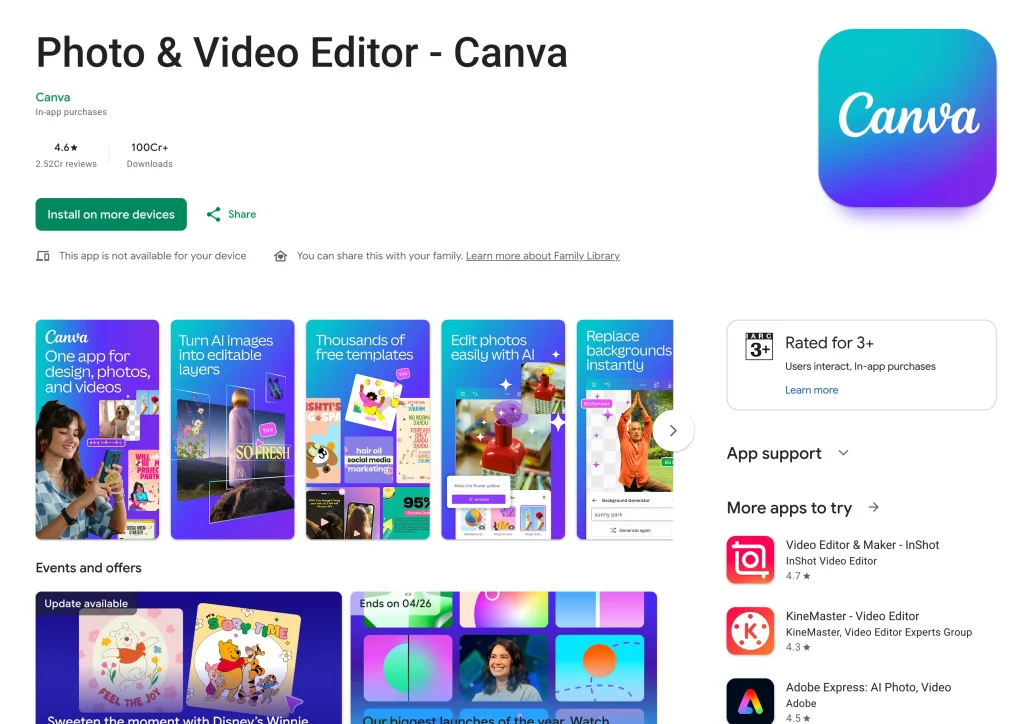
Canva is the go-to design app for anyone who is not a professional designer. In 2026, its AI tools can generate images, remove backgrounds, resize designs for different platforms, and write captions — all from your phone.
Why it stands out:
- Thousands of ready-made templates for every use case
- AI image generator creates graphics from a text description
- Magic Resize adjusts any design for Instagram, Facebook, Twitter, and more in one tap
- Collaborate with teammates in real time
13. CapCut — Best Video Editor for Reels and Shorts
Price: Free (Pro features available)
Best for: TikTok, Instagram Reels, YouTube Shorts
Works offline: Yes (basic editing)
CapCut is the most popular video editing app on Android right now, and it earns that title. Its AI tools are genuinely useful — not just gimmicks. It auto-generates captions, removes video backgrounds, and applies trending effects with minimal effort from you.
Why it stands out:
- Auto-captions in 30+ languages — generated in seconds
- AI background remover works on video, not just photos
- Huge template library based on trending formats across platforms
- Export at 4K without a watermark on the free plan
14. Adobe Lightroom — Best for Professional Photo Editing
Price: Free (Premium from $4.99/month)
Best for: Photographers, content creators, anyone who takes a lot of photos
Works offline: Yes
Adobe Lightroom is still the best photo editing app for Android when it comes to quality and control. Its AI Masking tool automatically detects the sky, subject, and background — letting you edit each one separately without any manual selection.
Why it stands out:
- RAW file support beats every other free mobile photo editor
- AI-powered subject, sky, and background detection
- Create presets and apply them to hundreds of photos at once
- Syncs edits across mobile and desktop seamlessly
15. Snapseed — Best Free Photo Editing App
Price: Free
Best for: Quick, high-quality photo edits without paying anything
Works offline: Yes
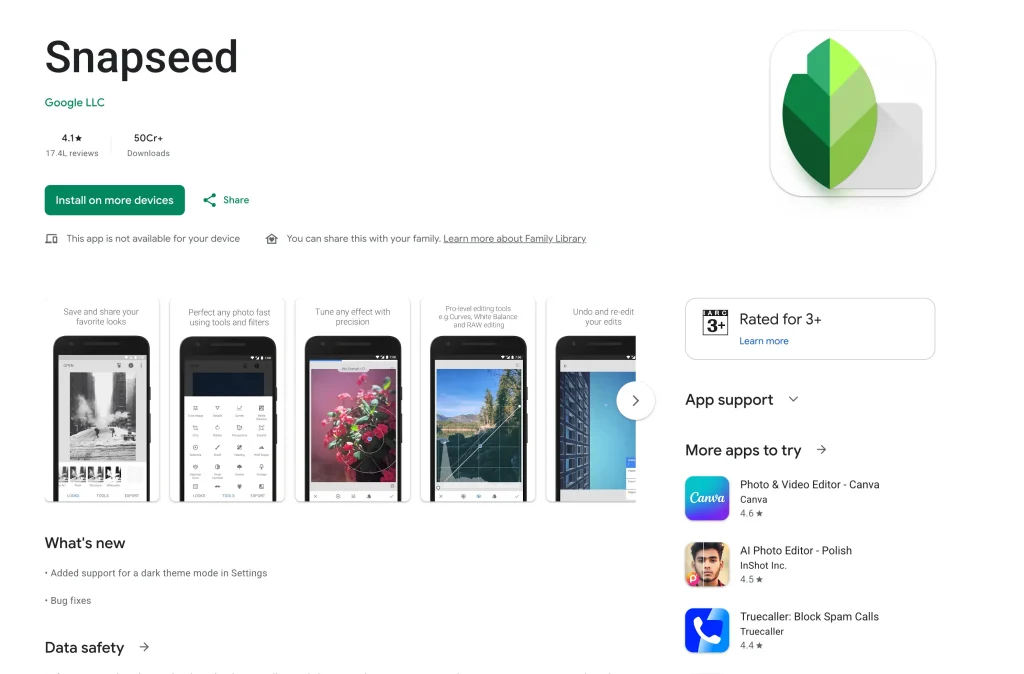
Snapseed is made by Google and remains the best completely free photo editor for Android in 2026. It is not as advanced as Lightroom, but for everyday edits — fixing brightness, removing objects, and applying clean filters — it is faster and simpler.
Why it stands out:
- Selective adjustment tool lets you edit one specific part of a photo
- Healing tool removes unwanted objects from photos
- Non-destructive editing — every change can be undone
- No subscription, no watermarks, no ads
📚 Best Learning Apps for Android (2026)
Primary use case: Language learning, professional skills, book summaries, education
Who needs this: Students, professionals, lifelong learners
Learning apps in 2026 now use AI tutors and adaptive systems. The app tracks your mistakes and shows you the same concept in a different way until it clicks. Here are the ones that work best on Android.
16. Duolingo — Best Language Learning App
Price: Free (Plus from $6.99/month)
Best for: Learning a new language in short daily sessions
Works offline: Partially
Duolingo is the most downloaded education app in the world, and it deserves that spot. The gamified lessons, streak system, and short daily exercises make language learning stick in a way that textbooks never could.
Why it stands out:
- Available in 40+ languages including Spanish, Japanese, Hindi, French, and Arabic
- AI adapts lesson difficulty based on your error patterns
- 10 minutes a day is genuinely enough to make steady progress
- Free tier is the most generous of any language learning app
17. Coursera — Best for Professional Certifications
Price: Free to audit (Certificate plans from $49/month)
Best for: Career development, professional skills, university-level courses
Works offline: Yes (download lessons)
Coursera connects you to real university courses from Yale, Google, IBM, Stanford, and 200+ other institutions. In 2026, more employers recognize Coursera certificates — especially for tech, data science, and business roles.
Why it stands out:
- Courses from world-class universities and companies
- Download lessons and watch them offline on the go
- Many courses are free to audit — you only pay for the certificate
- Financial aid available if you cannot afford the full price
18. Blinkist — Best for Book Summaries
Price: Free (Premium from $8.34/month)
Best for: Busy people who want key ideas from books fast
Works offline: Yes
Blinkist takes nonfiction books and condenses them into 15-minute reads or audio summaries. If you want to absorb the core ideas of a bestselling book without reading 300 pages, Blinkist is the app for you.
Why it stands out:
- 6,000+ nonfiction books available in text and audio
- Daily “Book of the Day” is free — no subscription needed to try
- Perfect for commutes, workouts, or any time you have 15 minutes
💬 Best Messaging Apps for Android (2026)
Primary use case: Personal messaging, group chats, communities, business communication
Who needs this: Everyone with a smartphone
Messaging apps in 2026 are platforms, not just chat boxes. They host communities, AI bots, content channels, and payment tools all in one place. Here is how the major players compare:
| App | Best For | End-to-End Encrypted | Ad Free | AI Features | Price |
|---|---|---|---|---|---|
| Personal and family chats | ✅ Yes | ✅ Yes | Meta AI built in | Free | |
| Telegram | Groups, channels, bots | ⚠️ Partial (Secret Chats only) | ✅ Yes (free plan) | Powerful bots | Free / Premium |
| Signal | Maximum privacy | ✅ Best in class | ✅ Yes | ❌ None | Free |
| Discord | Communities and gaming | ❌ No | ❌ No | Clyde AI | Free / Nitro |
| Google Messages | Default SMS with RCS | ✅ (RCS messages) | ✅ Yes | Gemini integration | Free |
Our recommendation: Use WhatsApp for everyday personal messages, Telegram for joining communities and channels, and Signal for anything sensitive or private.
⚠️ Privacy note: WhatsApp and Instagram are both owned by Meta. Meta uses metadata from your conversations to target ads, even though the message content itself is encrypted. If privacy is a top concern, Signal is the better choice.
🎮 Best Entertainment Apps for Android (2026)
Primary use case: Music, video streaming, podcasts, gaming
Who needs this: Anyone who uses their phone to relax
19. Spotify — Best Music and Podcast App
Price: Free with ads (Premium from $11.99/month)
Best for: Music discovery, podcasts, audiobooks
- AI DJ feature in 2026 creates personalized radio stations based on your mood
- 100+ million songs plus podcasts and audiobooks in one app
- Collaborative playlists let you and friends build a shared queue
- Offline download available on Premium plan
20. YouTube — Best for Video Content
Price: Free with ads (Premium from $13.99/month)
Best for: Tutorials, entertainment, documentaries, vlogs
- 2 billion+ videos across every topic imaginable
- YouTube Premium removes all ads and enables background play
- Shorts feed brings TikTok-style content inside YouTube
21. Poweramp — Best Offline Music Player
Price: $3.99 (one-time)
Best for: People with their own local music library
- 10-band equalizer with presets and custom tuning
- Supports lossless audio formats: FLAC, ALAC, Hi-Res
- No internet required — plays from your own music files only
- Reddit calls it the best Android music player ever made, and it is not wrong
💰 Best Finance Apps for Android (2026)
Primary use case: Budgeting, expense tracking, bill splitting, investments
Who needs this: Anyone trying to manage money better
22. YNAB (You Need a Budget) — Best Budgeting App
Price: $14.99/month or $99/year
Best for: People who want to take control of their finances seriously
- Zero-based budgeting method — every dollar gets a job
- Syncs with your bank accounts in real time
- Users report saving an average of $600 in their first two months
- Takes some time to learn, but it is the most effective budgeting system available
23. Splitwise — Best for Splitting Expenses
Price: Free (Pro from $3/month)
Best for: Roommates, travel groups, shared bills
- Tracks who owes whom across any group
- Calculates the simplest way to settle all debts with minimum payments
- No more awkward “you owe me for dinner” conversations
24. Google Pay / PhonePe / Paytm (India)
Price: Free
Best for: UPI payments, daily transactions, bill payments
- UPI dominates India and all three apps support it natively
- Instant transfers between bank accounts
- Bill payments, recharges, and merchant payments in one app
💎 Hidden Gems — Underrated Android Apps Worth Trying
These apps do not make most best-of lists. But they solve real, specific problems better than any other app out there. Reddit users and power users love them.
25. Habitica — Turn Your Life Into an RPG Game
Price: Free (Subscription for cosmetics)
Best for: People who hate habit trackers but love games
- Every task you complete levels up your character and earns rewards
- Miss a habit and your character takes damage
- Join parties with friends and fight monsters together by completing tasks
- Shockingly effective — especially for ADHD brains
26. Otter.ai — AI Meeting Notes That Actually Work
Price: Free (Pro from $10/month)
Best for: Students, remote workers, anyone who takes a lot of calls
- Records any meeting and transcribes it in real time
- Identifies different speakers automatically
- Generates a summary and action items after every call
- Works with Zoom, Google Meet, and Microsoft Teams
27. Sleep as Android — The Smartest Alarm Clock
Price: Free trial (Full app from $4.99)
Best for: Anyone who wakes up groggy and tired
- Wakes you during the lightest phase of your sleep cycle — not the deepest
- Uses your phone’s motion sensors to track your sleep quality
- Tracks snoring, sleep talking, and heart rate data overnight
- Smart alarm window means you wake up refreshed, not shocked
28. Forest — Focus Timer That Plants Real Trees
Price: Free (Full version from $3.99)
Best for: Students and professionals who get distracted easily
- Start a focus session and a virtual tree begins to grow
- Leave the app early and your tree dies — surprisingly motivating
- Earn coins that fund real tree planting through a partner NGO
- In 2026, team focus sessions let groups stay focused together
29. Grammarly Keyboard — Best Writing Assistant
Price: Free (Premium from $12/month)
Best for: Anyone who sends emails, texts, or social posts in English
- Checks grammar, tone, and clarity in every app — not just one
- Works as a full keyboard replacement on Android
- Suggests better word choices and flags unclear sentences in real time
- Free plan catches most everyday grammar mistakes
30. Bring! — The Smartest Grocery List App
Price: Free
Best for: Families and roommates who shop together
- Shared grocery list syncs in real time across all family members’ phones
- Beautiful icon-based interface makes adding items fast
- Suggests previously bought items as you type
- Completely free — no subscriptions, no ads
🏆 The Ultimate Android Setup for 2026
You do not need 50 apps. You need the right 12. Here is a proven setup that covers every area of your life without cluttering your phone:
| Category | Best Pick | Backup Pick |
|---|---|---|
| AI Assistant | ChatGPT | Google Gemini |
| Research | Perplexity AI | Microsoft Copilot |
| Productivity | Notion | Todoist |
| Security | Bitwarden | Proton Pass |
| Private Messaging | Signal | Telegram |
| Design | Canva | Snapseed |
| Video Editing | CapCut | Adobe Lightroom |
| Learning | Duolingo | Coursera |
| Finance | YNAB or Splitwise | Google Pay |
| File Sharing | LocalSend | Google Files |
| Focus | Forest | TickTick |
| Automation | Tasker | MacroDroid |
📌 Action Step: Do not install all of these today. Pick the one category where you struggle most — whether that is staying focused, managing passwords, or getting creative work done — and install just that one app first. Use it for a week before adding another. That is how you actually build habits instead of just downloading apps.
Frequently Asked Questions (FAQs)
What are the best Android apps in 2026?
The best Android apps in 2026 include ChatGPT for AI assistance, Notion for productivity, Bitwarden for password security, CapCut for video editing, Duolingo for language learning, and Signal for private messaging. The right choice depends on what you need most — this guide covers the top picks across 9 different categories.
What are the best free Android apps in 2026?
The best free Android apps include ChatGPT (AI), Bitwarden (passwords), Signal (messaging), LocalSend (file sharing), Snapseed (photo editing), Duolingo (language learning), Google Gemini (AI assistant), and Microsoft Copilot (AI with GPT-4o). All of these offer strong core features at no cost.
How many apps should I have on my Android phone?
Most productivity experts recommend keeping under 30 apps total — ideally 12 to 20 that you use regularly. Having too many apps slows down your phone, drains your battery faster, and creates decision fatigue. Focus on one great app per category instead of keeping multiple apps that do the same thing.
What is the best AI app for Android in 2026?
For most people, ChatGPT is the best AI app for Android in 2026 because it handles the widest range of tasks. If you are deep in the Google ecosystem, Google Gemini is better because it connects to your Gmail, Calendar, and Maps. For research with citations, Perplexity AI is the strongest choice.
Are productivity apps for Android worth paying for?
Yes, in most cases. Apps like Notion, Todoist, and TickTick have very generous free plans — but their paid plans unlock features like AI writing tools, unlimited projects, and advanced filters that save significant time for power users. YNAB is the one app where the paid plan is clearly worth it because it actively helps users save money (often $600 or more in the first two months).
What is the best Android app for students in 2026?
The best Android apps for students in 2026 are Notion (notes and project organization), Forest (focus and avoiding phone distraction), Duolingo (language practice), Coursera (professional courses), Grammarly (writing improvement), and Otter.ai (lecture transcription). All have strong free tiers designed for student use.
How do I choose the right apps for my Android phone?
Start by asking what problems you face most often in a day — distraction, disorganization, bad photos, forgetting passwords, or lack of focus. Then pick one app that solves your biggest problem first. Check that it has a usable free trial, good reviews on the Google Play Store (above 4.2 stars), recent updates in the last 3 months, and clear privacy permissions. Use it for one week before deciding to keep it or delete it.
Final Word: Build Your Stack, One App at a Time
The best Android setup in 2026 is not the one with the most apps. It is the one with the right apps — the ones you actually open, use, and benefit from every day.
Here is a simple three-step action plan to start today:
- Install Bitwarden right now. It takes 5 minutes and immediately makes you safer online. It is free.
- Try one AI app for a week. Either ChatGPT or Google Gemini. Use it instead of a Google search for 7 days and see what happens.
- Pick one productivity app that matches your style — Notion if you want flexibility, Todoist if you just want a clean task list.
That is three apps. That is a stronger phone setup than most people have. Add more when you actually need them — not just because a list told you to.
Have a favorite Android app we missed? Drop it in the comments below. We update this article every month with new apps that earn their spot.