Best RAM for Your PC in 2026: How to Choose (and Top Kits to Buy)
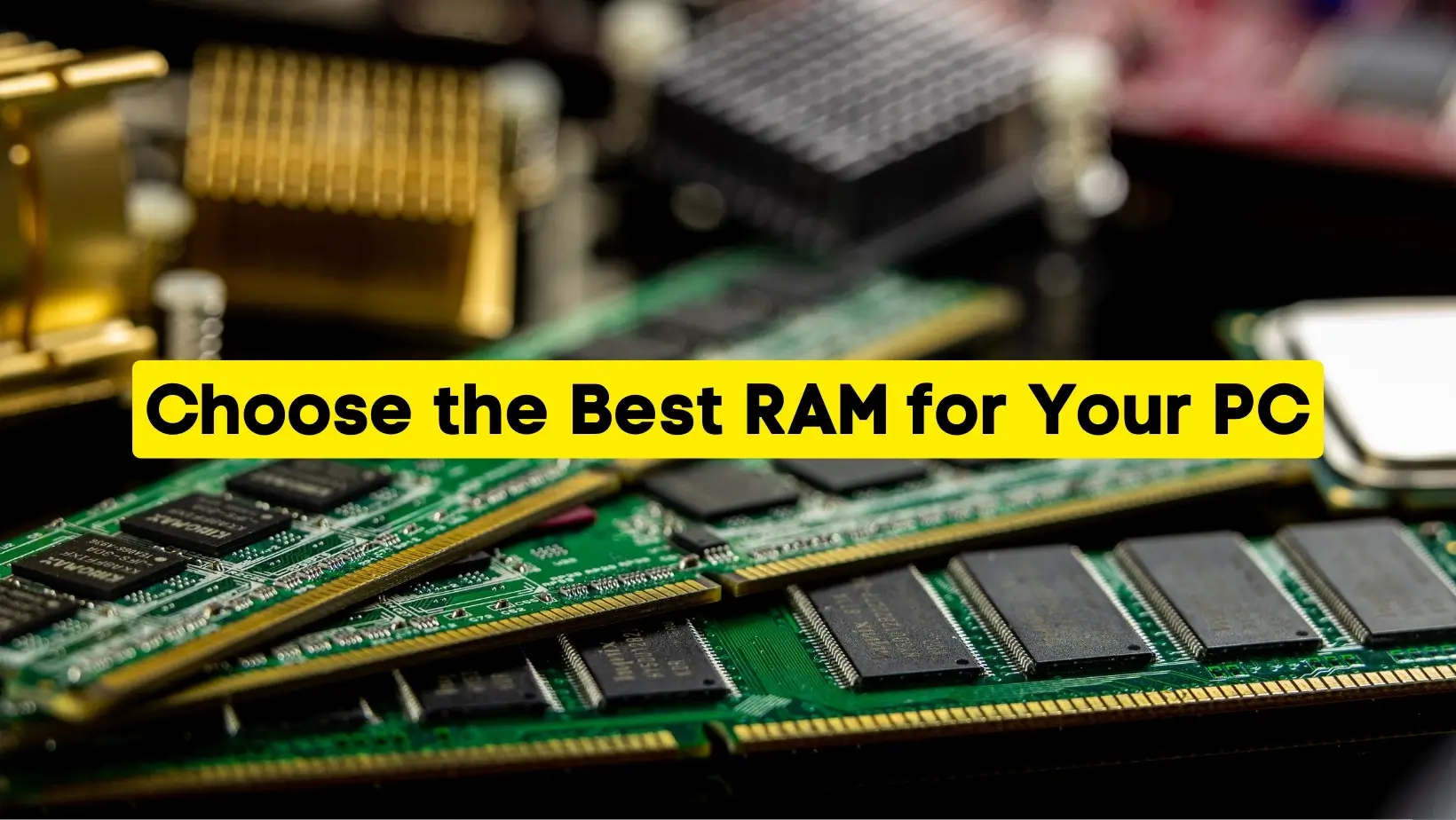
For almost every PC built in 2026, the best RAM is 32GB (2x16GB) of DDR5 running at DDR5-6000 with CL30 timings in dual-channel. On AMD Ryzen 7000/9000 boards the standout kit is the G.Skill Trident Z5 Neo (DDR5-6000 CL30, EXPO); on Intel Core Ultra builds the Corsair Vengeance DDR5-6000 or a DDR5-6400 CL32 kit is ideal. If you're on an older AM4 or LGA1200 board, the best you can buy is a tight DDR4-3600 CL16/CL18 kit.
One thing changed everything this year: an AI-driven memory shortage has pushed RAM prices up sharply, so buying the right capacity once (and not over-buying) matters more in 2026 than it has in a decade. Below we explain exactly how to choose, then list the specific kits worth your money.
In a hurry? Jump to how much RAM you need, DDR4 vs DDR5, the best RAM kits, the comparison table, or FAQs.
How Much RAM Do You Actually Need in 2026?
Capacity is the single most important decision you'll make — far more than chasing extra megahertz. Here's the honest 2026 breakdown:
- 8GB — Bare minimum. Fine for a web/email/office machine or a Chromebook-style task PC, but a tight squeeze for Windows 11 plus a browser with many tabs. Don't build a new gaming PC around 8GB.
- 16GB — Still workable for esports and competitive titles (Valorant, CS2, Fortnite), but no longer the comfortable sweet spot it was a couple of years ago. Modern open-world AAA games like Microsoft Flight Simulator and large modded titles can eat 12–14GB on their own, leaving little for Windows, Discord, a browser and streaming software.
- 32GB — The 2026 sweet spot for gaming, content creation and heavy multitasking. It handles every current game with headroom for background apps, OBS streaming and a wall of browser tabs. If you're building or upgrading this year, start here.
- 64GB and up — For 4K/8K video editing, 3D rendering, running multiple virtual machines, local AI/LLM work and large datasets. Overkill for pure gaming, but the right call for professional creators and developers.
A quick way to know if you need more: open Task Manager (Ctrl+Shift+Esc), go to the Performance tab, and watch the Memory graph while you run your usual workload. If you're regularly above ~80% in use, you'll feel it as stutter and slow app switching, and an upgrade will help.
What RAM does (in one paragraph)
RAM (Random Access Memory) is your PC's short-term workspace. When you open an app or file, the system loads it into RAM so the CPU can reach it almost instantly — far faster than pulling it from an SSD. Run out of physical RAM and Windows spills the overflow onto your drive as a page file, which is what causes the freezes and lag you feel when a machine is memory-starved.
DDR4 vs DDR5: Which Should You Buy?
This is decided for you by your motherboard and CPU — DDR4 and DDR5 use different physical slots and are not interchangeable. Check your board's spec sheet before buying anything.
- Building new in 2026? You'll be on DDR5. Every current platform — AMD AM5 (Ryzen 7000/9000) and Intel's LGA1851 (Core Ultra 200 series, Arrow Lake) — is DDR5-only.
- Upgrading an existing AM4 (Ryzen 5000) or Intel 10th/11th-gen build? You're on DDR4, and that's fine. A good DDR4-3600 CL16 kit still games beautifully; there's no reason to replace a whole platform just for DDR5.
DDR5's real advantages are much higher bandwidth, lower power draw (1.1V vs 1.2V), on-die ECC for better stability, and far higher capacity ceilings. Here's how the generations compare:
| Feature | DDR4 | DDR5 |
|---|---|---|
| Launched | 2014 | 2020 |
| Common speeds | 2133–3600 MT/s | 4800–8400 MT/s (up to ~10,000 with CUDIMMs) |
| Voltage | 1.2V | 1.1V |
| Max per module | 32GB (mainstream) | 64GB+ (mainstream) |
| On-die ECC | No | Yes |
| Platforms | AM4, Intel 10th–11th gen | AM5, Intel 12th–14th gen & Core Ultra |
| 2026 status | Mature, upgrade-only | The default for new builds |
DDR6 and CAMM2 on the horizon. CAMM2 — a flat memory module replacing traditional SO-DIMM sticks — is already shipping in many 2026 laptops. DDR6 is still some way out; mainstream desktop availability isn't expected until roughly 2027–2028. There's no reason to wait: buy DDR5 now and enjoy it for years.
Also Read: How to Fix Forza Horizon 5 Not Launching on PC
RAM Speed and Timings: What Actually Matters
Two numbers define a kit's performance: its speed (in MT/s, often loosely called MHz) and its CAS latency (CL). Speed is how much data moves per cycle; CL is how many cycles the memory waits before delivering it. You want high speed and low CL — but only up to the point your platform actually benefits.
The sweet spot for each platform
- AMD Ryzen 7000/9000 (AM5): DDR5-6000 CL30 is the target. At 6000 MT/s the memory controller and Infinity Fabric run in a synchronized 1:1 ratio, which gives the best real-world gaming performance. Pushing past 6400 often forces a less efficient ratio and can actually lose you a few frames.
- Intel Core Ultra 200 / Arrow Lake (LGA1851): DDR5-6000 CL30 or DDR5-6400 CL32 is the sweet spot. Intel is more flexible with higher speeds, and CUDIMM kits can push well beyond 8000 MT/s, but the gaming gains above 6400 are small.
- DDR4 (AM4 / older Intel): DDR4-3600 CL16 is the classic sweet spot, with DDR4-3200 CL16 as a close, slightly cheaper alternative.
The takeaway: don't overpay for an 8000 MT/s kit for a gaming rig. For most people the frame-rate difference between a tuned DDR5-6000 CL30 kit and a flashy 7200+ kit is within the margin of error — and the cheaper kit is far easier to get running stably.
XMP and EXPO: turn on your rated speed
Out of the box, your fancy kit runs at a slow JEDEC default. To hit the advertised speed you flip on a profile in BIOS: Intel XMP 3.0 or AMD EXPO. Many DDR5 kits ship with both. Enter BIOS at boot, find the XMP/EXPO toggle, enable the profile, save and reboot. Skip this step and you've effectively wasted the premium you paid for fast memory.
The Best RAM Kits to Buy in 2026
These are the kits we'd actually recommend, grouped by what they're best for. Note that memory prices are unusually high in 2026 (see below) — the figures here are ballpark US street prices and move quickly, so always check current pricing.
1. G.Skill Trident Z5 Neo (DDR5-6000 CL30) — Best for AMD Ryzen
Tuned specifically for AM5 with an AMD EXPO profile, the Trident Z5 Neo at DDR5-6000 CL30 is the kit most experienced AMD builders reach for. It pairs perfectly with the Infinity Fabric 1:1 sweet spot and is consistently one of the best performers on Ryzen.
- Speed: DDR5-6000, CL30-36-36-96
- Profiles: AMD EXPO (also runs fine on Intel)
- Available in 32GB (2x16GB) and 64GB (2x32GB)
Best for: Ryzen 7000/9000 gaming and creator builds. G.Skill product page.
2. Corsair Vengeance DDR5-6000 — Best All-Rounder (Intel & AMD)
The low-profile Corsair Vengeance is the safe, sensible pick that works well on both Intel and AMD. It clears tall air coolers, supports both XMP 3.0 and EXPO, and has a deserved reputation for stability. The RGB version costs a bit more for the lights.
- Speed: DDR5-6000 (CL30 and CL36 versions exist)
- Profiles: XMP 3.0 and EXPO on most SKUs
- Low-profile heatspreader friendly to big coolers
Best for: Anyone who wants a reliable, broadly compatible 32GB kit. Corsair memory page.
3. Kingston Fury Beast DDR5-6000 — Best Value
When you want a no-nonsense DDR5-6000 kit without paying for RGB or branding, Kingston's Fury Beast is the reliable budget-conscious choice. It overclocks well, runs stable, and supports XMP and EXPO depending on the SKU.
- Speed: DDR5-6000 (CL30/CL36 options)
- Profiles: Intel XMP 3.0 / AMD EXPO depending on kit
- Plain or RGB versions available
Best for: Value-focused 32GB builds. Kingston Fury page.
4. Patriot Viper Venom DDR5-6000 CL30 — Best Budget DDR5-6000
Patriot's Viper Venom regularly undercuts the big names while still hitting the DDR5-6000 CL30 target. Available in a 16GB kit for tight budgets and 32GB for the recommended capacity, it's an easy way to land the sweet spot for less.
- Speed: DDR5-6000, CL30
- Profiles: XMP 3.0 (EXPO on select kits)
- 16GB and 32GB options
Best for: Cost-conscious builders who still want CL30. Patriot Viper page.
5. A good DDR4-3600 CL16 kit — Best for Existing AM4/Older Intel Builds
If your motherboard is DDR4, don't fight it. A quality DDR4-3600 CL16 kit (from Corsair Vengeance LPX, G.Skill Ripjaws V or Kingston Fury Beast lines) remains an excellent, affordable pairing for Ryzen 5000 and Intel 10th/11th-gen CPUs. Aim for 32GB in dual-channel.
- Speed: DDR4-3600, CL16 (or DDR4-3200 CL16)
- Profiles: XMP 2.0 / DOCP
- The best memory you can put in a DDR4 board
Best for: Upgrading an existing DDR4 PC without changing platform.
RAM Comparison Table (2026)
| Kit | Type / Speed | CL | Profiles | Best for |
|---|---|---|---|---|
| G.Skill Trident Z5 Neo | DDR5-6000 | CL30 | EXPO (+ XMP) | AMD Ryzen gaming |
| Corsair Vengeance | DDR5-6000 | CL30/36 | XMP & EXPO | All-round Intel/AMD |
| Kingston Fury Beast | DDR5-6000 | CL30/36 | XMP / EXPO | Best value DDR5 |
| Patriot Viper Venom | DDR5-6000 | CL30 | XMP (EXPO select) | Budget DDR5-6000 |
| DDR4-3600 CL16 kit | DDR4-3600 | CL16 | XMP 2.0 / DOCP | Existing DDR4 builds |
Why RAM Is So Expensive Right Now (2026)
If you priced out RAM a year ago and got sticker shock today, you're not imagining it. An AI-driven surge in demand for memory has triggered a serious shortage across both DDR5 and DDR4. Pricing trackers show 32GB DDR5 kits that sold for around $80–$120 in mid-2025 now floored well above $300. Analysts and memory-maker executives don't expect meaningful relief until 2027 at the earliest, with supply only gradually improving into 2028.
What this means for you in practice:
- Buy the right capacity once. 32GB is the smart target for most people — enough to last years, without over-paying for 64GB you won't use.
- Don't over-spend on speed. A DDR5-6000 CL30 kit gives you 95%+ of the gaming performance of a much pricier high-MT/s kit.
- Buy a matched dual-channel kit upfront (e.g. 2x16GB) rather than planning to add sticks later — mixing modules bought months apart is the #1 cause of instability, and prices may be higher when you go back.
Compatibility: Don't Skip This
Even the best kit is useless if it won't run in your system. Check these before buying:
- DDR generation: Match your motherboard exactly — DDR4 and DDR5 are physically incompatible.
- Form factor: Desktops use full-size DIMMs; laptops and mini PCs use SO-DIMMs (and increasingly CAMM2). They are not interchangeable.
- QVL: Your motherboard maker publishes a Qualified Vendor List of tested kits. It's not exhaustive, but it's a great safety check — especially for high-speed kits.
- CPU memory controller: Your CPU sets the realistic top speed. This is why DDR5-6000 is the AM5 sweet spot rather than 8000.
- OS limits: Windows 11 Home supports up to 128GB, Windows 11 Pro up to 2TB — not a concern for any normal build.
To check your current setup quickly on Windows, open Command Prompt and run wmic memorychip get capacity,speed,manufacturer, or simply use Task Manager → Performance → Memory to see installed amount, speed and slots used.
How to Install or Upgrade RAM
Fitting RAM is one of the easiest PC upgrades there is. The whole job takes about ten minutes:
- Power off, unplug the PC and hold the power button a few seconds to discharge.
- Open the case and ground yourself by touching bare metal on the chassis.
- Release the clips on the RAM slots; remove old modules if replacing.
- For dual-channel, populate the correct two slots — usually slots 2 and 4 (A2/B2). Check your motherboard manual.
- Line up the notch, then press each stick down firmly until both clips snap shut.
- Close up, boot into BIOS and enable XMP/EXPO so the kit runs at its rated speed.
Always handle modules by the edges, and never mix kits of different speeds or capacities if you can avoid it — the system will run everything at the slowest module's speed and stability can suffer. For more PC troubleshooting, see our guide on fixing PC controller and game issues, and if you game on the side, our roundup of the best Discord bots to enhance your gaming experience.
How We Picked
We based these recommendations on the platforms people are actually buying in 2026 (AMD AM5 and Intel Core Ultra), cross-referenced with independent memory reviews and benchmark data from outlets like Tom's Hardware and current retailer pricing. We prioritized kits that hit each platform's proven sweet spot — DDR5-6000 CL30 for AMD's 1:1 Infinity Fabric ratio, 6000 CL30 / 6400 CL32 for Intel — rather than headline-grabbing high-MT/s kits that cost far more for negligible real-world gains. We checked EXPO/XMP support, heatspreader height for cooler clearance, and tracked live pricing through the ongoing memory shortage so the value picks genuinely represent the best money-for-frames available today. We do not accept payment for placement.
Bottom Line
For the vast majority of 2026 builds, buy 32GB (2x16GB) of DDR5-6000 CL30 and enable XMP or EXPO — that single choice nails capacity, speed and value all at once. AMD Ryzen owners should grab the G.Skill Trident Z5 Neo; Intel and mixed builders can't go wrong with Corsair Vengeance DDR5-6000, while the Kingston Fury Beast and Patriot Viper Venom stretch a tighter budget. Still on a DDR4 board? A DDR4-3600 CL16 kit is the best you can do and remains a great gaming pairing. With memory prices elevated this year, the winning move is simple: buy the right 32GB kit once, turn on its profile, and don't over-pay for speed you'll never feel.
Frequently Asked Questions
How much RAM do I need for gaming in 2026?
32GB (2x16GB) of DDR5 is the sweet spot for gaming in 2026. Many modern AAA titles now use 12-14GB on their own, so 16GB leaves little room for Windows, Discord, a browser and streaming software. 16GB is still fine for competitive esports titles, but 32GB gives you comfortable headroom for years.
Is DDR5-6000 CL30 the best RAM speed?
For AMD Ryzen 7000/9000 it is, because DDR5-6000 lets the memory controller and Infinity Fabric run in a 1:1 ratio for the best gaming performance. Intel Core Ultra builds do well at DDR5-6000 CL30 or DDR5-6400 CL32. Going faster than this usually costs a lot more for gains you won't notice in games.
Should I buy DDR4 or DDR5?
It depends on your motherboard, not preference, because the two are physically incompatible. Any new 2026 build on AMD AM5 or Intel Core Ultra uses DDR5. If you already own a DDR4 board (Ryzen 5000 or Intel 10th/11th gen), a DDR4-3600 CL16 kit is still excellent and not worth replacing the whole platform for.
Why is RAM so expensive in 2026?
An AI-driven surge in memory demand has caused a major shortage of both DDR5 and DDR4. Kits that sold for around $80-$120 in mid-2025 now cost well over $300. Analysts and memory makers don't expect prices to ease significantly until 2027 at the earliest, with gradual improvement into 2028, so it makes sense to buy the right capacity once rather than over-buy.
What does CL (CAS latency) mean and does lower matter?
CAS latency is how many clock cycles the RAM waits before delivering requested data, so lower is better. But latency only matters relative to speed. The real figure in nanoseconds equals (CL / speed in MT/s) x 2000, which is why a fast DDR5-6000 CL30 kit feels snappy. For most people, picking a known sweet-spot kit matters more than chasing the lowest CL number.
Do I need to enable XMP or EXPO?
Yes. Out of the box your RAM runs at a slow JEDEC default speed, not its rated speed. You enable the rated profile in BIOS using Intel XMP 3.0 or AMD EXPO. Without it, you've paid for fast memory that's running slow, so turning the profile on is essential after installing a new kit.
Is 16GB of RAM still enough in 2026?
For competitive esports games, light gaming and everyday office work, 16GB is still usable. But for modern open-world AAA titles, streaming, content creation or heavy multitasking it now causes stutters and slowdowns. If you're spending money on a new kit in 2026, 32GB is the better long-term choice.
What is CAMM2 and should I wait for DDR6?
CAMM2 is a flat memory module replacing traditional SO-DIMM sticks, already shipping in many 2026 laptops. DDR6 is still years from mainstream desktop availability, likely around 2027-2028 and expected to launch at premium prices. There's no reason to wait. Buy a good DDR5 kit now and use it for years.