Best Android Launcher in 2026: 11 Top Picks Tested (Best Nova Replacements)

The best Android launcher in 2026 is Lawnchair for most people. It is free, has no ads, and looks like a clean Pixel phone. Want a fast, one-handed home screen instead? Pick Niagara Launcher.
Here is why this list is brand new. Nova Launcher used to be the easy answer for everyone. But its maker stepped away in 2025, and in January 2026 a company called Instabridge bought Nova and added ads to the free version. So millions of Nova fans suddenly need a new home screen.
We installed every launcher below on real phones and used each one for days. These are the picks that actually hold up this year, plus the easiest ways to leave Nova behind.
In a hurry? Jump to Lawnchair (best free pick) or Nova vs Niagara.
What Is an Android Launcher?
An Android launcher is the app that runs your home screen. It controls your icons, app drawer, gestures, and the whole look of your phone.
Every Android phone comes with one built in. The cool part: Android lets you swap it. You can install a new launcher and change everything, from icon shape to grid size, without rooting your phone.
Think of it like a new skin for your phone. Change the launcher and your phone feels different right away. Your apps, photos, and data all stay exactly where they were.
Why Switch to a New Launcher in 2026?
Stock launchers (Pixel Launcher, One UI Home, Xiaomi's HyperOS) are better than they used to be. So why bother changing? Three big reasons:
- More control. Custom icon packs, exact grid sizes, gestures, and hidden apps that stock launchers still block.
- Less clutter. Minimalist launchers cut your home screen down to just the apps you really use.
- The Nova problem. Tons of people built their setup around Nova. Now that it has new owners and ads, they want a launcher they can trust again.
Is Nova Launcher dead? Not quite. Nova started back in 2011, was sold to a company called Branch in 2022, and its founder Kevin Barry later stepped away. In January 2026 Instabridge bought Nova and pushed an update that added ads to the free app drawer search. If you already paid for Nova Prime (now about $3.99), it still runs ad-free. But most new users will be happier with a pick below. Android Authority has the full story.
The 11 Best Android Launchers in 2026
1. Lawnchair - Best free launcher overall
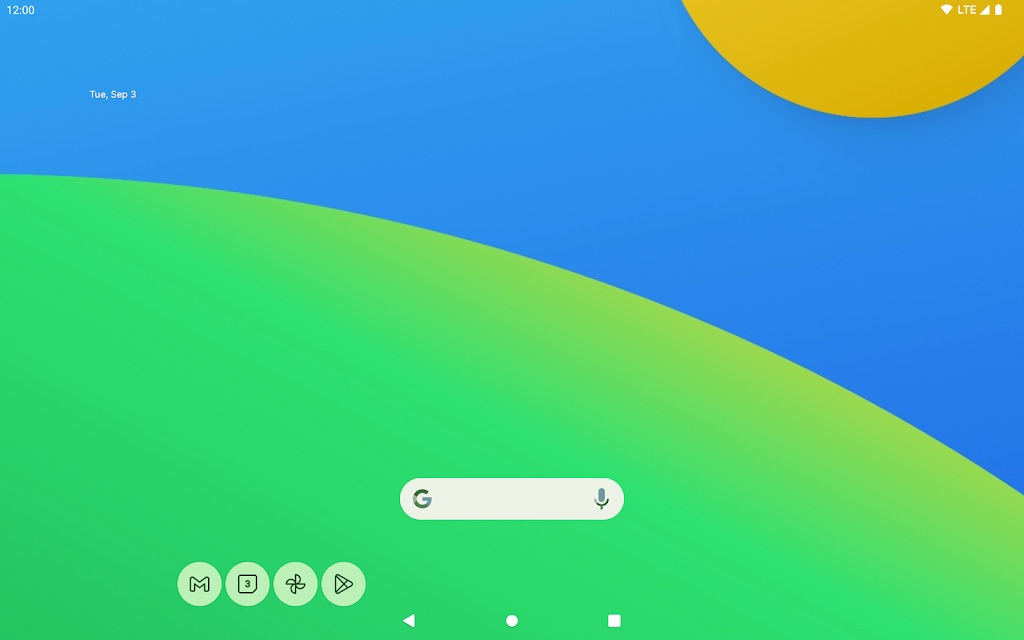
Lawnchair is the launcher we now hand to almost everyone. It is 100% free, open source, and has zero ads. There is no paid "Pro" version to nag you. It is paid for by donations.
It is built on Launcher3 from Android 15, so it looks and feels like the Pixel Launcher. But it adds the flexibility Pixel fans always wanted: custom grids, icon packs, gestures, and full Material You colors.
The best part for ex-Nova users: Lawnchair can import your Nova backup. It restores your grid layout, folders, widgets, and icon pack, so moving over takes minutes, not a whole afternoon.
Key features
- Pixel-style design with Material You colors and the At a Glance widget.
- App drawer folders and smart sorting that groups apps for you.
- Android 15 perks like Private Space and app archiving.
- On-device search, gestures, and Nova backup import.
- Free and ad-free, with no paywall at all.
Best for: ex-Nova users and anyone who wants a clean Pixel look for free. Get it here.
2. Niagara Launcher - Best minimalist, one-handed launcher
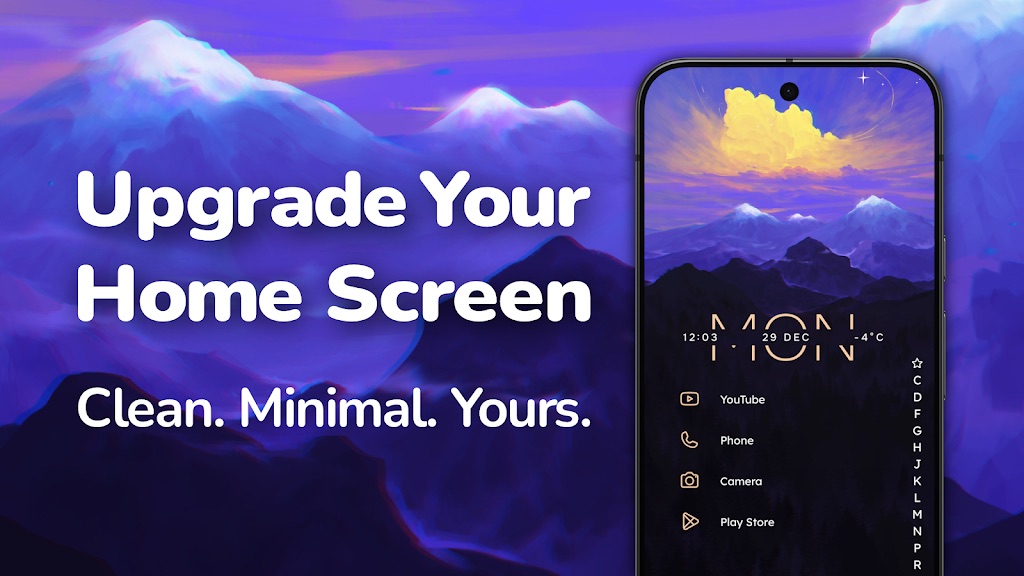
Niagara is the Nova alternative people recommend most, and for good reason. It is fast, calm, and built for one hand. Instead of a wall of icons, it shows a short list of your favorite apps. Drag your thumb down the edge to jump to any letter.
It also puts your notifications right on the home screen and quietly filters out spam. In our testing it was one of the lightest launchers here, and even the free version has no ads.
Key features
- Vertical app list with an alphabet scroll built for your thumb.
- Notifications and a music player right on the home screen.
- Pop-up widgets, notification dots, and weather in Pro.
- Free; Pro is $13.99/year or $42.99 for a lifetime unlock.
Best for: people who want a quieter phone and fast access to their main apps.
3. Smart Launcher 6 - Best for automatic organization
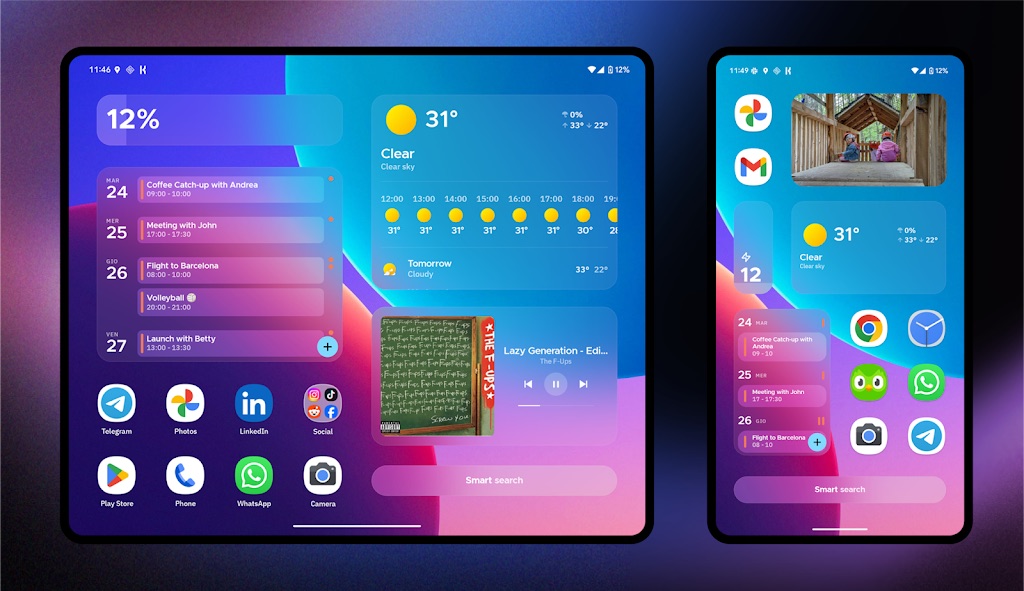
Smart Launcher 6 is the closest thing to Nova-level depth that also cleans up after itself. Its flower-shaped home grid is unique, and it auto-sorts your apps into tabs (Communication, Media, Games, and more) the second you install them. Your drawer stays tidy with zero effort.
Key features
- Automatic app sorting into smart category tabs.
- Adaptive icons and a theme that pulls colors from your wallpaper.
- One-handed layouts, smart search, and resizable widgets.
- Free; the Pro unlock (about $20 lifetime) adds pop-up widgets, gestures, and more themes.
Best for: people who want power without arranging apps by hand.
4. Kvaesitso - Best open-source search launcher
Kvaesitso (say it "kvuh-zit-so") is the hidden gem on this list, and most "best launcher" posts skip it. It mixes the calm of Niagara with the power of Nova, and it is fully free and open source with no ads or tracking.
Its big trick is search. One search bar finds your apps, contacts, calendar events, files, and even the web. It also has a built-in calculator and unit converter, so you rarely open another app.
The only catch: it is not on the Play Store. You install it through F-Droid, which takes one extra step.
Key features
- One smart search for apps, contacts, files, math, and the web.
- Clean, gesture-first home screen with a widget stack.
- Open source, no ads, and no data tracking.
- Free; installed through F-Droid instead of the Play Store.
Best for: privacy fans who want one launcher that does Niagara calm and Nova power.
5. AIO Launcher - Best information-dense launcher
AIO Launcher does the opposite of minimal. Instead of hiding info, it packs your home screen with it. You get weather, notifications, music controls, and live system stats (RAM, storage, battery) all on a tidy text-based screen.
Heads up: AIO uses Device Administrator permission. If a widget stops updating, check your battery and pop-up settings for AIO and any apps it links to.
Key features
- At-a-glance weather (10-day), notifications, messages, calendar, and finance.
- Built-in system monitor, network monitor, and quick Wi-Fi/Bluetooth toggles.
- In-app purchases unlock home-screen widget support and notification streams.
Best for: tinkerers who want their phone to feel like a control panel.
6. Hyperion Launcher - Best for theming fans

Hyperion comes from the team behind the Substratum theme engine, so it is all about looks. You get deep control over colors, transparency, animations, folders, and even launcher fonts. If you love making your home screen yours, this is your playground.
Key features
- Deep theme, color, and transparency controls.
- Custom gestures and launcher-wide fonts (Pro).
- Polished, modern look with full widget and wallpaper support.
Best for: people who treat their home screen like a canvas.
7. Action Launcher - Best Pixel-style tricks
Action Launcher invented many of the Pixel-style touches other launchers later copied. It is quick and smart, with neat shortcuts like Shutters and Covers that let you swipe an icon to open a widget or folder.
Key features
- Adaptive app bar, pill search bar, and app shortcuts.
- Quicktheme colors the whole UI to match your wallpaper.
- Shutters, Covers, and Quickedit for fast swaps and access.
- Google Discover feed built in.
Best for: users who want Pixel polish plus a few power tricks.
8. Square Home - Best Windows Phone tile look
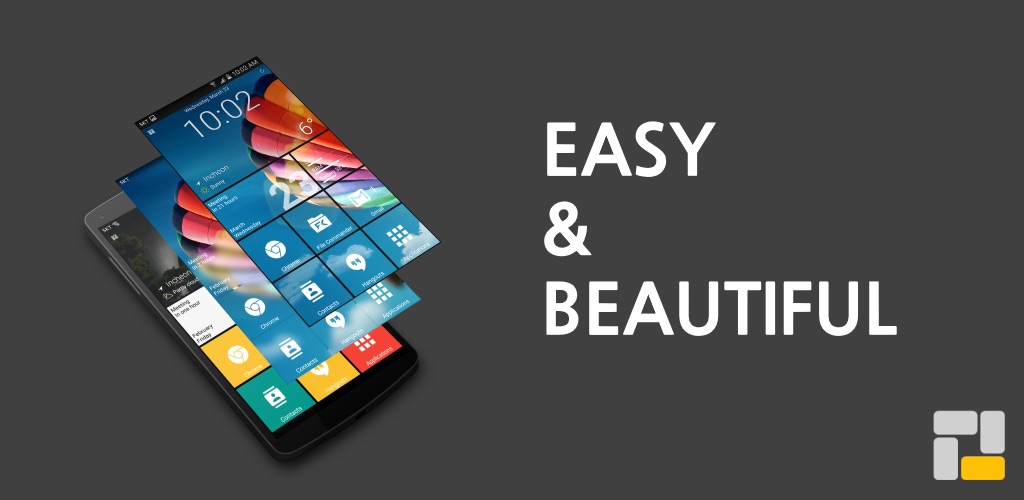
Miss the old Windows Phone Live Tiles? Square Home brings that look to Android, and it does it well. The tiles are clean, scroll smoothly, and work on phones, tablets, and Android TV.
Key features
- Resizable tiles with effects and notifications shown on the tile.
- Smart app drawer that floats your most-used apps to the top.
- Quick contact access and wide device support.
Best for: Windows Phone fans and tablet users.
9. Microsoft Launcher - Best for Microsoft fans
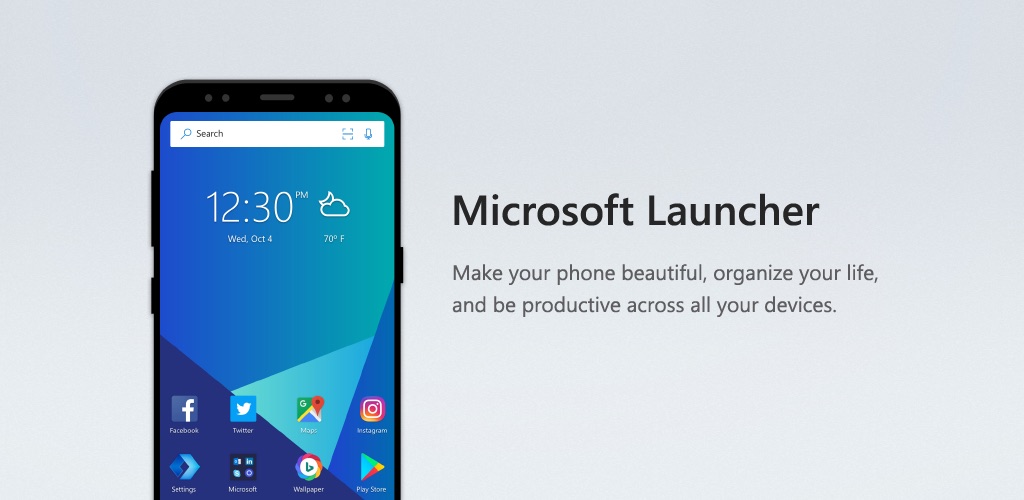
If you live in Outlook, To Do, and OneDrive, Microsoft Launcher is a smart pick. It links your phone to your Microsoft account and adds a "Continue on PC" button that sends web pages and files to your computer.
Key features
- Microsoft sync for tasks, calendar, and your feed.
- Continue on PC handoff and a news feed you can tune.
- Custom icons, wallpapers, dark mode, and gestures.
Best for: Windows and Microsoft 365 users who want phone and PC in sync.
10. POCO Launcher 2.0 - Best for Xiaomi phones
Made by Xiaomi, POCO Launcher is fast, light, and much cleaner than the stock HyperOS launcher. Its drawer auto-sorts apps into color-coded tabs, and it adds handy extras like hiding apps and tap-to-lock.
Key features
- Custom layouts, transitions, icon packs, and notification badges.
- Automatic app grouping by category or your own groups.
- Hide apps, dark mode, and tap-to-lock.
Best for: Xiaomi, Redmi, and POCO owners who want a lighter home screen.
11. Minimalist Phone - Best for cutting screen time
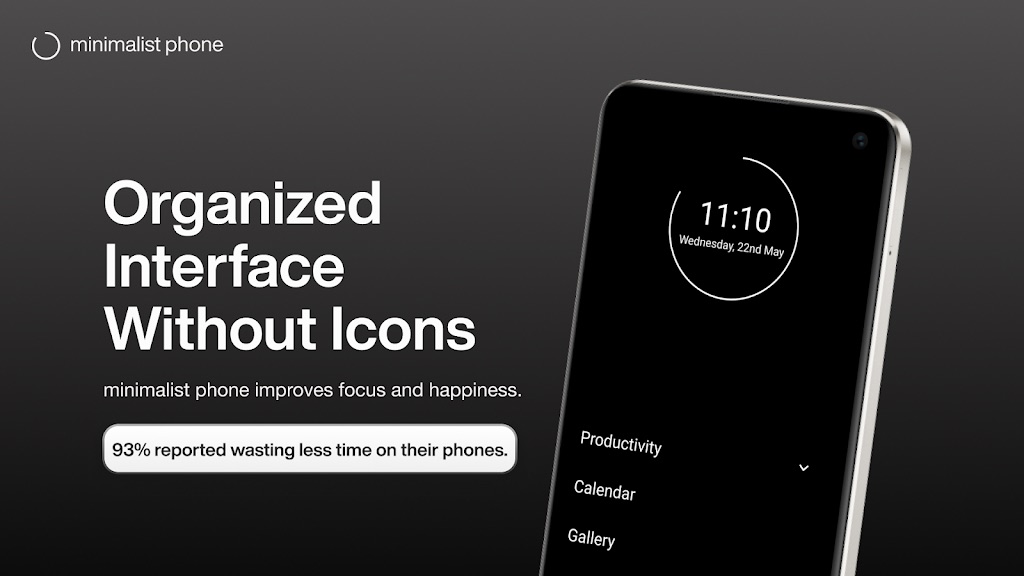
Minimalist Phone (and text-only launchers like Olauncher) swap icons for a plain text menu. The goal is simple: make your phone boring on purpose so you stop doomscrolling. It has app timers, a focus mode, and screen-time tracking, and it was one of the most battery-friendly launchers we tested.
Key features
- Plain text home screen with no icons or clutter.
- App timers, focus mode, and built-in screen-time tracking.
- Very low RAM and battery use; free with optional premium.
Best for: anyone trying to break a phone habit. Pair it with our Android speed-up settings guide for an even faster phone.
Also Read: Best Android Apps 2026: 35 Must-Have Apps Tested & Ranked
Nova vs Niagara: Which Should You Pick?
This is the question we get most from people leaving Nova. Here is the short answer:
- Pick Niagara if you want a fresh start. It is calmer, faster, and easier to use one-handed. You will not rebuild your old Nova setup, but most people stop missing it within a week.
- Stick close to Nova? Then skip Niagara and grab Lawnchair instead. It looks like a normal home screen and can import your Nova backup, so it feels familiar from day one.
In plain terms: Niagara is a new way to use your phone. Lawnchair is the smoothest way to leave Nova without changing your habits.
Android Launcher Comparison Table (2026)
Here is how the top picks stack up at a glance. Use it to narrow things down before you install.
| Launcher | Best For | Customization | Ads (Free) | Price |
|---|---|---|---|---|
| Lawnchair | Free Pixel-style setup | High | No | Free (open source) |
| Niagara Launcher | Minimalist, one-handed | Medium | No | Free / $13.99 yr or $42.99 lifetime |
| Smart Launcher 6 | Auto-organization | High | No | Free / ~$20 lifetime |
| Kvaesitso | Open-source search | High | No | Free (open source) |
| AIO Launcher | Info-dense dashboard | High | No | Free, in-app purchases |
| Action Launcher | Pixel features | High | No | Free / Plus |
| Microsoft Launcher | Microsoft ecosystem | Medium | No | Free |
| Nova Launcher | Legacy power users | Very high | Yes | Free (ads) / Prime ~$3.99 |
| Minimalist Phone | Cutting screen time | Low | No | Free / subscription |
How to Change Your Android Launcher
Switching takes about a minute, and nothing is permanent. You can always go back to the stock launcher.
- Install a launcher from the Play Store (or F-Droid for Kvaesitso).
- Open it once so Android knows it is there.
- Go to Settings > Apps > Default apps > Home app (wording changes by brand) and pick the new launcher. On some phones, just tapping the home button asks you to choose.
- Set up your grid, icon pack, and gestures. Coming from Nova? Use Lawnchair's backup import to restore your old layout.
If your phone feels slow after the swap, the launcher is rarely the cause. Our guide on fixing an overheating Android phone can help keep things smooth.
How We Picked the Best Android Launchers
We did not just read spec sheets. We installed each launcher on real phones, a current Pixel plus an older budget phone, and used them as our daily driver for several days. We judged each on:
- Speed: RAM use, battery drain, and how snappy gestures felt, even on the older phone.
- Customization: grids, icon packs, gestures, and theming depth.
- Active updates: is it still being updated for new Android versions? This matters more than ever after the Nova shake-up.
- Value: ads in the free version and how much is locked behind a paywall.
The bottom line: taste is personal, so install two or three from this list and keep the one that clicks. Start with Lawnchair if you want free and familiar, or Niagara if you want fast and calm. Switching costs nothing, and your apps never move. Try one today and see how much lighter your phone feels.
Frequently Asked Questions
What is the best Android launcher in 2026?
For most people, Lawnchair 15 is the best free launcher in 2026 - it is open source, ad-free, looks like the Pixel Launcher, and can import your old Nova Launcher backup. If you prefer a minimalist, one-handed setup, Niagara Launcher is the top pick, and Smart Launcher 6 is best if you want a launcher that auto-organizes your apps.
Is Nova Launcher dead?
No, but it changed hands. Nova started in 2011, was sold to Branch in 2022, and its founder Kevin Barry later stepped away. In January 2026 Instabridge bought Nova and pushed an update that added ads to the free app drawer search. If you already own Nova Prime (now about $3.99) it still runs ad-free, but most new users now prefer alternatives like Lawnchair or Niagara.
What is the best free replacement for Nova Launcher?
Lawnchair 15 is the best free Nova alternative. It is open source and ad-free, mimics the Pixel Launcher with extra flexibility, and can import a Nova backup to restore your grid, folders, widgets, and icon pack so switching only takes a few minutes.
What is the best free, open-source Android launcher?
Lawnchair is the best free, open-source launcher for most people - it has no ads and no paid tier and is funded by donations. If you want open-source plus a powerful search bar, try Kvaesitso, which finds apps, contacts, files, and the web from one box. Kvaesitso is not on the Play Store, so you install it through F-Droid.
Do Android launchers slow down your phone or drain the battery?
Most modern launchers are lightweight and have little effect on performance. Minimalist launchers like Niagara and Minimalist Phone actually use very little RAM and battery. Heavier, animation-rich launchers can use slightly more resources, but on any recent phone the difference is minor.
How do I change my Android launcher?
Install a launcher from the Play Store, open it once, then go to Settings > Apps > Default apps > Home app and select it. On some phones, pressing the home button prompts you to choose a default launcher. You can switch back to the stock launcher at any time.
Are third-party Android launchers safe?
Yes, as long as you download them from the Google Play Store and stick to well-known developers like Lawnchair, Niagara, Smart Launcher, and Microsoft. Avoid sideloading launchers from unknown sources, and review the permissions any launcher requests before installing.