Best Android Apps 2026: 31 Must-Have Apps We Actually Tested (Free + Paid)

The best Android apps in 2026 are ChatGPT and Google Gemini for AI, Notion and TickTick for productivity, Bitwarden and Signal for privacy, CapCut and Snapseed for editing, and Duolingo for learning. Those are the apps most people should install first. Below is the full, category-by-category breakdown of the best Android apps in 2026 — including the best free Android apps — all hands-on tested, with honest pros, current 2026 prices, and zero filler.
In a hurry? Jump to: AI • Productivity • Privacy • Editing • Learning • Messaging • Comparison Table • How We Picked
The Google Play Store now lists well over 3 million apps, and most "best of" lists just recycle the same press releases. We did it differently: we reviewed the top-ranking competitor guides, read Reddit threads where real users argue about what actually works, and used these apps day to day before ranking them. Where 2026 changed the picture — new pricing, new AI models, or a change of ownership — we flag it plainly.
Whether you are a student, a working professional, a content creator, or you just want a faster, smarter phone, this guide has a pick for you. Want to push your phone even further afterward? Pair these apps with our best Android settings to speed up your phone in 2026.
⚡ Quick Answer: The best Android apps of 2026 are ChatGPT (AI), Notion (productivity), Bitwarden (passwords), CapCut (video editing), Duolingo (learning), and Signal (private messaging). The best free Android apps are ChatGPT, Bitwarden, Signal, Snapseed, LocalSend, and Microsoft Copilot. Keep reading for the full list by category.
What Makes a Great Android App in 2026?
Before the list, here is exactly what we looked for — and what separates a genuinely great Android app from a mediocre one in 2026:
- It solves one real problem really well — not ten problems halfway
- It works offline when it should — not every user has fast internet all the time
- It respects your privacy — no sketchy permissions, no quietly selling your data
- It has a genuinely usable free tier — you should not have to pay just to try it
- It uses AI smartly — as a real time-saver, not a marketing buzzword
- It still gets updates — abandoned apps are security risks, not bargains
With those criteria set, here are the best Android apps across every major category.
Best AI Apps for Android (2026)
Primary use case: Writing help, research, brainstorming, coding, daily tasks
Who needs this: Students, freelancers, professionals, curious learners
AI apps are the single biggest shift on Android in 2026. They do not just answer questions — they write emails, explain code, summarize documents, and hold full voice conversations. If you are not using at least one, you are working harder than you need to. (On iPhone instead? See our guide to the best AI apps for iPhone.)
1. ChatGPT — Best All-Around AI Assistant
Price: Free; Plus $20/month; Pro $200/month
Best for: Writing, research, coding, general help
Works offline: No
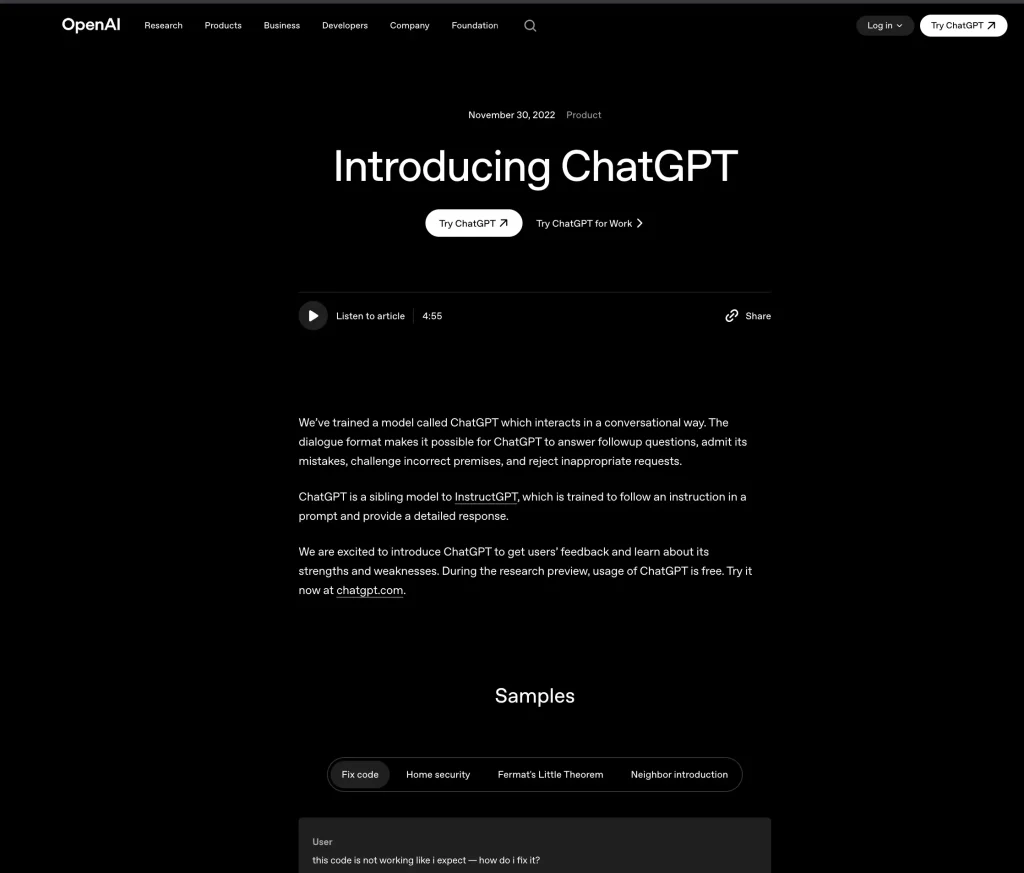
ChatGPT is the most popular AI app on Android right now, and it earns that spot. It handles almost anything you throw at it — from drafting a professional email to explaining a tough math problem in plain English. As of August 2026 the default model is GPT-5.6 Luna, and OpenAI has removed text message caps on free accounts entirely — see our breakdown of ChatGPT's unlimited free text chats. That makes the free tier more capable than it has ever been.
Why it stands out:
- Voice mode lets you speak naturally and get a spoken reply back
- Camera mode lets you point your phone at something and ask about it
- Handles writing, summarizing, translating, coding, and brainstorming
- Unlimited free text chats since August 2026 — the free tier is no longer a teaser
One honest downside: While free text chats are now unlimited, image generation and heavy voice use still hit caps, and the most advanced reasoning models sit behind Plus ($20/month) or Pro ($200/month).
💡 Pro Tip: Use ChatGPT's custom instructions to tell it your name, job, and preferences once. It remembers them across every chat and gives more relevant answers every time.
2. Google Gemini — Best for Android-Native AI
Price: Free; Google AI Pro $19.99/month
Best for: Google ecosystem users, Android phone owners
Works offline: Partially
Google Gemini is the AI assistant built directly into Android, and through 2026 it is fully taking over from the old Google Assistant as the default on most phones. Unlike standalone AI apps, Gemini connects to your Gmail, Calendar, Maps, and Photos — so it actually knows your schedule, your emails, and your saved places. The app now runs on the Gemini 3.5 family, with Gemini 3.5 Flash as the free default and the more powerful Gemini 3.5 Pro on the paid Google AI Pro plan.
Why it stands out:
- Deep Android integration — ask it to add a calendar event and it just does it
- Now the default assistant replacing Google Assistant on most 2026 Android phones
- Works inside YouTube, Google Docs, Gmail, and increasingly across Maps
- Strong free tier for everyday questions and summaries
Best choice if: You already live in Gmail, Calendar, and Google Photos. Curious how far Gemini reaches? See Google Maps' new Gemini AI features.
3. Perplexity AI — Best for Research and Fact-Checking
Price: Free; Pro $20/month
Best for: Research, news, fact-checking, current events
Works offline: No
Perplexity is what you get when you cross a search engine with an AI assistant. Every answer comes with clickable source links, so you can verify what it tells you — which makes it far more trustworthy for research than a standard chatbot.
- Real-time web search built in, so answers stay current
- Sources every claim with links you can check yourself
- Pro mode lets you pick the underlying model (GPT, Claude, Gemini)
- Beats a plain Google search for complex, multi-part questions
4. Microsoft Copilot — Best Free AI for Office Users
Price: Free (Copilot Pro $20/month)
Best for: Microsoft 365 users, professionals, students
Works offline: No
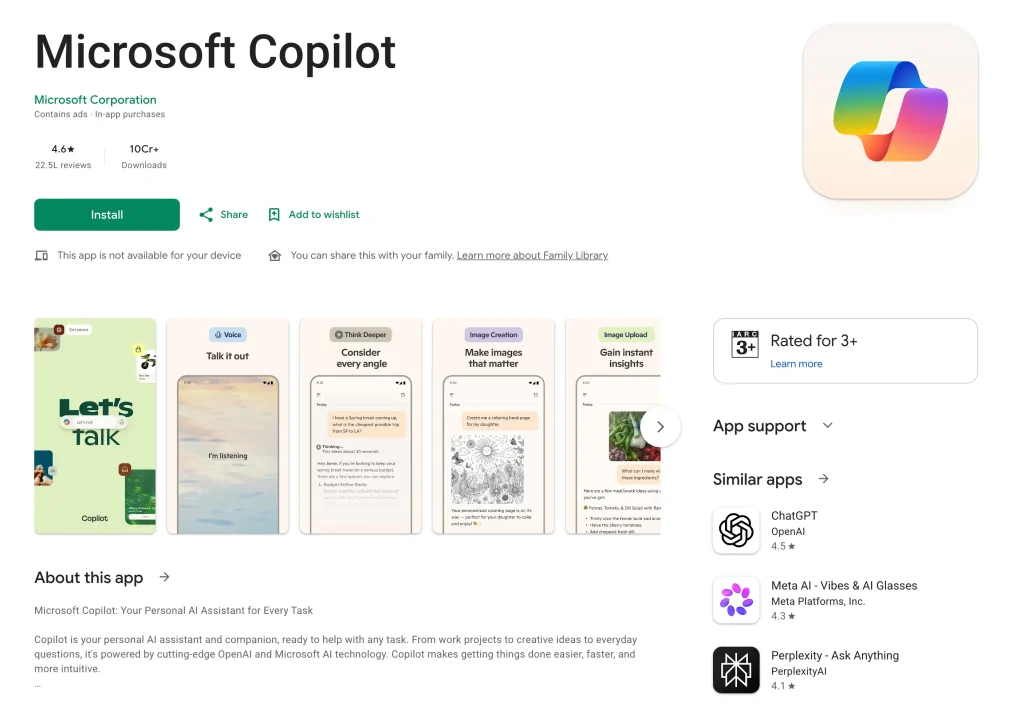
Microsoft Copilot brings a top-tier AI model to your Android phone for free, and it plugs into Word, Excel, and PowerPoint on mobile — making it the best free AI pick for anyone in the Microsoft ecosystem.
- Free access to a flagship model — no subscription required
- Summarizes long documents and email threads in seconds
- Generates images for free
- Pairs perfectly with an existing Microsoft 365 subscription
Also Read: Best AI Apps for iPhone in 2026
Best Productivity Apps for Android (2026)
Primary use case: Task management, notes, project planning, focus
Who needs this: Students, remote workers, entrepreneurs, busy people
Phones are full workstations now. The best Android productivity apps in 2026 ship with AI writing tools, smart calendars, and automation built in. These are the ones that actually help you get more done without piling on complexity. Students should also check our roundup of the best productivity apps for students.
5. Notion — Best All-in-One Workspace
Price: Free; Plus from $10/month
Best for: Notes, project management, personal organization
Works offline: Yes (limited)
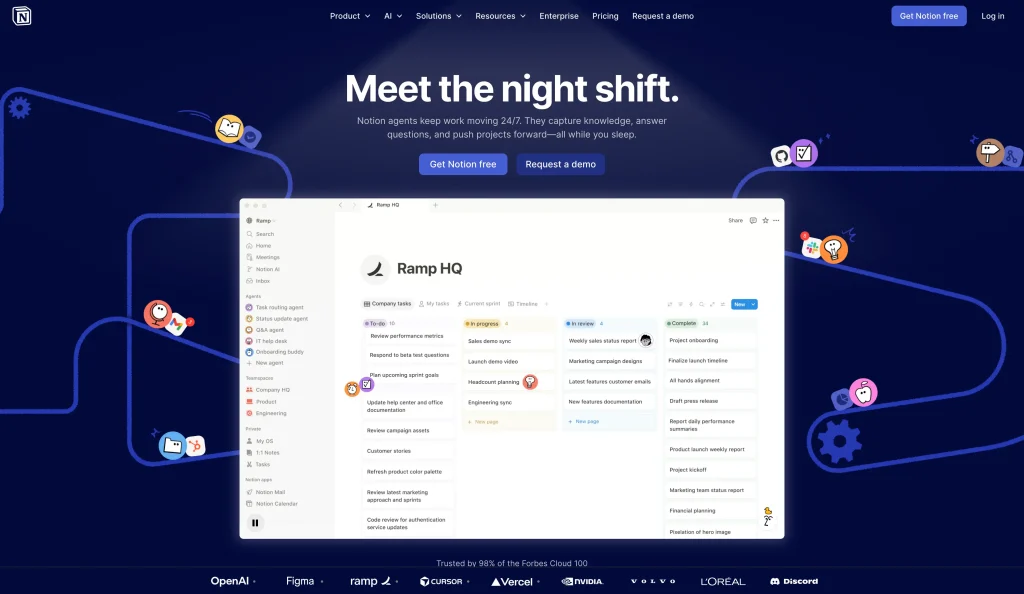
Notion is the closest thing to a digital second brain. Use it as a simple notes app, a full project manager, a personal wiki, or all three at once. In 2026 the mobile app is faster than ever, with home-screen widgets, offline editing, and AI blocks built in.
- One place for notes, tasks, databases, and documents
- Notion AI can summarize notes, create action items, and draft content
- Works equally well for students, freelancers, teams, and solo creators
- The free plan covers most individual needs
💡 Start here: Build a simple "Today" dashboard with three sections — tasks due today, recent notes, and a mini calendar. That one page can save you 15 minutes every morning.
6. Todoist — Best Simple Task Manager
Price: Free; Pro from $5/month
Best for: Daily to-do lists, recurring tasks, quick planning
Works offline: Yes
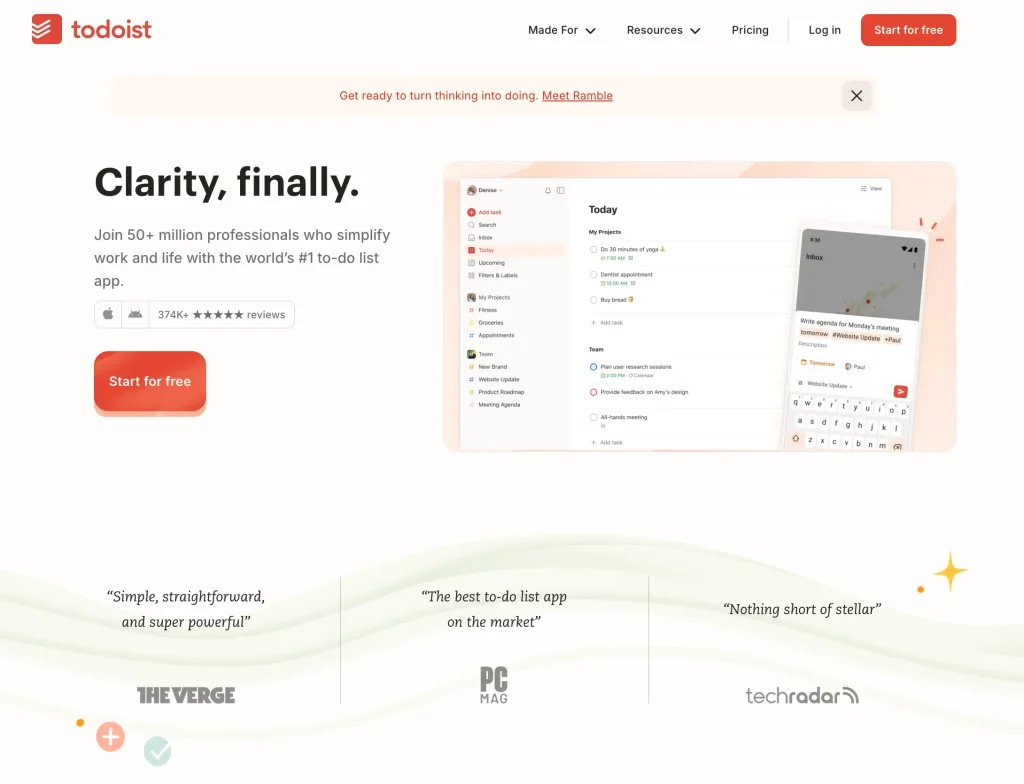
Todoist is the cleanest task manager on Android. Type something like "Call dentist next Tuesday at 2pm" and it automatically sets the date, time, and reminder — no extra taps.
- Natural-language input makes capturing tasks effortless
- Integrates with Google Calendar, Slack, and Gmail
- Subtle Karma system tracks your productivity over time
- Stays usable even after a week off — no overwhelming backlog
7. TickTick — Best for Focus + Tasks Combined
Price: Free; Premium from $2.99/month
Best for: Combined tasks, habits, and Pomodoro sessions
Works offline: Yes
TickTick packs a task manager, habit tracker, calendar, and Pomodoro timer into a single app. If you have been juggling three separate apps for these jobs, TickTick replaces all of them — which is exactly why reviewers keep calling it the most complete productivity app on Android.
- Built-in focus timer stops procrastination before it starts
- Habit tracker shows your streaks and completion patterns
- Cleaner interface than most productivity apps
8. Tasker — Best for Android Power Users
Price: ~$4.49 (one-time, 7-day free trial)
Best for: Automation, custom workflows, advanced users
Works offline: Yes
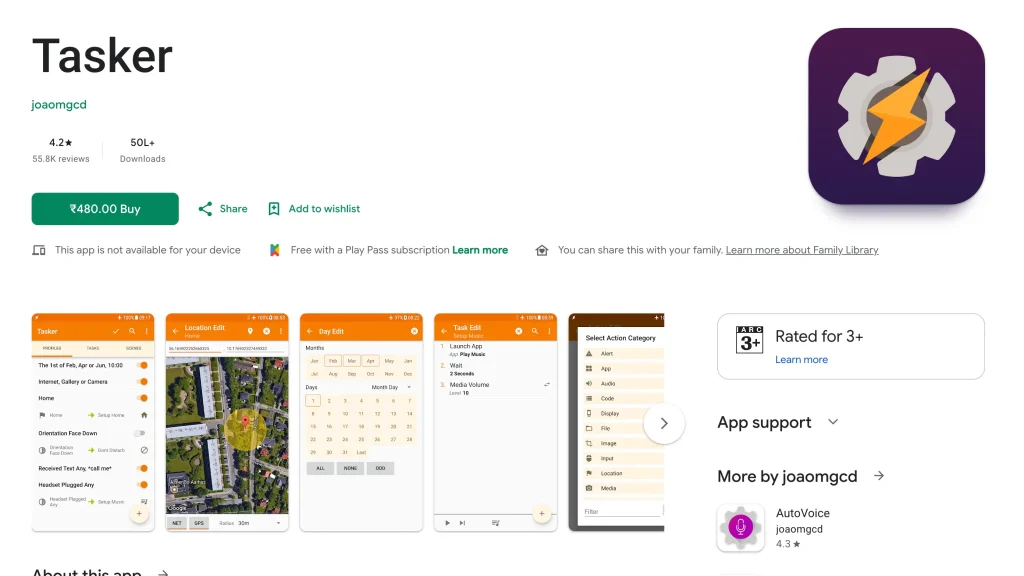
Tasker is the most powerful Android app most people have never tried. It automates almost anything on your phone based on location, time, battery level, or app usage. It is also bundled with Google Play Pass, so subscribers can use it without the separate purchase.
- Silences your phone automatically when you arrive at work or school
- Turns Wi-Fi on at home and off when you leave
- Sends an auto-reply when you are driving
- Reddit verdict: "Feels impossible at first, then you can't live without it"
⚠ Honest warning: Tasker has a learning curve. Start with one simple automation and build from there.
Best Privacy and Security Apps for Android (2026)
Primary use case: Password management, encrypted messaging, private file sharing
Who needs this: Everyone — security is not optional
People assume security apps are only for tech experts. They are not. The three below take under 10 minutes each to set up and then protect your accounts, files, and conversations automatically. To lock down your connection too, add one of the best VPN apps for Android.
9. Bitwarden — Best Password Manager (Open Source)
Price: Free; Premium ~$10/year
Best for: Storing and auto-filling passwords across apps and browsers
Works offline: Partially (read access only)
Bitwarden is the most trusted password manager for Android users in 2026 — and the free tier is genuinely complete. It is open-source, so security researchers worldwide can inspect the code for hidden vulnerabilities. Setting it up is the single most practical security upgrade you can make today.
- Open-source code means higher trust than closed-source rivals
- Free plan includes unlimited passwords across unlimited devices
- Auto-fills passwords in any app or browser with one tap
- Stores passwords, cards, secure notes, and passkeys
- Premium (~$10/year) adds built-in TOTP codes, emergency access, and file attachments
💡 Start here: Change your email password to a strong random one first, then your banking password, then your Google account. That covers about 80% of your real risk in three steps. Prefer a slicker interface with dark-web monitoring built in? Proton Pass is the strongest alternative.
10. Signal — Best for Private Messaging
Price: Free
Best for: Private conversations, sensitive messages
Works offline: No
Signal is end-to-end encrypted messaging, meaning only you and the person you are talking to can read your messages — not even Signal can. It is not just for activists or journalists; it is for anyone who would rather their conversations not be mined for ad data.
- Strongest encryption of any mainstream messaging app
- No ads, no trackers, no data collection — ever
- Disappearing messages, note-to-self, and screen security
- Run by a nonprofit, not a profit motive
11. LocalSend — Best Offline File Sharing
Price: Free (Open Source)
Best for: Sharing files between devices without internet
Works offline: Yes — built for it
LocalSend is AirDrop for Android. Put two devices on the same Wi-Fi network and you can send any file instantly — no internet, no accounts, no size limits, and nothing touching the cloud.
- No file-size limits — send a 10GB video if you want
- Works across Android, iPhone, Mac, Windows, and Linux
- Nothing goes to the cloud — completely private
- 100% free and open-source
If you would rather your files live safely in the cloud, compare the best cloud storage and backup apps in 2026 instead.
Best Creative and Editing Apps for Android (2026)
Primary use case: Photo editing, video editing, graphic design, content creation
Who needs this: Content creators, students, social media users, small business owners
AI has completely reshaped creative apps in 2026. You no longer need a desktop or a design degree to make professional-looking content — these apps do the heavy lifting.
12. Canva — Best for Design and Social Graphics
Price: Free; Pro from $15/month
Best for: Social posts, presentations, posters, thumbnails
Works offline: Limited
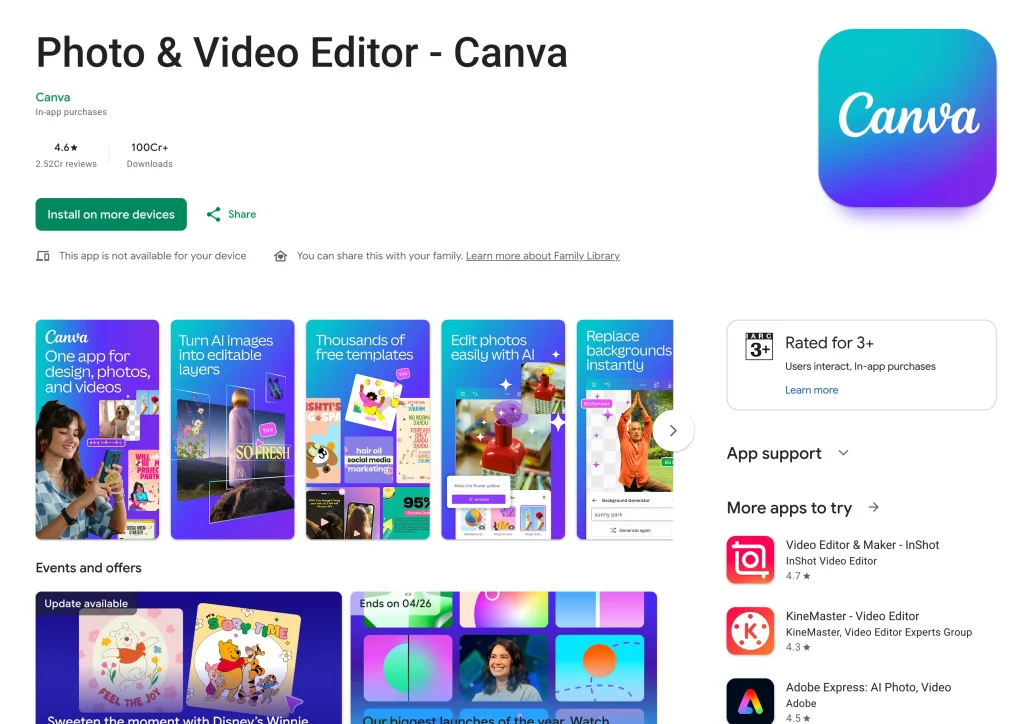
Canva is the go-to design app for anyone who is not a professional designer. In 2026 its AI tools can generate images, remove backgrounds, resize designs across platforms, and write captions — all from your phone.
- Thousands of ready-made templates for every use case
- AI image generator builds graphics from a text prompt
- Magic Resize adapts a design for Instagram, Facebook, and more in one tap
- Real-time collaboration with teammates
13. CapCut — Best Video Editor for Reels and Shorts
Price: Free; Standard $9.99/month; Pro $19.99/month
Best for: TikTok, Instagram Reels, YouTube Shorts
Works offline: Yes (basic editing)
CapCut is the most popular video editor on Android, and the AI tools are genuinely useful rather than gimmicky — auto-captions, background removal, and trending effects with minimal effort. Heads-up for 2026: CapCut restructured its paid tiers, splitting paid features into a new Standard plan ($9.99/month) and a pricier Pro plan ($19.99/month), so heavy AI users now pay more than before.
- Auto-captions in 30+ languages, generated in seconds
- AI background remover works on video, not just photos
- Huge template library based on trending formats
- Core editing and export stay free — the premium tiers unlock AI credits and cloud storage
14. Adobe Lightroom — Best for Professional Photo Editing
Price: Free; Premium from $4.99/month
Best for: Photographers and creators who shoot a lot
Works offline: Yes
Lightroom is still the best photo editor on Android for quality and control. Its AI Masking automatically detects sky, subject, and background, letting you edit each separately with no manual selection. Photographers should also see our picks for the best apps for photographers.
- RAW support beats every other free mobile editor
- AI-powered subject, sky, and background detection
- Create presets and batch-apply them to hundreds of photos
- Syncs edits across mobile and desktop
15. Snapseed — Best Free Photo Editing App
Price: Free
Best for: Quick, high-quality edits without paying anything
Works offline: Yes
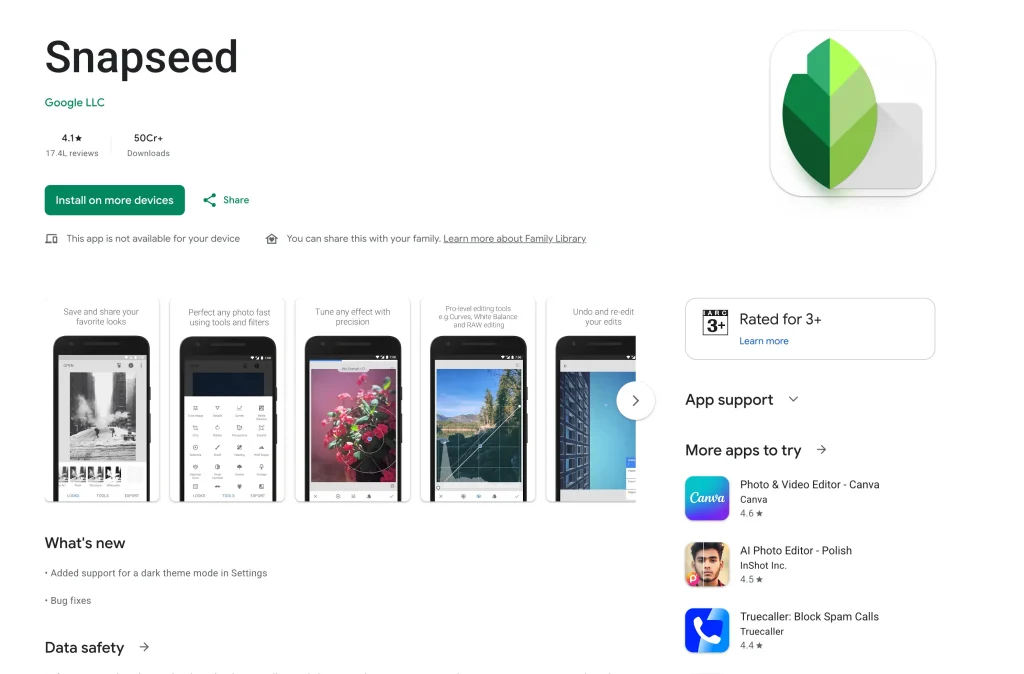
Made by Google, Snapseed remains the best completely free photo editor on Android in 2026. It is not as deep as Lightroom, but for everyday edits — fixing brightness, removing objects, applying clean filters — it is faster and simpler, and it is the app reviewers most often call the most dependable everyday fixer.
- Selective adjustment tool edits one specific part of a photo
- Healing tool removes unwanted objects
- Non-destructive editing — every change can be undone
- No subscription, no watermarks, no ads
Best Learning Apps for Android (2026)
Primary use case: Language learning, professional skills, book summaries, education
Who needs this: Students, professionals, lifelong learners
Learning apps in 2026 lean on AI tutors and adaptive systems — the app tracks your mistakes and re-teaches the same concept a different way until it clicks. These are the ones that work best on Android.
16. Duolingo — Best Language Learning App
Price: Free; Super from $6.99/month
Best for: Learning a new language in short daily sessions
Works offline: Partially
Duolingo is the most downloaded education app in the world, and it deserves it. Gamified lessons, streaks, and short daily exercises make a language stick in a way textbooks never could.
- 40+ languages including Spanish, Japanese, Hindi, French, and Arabic
- AI adapts difficulty to your error patterns
- 10 minutes a day is genuinely enough for steady progress
- The most generous free tier of any language app
17. Coursera — Best for Professional Certifications
Price: Free to audit; Coursera Plus $59/month or $399/year
Best for: Career development, university-level courses
Works offline: Yes (download lessons)
Coursera connects you to real courses from Yale, Google, IBM, Stanford, and 200+ other institutions. In 2026 more employers recognize Coursera certificates, especially for tech, data, and business roles, and Coursera Plus unlocks unlimited access to most of the catalog for one flat fee.
- Courses from world-class universities and companies
- Download lessons to watch offline
- Many courses are free to audit — you only pay for the certificate
- Financial aid available if cost is a barrier
18. Blinkist — Best for Book Summaries
Price: Free tier; Premium ~$99.99/year (about $8.33/month annually)
Best for: Busy people who want a book's key ideas fast
Works offline: Yes
Blinkist condenses nonfiction books into 15-minute reads or audio summaries. If you want the core ideas of a bestseller without 300 pages, this is the app.
- Thousands of nonfiction titles in text and audio
- Free daily "Book of the Day" — no subscription needed to try
- Perfect for commutes, workouts, or any spare 15 minutes
Best Messaging Apps for Android (2026)
Primary use case: Personal messaging, group chats, communities, business comms
Who needs this: Everyone with a smartphone
Messaging apps in 2026 are platforms, not just chat boxes — communities, AI bots, content channels, and payments all in one place. Here is how the major players compare:
| App | Best For | End-to-End Encrypted | Ad Free | AI Features | Price |
|---|---|---|---|---|---|
| Personal and family chats | Yes | Yes | Meta AI built in | Free | |
| Telegram | Groups, channels, bots | Partial (Secret Chats only) | Yes (free plan) | Powerful bots | Free / Premium |
| Signal | Maximum privacy | Best in class | Yes | None | Free |
| Discord | Communities and gaming | No | No | Built-in AI | Free / Nitro |
| Google Messages | Default SMS with RCS | Yes (RCS messages) | Yes | Gemini integration | Free |
Our recommendation: Use WhatsApp for everyday personal chats, Telegram for communities and channels, and Signal for anything sensitive. Google Messages keeps getting smarter too — see what Google Messages' live location sharing changes for Android users.
⚠ Privacy note: WhatsApp is owned by Meta, which uses conversation metadata for ad targeting even though message content is encrypted. If privacy is your top concern, Signal is the better choice.
Best Entertainment Apps for Android (2026)
Primary use case: Music, video streaming, podcasts
Who needs this: Anyone who uses their phone to relax
19. Spotify — Best Music and Podcast App
Price: Free with ads; Premium $12.99/month
Best for: Music discovery, podcasts, audiobooks
Spotify nudged its U.S. Premium Individual plan up to $12.99/month in early 2026, but it is still the most complete music app on Android.
- AI DJ builds personalized stations based on your mood
- 100+ million songs plus podcasts and audiobooks in one app
- Collaborative playlists let friends build a shared queue
- Offline downloads on Premium
20. YouTube — Best for Video Content
Price: Free with ads; Premium from $13.99/month
Best for: Tutorials, entertainment, documentaries, vlogs
- Billions of videos across every topic imaginable
- Premium removes ads and enables background play
- Shorts brings TikTok-style content inside YouTube
21. Poweramp — Best Offline Music Player
Price: ~$3.99 (one-time unlock)
Best for: People with their own local music library
- 10-band equalizer with presets and custom tuning
- Supports lossless formats: FLAC, ALAC, Hi-Res
- No internet required — plays your own files
- Reddit's long-standing pick for best Android music player
Best Finance Apps for Android (2026)
Primary use case: Budgeting, expense tracking, bill splitting, payments
Who needs this: Anyone trying to manage money better
22. YNAB (You Need a Budget) — Best Budgeting App
Price: $14.99/month or $109/year (34-day free trial; students get 12 months free)
Best for: People who want to take their finances seriously
- Zero-based budgeting — every dollar gets a job
- Syncs with your bank accounts in real time
- One subscription covers up to 6 people
- A learning curve, but the most effective budgeting system available
23. Splitwise — Best for Splitting Expenses
Price: Free; Pro from $3/month
Best for: Roommates, travel groups, shared bills
- Tracks who owes whom across any group
- Calculates the simplest way to settle all debts
- Ends the awkward "you owe me for dinner" conversations
Want lighter, free alternatives? Compare the best budget tracking apps for Android.
24. Google Pay / PhonePe / Paytm (India)
Price: Free
Best for: UPI payments, daily transactions, bill payments
- UPI dominates India and all three support it natively
- Instant bank-to-bank transfers
- Bill payments, recharges, and merchant payments in one app
Hidden Gems — Underrated Android Apps Worth Trying
These apps rarely top the big best-of lists, but they solve real, specific problems better than anything else — and power users on Reddit swear by them.
25. Habitica — Turn Your Life Into an RPG
Price: Free (subscription for cosmetics)
Best for: People who hate habit trackers but love games
- Every completed task levels up your character and earns rewards
- Miss a habit and your character takes damage
- Join parties and fight monsters by completing real tasks
- Shockingly effective, especially for ADHD brains
26. Otter.ai — AI Meeting Notes That Work
Price: Free; Pro from $10/month
Best for: Students and remote workers who take a lot of calls
- Records and transcribes meetings in real time
- Identifies different speakers automatically
- Generates a summary and action items after every call
- Works with Zoom, Google Meet, and Microsoft Teams
27. Sleep as Android — The Smartest Alarm Clock
Price: Free trial (full app ~$4.99)
Best for: Anyone who wakes up groggy
- Wakes you during the lightest phase of your sleep cycle
- Uses motion sensors to track sleep quality
- Tracks snoring, sleep talking, and heart rate overnight
- Smart alarm window means you wake up refreshed, not shocked
28. Forest — Focus Timer That Plants Real Trees
Price: ~$3.99 (one-time)
Best for: People who get distracted easily
- Start a session and a virtual tree grows
- Leave the app early and the tree dies — surprisingly motivating
- Earn coins that fund real tree planting through a partner NGO
- Team focus sessions let groups stay on task together
29. Grammarly Keyboard — Best Writing Assistant
Price: Free; Premium from $12/month
Best for: Anyone who writes emails, texts, or posts in English
- Checks grammar, tone, and clarity in every app, not just one
- Works as a full keyboard replacement on Android
- Suggests better word choices and flags unclear sentences
- Free plan catches most everyday mistakes
30. Bring! — The Smartest Grocery List App
Price: Free
Best for: Families and roommates who shop together
- Shared grocery list syncs in real time across everyone's phones
- Beautiful icon-based interface makes adding items fast
- Suggests previously bought items as you type
- Free to use, with optional ad-free upgrade
31. Nova Launcher — Best for Customizing Your Home Screen
Price: Free; Prime upgrade available
Best for: Anyone who wants their home screen to look and work their way
Nova Launcher is still the most flexible home-screen replacement on Android — deep control over icons, grids, gestures, and animations. One important 2026 caveat: Nova changed hands again and is now owned by Instabridge, which began adding ads to the free version in early 2026. The paid Nova Launcher Prime tier remains ad-free, so committed users should buy Prime to keep the clean experience.
- Deep customization — icons, grids, gestures, animations
- Resize widgets and hide apps you never use
- Lightweight and fast, even on older phones
- Free version now shows ads (2026); Prime stays ad-free
If the ad change bothers you, several ad-free rivals are worth a look — see the full field in our best Android launcher roundup.
The Ultimate Android Setup for 2026
You do not need 50 apps. You need the right 12. Here is a proven setup that covers every part of your life without cluttering your phone:
| Category | Best Pick | Backup Pick | Price |
|---|---|---|---|
| AI Assistant | ChatGPT | Google Gemini | Free / $20+/mo |
| Research | Perplexity AI | Microsoft Copilot | Free / $20/mo |
| Productivity | Notion | Todoist | Free / $10/mo |
| Security | Bitwarden | Proton Pass | Free / ~$10/yr |
| Private Messaging | Signal | Telegram | Free |
| Design | Canva | Snapseed | Free / $15/mo |
| Video Editing | CapCut | Adobe Lightroom | Free / $9.99+/mo |
| Learning | Duolingo | Coursera | Free / $6.99+/mo |
| Finance | YNAB or Splitwise | Google Pay | Free / $14.99/mo |
| File Sharing | LocalSend | Google Files | Free |
| Home Screen | Nova Launcher | Stock launcher | Free / Prime |
| Automation | Tasker | MacroDroid | ~$4.49 once |
📌 Action Step: Do not install all of these today. Pick the one category where you struggle most — focus, passwords, or creative work — and install just that one app first. Use it for a week before adding another. That is how you build habits instead of just downloading apps.
How We Picked and Tested These Apps
This is not a list scraped from press releases. Here is exactly how we built it:
- We installed and used every app on real Android phones, day to day, for ordinary tasks — not just a five-minute demo.
- We re-checked every price in August 2026 directly against each app's official store listing or pricing page, because 2026 brought real changes — CapCut split into Standard ($9.99/month) and Pro ($19.99/month) tiers, Spotify Premium rose to $12.99/month, Gemini moved to the Gemini 3.5 family, and ChatGPT dropped text limits on free accounts in August.
- We verified ownership and update status. That is how we caught that Nova Launcher changed hands again and now shows ads on its free version — a detail most lists still miss.
- We cross-referenced Reddit and community threads where long-term users debate what actually holds up, then weighted those opinions against our own hands-on testing.
- We compared each pick against its closest rivals and only kept apps that win on a clear, specific job rather than doing everything halfway.
When a precise figure could not be confirmed, we described it qualitatively rather than guess. Prices and tiers can change at any time, so always confirm the current price on the Play Store before subscribing.
Bottom Line: Build Your Stack, One App at a Time
The best Android setup in 2026 is not the one with the most apps. It is the one with the right apps — the ones you actually open, use, and benefit from every day. If you install only three today, make them Bitwarden (security), ChatGPT or Google Gemini (AI), and Notion or Todoist (productivity). That trio alone is a stronger setup than most people have.
Here is a simple three-step plan to start today:
- Install Bitwarden right now. Five minutes, free, and you are immediately safer online.
- Try one AI app for a week. ChatGPT or Gemini — use it instead of a Google search for 7 days and see what happens.
- Pick one productivity app that fits your style — Notion for flexibility, Todoist for a clean task list.
Add more only when you actually need them — not just because a list told you to. Have a favorite Android app we missed? Drop it in the comments. We refresh this guide regularly with new apps that earn their spot.
Frequently Asked Questions
What are the best Android apps in 2026?
The best Android apps in 2026 are ChatGPT and Google Gemini for AI, Notion and TickTick for productivity, Bitwarden for password security, CapCut for video editing, Duolingo for language learning, and Signal for private messaging. The right pick depends on what you need most. This guide ranks the top apps across nine categories, all hands-on tested with current 2026 prices.
What are the best free Android apps in 2026?
The best free Android apps in 2026 are ChatGPT (AI, with unlimited free text chats as of August 2026), Bitwarden (passwords), Signal (messaging), LocalSend (file sharing), Snapseed (photo editing), Duolingo (language learning), Google Gemini (AI assistant), and Microsoft Copilot (free AI). Each offers strong core features at no cost. Note that Nova Launcher, long a free favorite, now shows ads on its free tier as of 2026.
What is the best AI app for Android in 2026?
For most people, ChatGPT is the best AI app for Android in 2026 because it handles the widest range of tasks, runs the GPT-5.6 Luna model by default, and as of August 2026 offers unlimited text chats on the free tier. If you live in the Google ecosystem, Google Gemini is better since it connects to Gmail, Calendar, and Maps and runs the Gemini 3.5 family. For research with citations, Perplexity AI is the strongest choice, and Microsoft Copilot is the best free option for Office users.
Did any popular Android apps change in 2026?
Yes. CapCut restructured its paid plans into a Standard tier ($9.99/month) and a Pro tier ($19.99/month), raising costs for heavy AI users. Spotify Premium rose to $12.99/month in the US after a January 2026 price hike. Google Gemini replaced Google Assistant as the default on most phones and moved to the Gemini 3.5 model family. Nova Launcher, now owned by Instabridge, began showing ads on its free version, though Prime remains ad-free. And in August 2026, ChatGPT removed text message limits on free accounts and made GPT-5.6 Luna the default model.
How many apps should I have on my Android phone?
Most productivity experts suggest keeping under 30 apps total, ideally 12 to 20 you use regularly. Too many apps slow your phone, drain the battery faster, and create decision fatigue. Focus on one great app per category instead of several that do the same thing.
What is the best Android app for students in 2026?
The best Android apps for students in 2026 are Notion (notes and organization), Forest (focus), Duolingo (language practice), Coursera (courses), Grammarly (writing), and Otter.ai (lecture transcription). All have strong free tiers built for student use, and both YNAB and Coursera offer student discounts.
Is Bitwarden still free in 2026?
Yes. Bitwarden's free plan in 2026 still includes unlimited passwords across unlimited devices, plus storage for cards, secure notes, and passkeys, which covers what most people need. Premium costs about $10 per year and adds built-in TOTP authenticator codes, emergency access, and encrypted file attachments. Its open-source code is a major reason security researchers continue to trust it.
How do I choose the right apps for my Android phone?
Start with the problem you hit most often each day, such as distraction, disorganization, bad photos, or forgotten passwords, and pick one app that solves your biggest problem first. Check that it has a usable free trial, Play Store reviews above 4.2 stars, an update within the last three months, and reasonable permissions. Use it for a week before deciding to keep it.