Best Android Launcher in 2026: 10 Picks Ranked (What to Install Today)

The best Android launcher in 2026 is Lawnchair for most people, and it is also our pick for the best app launcher to replace Nova. It is free, open source, has no ads, looks like a Pixel home screen, and it is the safest first install if you want a familiar grid. Pick Niagara Launcher if you want a one-handed list, Smart Launcher 6 if you want the drawer to sort itself, or Total Launcher if you need Nova-level depth. Android Hire re-checked versions and prices on 14 September 2026 and Google Play versions, update dates, and ratings on 21 October 2026.
Also in this topic: Android Guides hub.
An Android launcher is only the home screen. Changing it does not delete apps, photos, or accounts. You can switch back in about a minute. That is the whole point of this page: tell you which home screen to install today, how to set it as default, and which lists still get the 2026 facts wrong.
Our picks come from each launcher's own release notes, Google Play listing, and long-running user feedback, rechecked on 21 October 2026. For the September refresh we also compared the pages currently ranking for "best Android launcher 2026" — SlashGear, ZDNET, Computerworld, Android Authority, Android Police, How-To Geek, and several thinner listicles. The gaps are the same: some still rank Nova first, some say Nova shut down (it did not), and several still quote old Niagara prices.
In a hurry? Jump to: quick picks · by phone · the 10 launchers · how to change · comparison table · Nova status · Nova alternatives · FAQ
What is an Android launcher?
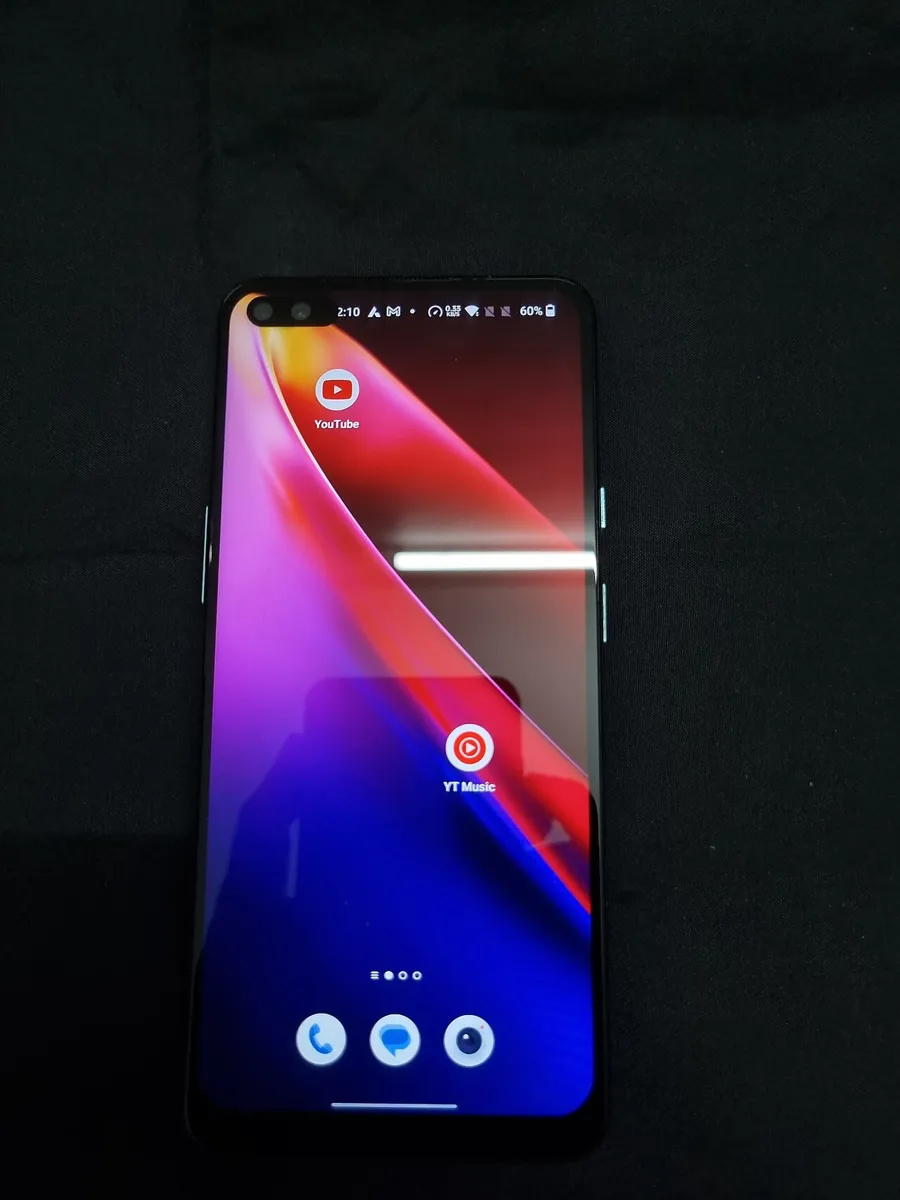
An Android launcher is the app that draws your home screen, app drawer, dock, icons, and gestures. Every Android phone ships with one (Pixel Launcher, One UI Home, HyperOS). Because Android lets you change the default Home app, you can swap that skin without rooting and without moving a single photo.
People also search for "app launcher" and "home screen launcher." Those are the same thing. A launcher is not a speed-up app, a cleaner, or a virus scanner. If the phone already feels slow, start with our Android overheating fixes before you blame the grid.
Quick picks: the best Android launcher for each job
| What you want | Install this | Price |
|---|---|---|
| Best overall / best free | Lawnchair | Free, no ads |
| Best for Samsung (Pixel look) | Lawnchair | Free |
| Best one-handed / minimal | Niagara Launcher | Free; Pro is localized (see Niagara section) |
| Best auto-organized drawer | Smart Launcher 6 | Free / ~$21 lifetime |
| Closest to old Nova power | Total Launcher | Free / Pro unlock |
| Best privacy / search | Kvaesitso | Free on F-Droid |
| Best for foldables | Octopi Launcher | Free / Pro $0.99–$2.99 |
| Best for Microsoft 365 | Microsoft Launcher | Free |
| Cut screen time | Minimalist Phone or Olauncher | Free / optional premium |
Best Android launcher by phone in 2026
Most "best launcher" pages pretend every phone is a Pixel. It is not. The right pick changes with the skin you already have.
- Samsung Galaxy / One UI: Lawnchair if you want a Pixel-style grid and icon packs. Stay on One UI Home if gesture Recents feel laggy after a swap — Samsung ties the Recents panel to the stock launcher, and a short home-gesture delay is a real trade-off on many Galaxy phones. Niagara is the better Samsung pick if the phone is tall and you want thumb reach more than a grid.
- Google Pixel: You already have a clean launcher. Switch only if you want a denser grid, icon packs, hidden apps, or a one-handed list. Lawnchair is the smallest change. Niagara is the bigger lifestyle change.
- Foldable (Z Fold, Pixel Fold, Razr): Octopi first. It keeps separate cover and inner layouts. Niagara also adapts a list better than a rigid grid on odd aspect ratios.
- Budget / low RAM: Lawnchair or KISS Launcher. Skip animation-heavy themes. A launcher will not magically add RAM.
The 10 best Android launchers in 2026
These are ranked by what you should actually install, not by who had the deepest settings menu in 2019. Nova is covered later as a status check, not as pick #1.
1. Lawnchair — Best Android launcher overall (and best free)
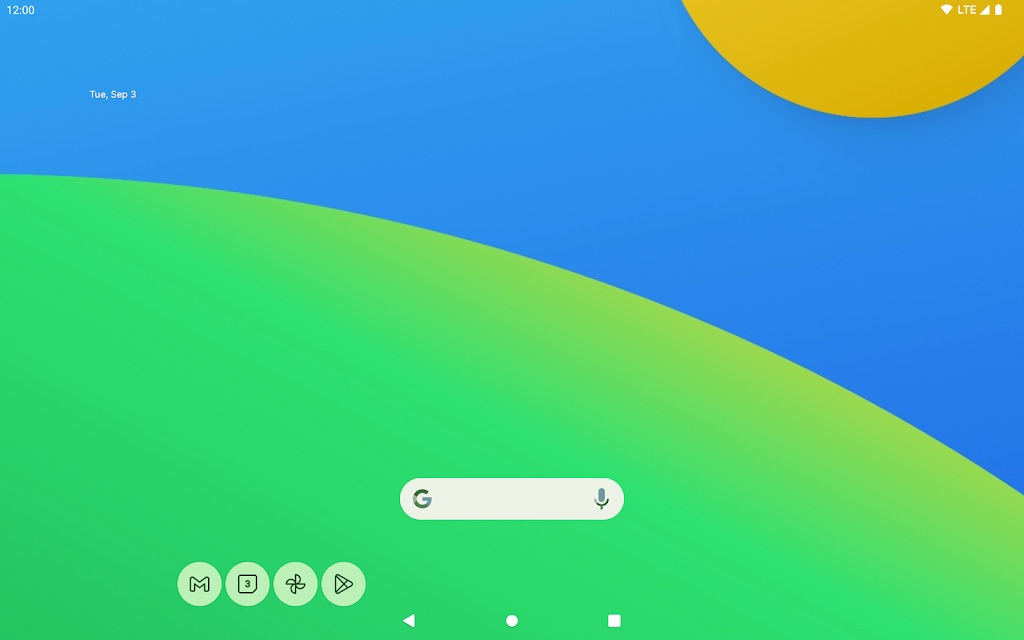
Lawnchair is the launcher we now hand to almost everyone. It is 100% free, open source, and has zero ads. There is no paid Pro nag. It is funded by donations.
The Play Store build to install is still Lawnchair 15 Beta 3 (18 April 2026), built on Launcher3 from Android 15. It looks like the Pixel Launcher, then adds custom grids, icon packs, gestures, and Material You colors. Lawnchair 16 exists on GitHub as an Android 16 rebase. The Lawnchair team still tells regular users to stay on 15 Beta 3 because the 16 branch can crash. Do not sideload a 16 nightly unless you want to test.
If you are leaving Nova, Lawnchair can import your Nova backup — grid, dock, folders, widgets, and the selected icon pack. Open Home settings, tap the three dots, then Restore Nova backup.
Key features
- Pixel-style design with Material You colors and the At a Glance widget.
- App drawer folders, hidden apps, and on-device search.
- Android 15 perks like Private Space and app archiving.
- Nova backup import and icon-pack support.
- Free and ad-free, with no paywall.
Trade-offs: it is close to stock Pixel on purpose. If you want heavy theming or freeform widgets, look at Total Launcher or Smart Launcher 6. The Play Store listing is still a beta, even though it is the daily-driver build.
Best for: most people, Samsung users who want a Pixel look, and anyone who wants the best free Android launcher. Get it from Lawnchair or the Play Store.
2. Niagara Launcher — Best minimalist, one-handed launcher
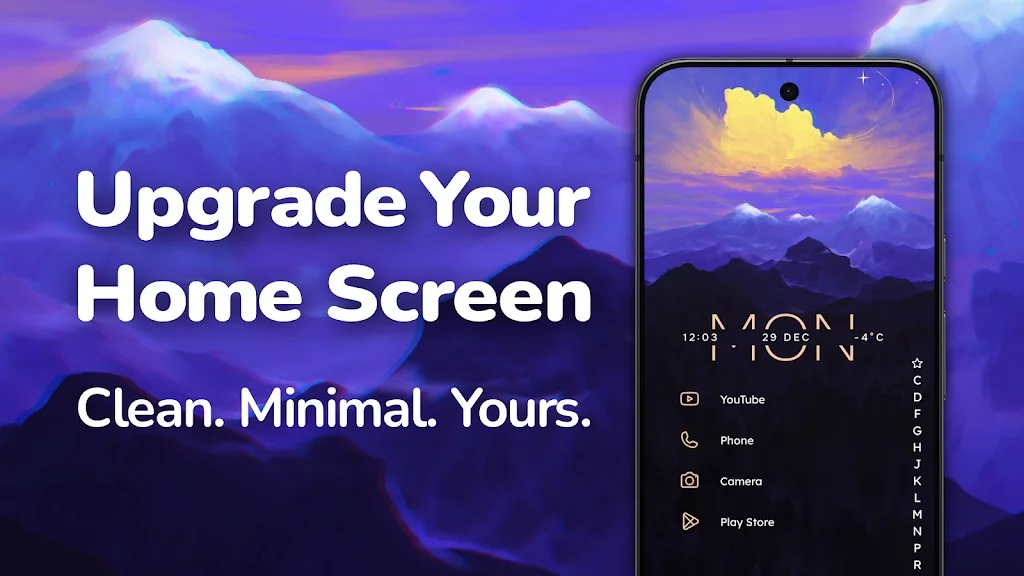
Niagara is the pick when you are tired of icon walls. It shows a short list of favorite apps and a wave alphabet on the edge, so your thumb can jump to any letter. Notifications sit on the home screen. The free version has no ads. The Play Store listing was last updated on 9 September 2026, so it is still moving.
The April 2026 Studio Update (Mellowdrop Studio) added Theme Studio, new Anycons styles such as Stellar and Watercolor, and a search bar with web suggestions and quick calculations. That closed the old complaint that Niagara was pretty but hard to theme.
Price, fact-checked 14 September 2026: Niagara’s help center still lists Pro at $13.99/year or $42.99 lifetime (regional equivalents such as €12.99 / €39.99). The US marketing site currently shows a higher lifetime figure of $74.99. Play Store prices are localized. Check the in-app purchase screen for your country before you pay. The free version stays ad-free either way. Older listicles that still say $4.99 or $9.99 a year are stale.
Key features
- Vertical app list with an alphabet scroll built for your thumb.
- Notifications and a music player on the home screen.
- Theme Studio, pop-up widgets, and weather in Pro.
- Usage Breaker for screen-time reminders.
Trade-offs: the list layout is a real habit change. Give it a week. It is not the pick if you want a classic Nova grid.
Best for: large phones, foldables used one-handed, and anyone who wants a calmer phone.
3. Smart Launcher 6 — Best for automatic organization
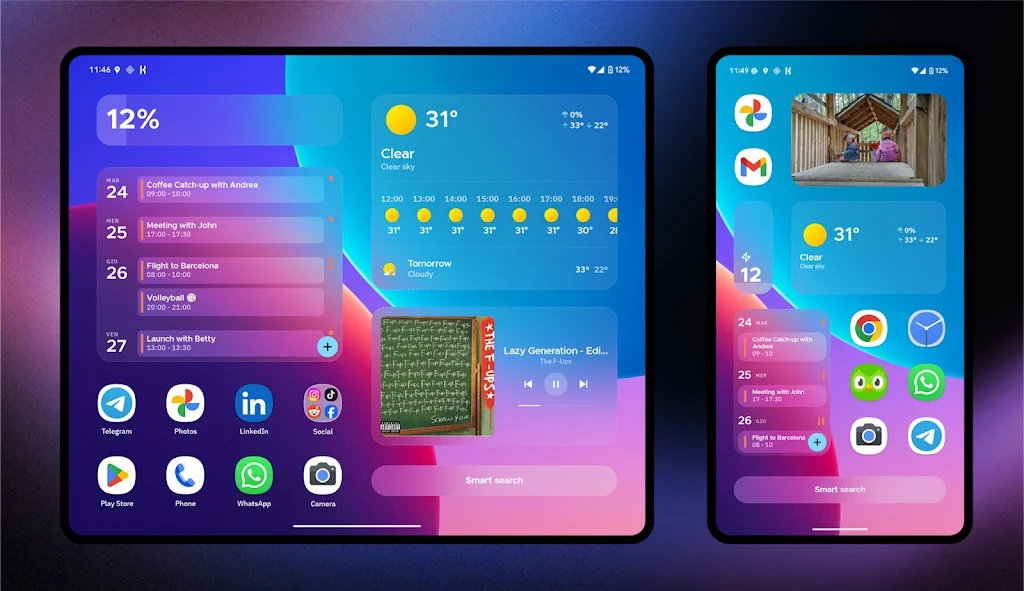
Smart Launcher 6 is the closest thing to a smart Pixel drawer. It auto-sorts apps into tabs (Communication, Media, Games, and more) the second you install them. The live client is the 6.6 line; build 017 shipped 27 August 2026 with a search-bar appearance editor, translucent folder popups, a show/hide dock shortcut, and easier RSS feed setup.
The 6.6 line also imports Nova backups. Smart Launcher 7 is in development as a free upgrade for anyone who already paid for 6 — you will not buy a new license. The studio is rolling SL7 in through 6.x updates rather than a separate paid app.
Key features
- Automatic app sorting into category tabs.
- Nova backup import (layout, icons, basic setup).
- Adaptive icons and wallpaper-based colors.
- One-handed layouts, Liquid Glass-style widgets, and smart search.
- Free; Pro is about $21 lifetime (Play Store prices vary by country). SL7 is a free upgrade.
Trade-offs: auto-categories sometimes guess wrong. You can override them. The flower-style home grid is distinctive; some people love it, some switch the layout.
Best for: people with too many apps who do not want to file them by hand.
4. Total Launcher — Best for Nova-level power users
Total Launcher is the pick when Lawnchair feels too stock and Smart Launcher still is not deep enough. It offers freeform icon placement, per-app gesture rules, widget stacking, and granular icon control. The learning curve is the steepest on this list, which is why it is not pick #1.
Key features
- Freeform icon and widget placement, not locked to a strict grid.
- Deep per-app and per-gesture rules.
- Advanced widget stacking and resizing.
- Active development with a regular update cadence.
Trade-offs: expect a setup afternoon, not a five-minute switch. Start here only if you already know you miss Nova’s depth.
Best for: power users who found every other replacement too shallow.
5. Kvaesitso — Best open-source search launcher
Kvaesitso (say it "kvuh-zit-so") treats search as the home screen, not a fallback. One bar finds apps, contacts, calendar events, files, math, and the web. It is fully free and open source, with no ads or tracking. Version 1.40.2 shipped in June 2026.
Install caveat: it is not on the Play Store. You install it through F-Droid. That is a real barrier if you only use Play. Treat this as a pick for people who already sideload from F-Droid, not as a drop-in for everyone.
Key features
- One search for apps, contacts, files, math, and the web.
- Gesture-first home screen with a widget stack.
- No Google Play Services required.
- Free, open source, no ads.
Best for: privacy-first users who live in search, not in icon grids.
6. Octopi Launcher — Best for foldables and 120Hz phones
Octopi is built for modern hardware: 120Hz animations, separate cover and inner layouts, floating widgets, and auto-scrolling widget stacks. The 1.88 build (21 August 2026) added smarter backup restore, a simple wallpaper generator, and a pile of community-requested fixes. It is still officially in beta, but it is the launcher we would install first on a Fold.
Key features
- Up to four layouts (cover/inner, portrait and landscape).
- Tag-based app drawer instead of only folders.
- Gesture shortcuts, icon packs, Private Space and work-profile support.
- Free core, with cheap Pro unlocks ($0.99 and $2.99).
Trade-offs: on a regular slab phone, Lawnchair or Smart Launcher 6 will feel more finished. The community is smaller than Lawnchair or Niagara.
Best for: foldable owners and anyone on a high-refresh-rate flagship.
7. AIO Launcher — Best information-dense launcher
AIO does the opposite of Niagara. It packs weather, notifications, music, calendar, and live system stats (RAM, storage, battery) onto a text-first home screen. Think dashboard, not wallpaper gallery.
Heads up: AIO uses Device Administrator permission. If a widget stops updating, check battery and pop-up settings for AIO and any apps it links to.
Key features
- At-a-glance weather, notifications, messages, calendar, and finance.
- Built-in system and network monitors, plus Wi-Fi/Bluetooth toggles.
- Voice input in search on recent 2026 builds.
- In-app purchases unlock extra widget streams.
Trade-offs: the text-heavy look is polarizing. If you want icons and wallpaper front and center, skip it.
Best for: tinkerers who want the phone to feel like a control panel.
8. Microsoft Launcher — Best for Microsoft 365
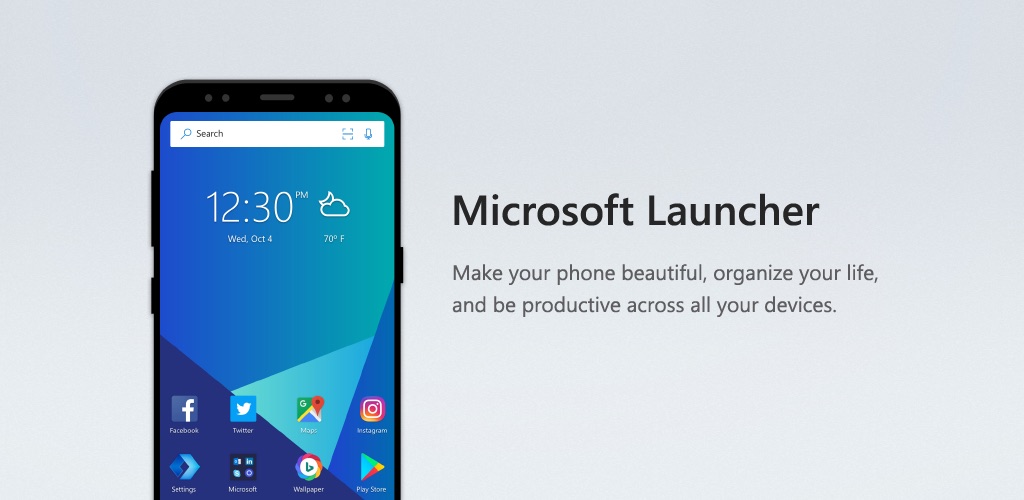
If you live in Outlook, To Do, and OneDrive, Microsoft Launcher is the practical pick. It syncs your Microsoft account, adds Continue on PC, and puts Copilot one swipe away. It is free.
Key features
- Tasks, calendar, and a customizable feed.
- Built-in Copilot for text and images from the home screen.
- Continue on PC handoff.
- Custom icons, dark mode, and gestures.
Trade-offs: most of its value is the Microsoft ecosystem. If you are not in that world, it is an average launcher with an extra sign-in.
Best for: Windows and Microsoft 365 users.
9. Minimalist Phone — Best for cutting screen time
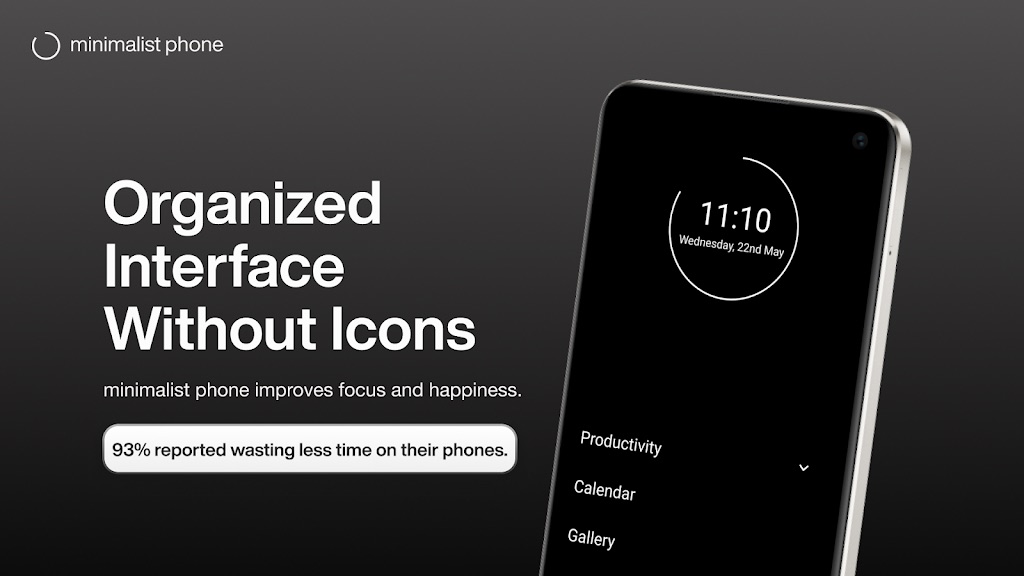
Minimalist Phone (and text-only cousins like Olauncher) swap icons for a plain text menu on purpose. The goal is to make the phone boring so you stop opening it. App timers, focus mode, and screen-time tracking come built in. Text-only launchers like these are a sensible choice for older or low-RAM phones.
Key features
- Plain text home screen with no icon clutter.
- App timers, focus mode, and screen-time tracking.
- Very low RAM and battery use; free with optional premium.
Trade-offs: you give up theming. That is the feature.
Best for: anyone trying to break a doomscrolling habit.
10. Action Launcher — Best Pixel-style tricks (with a caveat)
Action Launcher invented several Pixel-style tricks other apps later copied: Shutters (swipe an icon to open a widget), Covers, Quicktheme, and a pill search bar. Those features still work well.
The caveat: Action Launcher is still maintained, but recent builds are upkeep rather than new features. Version 53.0 (Google Play, 11 October 2026) moved to the latest Play billing system, updated system libraries, added support for phones with 16 KB memory pages, and raised the minimum to Android 6.0. Do not expect day-one Android 16 tricks. Use it if you already like Shutters. Do not use it as your Android 16 daily driver if you need new-platform support.
Best for: people who want Pixel polish plus Shutters, and who can live with slower updates.
Also worth installing (not the first download)
These are real, still on the Play Store as of 14 September 2026, and they solve a narrower job. Install them after Lawnchair or Niagara, not instead of a first pick.
- Hyperion Launcher — deepest theming kit on this page, from the old Substratum team. Its Play rating sits at 3.5 stars (about 17,000 reviews), it is still updated (v2.2.7 on 18 October 2026), and support lives mostly on Telegram. Strong canvas, weak support.

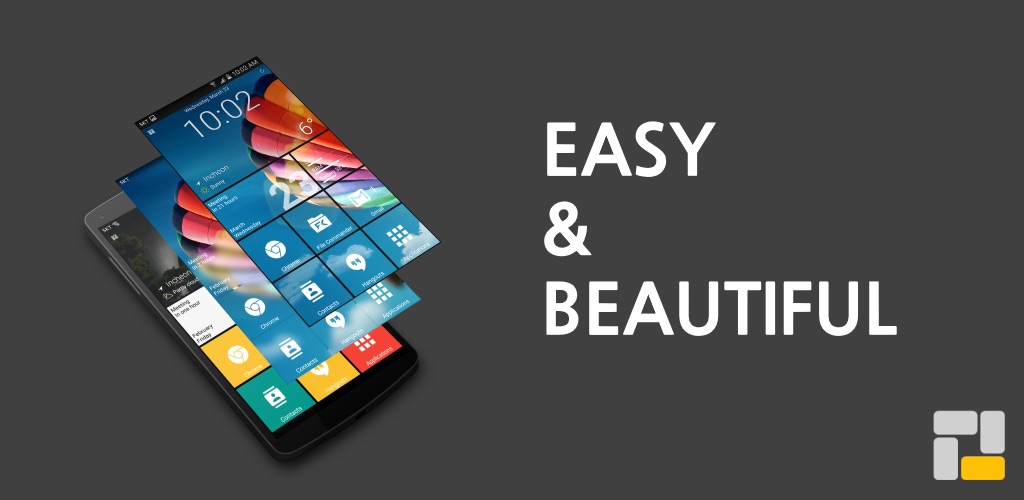
- Square Home — Windows Phone Live Tiles on Android, including tablets. Fun if you miss that look. Poor fit as a Nova-style grid replacement.
- Olauncher (app.olauncher) — ZDNET’s current #1. Open source, ad-free, text-only, no paid tier. Use it to cut screen time, not to rebuild a grid.
- Before Launcher — Computerworld’s focus pick. Intention checks and notification filtering. Pick this for wellbeing tools; pick Niagara for a faster list.
- Lynx Launcher — GNOME-style desktop with a dock. Nice if you want a PC-like home screen. Not a Nova replacement.
- KISS Launcher — about 2MB, Android 5.0 and up. Too bare for most people. Best revive-an-old-phone option on the page.
POCO Launcher is Xiaomi-family useful. ReZ is a gesture niche. Neither belongs in a first-download list.
Also Read: Best Android Apps 2026: 31 Must-Have Apps by Category
How to change your Android launcher (about 60 seconds)
Switching is reversible. Your apps stay installed. Do this:
- Install a launcher from the Play Store (or F-Droid for Kvaesitso).
- Open it once so Android registers it.
- Go to Settings > Apps > Default apps > Home app (Samsung: Settings > Apps > Choose default apps > Home app) and pick the new launcher. On some phones, tapping Home asks you to choose.
- Set your grid, icon pack, and gestures. Coming from Nova? Import the backup in Lawnchair or Smart Launcher 6 before you uninstall anything.
Do not uninstall the stock launcher. You want it as a fallback. If Recents or the home gesture feels laggy on a Galaxy after the swap, that is a known One UI quirk, not a broken phone. Switch back, or try button navigation, before you factory-reset anything.
Does changing your Android launcher delete apps?
No. A launcher only replaces the home screen, app drawer, and gestures. Apps, photos, accounts, WhatsApp chats, and files stay on the phone. You can return to the stock launcher in Default apps at any time. The only thing you can lose is a custom layout, which is why you export a Nova backup first if you still have one.
How to import a Nova Launcher backup
- Open Nova Settings > Backup & restore and export a backup. Save the file to Files, Drive, or a USB stick — not only inside Nova’s folder.
- Install Lawnchair or Smart Launcher 6 and set it as the Home app.
- In Lawnchair: Home settings > three dots > Restore Nova backup. Smart Launcher uses the same backup screen as its own backups.
- Use the new home screen for a week before you uninstall Nova.
If a widget is missing, add it by hand. Icon packs sideloaded outside Play may need a reinstall.
Lawnchair vs Niagara vs Smart Launcher: which should you pick?
- Lawnchair if you want a normal icon grid, a free/ad-free install, and (if needed) a Nova backup import. This is the default answer to "best Android launcher 2026."
- Niagara if you want a vertical list, one-handed use, and a calmer phone. You will not rebuild an old Nova grid.
- Smart Launcher 6 if you want the drawer to categorize itself and you like a more designed, widget-heavy home screen.
- Total Launcher if the other three feel shallow.
Is Nova Launcher dead? (September 2026 status)
No. Nova is not dead. Instabridge still ships updates — APKMirror shows 8.9.2 uploaded 12 September 2026. The useful question is whether you should still make it your default.
Nova started in 2011, was sold to Branch Metrics in 2022, and founder Kevin Barry left Branch in September 2025. On 20 January 2026 Instabridge bought Nova and shipped v8.2.4 the same day with Facebook Ads and Google AdMob code. Android Authority documented the takeover and ads. Exodus Privacy later counted eight trackers in 8.3. Spring 2026 betas (8.6.8) added strings for a Nova AI assistant (calendar, contacts, call logs, SMS, location, Google sign-in) and a Nova Plus subscription separate from one-time Prime. Droid Life reported those beta strings. The old "if Kevin leaves, the code goes open source" plan died at Branch. There will not be a community-run, ad-free Nova.
Nova Prime (about $3.99) is still promised to be ad-free, and Instabridge has told some Prime owners that trackers are disabled for Prime accounts. That does not make the free version a good default in 2026. Keep a frozen 8.1.6 build only if you already depend on it and accept that it will age out.
Best Nova Launcher alternatives in 2026: which app launcher to switch to
Nova’s recent history in one line: Branch laid off almost the whole Nova team in August 2024, founder Kevin Barry left in September 2025, and Instabridge bought the app in January 2026 and added ads to the free version. It is still updated — 8.9.2 arrived on 12 September 2026 — but it is not the app people trusted for a decade. The good news is that every job Nova did well now has a well-maintained app launcher that does it without ads. Pick the replacement by why you used Nova, not by which one looks most like it.
| If you used Nova for… | Switch to | Why it fits |
|---|---|---|
| A clean grid, icon packs and folders | Lawnchair | Free, open source, no ads, and it restores a Nova backup: grid, dock, folders, widgets and icon pack. |
| Deep gestures and endless tweaking | Total Launcher | Per-app gesture rules, freeform placement and widget stacking. The closest to Nova’s depth, with a longer setup. |
| Keeping your layout but taming the drawer | Smart Launcher 6 | The 6.6 line imports Nova backups and auto-sorts apps into tabs. Pro is about $21 lifetime, and SL7 is a free upgrade. |
| Fewer icons, one-handed use | Niagara Launcher | Alphabet list on the screen edge. The free tier has no ads. |
| Search-first and privacy | Kvaesitso | Open source on F-Droid. One search bar finds apps, contacts, events and files. |
| A foldable phone | Octopi Launcher | Separate cover and inner layouts and 120Hz animations. Still labelled beta. |
| Swipe-an-icon widget tricks | Action Launcher | Shutters still works; recent releases (v53.0, October 2026) are maintenance updates. |
Only two of these read a Nova backup file: Lawnchair and Smart Launcher 6. With any other pick you rebuild the home screen by hand, so export the backup first either way (steps in How to import a Nova Launcher backup). Keep Nova installed for a week as a fallback, then uninstall it.
Paid for Prime and still happy? There is no emergency. Instabridge says Prime stays ad-free and existing purchases are honoured. If you are on the free version, though, the ads and extra ad SDKs are reason enough to switch today — Lawnchair is the safe default, and Total Launcher is the one to try if Lawnchair feels too plain.
Best launcher for Android 16
On Android 16, start with Lawnchair 15 Beta 3 from the Play Store. Do not sideload Lawnchair 16 for daily use. On a foldable running Android 16, Octopi 1.88 is the better inner/outer layout. Stock Pixel Launcher is fine if you only want At a Glance and fewer moving parts.
Do you even need a third-party launcher in 2026?
Stock Pixel Launcher, One UI Home, and HyperOS are better than they were in 2022. Stay on stock if you only want a clean grid, At a Glance, and fewer moving parts. Switch if you want icon packs, a denser grid, hidden apps, a one-handed list, or a home screen that will not grow ads after an acquisition.
Android launcher comparison table (September 2026)
| Launcher | Best For | Customization | Ads (Free) | Price |
|---|---|---|---|---|
| Lawnchair | Free Pixel-style setup | High | No | Free (open source) |
| Niagara Launcher | Minimalist, one-handed | Medium | No | Free / Pro (localized) |
| Smart Launcher 6 | Auto-organization | High | No | Free / ~$21 lifetime (SL7 free upgrade) |
| Total Launcher | Nova-level power users | Very high | No | Free / Pro unlock |
| Kvaesitso | Open-source search | High | No | Free (F-Droid only) |
| Octopi Launcher | Foldables, 120Hz | Medium | No | Free / Pro $0.99–$2.99 |
| AIO Launcher | Info-dense dashboard | High | No | Free, in-app purchases |
| Microsoft Launcher | Microsoft ecosystem | Medium | No | Free |
| Minimalist Phone | Cutting screen time | Low | No | Free / subscription |
| Action Launcher | Pixel Shutters | High | No | Free / Plus (maintenance updates only) |
| Nova Launcher | Legacy power users | Very high | Yes | Free (ads) / Prime ~$3.99 |
Prices, ad status, and versions re-verified on 14 September 2026. Play Store prices vary by country. Always confirm in-app before you pay.
What ranking lists still get wrong in 2026
We compared this page to the articles currently ranking for "best Android launcher 2026." These mistakes keep showing up, and they are why a stale page loses in Google and in AI Overviews:
- Ranking Nova #1. That matched 2024 intent. Today’s query is "what should I install." Putting the ad-supported launcher first answers a question people are no longer asking.
- Saying Nova shut down. Some 2026 posts still write that TeslaCoil or Branch shut Nova down. False. Instabridge owns it and is still shipping updates (8.9.2 on 12 September 2026). The accurate line: Nova is maintained, and it is no longer the safe default.
- Wrong Niagara price. ZDNET still quotes $9.99/year. Older pages quote $4.99. Niagara’s own help docs list $13.99/year or $42.99 lifetime, and the US site currently shows $74.99 lifetime. Check Play.
- Skipping how to switch. SlashGear’s five-launcher roundup never tells you how to set a Home app. That is the next thing a real user needs.
- Ignoring Samsung Recents lag. A third-party launcher can add a home-gesture delay on One UI. If a Galaxy review does not mention it, it is incomplete.
Common mistakes when switching launchers
- Not backing up a Nova layout first. Lawnchair and Smart Launcher 6 can only import a file you still have.
- Sideloading a launcher APK from an unofficial site. A launcher sees your app list. Play Store or official F-Droid only.
- Assuming "ad-free" is forever. Nova is the case study. Treat ad-free as true today, not guaranteed for years.
- Giving up after one day. Give any new home screen a week.
- Uninstalling the stock launcher. Keep it. You may want it back.
Google Play check: versions and ratings (21 October 2026)
Update dates tell you which launchers are still actively maintained. Here is what each US Google Play listing showed on 21 October 2026:
| Launcher | Play version | Last updated | Play rating |
|---|---|---|---|
| Lawnchair | 15 Beta 3 | 18 Apr 2026 | Not shown |
| Niagara Launcher | 1.16.32 | 15 Oct 2026 | 4.8 (252K) |
| Smart Launcher 6 | 6.6 build 023 | 18 Oct 2026 | 4.6 (693K) |
| Total Launcher | 4.1.5 | 18 Oct 2026 | 4.3 (27K) |
| Microsoft Launcher | 6.260402.0 | 12 Oct 2026 | 4.7 (1.7M) |
| minimalist phone | 1.22.8 | 13 Oct 2026 | 4.7 (51K) |
| Olauncher | Not shown | 2 Sep 2026 | 4.8 (84K) |
| Action Launcher | 53.0 | 11 Oct 2026 | 3.6 (109K) |
| Hyperion | 2.2.7 | 18 Oct 2026 | 3.5 (17K) |
| Nova Launcher | 8.9.4 | 7 Oct 2026 | 3.5 (1.39M) |
Two things stand out. Lawnchair's Play build hasn't changed since April because the team is holding regular users on 15 Beta 3 while the Android 16 branch matures (nightly builds still land on GitHub). And Nova still gets regular updates under Instabridge, but its rating is now the lowest of the big names, tied with Hyperion.
Android launchers to skip in 2026
- Nova Launcher (free). It still works. It also ships ads and extra ad SDKs after the 20 January 2026 Instabridge sale.
- Lawnchair 16 nightlies. Daily driver is Lawnchair 15 Beta 3. The Android 16 rebase can crash.
- Hyperion, if you need support. Theming is strong. The rating and Telegram-only help are not.
- Action Launcher, if you need new Android 16 features. v53.0 (October 2026) is a compatibility update, not a feature release.
- Any launcher APK from an unofficial site.
How we picked the best Android launchers
We compared each launcher using its developer's release notes, its Google Play listing (version, update date, rating, and in-app purchases), privacy reports such as Exodus where relevant, and long-running user feedback. We judged each on:
- Weight: how much the launcher asks of the phone, based on its feature set and what users of older phones report.
- Customization: grids, icon packs, gestures, theming.
- Active updates: Play Store dates and whether Android 16 is a realistic daily driver.
- Value: ads in the free version and what sits behind a paywall.
- Honest fit: a foldable launcher should not win "best overall" just because it is new.
This is an editorial roundup based on public version, price, and store records, not a lab benchmark. It is not sponsored. Prices change by country; confirm on Play before you pay.
Related reading
Bottom line
The best Android launcher in 2026 is Lawnchair if you want free and familiar, Niagara if you want fast and calm, or Smart Launcher 6 if you want the drawer to organize itself. Total Launcher is there when you miss Nova’s old depth. Switching costs nothing, and your apps never move. Set the new Home app, give it a week, then uninstall the old one if you are done.
Next, fill the new home screen with apps that are actually worth keeping. Start with our best Android apps in 2026.
Also Read: Best Android Apps 2026 · Android phone overheating fixes
Frequently Asked Questions
What is the best Android launcher in 2026?
Lawnchair is the best Android launcher in 2026 for most people. It is free, open source, ad-free, looks like the Pixel Launcher, and can import a Nova backup. Niagara Launcher is the best one-handed pick. Smart Launcher 6 is best if you want the drawer to sort itself. Android Hire rechecked Google Play versions and ratings on 21 October 2026.
What is the best free Android launcher?
Lawnchair is the best free Android launcher in 2026. It has no ads, no paid tier, and is funded by donations. Olauncher is the best free pick if you want a text-only home screen to cut screen time. Kvaesitso is the best free open-source search launcher, but you install it from F-Droid, not the Play Store.
What is the best app launcher for Android?
For most people the best app launcher for Android in 2026 is Lawnchair: free, open source, ad-free, and familiar if you are used to a normal home screen. Niagara is the best app launcher if you prefer a minimalist list. Smart Launcher 6 is best if you want automatic app categories. Octopi is the best app launcher for foldables.
What is the best launcher for Samsung in 2026?
Lawnchair is the best launcher for most Samsung phones if you want a Pixel-style grid and icon packs. Niagara is better on tall Galaxy phones if you care about one-handed reach. Stay on One UI Home if the Recents/home gesture feels laggy after you switch — that delay is a known One UI trade-off with third-party launchers, not a broken phone.
Is Nova Launcher dead?
No. Instabridge still updates Nova in 2026; version 8.9.2 landed on 12 September 2026. What changed is trust: the January takeover added ads and extra trackers to the free app, later betas added Nova AI and Nova Plus strings, and some Prime owners still report ads. Nova is maintained, not shut down. Most people should still switch to Lawnchair, Niagara, or Total Launcher.
What is the best free replacement for Nova Launcher?
Lawnchair is the best free Nova alternative. It is open source and ad-free, mimics the Pixel Launcher with extra flexibility, and can import a Nova backup to restore your grid, folders, widgets, and icon pack. Smart Launcher 6 also imports Nova backups as of the 6.6 update if you would rather have automatic app organization.
Does changing your Android launcher delete apps or photos?
No. A launcher only replaces the home screen, app drawer, and gestures. Your apps, photos, accounts, and files stay on the phone. You can switch back to the stock launcher in Settings > Apps > Default apps > Home app at any time. Export a Nova backup first if you want to keep your old layout.
How do I change my Android launcher?
Install a launcher from the Play Store (or F-Droid for Kvaesitso), open it once, then go to Settings > Apps > Default apps > Home app and select it. On Samsung, use Settings > Apps > Choose default apps > Home app. On some phones, pressing Home prompts you to choose. You can switch back to the stock launcher at any time. Keep the stock launcher installed as a fallback.
Are third-party Android launchers safe?
Yes, as long as you download them from the Google Play Store or the official F-Droid listing for open-source apps like Kvaesitso and Olauncher, and stick to well-known developers such as Lawnchair, Niagara, Smart Launcher, and Microsoft. Avoid unofficial APK sites. A launcher sees your app list, so it is not a place to take chances.
Do Android launchers slow down your phone or drain the battery?
Most modern launchers are lightweight and have little effect on performance. Minimalist launchers like Niagara and Minimalist Phone use very little RAM and battery. Heavier, animation-rich launchers can use slightly more resources, but on any recent phone the difference is minor. If a Galaxy feels laggy after a swap, the cause is often One UI Recents integration, not RAM.
Lawnchair vs Niagara: which should I install?
Install Lawnchair if you want a normal icon grid, a free install with no paid tier, and a Nova backup import. Install Niagara if you want a vertical, one-handed app list and a calmer phone. Niagara Pro pricing is localized — help docs list $13.99 a year or $42.99 lifetime; the US site currently shows $74.99 lifetime. Most people should start with Lawnchair.
Should I install Lawnchair 16?
No, not as your daily launcher. Lawnchair 16 is an Android 16 rebase on GitHub and can crash. The Lawnchair team still tells regular users to stay on Lawnchair 15 Beta 3, which is the Play Store build as of 14 September 2026. Use 16 only if you want to test and can switch back.
What is the best launcher for Android 16?
Lawnchair 15 Beta 3 from the Play Store is the best launcher for Android 16 right now. Do not install Lawnchair 16 nightlies as a daily driver. On a foldable, use Octopi 1.88 for separate inner and outer layouts. Stay on stock Pixel Launcher if you only need At a Glance.
What is the best launcher for a foldable phone in 2026?
Octopi Launcher is our top pick for foldables. Version 1.88 (21 August 2026) keeps separate cover and inner layouts and stays smooth at 120Hz. Niagara also works well because a scrolling list adapts to odd aspect ratios better than a fixed grid. Lawnchair and Smart Launcher 6 are fine if you want more theming on a Fold used mostly open.
What's better than Nova Launcher?
Lawnchair is better than Nova for most people in 2026: free, no ads, and it imports a Nova backup. Niagara is better for a one-handed list. Total Launcher is better if you used Nova for raw depth. Smart Launcher 6 is better if you want the drawer to sort itself. Nova is maintained, not shut down, but it is no longer the safe default.
Is Nova Launcher safe to keep using in 2026?
It still functions, and 8.9.2 (12 September 2026) is a current build, but the free version is no longer the privacy-safe pick it was before Instabridge. Free builds ship ads and extra ad SDKs. 8.6.8+ betas include Nova AI code that can request calendar, contacts, call logs, SMS, and location. If you stay, freeze updates on 8.1.6 or pay for Prime. Most readers should move to Lawnchair instead.
What is Nova Plus, and is it the same as Nova Prime?
Nova Prime is the old one-time unlock (about $3.99) that was promised to stay ad-free. Nova Plus is a separate subscription spotted in 8.6.8+ betas, tied to a planned Nova AI assistant and a Google account sign-in. It is not a public, priced product for every user yet. Do not buy Prime expecting it to include Plus.
Which launchers can import a Nova Launcher backup?
Lawnchair and Smart Launcher 6 both import a Nova backup. Export the file from Nova Settings before you uninstall anything. Lawnchair restores grid, dock, folders, widgets, and the icon pack. Smart Launcher 6 restores layout, icons, and the basic setup. Give the new home screen a week before you delete Nova.
Should I install Olauncher or Before Launcher instead of Lawnchair?
Only if your goal is less screen time, not a Nova-style grid. Olauncher is a free, open-source, text-only home screen with no paid tier. Before Launcher adds intention checks and notification filtering. Neither imports a Nova backup. Start with Lawnchair unless you specifically want a boring phone.