Galaxy Z Fold 8 Adds Per-App Screen Zoom, Hidden in One UI 9 Labs

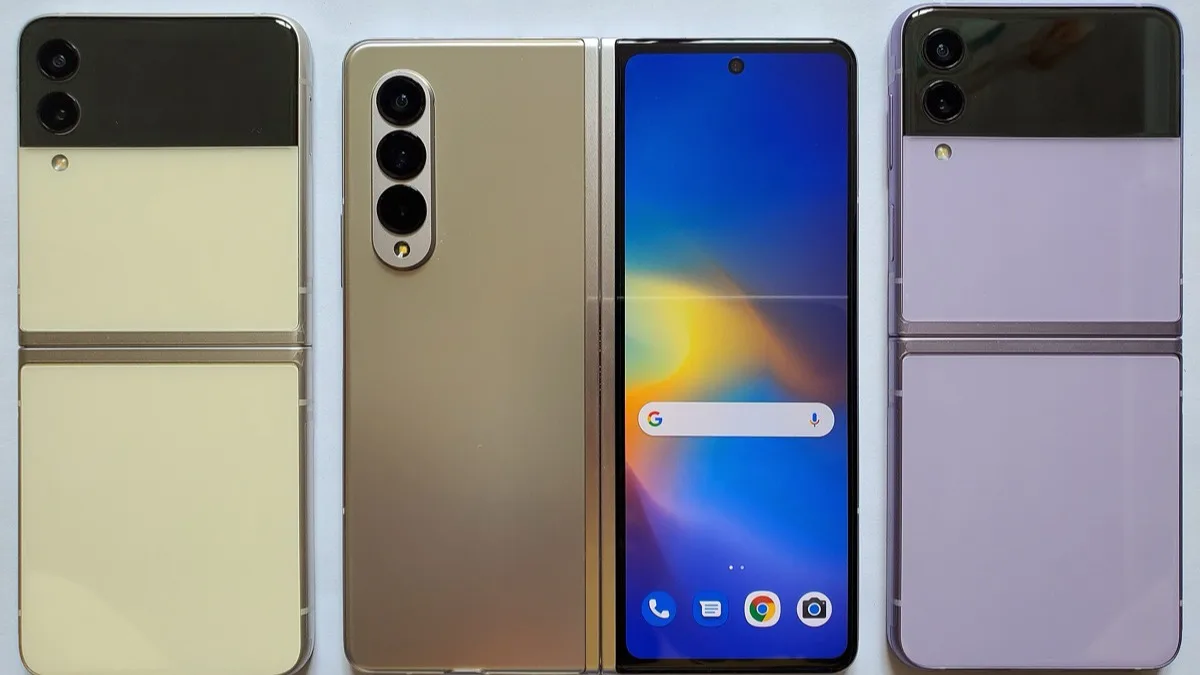
Samsung's Galaxy Z Fold 8 has shipped with a setting that solves one of the oldest complaints about big folding screens: apps that either look absurdly oversized or uselessly tiny once you unfold the phone. A feature called App screen zoom lets you set a separate zoom level for each individual app, instead of being stuck with one device-wide scaling choice.
It is live on retail-track One UI 9 firmware, but it is tucked inside the experimental Labs menu, which is why most owners have not noticed it. It is also, for now, only showing up on the standard Galaxy Z Fold 8.
Where to find it
The setting is not in the display menu where you would expect it. Open Settings, then Advanced features, then Labs, and look for App screen zoom. From there you pick an app and assign it a level.
Six choices are offered: Smallest, Small, Medium, Large, Largest, and System setting. That last one is the default and simply defers to whatever your global screen zoom is. The important detail is that once you give an app its own level, changing the system-wide screen zoom no longer affects it — the per-app choice wins.
Which devices actually have it
This is where accounts have differed, so it is worth being precise about what is confirmed:
- Galaxy Z Fold 8 — the toggle is present and working in the Labs menu.
- Galaxy Z Fold 8 Ultra — the feature's code exists in the firmware, discovered through text strings, but the menu entry does not appear. Review units are not running final retail software, so this may simply be a firmware-timing gap.
- Galaxy Z Flip 8 — nothing yet, despite running the same One UI 9 build.
Both new foldables go on sale on 7 August, and the most likely outcome is that the first post-launch firmware update switches the feature on more widely. Samsung has not committed to that publicly, so treat it as expectation rather than promise. Nothing about the feature is technically tied to folding hardware, so older Galaxy phones could inherit it in a later One UI release.
The catch: it does not work everywhere
App screen zoom is a Labs feature, and Labs is Samsung's holding pen for things that are not fully finished. Two limits stand out in practice.
First, coverage is incomplete. A range of third-party apps can be adjusted, but Samsung's own apps do not currently appear in the list — an odd gap given that Samsung controls them.
Second, results vary a lot depending on how an app is built. In Chrome, changing the level mostly resizes the browser's own interface while the web page inside it barely shifts. In Google Maps, both the interface and the map content scale together, which is the behaviour most people would expect. If an app draws its own layout rather than using standard Android sizing, expect partial results at best.
How to try it without regretting it
Because this is experimental, a cautious approach is sensible:
- Change one app at a time and use it for a day before adjusting another.
- Start with apps where text density genuinely bothers you — messaging, social feeds, reading apps.
- If an app misbehaves, set it back to System setting rather than uninstalling anything.
- Force-close and reopen an app after changing its level; some do not re-lay out until relaunched.
If the Labs entry is missing entirely on your Fold 8, check for a software update in Settings and be aware that early retail units may ship on slightly different firmware builds depending on region and carrier.
Why it matters beyond foldables
Per-app scaling is a small setting with an outsized effect on large screens. A wide inner display makes some apps look like tablet layouts and others like a phone app stretched to breaking point, and a single global zoom cannot serve both. Giving each app its own level is the sort of fix that tablet and foldable owners have asked for across Android for years.
It also fits a pattern in Samsung's recent software work, where the more interesting changes arrive as opt-in experiments before graduating to the main settings tree — the same route several features took through the One UI 8.5 beta programme. If you are weighing up whether to upgrade at all this year, our rundown of the Galaxy S27 release timing and price expectations covers what is coming next from Samsung.
Related reading
Frequently Asked Questions
Where is App screen zoom on the Galaxy Z Fold 8?
Go to Settings, then Advanced features, then Labs, and select App screen zoom. It is not in the Display menu where most scaling settings live. From there you choose an app and assign it a zoom level.
What zoom levels can I choose for each app?
There are six options: Smallest, Small, Medium, Large, Largest, and System setting. System setting is the default and follows your global screen zoom. Any app given its own level ignores later changes to the system-wide setting.
Does per-app zoom work on the Galaxy Z Fold 8 Ultra or Z Flip 8?
Not right now. The feature has been found in Galaxy Z Fold 8 Ultra firmware but the menu entry does not appear, and the Z Flip 8 has no sign of it despite running One UI 9. A firmware update after the 7 August retail launch is the most likely point for wider availability.
Why does changing the zoom level do nothing in some apps?
Coverage is incomplete because the feature is still experimental. Samsung's own apps are not currently adjustable, and apps that draw custom layouts may only resize their interface. Chrome scales its browser chrome but leaves page content largely unchanged, while Google Maps scales both.
Is it safe to use a feature from the Labs menu?
Labs features are unfinished rather than dangerous, but they can behave inconsistently. Change one app at a time so you can tell what caused a problem, and set an app back to System setting if its layout breaks. Relaunching an app after a change helps it re-render correctly.