Gboard Shift Key Not Working? Capital Letters Fail on the Beta, and Leaving It Has Fixed It

Gboard's Shift key has stopped working for some Android users since October 8, so they can't type capital letters by hand. Owners of Google Pixel and Xiaomi phones have reported the bug. The reports so far point to the Gboard beta. Google has not acknowledged the problem or announced a fix.
- Symptom: Tapping Shift does nothing, so manual capital letters stop working
- First reports: October 8, with more on October 9
- Phones named in reports: Google Pixel and Xiaomi models. Other brands may also be affected
- Likely trigger: The Gboard beta. One tester could not reproduce the bug on the current stable release
- Google's status: Not acknowledged, and no fix announced
- Fix reported to hold: Leave the Gboard beta, then reinstall the public version
What is wrong with the Gboard Shift key?
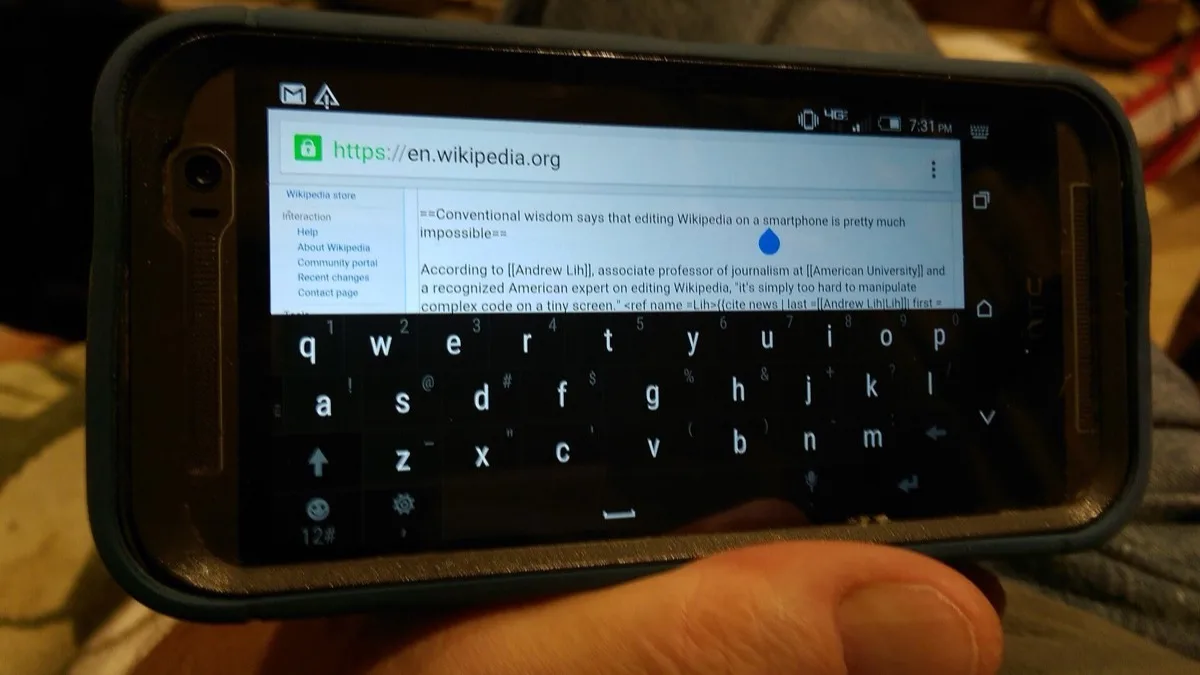
The Gboard Shift key stops responding without warning. The keyboard keeps working, but the arrow key no longer switches to capitals. One user posted that the key had quit "about 7 minutes ago" and asked what fixes it. Several others in the same discussion described the same problem.
Affected users report that the usual quick fixes only last a while. Force-stopping Gboard, clearing its cache, restarting the phone or switching keyboard layouts can bring Shift back. In several reports, though, the bug came back within hours or a day or two.
Is the Gboard Shift key bug caused by the beta?
The Gboard beta is the strongest lead, but Google has not confirmed it. At least one affected Reddit user is enrolled in the Gboard beta program. A tester who reproduced the bug on a beta build also could not trigger it on the latest stable Gboard release. On October 9, the person who started the main Reddit thread added an update: leaving the beta and reinstalling the normal version of Gboard fixed it for them.
That points to the beta, but it rests on a handful of reports, not a statement from Google. If you see this bug without ever joining the Gboard beta, you are outside the pattern reported so far.
How do I fix the Gboard Shift key if I'm on the beta?
Leaving the Gboard beta through the Google Play Store is the one fix a user has reported as lasting. These are Google's official steps for leaving any app's beta on Android:
- Open the Play Store app.
- Tap your profile icon at the top right.
- Tap Manage apps & devices, then Beta.
- Find Gboard and tap it to open its detail page.
- Under "You're a beta tester," tap Leave, then tap Leave again to confirm.
- Uninstall the beta version, then reinstall the public version of Gboard from the Play Store.
Google's Play Store help page on leaving a beta warns about two things. Uninstalling a beta app can erase your customizations, and your beta spot may go to someone else, so you might not be able to rejoin later. Before you start, note your Gboard theme, languages and any personal dictionary words you rely on.
What if I'm not on the Gboard beta?
If you are on stable Gboard, the short-term options are the ones users already report: force-stop Gboard, clear its cache, restart the phone, or switch layouts. Expect the fix to be temporary if the bug is the same one beta users have. Installing a different keyboard app until Google responds is another option.
It follows last month's Google Pixel lock screen bug that rejected correct PINs and patterns, another case of Pixel owners losing basic input. Beta builds also carry this kind of risk. If you test Gboard and Android 17 QPR2 Beta 7 on the same phone, it is harder to tell which beta is to blame when something breaks.
Frequently Asked Questions
Why can't I type capital letters on Gboard?
Some Gboard users have found since October 8 that the Shift key stops responding, which blocks manual capital letters. Reports so far point to the Gboard beta. Google has not acknowledged the bug or announced a fix.
How do I fix the Gboard Shift key not working?
If you are in the Gboard beta, leave it. In the Play Store, tap your profile icon, then Manage apps & devices, then Beta, then Gboard, then Leave. Then uninstall the beta and reinstall the public version. Force-stopping Gboard, clearing its cache or restarting the phone may also bring Shift back, but users say the problem often returns within hours or days.
Is the Gboard Shift key bug only in the beta?
It looks that way, but Google has not confirmed it. At least one affected Reddit user is in the Gboard beta, and a tester hit the bug on a beta build. One tester could not reproduce the bug on the latest stable Gboard release, and one user said leaving the beta fixed it.
Will I lose my Gboard settings if I leave the beta?
You might. Google's Play Store help says uninstalling a beta app can erase your progress and customizations. Your beta spot can also be given to someone else, so note your theme, languages and dictionary words first.
Which phones have the Gboard Shift key bug?
Reports so far name Google Pixel and Xiaomi phones. Other Android brands running the same Gboard build could be affected too, but no reports name them yet.