How to Recover Deleted Photos on Android: Where to Look

To recover deleted photos on Android, open the trash in your gallery app and restore them before 30 days pass. On a Pixel or any phone that uses Google Photos, that's Google Photos → Collections → Trash; on a Samsung Galaxy, it's Gallery → Menu (three lines) → Trash. If the trash is already empty, your next best bets are a cloud backup (Google Photos, OneDrive, or Google Drive) and, for photos stored on a memory card, a free recovery tool on a computer.
Also in this topic: Android Guides hub.
Jump to: where deleted photos go · Google Photos · Samsung Gallery · Files app · cloud backups · after the trash is empty · missing but not deleted · FAQ
How we put this together: The steps, time limits, and requirements below come from Google, Samsung, Microsoft, and the app developers' own help pages, linked in each section, and we rechecked them on October 17, 2026. We did not recover photos on every phone model ourselves, so a menu on your phone may be named slightly differently.
Where Do Deleted Photos Go on Android?
Deleted photos on Android usually go to a trash folder first, not straight into oblivion. Each app keeps its own trash, and almost all of them now empty it automatically after 30 days. Check them in this order, because the first two cover most phones sold in the US.
| Where to look | Who it applies to | How long deleted items stay | Source |
|---|---|---|---|
| Google Photos trash | Pixel phones and anyone using Google Photos | 30 days (cut from 60 for backed-up items in September 2026) | Google Photos Help |
| Samsung Gallery trash | Galaxy phones and tablets | 30 days | Samsung US |
| Files by Google or Samsung My Files trash | Photos deleted from a file manager | 30 days | Files by Google Help |
| OneDrive recycle bin | Anyone who backed up to OneDrive, including old Samsung Gallery sync users | 30 days (personal), 93 days (work or school by default) | Microsoft Support |
| Google Drive trash | Photos you saved to Drive | 30 days | Google Drive Help |
The 30-day clock starts when you delete the photo, not when you notice it's gone. Emptying a trash folder, or deleting a single item from inside it, skips the wait and removes the file right away.
How to Restore Deleted Photos From Google Photos
Google Photos keeps deleted photos and videos in its trash for 30 days, and you can put them back with a few taps. This is the place to start on a Pixel, since Google Photos is the gallery app there, and on any other Android phone where you use Google Photos.
- Open the Google Photos app.
- At the bottom, tap Collections, then Trash.
- Touch and hold the photo or video you want back. Tap more items to select several.
- Tap Restore.
According to Google's restore help page, a restored item goes back to the albums it was in, your Google Photos library, and your phone's gallery app. You can also do this on a computer at photos.google.com by clicking Trash on the left.
Google Photos trash is now 30 days, not 60
For years, Google kept backed-up photos in the trash for 60 days and non-backed-up photos for 30. That changed in September 2026: Google's help pages now say all trashed photos and videos are permanently deleted after 30 days, and 9to5Google reported the update went live around September 4. Plenty of older guides, and some search snippets, still quote the 60-day window, so don't count on it. We covered the change in more detail in our post on Google Photos cutting deleted-photo recovery to 30 days.
Check Archive and Locked Folder too
A photo that isn't in your main Photos view isn't always deleted. Google's help page points to two other places: Archive, which hides photos from the main view but keeps them in albums and search, and Locked Folder, which hides them behind your screen lock.
How to Recover Deleted Photos on a Samsung Galaxy
On a Galaxy phone, deleted photos sit in Samsung Gallery's trash for 30 days. Samsung's US support page gives these steps:
- Open the Gallery app.
- Tap Menu (the three horizontal lines), then Trash.
- Tap Edit and select the photos or videos you want back.
- Tap Restore, or Restore all to bring everything back.
The My Files app has its own Trash under Utilities. Since One UI 6.0, Samsung says My Files Trash shows deleted items from Gallery, My Files, and Voice Recorder in one place, and the trash can't be turned off. Older guides tell you to switch on a "Recycle bin" setting first; on current Galaxy software, that step is gone.
OneDrive photos left Samsung Gallery on September 30, 2026
If photos you used to see in Gallery vanished around the start of October, they probably weren't deleted. Samsung's US support page says Gallery's sync with OneDrive ended on September 30, 2026, and photos that were already synced are still in your OneDrive account. Open the OneDrive app or onedrive.com to see them, and download the originals back to your phone if you want them in Gallery again.
New Google Photos sync on Samsung: what deleting does
Samsung Gallery can now sync with your Google account instead (Gallery → Menu → Settings → Sync photos and videos), which we explained in our Samsung Gallery and Google Photos sync post. Google's help page currently lists Android 17 and a personal Google account as requirements. Once it's on, deleting a photo in either app removes it from both, and restoring it in one app restores it in the other. One catch that most guides miss: Google says moving a synced photo into a Samsung Private Album permanently deletes the cloud copy in Google Photos, skipping the trash. Samsung asks you to confirm first, so read that prompt carefully.
Restore Photos From the Files by Google Trash
If you deleted pictures with a file manager instead of a gallery app, look in that app's trash. Files by Google keeps trashed files for 30 days:
- Open Files by Google.
- Tap Menu at the top left, then Trash.
- Select the files and tap Restore, then confirm.
There's one exception worth knowing. Google's Files help page says anything you clear from the Junk files card is deleted permanently and never goes to the trash. If a cleanup suggestion is what removed your photos, skip ahead to the cloud backup and recovery sections.
Check Your Cloud Backups
A cloud backup can hold a copy of a photo long after the phone's trash has emptied, as long as the backup ran before you deleted it. These are the places to look:
- Google Photos on the web. Sign in at photos.google.com with every Google account you've used. Photos backed up from an old phone or a second account won't show up in the app on your current one.
- OneDrive. Open the OneDrive app, tap Me, then Recycle Bin, or open Recycle bin at onedrive.com. Microsoft says personal accounts keep deleted items for 30 days. If you pay for Microsoft 365, Restore your OneDrive can roll your whole OneDrive back to any point in the last 30 days.
- Google Drive. If you saved photos to Drive, check its Trash; Google says files there are deleted forever after 30 days.
- Chats and email. If you sent the photo to someone or emailed it to yourself, the copy in that conversation is still there. Google notes that deleting from Google Photos doesn't remove copies in Gmail, Drive, Blogger, or YouTube.
If you're not sure which backup you have, our guide to cloud storage and backup apps explains how sync services differ from true backups.
Can You Recover Photos After the Trash Is Empty?
Sometimes, but your odds depend on where the photo was stored. Google is blunt that items permanently deleted from Google Photos can't be restored, and that Google Takeout can't bring them back either. What's left is trying to pull the data off the phone or memory card itself.
Photos on a microSD card
A memory card gives you the best chance. Stop using the card right away, because new photos can overwrite the deleted ones. Take it out of the phone and scan it on a computer with a card reader. PhotoRec is a free, open-source recovery tool for Windows, macOS, and Linux that reads the card in read-only mode and supports SD cards. Save whatever it finds to your computer, never back to the same card. Google's own help page also notes that deleted photos can linger on a removable card, so a scan is worth the effort.
Photos on internal storage
This is where you should lower your expectations. DiskDigger's developer says that on a phone that isn't rooted, the app will "likely recover lower-resolution versions" of your photos, and that full-resolution recovery needs root. Android also encrypts internal storage: Google's Android security docs say new devices that launch with Android 10 or later must use file-based encryption. Our take: a free DiskDigger basic scan is worth a try for a lost photo you'd be happy to get back as a small thumbnail, but be skeptical of any paid tool that promises full-quality recovery from internal storage on a modern, unrooted phone. On most phones, unlocking the bootloader to root it erases the phone, which defeats the purpose.
Photos Missing but Not Deleted? Check These First
A surprising number of "deleted" photos are actually hidden or stored somewhere else. Run through these before you assume the worst:
- Hidden folder on Samsung. Samsung says that if a photo shows up in My Files but not in Gallery, its folder may contain a file named
.nomedia, which stops Gallery from scanning it. Turn on Show hidden system files in My Files settings, find that file, and delete it. - "Free up space" removed the phone copy. Google Photos' Free up space feature deletes local copies of photos that are already backed up. They're still in Google Photos and at photos.google.com. Our guide to freeing up storage on Android explains what each cleanup option does.
- Wrong Google account. Tap your profile picture in Google Photos and switch accounts. Backups go to whichever account was active on that phone.
- Old OneDrive sync on Samsung. As noted above, those photos are in OneDrive now, not Gallery.
- Archive or Locked Folder. Both hide photos from the main Google Photos view without deleting them.
How to Make the Next Deleted Photo Easy to Recover
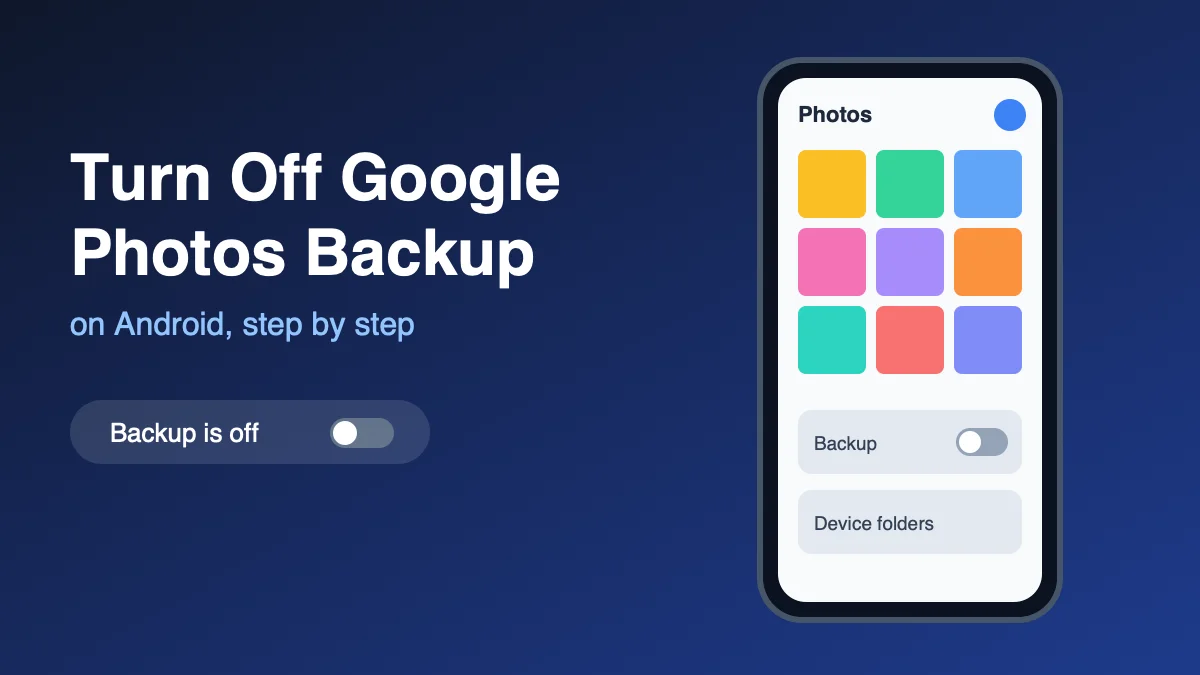
The single best fix is keeping a backup turned on, so a mistake in the phone's trash isn't the end of the story. Turn on backup in Google Photos (profile picture → Photos settings → Backup), or Sync photos and videos in Samsung Gallery, or Camera backup in the OneDrive app. Keep in mind that synced deletions spread: with Google Photos backup on, deleting a photo on your phone also trashes the cloud copy on every device that backs up. If you'd rather keep a phone copy and a cloud copy separate, our guide to turning off Google Photos backup walks through the settings that control that. And because every trash folder here now empties at 30 days, check the trash soon after you notice something is missing.
FAQ
How long do deleted photos stay on an Android phone?
Usually 30 days. Google Photos, Samsung Gallery, Files by Google, and Samsung My Files all keep trashed items for 30 days and then delete them automatically. Emptying the trash removes them immediately.
Can I recover photos deleted more than 30 days ago?
Only from a separate copy. Check Google Photos on the web, OneDrive, Google Drive, and any chats or emails where you shared the photo. For photos stored on a microSD card, a free tool like PhotoRec on a computer may still find them.
Why do people say Google Photos keeps deleted photos for 60 days?
Because it used to. Google kept backed-up photos in the trash for 60 days until September 2026, when it cut the window to 30 days for everything. Older articles haven't caught up.
Do photo recovery apps actually work on Android?
Partly. On an unrooted phone, DiskDigger's developer says you'll likely get lower-resolution copies, not the originals. Recovery works much better on a microSD card scanned from a computer.
Does a factory reset delete photos permanently?
For photos on internal storage, assume yes unless you had a backup. Modern Android phones encrypt internal storage, so restoring from Google Photos, Samsung's sync, or OneDrive is the realistic way to get them back after a reset.
Frequently Asked Questions
How long do deleted photos stay on an Android phone?
Usually 30 days. Google Photos, Samsung Gallery, Files by Google, and Samsung My Files all keep trashed items for 30 days and then delete them automatically. Emptying the trash removes them immediately.
Can I recover photos deleted more than 30 days ago?
Only from a separate copy. Check Google Photos on the web, OneDrive, Google Drive, and any chats or emails where you shared the photo. For photos stored on a microSD card, a free tool like PhotoRec on a computer may still find them.
Why do people say Google Photos keeps deleted photos for 60 days?
Because it used to. Google kept backed-up photos in the trash for 60 days until September 2026, when it cut the window to 30 days for everything. Older articles haven't caught up.
Do photo recovery apps actually work on Android?
Partly. On an unrooted phone, DiskDigger's developer says you'll likely get lower-resolution copies, not the originals. Recovery works much better on a microSD card scanned from a computer.
Does a factory reset delete photos permanently?
For photos on internal storage, assume yes unless you had a backup. Modern Android phones encrypt internal storage, so restoring from Google Photos, Samsung's sync, or OneDrive is the realistic way to get them back after a reset.