How to Fix Android Phone Charging Slowly

Charge the phone for 10 minutes with the screen off, the case off, and a wall adapter, then work through the causes in this order: a charge limit (Pixel's Charging optimization or Galaxy's Battery protection), a charger without the watts or PPS your phone wants, a cable that can't carry that power, heat, and last, a worn battery. Slow charging above 80 percent is often normal. This guide is for a phone that does charge, just slowly. If it won't charge at all, use our not charging guide instead.
Also in this topic: Android Guides hub · Android fixes.
Jump to: match your symptom · what speed is normal · measure your charging · screen, case, heat · charge limits · the charger · the cable · the port · PC, car, power bank · restart and update · wireless · battery health · when it's hardware · bottom line · FAQ
How we put this together: The menu paths and charging numbers come from Samsung's US, UK and Ireland support pages, Google's Pixel Help and Google Store pages, Android Authority, and Battery University, all checked on November 17, 2026. We didn't measure charging speeds on phones ourselves. Wattage figures are the makers' "up to" claims. The e-marker detail comes from USB-C cable guides, not a USB-IF document. Menu names differ by model and software version.
Why Is My Android Phone Charging So Slowly? Match Your Symptom
Charging speed is set by the weakest link: the wall adapter, the cable, the phone's port, the phone's software, and the battery. Find your row first. Then jump to that fix.
| What you notice | Most likely cause | First fix |
|---|---|---|
| Fast at first, crawls near 80% or 100% | Normal tapering, or a charge limit | What speed is normal |
| Stops at 80% or 85% | Limit to 80%, Adaptive Charging, or Battery protection | Check the charge limits |
| Slow overnight, full by morning | Adaptive modes that finish near your wake-up time | Nothing is broken. Change it here |
| Slow only while gaming, streaming, or on a call | The phone uses much of the power it gets | Screen off, case off |
| Phone is warm and charging slows or pauses | Heat protection | Cool it down |
| Lock screen says only "Charging" on a new charger | Charger lacks the watts or PPS your phone needs | Match the charger |
| Slow with one cable, better with another | Cable can't carry the power | Swap the cable |
| Wiggling the plug changes the speed | Lint or a worn connector | Clean the port |
| Slow on a laptop, in a car, or from a power bank | A weak power source | Use a wall outlet |
| Wireless charging is slow | Misalignment, a case, or a magnetic ring | Fix the wireless setup |
| Slow, plus fast drain, on a phone over two years old | A worn battery | Check battery health |
What Charging Speed Is Normal?
Makers publish "up to" speeds from their own chargers. Treat them as the best case, not a promise. These are the current official figures:
- Pixel 11 and Pixel 11 Pro: up to 55% in about 30 minutes with a 30W USB-C PPS charger or higher, sold separately. Pixel 11 Pro XL: up to 75% in about 30 minutes with a 45W PPS charger. Google Store specs.
- Galaxy S26 Ultra: up to 75% in about 30 minutes with Super Fast Charging 3.0, which Samsung says raises power from 45W to 60W. The Galaxy S26+ lists up to 69% in 30 minutes. Samsung US.
Real peaks are lower. Android Authority's Pixel 10 charger roundup reports peaks near 27W for the Pixel 10 and 10 Pro, and up to 37W for the Pro XL. The top speed lasts a short time.
| Your setup | What to expect |
|---|---|
| Charger and cable that match your phone's top spec, battery under 70% | Close to the maker's 30-minute figure |
| Same setup, battery above 80% | Slower, and that is normal |
| Old 5W to 10W cube, or a basic USB port | Far below the maker's figure. Samsung says a regular charger cannot fast charge a Galaxy |
| Laptop or PC port | Samsung says fast charging may not work. A basic USB 2.0 port gives about 2.5W and USB 3.x about 4.5W, though some newer laptop ports give more |
| Wireless pad | Google's 25W figure for the Pixel 11 line needs a Qi2.2-certified charger. Other pads can be slower |
The slowdown near full is physics, not a fault. Battery University explains that a lithium-ion cell takes a fast, high-current charge up to roughly 70 percent. After that the current falls, and the last stretch takes longer. On a Pixel with Adaptive Charging on, Google says slow charging over 80% is expected.
How to Measure What Your Phone Is Actually Getting
Guessing wastes time. Use one of these, from easiest to most exact.
- Read the lock screen. Pixels show "Charging rapidly" only on a strong charger. Android Authority found that the Pixel 9 needs at least 20W for that label, while earlier Pixels used 7.5W. Treat it as a hint, not a measurement.
- Run Pixel's built-in check (Pixel 6 and later). Open Settings > Battery & charging > Charging diagnostics. Google says it looks for high temperature, liquid or debris, and incompatible chargers.
- Run Samsung's cable test. Open Samsung Members > Support > Get Started, run the diagnostics, and tap Cable charging. Samsung's own page lists this test.
- Use the percent test. Start below 50%. Turn the screen off, wait 10 minutes, and note how many points you gained. Compare that with the maker's average: 55% in 30 minutes works out to about 18 points per 10 minutes. This yardstick is our rough math, not an official number.
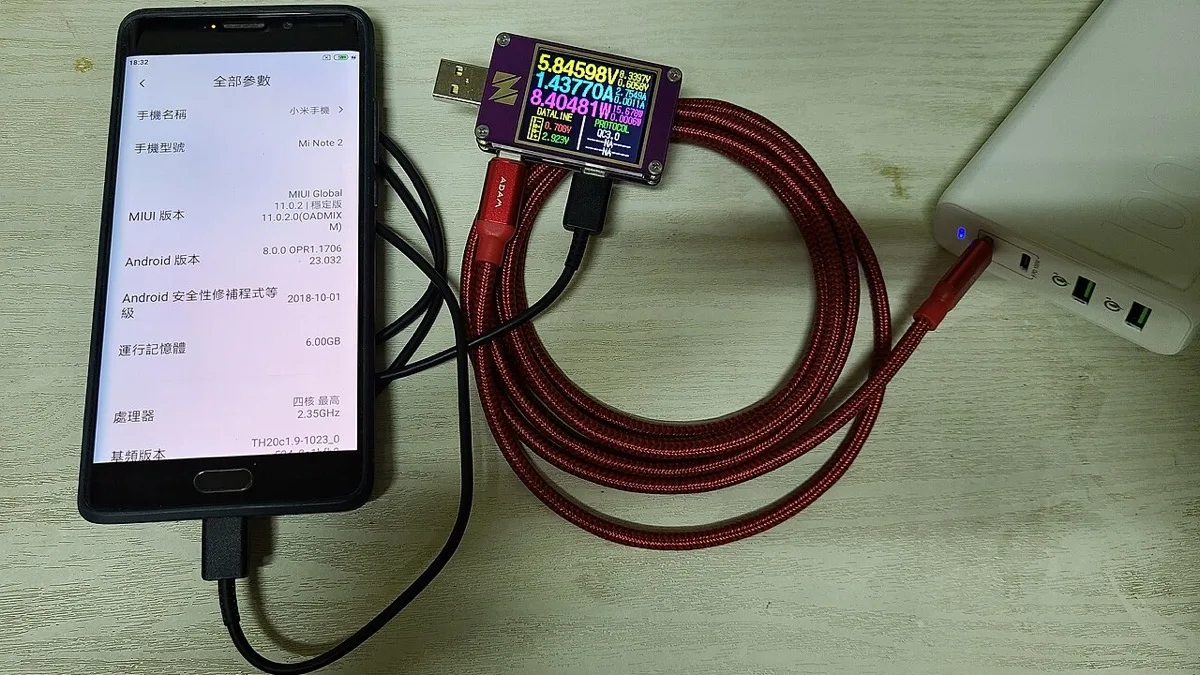
- Plug in a USB-C power meter. This small inline gadget shows volts, amps, and watts, like the one in the photo above. Many also show the charging protocol. Apps that read battery current are less reliable, because phone makers report that number in different ways.
Fix 1: Screen Off, Case Off, and Let It Cool
This costs nothing, so do it first. A phone that is busy or hot sends less of the incoming power to the battery.
- Turn the screen off. Google says to keep the screen dark while charging.
- Take off the case, and keep the phone out of direct sun and away from other heat. Make sure the charger isn't blocking airflow.
- If the phone is hot, let it cool and try again. Samsung says charging may pause or slow when the device overheats.
- Restart the phone. Google notes that background apps can drain power, and weak signal makes the phone use more. In a poor-signal area, try Airplane mode while charging.
If the phone gets hot while plugged in, see our overheating while charging guide. For heat at other times, use the phone overheating guide. If the battery percent drops even while plugged in, our battery draining guide covers finding the app.
Fix 2: Check the Charge Limits (They Slow Charging on Purpose)
These features protect the battery, so a "slow" phone may be doing exactly what it was told. Check them before you blame the charger.
Pixel (wording varies by model):
- Go to Settings > Battery > Battery health > Charging optimization, as described on Google's battery page. You can pick Adaptive Charging, which finishes right before you usually unplug, or Limit to 80%, available on the Pixel 6a and later. Google says Adaptive Charging needs about 14 days to learn your habits.
- Google says a Pixel may also limit charging to about 70% to 80% on its own after hours of charging in high heat, or after several days plugged in. Tap Charge to full under Battery, or restart, to override it.
- On a Pixel with Battery health assistance (Pixel 6a and later), Google says charging speed is adjusted as the battery ages, so you may see a slight change. It starts at about 200 charge cycles. Google recommends leaving it on.
Samsung Galaxy:
- Open Settings > Battery > Charging settings. Make sure Fast charging and Fast wireless charging are on. From the Galaxy S23 series on, Fast and Super fast charging are one setting.
- Open Settings > Battery > Battery protection. Maximum stops charging at 80% on One UI 6.1 and later. Adaptive uses Maximum overnight, then switches to Basic so the phone reaches 100% about an hour before you wake. Basic pauses at 100% and resumes at 95%. Samsung's battery protection page has the details. Newer One UI versions let you pick the Maximum level with a slider.
Turn these off only if you need a full battery fast, such as before a trip. A limit of 80% costs you some runtime, so that trade is yours to make.
Fix 3: Match the Charger to Your Phone
Watts on the box are not enough. Modern fast charging uses USB Power Delivery, and many phones also need PPS, which lets the charger adjust its voltage in small steps. A charger with big watts but no PPS may fall back to a slower mode.
| Phone | What the maker says it needs |
|---|---|
| Pixel 11 and Pixel 11 Pro | 30W USB-C PPS charger or higher (Google) |
| Pixel 11 Pro XL, Pixel 10a | 45W USB-C PPS charger or higher (Google) |
| Galaxy with 25W Super Fast Charging | 25W USB-C charger using USB PD with PPS (Samsung UK) |
| Galaxy with 45W Super Fast Charging 2.0 | 45W USB-C adapter and a 5A-rated cable (Samsung US) |
| Galaxy S26 Ultra, 60W | Samsung's PD 3.1 PPS charger, model EP-T6010 (Samsung UK) |
| Older Galaxy with 15W Adaptive Fast Charging | 15W USB-A adapter; a 3A cable is enough (Samsung US) |
Many Galaxy A phones top out at 25W or less, so find your exact model on Samsung's charger chart before you buy anything. Google sells Pixel chargers separately, so the one in your drawer may be an old model.
A stronger charger will not hurt your phone. Samsung says its 60W charger works with earlier Galaxy phones, which charge at their own maximum speed. Look for "PPS" or a voltage range such as 3.3-11V on the charger label.
Fix 4: Swap the Cable
A cable can cap the speed even when the charger is perfect. Samsung's fast charging page says 45W and 60W charging needs a 5A-rated USB-C cable. For 25W, a 3A cable may work but can limit speed.
Cables built for 5A carry a small chip called an e-marker, and many cheap or old cables don't have one. A data-only cable, a frayed cable, or a very thin one can all be slow. Try the cable that came with your phone or charger first. A damaged cable can also be a safety problem, so replace it instead of taping it.
Fix 5: Clean the Charging Port
Pocket lint packs into the port and weakens the contact. Samsung says to turn the device off, shine a flashlight in, and remove debris carefully without metal objects or liquids. A dry wooden toothpick is a common choice. Scrape the walls gently, and never push on the center tongue.
If the phone shows a moisture warning, dry it before charging. Our not charging guide covers moisture alerts and port damage.
Fix 6: Use a Wall Outlet, Not a PC, Car, or Power Bank
- Laptop or PC: Samsung says fast charging may not work when connected to a PC or standard USB device.
- Power bank: Many give less than the phone wants. Check that its USB-C output lists the same PD and PPS rating as the wall charger. If it doesn't, the phone will pull less.
- Car charger or power strip: Test the same cable on a wall outlet. If it is faster there, the car adapter or strip is the weak link.
Fix 7: Restart, Update, and Test in Safe Mode
Do this if the hardware checks out. First, update your phone, because updates can change battery behavior. Then restart.
If speed is still poor, boot into safe mode, which turns off downloaded apps, and charge for 10 minutes. If it's faster, an app is the cause. Our guide to leaving safe mode covers the way back. Uninstall recent apps one at a time and test after each.
We don't recommend a factory reset for slow charging. None of the Samsung or Google pages we read list it as a fix. If a support agent asks for one, back up first, because it erases everything on the phone. Our backup guide shows how.
Fix 8: If You Charge Wirelessly
Wireless charging loses some power as heat, so it is usually slower than a good wired setup. Google's slow wireless charging page gives the main fixes:
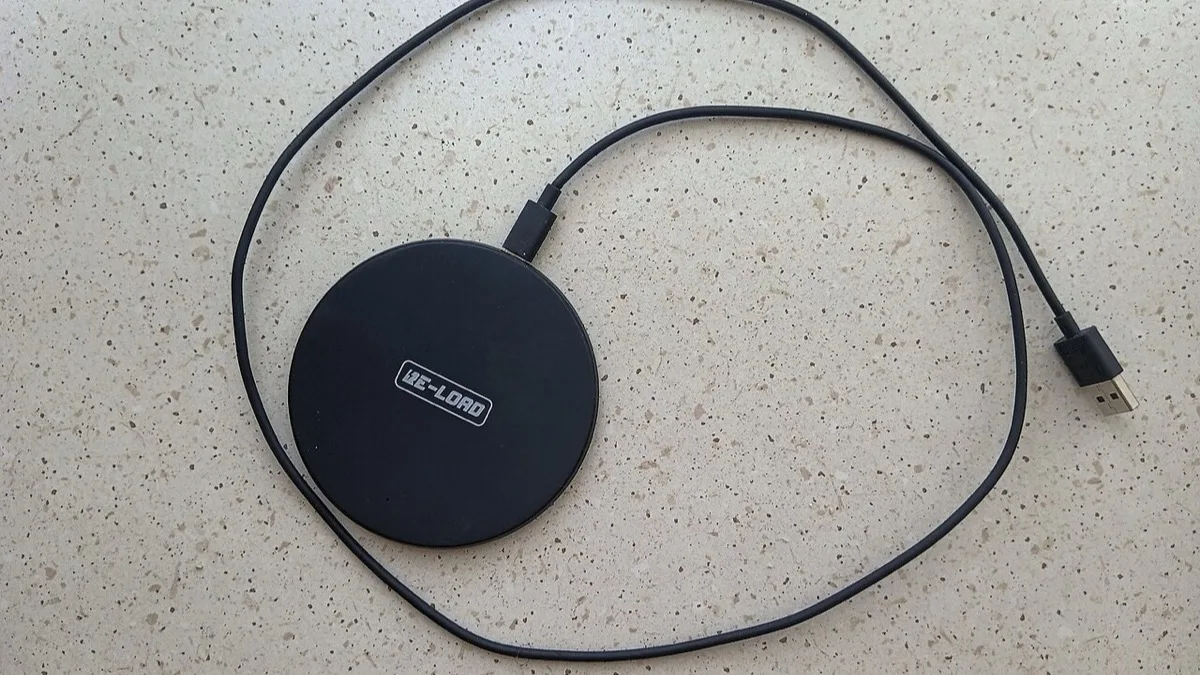
- Remove metal or magnetic items from the back, such as ring holders, Apple MagSafe accessories, or PopSockets.
- Line the phone up with the charger's coil.
- Take the phone out of its case if it is thick.
- Check that the pad's cable and wall adapter are strong enough. A pad on a weak adapter charges slowly.
On a Galaxy, make sure Fast wireless charging is on in Settings > Battery > Charging settings. For a speed test, plug in a cable and compare.
Fix 9: Check Battery Health and Replace a Worn Battery
An old battery charges unevenly and drains fast, which feels like slow charging. A new battery fixes that. It will not speed up a bad charger.
- Pixel 8a and later: Open Settings > Battery > Battery health. "Reduced" means capacity is below 80%, and Google recommends a replacement. Settings > About phone > Battery information shows the cycle count. Google's battery page advises replacement at under 80% capacity or about 1,000 cycles.
- Pixel 3 through Pixel 8 Pro: Google advises replacement at about 800 cycles or under 80% capacity. These models don't show a Normal or Reduced label.
- Samsung Galaxy: Newer models show a Battery information screen in Settings > Battery, but it isn't on every model. Older ones only offer a rating in the Samsung Members diagnostics. Wording varies, so search Settings for "battery information."
If health is fine and you still crawl on a matched charger and cable, the cause is the port or phone hardware.
When It's Hardware: Stop and Get It Serviced
Stop troubleshooting and book a repair if you see any of these:
- The back is bulging or the screen is lifting. Google says not to press on the glass or back, pry the phone open, or try a fix yourself.
- The phone gets very hot while charging on more than one charger.
- The port feels loose, or charging works only at one angle after cleaning.
- Battery health says Reduced, and the phone shuts off at 20% or 30%.
Start with Google's repair links or a Samsung service center, and check your warranty or carrier insurance first. A battery swap costs far less than a new phone.
Bottom Line
Most slow charging comes from a setting, a mismatched charger, or a weak cable, in that order. Real faults are less common. Rule out the free causes first. A worn battery or a damaged port is what is left.
Do this next: Plug your phone into a wall outlet with the cable that came with your charger, screen off, case off. Note the percent now and in 10 minutes. If the gain is far below the maker's average, open your charge limit settings and then compare your charger to the table above.
Frequently Asked Questions
Why does my phone charge slower overnight?
Adaptive modes do it on purpose. Google says a Pixel's Adaptive Charging finishes right before you usually unplug, and Samsung's Adaptive mode holds the phone at 80% until about an hour before you wake. If you need a fast charge at night, switch the mode off in your battery settings.
Why is my phone charging slowly with a brand-new charger?
The charger's watts may not match what your phone needs. Pixels list PPS chargers, and Samsung's 45W and 60W tiers also want a 5A-rated cable. Check the charger label for PPS, test with the cable from the box, and see the charger table above for your model.
Will a more powerful charger hurt my phone?
No, a higher-watt charger is fine when it speaks the right protocol. The phone asks for what it can take. Samsung says its 60W charger works with earlier Galaxy phones, which charge at their own maximum speed.
Is it OK to use my phone while it charges?
Yes, but it will charge more slowly because the phone burns part of the power it receives. Gaming and video also add heat, and Samsung and Google both say heat can slow or pause charging. Keep the screen off for the fastest top-up.
Why does my phone stop at 80% or 85%?
A charge limit is on. On a Pixel, check Settings > Battery > Battery health > Charging optimization. On a Galaxy, check Settings > Battery > Battery protection. Switch the limit off, or tap Charge to full on a Pixel, when you need 100%.
How long should a phone take to charge fully?
Makers give 30-minute figures, such as up to 55% to 75% on recent Pixel 11 and Galaxy S26 phones, not full-charge times. The last 20% takes longer because the charging current drops. We found no official full-charge times on the pages we read, so use the percent test above.
When is a slow-charging phone a battery problem?
When the charger, cable, port, and settings all check out and the phone also drains fast. On a Pixel 8a or later, Google says a Reduced status means capacity is below 80% and a replacement is recommended. Samsung phones may show battery health in Settings > Battery > Battery information.