How to Fix Android Phone Overheating While Charging

If your Android phone is hot while charging, unplug it, take off the case, and let it cool in the shade before you plug it back in. Then charge it with the screen off, on a hard surface, using the charger and cable that came with it. Some warmth is normal. A phone that is too hot to hold, shows a temperature warning, smells odd, or looks puffy is not, so read the safety section first.
Also in this topic: Android Guides hub.
Jump to: what's normal · why charging makes heat · match your symptom · cool it now · step-by-step fixes · wireless charging · fast charging · heat protection · settings · safety: when to stop · service · bottom line · FAQ
How we put this together: The steps and menu paths below come from Google's Pixel help pages, Samsung's US support pages, and a battery safety guide from Australia's product safety regulator, all linked in place and checked on November 17, 2026. We did not test phones for this guide or measure any temperatures. Neither Google nor Samsung publishes the exact text of its heat warnings on the pages we read, so on-screen wording on your phone may differ.
This guide covers heat that shows up while a cable or pad is connected. If your phone is hot when it isn't charging, start with our guide to Android phone overheating. For slow charging, see why an Android phone charges slowly. If it won't charge at all, use our not-charging guide.
Is It Normal for a Phone to Get Warm While Charging?
Yes, up to a point. Samsung's temperature page says warmth during charging is expected and does not hurt the phone's lifespan or performance. Google's Pixel overheating page says a phone can get warm when you do heavy tasks while it charges.
The Google and Samsung pages we read don't give a surface temperature that counts as "too hot." The one number Samsung publishes is for the air around the phone: 32°F to 95°F is its normal operating range. Google's Pixel safety guide says not to heat the phone or battery above 113°F (45°C). So judge by what the phone does and how it feels.
| What you notice | What it usually means | What to do |
|---|---|---|
| Back is warm, but you can hold it comfortably and it charges at a normal pace | Normal charging heat | Nothing. Leave it alone. |
| Too hot to hold comfortably, screen dims, charging slows or pauses, or a warning appears | The phone is protecting itself from heat | Unplug it, cool it down, then find the cause below |
| Bulging back or screen, burning or chemical smell, hissing, smoke, leaking fluid, or a melted plug | A damaged battery, cable, or charger | Stop. Go to the safety section |
Samsung also says not to rest a charging phone, charger, or power bank on your body or sit on it. A warm phone held against skin for a long time can cause redness. Take extra care with children and older people.
Why Charging Makes a Phone Hot
Charging is never perfectly efficient. Some of the energy turns into heat on the way into the battery, as Huawei's support page also explains. Several things make it worse:
- Fast charging. More power moves through the phone, so more heat comes off it. Google says some recent Pixels can charge at 30W or more, and that phones charge faster when the battery is low. That is why the early part of a charge tends to run warmest.
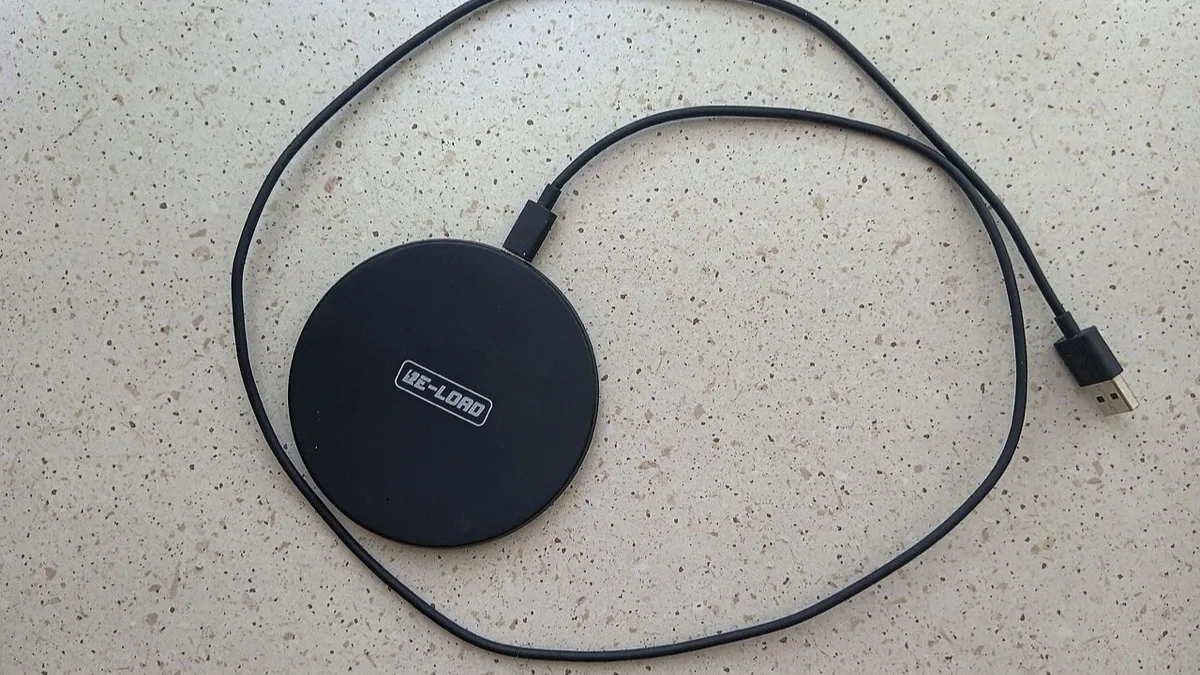
- Wireless charging. Power has to cross a gap between the pad and the phone, so more of it is lost as heat than with a cable. A phone that sits off-center, or has metal or a magnet in the way, runs hotter still.
- Using the phone while it charges. Google lists playing videos or games, recording HD video, using the phone as a hotspot, big uploads or downloads, setup, and restoring a backup as things that warm a Pixel. It adds that doing any of them while charging adds heat.
- Trapped heat. A thick case, a pillow, a sunny dashboard, or a hot car.
- Bad accessories. Samsung lists a non-Samsung, incompatible, or defective charger or cable as a cause of extra heat.
- A worn or damaged battery. This is the one you can't fix at home.
Match What You See to the Likely Cause
| Symptom | Likely cause | First fix |
|---|---|---|
| Hot on a wireless pad, fine on a cable | Phone off-center, thick or magnetic case, metal or a card in the way, or a weak pad | Re-center, remove the case and objects, or use the cable |
| Hot only while gaming, streaming, or navigating | Heavy load on top of charging heat | Stop using it, or charge first and play after |
| Hot only in a car or in the sun | Outside heat on top of charging heat | Move it into shade and airflow, and use a cable if a car pad runs hot |
| Hot with one charger or cable, cool with another | Cheap, damaged, or mismatched accessory | Swap the charger and cable and throw the bad one out |
| The plug, cable, or port area is the hottest part | Damaged cable, dirty or worn port, or a loose connection | Stop using that cable, then check the port |
| Charging slows or pauses on its own | Built-in heat protection | Let it cool, then fix the cause |
| Hot on every charger, also hot when idle, fast drain, or sudden shutdowns | Aging or failing battery, or a charging circuit fault | Get it checked |
| Bulging back, gaps at the edges, smell, smoke, or leaking | Swollen or damaged battery | Unplug and stop using it |
Cool It Down Right Now
- Unplug it. Samsung says to disconnect the charger, close running apps, and let the phone cool completely before charging again.
- Take off the case. Google says to remove the phone from its case and keep airflow open around it.
- Stop using it. Close games, video, the camera, and navigation.
- Move it to the shade on a hard surface. Not a bed, pillow, couch, or the dashboard.
- Skip the ice, fridge, and freezer. A sudden big change in temperature can cause moisture to form inside the phone.
If the phone shuts itself off from heat, Google says to let it cool before turning it back on. If it keeps shutting off, contact Pixel support or the maker.
Step-by-Step Fixes, Cheapest First
Work down the list and retest after each step.
- Let it cool, then charge it bare. Case off, screen off, no apps running. Google also suggests turning on Airplane mode while charging if your signal is weak, because a phone searching for signal uses more power. After it has cooled, restart it. Google notes background apps can keep draining power.
- Charge on a cool, hard, flat surface. The Australian regulator's lithium-ion battery guide says to charge on a non-flammable surface and never on beds, sofas, or carpet. Google's Pixel safety guide says not to charge under a pillow or blanket.
- Swap the charger and cable. Google says other power adapters and chargers can also damage the phone or battery, and recommends the one that came with it. Samsung says to use a Samsung-compatible charger and cable. On a Pixel, a "Check charging accessory" notice means the cable or adapter may be damaged or unsupported, per Google's Pixel charging help page. If the heat goes away with a different set, replace the old one.
- Inspect the cable. Look for frays, bent ends, or a plug that feels hot. Google's safety guide warns that damaged cables or adapters can cause fire, shock, or injury. Don't use one that is damaged.
- Check and clean the port. Turn the phone off and look into the port with a flashlight. Samsung says to remove dust or debris carefully and never to use metal objects or liquids. If you get a moisture warning, let the port dry completely before charging again, as both Samsung and Google advise.
- Run the built-in check. On a Pixel 6 or later, open Settings > Battery & charging > Charging diagnostics. Google says it checks for high temperature, liquid or debris, and incompatible chargers, then suggests fixes. Another route is Settings > Battery > Battery diagnostics > Phone is very warm. Galaxy phones don't have a Pixel-style screen, but Settings > Battery (called Battery and device care on some versions) shows which apps are using power.
- Update and restart. Samsung's overheating guidance includes installing software updates and restarting. If the phone also runs hot when it is not charging, follow our overheating guide to test for a rogue app.
- Turn down the charging speed. Use a lower-power charger, or switch off fast charging on a Galaxy. See settings.
- Get the phone checked if it runs hot on every charger even with the case off and nothing running. See service.
- Factory reset, last and rarely. It erases apps, photos, and settings that aren't backed up, so back up first. Heat that only appears during charging is more often the charger, cable, port, or battery than the software, so get it checked before you wipe it.
Wireless Charging: Why It Runs Hotter and How to Fix It
Wireless pads are the most common reason people search for this problem. Google's slow wireless charging page and Samsung's pages give the same short list:
- Line the phone up with the coil and don't move it. A misaligned phone charges poorly and can run hotter.
- Remove metal, magnets, and cards from between the phone and the pad. Google names ring holders, magnetic mounts, and PopSockets. Samsung names metal, magnets, and credit cards.
- Check the case. On a Pixel 9a or earlier, Google says thick, metal, or magnetic cases can slow or stop wireless charging. Pixel 10 and later (except the 10a) support Qi2 magnetic charging. Google recommends a Qi2 case there, and says a non-Qi2 case might affect charging, so take it off.
- Use a proper wall adapter for the pad, not a laptop USB port. Google says that is slower.
- Keep the pad cool. Google says to keep wireless chargers away from direct sun with room for airflow, especially in a car. If a car pad keeps causing trouble, use a cable.
- Put the pad on a hard, flat surface. That is Samsung's advice.
- Turn off fast wireless charging on a Galaxy if it still runs hot. See settings.
Hot During Fast Charging
Fast charging pushes the most power in while the battery is low, so some extra warmth early in a charge is expected. It becomes a problem when the phone gets too hot to hold, slows itself down, or shows a warning.
- Charge in a cool room with the case off and the screen off.
- Use the charger that came with the phone, or one the maker lists as compatible. Google lists USB Power Delivery adapters rated 15W or more, and 30W or more for faster Pixel charging.
- On a Galaxy, turn off Fast charging if heat stays a problem. The price is a slower charge.
- If it's only hot when you play a game while plugged in, charge first and play after. Our mobile gaming lag fix guide covers settings that lower the load.
What Happens When the Phone Gets Too Hot to Charge
Phones have built-in heat limits, and they act before you do. These behaviors come from Google's and Samsung's help pages.
| What the phone does | What the maker says | What you do |
|---|---|---|
| Pauses or slows charging | Google says a Pixel on a wireless charger might pause charging if it gets too warm and resumes once it cools. Samsung says charging may pause or slow when the phone is too hot. | Wait. Don't force it. |
| Cuts performance, camera, flash, mobile data, or 5G | Google lists these, and low power mode, as ways a hot Pixel protects itself. | Unplug and cool it |
| Shows a warning and powers off | Google says a Pixel may do this if the temperature keeps rising. | Let it cool before restarting |
| Stops at a set battery percent, with no heat involved | Samsung's Battery protection can end charging early or cap the level. | Not a fault. Change it in settings if you want a full charge. |
| Moisture notice | Samsung says charging may stop to protect the phone. | Dry the port fully first |
The exact message text varies by phone and Android version, and Google and Samsung don't quote it on the pages we read. Pixel owners and Android 12 beta code have shown a "Charging temporarily limited" notice, but we couldn't confirm that wording against a current Google page. Treat a message about heat, temperature, or "charging paused" as the protection working.
Let the phone cool, then charge again. If it pauses over and over in a cool room with the case off and nothing running, suspect the battery or charging hardware.
Settings That Help (Pixel and Galaxy)
Menu names change with the Android version and the brand. If you can't find a setting, search Settings for the name.
Pixel
- Settings > Battery > Battery health > Charging optimization. Turn on Use charging optimization, then pick Adaptive Charging or Limit to 80% (Limit to 80% is on Pixel 6a and later). Google's battery page describes both. Google also says that when Adaptive Charging is active, slow charging above 80% is expected.
- Google says that if a Pixel charges for hours in high heat, or for several days, it limits charging to about 70 to 80%.
- Google's help pages we read don't list a fast-charging switch for Pixels. Use a lower-power adapter instead.
Samsung Galaxy
- Settings > Battery > Charging settings. Turn Fast charging and Fast wireless charging off to cut the heat from fast charging. Samsung says that starting with the Galaxy S23 series, Fast charging and Super fast charging became one setting. Fast charging may not work when you connect to a PC or a standard USB device. This path is from Samsung's US charging page.
- Settings > Battery > Battery protection. Samsung says it can stop charging early or cap the maximum level. Pick a different option or turn it off if you want a full charge.
These settings are aimed at battery health. They shorten the time at high charge and slow things down, but neither company calls them a cure for heat. Fix the case, charger, and surroundings first. On other brands, look under Battery or Charging in Settings, since wording varies.
Safety: When Heat Means Stop
Most heat is harmless. These signs are not. We can't diagnose a battery from a web page, so when in doubt, stop and ask the maker.
Stop charging and stop using the phone if you see any of these:
- The back, screen, or frame is bulging, lifting, or has gaps along the edges, or the phone rocks on a flat table.
- A burning or chemical smell.
- Hissing, popping, smoke, or leaking fluid.
- A cable, plug, or port that is melted, scorched, or too hot to touch.
- Heat that stays after you unplug it, or a phone that keeps shutting down while it's hot.
The Australian regulator's guide lists overheating, swelling, leaking, venting gas, and physical damage as warning signs to stop using a battery or charger. Samsung says that if a phone overheats severely, you should stop using it and let it cool. Google's Pixel safety guide says a damaged phone may overheat or cause injury.
What to do:
- Unplug it if you can do it without touching anything that is hot or smoking.
- Put it on a hard, non-flammable surface such as concrete, tile, or metal, away from beds, paper, and anything that burns. Keep it out of hot places such as a parked car.
- Do not charge it again. Don't press on a swollen battery, bend it, puncture it, or open the phone. Google says not to try to remove the battery yourself. Contact the maker or an authorized service provider.
- If it smokes, burns, or catches fire, leave the room, call 911, and don't try to fight the fire yourself. The regulator warns these fires can be hard to put out and can start again after the flames die down.
- Don't throw it in the trash or recycling. Ask the service center or a battery recycler how to hand it in.
- If fluid leaks, Google says to keep it away from eyes, skin, and clothing. If it gets in your eyes, rinse with clean water and get medical advice.
If the phone is swollen, skip the data backup. Your photos matter less than your safety, and it's not worth powering a damaged battery on. Some Pixel 7a phones are covered by a Google repair program for battery swelling, which our won't-turn-on guide explains.
These tips are general safety advice, not a guarantee that a phone is safe or unsafe. A trained technician has to inspect the battery.
When to Get It Serviced
- It runs hot on every charger, with the case off and nothing running.
- The heat pause keeps coming back in a cool room.
- The battery drains fast, or the phone shuts down suddenly. Our battery drain guide and restart guide cover the software side.
- The port feels loose, or the cable only works at one angle.
- Any of the safety signs above.
Samsung says continued charging problems or much shorter battery life may point to a hardware fault, and sends owners to a Samsung service center. For a Pixel, use Google's repair page and check warranty status first. Back up your data if the phone is safe to turn on. A battery replacement is usually the fix, but we can't say what it will cost for your phone.
Bottom Line
Heat while charging is usually a case, a pad, a cheap cable, a game, or a hot room. Fix those first. If the phone is swollen, smells, smokes, or burns your hand, stop charging it and get it serviced.
Do this next: unplug the phone now, take off the case, and let it cool in the shade. Then charge it once with the screen off, on a hard surface, using the charger and cable that came with it. If it still runs hot, book a battery check.
Frequently Asked Questions
Is it normal for an Android phone to get hot when charging?
Yes, warm is normal. Samsung says warmth during charging is expected and does not affect the phone's lifespan or performance. A phone that is too hot to hold comfortably, slows or pauses charging, or shows a warning needs attention.
How hot is too hot for an Android phone while charging?
The Google and Samsung pages we read don't give a surface temperature. Samsung's normal range is 32 to 95°F for the air around the phone, and Google says not to heat a phone above 113°F (45°C). Go by behavior: if it is too hot to hold, dims, slows, or warns, unplug it.
Why is my phone hot on a wireless charger but not with a cable?
Wireless charging wastes more energy as heat because power crosses a gap, and anything that misaligns the phone or sits between it and the pad makes it worse. Re-center the phone and remove the case, metal, magnets, and cards. If it still runs hot, use the cable.
Should I turn off fast charging if my phone gets hot?
It's worth a try. On a Galaxy, open Settings > Battery > Charging settings and turn off Fast charging and Fast wireless charging. Google's Pixel help pages don't list a fast-charging switch, so use a lower-power adapter there. Charging will take longer.
Is it safe to use my phone while it charges?
Light use is fine, but games, video, hotspot use, and big downloads add heat on top of charging heat. Google lists these as things that warm a Pixel and says doing them while charging adds more. If the phone gets hot, stop using it until the charge ends.
Is it safe to charge my phone overnight?
Phones have built-in limits, and Pixel and Galaxy phones offer charging limits. The Australian product safety regulator still advises against leaving lithium-ion devices charging unattended for long periods, and says to charge on a hard surface, never a bed or sofa. If you charge overnight, use the original charger and keep the phone uncovered.
Will my phone charge again after it gets too hot?
Usually yes. Google says a Pixel that pauses charging for heat resumes once it cools, and Samsung says to wait for the phone to cool before charging again. If it keeps pausing in a cool room with the case off, the battery or charging hardware may be at fault.
Can a phone case make my phone overheat while charging?
Yes, it can trap heat. Google says to remove the phone from its case if it is too warm, and says thick, metal, or magnetic cases can slow or stop wireless charging on a Pixel 9a or earlier. Try one charge without the case.