FPS Boost Guide for Phones (2026): Stable 60 Beats Fake 120

To boost FPS on a phone, cap the game at a frame rate your chip can hold, turn on Game Mode, take the case off, and stop charging during the match. Heat is why a flagship starts at 120 fps and dies at 40 ten minutes later. Android even tells games to slow down on purpose. Google’s Thermal API exists so titles drop quality before the phone throttles you. Android Developers document that. Booster APKs do not add a vapor chamber. Force GPU rendering does not raise game FPS. Animation scale only speeds menus. If shots feel late at 25 ms ping, that is not FPS. Use the lag fix guide. Autocomplete for this topic is COD Mobile, BGMI / PUBG, Free Fire, Genshin, Roblox, and Minecraft. Each game has a short settings block below. Battery Saver and Android Game Mode FPS throttling can only cap frames. They cannot invent a cooler chip.
Jump to: diagnose first · why FPS drops · do this now · in-game settings · Samsung · OnePlus · Pixel · iPhone · skip these · COD BGMI Free Fire Genshin Roblox · low-end phones · 12-minute checklist · FAQ
This page is for US players who typed FPS boost or increase FPS on Android because a shooter started buttery and then crawled. We are talking frames on the phone, not Wi-Fi ping. Checked against Android 16-era Game Mode, Samsung Game Booster, and Apple Game Mode notes in September 2026.
Diagnose first: FPS drop, ping, or sticky controls?
| What you feel | What it is | This page? |
|---|---|---|
| Picture stutters, fps counter falls, phone gets hot | FPS drop (GPU/CPU heat) | Yes. Stay here. |
| You peek and die around a corner; ping 80–200 ms | Network lag | No. Lag fix. |
| Ping is 25 ms, aim still feels late | Input delay | Partly. High refresh + USB-C pad. Deep dive: DualSense guide. |
Turn on an fps overlay if the game has one (COD Mobile, Genshin, many emulators). If the number is 58–60 and it still feels late, stop chasing FPS.
Why phone FPS falls (the part lists skip)
A phone has no desktop tower fan unless you bought a gaming phone. The chip hits a temperature wall. Android 10+ reports thermal status from NONE up to SHUTDOWN. Games that listen (ADPF) lower quality. Games that do not listen hitch. You feel that as “my fps boost app did nothing.”
- Peak fps is the first two minutes. Marketing slides live here.
- Sustained fps is minute 15. This is the real number.
- A locked 60 that never dips beats a 120 that swings 120–45. Your eyes hate the swing more than the cap.
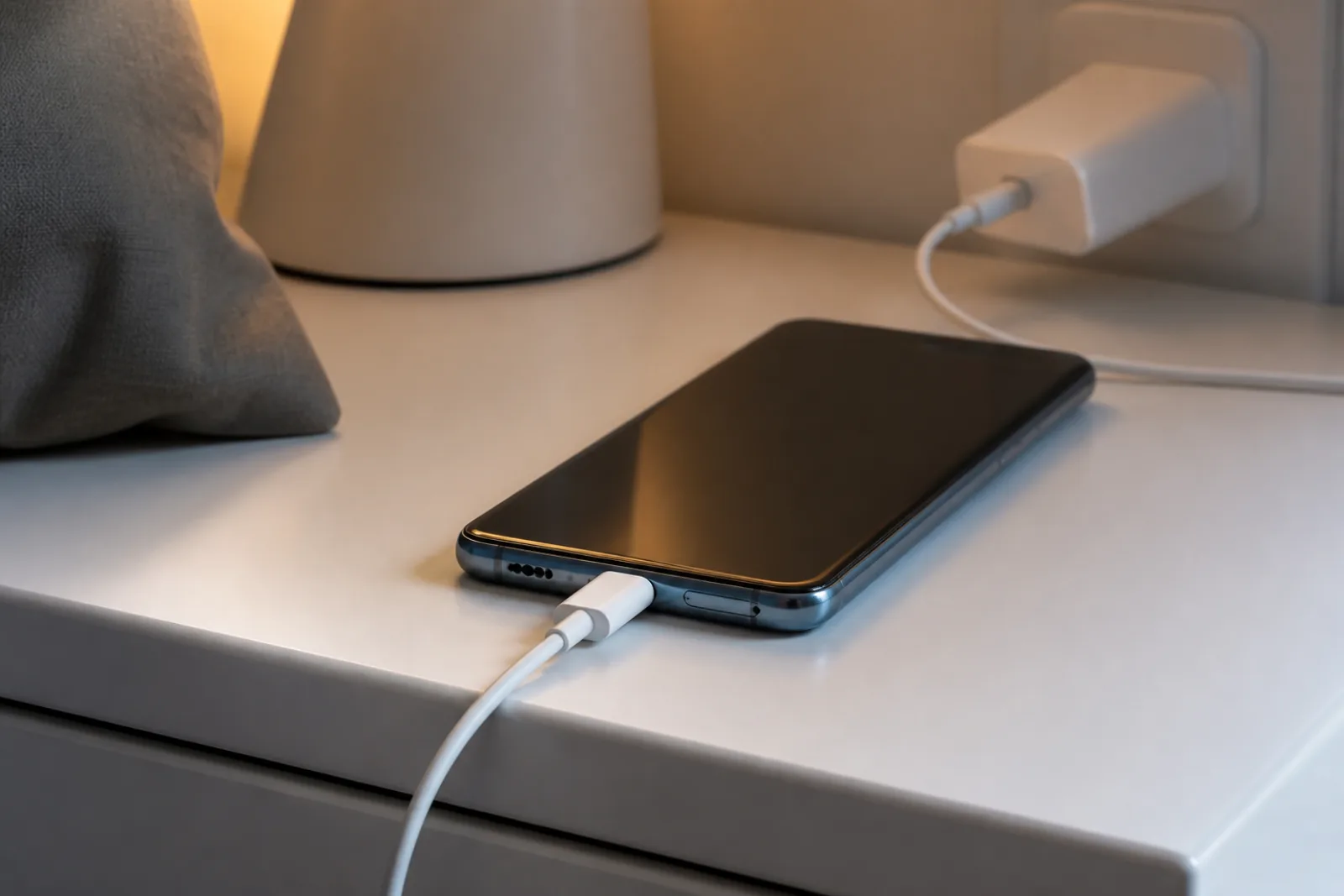
Charging while playing stacks two heat sources. A thick case is a blanket. A sunny car is an oven. Wireless charging is less efficient, so more waste heat in the back. That is physics, not a bad ROM.
Do this now (five minutes)
- Quit the game. Unplug. Case off. Airplane Mode for two minutes if the phone is screaming hot. Shade, hard desk, not a bed. Never a fridge. Condensation is how you kill a board. Steps: overheating.
- Set the game’s frame rate to 60 if it was on Max / 90 / 120 and hitching. Keep 90/120 only if the overlay stays flat for 20 minutes.
- Drop shadows, anti-aliasing, and “extreme” textures one notch. Resolution scale is the big GPU lever. Effects are next. View distance is usually cheaper than shadows.
- Turn on the OEM Game Mode (next sections). It is not a magic fps injector. It stops the OS from stealing cores for a download.
- Close the second heavy app. Recording 4K, live streaming, and a screen recorder are a second game.
In-game settings that actually move FPS
Work top to bottom. Stop when the overlay holds.
- Frame rate cap — 60 if unstable. 90 if the panel is 120 and the chip stays cool. 120 only on a recent flagship or a fan phone.
- Graphics quality preset — Medium is the honest 2026 default on last-year chips.
- Shadows / real-time lights — first things to kill in a map with trees.
- Anti-aliasing — pretty edges, expensive. Off or FXAA, not MSAA 4x on a phone.
- High-res textures — RAM plus bandwidth. 8 GB phones feel this.
- Ray tracing / extra reflections — off unless a review showed a hold on your exact model.
- Match the panel. A 60 Hz screen cannot show 120 fps. You spend heat for frames you never see. Force high refresh in Display settings first, then cap the game to that number or below.
Samsung: Game Booster that is real
Open the game. Tap the Game Booster icon in the navigation bar (swipe up if the game is full screen). Samsung’s own help lists the useful bits. Samsung Game Booster.
- Game optimization: Performance for a short ranked session. Standard for an hour. Battery saver if you are on 15%.
- Pause USB PD charging when gaming (S22 era and newer, including S26). The brick powers the phone. The battery stops taking a heat hit. This is the setting most fps lists never name.
- Touch booster for gloves or a wet screen. It does not add frames. It adds hits registering.
- Block navigation buttons / edge panel / auto brightness so a swipe does not tab you out.
- Game Booster Plus in Good Lock on S26: AP clock limit if you want a cooler, flatter 60. That is a cap on purpose, not a bug.
OnePlus: Game Assistant
OnePlus 15 (and recent OxygenOS) has a game overlay. Use it to lock a refresh rate and block notifications. The US OnePlus 15 has a 165 Hz game mode. That number is a panel trick plus a chip. If the overlay cannot hold 90, you do not have 165. Buy the phone if you wanted the chassis: gaming phones.
Pixel: Smooth Display and fewer overlays
Settings > Display > Smooth Display. Then do not run three accessibility tools plus a “game booster” overlay. Pixels thermal-throttle like everyone else. Adaptive Thermal will warn you. Believe it. Tensor is not a Snapdragon 8 Elite Gen 5. Play Medium. If battery is the complaint after Smooth Display, that is a different article: Pixel 10 Pro 120 Hz battery.
iPhone: Game Mode, then thermal honesty
On recent iOS, Game Mode cuts background tasks and tightens Bluetooth latency to a controller. Turn it on when the game is open (island / game banner). It will not add a fan.
iPhone 17 Pro Max added a vapor chamber with the A19 Pro. That helps sustained fps, not peak slides. Apple still ships many AAA ports at a 30 fps target. You cannot “boost” Death Stranding into a locked 60 if the port is built for 30. Lower quality in the game if it offers it. A Lightning/USB-C pad still wants a high refresh display: Settings > Accessibility > Motion, and keep ProMotion on.
What does not boost game FPS (stop installing these)
- “FPS booster” / “Game turbo” APKs from outside Play. They show a fake counter, an ad, and often an accessibility service that adds delay. Uninstall.
- Developer option: Force GPU rendering. That is for old 2D apps that drew on the CPU. 3D games already use the GPU. Flip it and you did not raise Genshin fps.
- Window animation scale / animator duration to 0.5x. Homescreen feels snappier. In-game fps is the same. Google’s AI Overview still lists this. It is a menu trick, not a game boost.
- Developer option: Graphics Driver Preferences / System Graphics Driver per game. That picks a driver. It does not add clocks. Leave it unless a game is crashing on a beta driver.
- “Limit background processes” in Developer Options. You can break notifications and still not raise Genshin frames. Close Chrome. Do not starve the OS.
- Clearing RAM from a cleaner app every match. Android already reclaims. The cleaner is the app using RAM.
- A 120 fps lock on a hot phone. You paid for hitch. Cap 60.
- Playing on a wireless charger. Extra back heat. Cable, before the session, then unplug.
Low-end phones (2–4 GB RAM)
You cannot settings-cheat a 2022 budget chip into Genshin High. Play games that fit. Our list of titles that actually run on 2 GB: low-end Android games. Cap at 30 or 60. Close Chrome. That is the boost.
12-minute FPS checklist
- Read the in-game fps overlay for one minute. Write the number.
- If ping is high in the same HUD, leave this page. Fix lag.
- Unplug. Case off. Shade. Wait until it is only warm.
- Display: highest refresh the panel has.
- OEM Game Mode / Game Booster on. Samsung: pause USB PD if you must stay plugged in.
- Game: 60 fps, one graphics step down, shadows off.
- Play 15 minutes. If overlay holds, you are done. If it dives with heat, drop another graphics step or stay at 60 forever.
- Still stuck on a flagship after that? Hardware ceiling. See phones with fans.
How we wrote this
- OEM paths from Samsung’s US Game Booster article and Android’s Game Mode / Thermal API docs (updated 2026 on developer.android.com).
- We split ping vs fps vs input because mixing them is how a VPN app gets sold.
- No affiliate booster APKs. If a setting is a placebo, we say so.
Who / how / why: Aditya Singh, AndroidHire. Found a skin that moved a toggle? Tell us.
How to increase FPS in COD Mobile, BGMI, Free Fire, Genshin, Roblox, and Minecraft
Google and Gemini queries for fps boost are game-shaped. The physics is the same. The menus are not.
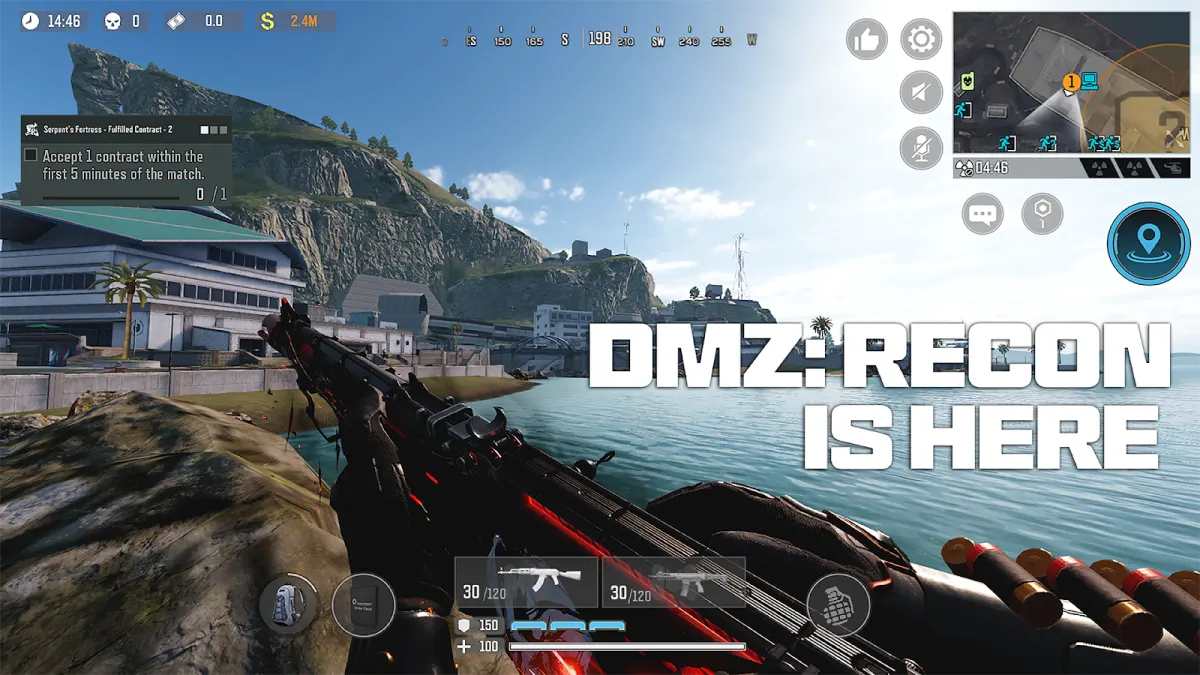



- COD Mobile: Graphics Low or Medium. Frame rate set to a number you can hold (60, not “Max” if Max is 40 in a smokes round). Disable real-time shadows. Close the battle pass store overlay. Game Mode on. Case off.
- BGMI / PUBG Mobile: Smooth + Extreme only if the chip held it last week. If the match starts at Extreme and dies at Low, pick Smooth + High and stay there. Disable auto-adjust if it yo-yos. This is BR; heat plus a 5 GHz Wi-Fi hop is a double hit. Ping is the other guide.
- Free Fire / Free Fire MAX: MAX is the heavier client. On 3–4 GB RAM, play regular Free Fire. Shadow off. High fps toggle on only if the phone stays under ~40°C in a 10-minute bot lobby.
- Genshin Impact: 30 fps locked is a higher average than unlocked 60 that drops to 22 in the city. Cut render scale, shadows, crowd density. Do not chase 60 on a warm Snapdragon 7. Official RAM floors still lie on small chips; our RAM-tier lists spell that out.
- Roblox: In-experience graphics quality slider (1–10). Drop it until the frame time stops hitching. Roblox is a platform. One experience is a tycoon. Another is a shooter. The slider is the fps control, not a Play Store booster.
- Minecraft (Pocket): Render distance is the fps tax. Fancy graphics off. Simulation distance down. Fancy leaves off. A 24-chunk view on a 4 GB phone is a slideshow you chose.
Battery Saver / Adaptive Battery: these modes cap CPU. They protect the cell. They cut fps. Turn Battery Saver off for the match, then turn it back on. Samsung Game Booster can pause USB-PD charging during a session. Use that. Charging plus a 3D game is how a flagship throttles in eight minutes.
Android Game Mode lets a title request Performance, Standard, or Battery. Performance is permission to use more power. It is not extra clocks Google hid from you. Game Mode FPS throttling, on supported titles, can only set a cap so the frame time stays even. It cannot raise a 32 fps floor to 90.
Related reading
Bottom line
Cap at a stable 60, cool the phone, use the real Game Booster, and drop shadows. That is the fps boost. Skip APKs, skip Force GPU rendering, skip animation scale. If the overlay is already 60 and you still die around corners, you have a network or input problem, not an fps problem.
Do this next: one match at 60 with the case off. If the overlay holds, stay there. If the phone still cooks on a flagship, you wanted a fan: REDMAGIC 11S Pro or OnePlus 15. If the overlay is fine and aim is late, open the lag guide.
Frequently Asked Questions
How do I boost FPS on my phone?
Cap the game at 60 fps if 90 or 120 hitch, turn on your phone’s Game Mode or Game Booster, take the case off, unplug the charger, drop shadows and anti-aliasing, and play in shade. Heat is the usual throttle. Booster APKs do not add cooling.
Does Force GPU rendering increase game FPS?
No. Force GPU rendering is a Developer option for old 2D apps that used CPU drawing. 3D games already render on the GPU. Turning it on will not raise Call of Duty Mobile or Genshin frames.
Is 120 fps better than 60 fps on a phone?
Only if the overlay stays near 120 without dips. A swing from 120 to 45 feels worse than a locked 60. Many phones cannot hold 120 after they get hot. Match the cap to the panel too: a 60 Hz screen cannot show 120 fps.
Why does my FPS drop after 10 minutes?
Thermal throttling. The chip slows itself so it does not overheat. Android’s Thermal API exists so games can drop quality first. Cool the phone, cap fps, and stop charging during the match. A dedicated gaming phone with a fan holds longer; a sealed flagship still has a wall.
Do FPS booster apps work?
Not in any way you want. They cannot raise GPU clocks past the thermal limit. Many add ads and accessibility overlays that increase input delay. Use the OEM Game Booster and in-game settings instead.
Does animation scale 0.5x increase FPS in games?
No. Window animation scale only changes Android UI transitions. It does not change the game’s frame time.
Samsung Game Booster vs a third-party booster?
Use Samsung Game Booster. Set Performance or Standard, block nav buttons, and turn on Pause USB PD charging when gaming so the charger does not heat the battery. Skip Play Store clones that ask for accessibility permission.
My ping is 25 ms but the game feels slow. Is that FPS?
Maybe not. If the fps overlay is stable, you have input delay or a 60 Hz panel. Try USB-C for a controller, force high refresh, and turn extra accessibility tools off. Network steps live on our lag-fix guide.
How do I increase FPS in COD Mobile or BGMI?
Cap the frame rate at a number the phone can hold, drop shadows, turn on Game Mode, take the case off, and stop charging. Extreme/Max that falls to 40 fps is worse than a locked 60. If the HUD already shows 60 and shots still feel late, that is ping or input delay, not FPS.
How do I increase FPS in Genshin Impact on a phone?
Lock 30 or 45 if 60 is unstable. Cut render resolution, shadows, and crowd. Close background apps. A booster APK will not add cooling. If the phone is a 4 GB RAM device, Genshin is the wrong install; use our 4 GB RAM games list.
Does Battery Saver increase or decrease game FPS?
It decreases FPS. Battery Saver and Adaptive Battery cap the chip on purpose. Turn them off for the match. Turn them on after. Samsung can pause charging in Game Booster, which helps heat without pretending to add frames.
Can Android Game Mode boost FPS above what the chip can hold?
No. Game Mode Performance asks for more power. FPS throttling can only cap frames for a smoother graph. Google’s docs say that. Nothing in Settings adds a vapor chamber.
How do I get 120 FPS on Android?
Only if the panel is 120 Hz and the chip can hold 120 without cooking. Cap at 120 in the game, turn on Game Mode, case off, stop charging. Developer Options animation scale does not raise game FPS. It only speeds menus. Google’s Game Mode FPS throttling can lower frames for a smoother graph. It cannot invent 120 on a 60 Hz phone. If 120 falls to 45 after five minutes, lock 60.
Does Graphics Driver Preferences or Limit background processes increase game FPS?
No. Graphics Driver Preferences only chooses a driver. Limit background processes can break apps and still leave Genshin at the same frame time. Close extra apps, cap fps, take the case off. Those Developer Options are not a cooler.