Nothing Phone (3) Gets Stable Android 17: Nothing OS 5.0 Build C5.0-260924-2115, Other Phones From November

Nothing began rolling out the stable Nothing OS 5.0 update, built on Android 17, to the Nothing Phone (3) on Monday, October 12, 2026, as build Nothing OS C5.0-260924-2115. The rollout is staggered by region and device, so US owners may not see it on day one. Nothing's other phones follow from early November through mid-January 2027.
- Build: Nothing OS C5.0-260924-2115 (Nothing OS 5.0, Android 17)
- Release date: Rollout started October 12, 2026
- Eligible now: Nothing Phone (3) only
- US availability: Staggered rollout, no separate US date announced
- How to get it: Settings > System > System update
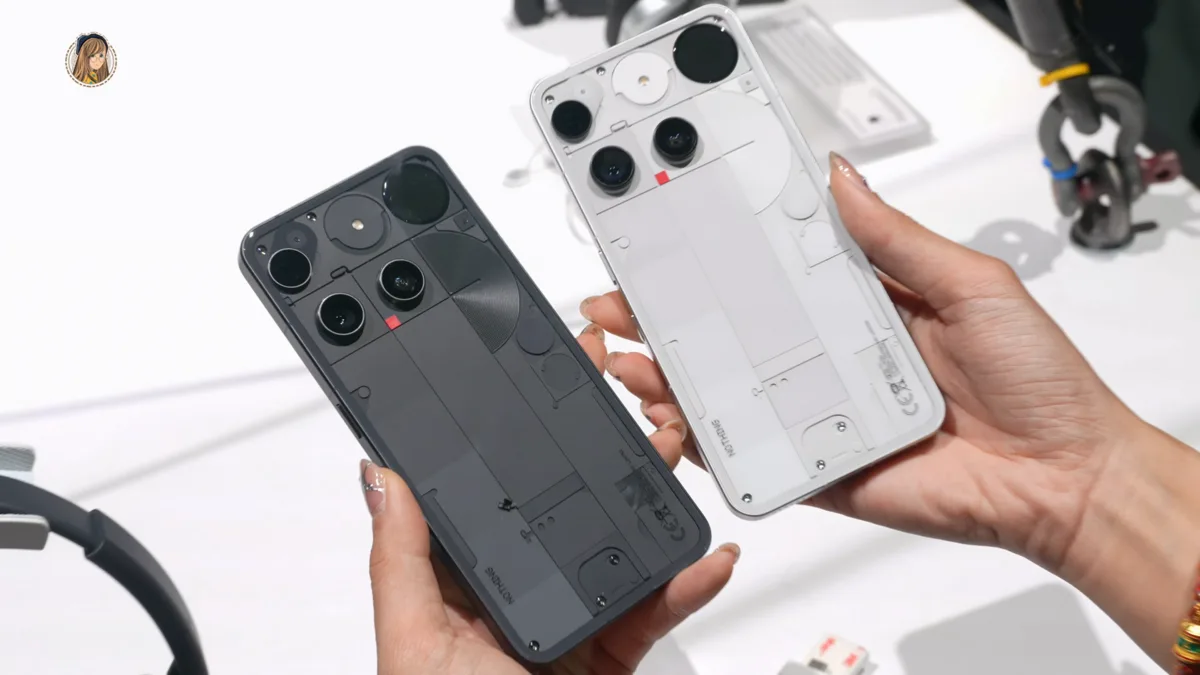
This is the general release that follows the open beta Nothing opened for the Phone (3) on August 26, which we covered when Nothing OS 5.0 was announced. The Phone (3) is sold in the US through Nothing's own website and Amazon, and supports AT&T and T-Mobile 4G and 5G bands. Nothing has not given a separate US date or published a download size.
How do you install Nothing OS 5.0 on the Nothing Phone (3)?
The Nothing Phone (3) gets Nothing OS 5.0 as an over-the-air update. Nothing's own changelog asks owners to back up photos, call logs and contacts before upgrading.
- Open Settings > System > System update and tap to check for the update.
- If nothing appears, wait. Nothing says the rollout is staggered, so availability varies by region and device.
- Expect the phone to run warm and use more battery while the update installs. Nothing says this settles once the process finishes.
What changes in the stable build
Two features held back from the beta arrive with the stable build: the redesigned Launcher and the Micrographics lock screen clock face. Other additions in build C5.0-260924-2115, with the menu paths from Nothing's changelog:
- Split Quick Settings and notifications: Settings > Notifications > General > Notifications and Quick Settings.
- Translucent Launcher theme: a frosted-glass look tinted by your wallpaper, under Customisation > Theme & Style > Translucent.
- Bulk icon arranging: long-press the home screen and tap Arrange.
- Expanded Dark theme: forces dark mode on most apps that lack it, under Settings > Display > Dark theme > Use Expanded Dark theme.
- Enhanced HDR brightness: sets how intense HDR content looks, under Settings > Display > Enhanced HDR brightness.
- A standalone Glyph app in the app drawer, plus Collector, Away Time and Glyph Timer widgets.
- Camera: a Tuning panel with seven adjustable effects, Dual-view Video and H.265 recording.
Early reports on Nothing's community forum are mixed. Some Phone (3) owners say they cannot find the new lock screen clock after updating, and others say the Ultra HDR toggle is gone from the camera app. Nothing does not mention either issue in its release post.
When do other Nothing phones get Android 17?
Nothing says it is still on its original schedule, with stable rollouts running through mid-January 2027. The dates below come from the schedule Nothing shared with the release. Two summaries of it disagree slightly on the Phone (4b): one says mid-January, the other says only January. Nothing's own roadmap says the Phone (4b) starts its open beta in mid-December, with the stable release after that, so treat January as the earliest date.
| Phone | Stable Nothing OS 5.0 (Android 17) |
|---|---|
| Phone (3) | Rolling out from October 12 |
| Phone (4a) Pro, Phone (4a) | Early November |
| Phone (3a) Pro, Phone (3a) | Early November |
| Phone (2a), Phone (2a) Plus | Mid-November |
| Phone (3a) Lite | Late December |
| Phone (4b), CMF Phone 2 Pro | Mid-January 2027 |
The Phone (1), Phone (2) and CMF Phone 1 are not on the schedule. For how other brands are pacing Android 17, see Samsung's One UI 9 rollout to the Galaxy S24 in the US and Motorola's Android 17 update for the Razr Ultra (2026). Full hardware details are on our Nothing Phone (3) spec page.
Frequently Asked Questions
Is Android 17 out for the Nothing Phone (3)?
Yes. Nothing started rolling out the stable Nothing OS 5.0 update, based on Android 17, to the Nothing Phone (3) on October 12, 2026, as build Nothing OS C5.0-260924-2115. The rollout is staggered, so some phones will get it later than others.
How do I update my Nothing Phone (3) to Nothing OS 5.0?
Go to Settings > System > System update on the Nothing Phone (3) and check for the update. Nothing recommends backing up photos, call logs and contacts first. If the update does not appear, the staggered rollout has not reached your phone yet.
When will the Nothing Phone (3a) and Phone (4a) get Android 17?
Nothing's schedule puts the stable Nothing OS 5.0 update, based on Android 17, on the Phone (3a), Phone (3a) Pro, Phone (4a) and Phone (4a) Pro in early November 2026. The Phone (2a) and Phone (2a) Plus follow in mid-November, and the Phone (3a) Lite in late December.
Will the Nothing Phone (2) get Nothing OS 5.0?
No. The Nothing Phone (1), Phone (2) and CMF Phone 1 are not on Nothing's Android 17 schedule for Nothing OS 5.0. The last phones on the schedule are the Phone (4b) and CMF Phone 2 Pro, due in January 2027.
Why don't I see the new lock screen clock after updating to Nothing OS 5.0?
Some Nothing Phone (3) owners report on Nothing's community forum that the new Micrographics lock screen clock face is missing after installing Nothing OS 5.0. Nothing says the clock arrives with the general release but has not yet explained the missing clock reports.