Google Pixel Buds Pro 2 and 2a Get Update 6.144: Dynamic ANC, Tap to Mute and Gemini Controls

Google started rolling out Pixel Buds software release 6.144 on Tuesday, October 6, 2026, and its official announcement lists the Pixel Buds Pro 2 and Pixel Buds 2a as the models getting it. Both gain Tap to Mute, Gemini voice commands for buds settings, Enhanced Live Translate and auto-pause while you sleep, while the Pixel Buds Pro 2 alone gets Dynamic Active Noise Cancellation.
- Version: Pixel Buds software release 6.144
- Rollout began: Tuesday, October 6, 2026
- Models named by Google: Pixel Buds Pro 2 and Pixel Buds 2a
- Pro 2 only: Dynamic Active Noise Cancellation
- How to get it: Pixel Buds app, then More settings, then Firmware update
Which Pixel Buds get update 6.144?
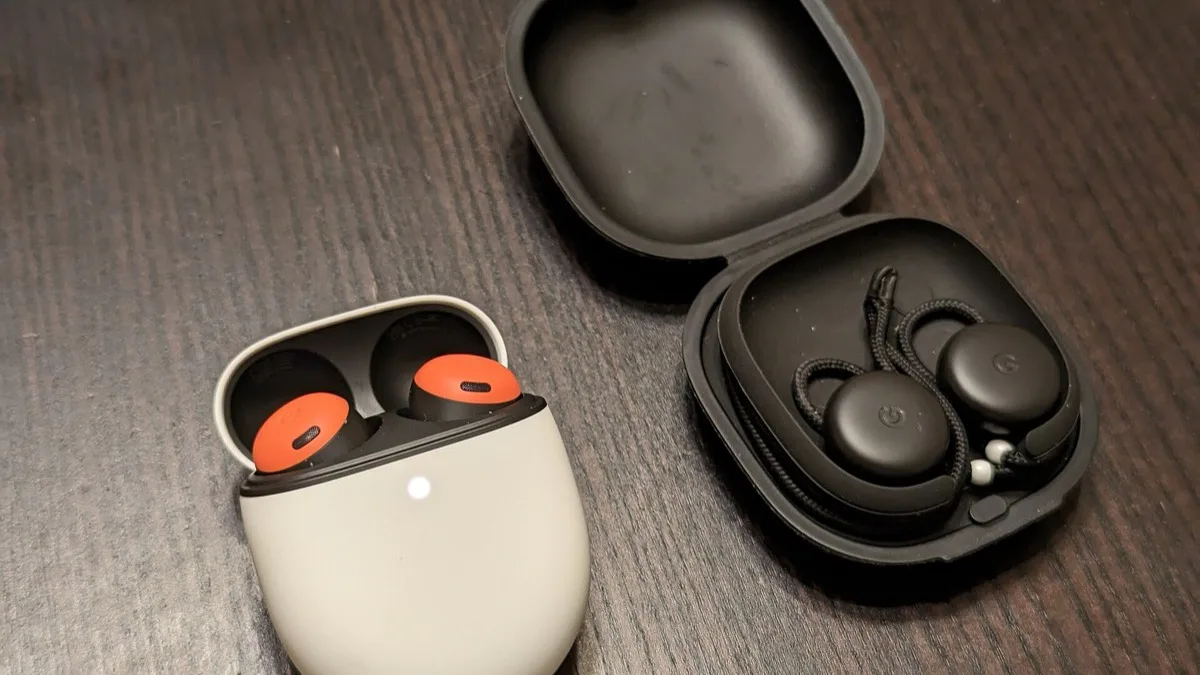
Google's Pixel Buds team names two models in the release 6.144 announcement: the Pixel Buds Pro 2 and the Pixel Buds 2a. Several early reports also put the original 2022 Pixel Buds Pro on the list, but Google's own feature breakdown never mentions it, and one owner in the announcement thread was already asking whether the first Pro would be included. Until Google says otherwise, treat the original Pixel Buds Pro as not covered.
| Feature in release 6.144 | Pixel Buds Pro 2 | Pixel Buds 2a | Extra requirement |
|---|---|---|---|
| Dynamic Active Noise Cancellation | Yes | No | None listed |
| Enhanced Live Translate | Yes | Yes | Google Translate app; select countries and languages |
| Gemini voice commands for settings | Yes | Yes | Gemini app, Google Account, internet connection |
| Tap to Mute on calls | Yes | Yes | Pixel phone only |
| Auto-pause media while sleeping | Yes | Yes | Pixel Watch sleep sensing |
What each Pixel Buds 6.144 feature does
Dynamic Active Noise Cancellation is the one Pixel Buds Pro 2 exclusive. Google says the earbuds now adjust audio and noise cancellation automatically based on how well they seal in your ear, rather than applying one fixed level.
Tap to Mute lets you mute and unmute your microphone from the earbuds during a call. It only works when the Pixel Buds Pro 2 or Pixel Buds 2a are paired with a Pixel phone, so Galaxy and other Android owners will not see it.
Gemini voice commands now reach the buds' own settings. You can ask Gemini to turn on Active Noise Cancellation, change the EQ or enable touch controls. Google's fine print says it needs the Gemini mobile app on a compatible Android phone, a Google Account and an internet connection, and that features can differ by subscription and account. If you are still adjusting to Gemini replacing the old assistant, our report on Gemini removing the switch back to Google Assistant covers that change.
Enhanced Live Translate starts a translation with a touch on the earbuds, so the phone can stay in your pocket. It works with the Google Translate app in conversation or listening mode, and Google says it is available only in select countries and languages.
Auto-pause while sleeping uses sleep sensing on a Pixel Watch. When the watch decides you have fallen asleep, the Pixel Buds pause playback, switch off touch gestures and silence notifications. Google has not named which Pixel Watch models qualify. It is the latest feature tying the earbuds to the watch, following health additions such as Pixel Watch blood pressure trends.
How to install Pixel Buds update 6.144
Google's support page says Pixel Buds firmware installs on its own once a few conditions are met, which can take several attempts:
- Both earbuds are in the charging case.
- The earbuds and the case both have enough battery.
- The buds are connected to a phone running Android 6.0 or newer.
To check by hand, open the Pixel Buds app (on Pixel phones it is built into Settings), scroll down, and tap More settings > Firmware update. If a manual update is offered, keep the earbuds in the case; Google puts an automatic install at about 10 minutes and a manual one at about 15. Google says that if no update is mentioned there, you already have the latest firmware available to you. Update the Pixel Buds app from Google Play first, since Google's announcement asks owners to update both the app and Android. If you have replaced an older pair along the way, you can also remove old Bluetooth earbuds from Find Hub.
Frequently Asked Questions
Which Pixel Buds get the 6.144 update?
Google's official announcement for Pixel Buds software release 6.144 lists the Pixel Buds Pro 2 and the Pixel Buds 2a. Some early reports also included the original 2022 Pixel Buds Pro, but Google's feature list does not mention that model.
Does the original Pixel Buds Pro get Dynamic ANC?
No. Google says Dynamic Active Noise Cancellation in release 6.144 is exclusive to the Pixel Buds Pro 2. Google's announcement does not list the original Pixel Buds Pro for any of the 6.144 features.
How do I update my Pixel Buds firmware?
Put both earbuds in the charging case with enough battery and keep them connected to your Android phone, and the update installs automatically. To check manually, open the Pixel Buds app and go to More settings > Firmware update. Google says an automatic install takes about 10 minutes.
Does Pixel Buds Tap to Mute work on Samsung phones?
No. Google says Tap to Mute in Pixel Buds release 6.144 is available on Pixel phones only. It works on the Pixel Buds Pro 2 and Pixel Buds 2a and mutes or unmutes your microphone during calls.
Do I need a Pixel Watch for Pixel Buds sleep auto-pause?
Yes. The auto-pause feature in Pixel Buds release 6.144 uses sleep sensing on a Pixel Watch to tell when you have fallen asleep, then pauses audio, turns off touch gestures and silences notifications. Google has not said which Pixel Watch models are supported.