Pokemon GO Explorer Gadget Adds a Free Auto-Catcher for Level 20 Trainers

The Pokemon GO Explorer Gadget is now reaching players, and it puts an auto-catcher inside the app itself for the first time. It is a free in-game Key Item that throws Poke Balls at nearby Pokemon and spins PokeStops while the game sits closed in your pocket, on both Android and iOS, with no accessory to buy and no subscription attached. The rollout is phased rather than global, so two players who both qualify can still see different results today.
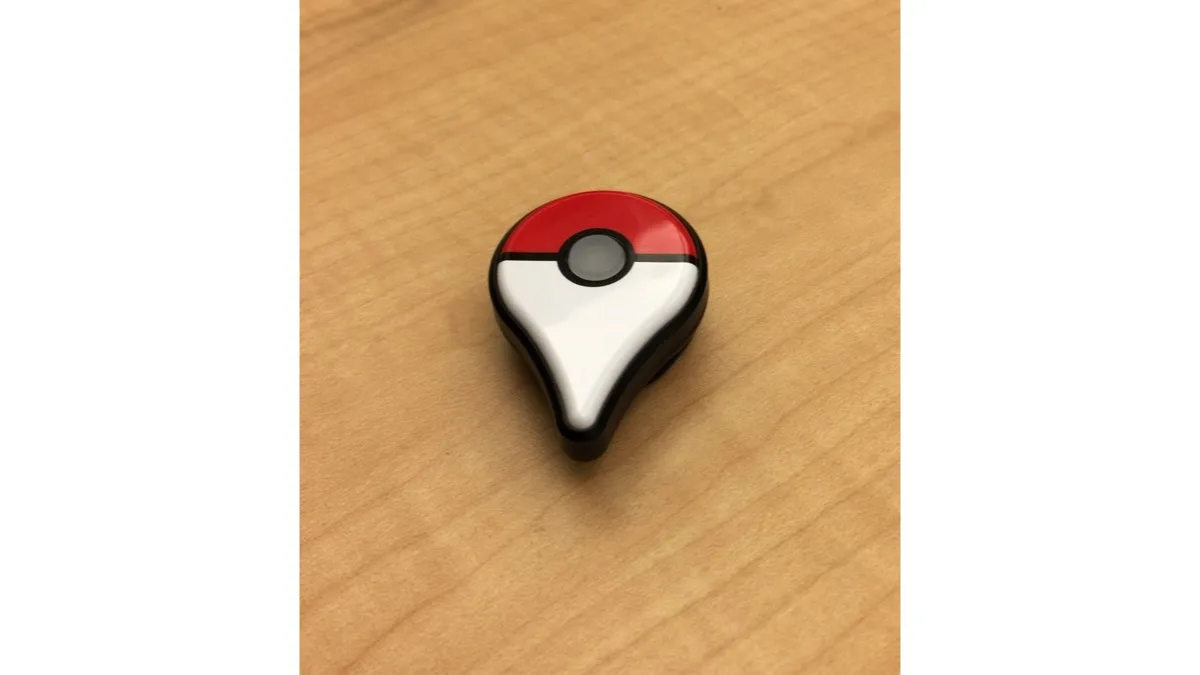
What the Pokemon GO Explorer Gadget actually does
Once activated, the gadget attempts catches and PokeStop spins in the background as you move through the real world. The app does not need to be open, but you do need to actually be walking — it reads movement, not idle time.
There are firm boundaries on what it will throw and at what. Per the game's own announcement, the gadget uses regular Poke Balls only — never Great Balls or Ultra Balls — and it deliberately skips certain encounters, including Pokemon that are not yet registered in your Pokedex and mighty Pokemon. The reasoning is straightforward: those are the encounters you would probably rather handle yourself with a better ball.
You will find it as an icon in the top right of the map view, or in the Key Items section of your Item Bag. It also needs somewhere to put what it collects, so both Pokemon storage space and item bag capacity have to be available before it will work properly.
Who can use it and what the daily limit is
- Level requirement: Trainer level 20 and above.
- Daily limit: catches and PokeStop spins are each capped at a number equal to your current Trainer Level — a level 40 account gets 40 catches and 40 spins, a level 80 account gets 80 of each.
- Sessions: one run per day, though players in the earlier test regions reported being able to pause and resume it within that day.
- Cost: none. It is not a paid item and it is not tied to a subscription.
- Platforms: part of the Pokemon GO app on Android and iOS.
That level-linked cap is the detail worth internalising. It means the feature scales with account progression rather than offering everyone the same allowance, and a lower-level account will exhaust its run considerably faster on a busy street.
How it compares with a Pokemon GO Plus+
The obvious question for anyone who already owns hardware is whether the physical device is now redundant. It is not, but the overlap is real, and the two cannot run at the same time.
You do not have to unpair an accessory such as a Pokemon GO Plus+ to use the Explorer Gadget. However, only one can be active at any given moment, and switching over to the paired accessory while the gadget is running ends that day's gadget session — you do not get to alternate freely and stack the two allowances.
The physical accessories also retain capabilities the in-game item does not replicate, including the sleep-tracking functionality on the Plus+ and the ability to be restarted more than once in a day. What the gadget removes is the barrier to entry: hands-free catching used to require buying something, and now it does not.
Where the rollout stands
Publisher Scopely began testing the feature in a small set of regions at the end of July, including the UK, Germany and the Philippines, before widening it — the United States is among the more recent additions. The official wording is still a phased rollout, and no global availability date has been announced.
That is the honest state of it. If you are level 20 or above and the icon has not appeared on your map view yet, there is nothing to enable or opt into; the feature simply has not reached your account. Anything circulating about a firm worldwide switch-on date is unconfirmed.
Worth knowing before you leave it running
A background feature that tracks movement is a battery feature as much as a gameplay one, and that is the trade-off players in the test regions flagged most often. If your handset already struggles through a long walk, our guide to improving Pixel 10 Pro battery life by disabling Smooth Display covers the single change with the biggest effect on Google's phones, and the same 120Hz principle applies broadly across Android.
Connection quality matters too, since a dropped session is a wasted daily allowance — our walkthrough on fixing lag and high ping in mobile games on Android is the place to start there. And if you are deep enough into the series to want more of it, we have rounded up the best free Pokemon fan games, alongside the news that Pokemon Pokopia has passed five million sales on Switch 2. Players who prefer a controller in hand can also check our tested list of Android games with full gamepad support.
Frequently Asked Questions
Is the Pokemon GO Explorer Gadget free?
Yes. It is a free in-game Key Item that appears in your Item Bag, not a paid purchase and not part of a subscription. You do not need to buy any physical accessory to use it.
What level do you need for the Explorer Gadget?
Trainer level 20 or above. You also need free Pokemon storage space and item bag capacity, otherwise it has nowhere to put what it collects and will stop early.
How many Pokemon can the Explorer Gadget catch per day?
The daily cap is equal to your current Trainer Level for both catches and PokeStop spins. A level 40 account gets 40 catches and 40 spins per day; a level 80 account gets 80 of each. It runs once per day.
Does the Explorer Gadget work with a Pokemon GO Plus+?
You do not need to unpair your accessory, but the two cannot be active at the same time. Switching to the paired accessory while the Explorer Gadget is running ends that day's gadget session, so you cannot combine both daily allowances.
Why don't I have the Explorer Gadget yet?
It is in a phased rollout rather than a global launch. Testing began in a handful of regions including the UK, Germany and the Philippines, with the United States added more recently. There is nothing to enable manually — the feature has simply not reached your account yet, and no worldwide date has been announced.