Mobile Games With Controller Support (2026): 78 Android & iPhone Games by Support Level

The short answer: Dead Cells, GRID Autosport and Stardew Valley have the best controller support of any mobile games in 2026. A pad runs the menus as well as the gameplay, so you never touch the screen. For free games, Call of Duty: Mobile and Fortnite have the most mature support on both Android and iPhone.
This page lists 78 Android and iPhone games with controller support, sorted by genre. Each one has a support level, because a game "supporting" a controller can mean very different things. In some you never touch the screen. In some you tap through menus first. And a few popular games will flag your account if you force a pad on them.
We checked every entry on September 28, 2026. We looked at the live US Google Play and App Store listings, Google Play's own gamepad collection, Apple's Controller Supported badge, and the developer's support pages. We pulled games that have since been removed from the US stores. 22 of the entries are games we played ourselves with an Xbox pad, a DualSense and a USB-C clip-on. Those are marked "Tested".
Quick Answer
- Best overall: Dead Cells, GRID Autosport and Stardew Valley. All three have full controller support, menus included.
- Best free games: Call of Duty: Mobile, Fortnite, Genshin Impact, Asphalt Legends and NBA 2K26 MyTEAM.
- Best FPS with controller support: Call of Duty: Mobile, then Rainbow Six Mobile and Destiny: Rising.
- Do all mobile games support controllers? No. PUBG Mobile, Free Fire, Mobile Legends, Brawl Stars and Delta Force have no native support.
- Do you need an app? No. Android and iOS both pair Xbox and PlayStation controllers over Bluetooth.
- iPhone shortcut: the App Store shows a "Controller Supported" badge on games that declare it. Google Play has no badge.
- Removed from the stores: Real Racing 3 and Warzone Mobile are gone. Rocket League Sideswipe left Google Play in 2024.
Jump to: the 3 support levels · the full 78-game table · shooters · free games · offline games · iPhone and iPad · do all games support controllers? · ban-risk games · connect a controller · fixes
The 3 Levels of Controller Support Nobody Explains
Before you read the table, you need this framework. It is the main reason other controller lists disagree with each other.
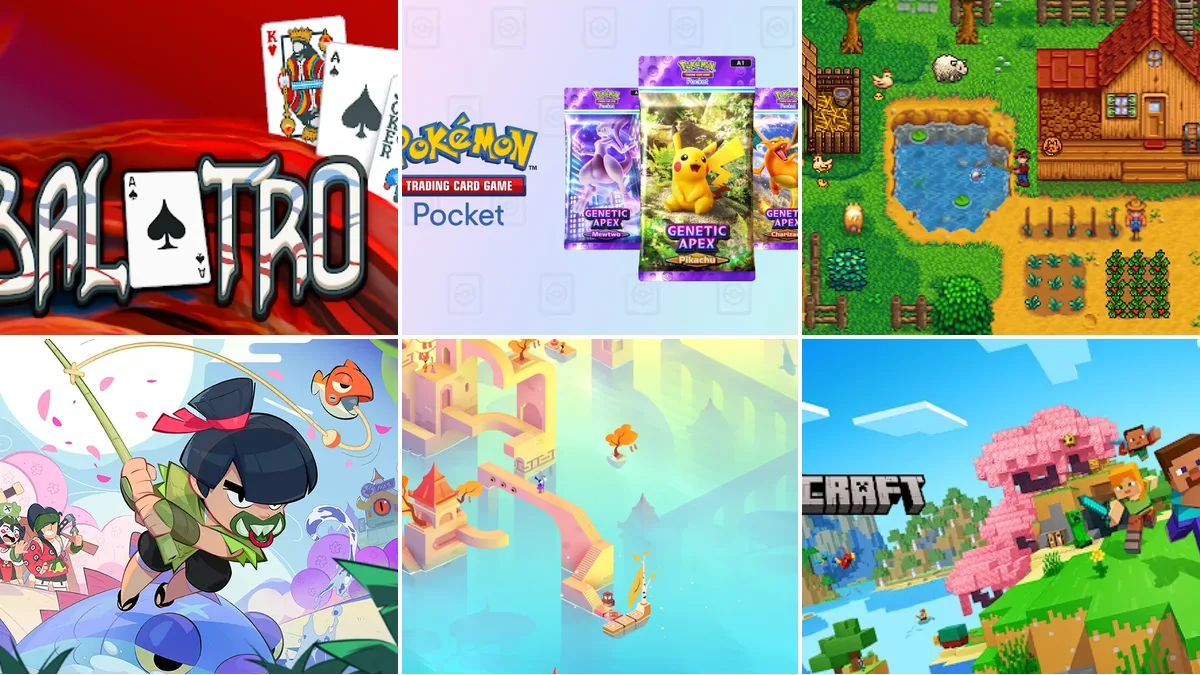
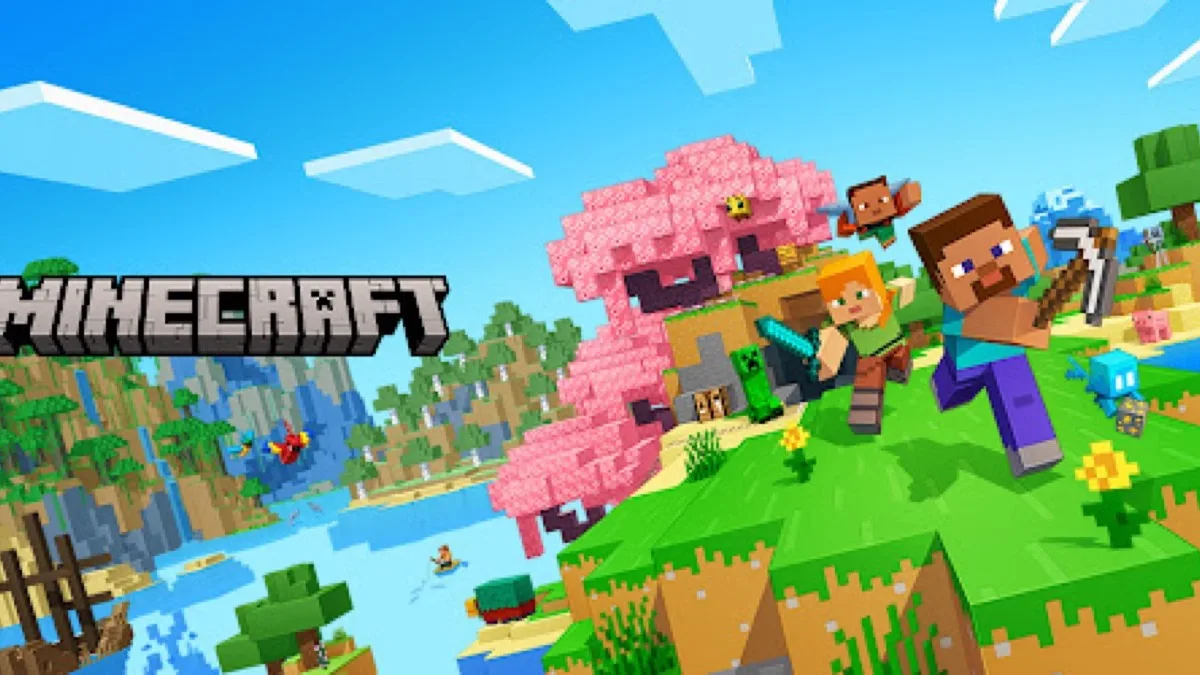
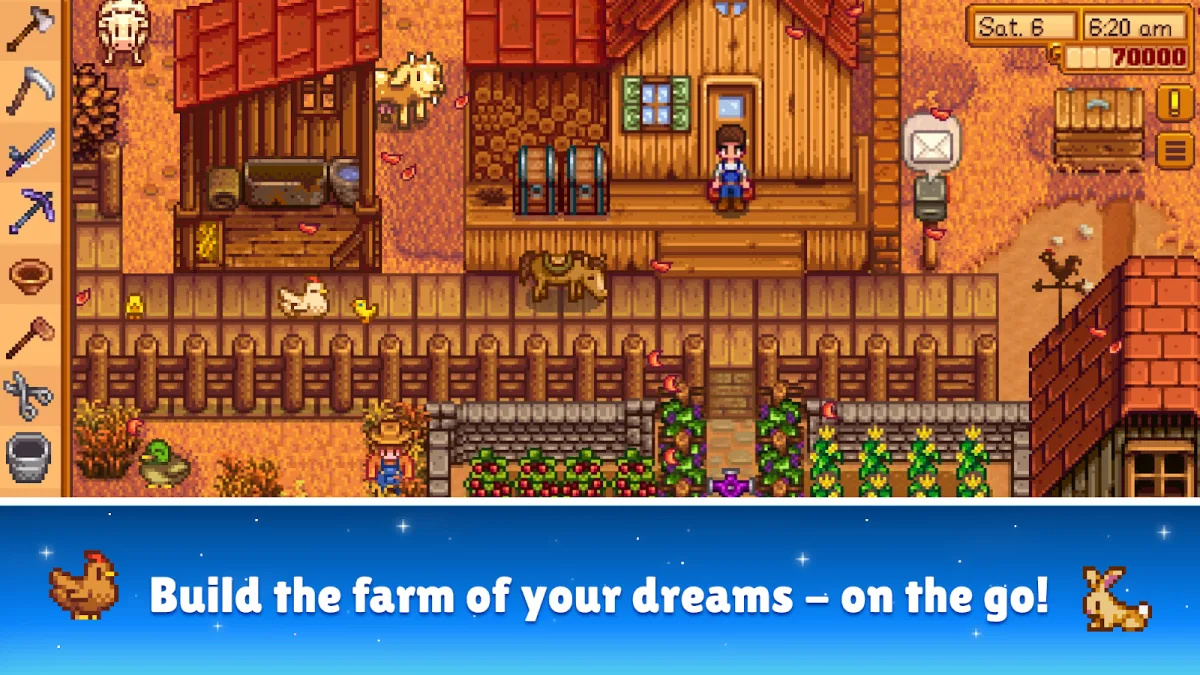
- Full (Tier 1). The controller runs the menus, loadouts, settings and gameplay. You could put the phone on a stand and never touch it. Dead Cells, GRID Autosport, Stardew Valley, Minecraft, Balatro and NBA 2K26 MyTEAM are in this tier. In the table, "Full" means we tested it or the developer says menus work with a pad.
- Gameplay only (Tier 2). The pad controls your character perfectly. You tap the screen for menus, lobbies and the shop. This is the most common tier. Call of Duty: Mobile, Fortnite, Genshin Impact, eFootball and Street Fighter IV CE sit here, and Konami and Capcom both say so on their own pages.
- No native support (Tier 3). The game ignores your pad, so people install key-mapping apps that fake screen touches. Avoid this tier in online games. Mapping apps are exactly what anti-cheat looks for. The games are listed further down.
The table also uses a fourth label, Supported. It means the developer or store listing confirms controller support but does not say whether menus work too. Expect Tier 2 behaviour until you test it. Most games with "Supported" turn out to be playable end to end, but we did not play each one, so we will not claim Tier 1.
Two other things are worth knowing. "Controller supported" on a store listing almost always means Tier 2. And some games, including Genshin Impact, Honkai: Star Rail and Zenless Zone Zero, keep controller mode off until you switch it on in their settings.
All 78 Mobile Games With Controller Support: The Full Table
The table is sorted by genre. On a phone you can scroll it sideways. How to read the platform columns:
- Yes means controller support is confirmed on that platform.
- Yes* means the game is on that US store, but the controller evidence we found comes from its other platform.
- No means the game is not on that store.
Prices are the US Google Play price on September 28, 2026, and iPhone prices can differ by a dollar. "Free to try" means the download is free and the full game is an in-app unlock.
| Game | Genre | Android | iPhone | Support level | Price (US) | Notes |
|---|---|---|---|---|---|---|
| Call of Duty: Mobile | Shooter / FPS | Yes | Yes | Gameplay only | Free | Tested. Pad players matched with pad players |
| Fortnite | Shooter / FPS | Yes | Yes | Gameplay only | Free | Tested. Back on US Google Play since Dec 2025 |
| Rainbow Six Mobile | Shooter / FPS | Yes | Yes | Supported | Free | Play listing confirms controller play |
| Destiny: Rising | Shooter / FPS | Yes | Yes | Supported | Free | First- or third-person view on a pad |
| Blood Strike | Shooter / FPS | Yes | Yes | Gameplay only | Free | Pad support added May 2024 for Battle Royale |
| Farlight 84 | Shooter / FPS | Yes | Yes | Gameplay only | Free | Turn on in Settings, General |
| Warframe | Shooter / FPS | Yes | Yes | Gameplay only | Free | First menus need touch |
| The Division Resurgence | Shooter / FPS | Yes | Yes | Supported | Free | Remappable pad layout (Mar 2026) |
| Shadowgun Legends | Shooter / FPS | Yes | Yes* | Supported | Free | Tested. Listing: gamepads supported |
| Alien: Isolation | Shooter / FPS | Yes | Yes | Supported | Free to try | Full game is an in-app unlock |
| DOOM and DOOM II | Shooter / FPS | Yes | Yes | Supported | $4.99 each | Bethesda lists DualShock 4 and Xbox pads |
| Gunfire Reborn | Shooter / FPS | Yes* | Yes | Gameplay only | $6.99 | Roguelike FPS; PlayStation and Xbox pads |
| Battle Prime | Shooter / FPS | Yes | Yes* | Supported | Free | In Google Play’s gamepad collection |
| Dead Cells | Action / platformer | Yes | Yes | Full | $8.49 | Tested. The best pad feel on this list |
| Blasphemous | Action / platformer | Yes | Yes | Full | $7.99 | Listing: full controller support |
| Castlevania: Symphony of the Night | Action / platformer | Yes | Yes | Supported | $2.99 | Listing: fully compatible with controllers |
| Prince of Persia: The Lost Crown | Action / platformer | Yes | Yes | Supported | Free to try | Full game is an in-app unlock |
| Streets of Rage 4 | Action / platformer | Yes | Yes | Supported | $8.49 | Tested. Beat-’em-up that needs a pad |
| TMNT: Shredder’s Revenge | Action / platformer | Yes | Yes | Supported | Free to try / Netflix | Standalone and Netflix editions |
| Sonic Mania Plus | Action / platformer | Yes | Yes* | Supported | Netflix | Tested. Needs a Netflix plan |
| Grimvalor | Action / platformer | Yes | Yes | Supported | Free to try | Tested. Buttons spaced to stop misfires |
| Oddmar | Action / platformer | Yes | Yes | Supported | Free to try | Tested. First launch needs internet |
| Dandara: Trials of Fear | Action / platformer | Yes | Yes | Supported | $3.99 | Built for touch and gamepad |
| LIMBO | Action / platformer | Yes | Yes | Gameplay only | $3.99 | Playdead: menu pad support still weak |
| Huntdown | Action / platformer | Yes | Yes | Supported | Free to try | 80s run-and-gun; in Play’s gamepad collection |
| HAAK | Action / platformer | Yes* | Yes | Supported | Free to try | Developer confirms Bluetooth and wired pads |
| Magic Rampage | Action / platformer | Yes | Yes | Supported | Free | Pads, joysticks and keyboards |
| Genshin Impact | RPG / open world | Yes | Yes | Gameplay only | Free | Tested. Android since v5.5; enable in settings |
| Zenless Zone Zero | RPG / open world | Yes | Yes | Supported | Free | Switch UI Layout to Controller |
| Wuthering Waves | RPG / open world | Yes | Yes | Supported | Free | Tested. Mobile pads since v1.3 |
| Arknights: Endfield | RPG / open world | Yes | Yes | Full | Free | Pad layout from the login screen; no rumble |
| Diablo Immortal | RPG / open world | Yes | Yes | Supported | Free | Tested. Blizzard publishes a pad list |
| Stardew Valley | RPG / open world | Yes | Yes | Full | $4.99 | Tested on Android. iOS menu quirks reported |
| Terraria | RPG / open world | Yes | Yes | Supported | $4.99 | Fully remappable buttons |
| Minecraft | RPG / open world | Yes | Yes | Full | $6.99 | Tested. Prompts switch to pad icons |
| GTA: San Andreas | RPG / open world | Yes | Yes | Supported | $6.99 | Tested. Classic 2013 port |
| GTA: Vice City | RPG / open world | Yes | Yes* | Supported | $4.99 | Tested. Classic port |
| Red Dead Redemption | RPG / open world | Yes* | Yes | Supported | $39.99 | Full console port; Apple confirms pad play |
| Sea of Stars | RPG / open world | Yes | Yes | Supported | $6.99 | Turn-based RPG; MFi pads on iOS |
| Star Wars: KOTOR | RPG / open world | Yes | Yes | Supported | $9.99 | Listing: full HID controller support |
| Final Fantasy VI | RPG / open world | Yes | Yes | Full | $14.99 | Dedicated gamepad UI |
| Chrono Trigger | RPG / open world | Yes | Yes | Supported | $9.99 | Gamepad support since the 2018 update |
| Sky: Children of the Light | RPG / open world | Yes | Yes | Supported | Free | Some Android pad brands map badly |
| Titan Quest: Legendary Edition | RPG / open world | Yes | Yes | Supported | $21.99 | In Google Play’s gamepad collection |
| Crashlands | RPG / open world | Yes | Yes | Supported | $6.99 | Crafting RPG; most mobile pads |
| Subnautica | RPG / open world | Yes | Yes | Supported | $9.99 | Listing: compatible with controllers |
| DREDGE | RPG / open world | Yes | Yes | Supported | $24.99 | Developer: supports external controllers |
| DYSMANTLE | RPG / open world | Yes | Yes | Supported | $10.99 | Two-pad local co-op |
| GRID Autosport | Racing | Yes | Yes | Full | $9.99 | Tested. The benchmark: no ads, no timers |
| GRID Legends | Racing | Yes | Yes | Full | $14.99 | Tested. Listing: total gamepad support |
| Rush Rally 3 | Racing | Yes | Yes | Supported | $5.99 | Tested. Analog triggers matter |
| Rush Rally Origins | Racing | Yes | Yes | Supported | $5.99 | Top-down rally; free demo on Play |
| Asphalt Legends | Racing | Yes | Yes | Supported | Free | Tested. Turn off TouchDrive |
| CarX Drift Racing 2 | Racing | Yes | Yes | Full | Free | Pad cursor works in menus |
| Wreckfest | Racing | Yes* | Yes | Supported | Paid | Demolition derby; free trial on Play |
| Riptide GP: Renegade | Racing | Yes | Yes* | Supported | $2.99 | Tested. Local split-screen with extra pads |
| Absolute Drift | Racing | Yes | Yes | Supported | $2.99 | Listing: Bluetooth controller support |
| Descenders | Racing | Yes | Yes | Supported | $9.99 | Downhill biking; rumble reported |
| Hill Climb Racing | Racing | Yes | Yes* | Supported | Free | In Google Play’s gamepad collection |
| Rocket League Sideswipe | Racing | Epic store | Yes | Gameplay only | Free | Tested. Off Google Play since Aug 2024 |
| eFootball | Sports | Yes | Yes | Gameplay only | Free | Tested. Konami: matches only, not menus |
| NBA 2K26 MyTEAM | Sports | Yes | Yes | Full | Free | 2K: menus and gameplay |
| Madden NFL 27 Mobile | Sports | Yes | Yes* | Supported | Free | In Google Play’s gamepad collection |
| Madden NFL 27 Arcade Edition | Sports | No | Yes | Supported | Apple Arcade | No ads or in-app purchases |
| NBA 2K26 Arcade Edition | Sports | No | Yes | Supported | Apple Arcade | Controller Supported badge |
| Brawlhalla | Fighting | Yes | Yes* | Supported | Free | Platform fighter; cross-play |
| Street Fighter IV CE | Fighting | Yes | Yes | Gameplay only | Free / $4.99 iOS | Capcom: pads don’t work in menus |
| MARVEL Future Fight | Fighting | Yes | Yes* | Supported | Free | In Google Play’s gamepad collection |
| Balatro | Indie / roguelike / party | Yes | Yes | Full | $9.99 | Button shortcuts for every screen |
| Vampire Survivors | Indie / roguelike / party | Yes | Yes | Supported | Free | Play landscape with a pad |
| Brotato: Premium | Indie / roguelike / party | Yes | Yes* | Supported | $4.99 | In Google Play’s gamepad collection |
| Peglin | Indie / roguelike / party | Yes | Yes* | Supported | Free to try | In Google Play’s gamepad collection |
| Sparklite | Indie / roguelike / party | Yes | Yes | Supported | Free to try | Zelda-style roguelite |
| Soul Knight | Indie / roguelike / party | Yes | Yes | Supported | Free | Pixel dungeon shooter; works offline |
| Among Us | Indie / roguelike / party | Yes | Yes | Supported | Free | Pad support added June 2021 |
| Stumble Guys | Indie / roguelike / party | Yes | Yes | Supported | Free | Rebindable; 4-player local play |
| Hello Kitty Island Adventure | Indie / roguelike / party | No | Yes | Supported | Apple Arcade | Controller Supported badge |
| Roblox | Indie / roguelike / party | Yes | Yes | Varies | Free | Depends on each experience |
Totals: 41 of the 78 games are free or free to try. 11 are confirmed Full support, menus included. The rest are split between gameplay-only and "Supported". Genre breakdown: 13 shooters, 14 action games and platformers, 21 RPGs and open-world games, 12 racing games, 5 sports games, 3 fighting games and 10 indie, roguelike and party games.
Best FPS and Shooting Games With Controller Support
Shooters are where a controller helps most. They are also where developers are most careful about fairness between pad players and touch players.
- Call of Duty: Mobile is still the best FPS with controller support on either platform. Activision's help center lists these as officially supported:
- Xbox One and Series X|S controllers
- DualShock 4 (every version except the first generation)
- DualSense
- Backbone One
- Fortnite is back on both US stores. It returned to the US App Store on May 20, 2025 and to US Google Play on December 11, 2025. The worldwide Google Play relaunch followed on March 19, 2026, and we checked the US Play listing live on September 28. Bluetooth pad support dates back to 2019. Epic's own help pages say external devices like controllers will not get you banned.
- Rainbow Six Mobile and Destiny: Rising are the two newest big shooters. Both say "controller" in their store listings, and Destiny: Rising has Apple's Controller Supported badge.
- Blood Strike and Farlight 84 added pads later. Both work in battle royale matches, and both have rough edges. Farlight 84's controller option sits under Settings, then General, and players say button prompts are missing.
- Warframe and The Division Resurgence are the two big looter-shooters. Warframe needs touch on its first menus and terms screen. The Division added a remappable pad layout in March 2026.
- For single-player games with no online pressure, try Alien: Isolation, DOOM and DOOM II. They are full console-era campaigns and play well offline.
Two big names are missing from the shooter list on purpose. Call of Duty: Warzone Mobile left the stores in May 2025, and its servers shut down in April 2026. Apex Legends Mobile closed in 2023, yet some controller lists still recommend it. For shooters beyond the controller-friendly ones, see our 42 best FPS games for Android and best battle royale games.
Action, Platformers and Metroidvanias
This is the genre where touch controls hurt the most, so it has the most Tier 1 experiences.
- Dead Cells is still the best pad-on-phone experience we tested. It is precise and fast, and touch controls hold it back. The store listing says "MFi external controller support", but DualSense and Xbox pads work too.
- Blasphemous and Castlevania: Symphony of the Night are the two best metroidvanias here. Their Play listings say "full controller support" and "fully compatible with game controllers".
- Prince of Persia: The Lost Crown is one of the biggest console ports of the last two years. It is free to try, and you unlock the rest in-app.
- For beat-'em-ups, Streets of Rage 4 and TMNT: Shredder's Revenge are made for a d-pad and buttons. TMNT has a standalone paid version and a Netflix edition that is free with a subscription.
- LIMBO is a Tier 2 example. Playdead's own Android FAQ admits controller support inside the menu still needs work.
- Oddmar, Grimvalor and Sonic Mania Plus are from our original hands-on test and still hold up. Sonic Mania Plus needs a Netflix plan.
RPGs and Open-World Games
- Genshin Impact got Android controller support in version 5.5 on March 26, 2025, more than four years after iOS. It is off by default, so turn it on in the game's settings. Requirements:
- PS5 DualSense: Android 12 or newer
- DualShock 4: Android 10 or newer
- Xbox controllers: Android 9 or newer
- Zenless Zone Zero supports pads on Android and iPhone from launch. Go to Options, then Input, and switch UI Layout to Controller.
- Wuthering Waves added mobile pad support in version 1.3. The official list is DualSense, DualShock 4 and Xbox Series controllers.
- Arknights: Endfield is one of the few free gacha games with Tier 1 support. Its official controller FAQ says the interface switches to a controller layout from the login screen. It also notes that rumble does not work on mobile.
- Honkai: Star Rail is the exception. Controller mode reached iPhone and iPad in version 1.2 (July 2023). We found no official HoYoverse announcement of native Android support, so it is not in the Android column.
- For long premium RPGs, these ports all play fully on a pad:
- Final Fantasy VI, which has its own gamepad interface
- Chrono Trigger
- Star Wars: KOTOR
- Sea of Stars
- Titan Quest: Legendary Edition
- For open-world and sandbox games, try Minecraft, Terraria, Subnautica, Red Dead Redemption and the classic GTA ports. Red Dead Redemption is the full console game at $39.99. Note that the original GTA III port is no longer on Google Play, so it is off this list.
Want more big worlds? Our best open world mobile games list covers more than this table.
Racing and Driving Games
- GRID Autosport is still the benchmark. It is a full console racing sim for $9.99, with no ads and no energy timers. It is Tier 1, menus included.
- GRID Legends is the newer sibling. Its listing promises "total gamepad support".
- Rush Rally 3 and Rush Rally Origins are rally games where analog triggers change your lap times.
- CarX Drift Racing 2 is the best free option for a Tier 1 feel. Its patch notes added a controller cursor for the menus.
- Asphalt Legends (formerly Asphalt 9) is in Google Play's gamepad collection and has the iOS Controller Supported badge. Switch off TouchDrive or the game steers for you, which is the most common complaint from pad players.
- Rocket League Sideswipe left Google Play worldwide on August 23, 2024. On Android you now install it through the Epic Games Store. It is still on the US App Store.
- Real Racing 3 was pulled from the stores in December 2025, and its servers closed in March 2026. It appeared in our original list and in plenty of others, so we removed it.
For racing games more broadly, see our best racing games for Android.
Sports and Fighting Games
- eFootball is officially Tier 2. Konami's controls page says pads work only in matches, not in menus, and not in some lower-division AI matches.
- NBA 2K26 MyTEAM is the opposite. 2K's FAQ says DualSense, Xbox and other compatible Bluetooth pads work in menus and gameplay.
- On iPhone, Madden NFL 27 Arcade Edition and NBA 2K26 Arcade Edition are Apple Arcade versions with no ads or in-app purchases. Both play with a controller. The free Madden NFL 27 Mobile is in Google Play's gamepad collection.
- Brawlhalla is the best free fighting game with controller support. It is in Google Play's gamepad collection.
- Street Fighter IV CE is the textbook Tier 2 game. Capcom's listing says controllers work in single-player and multiplayer fights but not in menus.
- EA SPORTS FC Mobile and Mortal Kombat have no official controller support. That is why they are not in the table.
Indie, Roguelike and Party Games
- Balatro is Tier 1. Every screen, including the shop and card tabs, has a button shortcut, and the iOS version has the Controller Supported badge.
- Vampire Survivors is free, and it gets much better on a pad in landscape mode.
- Brotato: Premium and Peglin are both in Google Play's gamepad collection.
- Among Us added controller support in its June 2021 update.
- Stumble Guys has rebindable pad controls and four-player local play with controllers.
- Roblox is labelled "Varies". The Roblox app accepts Xbox and PlayStation pads on phones, but each experience's developer decides whether their game supports them. Some work perfectly on a pad and some ignore it.
Free Mobile Games With Controller Support
If you want to try a controller without paying for a game, start with these. All are free to download on both platforms unless noted.
- Shooters: Call of Duty: Mobile, Fortnite, Rainbow Six Mobile, Destiny: Rising, Blood Strike, Warframe, The Division Resurgence, Shadowgun Legends
- RPG and open world: Genshin Impact, Zenless Zone Zero, Wuthering Waves, Arknights: Endfield, Diablo Immortal, Sky: Children of the Light
- Racing and sports: Asphalt Legends, CarX Drift Racing 2, Hill Climb Racing, eFootball, NBA 2K26 MyTEAM, Madden NFL 27 Mobile
- Everything else: Brawlhalla, Vampire Survivors, Among Us, Stumble Guys, Magic Rampage, Soul Knight and Roblox (varies by experience)
The best free Tier 1 experiences are Arknights: Endfield, CarX Drift Racing 2 and NBA 2K26 MyTEAM. In each one a pad handles the menus too. Several paid games, including Prince of Persia: The Lost Crown, Alien: Isolation and Grimvalor, are free to try, so you can test the controls before you pay.
Offline Games With Controller Support
Premium single-player games are the safest choice for flights and commutes. After the first download, and in some cases a first launch, these play without a connection:
- Action: Dead Cells, Blasphemous, Castlevania: SotN, Streets of Rage 4, Dandara, LIMBO
- RPG: Stardew Valley, Terraria, Final Fantasy VI, Chrono Trigger, Star Wars: KOTOR, Sea of Stars, Subnautica
- Racing: GRID Autosport, GRID Legends, Rush Rally 3
- Shooters and roguelikes: DOOM, DOOM II, Alien: Isolation, Balatro, Vampire Survivors
Free-to-play games like Call of Duty: Mobile, Genshin Impact and eFootball need a connection. See our best offline Android games and offline RPGs for more.
iPhone and iPad: How Controller Support Works on iOS
iPhone owners have a real advantage here: the App Store tells you.
- The badge. A game that declares controller support shows a "Controller Supported" badge near the top of its App Store page. A "Supports" section lower down repeats it and mentions PlayStation, Xbox and MFi controllers. Apple says controller support is listed on a game's product page when it is compatible.
- Missing badges. The badge only appears if the developer turns it on. Some games that work fine with a pad have no badge, including Fortnite, Dead Cells and CarX Drift Racing 2. So a badge is proof, but no badge does not mean no support.
- The Games app. Apple's Games app, added in iOS 26, can filter your library and Apple Arcade by controller support.
- Apple Arcade. These are subscription games with no ads or in-app purchases, and many are built for controllers. Madden NFL 27 Arcade Edition, NBA 2K26 Arcade Edition and Hello Kitty Island Adventure are in our table. Arcade games use the same Controller Supported badge.
- Compatible pads. iOS works with Xbox Wireless, DualShock 4 and DualSense controllers, plus MFi and Backbone-style clip-ons.
The iPhone and Android versions of the same game do not always match. Genshin Impact had iOS controller support about four years before Android got it. Honkai: Star Rail still has official controller mode only on iPhone and iPad.
Do All Mobile Games Support Controllers?
No. Most mobile games are designed for touch. Several of the biggest free games deliberately leave controllers out to keep competitive matches fair. We checked the popular ones people ask about most:
| Game | Native controller support? | What we found (Sept 2026) |
|---|---|---|
| Mobile Legends: Bang Bang | No | No official support; mapping apps only |
| PUBG Mobile | No | No official support; mapping apps risk a ban |
| Free Fire | No | No official support |
| Delta Force (mobile) | No | Developer says no, for fairness; PC only |
| Brawl Stars | No | No controller setting in the game |
| Pokémon UNITE | No | Controllers only on the Switch version |
| EA SPORTS FC Mobile | No | Not supported |
| Slay the Spire | No | Pad support left out of the mobile port |
| Honkai: Star Rail | iPhone only | iOS since v1.2; no official Android support |
| Roblox | Varies | App accepts pads; each experience decides |
| Genshin Impact | Yes | Android since v5.5; off by default |
| Call of Duty: Mobile | Yes | Official, gameplay only |
| Fortnite | Yes | Official on Android and iPhone |
| Minecraft | Yes | Official, full interface |
Does Mobile Legends have controller support? No. Moonton has never added native gamepad support to Mobile Legends: Bang Bang. The US Play Store version is "Mobile Legends: Bang Bang.US", and it is built around the virtual joystick. Players who use a pad do it through button-mapping apps, which Moonton does not support.
Which controllers work? On Android 12 and newer, and on iOS 14.5 and newer, these connect over Bluetooth like any accessory:
- Xbox Wireless controller
- PS5 DualSense
- PS4 DualShock 4
- Most Bluetooth pads sold as Android or MFi-compatible
If a game supports controllers at all, it will almost always accept these. The exceptions are games like Call of Duty: Mobile, Genshin Impact and Wuthering Waves, which publish short "officially supported" lists. Other pads usually work but are not guaranteed.
What about vibration? Controller rumble in mobile games is rare. The phone passes rumble to the pad only if the game sends it. Descenders is one game with rumble reported. Arknights: Endfield's own FAQ says vibration is not supported on mobile. DualSense adaptive triggers essentially never work in mobile games. Treat rumble as a bonus, not a reason to buy.
Games Where a Controller Can Get You Banned
Most "best controller games" lists leave this section out, and it is the one that can cost you an account.
PUBG Mobile does not officially support gamepads. Its Indian version, BGMI, is the same. Because there is no native support, players use key-mapping apps such as Panda Gamepad Pro to fake touch input. Krafton's anti-cheat looks for input that does not behave like a human finger: too consistent, too precise, or with the wrong timing. Detected accounts get pushed into separate matchmaking or banned outright.
Free Fire, Delta Force and most other mobile battle royales take the same line. Delta Force's developer has said publicly that it keeps controllers off mobile to keep play fair. If a game does not show controller options in its own settings menu, treat a pad as a risk, not a feature.
If you want better control in PUBG Mobile, there are two safer options:
- Physical trigger clips. These small mechanical buttons clamp on and physically press your screen. There is no software involved, so there is nothing to detect.
- Play on PC through the official emulator. There, controller input is native and expected. Our tested Android emulator guide covers which emulators carry ban risk and which do not.
If lag is the real problem, our mobile gaming lag fix guide will do more for your K/D than any accessory.
How to Find Controller-Compatible Games Yourself
Games get updated and removed all the time, so here is how to check any game yourself. The basic problem on Android is that Google Play does not require developers to declare gamepad support. There is no filter and no badge.
- Use Google Play's gamepad collection. Google curates a page called "Great games you can play with a gamepad". It includes Brawlhalla, Stardew Valley, Asphalt Legends, Diablo Immortal, Titan Quest, Madden NFL 27 Mobile and Brotato. It is hand-picked rather than complete, and it is the only first-party list on Android.
- On iPhone, look for the badge. The App Store's Controller Supported badge is the best signal on either platform.
- Read the store description, not the reviews. Studios that built real support almost always say so, usually near the end or in the "What's new" notes. If the description says nothing, there is usually no support.
- Check itch.io's input filters. Indie developers there tag Xbox controller input properly, and you can combine that tag with the Android platform filter.
- Do the 30-second in-game test. Pair your pad, launch the game and watch the on-screen button prompts. If they switch from touch icons to A/B/X/Y or triangle/circle icons, support is real. If nothing changes, it is not.
One warning. Tools that promise to "add controller support to any game" work by mapping buttons onto fake touches. That is fine in an offline single-player game. In any online game it is exactly what anti-cheat is built to catch.
How to Connect a Controller to Android or iPhone
Neither Android nor iOS needs an app for this.
Xbox Wireless Controller
- Hold the Xbox button to turn the controller on.
- Hold the small pair button on the top edge until the Xbox logo flashes fast.
- On Android, go to Settings → Connected devices → Pair new device. On iPhone, go to Settings → Bluetooth. Then tap Xbox Wireless Controller.
Works on Android 9 and newer and on current iOS versions.
PS5 DualSense / PS4 DualShock 4
- With the pad off, hold PS + Create (DualSense) or PS + Share (DualShock 4) until the light bar flashes.
- Pair it from Bluetooth settings like any other accessory.
Native DualSense pairing arrived in Android 12, so on Android 11 and older your results will be patchy. For lag, USB-C, Sony’s pairing slots and accessibility delay, use our full PS5 controller on Android guide.
Clip-on USB-C controllers (Backbone One, Razer Kishi)
These plug into your USB-C port, or the Lightning port on older iPhones, and the phone treats them as a wired gamepad. There is no pairing at all. The trade-offs are below.
Bluetooth Pad vs Clip-On Controller: Are Mobile Controllers Worth It?
People assume the clip-on is always better. It is not.
| Bluetooth pad (Xbox / DualSense) | Clip-on USB-C (Backbone, Kishi) | |
|---|---|---|
| Input lag | Slightly higher | Lowest; it is wired |
| Compatibility | Recognized by nearly every game | Occasionally seen as an unknown device |
| Phone battery | Barely affected | Drains faster; blocks the charge port on some models |
| Portability | Needs a separate phone stand | All-in-one and pocketable |
| Cost | You may already own one | Extra purchase |
One catch: Genshin Impact officially supports only PlayStation and Xbox controllers. USB-C clip-ons often work anyway, but they are outside the supported list, so if a game update breaks them you have no recourse.
So are mobile controllers worth it? Yes, if you play any of the Tier 1 or Tier 2 games above for more than a few minutes at a time. Start with the Xbox or PlayStation pad you already own and a $10 phone clip. Buy a Backbone-style controller only if you play on trains and buses, where an all-in-one device matters. Pair it with a phone that can hold frame rates; our best gaming phones in the US guide covers that.
Controller Not Working? 5 Quick Fixes
- The game is in a touch-only menu. Tier 2 games need you to tap into the match first. Nine times out of ten, this is the whole problem.
- Support is switched off by default. Genshin Impact, Honkai: Star Rail, Zenless Zone Zero and Farlight 84 need controller mode turned on in the game's own settings, not Android's or iOS's.
- The pad is still paired to the console. A DualSense connected to a PS5 will not talk to your phone. Put it back in pairing mode and pair it again.
- Android is too old. A DualSense wants Android 12 or newer, a DualShock 4 Android 10 or newer, and Xbox pads Android 9 or newer.
- Battery saver is throttling Bluetooth. Turn off aggressive battery optimization for the game. While you are there, turn on Android's Game Mode for it.
How We Built and Checked This List
This list comes from two rounds of work.
The hands-on round (July 2026). We paired an Xbox Wireless Controller, a PS5 DualSense and a USB-C clip-on to an Android phone. Then we played a real session in each of our original games. For each game we checked four things:
- Does the pad control the menus, or only the gameplay? That sets the tier.
- Do the buttons map sensibly out of the box?
- Do the on-screen prompts switch to controller icons?
- Does the developer document the support?
The 22 entries from that test that are still on sale are marked "Tested" in the table.
The verification round (September 28, 2026). We did not play the other games for this update, and we have not claimed we did. For each one we confirmed controller support from at least one of these:
- The live US Google Play listing text
- Google Play's curated gamepad collection
- Apple's Controller Supported badge or the App Store listing text
- The developer's own support page, FAQ or patch notes
We then checked that every Android game still loads on the US Google Play Store, against a known-good control listing. That check caught three removals from our original list: Real Racing 3, Rocket League Sideswipe and the original GTA III port. We dropped games that controller lists often recommend but that are gone or unverifiable, including Apex Legends Mobile, Warzone Mobile and Hades, which left Netflix on July 1, 2025. Games that need a key-mapping app to use a pad at all are excluded and covered in the ban-risk section instead.
Bottom Line
If you want one game to show you what a controller can do on a phone, get Dead Cells or GRID Autosport. Both are Tier 1 and paid once with no ads. On iPhone, look for the Controller Supported badge before you buy anything.
If you want free, start with Call of Duty: Mobile, Fortnite or Arknights: Endfield. And do not bolt a mapping app onto PUBG Mobile, Free Fire or Mobile Legends to force a pad on them.
Your next step: pair the controller you already own using the steps above, then install one Tier 1 game from the table tonight. If you want more pad-friendly picks by genre, our best Android MMORPGs, metroidvania games for Android (eight of the 15 picks list controller support) and multiplayer games to play with friends are good next stops.
Frequently Asked Questions
What are the best Android games with controller support?
Dead Cells, GRID Autosport and Stardew Valley have the best controller support on Android because a pad runs both the menus and the gameplay. Among free games, Call of Duty: Mobile, Fortnite, Arknights: Endfield, CarX Drift Racing 2 and NBA 2K26 MyTEAM are the strongest. All of them also support controllers on iPhone.
Do all mobile games support controllers?
No. Most mobile games are built for touch, and several of the biggest free games leave controllers out on purpose. PUBG Mobile, Free Fire, Mobile Legends: Bang Bang, Brawl Stars, Delta Force and EA SPORTS FC Mobile have no native controller support as of September 2026. Roblox accepts controllers, but support depends on each experience.
Can you play mobile games with a controller?
Yes, in any game that supports it. Android and iOS both pair Xbox Wireless, PS5 DualSense and PS4 DualShock 4 controllers over Bluetooth with no extra app, and clip-on controllers like the Backbone One plug straight into the phone. In many games the controller works during gameplay but you still tap the screen for menus.
What free mobile games support controllers?
Call of Duty: Mobile, Fortnite, Rainbow Six Mobile, Destiny: Rising, Warframe, Genshin Impact, Zenless Zone Zero, Wuthering Waves, Arknights: Endfield, Diablo Immortal, Asphalt Legends, CarX Drift Racing 2, eFootball, NBA 2K26 MyTEAM, Brawlhalla, Vampire Survivors, Among Us and Stumble Guys are all free and support controllers on Android and iPhone.
What mobile games support Xbox, PS5 and PS4 controllers?
Every game with native controller support accepts Xbox Wireless, DualSense and DualShock 4 pads, because Android and iOS handle them as standard gamepads. Call of Duty: Mobile, Genshin Impact, Zenless Zone Zero and Wuthering Waves list them as officially supported. PlayStation pads need Android 12 or newer (DualShock 4 works from Android 10 in Genshin), and Xbox pads need Android 9 or newer.
What are the best FPS mobile games with controller support?
Call of Duty: Mobile is the best FPS with controller support, and it matches controller players against each other. Fortnite, Rainbow Six Mobile, Destiny: Rising, Blood Strike and Farlight 84 also support pads for free. For single-player shooters, DOOM, DOOM II and Alien: Isolation are full console-era campaigns that play well on a controller.
Does Mobile Legends have controller support?
No. Mobile Legends: Bang Bang has no native controller support. It is built around a virtual joystick and skill buttons, and players who use a gamepad rely on third-party button-mapping apps, which Moonton does not officially support.
Can you use a controller in PUBG Mobile?
PUBG Mobile and BGMI do not officially support gamepads. Players who force it use key-mapping apps, and those are a primary target for Krafton's anti-cheat, which analyses whether input behaves like a real finger. Detected accounts face segregated matchmaking or bans. Physical trigger clips or the official PC emulator are the safer options.
Does Genshin Impact support controllers on Android?
Yes. Genshin Impact added Android controller support in version 5.5 on March 26, 2025, more than four years after iOS got it. Support is off by default, so enable it in the game's settings. DualSense needs Android 12 or newer, DualShock 4 needs Android 10 or newer and Xbox controllers need Android 9 or newer.
How do I know if a mobile game supports a controller?
On iPhone, check the App Store listing for the Controller Supported badge, though some games that work with pads, including Fortnite, do not show it. On Android there is no badge, so use Google Play's curated gamepad collection, read the store description, or pair your pad and see whether the on-screen prompts switch to A/B/X/Y or PlayStation button icons.
Are mobile controllers worth it?
Yes, if you regularly play shooters, racing games, platformers or console ports, where a pad is more precise than touch. Start with an Xbox or PlayStation controller you already own and a cheap phone clip. A clip-on controller like the Backbone One has lower lag and is more portable, but costs more and can block the charging port.