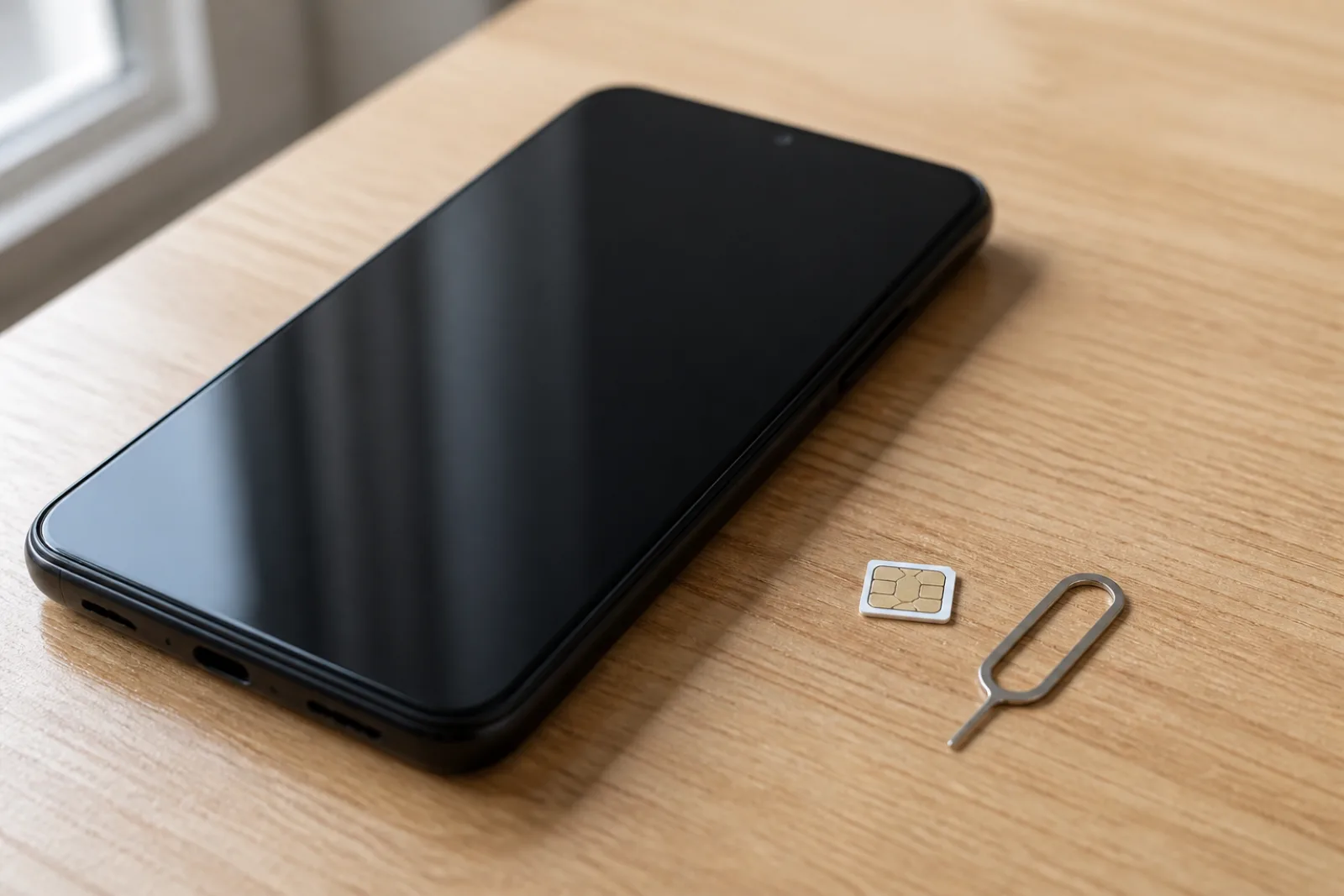
Android Not Receiving Texts From iPhone? How to Fix It

If your Android phone isn't getting texts from iPhones, the usual cause is that your number is still registered with Apple's iMessage, so iPhones keep sending blue-bubble messages that never leave Apple's network. Turn off iMessage on your old iPhone or use Apple's free Deregister iMessage page, then check that RCS chats show "Connected" in Google Messages and that group MMS is turned on. If you never owned an iPhone, skip to the RCS, group text, and carrier checks below.
Also in this topic: Android Guides hub.
Jump to: find your problem · deregister iMessage · check RCS · iPhone settings · group texts · Samsung Galaxy · new Android phone · carrier checks · encryption · FAQ
How we put this together: Every step and setting name below comes from Apple's, Google's, Samsung's, and Verizon's own support pages, linked in place and rechecked on October 18, 2026. We haven't tried each fix on every phone and carrier, so a menu on your phone may be worded a little differently.
Why Isn't My Android Getting Texts From iPhones?
Match what you're seeing to the most likely cause. The pattern matters: if texts from other Android phones arrive fine and only iPhone texts go missing, the problem is usually on Apple's side (iMessage) or with group MMS, not your phone.
| What you're seeing | Most likely cause | Fix |
|---|---|---|
| You recently switched from an iPhone, and no iPhone texts arrive | Your number is still registered with iMessage | Deregister iMessage |
| Your iPhone friends see blue bubbles when they text you | Same: their iPhone thinks you're still on iMessage | Deregister iMessage, then have them start a new chat |
| One-on-one texts arrive, but group texts with iPhones don't | Group MMS is off, or mobile data is off | Group text fixes |
| Texts stopped after you moved to a new Android phone or messaging app | RCS is still active on your old phone or old app | Turn off RCS on the old device |
| Google Messages says "Trouble connecting" or "Not supported" | RCS verification or carrier problem | Check RCS status |
| No texts at all, from anyone | Signal, SIM, plan, or default app problem | Carrier and network checks |
Switched From iPhone? Deregister iMessage First
Deregistering iMessage tells Apple's servers that your number no longer belongs to an iPhone, so iPhones go back to sending you RCS or regular SMS/MMS texts. Google's own switching guide warns that if you skip this, your messages can keep going to your old iPhone instead of your new phone.
If you still have the old iPhone
Apple's deregister help page lists these steps:
- If you've moved your SIM card to the Android phone, put it back in the iPhone.
- Make sure the iPhone is connected to cellular data.
- Open Settings → Apps → Messages and turn off iMessage.
- Go back to Settings → Apps → FaceTime and turn off FaceTime.
Then move the SIM back to your Android phone. Don't skip the FaceTime step, since Apple lists it as part of deregistering.
If you don't have the iPhone anymore
- On any browser, open Apple's Deregister iMessage page and scroll to "No longer have your iPhone?"
- Enter your phone number and type the characters from the image.
- Apple texts a 6-digit confirmation code to that number, which now rings on your Android phone. Apple says this text is free.
- Enter the code to confirm.
Apple says you should start getting texts right away, but some Apple devices can take a few hours to notice you've left iMessage. Messages sent to your Apple Account email still go to any iPad or Mac you're signed in to. Only texts to your phone number come to the Android phone.
Still have an iPad or Mac? Check that your phone number isn't selected there. On an iPad, Apple's Messages troubleshooting page puts it under Settings → Apps → Messages → Send & Receive.
Check That RCS Chats Are Connected in Google Messages
RCS (Rich Communication Services) is the modern texting standard that replaces SMS and MMS, adding typing indicators, read receipts, and full-quality photos. iPhones running iOS 18 or later can use it with Android phones, so chats with iPhone friends can run over it when both phones have it turned on. To check yours, open Google Messages, tap your profile picture or initial, then Messages settings → RCS chats, and read the status line.
Here's what each status means, according to Google's RCS help page:
- Connected: RCS is working. Your problem is elsewhere.
- Connecting: Google is still verifying your number. Wait.
- Trouble connecting. Awaiting retry: verification is stuck. If it lasts more than 30 minutes, Google says there's a problem verifying your number. Look for a Verify your number option on the same screen and make sure you can receive regular SMS, since Google sends the code by text. If you moved to a new Galaxy with Smart Switch, see our guide to Google Messages error 3100 after Smart Switch.
- Not supported: RCS isn't available on your carrier or connection. You'll still get iPhone texts as SMS and MMS.
On the same screen, keep Automatically resend as text (SMS/MMS) turned on, so a message that can't go over RCS still gets delivered. And if your phone has two SIMs, Google's RCS FAQ says the SIM you use for calls should also be the one set for mobile data.
Don't flip RCS off and on just to see if it helps. Some troubleshooting guides suggest it, but Google's help page says turning RCS chats off and on removes you from your group chats. Save that step for the cases Google lists: you moved to a new phone, switched messaging apps, or lost your phone.
Settings to Check on the iPhone That's Texting You
Sometimes the fix is on your friend's iPhone. Ask them to open Settings → Apps → Messages and check three switches:
- Send as Text Message: lets the iPhone fall back to a regular text when iMessage can't reach you. Apple's troubleshooting page also says it's needed for group MMS. Some older guides call it "Resend as Text Message" and point to Settings → Messages, but since iOS 18 Messages sits under Settings → Apps.
- MMS Messaging and Group Messaging: needed for photos and group texts with Android phones. Apple says that if Send as Text Message or Group Messaging is missing, their carrier might not support the feature.
- RCS Messaging: needs iOS 18 or later and a carrier that supports RCS on iPhone, per Apple's RCS help page. If the switch doesn't appear, RCS isn't available on their plan.
Your friend can also see which type of text their iPhone is sending. Verizon's RCS FAQ explains that the typing field shows "Text Message • SMS" or "Text Message • RCS" for green-bubble chats. If your chat on their phone still shows blue bubbles, their iPhone is still trying iMessage, so go back to the deregister step. If it's still blue a few hours after that, have them start a new conversation with you.
If one of their messages shows a red exclamation point and "Not Delivered," Apple says to tap it, then tap Send as Text Message.
Group Texts From iPhones Not Coming Through
Group texts with iPhones need a few extra settings, because a mixed iPhone and Android group falls back to MMS unless everyone in it has RCS working. Google's RCS troubleshooting page says everyone in a group must have RCS turned on for the group to use it. Check these in order:
- Turn on group MMS. In Google Messages, tap your profile picture, then Messages settings → Advanced → Group messaging, and pick Send an MMS reply to all recipients (group MMS). Per Google's sending and receiving help page, the "mass text" option splits replies into separate one-on-one chats, which looks like missing messages.
- Leave mobile data on, even on Wi-Fi. Google says MMS needs a data connection, and Samsung's US community moderators advise keeping mobile data on for group texts even when you're connected to Wi-Fi.
- Start a new group. If you were in iMessage groups before switching, Google says to start a new group chat (or ask a friend to). The old iMessage group won't reach your Android phone.
- Reset your APN to default. Google lists this as an MMS fix. If you're on AT&T or T-Mobile, our AT&T APN settings and T-Mobile APN settings guides have the exact values.
On a Samsung Galaxy: Move Off Samsung Messages
If your Galaxy phone still uses Samsung Messages, switch to Google Messages. Samsung's US support page now says Samsung Messages "is no longer supported on Galaxy devices running Android 12 or higher" and recommends Google Messages instead. Many texting guides still give Samsung Messages menu paths without mentioning this.
- Install or update Google Messages from the Play Store.
- Open it and tap Set as default when asked. Or go to Settings → Apps → Choose default apps → SMS app and pick Google Messages, as Samsung's default app guide shows.
- Check RCS status in Google Messages, as covered above.
One catch from Google's help page: if you change messaging apps and stop receiving messages, you may need to turn off RCS chats. The next section covers how to do that, even without the old phone.
New Android Phone? Your Old One May Still Have RCS
If texts went missing after an Android-to-Android upgrade, RCS may still be registered to your old phone. Google's deactivation page says you may need to turn RCS off on your previous device. If you still have the old phone, open Google Messages on it and turn off RCS chats under Messages settings → RCS chats before you wipe it.
If the old phone is gone, use Google's RCS deactivation page. Enter your number, then type the 6-digit code Google texts you, and RCS on the old device is switched off. Two details from that page are worth knowing. Google says SMS charges may apply for the code. And you'll be removed from all RCS group chats if RCS isn't turned back on within 30 days, so turn RCS on in Google Messages on your new phone afterward.
The page also covers switching away from Android. If you've moved to an iPhone and your Android friends' texts aren't reaching you, it's Google's version of deregistering iMessage.
Carrier and Network Checks
If no texts are arriving at all, from iPhones or anyone else, start with the basics Google lists on its messaging help page:
- Airplane mode is off and you have signal.
- Your SIM is seated properly, or your eSIM line is turned on.
- Google Messages is your default texting app and is up to date.
- Your plan or prepaid balance covers texting.
- The contact's number is right. Google suggests deleting and re-adding the contact, and adding the +1 country code for US numbers if needed.
- You haven't blocked the number by accident. Also check the Spam & blocked folder in Google Messages, where reported and blocked conversations end up. If you've been fighting robocalls, our guide to stopping spam calls on Android explains what each block setting actually blocks.
Does the iPhone owner's carrier support RCS? Apple's US carrier features page (dated September 15, 2026) lists RCS support for AT&T, T-Mobile, Verizon, and many prepaid brands, including Cricket, Metro by T-Mobile, Mint Mobile, Visible, Boost Mobile, US Cellular, and Xfinity Mobile. Some smaller carriers on the same page, such as Ting, Credo Mobile, Optimum Mobile, and Simple Mobile, have no RCS listing. Texts from those iPhones arrive as SMS and MMS, which works fine as long as your MMS settings are right.
If everything above checks out and texts still don't arrive, call your carrier. Apple's troubleshooting page sends you to the carrier at this point, and Google says to contact your carrier if Google Messages shows "RCS chats has been disabled by your carrier."
Are iPhone-to-Android Texts Encrypted Now?
Yes, RCS chats between iPhones and Android phones are becoming end-to-end encrypted, though some older pages still say otherwise. Google and Apple started rolling out encrypted cross-platform RCS on May 11, 2026, according to Google's announcement and Apple's newsroom post. It needs iOS 26.5 on the iPhone, a supported carrier, and the latest Google Messages on Android. It's on by default and is being turned on gradually for new and existing chats, so not every chat has it yet.
Google's own RCS FAQ still says "RCS chats with iPhone users don't have end-to-end encryption" as of October 18, 2026. That line is out of date. Look for the lock icon in the conversation instead. On the iPhone side, Apple puts the switch at Settings → Apps → Messages → RCS Messaging → End-to-End Encryption (Beta). Encryption only covers RCS chats, so messages that fall back to SMS or MMS still aren't encrypted. For Google's other texting protections, see our explainer on Google Messages enhanced protection mode.
FAQ
Why do I get texts from Android users but not from iPhones?
Because the iPhones are probably still sending you iMessages. If your number was ever used on an iPhone and wasn't deregistered, other iPhones keep routing your texts through iMessage, and your Android phone can't receive them. Deregister your number on Apple's website, then ask a friend to send a fresh text.
How long does it take to deregister iMessage?
Apple says texts should start arriving right away after you confirm the code, but some Apple devices can take a few hours to notice you're no longer using iMessage. If a friend's chat with you still shows blue bubbles after that, have them delete the old conversation and start a new one.
Can I use iMessage on an Android phone?
Not officially. Apple doesn't make iMessage for Android. Third-party relays exist, such as Sunbird, which is in open beta as a paid app. Our Sunbird open beta write-up covers what it costs and the security trade-offs. For most people, RCS already brings typing indicators, read receipts, and full-quality photos to iPhone chats for free.
Why are my texts green on my friend's iPhone?
That's normal. Apple shows every message that doesn't come through iMessage as a green bubble, and that includes RCS, so a green bubble doesn't mean anything is broken. RCS chats still get typing indicators and read receipts in one-on-one conversations.
Do I need to turn off FaceTime too?
Yes, if you still have the iPhone. Apple's deregister steps include turning off both iMessage and FaceTime. If the iPhone is gone, Apple's online tool removes your number from iMessage without it.
Frequently Asked Questions
Why do I get texts from Android users but not from iPhones?
Because the iPhones are probably still sending you iMessages. If your number was ever used on an iPhone and wasn't deregistered, other iPhones keep routing your texts through iMessage, and your Android phone can't receive them. Deregister your number on Apple's website, then ask a friend to send a fresh text.
How long does it take to deregister iMessage?
Apple says texts should start arriving right away after you confirm the code, but some Apple devices can take a few hours to notice you're no longer using iMessage. If a friend's chat with you still shows blue bubbles after that, have them delete the old conversation and start a new one.
Can I use iMessage on an Android phone?
Not officially. Apple doesn't make iMessage for Android. Third-party relays exist, such as Sunbird, which is in open beta as a paid app. Our Sunbird open beta write-up covers what it costs and the security trade-offs. For most people, RCS already brings typing indicators, read receipts, and full-quality photos to iPhone chats for free.
Why are my texts green on my friend's iPhone?
That's normal. Apple shows every message that doesn't come through iMessage as a green bubble, and that includes RCS, so a green bubble doesn't mean anything is broken. RCS chats still get typing indicators and read receipts in one-on-one conversations.
Do I need to turn off FaceTime too?
Yes, if you still have the iPhone. Apple's deregister steps include turning off both iMessage and FaceTime. If the iPhone is gone, Apple's online tool removes your number from iMessage without it.