Best Reading Apps for Adults in 2026: eBooks and Audiobooks, Free and Paid

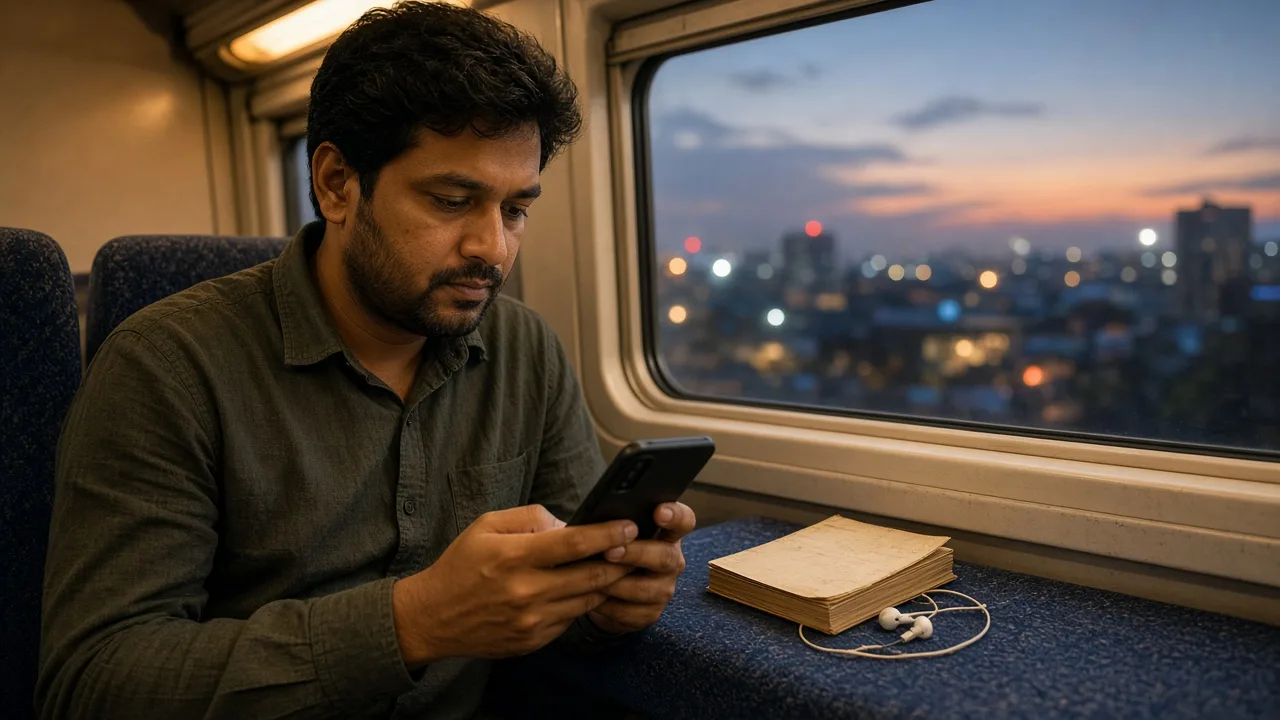
The best reading app for adults in 2026 is Libby. It is free with a public library card, has no ads or in-app purchases, and lends eBooks, audiobooks and magazines on Android and iPhone. No card, or a long wait? Buy eBooks in Kindle (Android) or Apple Books (iPhone), and use Audible Premium or Libro.fm for audiobooks you keep.
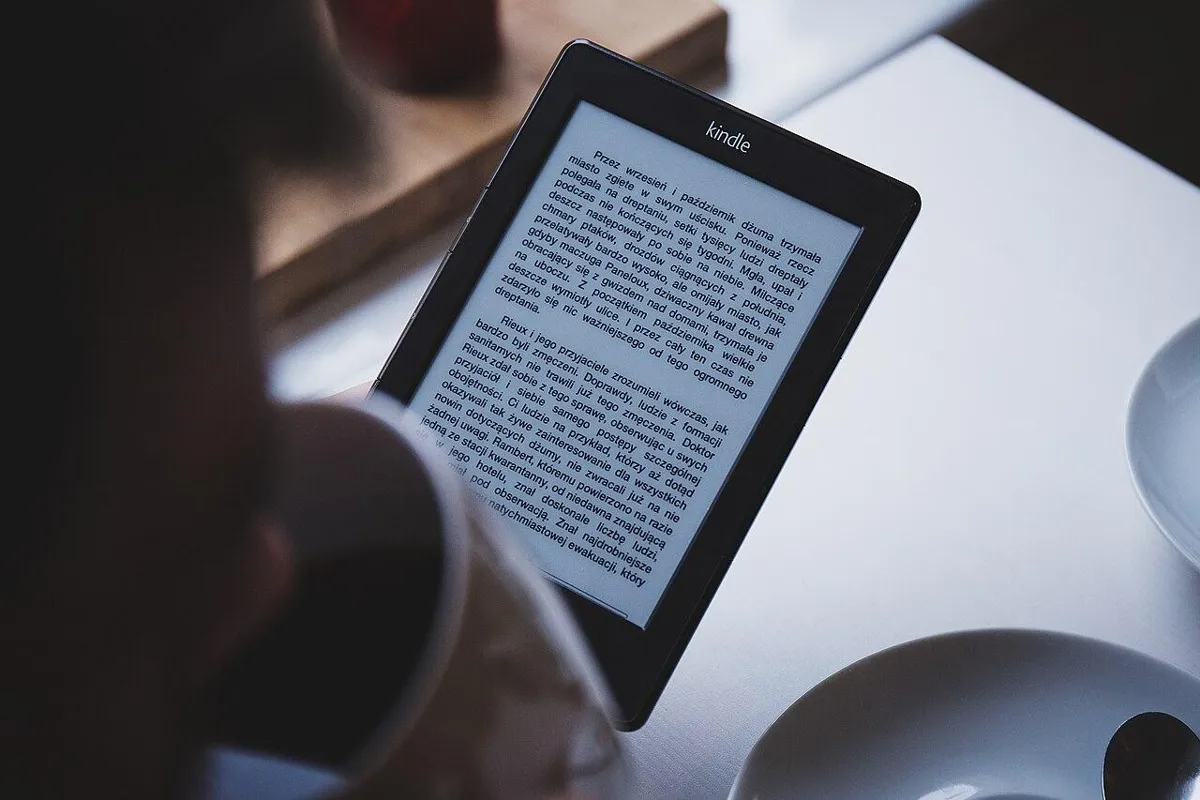
This guide covers eBook and audiobook apps for adult readers, with US prices checked on 3 October 2026. Parents looking for apps that teach a child to read need a different kind of app: see our educational apps for kids guide. Every pick below also says what you keep when you stop paying, so you know whether you borrow, rent or own.
In a hurry? Jump to: quick picks · library card? start here · the 12 apps · free audiobooks · borrow, rent or keep · your own files and DRM · apps that shut down · Play Store check · how we picked · FAQ
Quick picks: the best reading app for each job
| You want | Install this | US cost (3 Oct 2026) |
|---|---|---|
| Free books and audiobooks | Libby | Free with a library card |
| No wait on most titles | Hoopla | Free with a card; monthly cap |
| To buy eBooks on Android | Kindle | App free; Unlimited $11.99/mo |
| To buy eBooks on iPhone | Apple Books | App free; priced per book |
| A store plus your own files | Google Play Books | App free; no subscription |
| An Amazon alternative | Kobo | Plus from $7.99/mo |
| Audiobooks you keep | Audible Premium | $14.95/mo for 1 credit |
| DRM-free audiobooks | Libro.fm | $14.99/mo for 1 credit |
| Hours from a plan you pay for | Spotify Premium | 15 hours/mo included |
| Your own EPUB and PDF files | ReadEra | Free, no ads |
| Customization on Android | Moon+ Reader | Free; Pro $11.99 once |
| Free public-domain audiobooks | LibriVox | Free |
Have a library card? Start here
A library card is the cheapest way to read and listen, so use it before you pay for anything. This order costs the least:
- Add your card to Libby. Libby is free, and you can add more than one library card. Some libraries let you sign up for a card inside the app, from the card option on your library’s home screen.
- Place holds instead of hunting for what is free right now. Publishers often license each digital copy to one reader at a time, so popular books have wait lists. Libby adds you to the list and sends a notification when your hold is ready.
- If the wait is long, check Hoopla. If your library offers it, most titles have no wait. Your library sets a monthly borrow limit, so check the number in the app first.
- Prefer a Kindle? In the US, tap “Read With…” on a Libby loan and choose Kindle to send it to your Kindle device or app (US libraries only).
- Use what you already pay for. Spotify Premium Individual includes 15 audiobook hours a month, and Amazon says Prime includes a curated catalog of books, audiobooks, magazines and comics.
- Buy or subscribe only for what is left: Kindle, Apple Books or Google Play Books for eBooks you want to keep, Audible Premium or Libro.fm for audiobooks you want to keep.
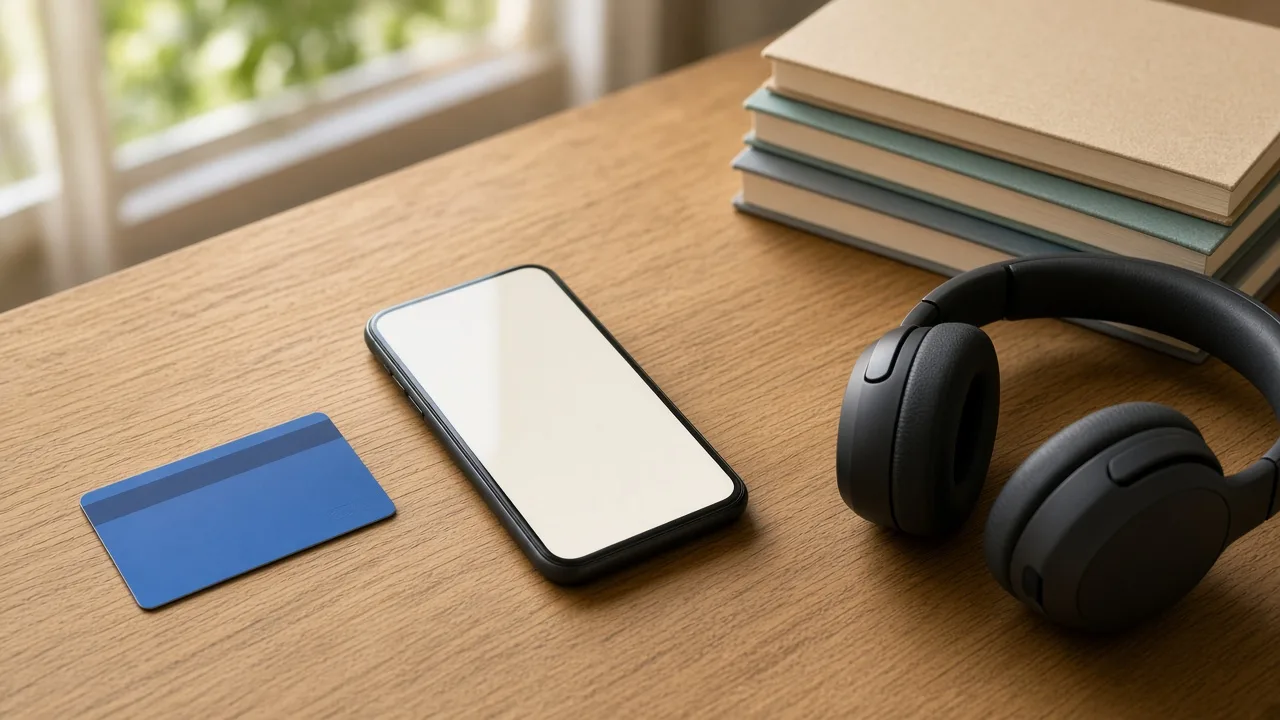
No card yet? Check your library’s website: many libraries issue cards to local residents at no charge, and the library’s digital page says which apps it uses. Many libraries use Libby, some also offer Hoopla, and others use cloudLibrary or Palace instead. The free Palace app also has a “Palace Bookshelf” of more than 10,000 books you can read without a participating library, according to its App Store listing.
The 12 best reading apps in 2026
Each entry lists the US price, the platforms and what you keep. Prices are US list prices before tax, checked on 3 October 2026.
1. Libby — best overall, and free with a library card
Cost: Free with a library card
Platforms: Android, iPhone, Fire tablets, web
You keep: Nothing — loans return automatically on the due date
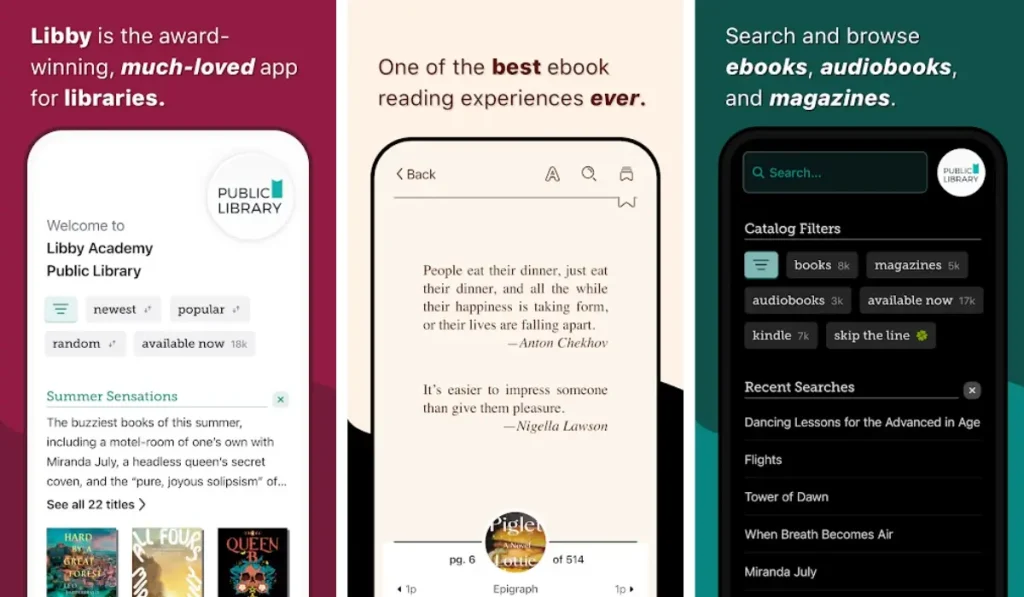
Libby lends eBooks, audiobooks and magazines from your local library. Google Play shows no ads and no in-app purchases for it, and Libby’s help pages say there are no subscription costs and no late fees. The reader has adjustable fonts and layout, a built-in dictionary, highlights and notes. The audiobook player runs from 0.6x to 3.0x with a sleep timer and Android Auto support, and you can download titles for offline use or stream them. Magazines are always available and do not count toward your borrowing limit.
In the US, Libby can send an eBook to a Kindle instead, and it can filter the catalog to titles that work on Kindle (US libraries only).
Catch: publishers often license each digital copy to one reader at a time, so popular titles have wait lists, and every library sets its own loan lengths and limits. Skip it if: your library does not use Libby. Ask which app it uses.
2. Hoopla — best free app when you do not want to wait
Cost: Free with a participating library; your library sets a monthly borrow limit
Platforms: Android, iPhone, web, TV
You keep: Nothing — loans expire
Hoopla’s Google Play listing says most titles have no waitlist, and it lists no ads and no subscription. Beyond eBooks and audiobooks it lends comics, manga, movies, TV shows and music albums, with a panel-by-panel comic reader and a right-to-left manga mode. Hoopla says most titles can be downloaded to a phone or tablet.
The limit is the catch. Libraries pay for each Hoopla borrow, so each library sets its own monthly cap, and several have cut it: announcements we saw dropped limits from 10 to 5 and from 10 to 4 borrows a month. Check your number in the app before you plan a binge.
Skip it if: your library does not offer Hoopla. Not every library does.
3. Amazon Kindle — biggest store, with a lock-in warning
Cost: Free app; Kindle Unlimited $11.99/month plus tax (30-day trial for new members)
Platforms: Android, iPhone, Mac, PC, web, Kindle e-readers
You keep: Purchases stay in your Kindle library; Kindle Unlimited titles do not
The Kindle app is free and does not need Amazon hardware. It has a built-in dictionary, X-Ray and translations, and it can switch from a Kindle book to the matching Audible audiobook inside the app. Kindle Unlimited lets you borrow up to 20 titles at a time with no due dates. Since 22 April 2026 magazine issues count toward those 20 (the old cap allowed up to 50 issues), and when the membership ends you lose access to the titles you borrowed.
One change that older lists miss: Amazon ended “Download & Transfer via USB” on 26 February 2025, so a purchased Kindle book can no longer be saved to a computer as a backup. The standalone ComiXology app is also retired; its comics are read in the Kindle app (see apps that shut down).
Catch: purchases use Amazon’s copy protection (DRM), so they open only in Amazon’s apps and devices. Your own EPUB and PDF files can still be sent to Kindle (see your own files and DRM). Skip it if: you want files you can back up yourself.
4. Apple Books — best on iPhone
Cost: Free app, no subscription; eBooks and audiobooks are priced individually, and thousands are free
Platforms: iPhone, iPad, Mac, Apple Vision Pro (no Android version)
You keep: Purchases stay in your Apple Account library
Apple Books is a free app with no subscription or monthly commitment. Family Sharing lets you share your books with up to five family members. iCloud syncs books, audiobooks, PDFs, collections, highlights, notes and bookmarks across a Mac, iPhone, iPad and Apple Vision Pro, and Reading Goals tracks daily reading and streaks.
It can import PDFs, mp3 audiobooks, Audible audiobooks and many EPUB books you already own. It cannot open ACSM, AZW or ODM files, which only open in the app they came from.
Catch: no Android version and no all-you-can-read plan. Skip it if: you use Android. Choose Kindle, Google Play Books or Kobo instead.
5. Google Play Books — best Android store, and a home for your own files
Cost: Free app; no subscription, so you buy only the books you want
Platforms: Android, iPhone, web
You keep: Purchases stay in your Google account library, and many can be exported as files
Play Books sells millions of eBooks, audiobooks, comics and manga. Its listing highlights Bubble Zoom for comics, notes that sync to Google Drive, Google Play Points on purchases (availability varies by country) and reading tools that let kids look up words and listen to books aloud (English only). You can upload your own PDF and EPUB files and read them on any device you sign in to. Unlike Kindle, which ended USB downloads, Play Books lets you export many purchased ebooks to a computer as EPUB or PDF files (see your own files and DRM). For course PDFs and notes, pair it with the apps in our best productivity apps for students guide.
Catch: there is no all-you-can-read plan, so every book is a separate purchase. Skip it if: you want a subscription catalog. Use Kindle Unlimited or Kobo Plus.
6. Kobo — best Amazon alternative, with a lower-priced Plus plan
Cost: Free app; Kobo Plus is $7.99/month for Read or Listen and $9.99/month for Read & Listen (14-day US trial)
Platforms: Android, iPhone, web reader, Kobo e-readers
You keep: Kobo Plus books do not stay after you cancel
The Kobo app syncs your place, bookmarks, highlights and notes with Kobo e-readers and Kobo’s web reader. Kobo says Kobo Plus gives unlimited access to more than 3 million eBooks and 400,000 audiobooks, but that covers the Plus catalog, not the whole store. If you cancel you lose access to your Kobo Plus books, and you can keep at most 15 Plus books downloaded for offline reading at a time.
Catch: Kobo Plus is a rental. Skip it if: you already own a large Kindle library and do not want a second store.
7. Audible — audiobooks you keep with Premium, a rental with Standard
Cost: Standard $8.99/month (1 title); Premium $14.95/month (1 credit) or $22.95/month (2 credits); $149.50/year (12 credits) or $229.50/year (24 credits); 30-day trial
Platforms: Android, iPhone
You keep: Premium: titles you get with a credit. Standard: nothing once you cancel
Audible launched its Standard plan in the US on 3 March 2026: one audiobook a month plus a curated library of included titles, but you keep the title you select only while the membership is active. Premium is the plan that builds a library. Any title you get with a credit is yours to keep after you cancel, while the Plus Catalog and any unused credits are lost. The app offers offline downloads, narration speed up to 3.5x and a Car Mode.
Catch: one credit a month is slow for heavy listeners, and extra titles cost extra. Skip it if: Libby already has what you want to hear.
8. Spotify — audiobook hours inside a plan you may already pay for
Cost: 15 hours a month with Premium Individual ($12.99/month); Audiobooks Access $9.99/month
Platforms: Android, iPhone
You keep: Nothing — unused hours expire at the end of each month
Spotify’s US audiobooks page says Premium Individual, and the plan manager on Duo ($18.99) and Family ($21.99), get 15 hours a month from a catalog of more than 700,000 titles. Other plan members need an add-on, and Premium Student does not list the hours. If you run out you can buy a top-up in 10-hour blocks, or add Audiobooks+ for 15 more hours at $11.99 a month. Audiobooks Access gives 15 hours for $9.99 a month but moves your music to the free ad-supported tier, and Premium subscribers must cancel Premium before joining it.
Catch: the hours are a meter, not ownership. In the US, individual audiobooks can also be bought on Spotify’s web player and played in the app. Skip it if: you want a library you keep or listen more than 15 hours a month.
9. Libro.fm — best DRM-free audiobooks
Cost: $14.99/month for 1 credit or $23.99/month for 2 credits; credits never expire
Platforms: Android, iPhone
You keep: Your audiobooks and unused credits, even if you cancel
Libro.fm sells DRM-free audiobooks, so you get the files and can play them outside the app, and it shares profit from each purchase with the independent bookstore you choose. Its Google Play listing puts the catalog at more than 600,000 audiobooks, and members get 30% off extra purchases. Some audiobooks cannot be bought with credits because of publisher restrictions. Libro.fm shows prices by location, so confirm the US price at checkout.
Catch: no Audible Originals. Skip it if: you want Audible’s exclusive series.
10. ReadEra — best free reader for your own files
Cost: Free; its store listings say no ads, no in-app purchases and no sign-up
Platforms: Android, iPhone
You keep: Your own files stay where they are
ReadEra opens EPUB, PDF, DOC, DOCX, RTF, MOBI, AZW3, CBZ, CBR, DJVU, FB2, TXT, ODT and CHM files. It reads files in place instead of copying them into its own library and works offline, and its iPhone listing describes a free text-to-speech “Read aloud” button. ReadEra is also on the US iPhone App Store, so older lists that call it Android-only are out of date.
Catch: it has no store and does not borrow library books. Skip it if: you need to buy or borrow books in the same app.
11. Moon+ Reader — best customization on Android
Cost: Free with ads and in-app purchases; Moon+ Reader Pro is $11.99 once on US Google Play
Platforms: Android only
You keep: Your own files stay where they are
Moon+ Reader opens EPUB, PDF, DJVU, AZW3, MOBI, FB2, CBZ, CBR, DOCX and more, and it can connect to OPDS online catalogs and a personal Calibre server. Its listing lists 24 customizable gestures and key actions, five auto-scroll modes and a reading ruler, with backup to Dropbox or WebDAV. Pro removes ads and adds text-to-speech, PDF annotation and form filling, and reading statistics.
Moon+ Reader and Librera are Android apps, and their developers’ sites say so. A search of Apple’s US App Store on 3 October 2026 found apps with those names from a different publisher, so do not treat them as the same apps.
Catch: the free version shows ads. Skip it if: you want a plain reader with few settings to learn. Use ReadEra.
12. Everand — unlock plans and magazines (the old Scribd)
Cost: Standard $11.99/month (1 unlock), Plus $16.99 (3 unlocks), Deluxe $28.99 (5 unlocks); 30-day trial on Everand’s website, 7 days via the App Store
Platforms: Android, iPhone, web
You keep: Unlocked titles stay available only while your subscription is active or paused
Everand is the subscription that used to be sold as Scribd. Each plan gives a set number of “unlocks” a month for audiobooks and eBooks from a catalog of 1.5 million bestsellers and new releases, and every plan includes the Fable Plus reading tracker at no extra cost. Its listing says you can read or listen offline.
Catch: unlocks are not ownership, and Standard’s single unlock a month is tight for heavy readers. Kobo Plus Read & Listen costs $9.99 a month for unlimited access to its included catalog. Skip it if: you want titles you keep.
Also worth knowing
- Librera (Android): free on Google Play with ads, or Librera PRO for $5.99 without them. It opens PDF, EPUB, MOBI, DJVU, FB2, CBZ and many other formats, and it can read aloud with your phone’s text-to-speech engine.
- The StoryGraph and Goodreads: free to download on iPhone, and they track what you read rather than supplying books.
Free apps for listening to books
Not all free listening works the same way. Pick the kind that matches what you want to hear:
- Library audiobooks (Libby and Hoopla). Free with a library card, including bestsellers and new releases. Libby puts you on a wait list when no copy is free. Hoopla has no waitlist on most titles but applies your library’s monthly cap.
- Public-domain audiobooks (LibriVox). Volunteers record books that are out of copyright, and LibriVox describes itself as non-profit and ad-free. Volunteers need no prior experience, so narration quality varies. The Android app called LibriVox Audio Books on Google Play is published by BookDesign and carries Google’s ads and in-app-purchase labels.
- Text-to-speech for your own files (ReadEra and ElevenReader). ReadEra’s iPhone listing describes a free “Read aloud” button. ElevenReader reads PDFs, EPUBs and articles aloud in AI voices, and its App Store listing says classic books are free but ties unlimited text-to-speech to a paid Ultra membership. Both voices are synthetic, not human narrators.
- Free trials are temporary. For new US customers, Audible and Kindle Unlimited trials run 30 days, Everand 30 days on its website (7 days via the App Store), Kobo Plus 14 days and Spotify Premium 2 months (Spotify’s US offer on 22 October 2026; the usual trial is 1 month). Cancel before the trial ends to avoid the first charge.
Audible has a 30-day trial but no free plan after it; its cheapest plan is $8.99 a month. Spotify’s 15 hours need Premium Individual or the plan manager role on Duo or Family.
Borrow, rent or keep: what you have when you stop paying
Price tells you less than ownership does. An $8.99 plan and a $14.95 plan can look alike until you cancel. This table shows what each service leaves you with, using each company’s own pricing and help pages.
| App | US cost | When you stop paying | Android / iPhone |
|---|---|---|---|
| Libby | Free + card | Loan ends on its due date | Both |
| Hoopla | Free + card | Loan ends; monthly cap | Both |
| Kindle purchases | Per book | Stay in your library (Amazon DRM) | Both |
| Kindle Unlimited | $11.99/mo | Borrowed titles lost | Both |
| Apple Books | Per book | Stay in your Apple library | Apple only |
| Google Play Books | Per book | Stay in your Google library | Both |
| Kobo Plus | $7.99–$9.99/mo | Plus books lost | Both |
| Audible Premium | $14.95/mo | Credit titles are yours | Both |
| Audible Standard | $8.99/mo | Selected title lost | Both |
| Spotify Premium | $12.99/mo (15 hrs) | Hours expire monthly | Both |
| Libro.fm | $14.99/mo | Keep audiobooks and credits | Both |
| Everand | $11.99–$28.99/mo | Unlocks need an active plan | Both |
| ReadEra | Free | Your files stay yours | Both |
| Moon+ Reader | Free / $11.99 Pro | Your files stay yours | Android only |
US list prices before tax, checked 3 October 2026. Kindle Unlimited is $11.99 plus tax. “Both” means Android and iPhone.
Your own files, DRM and formats
DRM (digital rights management) is copy protection that ties a book to one company’s app. DRM-free files, such as Libro.fm audiobooks or EPUBs you own outright, can be opened in any compatible reader. Here is what each app does with files you bring:
- Kindle: Send to Kindle accepts EPUB, PDF, HTML, RTF, TXT and image files, with web uploads up to 200 MB. Purchased Kindle books can no longer be downloaded over USB (since 26 February 2025).
- Apple Books: imports PDFs, mp3 audiobooks, Audible audiobooks and many EPUB books, but not ACSM, AZW or ODM files.
- Google Play Books: accepts uploads of your own PDF and EPUB files, and can export many purchased ebooks to your computer as EPUB or PDF. Some publishers block exports, and rentals and large files cannot be exported. Some exports arrive as ACSM files that need Adobe Digital Editions, which Google says has used a ByteBooks ID instead of an Adobe ID since 1 June 2026.
- ReadEra, Moon+ Reader and Librera: open the formats listed in their entries without a store account.
If you own DRM-free files, keep a second copy somewhere other than your phone. Cloud storage works well: see our best cloud storage and backup apps guide.
Reading apps and features that shut down or changed
Older lists still recommend things that are gone. We checked the apps below on 3 October 2026 with a direct Google Play request that returned “not found” (a working listing served as the control) and a search of the US App Store. Dates are the ones each company announced.
- Pocket — Mozilla shut it down on 8 July 2025 (it left the app stores on 22 May 2025). Exports closed and deletion of all user data began on 12 November 2025, according to Mozilla’s help page; older guides that say 8 October are out of date. Use Instapaper or Readwise Reader.
- The ComiXology app — retired on 4 December 2023. Read ComiXology purchases in the Kindle app. Amazon’s help page still lists ComiXology Unlimited at $5.99 a month in the US.
- Kindle Vella — closed on 26 February 2025. Stories you read or unlocked remain in your Kindle app library, according to Amazon.
- Kindle “Download & Transfer via USB” — removed on 26 February 2025. Purchased books now arrive over Wi-Fi, and Send to Kindle still takes your own EPUB and PDF files.
- The original OverDrive app — no longer on Google Play or the US App Store. OverDrive now calls Libby its flagship app for borrowing from a public library.
- Scribd’s reading subscription — now sold as Everand (entry 12 above).
Pocket replacements, priced. Instapaper is free for unlimited saves and sync across web, iOS and Android, but free accounts get 5 notes a month. Premium is $5.99 a month or $59.99 a year and adds full-text search, unlimited notes, a PDF reader, Kindle integration and text-to-speech playlists. Readwise’s Reader comes with the full Readwise plan at $9.99 a month billed yearly ($12.99 month to month), with a 30-day free trial.
Google Play check: which Android apps are still maintained (22 October 2026)
An app that has not been updated in a long time is a risk for a reading library you plan to keep for years. Here is what each app’s US Google Play listing showed on 22 October 2026. A dash means the listing does not show a single version number.
| App | Play version | Last updated | Play rating (reviews) |
|---|---|---|---|
| Libby | 9.5.0 | 26 Aug 2026 | 4.8 (756K) |
| Hoopla | — | 16 Oct 2026 | 4.7 (219K) |
| Amazon Kindle | — | 6 Oct 2026 | 4.8 (4.8M) |
| Google Play Books | — | 14 Oct 2026 | 4.7 (3.3M) |
| Kobo Books | — | 8 Oct 2026 | 4.5 (308K) |
| Audible | — | 21 Oct 2026 | 4.6 (1.8M) |
| Libro.fm | 7.39.1 | 18 Aug 2026 | 4.9 (6.6K) |
| ReadEra | — | 22 May 2026 | 4.9 (1.6M) |
| Moon+ Reader (free) | 10.8 | 17 Oct 2026 | 3.5 (269K) |
| Moon+ Reader Pro | — | 17 Oct 2026 | 4.2 (107K) |
| Everand | 16.25 | 17 Oct 2026 | 3.5 (614K) |
| Librera | 9.4.20 | 19 Oct 2026 | 4.0 (138K) |
| Lithium | 0.25.1 | 20 Oct 2026 | 4.0 (39.7K) |
What stands out:
- Every Android app in this table is still maintained. All but ReadEra were updated in the last three months. ReadEra’s last Play update was 22 May 2026, five months before this check, though it still has the highest rating here alongside Libro.fm.
- Moon+ Reader’s free and Pro versions are rated very differently: 3.5 for the free app with ads and 4.2 for the $11.99 Pro app. If the free version annoys you, try ReadEra before you pay.
- Everand’s 3.5 rating is the lowest of the subscription apps, well below Kindle (4.8), Play Books (4.7) and Audible (4.6). Read recent reviews before you commit to a plan.
- If you only read EPUB files, Lithium is a lighter alternative to ReadEra and Moon+ Reader. Its Play listing describes it as an EPUB reader and shows 5 million-plus downloads, so keep ReadEra for PDFs and other formats.
How we picked and verified this
This guide compares published information. We have not used every app ourselves, and nothing here is a personal usage claim. What we did on 3 October 2026:
- Compared each app’s official US Google Play and US App Store listings: price, ads and in-app-purchase labels, platforms, features and update dates.
- Read each company’s own pricing, help or announcement pages for plans, trials and what happens when you cancel. Libro.fm shows prices by location and blocks automated page reads, so its US prices come from an extract of its membership page. Confirm them at checkout.
- Used Libby’s help pages for holds and loans, and public libraries’ own announcements for Hoopla caps.
- Confirmed delisted apps with a direct Google Play request that returned “not found”, using a working listing as a control, plus a search of the US App Store.
- Rechecked every Android app’s US Google Play listing (version, update date and rating) and Spotify’s US trial offer on 22 October 2026.
- Judged each app on five things: US price, whether you borrow, rent or own, platforms, what files you can bring, and whether it is still maintained.
Prices are US list prices before tax and change often, so the date is stamped on every table. The Pocket dates come from Mozilla’s own help page and the Kindle Vella date from Amazon’s. The Kindle USB and ComiXology dates are the ones Amazon announced, as reported at the time.
Bottom line
Get a library card and install Libby first. Add Hoopla if your library offers it. Buy in Kindle (Android) or Apple Books (iPhone) only for books the library does not have. For audiobooks, use Libby, then the 15 Spotify hours you may already pay for, and pay for Audible Premium or Libro.fm only when you want to keep the title. Use ReadEra for files you already own, and skip Pocket: it is gone.
For more apps worth installing on an Android phone, see our best Android apps for 2026.
Frequently Asked Questions
What is the best reading app for adults?
Libby is the best reading app for most adults in 2026. It is free with a public library card, shows no ads or in-app purchases on Google Play, and lends eBooks, audiobooks and magazines on Android and iPhone. To buy and keep books, use Kindle on Android or Apple Books on iPhone. US prices checked 3 October 2026.
What is the best free app for listening to books?
Libby and Hoopla are the best free audiobook apps, but both need a library card. Libby puts you on a wait list for popular titles, while Hoopla has no waitlist on most titles but a monthly borrow cap set by your library. LibriVox is free for public-domain audiobooks read by volunteers. Spotify's 15 hours need a paid Premium plan.
What is the best reading app for Android?
For most Android users, Libby plus Kindle is the best setup: borrow free with a library card, and buy in Kindle when you want to own a book. ReadEra is the best free reader for your own EPUB and PDF files, with no ads. Moon+ Reader Pro costs $11.99 once on US Google Play and adds deep customization.
Libby or Hoopla: which is better, and do you need a library card?
Both need a library card from a participating library, and some libraries let you sign up for a card inside Libby. Use both if your library offers both. Libby lends eBooks, audiobooks and magazines but popular titles have wait lists. Hoopla has no waitlist on most titles, plus comics, manga, movies and music, but your library sets a monthly borrow cap.
How much is Kindle Unlimited, and do you keep the books?
Kindle Unlimited costs $11.99 a month plus tax in the US, with a 30-day free trial for new members, according to Amazon's FAQ checked on 3 October 2026. You can borrow up to 20 titles at a time, and since 22 April 2026 magazine issues count toward that limit. You lose access to borrowed titles when the membership ends.
Does Spotify Premium include audiobooks?
Yes. Spotify's US page says Premium Individual, and the plan manager on Duo and Family, get 15 hours of audiobook listening a month from a catalog of more than 700,000 titles. Unused hours expire at month end, and Premium Student does not list the hours. Audiobooks Access costs $9.99 a month for 15 hours, with music on the free tier.
Which reading apps and features have shut down?
Pocket shut down on 8 July 2025, and Mozilla's help page says exports closed and data deletion began on 12 November 2025. The ComiXology app was retired on 4 December 2023, Kindle Vella closed on 26 February 2025, and Amazon removed Download & Transfer via USB for Kindle books on 26 February 2025. The original OverDrive app is gone, so use Libby. Scribd's reading app is now Everand.
What are the best reading apps for kids or struggling readers?
This page covers eBook and audiobook apps for adult readers. A child learning to read needs a learn-to-read app instead, so see our educational apps for kids guide. For children who can already read, a library card unlocks kids' books in Libby, students at participating schools can borrow through Sora, and Google Play Books has word-definition and read-aloud tools for kids in English.