Google Engineers Build an Offline AI Translator You Can Copy for Free

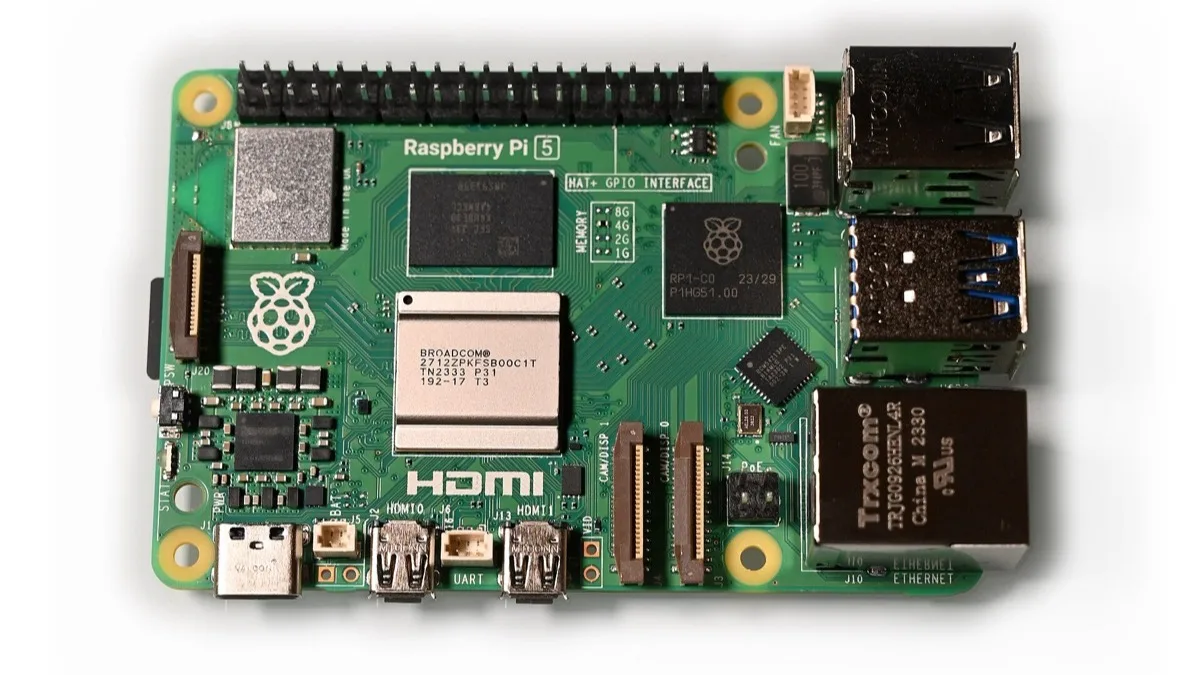
A team of Google engineers has published a complete, free blueprint for a handheld AI translator that works entirely without an internet connection. The project runs a compact Gemma 4 model on a $80 Raspberry Pi 5, and every piece of it — code, 3D-printing files, and setup scripts — is public on GitHub for anyone to build.
Unlike an app translation tool that needs a live connection to a server to turn speech into another language, this device does the entire job locally on the board sitting in your hand. That makes it a genuine option for travel in places with patchy signal, expensive roaming, or no data plan at all.
What the device actually does
The translator listens through a microphone, transcribes and translates speech with a Gemma 4 model, and reads the result back out loud through a speaker, all without touching the internet after the initial setup. The project's own documentation lists a lightweight Gemma 4 variant running through Google's LiteRT-LM runtime, the same on-device inference stack Google uses to squeeze large models onto phones and small hardware. Speech recognition and text-to-speech are handled by Moonshine, an open-source voice model, and the interface is a small web app built with React that is designed to fit on a compact screen.
The repository also describes a dual-lane mode meant for face-to-face conversations between two people speaking different languages, plus a push-to-talk workflow so the device only listens when you want it to.
What you need to build one
The hardware list is short and mostly off-the-shelf:
- A Raspberry Pi 5 with 8GB of RAM
- A small touchscreen display, such as a 480x320 kiosk-style panel
- A microphone or USB audio input device
- A speaker or headphones for output
- A 3D-printed enclosure, using the STL files Google published in the repository
On the software side, the project needs Python 3.10 or newer and Node.js 18 or later, and it is built to run on Linux or macOS. Setup is handled by a series of scripts in the repo: one creates a virtual environment and installs dependencies, another downloads the Gemma model from Hugging Face, and a dedicated deployment script automates turning a Raspberry Pi into a standalone kiosk with the translator running as a background service, so it starts automatically on boot. The code is released under the Apache 2.0 license, meaning it can be freely modified and redistributed.
Why Google is showing its work
Google has increasingly used small, open Gemma models as a showcase for what on-device AI can do without a data center behind it, and a translator is a natural fit: it is exactly the kind of task where losing connectivity used to mean losing the feature entirely. Publishing the full build, rather than just a demo video, lets developers, hobbyists, and hackathon teams adapt the same pipeline for other offline voice tools, not just translation.
It also lands alongside Google's broader push to put Gemini and Gemma-based features directly on hardware, from the redesigned Gemini overlay reaching Pixel Watch 4 to the assistant transition covered when Google Assistant's shutdown date was confirmed. A fully offline translator is a smaller story, but it points at the same direction: more AI processing happening on the device itself rather than in the cloud.
Should you actually build one
This is a hobbyist project, not a retail product, so it assumes comfort with a terminal, basic soldering or case assembly, and troubleshooting Linux setup scripts. Total hardware cost lands somewhere in the $100-$150 range depending on the display and case materials chosen, well under the price of most dedicated translator gadgets sold today. For anyone who travels frequently to areas with unreliable data and already owns a spare Raspberry Pi 5, it is a genuinely practical weekend build rather than just a tech demo.
Related reading
Frequently Asked Questions
What model powers Google's offline AI translator?
It runs a compact Gemma 4 model through Google's LiteRT-LM on-device inference runtime, the same stack Google uses to run AI models locally on phones and small hardware without a server connection.
Do I need an internet connection to use it?
No. After the one-time setup, which downloads the model and installs dependencies, the entire translator runs offline. That is the point of the project: it works in places with no signal or data plan.
What hardware do I need to build one?
A Raspberry Pi 5 with 8GB of RAM, a small touchscreen (a 480x320 kiosk-style display is used in Google's build), a microphone, a speaker, and a 3D-printed case using the STL files Google published alongside the code.
Is the code free to use?
Yes. The project is released on GitHub under the Apache 2.0 license, which allows anyone to use, modify, and redistribute the code and hardware files.
Is this an official Google product?
No. It is an open-source project published by a team of Google engineers as a demonstration of on-device Gemma 4 translation, not a retail device you can buy pre-built.