Google Home 4.26 Fixes Setup for 2013 and 2015 Chromecasts and Home Mini
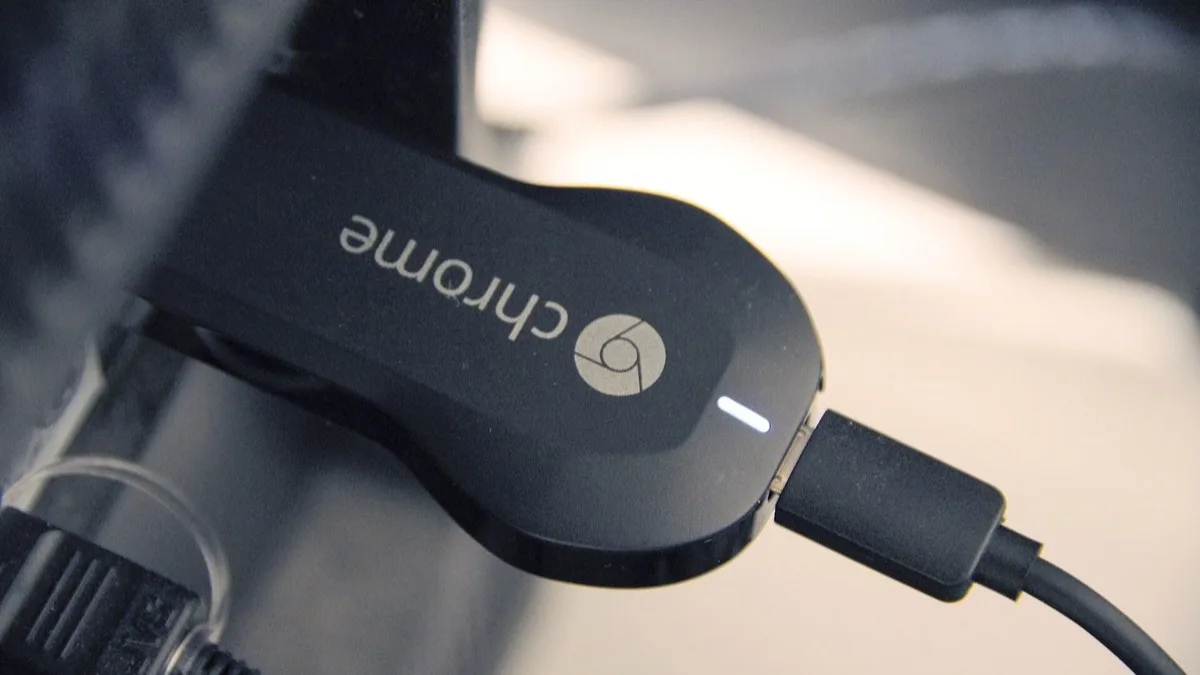
Google has fixed the bug that left owners of older Chromecast dongles and the Google Home Mini unable to set their devices up, and the repair arrives in Google Home app version 4.26. The company confirmed on September 2 that the problem is resolved and asked affected owners to update the app and run setup again. The hardware caught by it dates back more than a decade: the original 2013 Chromecast, the second-generation 2015 model, and the Home Mini speaker.
The failure was in setup, not casting
This is a narrower bug than the panic around it suggested. Devices already linked to an account largely carried on streaming. The break appeared at the moment of adding hardware to the app: owners reported that older units either vanished from the device list or could not be added back at all, with Android the platform where it showed up most.
That distinction matters for who felt it. If your 2015 Chromecast had sat untouched behind a TV for years, nothing seemed wrong. The people who hit a wall were the ones who had a reason to start over — a factory reset, a house move, a new router, a fresh phone.
Two waves, four months apart
The fix closes a problem that surfaced twice this year rather than once:
- May 2026 — first-generation Chromecast owners began reporting setup trouble.
- Late July 2026 — a second, broader wave pulled in the 2015 Chromecast and the Google Home Mini.
- September 2, 2026 — Google Home 4.26 ships with the fix and Google confirms it publicly.
In its confirmation, Google said it had resolved an issue affecting the ability to set up some older Chromecast and Google Home devices, and recommended that anyone still stuck update to version 4.26 and try again. Owners reporting the same symptoms on other legacy hardware, including the Chromecast Ultra, have not been named by Google as part of the fix.
How to get version 4.26
The update is a normal app release, so there is no beta channel or waitlist involved. The quickest check is the store listing rather than the app itself:
- Open the Google Home listing in the Play Store or App Store.
- If the button reads Update rather than Open, you are on an older build — install it.
- Staged rollouts mean 4.26 may take a few days to reach every account, so an Open button today does not always mean you already have it.
- Once updated, run setup again from the start rather than resuming a half-finished attempt.
Support has not ended for these devices
Worth separating two things that got tangled together while this ran. A setup screen that fails looks identical to hardware being cut off, and plenty of owners reasonably assumed Google had quietly retired their decade-old dongle. It had not. This was a software regression in the app, and Google fixing it rather than pointing owners at a newer streamer is the clearest signal of that.
Ageing Google hardware has had a genuinely unsettled year, which is why the assumption was easy to make — the company is separately retiring Google Assistant across phones, tablets and Wear OS, a change that does touch what older speakers can do. The Chromecast setup failure was not part of that.
If setup still fails after updating
A handful of owners will still hit trouble, usually because the device is holding stale network details from its previous life. Confirm the phone running setup is on the same 2.4GHz Wi-Fi network the Chromecast expects, since the older models cannot see a 5GHz band. Restarting the router before the attempt clears a surprising share of cases.
If it still refuses, a factory reset on the device itself gives setup a clean slate — hold the button on the Chromecast until the light flashes, then start again in the app. Google has asked owners who remain stuck after all of that to contact support directly, which suggests it expects a small number of stragglers rather than a second round of the same bug.
For anyone weighing whether to keep the old hardware alive at all, it is a fair moment to note how much cheaper the modern equivalents have become. The current generation of connected speakers and streamers, including the recently launched JBL Cove Wi-Fi range, has moved on considerably from a 2013 dongle. But there is no longer any reason to be pushed into replacing one.
Frequently Asked Questions
Which Google Home app version fixes the Chromecast setup problem?
Google Home version 4.26 contains the fix. Google confirmed on September 2, 2026 that the setup issue is resolved and asked affected owners to update to 4.26 or newer before trying again. It is a standard app update from the Play Store or App Store, with no beta enrolment required.
Which devices were affected by the Google Home setup bug?
The original 2013 first-generation Chromecast, the 2015 second-generation Chromecast, and the Google Home Mini speaker. Problems started for first-generation Chromecast owners in May 2026 and widened to the other two models in late July. Android was the platform where the failure appeared most often.
Did Google end support for the older Chromecast?
No. This was a software regression inside the Google Home app, not a retirement of the hardware. Google fixed the app so the devices can be set up again rather than directing owners to buy a newer streamer. Devices that were already linked to an account generally kept working throughout.
My Chromecast still will not set up after updating. What now?
Check that the phone running setup is on the same 2.4GHz Wi-Fi network, because the older Chromecast models cannot connect to a 5GHz band. Restart the router, then factory reset the Chromecast by holding its button until the light flashes and start setup from the beginning. Google has asked owners who are still stuck after that to contact support.
Was casting broken too, or only setup?
Only setup. Chromecasts and Home Minis that were already added to an account largely continued to stream normally. The failure hit people adding a device for the first time or re-adding one after a factory reset, house move, router change or new phone.