WhatsApp Video Call Flaw Opens Your Photo Gallery on a Locked Pixel or Oppo Phone
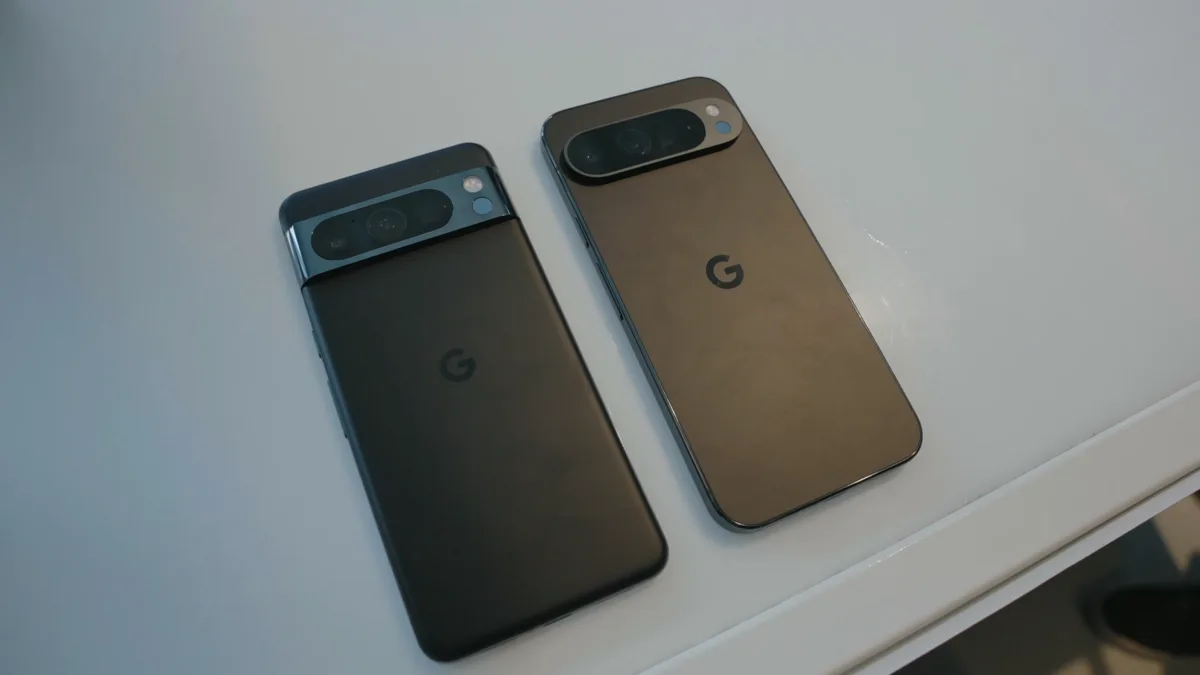
A researcher has shown that an incoming WhatsApp video call can be used to open a locked Android phone's entire photo gallery, with no PIN, pattern or fingerprint required. The behaviour was demonstrated on a Pixel 6 Pro running Android 17 with the current security patch and on an Oppo K13 running ColorOS 16; a Galaxy S25 Ultra on One UI 8.5 blocked it.

It needs physical access to the handset and an incoming WhatsApp video call. It needs nothing else — no exploit code, no cable, no unlocked bootloader. Anyone who picks up a phone and rings it from a second device can walk the sequence in under a minute.
The sequence that skips the lock screen
Android deliberately lets you answer a call without unlocking, and WhatsApp's calling interface draws on top of the lock screen so you can talk. The problem is what stays reachable once the call connects.
- Answer the WhatsApp video call on the locked phone.
- Tap the effects icon in the call controls.
- Switch from filters to the Backgrounds tab.
- Choose Create with Meta AI.
- Pick Edit photo.
That last step hands over the system photo picker with the device's full camera roll behind it. The phone is still locked the whole way through. Because WhatsApp already holds a broad photos-and-videos permission on most installs, nothing in the chain triggers a fresh authentication prompt.
Which phones are affected
The picture is uneven, and that matters more than usual here because it decides whether you need to act at all.
- Pixel: a Pixel 6 Pro on Android 17 with the latest patch level went all the way through to the gallery.
- Oppo: a K13 on ColorOS 16, based on Android 16, behaved the same way.
- Samsung: a Galaxy S25 Ultra on One UI 8.5 bounced the attempt to the lock screen and demanded authentication before the picker opened.
- iPhone: not affected. WhatsApp calls on iOS run through Apple's CallKit, and the in-call effects panel is not reachable from a locked device in the same way.
Other Android skins have not been tested publicly, so treat an untested phone as potentially affected rather than safe. If you want to check your own handset, do it on a device you own, with a second phone placed nearby, and stop at the point where the picker appears.
Close it yourself in about thirty seconds
There is no patch yet, so the practical fix is to remove what the chain depends on: WhatsApp's full-library photo access. Android's granular media permission lets you narrow that to a handful of images you choose.
- Open Settings and go to Apps.
- Select WhatsApp, then Permissions.
- Tap Photos and videos.
- Switch from Allow all to Allow limited access.
With limited access set, the picker reached through the call screen shows only the photos you have explicitly shared with WhatsApp instead of everything on the phone. The trade-off is small and obvious: each time you want to send a picture that is not on the approved list, WhatsApp asks you to select it. Menu wording varies a little by manufacturer — Samsung and Oppo label the same setting slightly differently — but the option sits in the same place on Android 14 and later.
Where this stands
The behaviour has been reported to both Meta and Google so a fix can be issued, and neither company has published a statement or a patch at the time of writing. No CVE has been assigned publicly, and no WhatsApp build number has been named as the first affected version, which is a sign this is being handled as an interaction-design problem in the call interface rather than a memory-safety bug.
It is worth keeping the severity in proportion. This is not remote, it is not silent, and it cannot be triggered by a stranger who does not have your phone in their hands. What it does undercut is the assumption most people make about a locked screen — that the lock is the boundary. It is the same category of problem as the Ray-Ban glasses recording indicator, where the technical protection worked exactly as designed and the surrounding interface let someone step around it.
Meta has been shipping privacy and safety features to WhatsApp on Android at a steady clip this year, including on-device scam detection in beta and reworked group controls. A lock-screen gap of this kind is the sort of thing that usually gets closed quietly in a server-side flag or a point release rather than a headline update, so watch for the effects panel simply refusing to open on a locked phone.
Frequently Asked Questions
Can someone read my WhatsApp messages with this trick?
No. The sequence reaches the Android photo picker through WhatsApp's in-call effects panel, not your chats. Messages, media inside conversations and your WhatsApp backups are not exposed by it. What is exposed is the device photo gallery that WhatsApp has permission to read.
Is my Samsung Galaxy phone affected?
A Galaxy S25 Ultra running One UI 8.5 was tested and blocked the attempt, redirecting to the lock screen before the photo picker opened. That does not guarantee every Galaxy model and One UI version behaves the same way. Setting WhatsApp's photo permission to limited access costs nothing and closes the path regardless.
Does this work on iPhone?
No. WhatsApp calls on iOS run through Apple's CallKit framework, and the in-call effects interface is not reachable from a locked iPhone the way it is on the affected Android devices. iPhone owners do not need to change anything for this particular issue.
How do I set WhatsApp to limited photo access on Android?
Open Settings, go to Apps, select WhatsApp, then Permissions, then Photos and videos, and choose Allow limited access instead of Allow all. WhatsApp will then prompt you to pick specific images whenever you want to send something outside the approved set. The option is available on Android 14 and later, though the exact wording varies by manufacturer.
Has WhatsApp fixed it yet?
Not at the time of writing. The behaviour has been reported to both Meta and Google, but neither has published a patch, a statement or a CVE for it. Because there is no fix to install, the permission change is currently the only reliable way to close the gap on an affected phone.