Recover Deleted Contacts on Android: Trash, Undo, Backups

To recover deleted contacts on Android, open the Contacts app, pick the Google account at the top, and go to Organize > Trash, then tap Recover. Google keeps deleted contacts there for 30 days. On a Samsung Galaxy, check the Samsung Contacts app's own Trash too. If the contact isn't in either trash, use Google's Undo changes to roll your list back to a point in the last 30 days, or restore from a backup.
Quick answer: Contacts saved to your Google account can come back for 30 days, from Trash for single contacts or from Undo changes for a mass deletion. Contacts saved only on the phone are a different story. They come back only from the Samsung Trash, a Samsung Cloud backup, or a Google device backup. A contact deleted from a SIM card usually can't be recovered at all.
How we put this together: On November 15, 2026, we checked Google's Contacts and Android help pages, Samsung's US, Gulf, Australia, and Russia support pages, Verizon's Cloud support pages, and Android's developer documentation for the Contacts system. We didn't delete or restore anyone's real contacts to write this. Menu names follow those official pages and can differ a little by phone model and app version.
First, Find Out Where the Contact Was Saved
Where a contact was stored decides whether you can get it back. Android phones can keep contacts in several places at once: your Google account, a Samsung account, the phone's own storage (often labeled "Phone," "Device," or "Local"), the SIM card, or a work account like Exchange. Each one has its own trash and its own time limit, so start by matching your situation to this table.
| Where the contact was saved | Where to look | Time limit |
|---|---|---|
| Google account (most Pixel, Motorola, and many Galaxy phones) | Google Contacts Trash, then Undo changes | 30 days |
| Google "Other contacts" (addresses saved automatically from Gmail) | Not in Trash. Only Undo changes on the web brings them back | 30 days |
| Phone storage or Samsung account on a Galaxy | Samsung Contacts Trash, then a Samsung Cloud backup | 30 days in Trash (15 days on Android 10) |
| Phone storage on other brands | A Google device backup made before the deletion | As long as the backup exists |
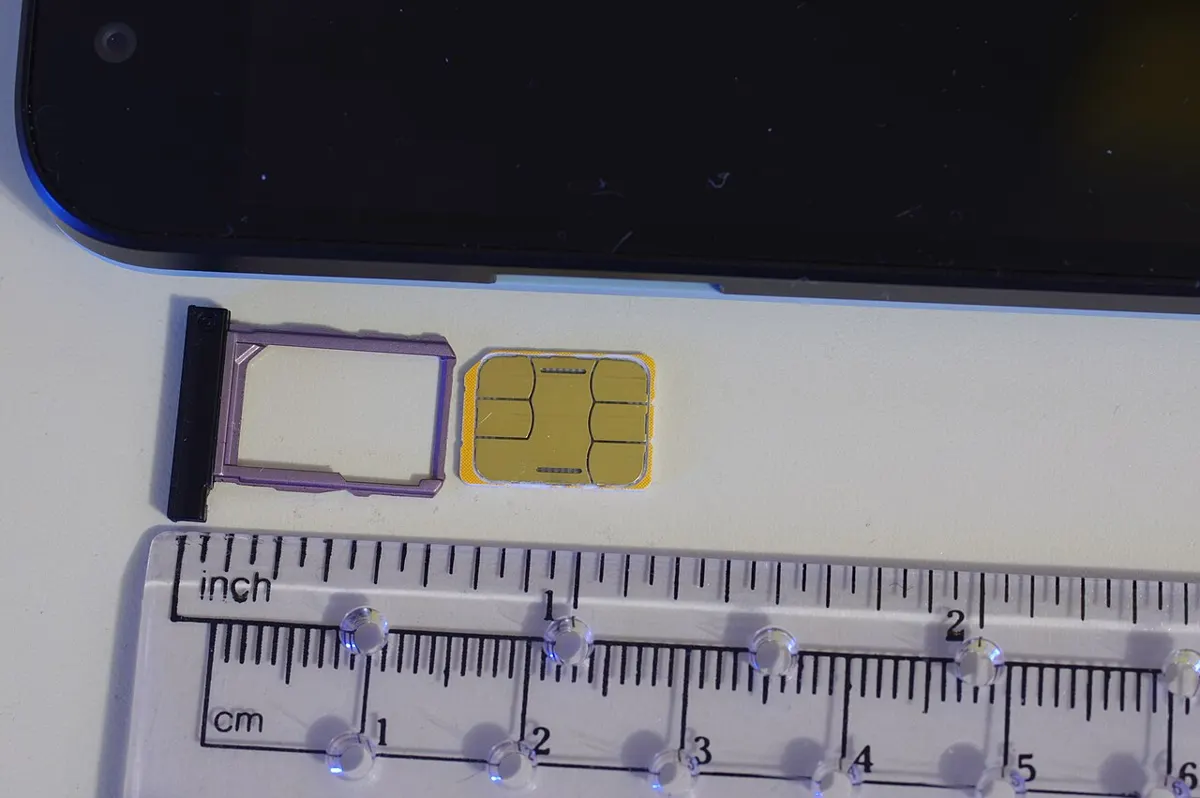
| SIM card | Usually gone. Samsung says deleted SIM contacts can't be restored | None |
| Verizon Cloud, Outlook, Exchange, or another service | That service's own trash or account (see below) | Set by the service |
Not sure which one applies? Open any surviving contact you created the same way and look at the account name shown under the contact's details, or check which account the Contacts app shows at the top. If you've been saving new contacts to a Google account, start with Google's Trash.
How to Recover Deleted Contacts From Google Contacts Trash
Google Contacts moves every deleted contact into Trash, where it stays for 30 days before it's deleted for good. When Google added the feature, it said Trash collects contacts deleted on any device, including the web, Android, and iPhone (Google Workspace Updates). That means a contact you deleted on an old phone can still be recovered from your new one.
On your Android phone
- Open the Contacts app (Google's Contacts app, the default on Pixel and many other phones).
- At the top right, select the Google account that had the contact.
- At the bottom, tap Organize > Trash.
- Tap a contact and tap Recover. For several, touch and hold one, tap the others, then tap More > Recover. For everything, tap More > Select all > More > Recover.
On a computer
- Go to contacts.google.com and sign in with the same Google account.
- Scroll down the left side and click Trash.
- Check the contacts you want and click Recover at the top right.
Recovered contacts sync back to every phone signed in to that account. These steps come from Google's Android and computer help pages for Google Contacts.
If Trash won't load or looks empty
- Turn on contact sync. Google says the Trash only opens when automatic sync is on for Google Contacts.
- Get online. Trash doesn't load while the phone is offline, so an empty Trash in airplane mode doesn't mean the contact is gone.
- Switch accounts. Each Google account has its own Trash. If you use a personal and a work account, check both.
- The contact was never in Google. Google is blunt about this: if the deleted contact wasn't stored in your Google account, you can't recover it from Google Contacts. Jump to the Samsung or backup sections.
Use Undo Changes After a Mass Deletion or Bad Merge
Undo changes rolls your whole Google contact list back to how it looked at an earlier time, up to 30 days ago. It's the right tool when a sync glitch, an app, or a mistaken "Select all" wiped out or overwrote lots of contacts at once. It also catches deletions that Trash misses, like edits that erased a phone number and contacts removed from your "Other contacts" list.
Before you use it, export your current contacts. Google warns that when you go back to a certain time, contacts added after that time won't show up. In the Contacts app, tap Organize (called Fix & manage in older versions) > Export to file > Export to .VCF file. Afterward, you can bring any newer contacts back with Organize > Import from file (export help, import help).
- Open the Contacts app and tap your profile picture at the top right, then Contacts settings.
- Under "Edit contacts," tap Undo changes. If asked, choose the Google account.
- Choose a time from before the contacts disappeared.
- Tap Confirm.
On a computer, the same option is under Settings > Undo changes at contacts.google.com. Use the web version if your contacts vanished from "Other contacts," because Google's computer help page is where it confirms those can be recovered this way. The one thing Undo changes can't do is bring back contacts you deleted permanently from Trash.
Tip: On the web, opening a contact shows its "History" at the bottom right, so you can see when it was added or edited. Older contacts may not have a history, Google notes, but for newer ones it can help you pick the right time to roll back to.
How to Restore Deleted Contacts on a Samsung Galaxy
Samsung's Contacts app keeps its own Trash (called Recycle bin on some versions), separate from Google's. Look here first for contacts saved to the phone or to your Samsung account. If you deleted a Google contact on a Galaxy, it should also turn up in Google Contacts Trash.
- Open the Samsung Contacts app.
- Tap More options (three dots). On Android 14 and older, tap the three-line menu instead.
- Tap Trash (or Recycle bin).
- Tap Select (or Edit on older versions), choose the contacts or All, and tap Restore.
Samsung's Russia support page gives the most detail: deleted contacts stay in the Trash for 30 days on Android 11 through 16, but only 15 days on Android 10. The same page says a contact deleted from the SIM card can't be restored. Samsung's Australia and Gulf pages describe the same Recycle bin steps.
Restore from a Samsung Cloud backup
If the Trash is empty, a Samsung Cloud backup made before the deletion may still hold the contact. Samsung says Cloud backups include contacts saved on the phone, while contacts saved in your Samsung account sync instead (Samsung Cloud FAQ).
- Open Settings and tap your Samsung account name at the top.
- Tap Samsung Cloud > Restore data.
- Choose a backup from before the contact was deleted, select Contacts, and follow the prompts.
That's the path on Samsung US's backup and restore page. Check the backup's date before you restore, because a backup made after the deletion won't have the contact.
Restore Phone or SIM Contacts From a Google Backup
Google's device backup can restore contacts that were saved on a phone's storage or SIM card, which is the route for non-Samsung phones whose contacts never went into a Google account. You'll need a backup from a phone that still had the contact.
- Open Settings and tap Google > All services.
- Under Backup & restore, tap Restore contacts.
- If you have more than one Google account, tap From account and pick the right one.
- Tap the phone with the contacts you want to copy.
- Turn SIM card or Device storage on or off to choose what to copy, then tap Restore and wait for "Contacts restored."
Google's Android help adds three rules worth knowing. The phone only restores contacts it doesn't already have, so you won't get duplicates. Restored contacts also sync into your current Google account, which protects them from now on. And you can't restore a backup from a higher Android version onto a phone running a lower one. Contacts from apps like Outlook or WhatsApp come back only when you reinstall those apps.
Google contacts don't need this step at all. They show up on any phone as soon as you sign in. For more on what Google's backup does and doesn't save, see our guide on how to back up an Android phone.
Verizon Cloud, Outlook, and Other Contact Services
If your contacts sync with a carrier or email service, that service keeps its own copy and its own trash.
- Verizon Cloud: Verizon says deleted contacts are kept in the Verizon Cloud Trash for 30 days. Open the Verizon Cloud app, tap the Library menu, tap Trash, select the contact, and tap More options > Recover item(s) (Verizon help). Know the catch: unlike photos, a contact deleted on your phone is also deleted from Verizon Cloud at the next sync, and on Android your Google contacts sync with Verizon Cloud too (Verizon Cloud FAQs). Verizon also says contacts keep syncing even if you cancel a paid Cloud plan.
- Outlook, Exchange, Yahoo, and work accounts: These contacts live on that company's servers, not in Google. Recover them through that service's own website or ask your IT admin. Google's automatic backup can't copy contacts that sync with these services into Google Contacts.
Contacts Missing but Not Deleted? Check These First
Sometimes contacts vanish from the screen without being deleted. Run through these before you roll anything back.
- The app is showing one account. Samsung notes that filtering the list by account or group can make contacts look missing. In Samsung Contacts, open the menu and choose All contacts. In Google's Contacts app, switch accounts at the top right.
- You signed out or turned off sync. Google removes your Google contacts from a phone when you sign out of it, and turning off Google Contacts sync removes them from the device too. They're still in your account and come back when you sign in or turn sync back on (Google help, sync help).
- Sync is stuck. Pull down on the contact list in Google's Contacts app to sync now. Samsung also says low storage can interfere with contact syncing, so free some space if the phone is nearly full (our storage guide shows what's safe to delete).
- The contacts were on your old phone. Contacts that lived only in phone storage don't move on their own. Use Restore contacts, or see our iPhone to Android transfer guide if you switched from an iPhone.
Why does deleting a contact on one phone delete it everywhere? Android's developer documentation explains that a deleted contact is first only marked for deletion. The account's sync service then deletes it on the server and finishes removing it from the phone (ContactsContract.RawContacts). After that, every other device signed in to the account picks up the deletion when it syncs.
Can You Recover Contacts Deleted More Than 30 Days Ago?
Usually not from Google. Google says contacts permanently deleted from Trash can't be recovered, and Undo changes only reaches back 30 days. Your remaining options are other copies of the information:
- An offline device. If an old phone or tablet signed in to the same account has been off or offline since the deletion, keep it offline and check its Contacts app. Deletions reach other devices only when they sync, so the contact may still be on it. Copy the details down before you reconnect it.
- Older backups. A Samsung Cloud backup, a Smart Switch backup on a computer, or a .vcf file you exported earlier may still include the contact.
- Your call and message history. Deleting a contact removes the name, not your past calls and texts. Scroll back through the Phone app or your texting app to find the number, then save it again.
- Be careful with paid "recovery" software. Google documents no way to bring back contacts permanently deleted from its servers. Try every free route above before giving a third-party tool full access to your phone.
The same 30-day pattern applies to photos, so if you lost pictures along with your contacts, our guide to recovering deleted photos on Android walks through the Google Photos and Samsung Gallery trash.
How to Stop Losing Contacts Next Time
The best fix is making sure every contact lives in your Google account, where Trash and Undo changes can protect it.
- Open Settings, tap your profile picture or Google, then All services.
- Under Backup and restore, tap Google Contacts sync and pick the account to use.
- Tap View settings and turn on Back up device-only and SIM contacts automatically.
Google says this saves your existing and future phone and SIM contacts as Google contacts, but only to one Google account, and not to a child's account or a work or school account (Google help). Availability depends on the phone's make and model. Contacts in Exchange, Yahoo, or similar services aren't covered, so import those separately. To bring old SIM contacts into Google, use Organize > Manage SIM in the Contacts app.
Every few months, also export a .vcf file and keep it somewhere outside your phone, like your computer. It's a free safety net for the cases Google can't cover, such as a contact deleted more than 30 days ago. And before you wipe a phone, follow the checklist in our factory reset guide so your contacts are safely in your account first.
Frequently Asked Questions
Can I recover deleted contacts without a Google account?
Sometimes. On a Samsung Galaxy, contacts saved to the phone go to the Contacts app's Trash and may also be in a Samsung Cloud backup. On other phones, you need a backup or an exported .vcf file from before the deletion. Without any of those, there's no official way to get them back.
Does a factory reset bring back deleted contacts?
No. A reset erases the phone, it doesn't undo deletions. When you sign back in, your phone downloads the Google contacts that are still in your account, which won't include the ones you deleted. Recover them from Trash or Undo changes first.
How long do deleted contacts stay in Google Contacts Trash?
Thirty days. After that, Google deletes them permanently. You can also empty the Trash yourself or tap Delete forever on a contact, and either one removes it right away with no undo.
Why did my contacts come back after I deleted them?
Usually because another account still has a copy. If the same person was saved in your Google account and in phone storage, a Samsung account, or a work account, deleting one copy leaves the others, and the contact reappears. Open the contact and check which accounts it's linked to.