Best Android Emulator for 4GB RAM PC in 2026: What Fits

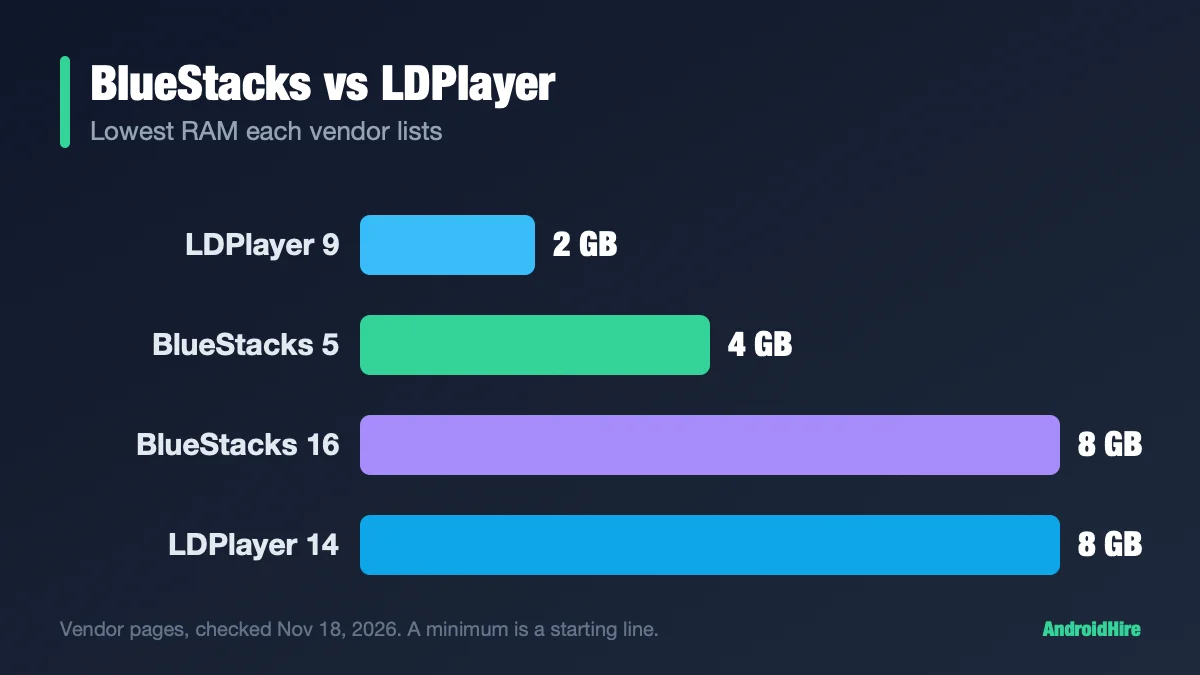
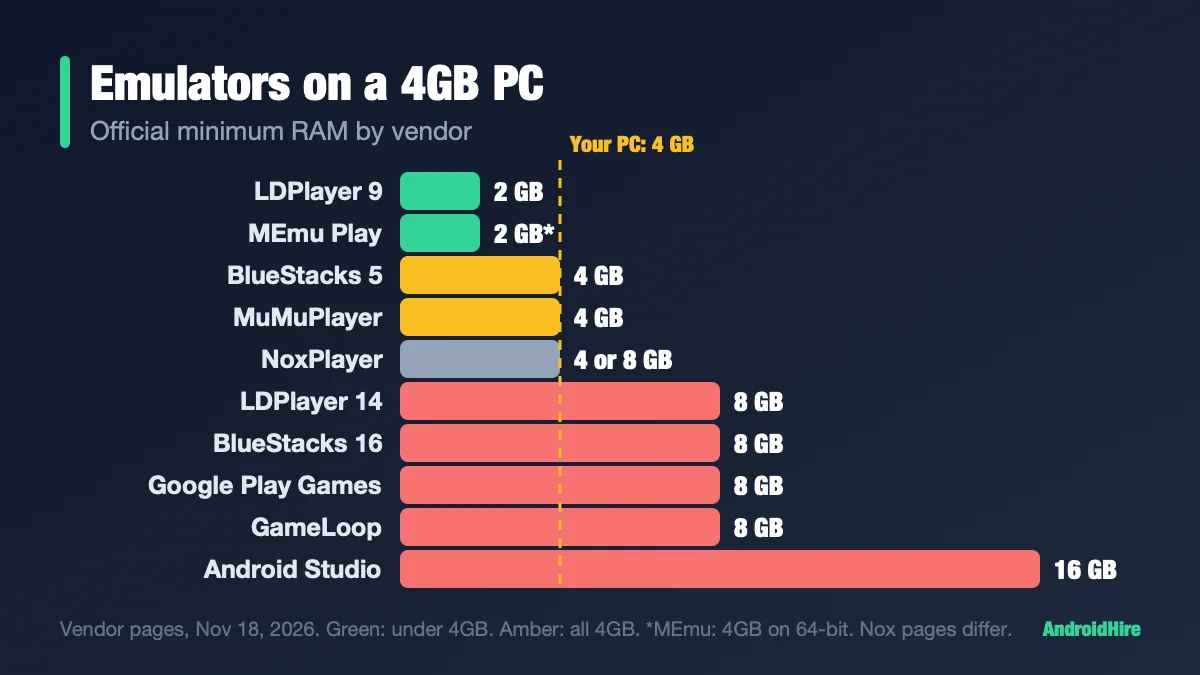
The best Android emulator for a 4GB RAM PC is LDPlayer 9. It lists a 2GB minimum, which leaves room for Windows. BlueStacks 5, MEmu Play and MuMuPlayer list 4GB, which is your whole PC, so they are a tight fit. LDPlayer 14, BlueStacks 16, Google Play Games on PC, GameLoop and the Android Studio emulator need 8GB or more. If nothing runs well, play on your phone with scrcpy, or use a cloud service.
Spec-based comparison. We did not install or benchmark the software. Every figure comes from a source linked in this guide, read on November 18, 2026. We plan to recheck it by December 16, 2026.
Your 4GB plan
- Pick 1: LDPlayer 9. 2 cores, 2,048MB, 1280x720. One light game.
- Pick 2: MEmu Play. Lower its 4,096MB preset to 2,048MB. Try DirectX first.
- Pick 3: BlueStacks 5. Light games only. 2 cores and 2GB.
- Still lags? Use your phone with scrcpy.
For a PC with 8GB, read our 8GB settings guide instead. This page is only for 4GB.
Key facts, checked November 18, 2026
- LDPlayer 9: 2GB minimum, 36GB free disk, virtualization on (LDPlayer).
- BlueStacks 5: 4GB minimum on its product page (BlueStacks).
- MEmu Play: 2GB (4GB on 64-bit) on one page, “at least 4GB” on another (MEmu).
- Not an option on 4GB: LDPlayer 14 (8GB), BlueStacks 16 (8GB), Google Play Games on PC (8GB), GameLoop (8GB) and the Android Studio emulator (16GB).
- Windows 11 needs at least 4GB (Microsoft), so a 4GB PC has no spare room by design.
- No independent test exists. We found no credible measurement of any emulator on a real 4GB PC.
Jump to: which emulators fit · what will not fit · how much RAM one uses · what Windows leaves you · settings from the vendors · no virtualization · no graphics card · Free Fire and PUBG · names in other lists · if nothing works · FAQ
Which Android emulators fit in 4GB of RAM?
We put each vendor’s minimum next to its own advice for weak PCs. Where they disagree, we say so.
| Emulator | Official minimum RAM | The vendor’s own settings advice | Fits 4GB? |
|---|---|---|---|
| LDPlayer 9 | 2GB, 36GB free disk, virtualization on. Page dated 2020. | 2 cores and 2,048MB is “the most common setting.” RAM is capped at half your system RAM (a 2019 page, written before LDPlayer 9). | Yes |
| MEmu Play | 2GB (4GB on 64-bit) on its requirements page. “At least 4GB” on its troubleshooting page. | Its performance post suggests 4 cores and 4,096MB. | Tight. Lower the preset. |
| BlueStacks 5 | 4GB, your whole PC. | 2 cores and 2GB for light games; 4 cores and 4GB for heavy ones. | Tight. Light games only. |
| MuMuPlayer | 4GB, plus an i5-7500-class CPU with 4 or more cores. | Low-spec setting of 2 cores and 2GB, or 4 cores and 3GB. | Tight. Use 2 cores and 2GB. |
| NoxPlayer | 4GB on its Japanese support page. 8GB in its 2021 English table. | Leave Windows enough RAM. No preset values. | Unclear |
Sources: LDPlayer, LDPlayer RAM page, MEmu, MEmu troubleshooting, MEmu settings post, MuMu, MuMu low-spec, Nox (Japanese), Nox (English).
LDPlayer 9 is the one whose minimum leaves room for Windows. The others list 4GB, which is all of your RAM. BlueStacks and MuMu also give a 2GB setting for light games, which is why they stay on the list.
Which emulators will not fit?
| Product | What the vendor asks for | Source |
|---|---|---|
| LDPlayer 14 | 8GB of RAM, a video card with more than 2GB of memory, an SSD. One window uses about 2GB. | LDPlayer Vietnam spec page, July 23, 2026 |
| BlueStacks 16 (BlueStacks Desktop) | 8GB or more of RAM. | BlueStacks product page |
| Google Play Games on PC | 8GB of RAM, an SSD with 10GB free, 4 physical CPU cores | Google Play Help |
| GameLoop | 8GB on its current game pages. An older 2021 blog said 3GB. | GameLoop PUBG Mobile page |
| Android Studio emulator | 16GB of RAM. Google says to test on a real device instead if you do not have the specs. | developer.android.com |
Two download traps
- BlueStacks: its home page now leads with BlueStacks Desktop (Android 16), the 8GB product. We did not click its download button, so check that the file name says BlueStacks 5 before you run it. The BlueStacks 5 page is bluestacks.com/bluestacks-5.html.
- LDPlayer: when we looked, the top Download button on ldplayer.net gave LDPlayer 14 (Beta, 8GB), and LDPlayer 9 had its own button. Install LDPlayer 9. The file name should say LDPlayer9. Buttons can change, so check.
How much RAM does an Android emulator use?
There is no good public number for 4GB PCs. Here is every sourced number we found:
- LDPlayer says one LDPlayer 14 window uses about 2GB at its minimum setup (July 23, 2026).
- In LDPlayer’s own test, ten LDPlayer 14 windows set to 2GB used 22,717MB. BlueStacks used 26,492MB. Divided by ten, that is about 2.3GB and 2.65GB per window. The division is ours, and the test PC had 31.7GB, so it is not a 4GB result (LDPlayer test).
- Windows 11 used 2.4GB at idle on a 4GB virtual machine, leaving 1.6GB (Windows Latest). That was a VM on a test build.
- A real 8GB laptop with Windows 11 used 4.1 to 5.3GB at idle, depending on the build (Windows Central).
We found no independent test of any emulator on a real 4GB PC. A “2GB” emulator can cost more than 2GB in practice. Use the measure-it-yourself box below.
What does Windows leave you on a 4GB PC?
Not much. If about 1.6GB is free at idle, a 2GB emulator assignment is more than what is free. Windows then has to push data to the disk, and everything slows down. That is our reading of the numbers above, not a measurement.
Your gate before you install: restart the PC, open nothing, then open Task Manager (Ctrl+Shift+Esc) and go to Performance, then Memory. Look at Available. Whatever you give the emulator must come out of that number.
Windows 10 on 4GB
Many 4GB PCs run Windows 10. Microsoft ended regular support on October 14, 2025. Windows 10 22H2 Home and Pro users can enroll in Extended Security Updates until October 12, 2027, which covers security fixes only. You need an admin Microsoft account, and can enroll by syncing PC settings, with 1,000 Rewards points, or for $30 (Microsoft). LDPlayer 9 lists Windows XP through 11 on a page dated 2020, and MEmu lists Windows 7 and up. Windows 7 gets no security updates.
Check Memory integrity first
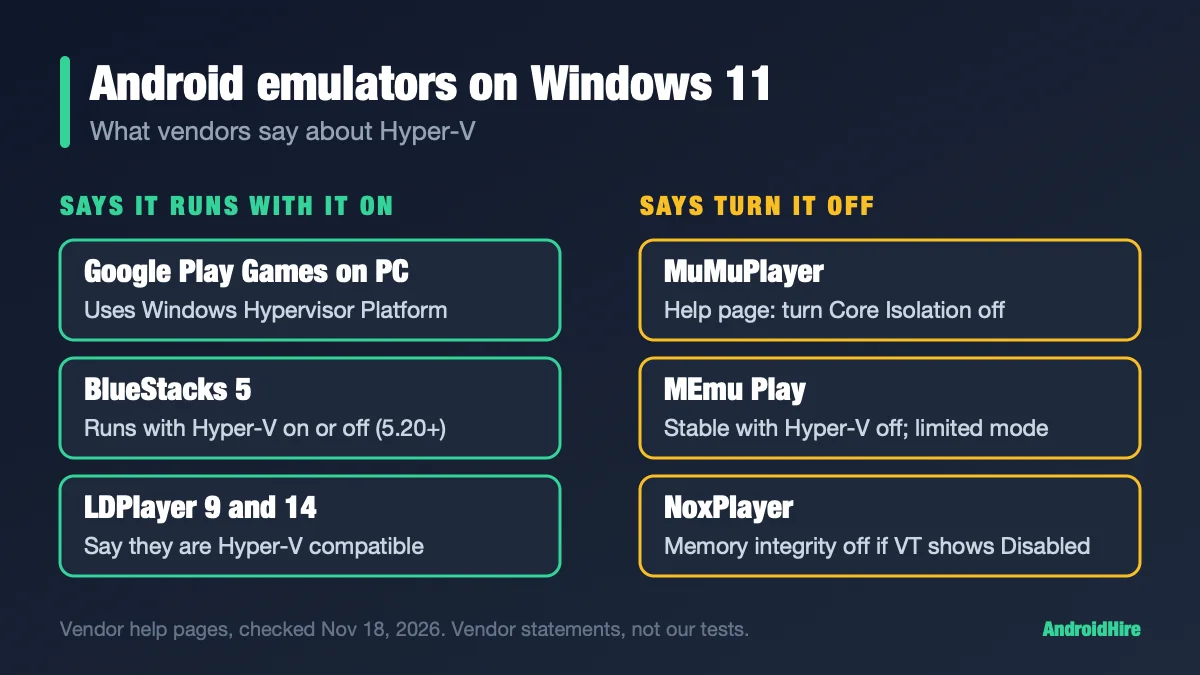
Memory integrity runs on Windows’ virtualization layer, and emulators fight over it. Microsoft’s auto-enable rule asks for 8GB of RAM on x64 for clean installs (Microsoft). But Microsoft also said that from October 2026 it is expanding Memory integrity to eligible existing devices (Microsoft IT Pro blog), and it has not said whether the 8GB rule applies. So check yours: Windows Security, then Device security, then Core isolation details. Our 8GB guide covers the fix, and our Windows 11 check shows how to see what holds virtualization.
Settings from the vendors’ own pages
These start points come from each vendor’s support pages. They are not our test results. Some pages are old, and menu names may differ in your build.
| Emulator | Where | Start with |
|---|---|---|
| LDPlayer 9 | Settings, then the RAM and CPU options | 2 cores, 2,048MB, 1280x720. A 2021 multi-instance page for weak PCs also lists Memory optimization and Smaller disk mode, which caps a new emulator’s disk at 3GB (LDPlayer). |
| BlueStacks 5 | Settings, then Performance | 2 cores and 2GB. Do not give BlueStacks all your CPU cores. Use the Trim memory icon on the side toolbar. |
| MuMuPlayer | Settings, then Advanced, then Performance | 2 cores and 2GB. Keep cores under half of your real cores. Use Clean up memory. |
| MEmu Play | Settings, then Engine | 720p resolution. Lower the 4,096MB preset. Try DirectX rendering first. |
Four rules apply to all of them:
- Turn virtualization on. See the next section.
- Run one emulator. Do not keep two installed and open.
- Close the browser. A browser with many tabs can use a lot of RAM on a small PC.
- Pick a light game. A big 3D game will not run well on 4GB no matter what you set.
Measure it yourself in 15 minutes
- Restart. Wait 10 minutes. Open Task Manager, Performance, Memory. Write down In use and Available.
- Open the emulator at 2 cores, 2,048MB and 720p. Wait 2 minutes at the home screen. Write both numbers again.
- Open one light game for 10 minutes. Write them down a third time.
- If Available gets very low or the disk light stays at 100%, lower the emulator’s RAM or resolution.
We have not run this on a 4GB PC. Do not test inside a virtual machine: Google says a VM-accelerated emulator cannot run inside VirtualBox, VMware or Docker.
Can a 4GB PC run an emulator without virtualization?
Sometimes, but slowly. Turn on virtualization in the BIOS first. It is the biggest speed fix. GameLoop’s own FAQ says it can make the emulator more than 10 times faster (GameLoop). Most vendors list virtualization as required. LDPlayer 9 lists it in its minimum. MuMu says a 32-bit system without it cannot install.
You will see MuMu Nebula, SmartGaGa and a GameLoop “no VT mode” in other lists. We found no official page confirming their claims. Our virtualization section shows how to turn it on.
Can a 4GB PC run an Android emulator without a graphics card?
Usually yes, on the graphics built into the CPU, but check the vendor. LDPlayer 9 asks for DirectX 11 or a driver with OpenGL 2.0, and MEmu asks for the same. BlueStacks asks for up-to-date graphics drivers. LDPlayer 14 asks for more than 2GB of video memory and warns that built-in graphics can cause black screens or FPS drops. GameLoop lists a GTX 660 or better.
Android emulator for 2GB or 1GB of RAM?
Not really. LDPlayer 9 and MEmu list 2GB on paper, but Windows 11 itself needs 4GB, so a 2GB PC has no room. Use Windows 10 and one light app, or use scrcpy or the cloud. Do not trust “runs on 1GB” lists, because most name dead projects.
Can you play Free Fire or PUBG Mobile on 4GB of RAM?
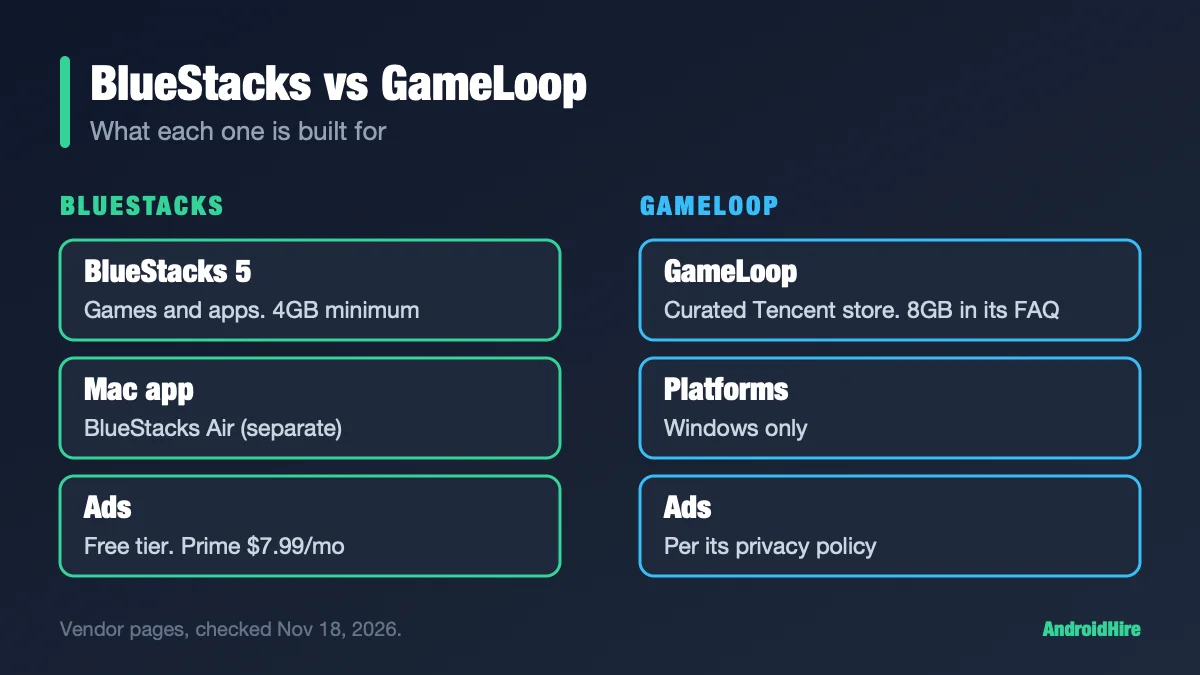
Probably not well. BlueStacks’ own example of a heavy game is Free Fire, and its advice is 4 cores and 4GB, which is your whole PC. GameLoop’s PUBG Mobile page lists 8GB. Light games fit 2 cores and 2GB. For the matchup, see BlueStacks vs GameLoop.
What does “lightweight” really mean?
Lists call many emulators “lightweight.” We found no credible independent test behind that word. BlueStacks says it “uses up to 50% less RAM than other platforms,” with no method. LDPlayer says LDPlayer 14 consumes fewer system resources, with no figure. The only measured test we found is run by LDPlayer on a 31.7GB PC. So the honest measure of lightweight is the official minimum, and that is why LDPlayer 9 comes first.
Names you will see in other lists
| Name | What we found |
|---|---|
| MuMu Nebula or Lite | We found no official page with its requirements. |
| SmartGaGa | We found no official site, only download portals. |
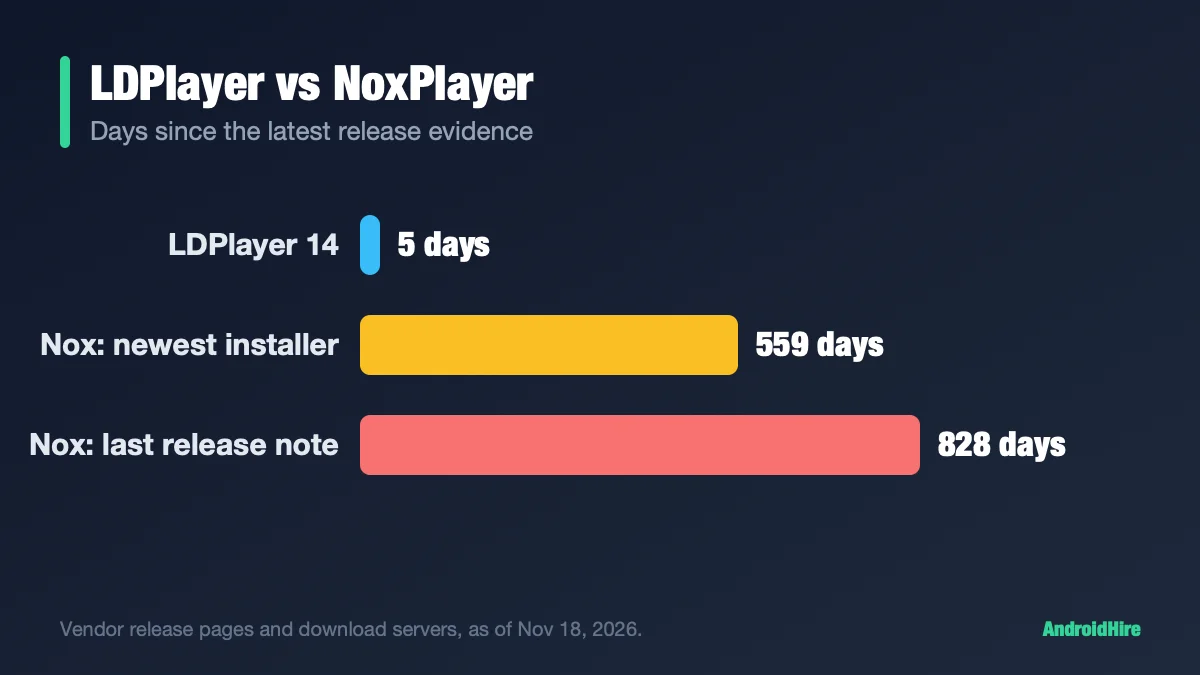
| NoxPlayer Lite | Nox made NoxPlayerZ, with release notes only from 2022. See LDPlayer vs NoxPlayer. |
| Droid4X, Andy, KoPlayer | No maintenance evidence. |
| Genymotion, Android Studio | Developer tools. Android Studio lists 16GB. |
| Waydroid | Linux only. See our Linux guide. |
| Leapdroid, Remix OS | Ended in 2016 and 2017. |
| Windows Subsystem for Android | Ended March 5, 2025 (Microsoft). |
| Bliss OS | “Public images are paused” (blissos.org). |
If nothing runs well: three other options
- Your phone, mirrored with scrcpy. The game runs on the phone, so your PC does not hold an Android guest in RAM. scrcpy is free and open source, shows your phone on the PC and lets you control it with the keyboard and mouse. It needs Android 5.0 or newer and USB debugging. Version 5.0 added hardware decoding, which the project says cuts CPU use by 10 times. That is the project’s claim. Download it only from its GitHub page, because fake scrcpy apps exist. See also our remote control guide.
- A cloud Android service. now.gg says its cloud devices are free and ad-supported (now.gg), and they need a stable internet connection. Treat any cloud site as an unknown: check its privacy page, and do not sign in to accounts you cannot lose.
- More RAM. If your PC has a free memory slot, 8GB opens the BlueStacks 5 range and our 8GB guide.
How to set up an emulator on a 4GB PC
- Restart and read Available memory in Task Manager. Close everything else first.
- Check virtualization. In Task Manager, Performance, CPU, look for Virtualization: Enabled. If it says Disabled, turn it on in the BIOS.
- Install LDPlayer 9 from ldplayer.net. Click the LDPlayer 9 button, not the Beta LDPlayer 14. The file name should say LDPlayer9.
- Set 2 CPU cores, 2,048MB of RAM and 1280x720.
- Open one light game and watch Task Manager for a few minutes. If the disk stays busy and the game stutters, lower the RAM or resolution.
- If it still fails, use scrcpy with a phone.
How we checked this guide
This is a spec-and-settings analysis, not a benchmark. We read each vendor’s requirement pages and support articles, Microsoft’s Windows pages, Google’s Play Games and Android Studio pages, and recent Windows memory tests from Windows Central and Windows Latest.
- Not tested: frame rates, real RAM use, and any emulator on a real 4GB PC.
- Not confirmed: Nox’s English minimum (its pages conflict), and MuMu’s lighter Nebula edition.
- Old pages: LDPlayer 9’s requirements page is dated 2020, its half-RAM rule is from 2019 and its weak-PC tips are from 2021.
- LDPlayer pages were read through a summarizing tool, so its wording is close paraphrase. LDPlayer 14’s spec comes from a Vietnamese page that we translated.
- BlueStacks’ support site blocks automated readers, so we cite only its product pages.
Sources we read (November 18, 2026)
- LDPlayer 9 requirements
- LDPlayer RAM and CPU page
- LDPlayer weak-PC multi-instance page
- LDPlayer 14 spec page (Vietnam)
- LDPlayer 14 vs BlueStacks test
- BlueStacks 5 product page
- BlueStacks 16 product page
- MEmu system requirements
- MEmu troubleshooting
- MEmu performance settings
- MuMuPlayer requirements
- MuMuPlayer low-spec help
- Nox requirements (English)
- Nox requirements (Japanese)
- GameLoop virtualization FAQ
- GameLoop PUBG Mobile page
- Google Play Games on PC requirements
- Android Studio emulator
- Microsoft: Windows 11 specifications
- Microsoft: Windows 10 ESU
- Microsoft: memory integrity default rule
- Microsoft: memory integrity expansion
- Windows Latest: Windows 11 RAM use
- Windows Central: 8GB Windows 11 test
- scrcpy on GitHub
- now.gg about page
- Bliss OS status
- Microsoft: WSA (archived)
Our recommendation, from the specs
On a 4GB PC, install LDPlayer 9, assign 2 cores and 2GB, and play one light game. Try MEmu Play with a lowered preset if LDPlayer will not run. Use BlueStacks 5 only for light games. Skip the 8GB products. If the game still stutters, move it to your phone with scrcpy.
Do this next: restart, open Task Manager and read Available memory. Then install LDPlayer 9 and run the six steps above.
More emulator guides
Frequently Asked Questions
What is the best Android emulator for 4GB RAM?
LDPlayer 9. It lists a 2GB minimum, which leaves room for Windows. BlueStacks 5 and MuMuPlayer list 4GB, your whole PC, and MEmu lists 4GB on 64-bit Windows. For light games they offer a 2-core, 2GB setting.
How much RAM does an Android emulator need?
Vendors list 2GB to 8GB as the minimum. LDPlayer says one LDPlayer 14 window uses about 2GB. We found no independent measurement on a real 4GB PC, so use Task Manager to read Available memory before and after you start one.
Can a 4GB PC run BlueStacks?
BlueStacks 5 lists 4GB as its minimum, so it can start, but that is your whole PC. BlueStacks's own advice for light games is 2 cores and 2GB. Heavy games ask for 4 cores and 4GB. BlueStacks 16 needs 8GB, so choose BlueStacks 5.
Can a 4GB PC run an emulator without virtualization?
Sometimes, but slowly. Turn on virtualization in the BIOS first. GameLoop's FAQ says it can make the emulator more than 10 times faster. LDPlayer 9 lists it as required, and MuMu will not install on a 32-bit system without it. We found no official page for no-VT claims.
Which Android emulator does not need a graphics card?
Most run on built-in graphics. LDPlayer 9 and MEmu ask for DirectX 11 or an OpenGL 2.0 driver. LDPlayer 14 asks for more than 2GB of video memory and warns that built-in graphics can cause black screens. GameLoop lists a GTX 660.
Can I play Free Fire or PUBG Mobile on 4GB of RAM?
Probably not well. BlueStacks suggests 4 cores and 4GB for a heavy game like Free Fire, which is your whole PC, and GameLoop's PUBG Mobile page lists 8GB. Light games fit 2 cores and 2GB.
Does LDPlayer 9 work on 2GB of RAM?
It lists 2GB as its minimum, but Windows 11 needs 4GB, so a 2GB PC has no room. Use Windows 10 and one light app, or skip the emulator and use scrcpy with a phone.
What is the lightest Android emulator?
We found no credible independent test, so we cannot name a measured winner. By official minimum, LDPlayer 9 is lowest at 2GB, with MEmu Play at 2GB on one page and 4GB on another. Claims that one emulator is lightest come from the vendors.
Does Google Play Games on PC work with 4GB of RAM?
No. Google lists 8GB of RAM, an SSD with 10GB free, four physical CPU cores and hardware virtualization as the minimum.