Best Android Emulator for Linux in 2026: 3 That Still Work

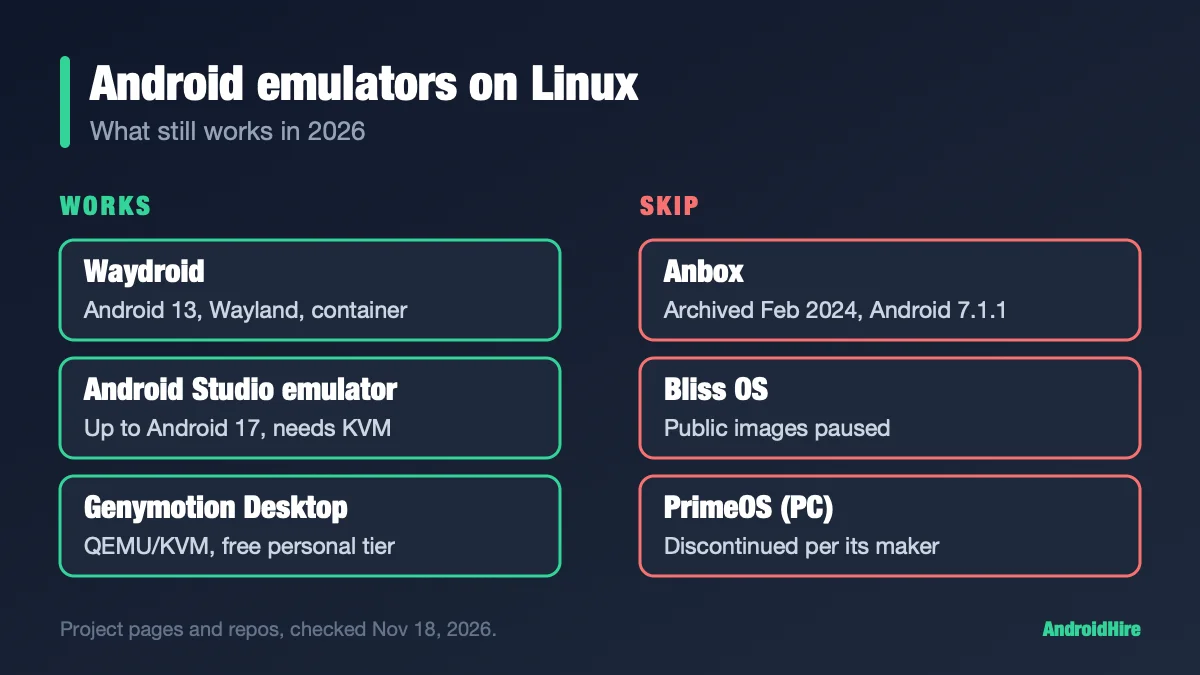
Use Waydroid to run Android apps on a Linux desktop. It runs Android 13 in a container and needs a Wayland session. Use the Android Studio emulator to test apps, or if you want a setup that works with NVIDIA’s driver. Use Genymotion for QA work. Skip Anbox, Bliss OS and PrimeOS: their own pages say they are archived, paused or discontinued. BlueStacks, LDPlayer, NoxPlayer, MuMuPlayer and Google Play Games on PC have no Linux build on their official pages.
Spec-based comparison. We did not install or benchmark the software. Every figure comes from a source linked in this guide, read on November 18, 2026. We plan to recheck it by December 16, 2026.
Which Android emulator should you pick on Linux?
| You want to… | Use this | Android | Cost |
|---|---|---|---|
| Run Android apps in windows on your desktop | Waydroid | 13 | Free |
| Test an app you are building | Android Studio emulator | Up to 17 (API 37) | Free |
| Fake GPS, sensors and network for QA | Genymotion Desktop | Up to 16 (the free plan lacks the latest) | Free for personal use; paid for work |
| Use an NVIDIA GPU with the proprietary driver | Android Studio or Genymotion, or see the NVIDIA section | See above | See above |
| Run many Android instances in Docker | redroid | 8.1 to 16 | Free |
| Use your real phone on your desktop | scrcpy (not an emulator) | Your phone’s | Free |
| Run Android on an ARM Linux board | Waydroid | 13 | Free |
Key facts, checked November 18, 2026
- Waydroid is on release 1.6.3 (May 28, 2026), with code commits as recent as November 15 (releases). Its Android is 13.
- Android Studio emulator: version 37.2.13 (October 28, 2026), with Android 17 (API 37) images (Google).
- Anbox was archived on February 13, 2024. Bliss OS says “public images are paused” (blissos.org).
- Ubuntu 24.04 and 26.04 LTS do not carry Waydroid in Ubuntu’s own archive. Ubuntu 26.10 and newer do.
Jump to: why BlueStacks is not here · Waydroid · install by distro · first start · NVIDIA · X11, Mint, Xfce · Android Studio · Genymotion · redroid, Cuttlefish, scrcpy · RAM · what to skip · fixes · FAQ
Why BlueStacks, LDPlayer and the rest are missing
Most “best Android emulator” lists are about Windows. Their makers do not ship Linux builds. We opened each official download page:
| Emulator | Official download page lists | Linux? |
|---|---|---|
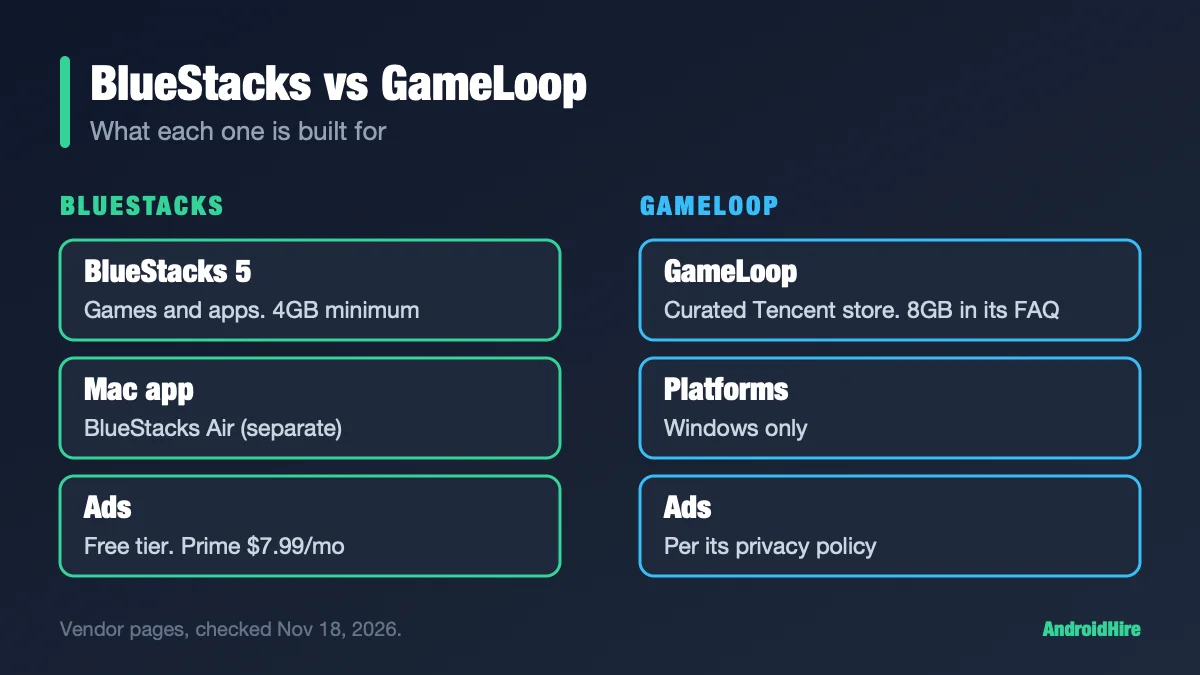
| BlueStacks | Windows and macOS | None listed |
| LDPlayer | Windows only (.exe files) | None listed |
| NoxPlayer | Windows and a Mac version | None listed |
| MuMuPlayer | Windows, Windows on ARM and macOS | None listed |
| Google Play Games on PC | Windows only | None listed |
“None listed” means we found no Linux build. It does not mean the makers said no. Some guides run BlueStacks inside a Windows virtual machine. BlueStacks’ own pages list Windows and macOS (BlueStacks), so that would be outside what it supports. We did not test it. If you have a Windows PC, see our main emulator guide or our Windows 11 guide.
Waydroid: the best Android emulator for Linux
Waydroid is a container, not a full virtual machine. Its docs say it boots a full Android system in a container on a normal Linux system (waydro.id). The Android inside shares your Linux kernel, so it does not have to pretend to be a different computer. That is why it can feel like a native app.
Facts from Waydroid’s own docs and repos:
- Android 13. The image is based on LineageOS 20. The newest images on Waydroid’s update server are dated September and October 2026. Release 1.6.3 lists “initial support for Android 16 images,” but we saw no Android 14 or newer image on the server. Older Android 11 images ended in June 2025.
- Active, but slow releases. Release 1.6.3 came on May 28, 2026. Earlier ones landed every 1 to 5 months, and there has been no new release in the nearly six months since. Code commits continue.
- Works on Intel, AMD and ARM. The homepage lists arm, arm64, x86 and x86_64.
- Wayland only. The homepage says it targets Wayland-based desktops. The docs have no X11 steps. See the X11 section.
- Kernel needs. Your kernel must support
binderand eitherashmemormemfd. The docs give this check (docs):
grep -i -e android -e memfd -e ashmem "/boot/config-$(uname -r)"If that prints nothing useful, the docs say you may need a different kernel or a patched anbox-modules DKMS package. The first anbox-modules repo is archived. A fork, choff/anbox-modules, was updated on October 24, 2026 (GitHub). Use DKMS only as a fallback.
Heads-up: Waydroid is uncertified by Google until you register it. Some apps may check for that, so read our note on emulator bans before you sign in to a game you care about.
How do you install Waydroid on Ubuntu, Debian, Fedora and Arch?
The right way depends on your distro. This table comes from Waydroid’s install page, plus package indexes we checked on November 18, 2026.
| Distro | How | Version we saw |
|---|---|---|
| Fedora (43 to 45) | sudo dnf install waydroid | 1.6.3 |
| Arch | In the extra repository | 1.6.3 |
| Debian 13 | From the backports repository | 1.6.3 |
| Debian 14 and newer, Ubuntu 26.10 and newer | In the official repository | 1.6.3 |
| Ubuntu 24.04 and 26.04 LTS | Not in Ubuntu’s own archive. Use Waydroid’s third-party repo. | Up to 1.6.3 |
For Ubuntu 24.04 and 26.04, Waydroid’s docs give this repo command:
sudo apt install curl ca-certificates -y
curl -s https://repo.waydro.id | sudo bash
Read before you run. Piping a web script into sudo bash runs whatever the server sends. Open https://repo.waydro.id in your browser first and read it. The docs list “noble” (24.04) but not “resolute” (26.04) in their distro names. We checked the repo’s package index and it has builds for both.
The Arch wiki and Fedora’s docs site blocked our automated check, so we have no Arch-specific kernel advice. Use the Arch wiki’s Waydroid page for that.
Official download pages
| Tool | Where |
|---|---|
| Waydroid | docs.waydro.id install page |
| Android Studio emulator | developer.android.com/studio |
| Genymotion Desktop | genymotion.com download page |
| scrcpy | GitHub releases |
| redroid | GitHub |
How do you start Waydroid the first time?
- Install the package from the table above.
- Open Waydroid from your app menu.
- Pick the Android image. Choose the one with Google apps if you want the Play Store.
- On Fedora, the window asks for two web addresses. Paste
https://ota.waydro.id/systemandhttps://ota.waydro.id/vendor.
If it does not start, start it by hand. Waydroid’s docs list these steps under troubleshooting:
- Start the container:
sudo waydroid container start - In a second terminal, without sudo:
waydroid session start - Show the full Android screen:
waydroid show-full-ui - Install an app:
waydroid app install xyz.apk - Get separate app windows:
waydroid prop set persist.waydroid.multi_windows true, thenwaydroid session stop
Closing an app does not stop Android. Waydroid 1.6.0 added a “Stop Waydroid” action to its app-menu icon.
Play Store: choose the Google-apps image when Waydroid asks. In the terminal, the flag is -s GAPPS: sudo waydroid init -s GAPPS. Waydroid’s command-line doc lists the options VANILLA, FOSS and GAPPS for that flag. To switch later, release 1.6.0 added an “Initialize Waydroid” menu action. Back up first, because your Android data may not survive.
Fix “device is not certified”: run this once and copy the number it prints (Waydroid docs):
sudo waydroid shell -- sh -c "sqlite3 /data/data/*/*/gservices.db 'select value from main where name = \"android_id\";'"Paste the number at google.com/android/uncertified, wait a few minutes, then run waydroid session stop.
ARM-only apps: Waydroid’s docs warn that APK files found online often have only ARM code and will not run on x86_64. The docs point to a community script for translation libraries. We did not test it. A script run as root can change your system, so read it first.
Does Waydroid work with NVIDIA graphics?
Not well by default. Waydroid’s docs call NVIDIA an “unsupported GPU.” The fix they give is software rendering (docs). That means no GPU speed-up.
To turn it on, open /var/lib/waydroid/waydroid.cfg as root. Under [properties], add these two lines:
ro.hardware.gralloc=default
ro.hardware.egl=swiftshader
Then run sudo waydroid upgrade -o.
A community fix exists. waydroid-nvidia is a separate MIT-licensed project (GitHub). Its README says it gives GPU speed on GTX 900 to RTX 50 cards. It replaces your distro’s Waydroid package, needs a Wayland desktop and nvidia-drm.modeset=1, and works only with the official Android 13 image. You must run its setup again after every NVIDIA driver update. Its author tested it on Arch and CachyOS with KDE Plasma 6. Bazzite’s docs say its NVIDIA images ship it (Bazzite). We did not test it, and we do not repeat its speed numbers.
Our pick: if you want a setup that survives updates, use the Android Studio emulator. If you like to tinker, try waydroid-nvidia.
Can Waydroid run on X11, Linux Mint or Xfce?
Not directly. Waydroid’s homepage says it is for Wayland desktops, and its docs have no X11 steps. If your desktop only has X11, one community route is to run Waydroid inside a small Wayland window, called a nested compositor.
Community fix (not official, not tested by us): cage -- waydroid show-full-ui. A forum guide dated October 1, 2026 used this on CachyOS with Xfce on X11 and Waydroid 1.6.3 (CachyOS forum). It says running waydroid session start straight from X11 failed with a Wayland socket error.
Easier: log out and pick a Wayland session if your desktop has one. Waydroid’s docs also show how to build a Waydroid-only Wayland session with Cage (docs). We could not confirm Linux Mint’s Wayland status from Mint’s own site.
On current Ubuntu and Fedora GNOME, you are already on Wayland. Ubuntu dropped GNOME on Xorg in 25.10 (Ubuntu), and Fedora’s change page for 43 lists removing the GNOME X11 packages (Fedora).
Android Studio emulator: best for testing apps
Google’s emulator is the one to use if you build apps, or if Waydroid will not run on your setup. It is free. It is not made for gaming.
- Version: 37.2.13 (October 28, 2026). The latest stable build in Google’s notes is 37.2.12 (October 1).
- Android: system images go up to Android 17 (API 37). Images with the Play Store are listed.
- Requirements: Google lists 16GB of RAM and 16GB of disk for Studio plus the emulator (Google). It wants a 64-bit Linux with glibc 2.31 or newer and CPU virtualization turned on. It names Intel 8th gen or AMD Ryzen as the floor, and a GPU with 4GB of video memory. Intel N-series and U-series chips are not recommended. Linux on ARM CPUs is not supported.
- Not inside a VM: Google says you cannot run the accelerated emulator inside VirtualBox, VMware or Docker. Some cloud and CI hosts expose KVM inside a VM, so check for
/dev/kvmfirst.
KVM is the piece that makes it fast. Google gives these checks (Google):
emulator -accel-check
sudo apt-get install cpu-checker
sudo kvm-ok
On Ubuntu, Google’s install line is sudo apt-get install qemu-kvm libvirt-daemon-system libvirt-clients bridge-utils. You also need permission to use KVM. Google points to Ubuntu’s KVM guide for that step.
Server use: the option -no-window runs it without a screen (docs). Google’s docs now call the old emulator tool deprecated in favor of an android emulator command, so check the page before you script around it.
Genymotion Desktop: best for professional QA
Genymotion is a testing tool with sensor, GPS and network controls. It has a Linux build (x86_64 only).
- Version: 3.11.0. Android 15 and 16 images exist (changelog). The free plan lacks the latest Android, and you need a free account for personal use.
- Supported Linux: Ubuntu LTS, Debian Stable and Fedora Workstation. The docs page names Ubuntu 24.04, Debian 13 and Fedora 43 (docs). GNOME, KDE and MATE are the fully supported desktops.
- Engine: an embedded QEMU with KVM. Genymotion calls VirtualBox on Linux “legacy” and not recommended. Old guides that say you need VirtualBox are out of date.
- Needs: an Intel 6th gen or Ryzen CPU, virtualization on, an OpenGL 3.3 GPU and 16GB of RAM or more. VMs, VPS and Docker are not supported.
- X11 warning: the docs say it may crash on an Ubuntu X11 session and recommend Wayland.
- Price: free for personal use, with limits. Paid plans as listed: $49 a year for students, about $240 for individuals and about $480 for businesses. The page’s price formatting is unclear, so confirm on the pricing page.
Three Linux-only options most lists miss
| Tool | What it is | Best for |
|---|---|---|
| redroid | Android in Docker or Podman. Images from Android 8.1 to 16. No window of its own; you view it with adb or scrcpy. | Many instances, servers, automation |
| Cuttlefish | Google’s virtual device for AOSP builds. Release v1.57.15 on November 17, 2026. View it in a browser at localhost:8443. | Android platform developers |
| scrcpy | Mirrors a real phone to your desktop and lets you control it. v5.0.1 (October 8, 2026). Needs Android 5.0 or newer. | Using your own phone on a big screen |
redroid’s own quick start uses the binder_linux and ashmem_linux kernel modules, then a Docker command (README). Check it before you start, since this is server software. For scrcpy, the project says apt install scrcpy gives an obsolete version. Use the static build from its GitHub page. Cuttlefish lives at google/android-cuttlefish. More phone-to-PC options are in our remote control guide.
How much RAM do you need?
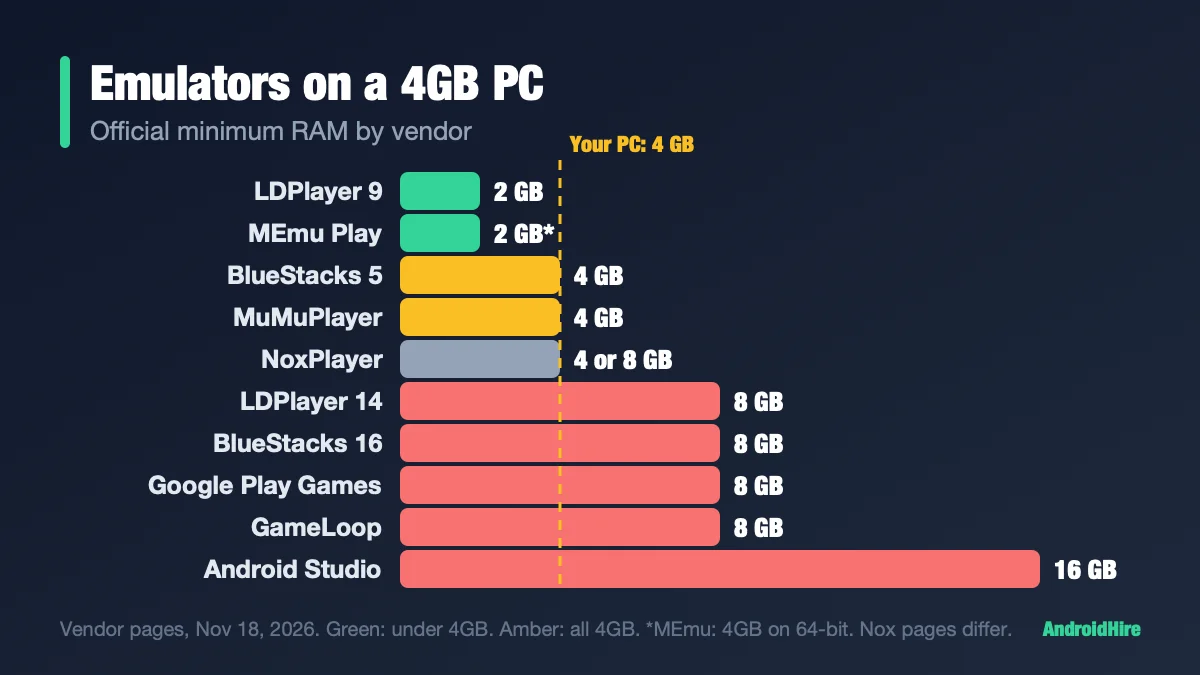
Google lists 16GB of RAM for Android Studio plus the emulator. Genymotion lists 16GB or more. Waydroid’s docs give no minimum. One CachyOS forum user ran the plain image on a 4GB Celeron laptop with Xfce, and said the Google-apps image felt heavier. That is one report, not a test. For a 4GB PC, see our 4GB emulator guide, which is mostly about Windows but covers phone mirroring too.
Which one fits your GPU and desktop session?
| Your setup | What the docs say | Pick |
|---|---|---|
| Intel or AMD GPU, Wayland session | No warnings from Waydroid’s docs | Waydroid |
| NVIDIA proprietary driver | Waydroid docs call NVIDIA an “unsupported GPU.” The workaround is software rendering. A community project exists. See above. | Android Studio or Genymotion |
| KDE on X11, Xfce, i3 | Waydroid has no X11 steps. Use a Wayland session, or a nested Wayland window. See above. | Waydroid in a Wayland window, or Android Studio |
| Ubuntu 25.10 or newer, Fedora 43 or newer | GNOME already defaults to Wayland there. | Waydroid |
| ARM Linux (not an Intel or AMD PC) | Android Studio says ARM-based Linux is not supported. Waydroid publishes arm64 images. | Waydroid |
| Steam Deck or Bazzite | Bazzite’s docs describe a Waydroid setup for its images (Bazzite). We found no Valve instructions. A GamingOnLinux report says Valve’s Waydroid-based tool is called Lepton (report). | Check Bazzite’s guide |
What to skip on Linux in 2026
| Tool | Why skip it | Source |
|---|---|---|
| Anbox | Repo archived February 13, 2024. Its last commit (February 3, 2023) added a README notice. Its last code change was in September 2022. Android 7.1.1. | Anbox README, commit log |
| Anbox Cloud | Canonical’s commercial platform for Android at scale. No public price. Still updated (version 1.30.3, October 21, 2026), but not a home-desktop tool. | Canonical release notes |
| Bliss OS | Bliss OS says public images are paused and development continues, with no date. The last public builds are from October 2024 (v16.9.7 is Android 13). | blissos.org status page |
| Android-x86 | Its newest Android is 9 (9.0-r2, March 2020). Its last release of any kind was 8.1-r6 in June 2021. | android-x86.org |
| PrimeOS (PC version) | “PrimeOS x86 has been discontinued,” said the Primebook admin on August 13, 2025. | Primebook forum |
| ARChon | Google deprecated the Chrome Apps platform it relied on in 2020. The related chromeos-apk tool was last updated in July 2023. | Chrome docs, GitHub |
Our checks found several 2025 and 2026 lists that still recommend Anbox, with snap install --devmode commands. One calls Bliss OS actively maintained on “Android 14,” which the project’s status page contradicts. A 2023 list still says Waydroid runs Android 11.
Common Waydroid problems, from the official docs
| Problem | Fix in the docs |
|---|---|
| “Service manager /dev/binder has died” | Add psi=1 to the kernel command line. |
| No internet in Android (firewalld) | sudo firewall-cmd --zone=trusted --add-interface=waydroid0 --permanent |
| No internet in Android (UFW) | sudo ufw allow 53, sudo ufw allow 67, sudo ufw default allow FORWARD |
| Screen flickers on a laptop with two GPUs | The docs link a community script to choose the GPU. |
| Android 13 image fails on BTRFS | The docs say the home filesystem needs ACL support, so check for the “noacl” mount option. |
How to set up Waydroid, step by step
- Log in to a Wayland session. On current Ubuntu and Fedora GNOME, that is the default.
- Check your kernel with the
grepline above. - Install Waydroid using the distro table above.
- Open Waydroid from your app menu and pick the Google-apps image if you want the Play Store.
- If it does not start, run
sudo waydroid container start, thenwaydroid session startin a second terminal, thenwaydroid show-full-ui. - Install apps from the Play Store or with
waydroid app install. - Register the device with Google if the Play Store says it is not certified, using the command in the first-start section.
How we checked this guide
This is an editorial guide, not a lab test. On November 18, 2026 we read Waydroid’s docs, repos and update server, Google’s Android Studio and emulator pages, Genymotion’s docs and pricing, Canonical, Fedora, Debian and Arch package indexes, and each Windows emulator’s download page.
- Not tested: speed, battery use, games, and every command above on real hardware.
- Not confirmed: the Arch wiki and Fedora docs pages (they blocked our check), Linux Mint’s Wayland status, and whether the Ubuntu LTS repo build shows the same first-start window as the Ubuntu 26.10 build.
- Community material: the NVIDIA project, the Cage route and the RAM report come from third parties, and we label them.
- Prices: read from Genymotion’s page. The formatting is ambiguous.
Sources we read (November 18, 2026)
- Waydroid install docs
- Waydroid releases
- Waydroid update server
- Waydroid: unsupported GPU / VM page
- Waydroid: Play certification
- Waydroid: command-line options
- Waydroid: Waydroid-only sessions
- Waydroid: debugging info
- waydroid-nvidia (community)
- Bazzite Waydroid guide
- CachyOS forum: Waydroid with Cage
- Anbox repository
- Anbox commit log
- Anbox Cloud release notes
- anbox-modules fork
- Bliss OS status
- Android-x86
- Primebook forum on PrimeOS
- Android Studio install requirements
- Android Studio emulator release notes
- Android Emulator acceleration
- Android Emulator command line
- Genymotion Desktop install docs
- Genymotion changelog
- Genymotion pricing
- scrcpy
- redroid
- Cuttlefish
- Ubuntu: GNOME on Xorg dropped in 25.10
- Fedora: Wayland-only GNOME change
- Microsoft: WSA (archived)
- BlueStacks download page
- LDPlayer
- GamingOnLinux on Lepton
Our recommendation, from the specs
If you have an Intel or AMD GPU and a Wayland session, install Waydroid. It is the only option here made to run Android apps as part of a Linux desktop. If you use NVIDIA’s proprietary driver, build apps, or need Android 14 or newer, use the Android Studio emulator. Pay for Genymotion only if you do professional QA.
Do this next: run the grep kernel check, confirm you are in a Wayland session, then install Waydroid with the table above. If either check fails, install Android Studio instead.
More emulator guides
Frequently Asked Questions
What is the best Android emulator for Linux?
Waydroid is the best fit for running Android apps on a Linux desktop. It runs Android 13 in a container on a Wayland session. For app testing, use the Android Studio emulator, which has images up to Android 17. Genymotion Desktop suits professional QA work.
What is an Android emulator on Linux?
It is software that runs Android apps on a Linux PC. Waydroid does it in a container. Android Studio and Genymotion do it in a virtual machine. All of them give you Android in a window.
Is Waydroid an emulator?
Not exactly. Its docs describe it as a container that boots a full Android system on your Linux system. The Android shares your host kernel, so it does not emulate a different computer. It still does the job people want from an emulator: running Android apps in windows on your desktop.
Does Waydroid work with NVIDIA graphics?
Not well by default. Waydroid's docs call NVIDIA an unsupported GPU and give a software-rendering workaround, which means no GPU acceleration. A community project, waydroid-nvidia, adds GPU support on some cards, and we did not test it. The Android Studio emulator or Genymotion is the steadier choice.
Does Waydroid work on X11, Linux Mint or Xfce?
Not directly. Waydroid's docs target Wayland desktops and give no X11 steps. The documented route is to log in to a Wayland session. A community guide runs Waydroid inside a nested Wayland window with Cage on an Xfce X11 desktop. It is not official, and we did not test it.
Can I use BlueStacks on Linux?
BlueStacks' official download page lists Windows and macOS, and we found no Linux build. LDPlayer, NoxPlayer, MuMuPlayer and Google Play Games on PC also list no Linux version. Some guides run BlueStacks inside a Windows virtual machine, which is outside what BlueStacks lists. Use Waydroid, Android Studio or Genymotion instead.
Is Anbox still maintained?
No. The original Anbox repository was archived on February 13, 2024. Its last commit, on February 3, 2023, only added a notice to the README, and its last code change was in September 2022. Its image is Android 7.1.1, and the README points to Waydroid. Anbox Cloud is a different product that Canonical still updates: version 1.30.3 came out on October 21, 2026.
Is Android-x86 a good emulator for Linux?
Not anymore. Its newest Android is 9 (9.0-r2, March 2020), and its last release was 8.1-r6 in June 2021. Use Waydroid or the Android Studio emulator.
How do I install Waydroid on Ubuntu 24.04?
Ubuntu 24.04 does not carry Waydroid in its own archive. Waydroid's docs tell you to install curl and ca-certificates, then run the third-party repo script from repo.waydro.id and install the waydroid package with apt. Read the script before running it. Ubuntu 26.10 and newer have Waydroid in the official repository.
Can I run Waydroid on Windows?
No. Waydroid is for Linux. Microsoft ended Windows Subsystem for Android on March 5, 2025. See our Windows 11 emulator guide for options.
Can I run the Android Studio emulator inside a virtual machine?
Google says you cannot run a VM-accelerated emulator inside another VM, such as one hosted by VirtualBox, VMware or Docker. Some cloud and CI hosts expose KVM inside a VM, so check for /dev/kvm first. On your own PC, run it on the host with KVM turned on.