How to Run Winlator / PC Games on Android (2026 Setup)

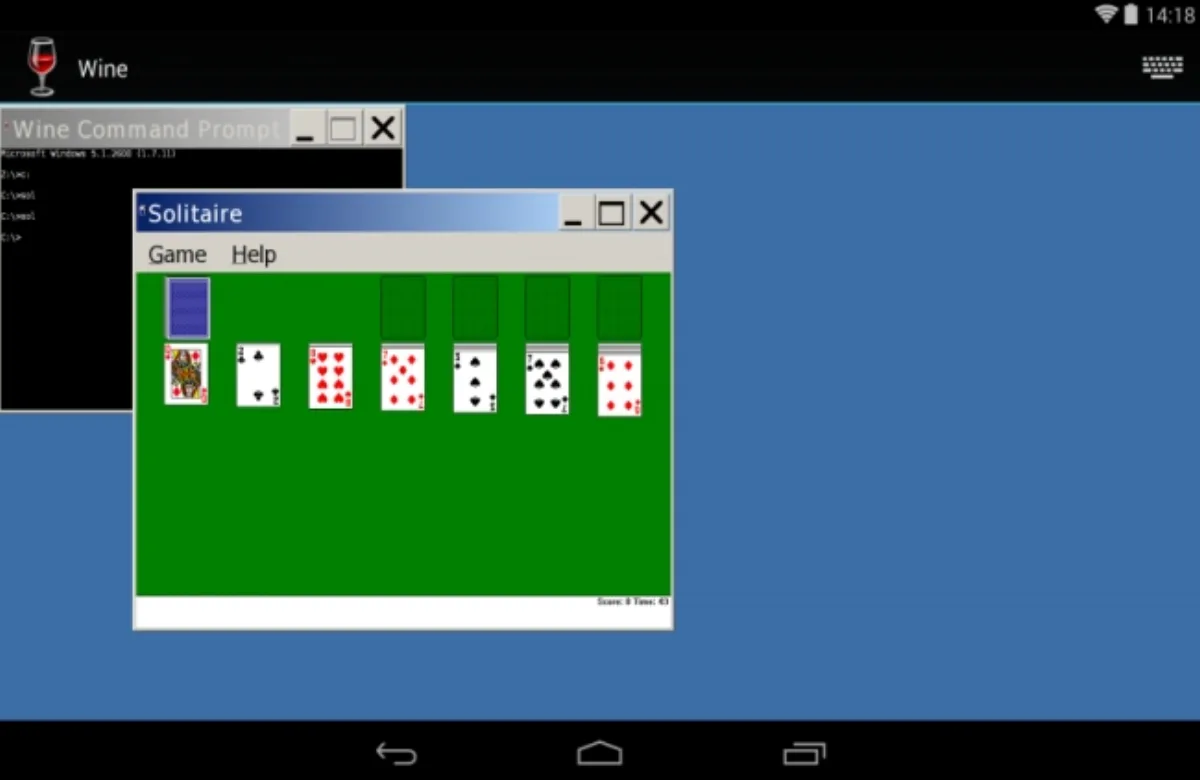
Winlator is a free Android app that runs Windows x86_64 programs through Wine and Box64. It is not on Google Play. Download only from brunoDev85’s GitHub releases. The current release is Winlator 11.2, marked Latest on GitHub on August 19, 2026. Snapdragon phones with Adreno GPUs are the ones that feel like a PC. MediaTek and Exynos can boot older 2D games and then struggle. Bring games you already own. Easy Anti-Cheat titles will not save you.
In a hurry? Jump to: what Winlator is · legal · will my phone work · install · first container · GOG on the D: drive · games that work · fixes · sideloading rules in 2026
What Winlator actually is
Windows games expect an x86_64 CPU and DirectX. Your phone is ARM and Vulkan. Winlator sits in the middle:
- Box64 / Box86 translate the x86 code.
- Wine pretends to be Windows.
- DXVK / VKD3D / Turnip turn DirectX into Vulkan the Adreno GPU can draw.
That is why a Snapdragon 8-series chip can run a 2016 PC indie at 720p, and why a 2021 budget Mali phone cannot pretend to be a Steam Deck. If you wanted console ROMs instead, that is PPSSPP or a GBA emulator — different tools, different files, different law. And if you want the opposite direction, Android games on a PC, our guide to the best Android emulators for PC, Mac and Linux covers it.
Legal, and the APK sites that will burn you
Winlator itself is LGPL-2.1 software by brunodev85. Installing the app is legal. The games are a separate question.
- Play copies you own. GOG installers and DRM-free backups of PC games you bought are the path that works. Steam with modern anti-cheat mostly does not.
- Do not download “Winlator game packs” from random APK blogs. Those files are someone else’s games plus malware. We will not link them.
- Do not use a mirror named winlator-something.apk on a ads site. The current release asset on GitHub is
Winlator_11.2.apk. Older builds such asWinlator_11.1.apkstay on the same Releases page.
Winlator 11.1 added an option to install Steam Legacy to the Start Menu. That is for old Steam clients and old games. It is not a promise that Baldur’s Gate 3 or a Vanguard title will boot.
Will your phone run it?
| Minimum that boots 2D | What you actually want in 2026 | |
|---|---|---|
| Android | 9 | 13 or newer |
| CPU | ARM64 | Snapdragon 8 Gen 2 / Gen 3 / 8 Elite |
| GPU | Vulkan 1.1 | Adreno, Turnip driver |
| RAM | 6 GB | 12 GB |
| Free storage | 8 GB plus the game | Plenty — ten PC games will fill a 256 GB phone |
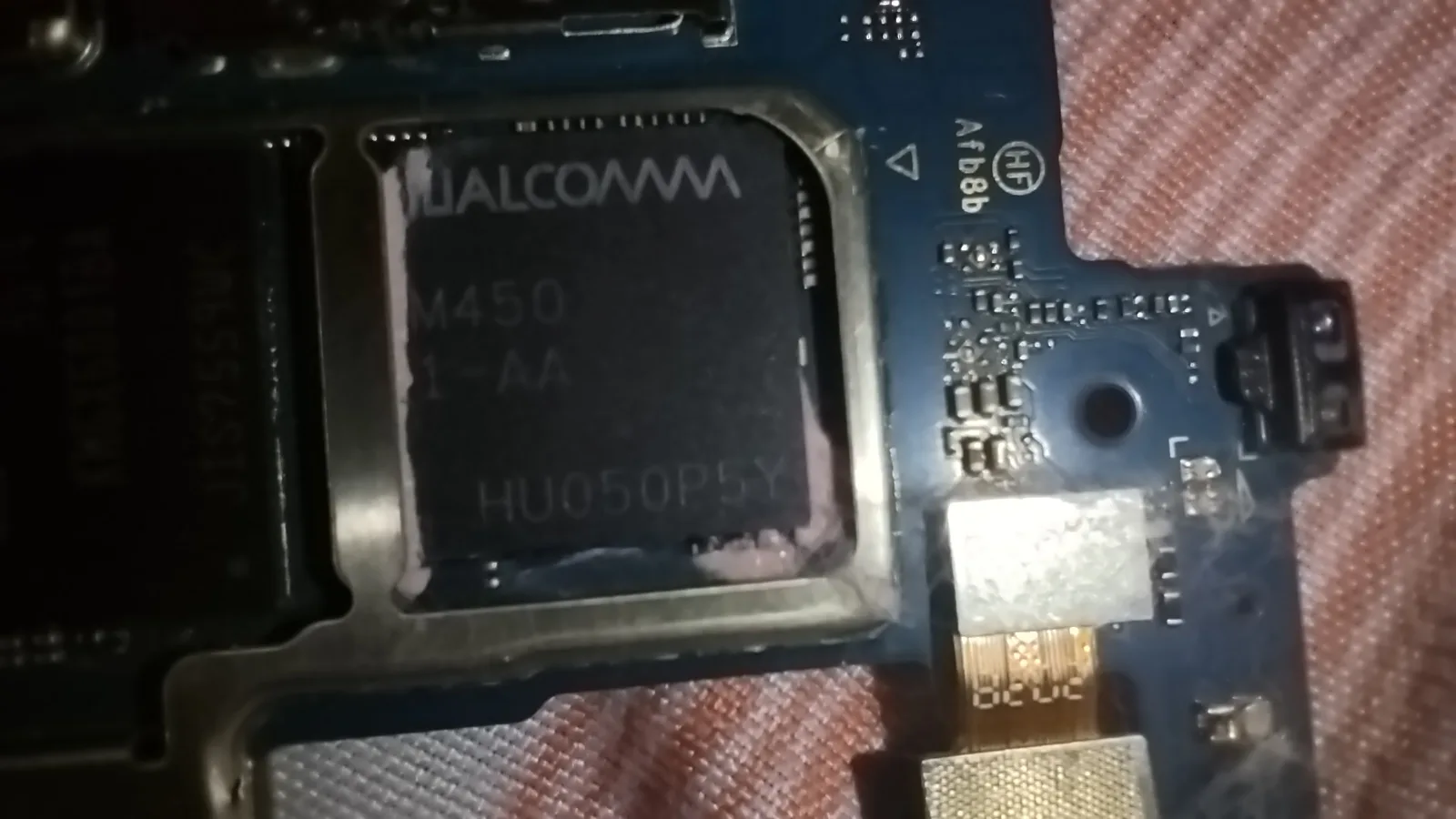
Check the chip: Settings > About phone, or CPU-Z. You want the word Adreno. Mali (many Dimensity and Exynos phones) uses a slower path. It can still play Hotline Miami. It will not play a 2018 AAA port at 40 fps. Kirin devices are the ones the community tells you to skip.
No Adreno? Winlator ships a second graphics driver, Vortek, for GPUs Turnip does not cover. Version 10.0 added Mali support to Vortek, 11.1 disabled some Vulkan extensions on Mali devices, and 11.2 added improvements for Samsung’s Xclipse GPUs, according to the release notes. That makes Mali and Exynos phones more usable, but it does not make them Snapdragon. Stick to 2D and older 3D games. A $200 phone is still the wrong tool. Play offline Android games under 500MB on that hardware instead.
Install Winlator (GitHub only)
- Open the official GitHub Releases page on the phone.
- Download Winlator_11.2.apk, the current release.
- Allow installs: Settings > Apps > Special app access > Install unknown apps > your browser or Files.
- Open the APK. Install. First launch extracts data. Let it finish. Do not background it.
Start on 11.2. When we checked GitHub on 15 October 2026 it was still the latest release, with one asset, Winlator_11.2.apk, at about 158 MB. The beta notes cover the fix most people care about, “Fixed gamepad input lag”, plus Box64 0.4.4 and Vortek/Gladio GPU work. The final 11.2 notes add more: an option to save memory when running games from Steam, an option to run Winlator as a foreground service (helpful if Android kills it in the background), XInput raw input, and Mesa Turnip 26.2.0. If a game that worked before breaks, the 11.1 APK is still on GitHub as a fallback.
Does Android’s developer verification block Winlator?
Not yet, and not for a GitHub download. Google’s developer verification rules started on 30 September 2026 in Brazil, Indonesia, Singapore and Thailand. That first phase only covers apps installed from participating stores: Google Play plus several phone makers’ stores. Google’s own FAQ (last updated 15 July 2026) says apps that users sideload directly are not subject to the new requirements yet. Winlator comes as an APK straight from GitHub, so installing it works the same way it did in August. The global rollout is planned for 2027.
When it does reach you, the “advanced flow” for unverified apps is a one-time setup:
- Turn on Developer options.
- Pass a check that nobody is coaching you.
- Restart and wait out a one-time 24-hour waiting period.
- Confirm with your fingerprint, face or PIN.
After that, you can allow unverified installs for 7 days or indefinitely. ADB installs skip the wait entirely. One catch Google spells out: if you later turn the advanced flow off, updates to unregistered apps fail until you turn it back on or use ADB. That matters when Winlator 11.3 lands. We cover the full flow in Android’s sideloading advanced flow.
In the US, nothing about installing Winlator changed this autumn.
Create the first container
A container is a tiny fake Windows. One container per demanding game is cleaner than one container for everything.
- Tap + to create a container.
- Resolution: 1280×720 on a phone. 1080p is how you cook the SoC.
- Graphics driver: Turnip (or Turnip+Zink) on Adreno. VirGL is the compatibility fallback. On Mali or Xclipse, try Vortek. LLVMpipe is software and slow; only use it to prove a window opens.
- DX wrapper: DXVK for DirectX 9/10/11. VKD3D for DirectX 12 titles that even boot.
- Box64 preset: start on default. Performance if it is slow. Stability for Unity games, which is also in the official README.
- Save. Open the container. Wait. First boot is slow.
Copy the game folder or the GOG installer into a directory the container can see (the Winlator file picker / Downloads). Run the .exe. If it works, use Create shortcut on the Winlator home screen so the next launch skips the Wine desktop.
Official README tweaks that actually help
These are from brunodev85’s own tips, not a random Discord paste:
- Slow? Container Settings > Advanced > Box64 preset > Performance.
- .NET apps: Start Menu > System Tools > Installers > Wine Mono.
- Old games that will not open: add
MESA_EXTENSION_MAX_YEAR=2003in Environment Variables. - Low-res games look like a stamp: enable Force Fullscreen on the shortcut.
- Unity crashes: Box64 Stability, or add
-force-gfx-directon the shortcut. - Audio crackle: raise ALSA/Pulse latency. Unreal Gold is the README example at 90 ms.
Install a GOG game on the D: drive
Official Winlator docs: a new container maps D: to your Android Downloads folder (usually /storage/emulated/0/Download) and E: to Winlator’s own storage. C: is Wine’s fake Windows. Confirm it under the container Drives tab. If D: points somewhere else, tap the folder icon and pick Downloads.
- On a PC, install GOG Galaxy from GOG, not a mirror. Sign in. Open the game you bought.
- Open Extras / Offline backup installers. Download every part (
setup_game.exeplus the.binfiles). Keep them in one folder. A missing.binmakes the installer die halfway on the phone. - Copy that whole folder to the phone:
Internal storage/Download/GOG-Games/GameName. USB or a computer file share. Do not unzip into five random places. - Open Winlator. Three dots on the container → Run.
- Inside the Windows desktop, open File Explorer → D: →
GOG-Games\GameName. - Double-click the main
setup.exe. Install to the default C: path unless the game is huge; then install to D: so you are not filling Wine’s drive. - When it finishes, run the game once from the Start Menu. If the window opens, go back to the Winlator home screen and Create shortcut so the next launch skips the desktop.
Steam with Easy Anti-Cheat still will not save you. GOG and other DRM-free copies you own are the path. If File Explorer has no D:, edit the container, Drives tab, add D: → Downloads, save, and run again. Do not paste a drive string by hand; the UI writes it.
Controller: Input Controls on the shortcut. A DualSense pairs like any Android pad. If sticks feel late, update to 11.2 (it fixed gamepad input lag), or USB-C.
What is worth running (and what is a waste)
Think 2004–2018 PC, 720p, medium, and no live anti-cheat. We have not timed fps on a named lab phone. The table is the set XDA and Winlator setup guides keep naming as bootable on Snapdragon 8-class chips with Turnip at 720p. If the window opens, the container works. If it does not, change one setting at a time before you blame the game.
| Game | Copy to own | Why people try it | Honest limit |
|---|---|---|---|
| Celeste | GOG / itch | 2D, tiny, first-container test | If this fails, the container is wrong, not the library. |
| Hotline Miami | GOG | 2D; Mali phones can often boot this | Not a Snapdragon flex. It is a sanity check. |
| Undertale | GOG / Humble | Proves Wine + keyboard or pad | Skip if you already finished it on phones. |
| Hollow Knight | GOG | Most-cited 2D action game on 8-gen threads | Drop to 720p. We have no fps log of our own. |
| Cuphead | GOG | 2D, heavier than Celeste | Expect heat. Short sessions. |
| Cave Story+ | GOG | Old DirectX-friendly | Good second install after Celeste. |
| Signalis | GOG | Survival horror; named in recent XDA-style guides | Keep 720p. Do not chase 1080p. |
| The Binding of Isaac: Rebirth | GOG | 2D, long sessions | Mods later. Vanilla first. |
Stardew Valley already has a great Android port. Use that unless you specifically want PC mods. See our offline Android games list before you spend an evening on a container.
Crysis and other late DX10 showpieces appear on some lists. That is a heat project, not a commute game. Skip Fortnite, Warzone, and anything with Easy Anti-Cheat, BattlEye, or Vanguard.
A DualSense pairs the same way as any Android pad. If sticks feel late, update to 11.2 or plug USB-C into the DualSense.
When it black-screens, crawls, or crackles
- Lower resolution to 720p and cap the frame rate if the shortcut allows it. Heat is the silent throttle.
- One change at a time. Driver, then DX wrapper, then Box64 preset. Changing all three means you never know what fixed it.
- Take the case off and don’t play in the sun. A phone that thermal-throttles will look like a “bad Winlator setting.”
- Give the container a pagefile-sized storage cushion. Windows installers love to unpack next to the game.
- Gamepad not seen: 11.1 reworked gamepad code. 11.2 fixed gamepad input lag. Recreate the shortcut after a version jump.
Winlator CMOD and other forks add extra drivers and device spoofs. Learn official 11.2 first. A fork on top of a broken container just gives you two variables.
Bottom line
Download Winlator 11.2 from GitHub, use a Snapdragon + 720p + Turnip container, and launch DRM-free games you own. Skip anti-cheat live service. Developer verification does not touch a GitHub install yet, so there is no deadline to race.
Do this next: install 11.2, create one 720p Turnip container, copy one GOG offline installer into Download/GOG-Games, run D:\setup.exe, and create a shortcut. If that window opens, you have a working PC-on-Android box. If it does not, the chip is Mali or the APK was not GitHub. For Android-native play instead, grab offline games under 500MB or PPSSPP.
Related reading
Frequently Asked Questions
What is Winlator?
Winlator is a free Android app by brunodev85 that runs Windows x86_64 programs using Wine and Box64. It is not a classic console emulator. You install Windows .exe files you own into a container. As of 15 October 2026 the latest GitHub release is still version 11.2, published August 19, 2026.
Where do I download Winlator safely?
Only from the official GitHub Releases page for brunodev85/winlator. The current asset is Winlator_11.2.apk, about 158 MB. Random APK sites that bundle game packs are a malware vector. Winlator is not on the Google Play Store.
What phone do I need to run PC games in Winlator?
A Snapdragon phone with an Adreno GPU, 8 GB of RAM at a minimum and 12 GB if you can, plus Vulkan 1.1. Turnip is the driver you want. On MediaTek Mali and Exynos Xclipse phones, use the Vortek driver, which recent releases keep improving, and stick to 2D and older 3D games. Android 9 is the floor; Android 13 or newer is more comfortable.
Is it legal to play PC games in Winlator?
The app is legal open-source software under LGPL-2.1. The games are legal when they are copies you own, such as GOG installers. Downloading someone else's game files is not. Anti-cheat online games generally will not run and are not worth forcing.
Why is Winlator laggy or black-screening?
Resolution is too high, the GPU is Mali, or Box64 is on the wrong preset. Drop to 1280 by 720, use Turnip on Adreno, try Performance for speed or Stability for Unity, and keep the phone cool. The official README also lists Wine Mono, MESA_EXTENSION_MAX_YEAR=2003, and 90 ms audio latency for crackle.
Does Android developer verification stop me from installing Winlator?
Not yet. Since 30 September 2026, developer verification is enforced in Brazil, Indonesia, Singapore and Thailand only for apps installed from participating stores such as Google Play. Google says directly sideloaded apps, like the Winlator APK from GitHub, are not covered in this first phase. The global rollout is planned for 2027. After that, unverified apps need a one-time advanced flow with a 24-hour wait. ADB installs are not affected.
How do I install a GOG game in Winlator?
Download the offline backup installer from GOG Galaxy on a PC, copy the exe and bin files into the phone Downloads folder, run the container, open D: in File Explorer, and launch setup.exe. Official Winlator docs map D: to Android Downloads. Then create a shortcut on the Winlator home screen.
Which PC games run in Winlator?
DRM-free 2D and older DirectX 9/11 singles you own. Celeste, Hotline Miami, Undertale, Hollow Knight, Cuphead, Cave Story+, Signalis, and Binding of Isaac are the names setup guides keep reporting on Snapdragon 8-class chips at 720p. We have not published our own fps log. Easy Anti-Cheat titles will not run.