Best Android Emulator for Mac (Apple Silicon) in 2026: 6 Picks Compared

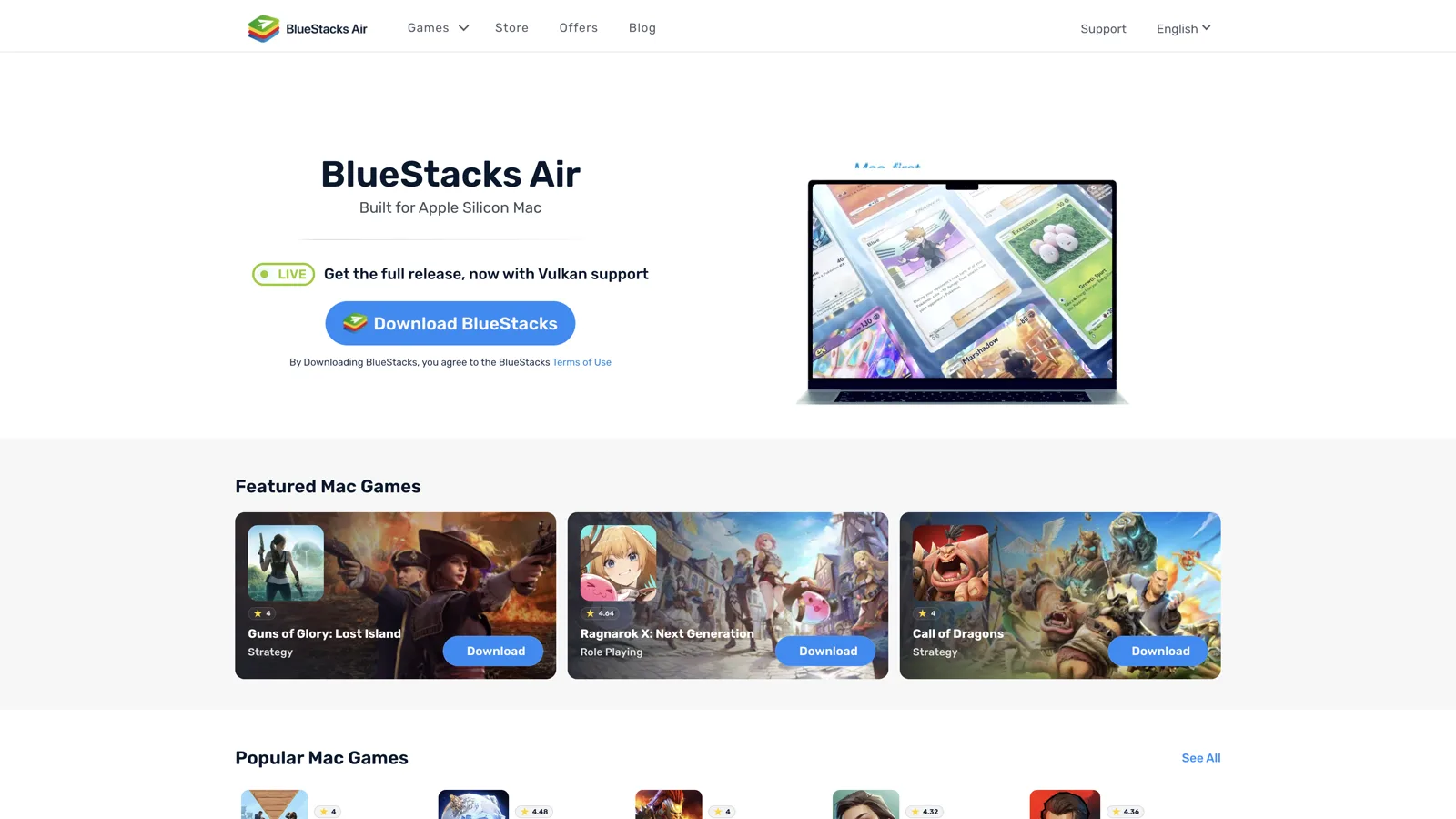
The best Android emulator for Mac on Apple Silicon is BlueStacks Air. It is free, built for M-series chips, and runs Android 13 — a newer Android than the paid option. For the best trackpad feel, MuMuPlayer Pro, though it costs money after 7 days and still runs Android 12. For app development, the Android Studio emulator with an arm64-v8a image. On an Intel Mac, almost nothing here installs — jump to that section.
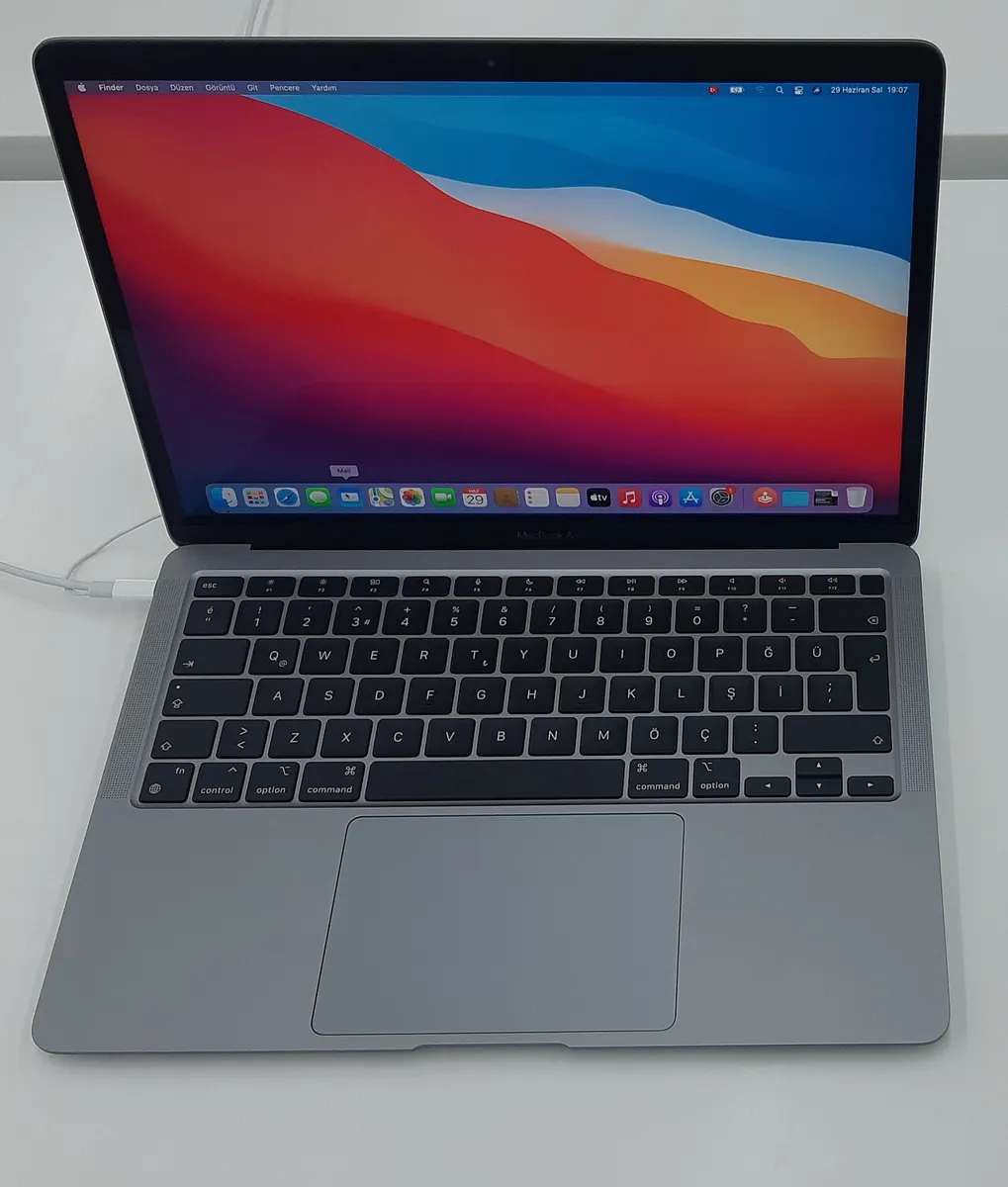
Before you download anything, know the one thing that breaks Mac setups. On an M1 through M4 Mac, the Android inside your emulator is ARM. There is no Intel translator inside it. If an app ships x86 code only, it will not install, no matter which emulator you pick. We give you a 30-second check so you find that out before a 12GB download, not after.
Key facts, verified 16 September 2026
- BlueStacks Air is free, Apple-Silicon-only (M1–M4), needs macOS 11+, 8GB RAM and 12GB storage, and runs Android 13.
- BlueStacks Prime, the optional ad-free tier, costs $7.99 a month ($3.99 for a first month) and does not improve performance.
- MuMuPlayer Pro for Mac is not free. NetEase gives a 7-day trial, then requires a paid membership. Its Mac build is Android 12, not the Android 15 of the Windows line.
- Genymotion Desktop requires Rosetta on M-series Macs, by its own documentation. Apple is removing general-purpose Rosetta after macOS 27.
- Android Studio is free and runs the newest Android: Android 17 (API 37), codename CinnamonBun. API 37 virtual devices force a 4GB RAM minimum.
- UTM is free (or $9.99 on the Mac App Store), stable at v4.7.5, and has no 3D acceleration, so games are out.
- Google Play Games on PC does not exist on Mac. It is Windows-only.
- NoxPlayer, LDPlayer, GameLoop and MEmu do not run on Apple Silicon. Nox’s own support page says so.
- On Intel Macs, only the Android Studio emulator (x86_64 image) and browser-based cloud Android work.
Jump to: why ARM changes everything · how we checked · which one should you pick · BlueStacks Air · MuMuPlayer Pro · Android Studio · Genymotion · UTM · cloud Android · comparison table · Intel Macs · why apps fail to install · the Rosetta deadline · what other guides get wrong · what no emulator fixes · settings that matter · setup steps · FAQ
Why does Apple Silicon change which emulator works?
An Android emulator is software that runs a complete virtual Android device on your computer, with its own storage, settings and Play Store. On a Mac, the chip inside your machine decides which ones can do that at all.
On Windows, an Android emulator does a magic trick. Your phone apps are built for ARM chips. Your PC is Intel or AMD. So the emulator quietly translates ARM code into x86 code while you play.
On an Apple Silicon Mac, that trick is not needed. Your Mac is already ARM. The emulator runs ARM Android directly on ARM hardware. Two things follow, and they matter more than any benchmark:
- Good news: it is fast. No translation layer means no translation tax. Most modern games ship ARM builds first, so they run close to native.
- Bad news: there is no safety net. An app that only ships x86 libraries has nothing to fall back on. Android refuses the install outright.
The error looks like this, and it is the most common wall Mac users hit:
INSTALL_FAILED_NO_MATCHING_ABIS
In plain words: “this app has no ARM parts, so I cannot run it.” Google’s own emulator documentation calls this out for Apple Silicon. It is not a bug in your emulator. It is a missing piece in the app.
So the real question is never “which Mac emulator is fastest.” It is “does the thing I want ship an ARM build?” We show you how to check in 30 seconds below.
How we checked this, and who wrote it
This guide is written and maintained by Aditya Singh, who has been covering Android emulation on AndroidHire since 2024, including our guides to emulators across PC, Mac and Linux and emulator settings for 8GB machines.
- What we did. We opened every vendor’s own download page, support articles and release notes on 16 September 2026. Prices, Android versions, chip requirements and Rosetta requirements are taken from the makers, not from other roundups.
- What we corrected. We also read the pages currently ranking for this query and checked their claims against those sources. Three widely repeated facts did not survive the check, including one about pricing that is now a year out of date. We name them in what other guides get wrong.
- What we do not claim. We have not run a controlled benchmark suite across every M-series chip. Where we cite a measured figure from developers or other outlets, we say so in the sentence. Nothing here is presented as our own testing unless it is.
Next scheduled recheck: when macOS 27 ships, or when Genymotion publishes a native arm64 desktop build — whichever comes first. Both would change the Rosetta section.
Which Android emulator should you pick for your Mac?
| You want to… | Use this | Cost |
|---|---|---|
| Play mobile games on a big screen | BlueStacks Air | Free; $7.99/mo removes ads |
| Use Android apps daily with trackpad gestures | MuMuPlayer Pro | 7-day trial, then paid |
Test an app you are building, with adb and logcat | Android Studio emulator | Free |
| Fake GPS, sensors or battery levels for QA | Genymotion Desktop | Free personal tier, paid for work |
| Run a real Android OS with full system access | UTM | Free, or $9.99 on the App Store |
| Play without installing anything, on any Mac | Cloud Android in a browser | Free, ad-supported |
| Run the newest Android (17 / API 37) | Android Studio emulator | Free |
| Do any of this on an Intel Mac | Two options remain. See here. | — |
| Run one old x86-only app | Nothing local will work. Why. | — |
| Use a banking app or competitive game | Nothing. Why. | — |
Is BlueStacks Air the best free Android emulator for Mac?
Yes, for most people. BlueStacks Air is the Apple-Silicon-only Mac version of BlueStacks, launched in December 2024. For years the answer to “BlueStacks on Mac?” was no. Air changed that, and it is now a full release with Vulkan rendering rather than a beta.
From BlueStacks’ published specifications:
- macOS 11 (Big Sur) or newer
- Apple Silicon only — M1 through M4. No Intel Macs.
- 8GB RAM minimum, 16GB recommended
- 12GB free storage
- Android 13 under the hood
That last line is worth remembering. BlueStacks on Windows still defaults to Android 11, while the Mac version runs Android 13. BlueStacks’ official support account confirmed it publicly in December 2024. For once, the Mac build is the newer one.
What is good:
- It is genuinely free to use. No trial timer, no account wall to get in the door.
- Controls come pre-mapped for the Mac trackpad and keyboard, so most games are playable without touching a settings screen.
- Google Play Services are fully included, so games that need an account login work normally.
- Multi-Instance works, so you can run two accounts of the same game side by side if your RAM allows.
- It is tuned for Retina panels, so text and UI do not look stretched.
What is annoying:
- Every instance is Android 13. This is the nuance other guides miss: the Multi-Instance Manager exists on Air, but BlueStacks support confirmed in March 2025 that “only Android 13 instances can be created” and there is no way to switch to Android 11, Pie or Nougat. On Windows you can. So if a game or modified APK demands an older Android, your only move is a different emulator.
- Ads, unless you pay. The free tier is ad-supported. BlueStacks Prime costs $7.99 a month, with a $3.99 first month for new subscribers, and is now available on Air for Mac. BlueStacks states plainly that Prime “doesn’t change gameplay or performance” — it removes ads and adds rewards. It is also limited to 21 countries, so check availability before planning on it.
- Fortnite needs real hardware. Support arrived in the April 2025 update, but the recommended setup is a MacBook Pro or Mac mini with 16GB or more. On a fanless MacBook Air you will be lowering settings.
Use it if: you want to play games and you do not want to think about any of this. That is most people.
Is MuMuPlayer Pro free on Mac, and is it worth paying for?
It is not free, and it is worth paying for only in one specific case. MuMuPlayer Pro is NetEase’s Apple-Silicon-only Mac emulator, launched in May 2024. It is the pick if you plan to actually use Android rather than just game on it, because the trackpad work is the best here:
- Two-finger swipe down → pull down the notification panel
- Two-finger swipe up → open the app drawer
- Two-finger swipe left or right → switch home screens
- Two-finger double tap in the middle → multitasking
- Two-finger double tap left or right → previous or next app
Those are real gesture bindings from NetEase’s documentation, not marketing copy. On a MacBook they make Android feel like part of the machine instead of a window you poke at. It also supports key mapping, controllers, macro recording and multi-instance.
Two things nearly every list gets wrong:
- The price. This is the most repeated error on the topic, including on the page currently outranking everyone else. NetEase’s own help article is unambiguous: a 7-day trial for a Mac that has never run it, an account login required to start that trial, and “after the trial period ends, you will need to pay for membership to continue using the service.” Memberships run 30, 90 and 365 days via card, Apple Pay or PayPal. A guide telling you the gaming features are free on Mac is describing the Windows product.
- The Android version. MuMuPlayer 6.0 made headlines in July 2026 as the first emulator on Android 15. That is the Windows line. The Mac build shipped with an Android 12 engine and that is still what you get.
So on a Mac today, the free emulator (Air, Android 13) runs a newer Android than the paid one (Pro, Android 12). That is not what anyone expects.
Other specifics: macOS 11 or newer, Apple Silicon only, 8GB RAM or more recommended, about 5GB of free space. Intel Macs cannot install it at all. Some menus are awkwardly translated, and a few games with aggressive anti-cheat refuse to launch.
Use it if: your Mac is your main computer, you want Android apps in your daily flow, and paying for gesture support is fine. Run the 7 days first and decide honestly.
Can you use the Android Studio emulator on a Mac for free?
Yes, and it is the most trustworthy option here. The Android Studio emulator is Google’s own Android emulator, bundled with Android Studio. It is free forever, with no ads, no account, no storefront and no trial clock. It also runs newer Android than anything else on this page.
People skip it because “it is for developers.” Fair. It is heavier to set up and it will not pre-map a shooter for your trackpad. But if you want a clean Android sandbox on a Mac and you can follow a few terminal lines, nothing else comes close on trust.
How current is it? The stable emulator is 37.1.11 (30 July 2026), which added the Vulkan extensions needed for Android 17 (API 37) images, codenamed CinnamonBun. Google’s spec for a good experience is macOS 12 or higher with 16GB of RAM.
One catch nobody else mentions. From Google’s emulator release notes: starting at API 37, virtual devices “require a strict minimum of 4GB of RAM,” and the emulator will overwrite a lower setting automatically. On an 8GB Mac, running Android 17 means handing half your memory to the virtual device. If you want the newest Android on a small Mac, target API 36 or lower instead.
What it feels like on M-series hardware. Developers who moved from Intel Macs report the change as dramatic: a Pixel 9 virtual device cold-booting in roughly 8 to 15 seconds on an M2 MacBook Air with 16GB, warm boots often under 5 seconds, and RAM use around 2.5GB to 4GB. On Intel Macs the same work pushed cold boots past 45 seconds with the fans audible. Those are other people’s measurements, not ours, but they match every thread we read.
The honest cost is storage. Android Studio accumulates quietly — SDKs, several device images, Gradle caches, AVD snapshots. Budget 30GB to 50GB over time, not the 16GB the docs suggest.
The two things you must get right:
One: use an arm64 system image. Not x86_64. On Apple Silicon the ARM image runs natively; an x86 image needs translating and crawls.
sdkmanager "system-images;android-37;google_apis_playstore;arm64-v8a"
avdmanager create avd -n Pixel_9 -k "system-images;android-37;google_apis_playstore;arm64-v8a"
Two: confirm hardware acceleration is actually on. Apple’s Hypervisor framework does the work here, and one command tells you yes or no:
emulator -accel-checkYou want output that ends like this:
accel:
android present   yes
hax present       no
hvf present       yes
active            yes
hvf present yes and active yes is the line that matters. hax present no is fine and expected — HAXM was the old Intel accelerator and it is gone. If active says no, the emulator has fallen back to software rendering and will feel broken. Nothing in the graphics menu fixes that.
One gotcha: the google_apis image has Google services but no Play Store. Use google_apis_playstore if you need to install from Play. If you only need adb install, google_apis is the better-behaved image.
Use it if: you build apps, you want the newest Android, or you simply do not want a commercial emulator on your machine. Skip it for gaming — it was never built for that, and graphics-heavy titles stutter next to BlueStacks Air.
Does Genymotion Desktop still work on Apple Silicon Macs?
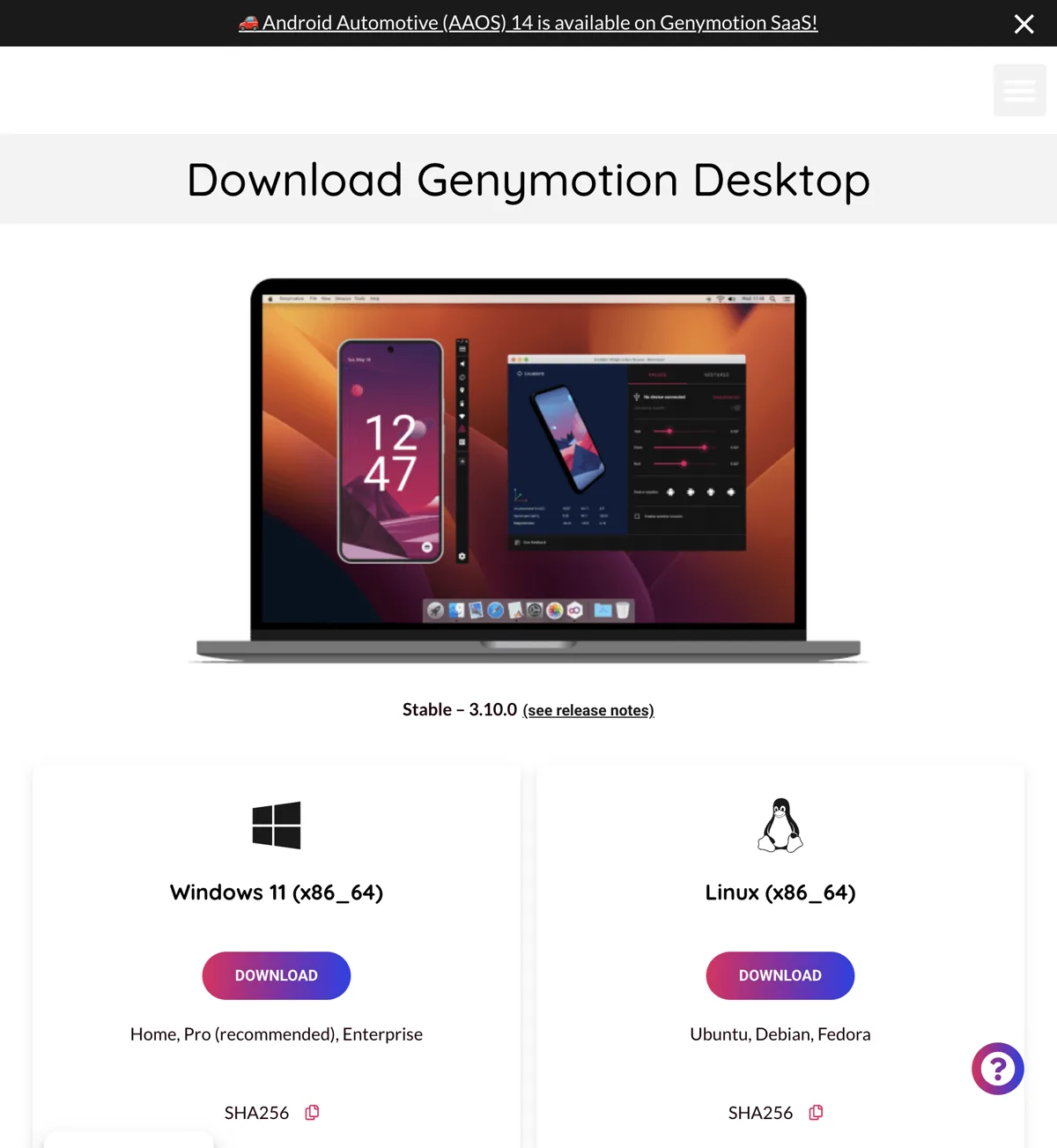
It works today, but it is the only pick here with an expiry date. Genymotion Desktop is a professional Android testing emulator aimed at QA teams. It does things gaming emulators cannot: set a GPS position, fake battery level and network conditions, feed accelerometer input, simulate calls and SMS, and drive the device from the command line for CI pipelines like Appium.
The stable release is 3.10.0. Then come the catches, all from Genymotion’s own documentation, and they are bigger than competing pages admit.
It requires Rosetta on Apple Silicon. Genymotion’s Apple M-series support article, updated 26 February 2026, is blunt:
“Rosetta is required and must be enabled when starting Genymotion for the first time. VirtualBox is not available. Only Android 11 and higher are available for the moment.”
The install guide repeats it: “Rosetta must be enabled on mac M series.” The macOS download is a single universal package labelled macOS (x86_64, arm64) — there is no separate Apple Silicon build to pick, because the launcher and GUI are still x86. That is why this pick has a deadline, which we unpack in the Rosetta section.
The free tier is thinner than people think. Personal use mode needs an account, and Genymotion lists these as not available on it:
- The latest available Android version
- Quick boot
- Camera and media injection widgets
- Network profiles
- Full
gmtoolcommands - GPS route simulation — you get a static position, not a moving one
- Technical support of any kind
So the headline features most guides praise are partly behind the paywall.
Its requirements are steeper too: 16GB of RAM or more, a 1920×1080 or better display, 300MB for the app plus at least 2GB per virtual device, and an internet connection on first run. Only macOS 26 (Tahoe) and macOS 15 (Sequoia) are supported.
Use it if: you test apps for work and need a device that lies about where it is. Do not use it for gaming, or as a long-term daily driver on an M-series Mac.
Can you run Android in a virtual machine on a Mac with UTM?
Yes, with real setup friction. UTM is a free, open-source virtual machine host for macOS, built on QEMU. It is not an Android emulator — it is the tool you reach for when you want real Android with full system access instead of a curated gaming shell.
On Apple Silicon it uses Apple’s Hypervisor framework to run ARM64 guests at near-native speed, so an ARM Android image genuinely runs well at the OS level. The stable release is v4.7.5 (3 January 2026), with a v5.0 beta line currently at v5.0.5 (2 September 2026).
Pricing is the nicest story on this page. UTM is free from its own site and GitHub, and $9.99 on the Mac App Store. The maintainers say plainly that the App Store version “is identical to the free version and there are no features left out of the free version” — you pay only for automatic updates and to support development. Worth knowing before you assume the paid one is better.
What you give up:
- No 3D graphics acceleration. UTM does not do GPU virtualization for this kind of guest, so OpenGL and DirectX acceleration are absent. Games are out. Even Android’s own UI animations feel less immediate than in BlueStacks Air.
- You supply the Android image yourself and configure the VM by hand. Expect 30 to 60 minutes for a first-timer, not a double-click install.
- No polished ADB workflow. For developer tooling, the Android Studio emulator is the right answer.
Use it if: you want to poke at Android at the OS level and setup friction does not scare you. QEMU underneath also means UTM emulates 30+ processor families, so it is a useful thing to own regardless.
How can you play Android games on a Mac without installing anything?
Use cloud Android in a browser. This is the option other guides leave out, and the only one with no chip requirement at all.
now.gg streams Android games from a server and plays them in your browser. There is nothing to install, so it does not care whether your Mac is an M4 or a 2017 Intel MacBook Air, and it does not touch your 8GB of RAM.
- Free and ad-supported. There is no app — browser only, Safari included.
- Your connection matters more than your Mac. Reporting on the service puts the recommended floor at 5 Mbps bandwidth and a ping under 40ms. Below that it gets unpleasant fast.
- Controllers work, and there is a beta sideloading feature for APKs the catalogue does not carry.
- Three real limits: the library is curated rather than all of Google Play, availability varies by region, and because it is ad-funded, an aggressive ad blocker can stop it loading.
Use it if: you have an Intel Mac, an 8GB Mac you do not want to tax, or you just want to try one game for twenty minutes without a 12GB download.
Mac Android emulator comparison (September 2026)
| Tool | Android base | Apple Silicon | Intel Mac | Needs Rosetta? | Price | Best for |
|---|---|---|---|---|---|---|
| BlueStacks Air | 13 only | Native, M1–M4 | No | No | Free; Prime $7.99/mo | Games, most people |
| MuMuPlayer Pro | 12 | Native, M1 and up | No | No | 7-day trial, then paid | Daily app use, trackpad |
| Android Studio 37.1.11 | Up to 17 (API 37) | Native via HVF | Yes | No | Free | Testing, newest Android |
| Genymotion 3.10.0 | 11 and up | Yes, but… | Yes | Yes — required | Free personal tier, paid for work | QA, sensors, CI |
| UTM 4.7.5 | Your own image | Native via HVF | Yes | No | Free, or $9.99 App Store | Full Android VM |
| now.gg (cloud) | Server-side | Any browser | Yes | No | Free, ad-supported | Intel Macs, zero install |
| Google Play Games | Google-managed | No Mac version | No | — | — | Windows only |
| NoxPlayer | — | Not supported | Old builds only | Would not help | Free | Nothing, on an M-series Mac |
| LDPlayer / GameLoop / MEmu | — | No Mac build | No | — | — | Windows only |
What is the best Android emulator for an Intel Mac?
The Android Studio emulator with an x86_64 system image, or cloud Android in a browser. Almost every guide on this topic quietly assumes Apple Silicon and leaves Intel owners guessing, so here is the straight answer.
What will not install at all: BlueStacks Air and MuMuPlayer Pro are both Apple-Silicon-only by design. Not slow on Intel — blocked.
What actually works:
- The Android Studio emulator, using an
x86_64system image rather than arm64. This is the one place where the x86 image is the correct choice, and it is a genuinely supported path. - now.gg in a browser, because the work happens on a server and your chip is irrelevant.
- Genymotion technically supports Intel Macs, but only on macOS 15 and 26 — and macOS 26 Tahoe was the last release for Intel Macs, so that window is closing.
The bigger picture: macOS 26 is the final major release supporting Intel Macs. There is no update waiting for your machine after it. That does not break anything you run today, but it makes an Intel Mac a poor place to invest in a new Android setup.
One upside: on an Intel Mac, x86-only Android apps do install in an x86_64 emulator image. The ABI wall below is an Apple Silicon problem, not an Intel one.
Why do Android apps fail to install on an Apple Silicon Mac?
Because the app has no ARM version inside it. This is the section that will save you an evening, and the one thing none of the pages ranking for this query explain.
Every Android app that includes native code ships it for one or more chip types, called ABIs. The four you will see:
| ABI in the app | Works on your M-series Mac emulator? |
|---|---|
arm64-v8a | Yes. This is the one you need. |
armeabi-v7a + arm64-v8a | Yes. |
armeabi-v7a only | No. 32-bit ARM alone is not enough. |
x86 or x86_64 only | No. This is the dead end. |
If you have an APK on disk, one command answers it before you waste time:
aapt dump badging yourapp.apk | grep native-codeSee arm64-v8a in the output? You are fine. See only x86 and x86_64? No Apple Silicon emulator on this page will install it, and no setting will change that. Your remaining options are cloud Android or a real phone.
Two related traps:
- Split APKs. Modern apps ship as bundles: a
base.apkplus separate files likeconfig.arm64_v8a.apk. Installing only the base gives you an app with no engine, and it crashes on launch withUnsatisfiedLinkError. Install them together withadb install-multiple base.apk config.arm64_v8a.apk .... - 32-bit ARM is dying. MuMuPlayer’s Android 15 line already dropped ARM32 app support entirely. If you care about old 32-bit apps, an older Android base is a feature, not a flaw.
Read the log, not the dialog. When an app dies on launch, adb logcat -d | grep FATAL tells you the truth in one line. The generic “app keeps closing” box never does.
Will Rosetta’s removal break Android emulators on Mac?
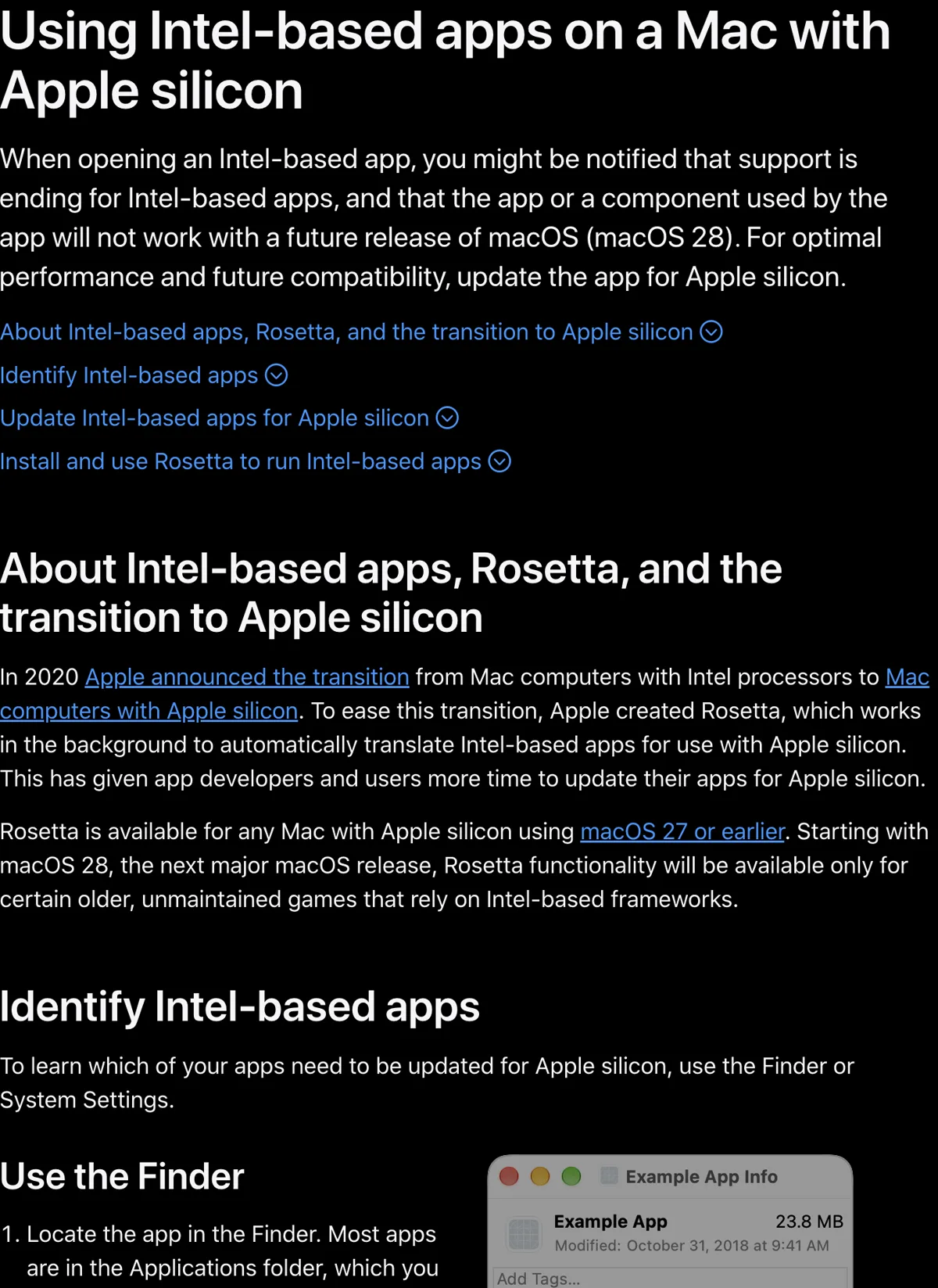
It will break exactly one pick on this page: Genymotion Desktop. Everything else here runs natively and is unaffected.
Rosetta is the translator that lets Intel-built Mac apps run on Apple Silicon. Most guides mention it as background trivia. It is not trivia. From Apple’s support article:
“Rosetta is currently available for any Mac with Apple silicon, and it will remain available through the forthcoming macOS 27… Starting with computers using macOS 28, Rosetta functionality will be available only for certain older, unmaintained games that rely on Intel-based frameworks.”
Apple’s 1 September developer post agrees: macOS 27 is the final release to support Rosetta, and Intel-only apps stop running after it. Users on macOS 26.4 or later already get a nag when they launch something that needs it.
Put the two facts side by side and you get the finding of this guide:
- Genymotion’s own docs say Rosetta is required on M-series Macs, because its launcher and GUI are x86.
- Apple says general-purpose Rosetta ends after macOS 27, and the macOS 28 carve-out covers old Mac games — not developer tools.
So unless Genymotion ships a native arm64 GUI, Genymotion Desktop stops working on Apple Silicon within about two macOS releases. The company has been moving that way — its gmsaas cloud tool gained native arm64 ADB Tunnel support and announced “goodbye to Rosetta 2” for that workflow — but the desktop app is not there yet. Every page recommending Genymotion for a Mac treats the Rosetta requirement as a minor setup step. None mention that Apple is removing the thing it requires.
One honest complication. A second Apple developer post, dated 9 September, tells developers instead that “macOS 26 is the final release supporting Intel Mac computers and Rosetta” and that macOS 27 will be Apple-silicon-only. Apple has published two different cutoffs and has not reconciled them. Either way the direction is one-way, and the earlier date is worse for Genymotion, not better.
What to do: for gaming and daily use, stay on the natively built picks — BlueStacks Air, MuMuPlayer Pro, the Android Studio emulator and UTM all run without Rosetta. If Genymotion is central to your job, ask their support about a native arm64 desktop roadmap before you build a pipeline on it.
What do other Mac emulator guides get wrong?
We read the competition properly and checked it against vendor documentation. Seven mistakes repeat, and three are not small.
1. “MuMuPlayer Pro is free on Mac.” The top-ranking guide states the base experience including all gaming features is free. NetEase’s own help page says the opposite: 7-day trial, account login, then pay. This is the most consequential error on the topic, because it is the difference between free and a subscription.
2. Stale BlueStacks Prime pricing. The same guide lists Prime at $4.99 a month. BlueStacks’ own pricing post, dated 23 June 2026, says $7.99 a month with a $3.99 first month. Old prices are a good signal that a page has not been rechecked, whatever its “2026” headline says.
3. Nobody connects Genymotion’s Rosetta requirement to Apple killing Rosetta. The better pages note “Rosetta 2 required, accept it and move on.” That advice had a shelf life, and the shelf life is now about two macOS releases.
4. They still recommend NoxPlayer for Mac. NoxPlayer’s own support page ends with: “Please note: NoxPlayer currently does not support Apple M1 Chip.” Nox runs Intel binaries inside a virtual machine, and you cannot run a VM full of x86 code on an ARM chip by waving Rosetta at it. One page we read lists Nox as working “via Rosetta” on M1 through M4. It does not.
5. They list LDPlayer, GameLoop and MEmu as Mac options. These are Windows software with no Apple Silicon build. The “guides” are really instructions to install Windows first, which on Apple Silicon means a Windows-on-ARM virtual machine, which then needs an x86 emulator inside it. Two translation layers deep for a phone game.
6. They copy MuMuPlayer’s Windows Android version into a Mac article. Android 15 is the Windows line. The Mac build is Android 12.
7. PlayCover keeps showing up, and it is not an Android emulator. PlayCover runs iOS apps on Apple Silicon Macs using the Mac’s native compatibility with iOS binaries. It is genuinely useful — if a game has an iOS version, PlayCover can often run it with keyboard and mouse mapping. But it solves a different problem, and listing it here confuses two separate things.
And the real gap: none of them explain ABIs. Every Windows emulator guide can skip the ARM-versus-x86 conversation because Windows emulators translate for you. On a Mac it is the first thing that breaks.
What can no Mac Android emulator fix?
- Google Play Games on PC is Windows-only. Google’s own requirements page lists Windows 10 (v2004) and a Windows admin account. There is no Mac version, and Google has not announced one — even though it shipped a native Gemini app for macOS in April 2026. The safest, cleanest, most official Android gaming option simply does not exist on your Mac.
- Banking and ID apps will refuse. Play Integrity checks flag emulated devices. Expect a blank screen or “device not supported.” This is intended behaviour, not a setup mistake.
- Competitive games with anti-cheat may flag you. Some titles treat emulators as an advantage and either segregate or ban emulator accounts. Do not put a main account on an emulator.
- Apps that need real hardware. NFC taps, real fingerprint sensors, a genuine camera feed and carrier features are not coming. Sensor faking in Genymotion is not the same as sensor having.
Which settings actually change how a Mac emulator feels?
Ignore the long tweak lists. On Apple Silicon, three things move the needle.
1. RAM, and being honest about 8GB. BlueStacks Air lists 8GB as the minimum and 16GB as recommended, and that gap is not marketing. An emulator wants 2–4GB for itself, and an Android 17 virtual device is forced to take at least 4GB. On an 8GB Mac, macOS starts swapping to disk and everything gets choppy — including Safari. Genymotion does not even pretend: its own docs require 16GB or more. If you have 8GB, close everything else, keep the window small, run one instance, and seriously consider cloud Android instead.
2. Give it about four cores, not all of them. M-series chips mix performance and efficiency cores. Handing a virtual device every core does not make it faster; it starves macOS and creates stutter. Four cores with 6–8GB is the commonly recommended target for a smooth UI, and never assign more than about half your Mac’s physical RAM.
3. Confirm you are on the GPU, not the CPU. BlueStacks Air uses Vulkan. Android Studio should show hvf ... active yes from emulator -accel-check. If either has fallen back to software rendering, no resolution change will save you — fix the acceleration first. UTM is the exception: it has no 3D acceleration at all, so there is no fix there.
Running low on memory generally? Our 8GB emulator settings guide has the small-window, lower-resolution recipe. The ideas transfer to Mac even though the picks differ.
How do you set up an Android emulator on a Mac?
- Check your chip first. Apple menu → About This Mac. M1, M2, M3, M4 or newer means everything here applies. If it says Intel, go to the Intel Mac section — your list is two items long.
- Check the app before the emulator. If you have the APK, run
aapt dump badging yourapp.apk | grep native-codeand look forarm64-v8a. No ARM64, no install. Doing this first saves the whole download. - Download from the vendor, never a mirror. BlueStacks Air from bluestacks.com/mac as a
.pkg. MuMuPlayer from mumuplayer.com/download as a.dmg. UTM from mac.getutm.app. Genymotion from genymotion.com — the macOS package is universal, so there is no architecture to choose. - Install and clear Gatekeeper. Double-click, follow the wizard, approve the prompt. If macOS blocks it, use System Settings → Privacy & Security → Open Anyway. Do not disable SIP with
csrutil. No legitimate Android emulator needs that, and it is a real security downgrade. - Enable Rosetta only if you chose Genymotion. It prompts on first launch and genuinely requires it. Everything else here runs natively — if another emulator asks for Rosetta, stop and check what you downloaded.
- Set memory and cores before your first launch. Around four cores and no more than half your RAM. Easier to set now than to debug later.
- Sign in to Google Play inside the emulator. Use a spare Google account, not your main one. If an app fails an integrity check, the signed-in account is what gets flagged.
- Install one app and confirm it runs. Then add the rest. If something dies on launch, run
adb logcat -d | grep FATALrather than guessing. For bundles, useadb install-multiplewith the base APK and thearm64_v8asplit together. - Map your controller last. BlueStacks Air ships trackpad and keyboard defaults. A real pad is better for anything action-based — our DualSense pairing guide covers the Bluetooth quirks.
Do you even need an Android emulator?
- You own the Android phone and just want a bigger screen. Mirror it. Screen mirroring shows the real device, so integrity checks pass, your notifications are real, and nothing gets flagged. Our guide to controlling an Android phone from a computer walks through it.
- The app has a website. WhatsApp, Instagram, most banks. The web version on your Mac beats an emulated phone every time.
- The game has an iOS version. On Apple Silicon, PlayCover can often run the iOS build natively with keyboard and mouse mapping. Not Android, but frequently the better answer for one specific game.
- You want console games, not phone games. Different tool entirely. See our Dolphin guide or PS2 guide — and note Dolphin has a native Mac build, so you do not need Android in the middle.
- You want PC games on Android. The opposite direction, covered in our Winlator setup guide.
Our recommendation for most Mac owners
The best Android emulator for Mac on Apple Silicon is BlueStacks Air: free, native, Android 13, Vulkan, no trial timer, with $7.99 a month optional only if ads bother you. Pay for MuMuPlayer Pro only if the trackpad gestures justify Android 12 plus a subscription. Use the Android Studio emulator if you are building something or want Android 17. Use UTM for a real Android VM, and cloud Android if your Mac is Intel or only has 8GB.
Be careful with Genymotion. It is the best QA tool here and the only one that requires Rosetta, which Apple is removing after macOS 27. And ignore anyone who tells you to install NoxPlayer, LDPlayer or GameLoop on an M-series Mac. Nox’s own support page says it will not run.
Do this next: check your chip in About This Mac, then run aapt dump badging yourapp.apk | grep native-code on whatever you actually wanted to install. If you see arm64-v8a, download BlueStacks Air from the official Mac page and you are done in ten minutes. If you only see x86, stop — open a cloud Android session instead, and you just saved yourself a 12GB download and a bad evening.
Update history
- 16 September 2026 — rechecked and expanded. Corrected BlueStacks Prime to $7.99/month from BlueStacks’ own June 2026 pricing post. Clarified that BlueStacks Air’s Multi-Instance Manager works but only creates Android 13 instances. Added Genymotion’s documented Rosetta requirement and the macOS 27 deadline it creates. Added UTM and cloud Android, a dedicated Intel Mac section, and Android 17’s 4GB virtual-device floor from Google’s emulator release notes.
- 16 September 2026 — first published.
More emulator guides
Frequently Asked Questions
What is the best Android emulator for Mac on Apple Silicon?
BlueStacks Air. It is free, built only for Apple Silicon (M1 through M4), and runs Android 13 with Vulkan rendering. It requires macOS 11 or newer, 8GB of RAM (16GB recommended) and 12GB of free storage. MuMuPlayer Pro has better trackpad gestures but costs money after a 7-day trial and still runs Android 12. For app testing use the Android Studio emulator with an arm64-v8a system image, and for a real Android virtual machine use UTM.
Is BlueStacks free on Mac?
Yes. BlueStacks Air is free to use on Mac with no trial timer. The free tier is ad-supported, and the optional BlueStacks Prime tier costs $7.99 per month, with a $3.99 first month for new subscribers. BlueStacks states that Prime does not change gameplay or performance; it removes ads and adds rewards. Air is Apple Silicon only, so it will not install on an Intel Mac.
Can you change the Android version in BlueStacks Air?
No. BlueStacks Air has a Multi-Instance Manager, so you can run several instances side by side, but BlueStacks support confirmed that only Android 13 instances can be created and there is no way to switch to Android 11, Pie or Nougat. BlueStacks on Windows does let you pick older Android versions. If an app or modified APK requires an older Android, you need a different emulator on Mac.
Why does an app say "app not installed" or INSTALL_FAILED_NO_MATCHING_ABIS on my Mac emulator?
Because Apple Silicon Macs run ARM Android natively, with no Intel translation layer inside the emulator. If the app only ships x86 or x86_64 native libraries, Android refuses to install it. Check the app first with: aapt dump badging yourapp.apk | grep native-code. If arm64-v8a appears it will work. If you only see x86 and x86_64, no Apple Silicon emulator will run it and your options are cloud Android or a real phone. On an Intel Mac this problem does not apply, because an x86_64 system image matches those apps.
Does Genymotion need Rosetta on Apple Silicon, and will it keep working?
Yes, it needs Rosetta. Genymotion's Apple M-series support article, updated 26 February 2026, says Rosetta is required and must be enabled when starting Genymotion for the first time, because the launcher and GUI are still x86. That is a problem, because Apple says Rosetta remains available only through macOS 27, and from macOS 28 it narrows to certain older unmaintained games. Unless Genymotion ships a native arm64 desktop build, it has roughly two macOS releases left on Apple Silicon. Its macOS download is a single universal package, so there is no arm64-only build to pick instead.
Does NoxPlayer work on M1, M2, M3 or M4 Macs?
No. NoxPlayer's own support page states plainly that it does not support the Apple M1 chip. Nox runs Intel binaries inside a virtual machine, and x86 code in a VM cannot run on an ARM chip, with or without Rosetta. The same applies to LDPlayer, GameLoop and MEmu, which have no macOS build at all. Some guides list Nox as working on M-series Macs via Rosetta; that is incorrect.
Is MuMuPlayer free on Mac?
No. MuMuPlayer for Mac is the paid Pro line. NetEase's own help page says you get a 7-day trial on a Mac that has never run it, you must log in to an account to start it, and after the trial you must pay for a 30, 90 or 365-day membership to continue. It is Apple Silicon only, requires macOS 11 or newer, and its Mac build runs Android 12, not the Android 15 that MuMuPlayer 6.0 brought to Windows. Several popular guides describe it as free, which reflects the Windows product rather than the Mac one.
What is the best Android emulator for an Intel Mac?
The Android Studio emulator with an x86_64 system image, or cloud Android in a browser. BlueStacks Air and MuMuPlayer Pro are both Apple Silicon only and will not install on an Intel Mac at all. Genymotion supports Intel Macs but only on macOS 15 and 26. Keep in mind that macOS 26 is the final major release supporting Intel Macs, so an Intel machine is a poor place to invest in a new Android setup.
Can I run Android in UTM on a Mac?
Yes. UTM is a free, open-source virtual machine host built on QEMU, and on Apple Silicon it uses Apple's Hypervisor framework to run ARM64 guests at near-native speed. The stable release is v4.7.5 from January 2026, with a v5.0 beta line also available. UTM is free from its own site and GitHub, or $9.99 on the Mac App Store, and the developers confirm both builds are identical apart from automatic updates. The catch is no 3D graphics acceleration, so games are out, and you supply and configure the Android image yourself, which takes 30 to 60 minutes the first time.
Which Android emulator on Mac runs the newest Android version?
The Android Studio emulator. Its stable release 37.1.11, from 30 July 2026, added the Vulkan extensions needed to run Android 17 (API 37) images, codenamed CinnamonBun. Note that API 37 virtual devices require a strict minimum of 4GB of RAM, which the emulator enforces automatically. Among consumer emulators on Mac, BlueStacks Air's Android 13 is the newest, ahead of MuMuPlayer Pro's Android 12.
Can I use Google Play Games on PC on a Mac?
No. Google Play Games on PC is Windows-only. Google's requirements page lists Windows 10 (v2004) or later plus a Windows admin account, and there is no macOS version or announced plan for one, even though Google shipped a native Gemini app for macOS in April 2026.
Can I play Android games on a Mac without installing an emulator?
Yes, using cloud Android such as now.gg, which streams games from a server and runs in any browser including Safari. It is free and ad-supported, works on Intel and Apple Silicon Macs alike, and uses none of your storage or RAM. The recommended floor is about 5 Mbps of bandwidth and a ping under 40ms. The trade-offs are a curated game library rather than all of Google Play, regional availability limits, and the fact that an aggressive ad blocker can stop it loading.
How much RAM do I need to run an Android emulator on a Mac?
8GB is the published minimum for BlueStacks Air and 16GB is recommended. Genymotion's own documentation requires 16GB or more. On an 8GB Mac the emulator will take 2 to 4GB, and an Android 17 virtual device is forced to take at least 4GB, which pushes macOS into swapping and makes everything feel choppy. Cloud Android is often the better choice on 8GB machines. Also avoid assigning all CPU cores: around four cores with 6 to 8GB is the usual recommendation on M-series chips, and never assign more than about half your physical RAM.
Is PlayCover an Android emulator for Mac?
No, and this is a common mix-up. PlayCover runs iOS apps on Apple Silicon Macs by using the Mac's native compatibility with iOS binaries, with keyboard and mouse mapping. It is genuinely useful if the game you want has an iOS version, but it has nothing to do with Android and should not appear in an Android emulator comparison.
Will banking apps and competitive games work in a Mac emulator?
Usually not. Banking and ID apps use Play Integrity checks that detect emulated devices and refuse to run. Some competitive games treat emulators as an unfair advantage and may flag or ban the account. Use a spare Google account inside any emulator, and mirror your real phone instead if you need a banking app on a big screen.