Xbox Remote Play Adds 1440p Streaming for Insiders on Series X|S
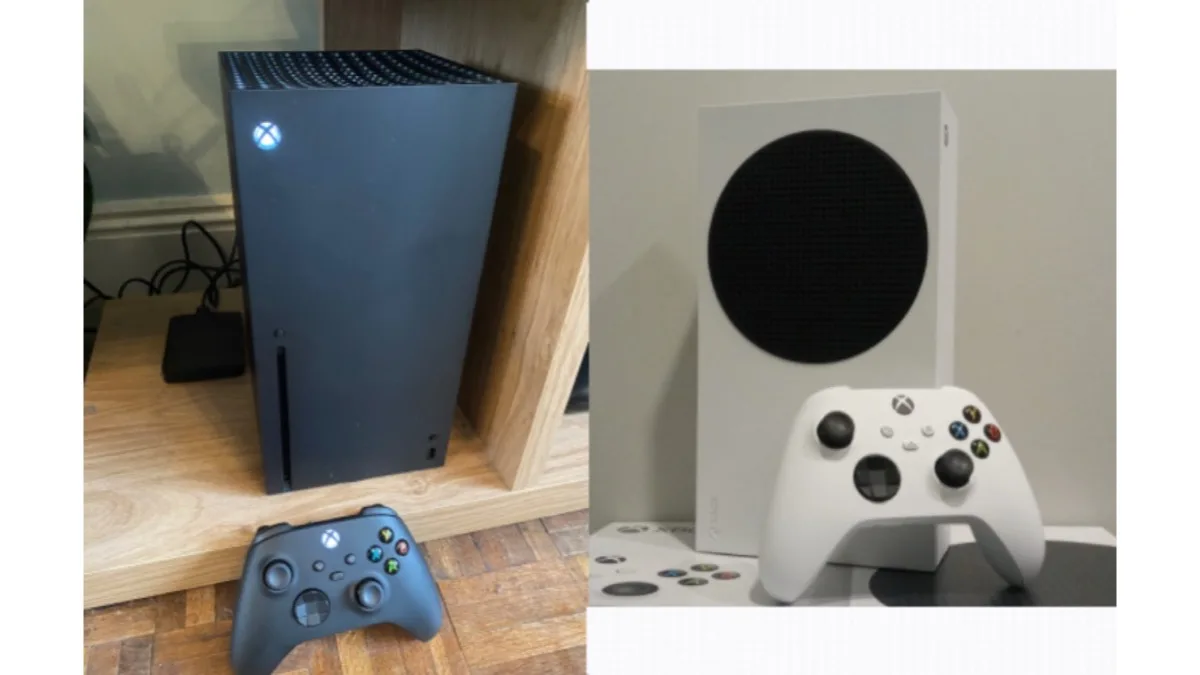
Microsoft began rolling out seven console changes to Xbox Insiders today, and the one worth checking first is Xbox Remote Play at up to 1440p. The higher resolution and increased video bitrates are limited to the Alpha Skip-Ahead and Alpha rings on Xbox Series X|S, and they apply when you stream from your own console to a PC, phone, TV or another supported device.
Remote Play is not Xbox Cloud Gaming. It runs on hardware you already own, and Microsoft confirms the 1440p preview carries no extra subscription. The rest of today's batch — startup animation choices, badge controls, local search, cloud download changes, Voice Clarity and party fixes — is split across rings and console generations in ways that decide whether you see any of it.
What Xbox Remote Play 1440p actually changes
Microsoft describes the change as support for up to 1440p resolution and increased video bitrates, for sharper visuals and smoother gameplay on supported devices. Because the stream originates on your console, it is available to every Xbox owner without a Game Pass tier attached — the gate here is the Insider ring, not a subscription.
There is a setup requirement that is easy to miss. Your console's own display output has to be set to 1440p or 4K UHD, under Settings > General > TV & display options. A console running at 1080p has nothing higher to send.
Microsoft also flags a rough edge during testing. Some client devices do not yet offer separate streaming quality settings for Cloud Gaming and Remote Play. If your streaming quality is set to auto, Remote Play will pick the highest resolution and bitrate your device and network can support, regardless of the resolution the menu shows you.
Which consoles and Insider rings get each feature
- Remote Play at up to 1440p — Alpha Skip-Ahead and Alpha rings, Xbox Series X|S only.
- Voice Clarity — all Insider rings, Xbox Series X|S only.
- Startup animation picker — all Insiders, on Xbox Series X|S and Xbox One.
- Badge showcase controls — all Insiders.
- Local search — all Insiders.
- Background downloads while cloud streaming — all Insiders, with the biggest gains on Series X|S.
- Party reliability and security work — all Insiders, behind the scenes.
Startup animations, badges and faster lists
The startup animation is now a choice rather than whatever shipped most recently. Options span Xbox One through the current generation, and the picker sits in Settings > System > Startup, next to the existing toggle for whether the animation plays with sound.
Badges gain editing controls to go with the viewer that arrived in August's Xbox Insider update. You can now feature up to five badges in your profile card showcase, and hide individual badges from your public profile entirely.
Local search is the small one that will get used most. It works inside My games & apps, official club achievement lists and profile achievement history, and runs alongside the filters and sorting already there. It matters once a library or an achievement list runs past a couple of screens.
Voice Clarity and downloads that keep running
Voice Clarity reduces everyday background noise and is enabled by default in party chat and in most games released since 2020. It is Series X|S only. If it does something you dislike to your microphone, it lives at Settings > General > Volume & audio output > Additional options.
On the cloud side, Insiders have been able to stream a game while it installs or updates since June. From today, the download keeps running in the background while you stream, when network conditions allow. That setting is at Settings > Cloud gaming > Streaming preferences and can be switched off at any time.
Keep it in view alongside Xbox Cloud Gaming's 15-hour monthly limit on Game Pass Ultimate and the countries where existing members are exempt from that cap. Remote Play sits outside both, because it streams from your console rather than Microsoft's servers.
When non-Insiders get it
Microsoft has not given a date. Insider features reach a subset of each ring first and arrive for everyone else in the weeks or months that follow, and some are altered or dropped along the way. The 1440p streaming is explicitly labelled a preview, so treat the resolution ceiling as provisional until it ships broadly.
If you stream to a phone, the extra resolution only pays off with a proper pad attached. Our round-up of Android games with gamepad support covers the pairing side, and Razer's Prio mobile controller is one of the recent options built specifically for phone play.
Frequently Asked Questions
Do you need Game Pass Ultimate for Xbox Remote Play 1440p?
No. Remote Play streams from an Xbox console you already own rather than from Microsoft's servers, so it is available to all Xbox players with no additional subscription. The only gate on the 1440p preview is Xbox Insider membership in the Alpha Skip-Ahead or Alpha ring.
Which Xbox consoles support the 1440p Remote Play preview?
Xbox Series X and Series S only. Xbox One consoles are not included in the higher-quality Remote Play test, although they do get today's startup animation picker. You also need the console's display output set to 1440p or 4K UHD under Settings > General > TV & display options.
How do I turn Voice Clarity on or off on Xbox?
It is enabled by default for Insiders on Xbox Series X|S, in party chat and in most games released since 2020. To change it, go to Settings > General > Volume & audio output > Additional options. Xbox One consoles do not get Voice Clarity in this wave.
How do I change the Xbox startup animation?
Xbox Insiders on Series X|S and Xbox One can pick one under Settings > System > Startup. The options span Xbox One through the current generation, and the same screen still holds the toggle for whether the animation plays with sound.
When will these Xbox features roll out to everyone?
Microsoft has not announced a date. Features start with a subset of Insider ring members and reach the wider user base in the weeks or months afterwards, and some are changed or cancelled during testing. The 1440p Remote Play streaming is labelled a preview.