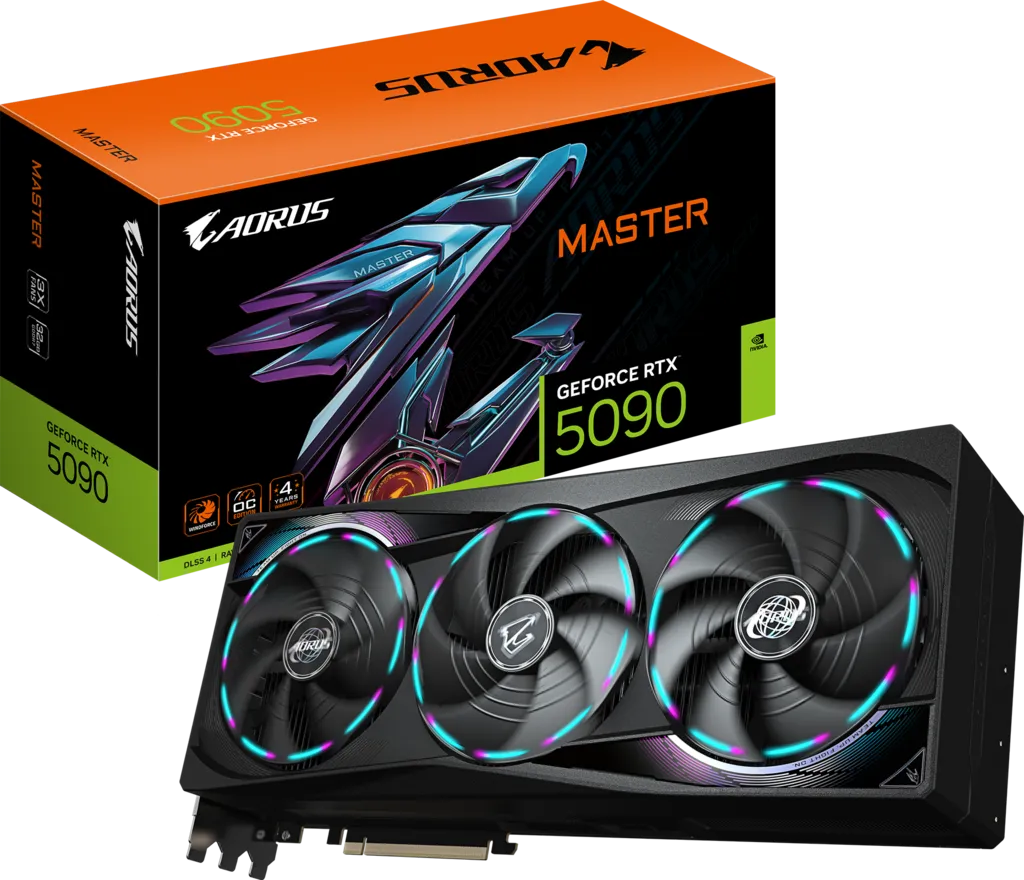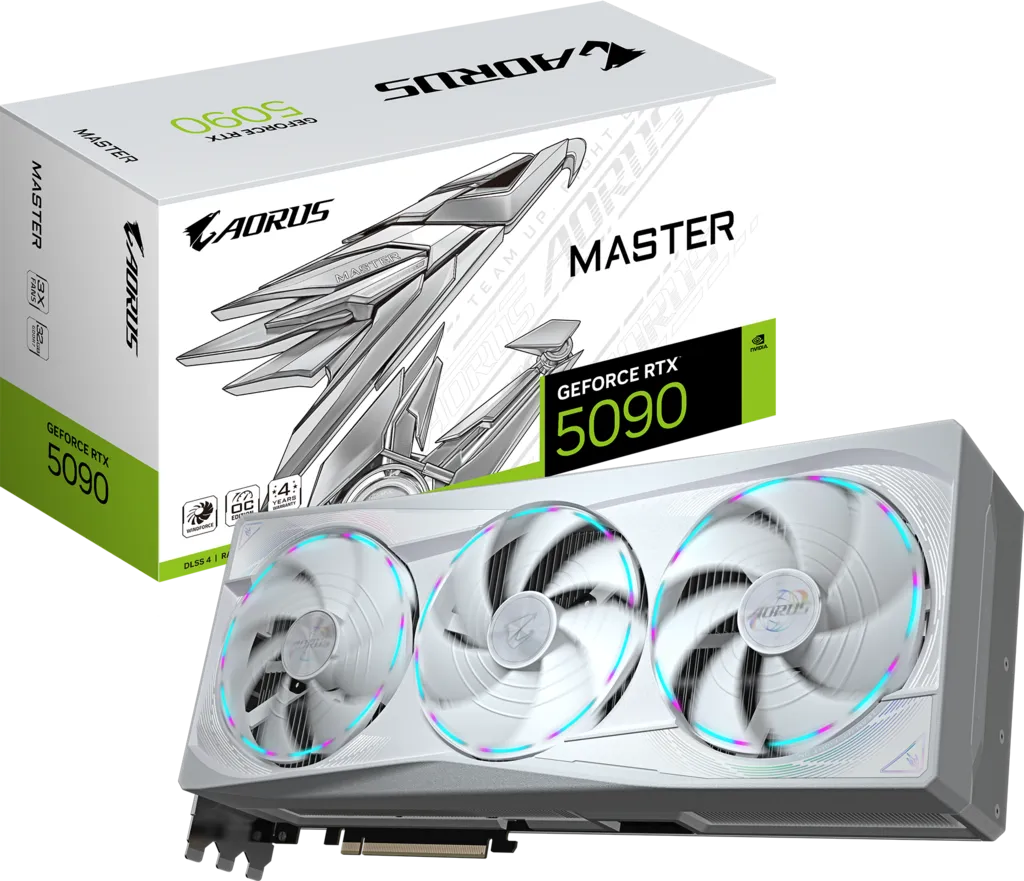
The Gigabyte AORUS GeForce RTX 5090 Master ICE 32G (GV-N5090AORUSM ICE-32GD) exists for one reason, and it is worth saying plainly up front: it is the white version of the AORUS RTX 5090 Master. Gigabyte's two published specification sheets are identical line for line — same 2,655 MHz boost clock, same 32GB of GDDR7 on a 512-bit bus, same 360 × 150 × 75 mm chassis, same WINDFORCE cooler, same 1,000 W PSU recommendation, same 4-year registered warranty.
So this page is not really about performance, because the performance question is already answered. It is about whether an all-white flagship GPU is worth building a system around, what actually comes out white in the box, and what the colour choice costs you in 2026 pricing and availability.
Quick verdict: If you are building an all-white PC and want the fastest consumer GPU in it, the Master ICE is the card — white shroud, white backplate, RGB-tipped fans and the same LCD Edge View screen as the black Master. Overclockers.com put its MSRP at $2,499.99, though 2026 street pricing has moved far above that. If you do not care about colour, buy the standard Master instead: it is the identical card, usually easier to find, and white shrouds are the one part of a GPU that ages visibly.
Building an all-white PC around the Master ICE
The ICE treatment is more thorough than a repainted shroud. Per Overclockers.com's hands-on review, the card combines a white chassis, RGB-tipped fans and the small LCD monitor at the end of the shroud. The metal backplate is finished to match, so the card reads as white from both the glass side panel and from underneath in a vertical mount.
Practical notes for a white build:
- The 12V-2x6 cable will be black unless you buy a white custom cable. On a 360 mm card sitting front and centre behind glass, that cable is the single most visible thing that will break the theme. Budget for a white 12V-2x6 or a white cable extension from the outset.
- Vertical mounting is tempting but risky. At 75 mm thick this card will crowd or block a side-panel vertical bracket in most cases, and vertical mounts starve triple-fan coolers of intake air. A horizontal mount with the included white-friendly VGA holder is the safer choice.
- Match the RGB, do not fight it. The ICE keeps RGB Halo lighting and the LCD Edge View screen; both are configurable in GIGABYTE CONTROL CENTER, so you can set them to a single cool-white tone if you want a monochrome build rather than a rainbow one.
- White plastics yellow. Over several years, UV and heat can shift white shrouds slightly. It is a cosmetic risk unique to this variant and worth knowing before you pay a premium for it.
Master ICE vs Master: what actually differs
| Specification | AORUS RTX 5090 Master ICE | AORUS RTX 5090 Master |
|---|---|---|
| Finish | White shroud, white backplate, RGB-tipped fans | Black shroud, RGB Halo |
| Boost Clock | 2,655 MHz | 2,655 MHz |
| Memory | 32GB GDDR7 / 512-bit / 28 Gbps | 32GB GDDR7 / 512-bit / 28 Gbps |
| Card Size | L=360 × W=150 × H=75 mm | L=360 × W=150 × H=75 mm |
| Cooler | WINDFORCE, Hawk fans, vapor chamber | WINDFORCE, Hawk fans, vapor chamber |
| LCD Edge View | Yes | Yes |
| Power Connector | 1× 16-pin 12V-2x6 | 1× 16-pin 12V-2x6 |
| Recommended PSU | 1,000 W | 1,000 W |
| VGA holder included | Yes | Yes |
| Warranty | 4 years (registration required) | 4 years (registration required) |
That is the whole difference: colour. Anyone telling you the ICE is binned differently, clocked differently or cooled differently is guessing — Gigabyte publishes the same numbers for both.
AORUS RTX 5090 Master ICE full specifications
| Specification | Detail |
|---|---|
| GPU & Architecture | |
| GPU | NVIDIA GB202-300-A1 (Blackwell) |
| Process Node | TSMC 4N |
| Die Size | 750 mm² |
| CUDA Cores | 21,760 |
| Streaming Multiprocessors | 170 |
| Tensor / RT Cores | 680 (5th Gen) / 170 (4th Gen) |
| Interface | PCI-E 5.0 |
| Memory | |
| Capacity | 32 GB GDDR7 |
| Memory Bus | 512-bit |
| Memory Clock | 28 Gbps |
| Bandwidth | 1.79 TB/s |
| Clocks & Power | |
| Boost Clock | 2,655 MHz |
| Reference Boost Clock | 2,407 MHz |
| Base Clock | 2,017 MHz |
| Total Graphics Power | 575 W |
| Measured Peak Draw | ≈615 W (Overclockers.com) |
| Power Connector | 1× 16-pin (12V-2x6) |
| Recommended PSU | 1,000 W |
| Cooling, Build & Aesthetics | |
| Cooler | WINDFORCE: Hawk fans with alternate spinning, vapor chamber, superconducting heat pipes |
| Colourway | White chassis and backplate, RGB-tipped fans |
| Card Size | L=360 × W=150 × H=75 mm |
| Slot Width | ≈3.7–4 slots |
| Display / Lighting | LCD Edge View screen, RGB lighting via GIGABYTE CONTROL CENTER |
| Outputs & Support | |
| DisplayPort | 3× DisplayPort 2.1b |
| HDMI | 1× HDMI 2.1b |
| Max Resolution | 7680 × 4320 |
| Multi-view | Up to 4 displays |
| In the box | Quick guide, 12V-2x6 to 4× PCIe 8-pin adapter, AORUS stickers, versatile VGA holder |
| Warranty | 4 years (online registration required) |
AORUS RTX 5090 Master ICE price and availability (July 2026)
The Master ICE launched with an MSRP of $2,499.99, and Overclockers.com noted at the time that online listings were already sitting just under $3,000. Two things have happened since: RTX 5090 supply never fully normalised, and the GDDR7 shortage driven by AI datacentre demand pushed board costs up sharply through 2026 (TechPowerUp reported NVIDIA preparing a further RTX 5090 price increase over GDDR7 costs).
| Where | Price | Status |
|---|---|---|
| Newegg (last tracked, July 2026) | $4,159.99 | Out of stock |
| B&H Photo (last tracked, July 2026) | $4,099.95 | Out of stock |
| Launch MSRP (2025) | $2,499.99 | Historical reference |
| RTX 5090 Founders Edition MSRP | $1,999 | Historical reference |
Retailer figures are per TrackaLacker's Newegg tracker and its B&H Photo tracker. Marketplace and third-party listings sit considerably higher again, into the $5,000–$6,000 range, and should be treated as scalper pricing rather than a market rate.
One buying tip specific to this variant: the white card and the black card are usually stocked separately and restock at different times. If you are flexible on colour, tracking both the ICE and the standard Master roughly doubles your chance of catching a restock at list price.
4K, ray tracing and AI performance
Overclockers.com benchmarked the Master ICE at 1080p, 1440p and 4K UHD alongside ray tracing and DLSS testing plus synthetic and folding workloads. The conclusion is the one every RTX 5090 review reaches: this is the fastest consumer graphics card available, and the factory overclock is close to irrelevant to that outcome.
The reason is the power ceiling. Every RTX 5090, from the Founders Edition to this card, is capped at 575 W, and GB202 will happily consume all of it. The 2,655 MHz rating gives the card more clock to reach for, but the power budget decides where it actually lands, so real-game deltas against a reference 5090 land in the low single digits.
Where the ICE is genuinely differentiated from cheaper GPUs — not from its own siblings — is memory. 32GB of GDDR7 on a 512-bit bus, 28 Gbps, 1.79 TB/s. For local LLM inference, large diffusion models, 8K timelines in DaVinci Resolve and heavy 3D scenes, that capacity-plus-bandwidth combination is the whole reason to buy a 5090 over a 24GB card.
Thermals, acoustics and measured power
Because this is physically the same cooler as the Master, the measured behaviour applies to both. Overclockers.com recorded the Master ICE peaking at nearly 615 W with the default power limit untouched — noticeably above the 575 W figure NVIDIA quotes for Founders Edition cards — and noted that the board's power delivery is built to handle around 600 W.
The same testing found the card boosting roughly 200 MHz above its 2,655 MHz rating depending on load and temperature, which only happens when the cooler is keeping the die comfortably inside its thermal limit. Expect sustained gaming temperatures in the mid-to-high 60s°C in a case with real front-to-back airflow.
On noise, three 100 mm-class Hawk fans with alternate spinning move a lot of air at low RPM, and fan-stop keeps the card silent at desktop idle. The Dual BIOS switch on the Master family lets you drop to a Silent profile if you would rather trade a few degrees for a lower fan curve — a feature neither WATERFORCE variant offers.
Overclocking headroom, however, is essentially nil: the same review reported that no GPU overclocking application allowed the power limit to be adjusted. What ships is what you get.
Case fit, PSU and white-build hardware checklist
Gigabyte lists the ICE at 360 × 150 × 75 mm, identical to the black Master. Before you buy:
- 370 mm-plus of GPU clearance, not 360 mm — you need room for the 12V-2x6 cable bend behind the card.
- Four free expansion slots. At 75 mm thick it will cover roughly 3.7–4 slots.
- ~155 mm from the motherboard tray to the side panel, or the glass will not close.
- A 1,000 W ATX 3.1 / PCIe 5.1 PSU with a native 12V-2x6 cable. Given the ~615 W measured peak, this is not a specification to shave. Seat the connector fully until it clicks.
- A white 12V-2x6 cable, if the theme matters. The bundled adapter and most stock PSU cables are black.
- The included VGA holder. A card this heavy will sag a PCIe slot over time; the anti-sag bracket is in the box for a reason.
Which AORUS RTX 5090 should you buy?
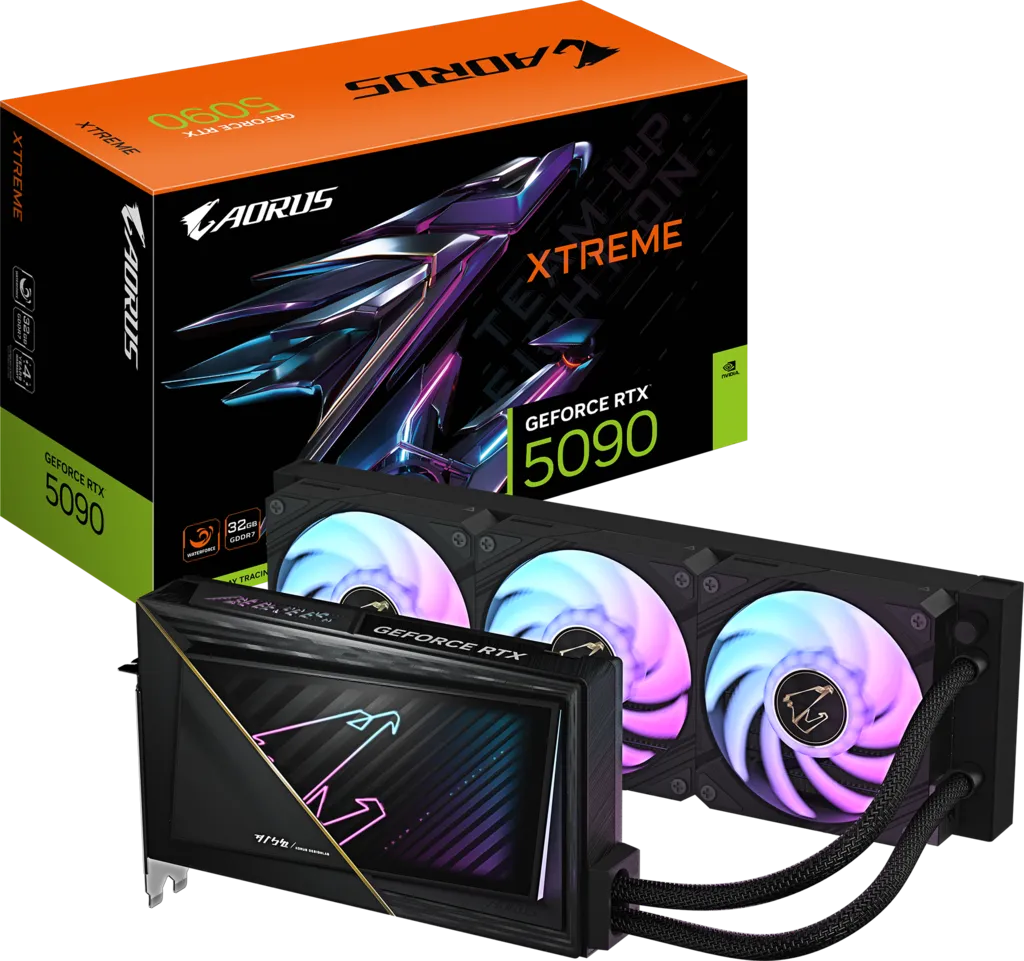
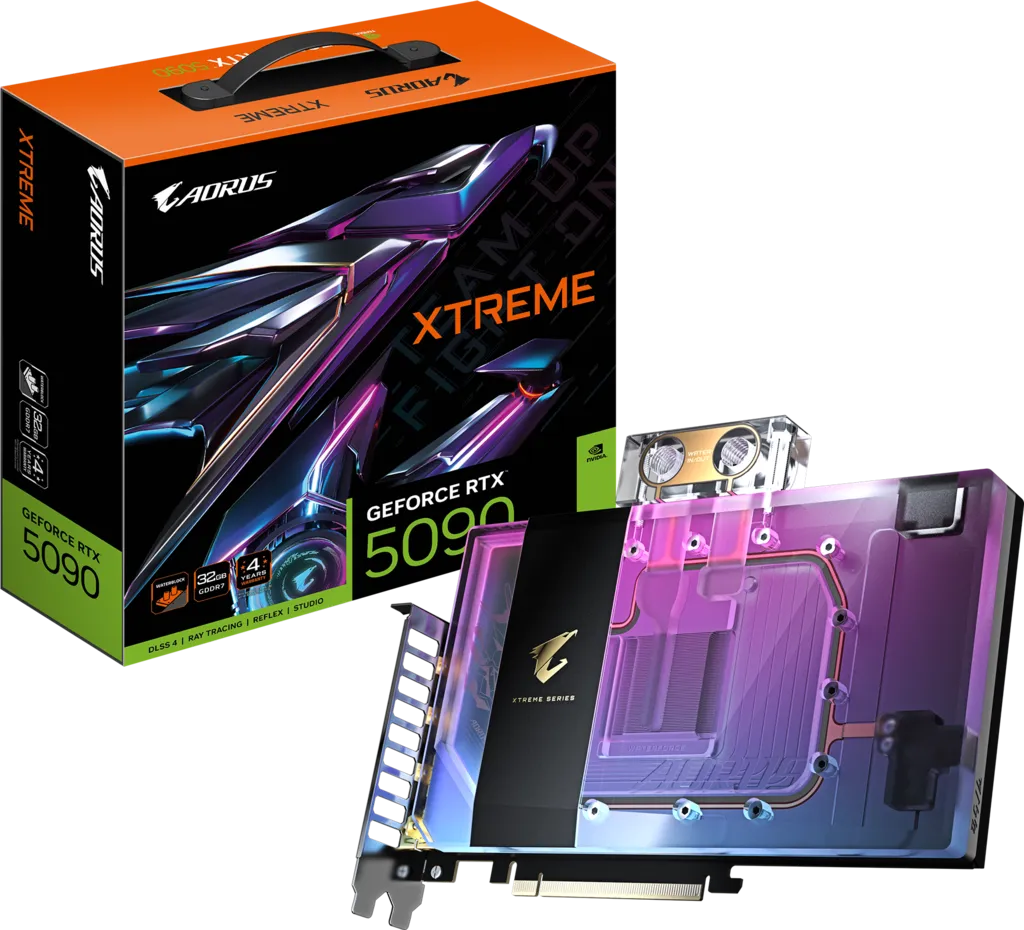
Gigabyte sells four AORUS-branded RTX 5090s and they use the exact same GB202 silicon and the exact same 2,655 MHz boost clock. Nothing separates them on raw performance — the choice is entirely about cooling method, size and finish.
| Model | AORUS Master | AORUS Master ICE (this card) | XTREME WATERFORCE | XTREME WATERFORCE WB |
|---|---|---|---|---|
| Cooling | Triple-fan WINDFORCE air | Triple-fan WINDFORCE air (white) | 360 mm all-in-one liquid | Water block only — custom loop required |
| Boost clock | 2,655 MHz | 2,655 MHz | 2,655 MHz | 2,655 MHz |
| Memory | 32GB GDDR7 / 512-bit | 32GB GDDR7 / 512-bit | 32GB GDDR7 / 512-bit | 32GB GDDR7 / 512-bit |
| Card size (L×W×H) | 360 × 150 × 75 mm | 360 × 150 × 75 mm | 245 × 146 × 36 mm | 235 × 172 × 29 mm |
| Extra hardware in the box | VGA anti-sag holder | VGA anti-sag holder | 360mm radiator, 3×120mm ARGB fans, 460mm tubes | Thermal grease, install guide (no fans, pump or radiator) |
| LCD Edge View screen | Yes | Yes | No | No |
| Finish | Black shroud, RGB Halo | White shroud, RGB | Smoky-black transparent, gold trim | Translucent iridescent, gilded circuit |
| Power connector | 1× 16-pin 12V-2x6 | 1× 16-pin 12V-2x6 | 1× 16-pin 12V-2x6 | 1× 16-pin 12V-2x6 |
| Recommended PSU | 1,000 W | 1,000 W | 1,000 W | 1,000 W |
| Last tracked US price | $4,159.99 (Newegg) | $4,159.99 (Newegg) | $5,699.00 (Newegg) | $5,099.00 (Newegg) |
| Best for | The default flagship air build | All-white showcase builds | Best thermals with zero loop-building | An existing custom water loop |
The Master ICE exists for one reason: colour. Electrically and thermally it is the Master, so pick it only if a white shroud, white backplate and white-accented fans genuinely matter to your build. If they do not, the black Master is the same card and often the easier one to find in stock.
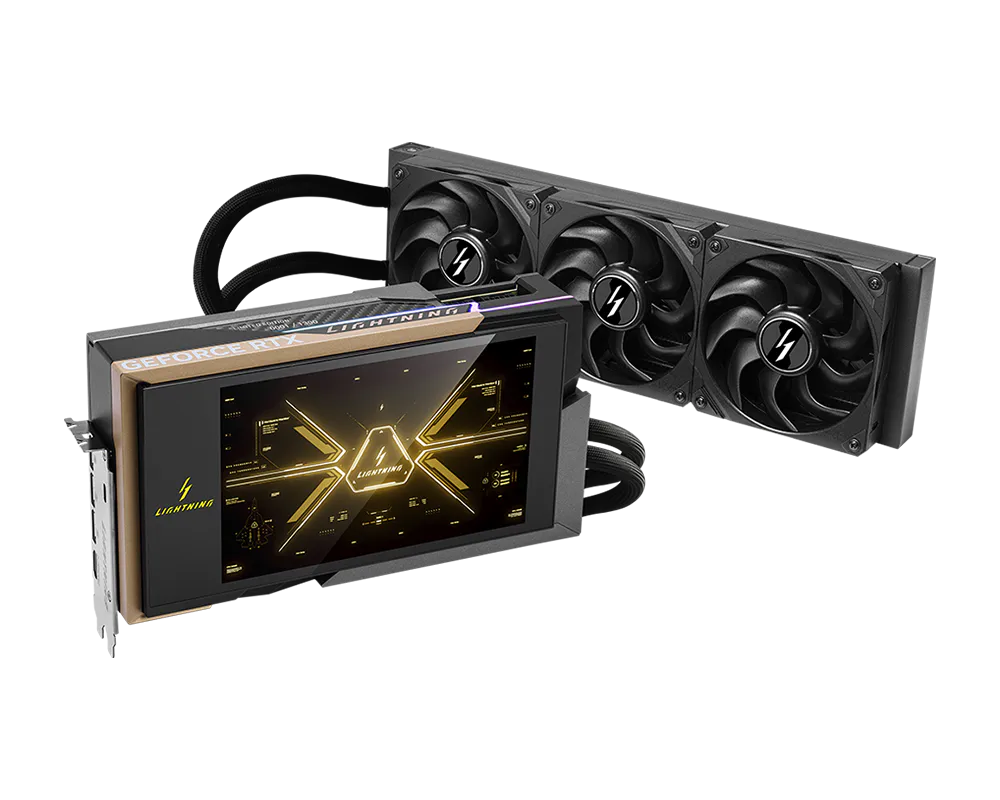
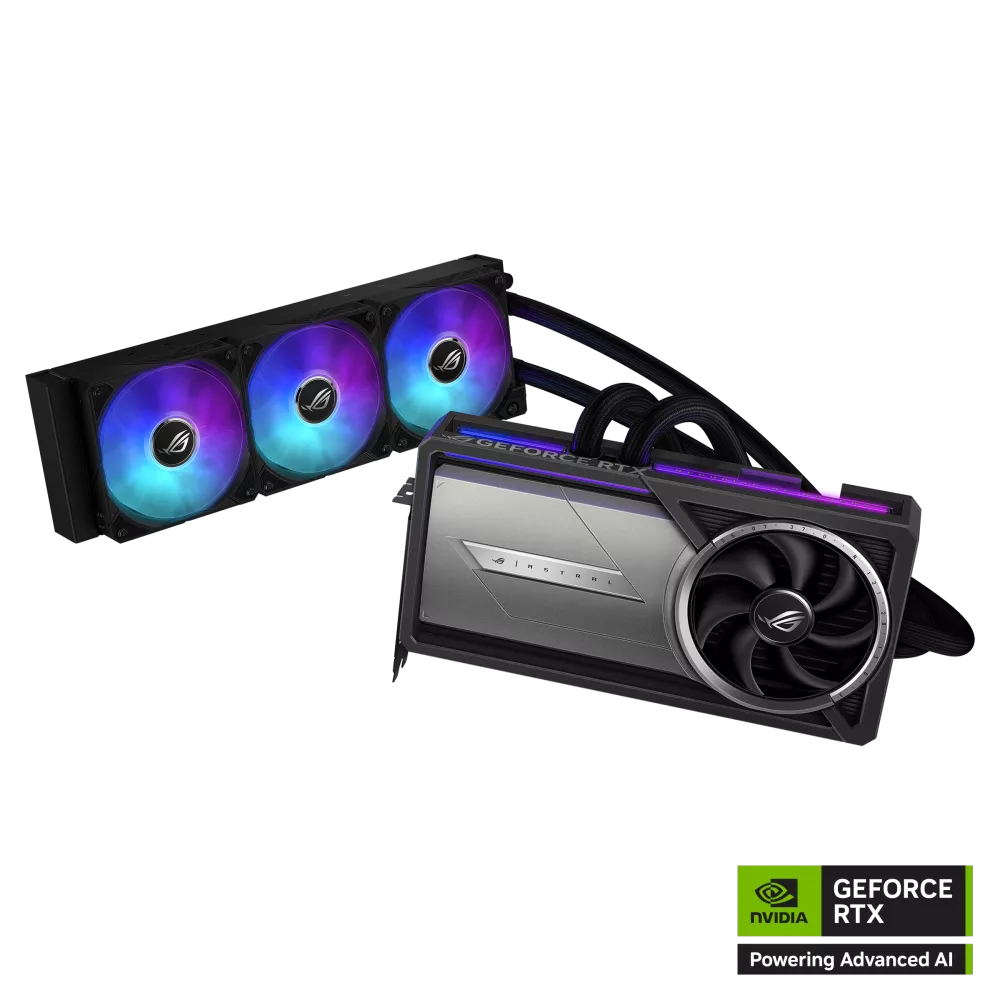
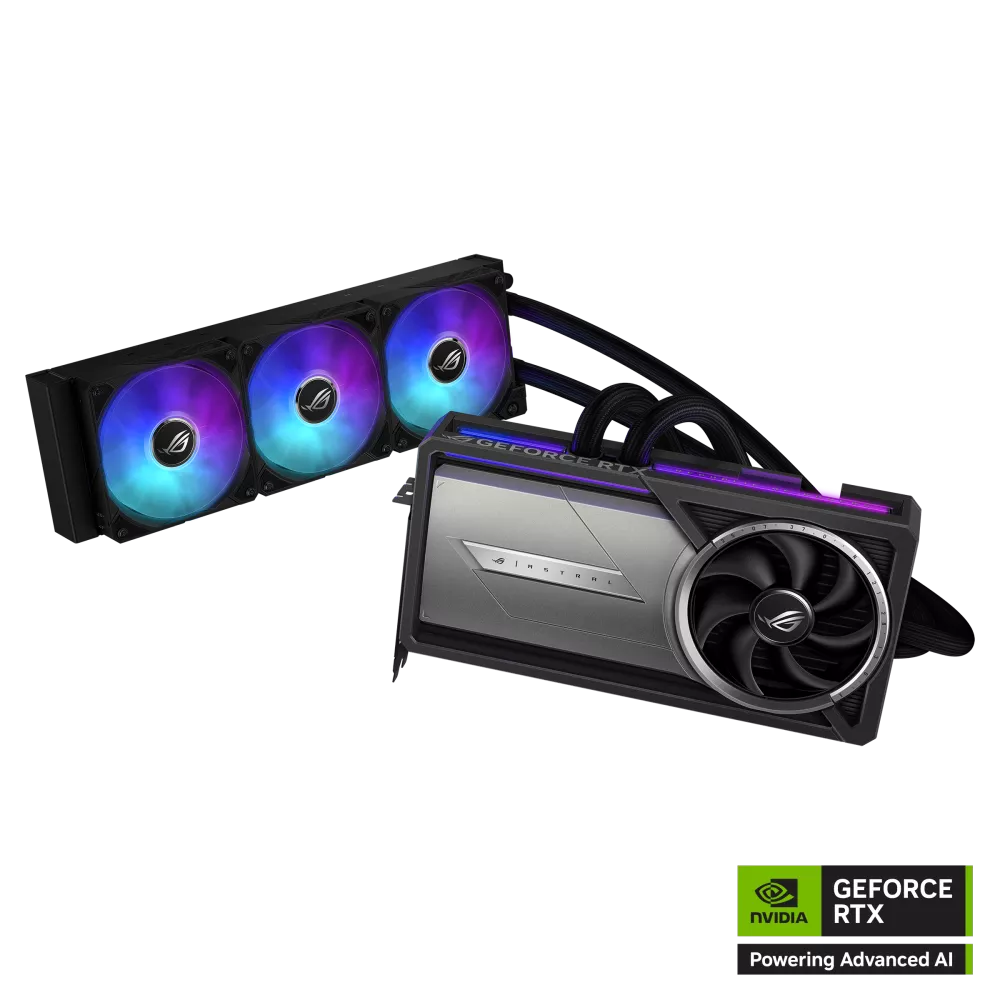
Outside the AORUS family, the two other liquid-cooled flagships worth cross-shopping are the ASUS ROG Astral LC RTX 5090 and the MSI GeForce RTX 5090 Lightning Z.
Strengths and trade-offs
Strengths
- The most convincing all-white flagship GPU available — white chassis, white backplate, RGB-tipped fans
- Identical cooling and clocks to the standard Master, so no thermal penalty for the colourway
- LCD Edge View screen and configurable RGB let you build a monochrome or a colour-matched theme
- Full 32GB GDDR7 / 512-bit / 1.79 TB/s for gaming, creator and local AI workloads
- Dual BIOS Silent mode, anti-sag VGA holder in the box, 4-year registered warranty
Trade-offs
- Zero performance benefit over the cheaper black Master — you are paying purely for finish
- 360 × 150 × 75 mm rules out a large share of mid-tower cases
- Power limit not adjustable in any tested overclocking utility
- 2026 street pricing sits far above the $2,499.99 launch MSRP, and white SKUs restock less often
- White plastics can discolour over years of heat and UV exposure
Should you buy the AORUS RTX 5090 Master ICE?
Buy the Master ICE if you are committed to a white build and want the fastest consumer GPU inside it. It is the same excellent air cooler and the same silicon as the black Master, dressed to match white cases, white AIOs and white RAM — and there are very few genuinely white RTX 5090s to choose from.
Do not buy it if colour is a nice-to-have rather than a requirement: the standard AORUS Master is the identical card and generally the easier one to actually buy. If your priority is the lowest temperature and quietest operation rather than looks, the XTREME WATERFORCE with its factory 360 mm radiator is the better card, and if you already run a custom loop, the WATERFORCE WB is the only one of the four that belongs in it.
Specifications on this page are taken from Gigabyte's official product pages; measured power, temperature and pricing figures are attributed inline to the outlets that recorded them. Prices in the RTX 5090 market move weekly — always check the retailer before you buy.
Frequently Asked Questions
Is the AORUS RTX 5090 Master ICE faster than the standard Master?
No. Gigabyte publishes identical specification sheets for the two cards: the same 2,655 MHz boost clock, the same 32GB of GDDR7 on a 512-bit bus at 28 Gbps, the same 360 × 150 × 75 mm chassis and WINDFORCE cooler, and the same 1,000 W PSU recommendation. The ICE is the white-finished version of the same product, nothing more.
How much does the AORUS RTX 5090 Master ICE cost in 2026?
It launched at an MSRP of $2,499.99, but July 2026 tracked retail prices were $4,159.99 at Newegg and $4,099.95 at B&H Photo, both out of stock. Third-party marketplace listings run higher still, into the $5,000–$6,000 range. The increase is driven by the GDDR7 and DRAM shortage caused by AI datacentre demand, which has raised every RTX 5090 board price through 2026.
Is the Master ICE fully white, including the backplate?
Yes. Overclockers.com's review describes a white chassis with RGB-tipped fans and the LCD screen at the end of the shroud, and the metal backplate is finished to match. The one part that will not be white is your 12V-2x6 power cable — the bundled adapter and most stock PSU cables are black, so budget for a white custom cable if the theme matters.
What are the Master ICE's dimensions and will it fit my case?
Gigabyte lists L=360 × W=150 × H=75 mm, which is roughly a 3.7–4 slot card. Aim for at least 370 mm of GPU clearance to allow for the power cable bend, four free expansion slots, and about 155 mm from the motherboard tray to the side panel. Plenty of mid-towers rated to 350–360 mm will not accept it once front fans or a radiator are fitted.
What PSU does the Master ICE need?
Gigabyte recommends 1,000 W. That is justified by measurement rather than marketing: Overclockers.com recorded the Master ICE peaking at nearly 615 W with the stock power limit, above NVIDIA's 575 W rating, and noted the board's power delivery is designed for around 600 W. Use an ATX 3.1 / PCIe 5.1 unit with a native 12V-2x6 cable and seat it fully.
Can I overclock the Master ICE?
Only marginally. Overclockers.com found that no GPU overclocking application allowed the power limit to be adjusted on this card. With the ceiling locked and the boost clock already at 2,655 MHz, core and memory offsets give small returns. If tuning headroom is a priority, this is not the RTX 5090 to buy.
Should I buy the Master ICE or the XTREME WATERFORCE?
Buy the ICE if the build is white and air cooling is fine. Buy the XTREME WATERFORCE if you want the lowest possible temperatures and quietest GPU acoustics out of the box — it ships with a sealed 360 mm aluminium radiator and three 120 mm ARGB fans. The trade-offs are cost (last tracked at $5,699 versus roughly $4,100 for the ICE), the need for a free 360 mm radiator mount, and a smoky-black rather than white aesthetic.
Does the Master ICE come with an anti-sag bracket?
Yes. Gigabyte's accessory list for this SKU includes its versatile VGA holder and manual, along with the quick guide, warranty registration card, a 12V-2x6 to 4× PCIe 8-pin adapter and AORUS stickers. Fitting the holder is strongly advised given the card's size and mass.
Will the white shroud turn yellow over time?
It is a known long-term risk with white PC plastics generally rather than a defect specific to this card. Prolonged UV exposure and sustained heat can shift white finishes slightly over several years. Keeping the system out of direct sunlight and maintaining good case airflow reduces the risk, and it is a cosmetic issue only — it has no effect on cooling or performance.
What warranty does the AORUS RTX 5090 Master ICE have?
Four years, conditional on completing Gigabyte's online product registration. That is the same term Gigabyte applies across all four AORUS RTX 5090 variants: Master, Master ICE, XTREME WATERFORCE and WATERFORCE WB. Register promptly after purchase, because the extended term is not automatic.