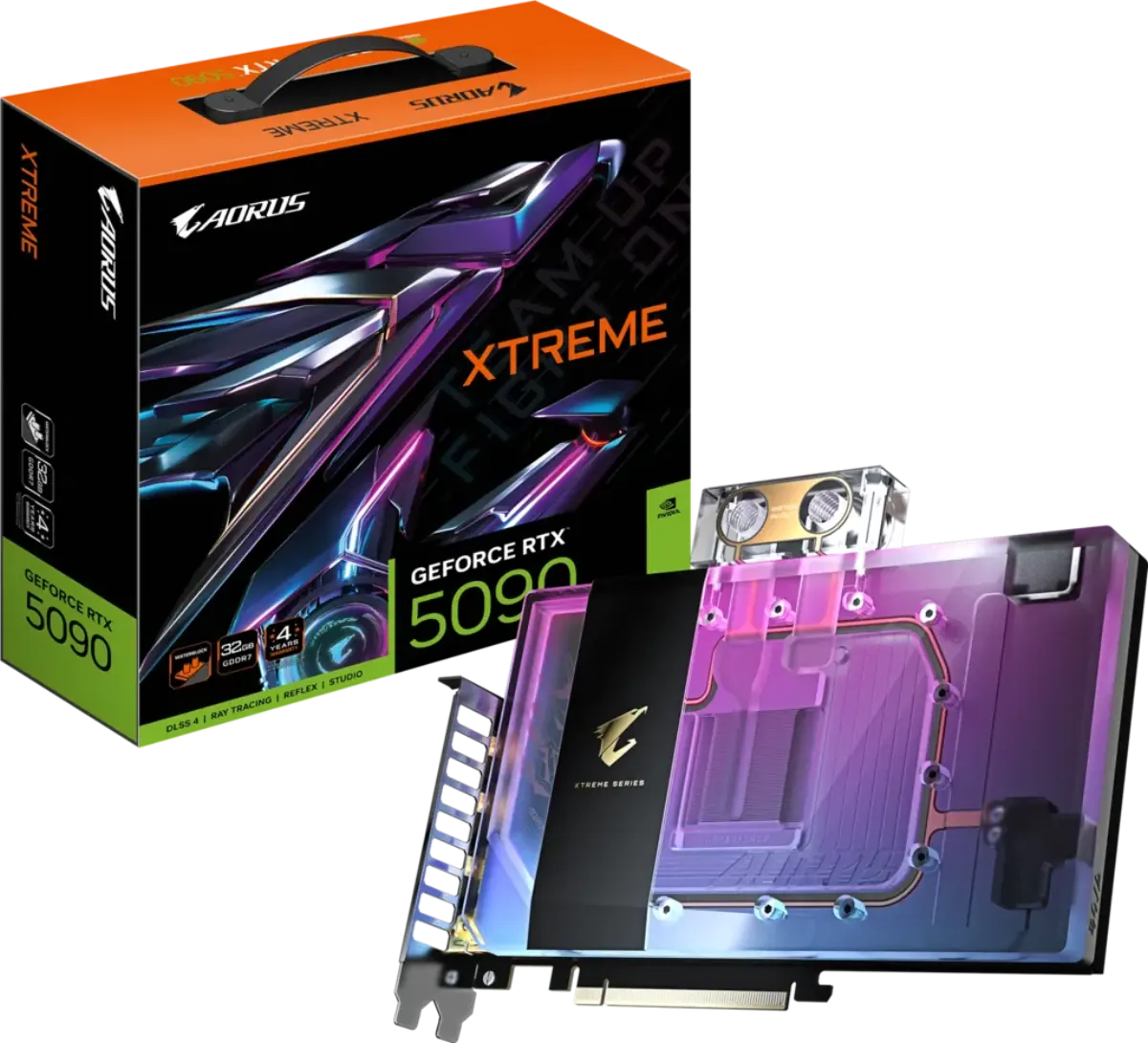
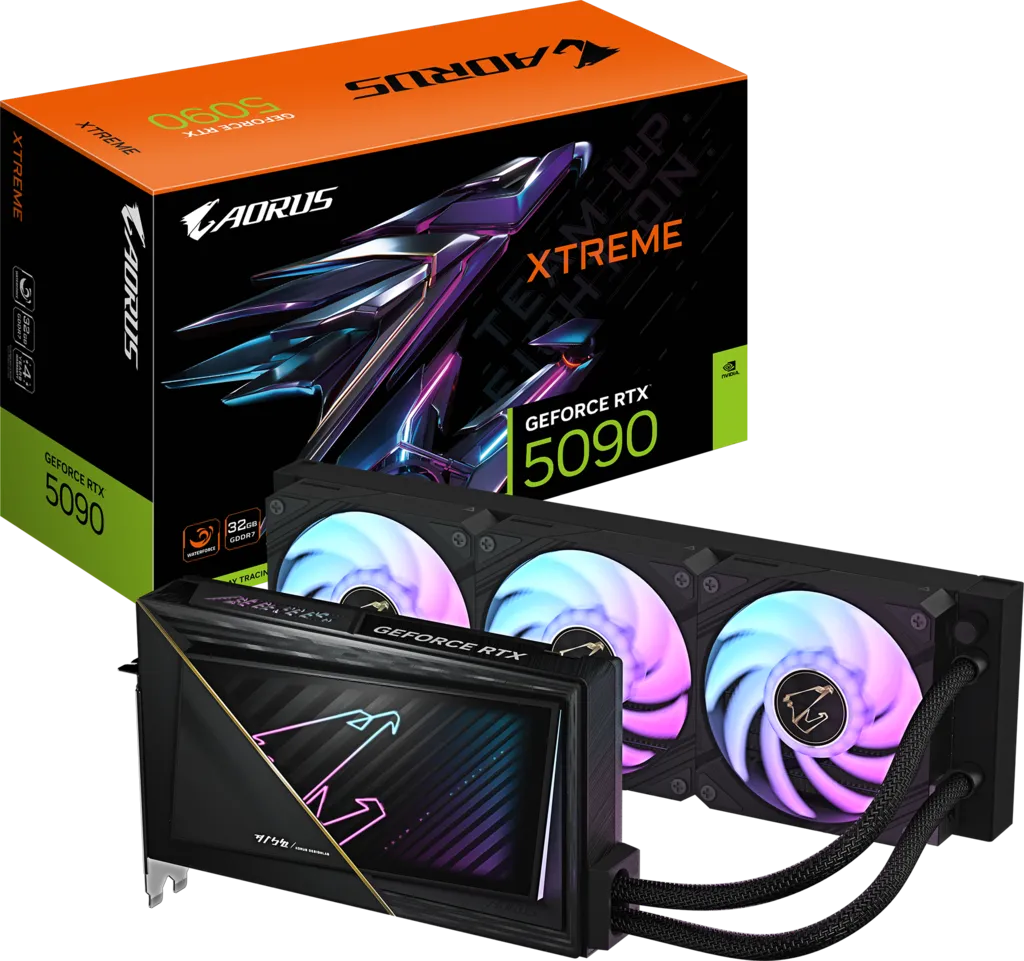
The Gigabyte AORUS GeForce RTX 5090 XTREME WATERFORCE 32G (GV-N5090AORUSX-W-32GD) is the all-in-one liquid-cooled member of the AORUS RTX 5090 family, and the one to buy if your priority is the lowest temperatures and the quietest card possible without ever touching a loop. It is a complete, factory-sealed cooling system: a compact 245 mm card connected by 460 mm tubes to a 360 mm aluminium radiator with three 120 mm ARGB fans, per Gigabyte's official specifications.
That distinction matters, because the similarly-named XTREME WATERFORCE WB is not a complete cooler — it is a bare water block for people who already own a custom loop. This card, by contrast, installs like any other GPU plus one radiator mount. Nothing to fill, nothing to bleed, no fittings to buy.
Quick verdict: The XTREME WATERFORCE is the best out-of-the-box thermal solution among the four AORUS RTX 5090s. Moving 575 W (and peaks near 615 W) into a 360 mm radiator instead of a fin stack inside your case drops GPU temperatures and takes the noise source off the card entirely, and the card body itself shrinks to 245 × 146 × 36 mm — far easier to fit than the 360 mm, ~4-slot Master. The catches: it was last tracked at $5,699 in the US, and it needs a case with a genuinely free 360 mm radiator mount.
How the 360mm WATERFORCE AIO works
Gigabyte's feature list for this card is specific about the cooling stack, and each element matters for a 575 W board:
- Liquid metal thermal grease on the GPU die. This is the headline item. Liquid metal has far higher thermal conductivity than conventional paste and is normally an aftermarket, warranty-voiding modification — here it is applied at the factory and covered by the warranty.
- Server-grade thermal conductive gel on VRAM and MOSFETs, so the memory and power stages are actively cooled by the block rather than left to a passive plate.
- 360 mm aluminium radiator with three 120 mm ARGB fans, which is the same surface area a good CPU AIO uses for a 250 W processor — applied to a GPU instead.
- 460 mm ±1.5% tube length, long enough to reach a top or front radiator mount in a standard mid-tower or full tower from the primary PCIe slot.
- Protective metal backplate and a power-abnormality indicator light.
Because the heat leaves the card immediately and is dumped at the radiator, the GPU no longer heats your VRM, M.2 drives and CPU cooler intake the way a 575 W air card does. That secondary benefit is often larger than the GPU temperature drop itself.
Radiator mounting and case compatibility
This is the section that decides whether you can buy this card. You need a case with a free 360 mm radiator mount — and "free" is the operative word, because most builds have already spent theirs on a CPU AIO.
| Consideration | What you need |
|---|---|
| Radiator size | 360 mm (3 × 120 mm) aluminium radiator |
| Tube length | 460 mm ±1.5% — comfortably reaches a top or front mount from slot 1 |
| Card body clearance | 245 mm long, 146 mm tall, 36 mm thick (about 2 slots) |
| Typical conflict | CPU AIO already occupying the only 360 mm mount |
| Usual solution | GPU radiator in the front intake, CPU AIO up top — or a 280/240 mm CPU AIO to free the 360 mm bay |
| Fan orientation | Intake gives the GPU the coolest air; exhaust keeps case ambient lower for the CPU |
| Pump position | The pump sits on the card, so the radiator should ideally not be the lowest point in the system — a top or front-top mount avoids air collecting at the pump |
The upside is that the card itself is dramatically easier to accommodate than its air-cooled siblings. At 245 × 146 × 36 mm it is 115 mm shorter and roughly half the thickness of the 360 mm, 75 mm-thick AORUS Master, which frees up expansion slots and clears front-mounted fans that the Master would foul. If your case has the radiator space, the WATERFORCE is genuinely the easier flagship to fit.
AORUS RTX 5090 XTREME WATERFORCE full specifications
| Specification | Detail |
|---|---|
| GPU & Architecture | |
| GPU | NVIDIA GB202-300-A1 (Blackwell) |
| Process Node | TSMC 4N |
| CUDA Cores | 21,760 |
| Streaming Multiprocessors | 170 |
| Tensor / RT Cores | 680 (5th Gen) / 170 (4th Gen) |
| Interface | PCI-E 5.0 |
| Memory | |
| Capacity | 32 GB GDDR7 |
| Memory Bus | 512-bit |
| Memory Clock | 28 Gbps |
| Bandwidth | 1.79 TB/s |
| Clocks & Power | |
| Boost Clock | 2,655 MHz |
| Reference Boost Clock | 2,407 MHz |
| Total Graphics Power | 575 W |
| Measured Peak Draw (AORUS Master, same silicon) | ≈615 W (Overclockers.com) |
| Power Connector | 1× 16-pin (12V-2x6) |
| Adapter Included | 1× 12V-2x6 to 4× PCIe 8-pin |
| Recommended PSU | 1,000 W |
| Cooling System | |
| Type | WATERFORCE all-in-one liquid cooler (factory sealed) |
| Radiator | 360 mm aluminium |
| Radiator Fans | 3× 120 mm ARGB |
| Tube Length | 460 mm ±1.5% |
| GPU Thermal Interface | Liquid metal thermal grease |
| VRAM / MOSFET Cooling | Server-grade thermal conductive gel, actively cooled |
| Dimensions & Build | |
| Card Size | L=245 × W=146 × H=36 mm |
| Slot Width | ≈2 slots (36 mm thick) |
| Finish | Smoky-black transparent shroud with golden edge line, RGB edge and logo lighting |
| Backplate | Protective metal backplate |
| Outputs & Support | |
| DisplayPort | 3× DisplayPort 2.1b |
| HDMI | 1× HDMI 2.1b |
| Max Resolution | 7680 × 4320 |
| Multi-view | Up to 4 displays |
| Warranty | 4 years (online registration required) |
Gigabyte does not publish a separate radiator thickness or a decibel rating for this cooler, so those figures are deliberately omitted here rather than estimated.
XTREME WATERFORCE price and availability (July 2026)
This is the second-most expensive AORUS RTX 5090 and the price gap over the air-cooled cards is substantial.
| Model | Last tracked US price | Status |
|---|---|---|
| XTREME WATERFORCE (this card) | $5,699.00 (Newegg) | Out of stock |
| XTREME WATERFORCE WB | $5,099.00 (Newegg) | Out of stock |
| AORUS Master ICE | $4,159.99 (Newegg) | Out of stock |
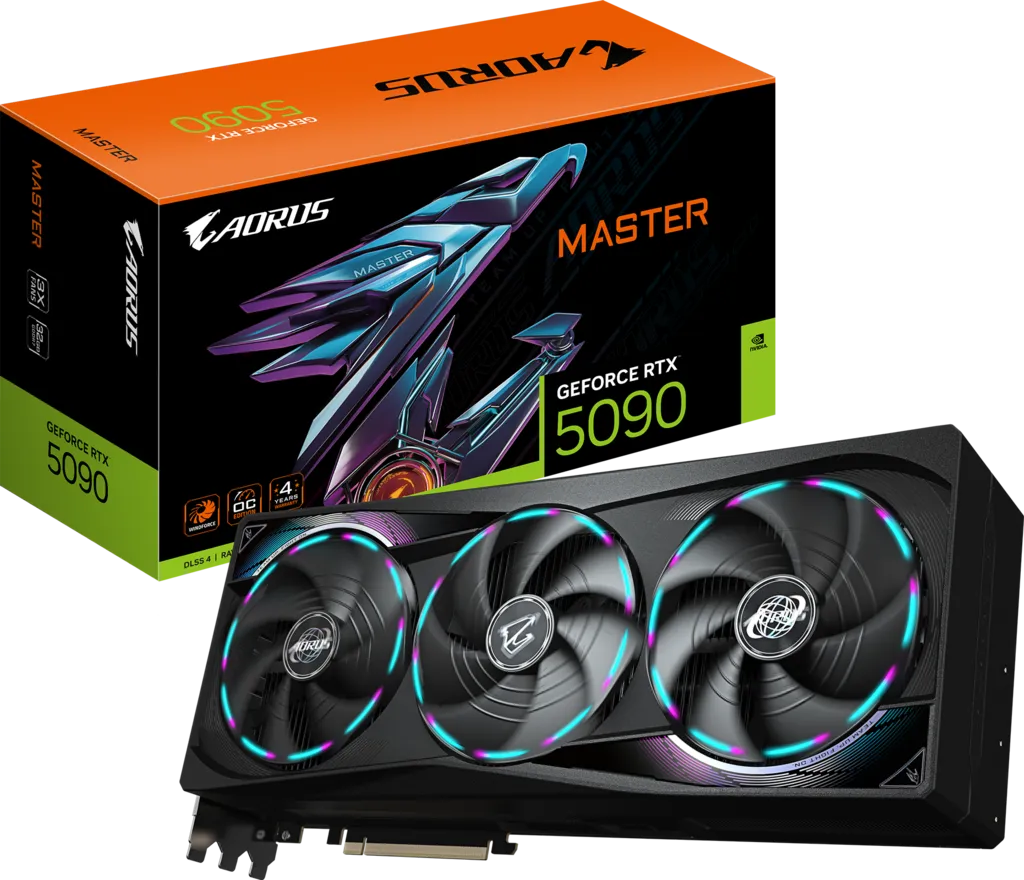
| AORUS Master | $4,159.99 (Newegg) | Out of stock |
| RTX 5090 Founders Edition MSRP | $1,999 | Historical reference |
Prices are per TrackaLacker's Newegg listing tracker as of July 2026; the whole RTX 5090 market has inflated well beyond 2025 MSRPs because of the AI-driven GDDR7 and DRAM shortage, and TechPowerUp has reported NVIDIA preparing further price increases. In blunt terms, you are paying roughly $1,500 over an AORUS Master for the AIO. That is only worth it if temperature and noise are genuinely your priority, or if a 360 mm-long air card simply will not fit your build.
Temperatures and acoustics versus air-cooled RTX 5090s
The physics here are not subtle. An air-cooled RTX 5090 has to reject 575 W — with measured peaks near 615 W on the same silicon, per Overclockers.com — through a fin stack sitting inside your case, using fans that are 100 mm at most. This card moves the same heat through a 360 mm radiator with three 120 mm fans, at the edge of the chassis.
What that buys you in practice:
- Substantially lower GPU core and memory temperatures, with the liquid metal interface reducing the die-to-block gap further than paste can.
- Lower noise at the same heat load, because three 120 mm radiator fans move the same air as three smaller GPU fans at a much lower RPM — and larger, slower fans produce lower-frequency, less irritating noise.
- Lower case ambient temperature, which benefits your CPU, VRM and M.2 drives. On an air-cooled 5090 those components sit downstream of a 575 W heater.
- More consistent sustained clocks in long gaming or rendering sessions, because the card is not creeping toward a thermal throttle point.
Two honest caveats. First, the pump is a moving part with a finite life and it is not user-replaceable — a sealed AIO is a consumable in a way an air cooler is not, which is why the 4-year registered warranty matters. Second, the radiator fans still make noise; you have relocated the sound rather than eliminated it, though at a lower and more tolerable pitch.
Gaming, creator and AI performance
Clock for clock this card is identical to the other three AORUS RTX 5090s: 2,655 MHz boost against a 2,407 MHz reference, 21,760 CUDA cores, and 32GB of GDDR7 on a 512-bit bus delivering 1.79 TB/s. There is no performance tier separating the AORUS variants, and any review claiming the liquid model is meaningfully faster in games is describing sustained-clock behaviour, not a different product.
Where better cooling does show up is in long, heavy, sustained loads — multi-hour 4K gaming sessions, Blender or V-Ray renders, DaVinci Resolve exports and local LLM inference runs. An air-cooled 5090 gradually creeps toward its thermal ceiling and trims clocks; a well-fed 360 mm loop holds its boost state more consistently. The difference is measured in single-digit percentages of throughput, not in a different class of performance.
For AI specifically, the relevant spec is unchanged across the family: 32GB of VRAM is enough to hold substantial local models entirely in memory, and 1.79 TB/s of bandwidth is what makes GB202 disproportionately quick at memory-bound inference compared with 24GB cards.
Power supply and installation notes
Gigabyte recommends a 1,000 W PSU, and given ~615 W measured peaks on the same silicon that is a sensible floor rather than a conservative one. Use an ATX 3.1 / PCIe 5.1 unit with a native 12V-2x6 cable where possible; a 12V-2x6 to 4× PCIe 8-pin adapter is included if your PSU predates the standard. Seat the 16-pin connector until it clicks — partially-inserted connectors remain the leading cause of melted plugs on this generation.
Installation order that saves grief: mount the radiator and route the tubes first, then seat the card, then connect power. The tubes are 460 mm and reasonably flexible, but forcing a tight bend at the card end after the GPU is already screwed down is how people stress the fittings.
Which AORUS RTX 5090 should you buy?
Gigabyte sells four AORUS-branded RTX 5090s and they use the exact same GB202 silicon and the exact same 2,655 MHz boost clock. Nothing separates them on raw performance — the choice is entirely about cooling method, size and finish.
| Model | AORUS Master | AORUS Master ICE | XTREME WATERFORCE (this card) | XTREME WATERFORCE WB |
|---|---|---|---|---|
| Cooling | Triple-fan WINDFORCE air | Triple-fan WINDFORCE air (white) | 360 mm all-in-one liquid | Water block only — custom loop required |
| Boost clock | 2,655 MHz | 2,655 MHz | 2,655 MHz | 2,655 MHz |
| Memory | 32GB GDDR7 / 512-bit | 32GB GDDR7 / 512-bit | 32GB GDDR7 / 512-bit | 32GB GDDR7 / 512-bit |
| Card size (L×W×H) | 360 × 150 × 75 mm | 360 × 150 × 75 mm | 245 × 146 × 36 mm | 235 × 172 × 29 mm |
| Extra hardware in the box | VGA anti-sag holder | VGA anti-sag holder | 360mm radiator, 3×120mm ARGB fans, 460mm tubes | Thermal grease, install guide (no fans, pump or radiator) |
| LCD Edge View screen | Yes | Yes | No | No |
| Finish | Black shroud, RGB Halo | White shroud, RGB | Smoky-black transparent, gold trim | Translucent iridescent, gilded circuit |
| Power connector | 1× 16-pin 12V-2x6 | 1× 16-pin 12V-2x6 | 1× 16-pin 12V-2x6 | 1× 16-pin 12V-2x6 |
| Recommended PSU | 1,000 W | 1,000 W | 1,000 W | 1,000 W |
| Last tracked US price | $4,159.99 (Newegg) | $4,159.99 (Newegg) | $5,699.00 (Newegg) | $5,099.00 (Newegg) |
| Best for | The default flagship air build | All-white showcase builds | Best thermals with zero loop-building | An existing custom water loop |
The XTREME WATERFORCE is the right pick when you want the lowest temperatures and the quietest GPU acoustics without learning to build a loop. It costs meaningfully more than the two air cards and it demands a free 360 mm radiator mount, but everything is pre-filled and sealed at the factory.
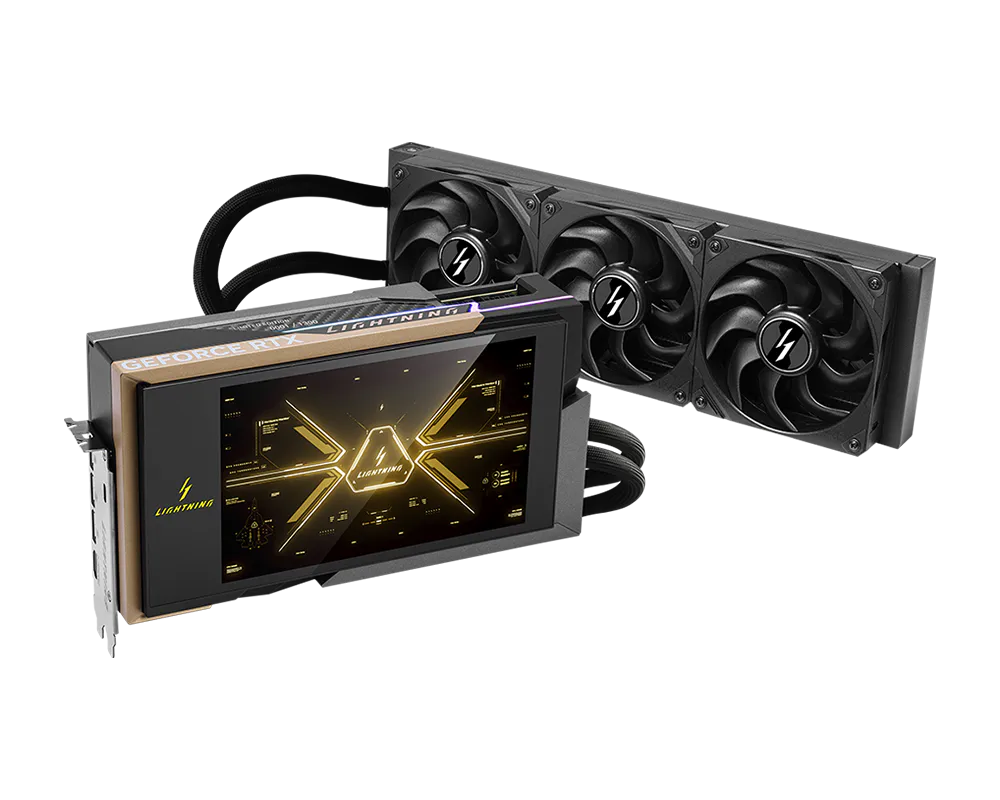
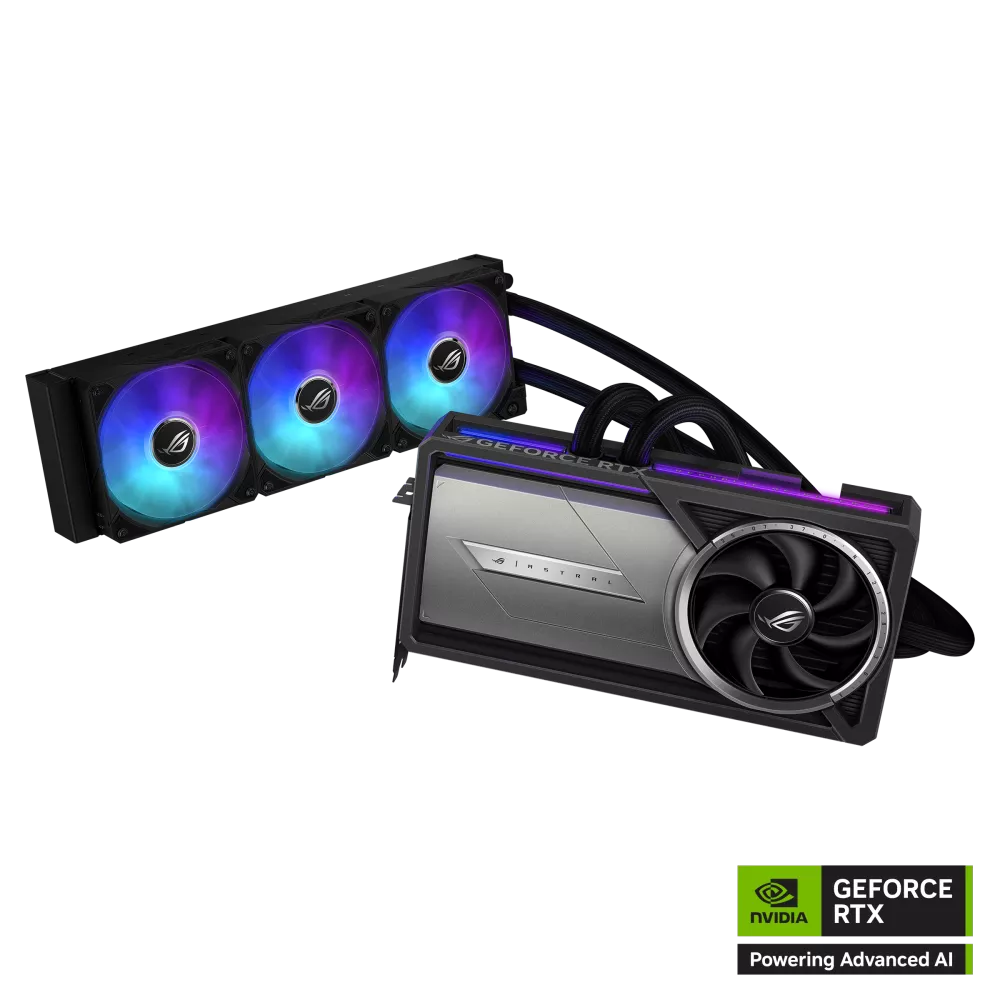
Outside the AORUS family, the two other liquid-cooled flagships worth cross-shopping are the ASUS ROG Astral LC RTX 5090 and the MSI GeForce RTX 5090 Lightning Z.
Strengths and trade-offs
Strengths
- Best out-of-the-box thermals of any AORUS RTX 5090 — 360 mm radiator, three 120 mm ARGB fans
- Factory-applied liquid metal on the GPU die, warranty intact
- Compact card body at 245 × 146 × 36 mm — roughly two slots, far easier to fit than the 360 mm Master
- Moves 575 W of heat out of the case, lowering CPU, VRM and M.2 temperatures too
- Zero loop-building required: sealed, pre-filled, no fittings or coolant to buy
- Full 32GB GDDR7 / 512-bit / 1.79 TB/s and a 4-year registered warranty
Trade-offs
- Last tracked at $5,699 — roughly $1,500 more than an AORUS Master for the same frame rate
- Requires a genuinely free 360 mm radiator mount, which most builds have already given to a CPU AIO
- The pump is a sealed, non-serviceable moving part with a finite lifespan
- No LCD Edge View screen and no Dual BIOS Silent switch, both of which the Master models have
- Same locked power limit as the rest of the family, so the extra thermal headroom cannot be spent on overclocking
Should you buy the AORUS RTX 5090 XTREME WATERFORCE?
Buy it if you want the coolest, quietest RTX 5090 you can install in an afternoon, your case has a spare 360 mm radiator bay, and the roughly $1,500 premium over an air-cooled AORUS card is acceptable to you. It is also, counter-intuitively, the right answer for compact builds: the card body is far smaller than the air models, so a case that cannot swallow a 360 mm GPU may still take this one.
Skip it if your radiator mounts are already spoken for, if you want the LCD screen and Silent BIOS of the AORUS Master, if you are building all-white (the Master ICE), or if you already run a custom loop — in that last case the WATERFORCE WB is both cheaper and the correct product, because you would otherwise be paying for a radiator and pump you intend to throw away.
Specifications on this page are taken from Gigabyte's official product pages; measured power, temperature and pricing figures are attributed inline to the outlets that recorded them. Prices in the RTX 5090 market move weekly — always check the retailer before you buy.
Frequently Asked Questions
Does the AORUS RTX 5090 XTREME WATERFORCE include everything needed to cool it?
Yes. Unlike the WATERFORCE WB, this is a complete, factory-sealed all-in-one liquid cooler. Gigabyte ships it with a 360 mm aluminium radiator, three 120 mm ARGB fans and 460 mm tubes already attached and filled. There is nothing to buy, fill, bleed or plumb — you mount the radiator, seat the card and connect power.
What radiator size does it use and where can I mount it?
A 360 mm (3 × 120 mm) aluminium radiator, connected by 460 mm ±1.5% tubes. That tube length comfortably reaches a top or front radiator mount from the primary PCIe slot in a standard mid-tower or full tower. The practical constraint is availability rather than reach: most builds have already used their only 360 mm bay for a CPU AIO, so plan on a front-mounted GPU radiator with the CPU cooler up top, or step the CPU AIO down to 240/280 mm.
How much does the XTREME WATERFORCE cost in 2026?
The last tracked Newegg price in July 2026 was $5,699.00, out of stock. That is roughly $1,500 above the air-cooled AORUS Master and Master ICE at $4,159.99, and it is the most expensive of the four AORUS RTX 5090 variants. Prices across the whole RTX 5090 range have inflated well past 2025 MSRPs because of the AI-driven GDDR7 and DRAM shortage.
How big is the card itself?
Gigabyte lists the card body at L=245 × W=146 × H=36 mm, which is about two slots. That is 115 mm shorter and roughly half the thickness of the 360 × 150 × 75 mm AORUS Master, so if your case can host the radiator, this is actually the easier flagship to physically install — it frees expansion slots and clears front fans the Master would foul.
Is it faster than the air-cooled AORUS Master?
Not meaningfully. Both are rated at the same 2,655 MHz boost clock with the same 21,760 CUDA cores and the same 32GB of GDDR7. What better cooling buys is more consistent sustained clocks in long gaming or rendering sessions, worth single-digit percentages of throughput — not a different performance tier. Buy it for temperature and noise, not for frame rate.
How is this different from the XTREME WATERFORCE WB?
The WB is a bare water block with no radiator, no pump, no fans and no tubes — it only works if you already have a custom loop. This card is the complete opposite: a self-contained sealed AIO that needs nothing beyond a radiator mount. Confusing the two is the single most common mistake buyers make with this product line, and it is an expensive one.
What PSU does it need?
Gigabyte recommends 1,000 W with a single 16-pin 12V-2x6 connector; a 12V-2x6 to 4× PCIe 8-pin adapter is included. Treat 1,000 W as a floor rather than a generous margin — Overclockers.com measured nearly 615 W peak draw on the same GB202 silicon with the stock power limit, above NVIDIA's 575 W rating. An ATX 3.1 / PCIe 5.1 unit with a native 12V-2x6 cable is the right choice.
Can I overclock it further because it runs cooler?
Not really. The extra thermal headroom cannot be converted into performance, because the power limit on this generation of AORUS RTX 5090 boards was found to be unadjustable in overclocking utilities. The card is already boosting as hard as its 575 W budget allows; cooler operation makes it hold those clocks more consistently rather than exceed them.
Does it have the LCD Edge View screen like the Master?
No. The LCD Edge View display and the Dual BIOS Performance/Silent switch are features of the AORUS Master and Master ICE, not the XTREME WATERFORCE. This card's aesthetic is instead a smoky-black transparent shroud with a golden edge line, RGB edge lighting and an illuminated AORUS logo, plus ARGB radiator fans.
What is the warranty, and what happens if the pump fails?
Gigabyte lists a 4-year warranty with online registration, the same term as the other three AORUS RTX 5090 variants. That coverage matters more here than on an air card, because the pump is a sealed, non-user-serviceable moving part. If it fails inside the warranty period the card is an RMA rather than a repair, so register the product promptly after purchase.