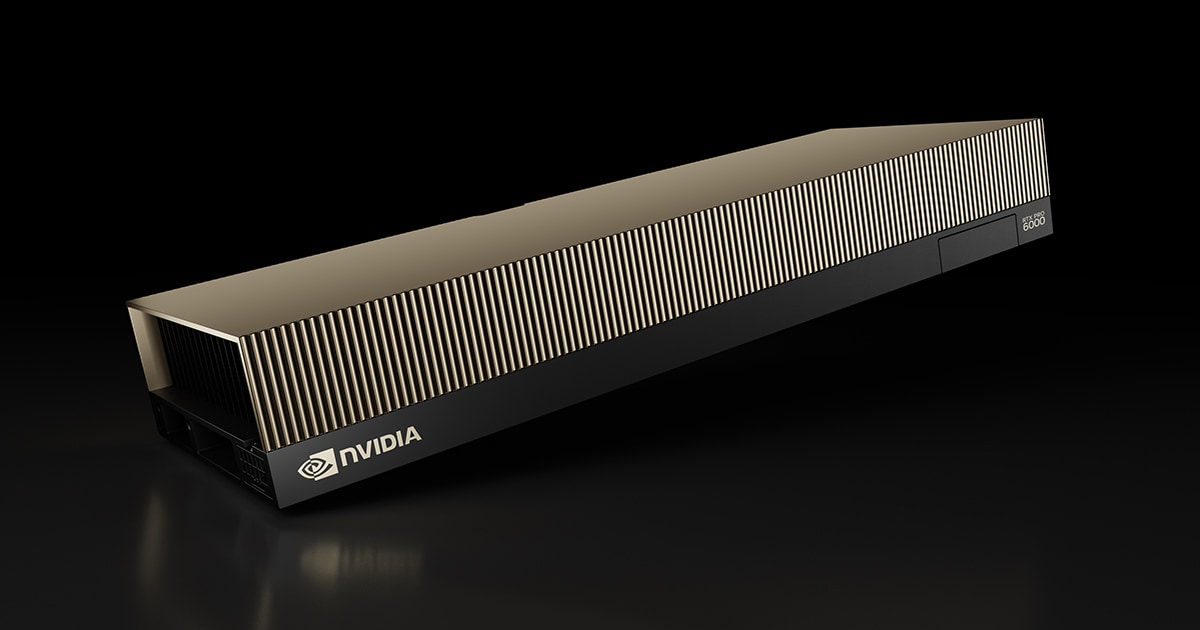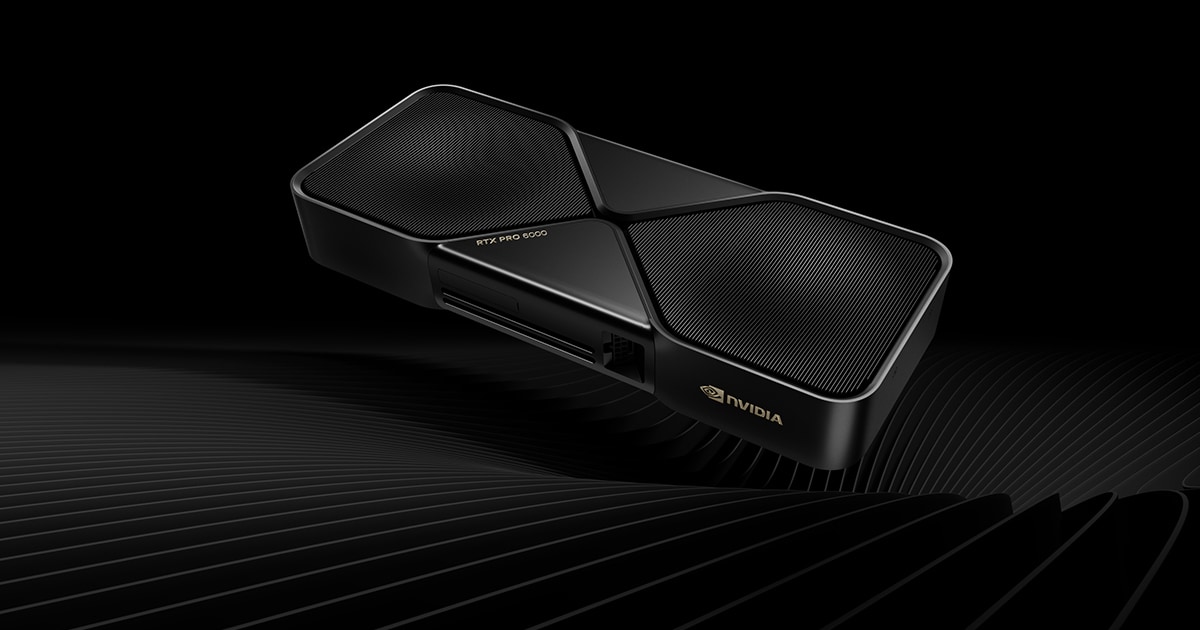
The NVIDIA RTX PRO 6000 Blackwell Max-Q Workstation Edition is the power- and density-optimized member of NVIDIA's top-end Blackwell professional lineup. It uses the same full-fat GB202 GPU as the RTX PRO 6000 Workstation Edition and the consumer RTX 5090 — 24,064 CUDA cores, 752 fifth-gen Tensor Cores and 188 fourth-gen RT Cores — but reins the board power down to 300W and swaps the flagship's flow-through cooler for a dual-slot blower. The result is a card engineered to be deployed several at a time in dense towers and rack workstations rather than as a single hero GPU.
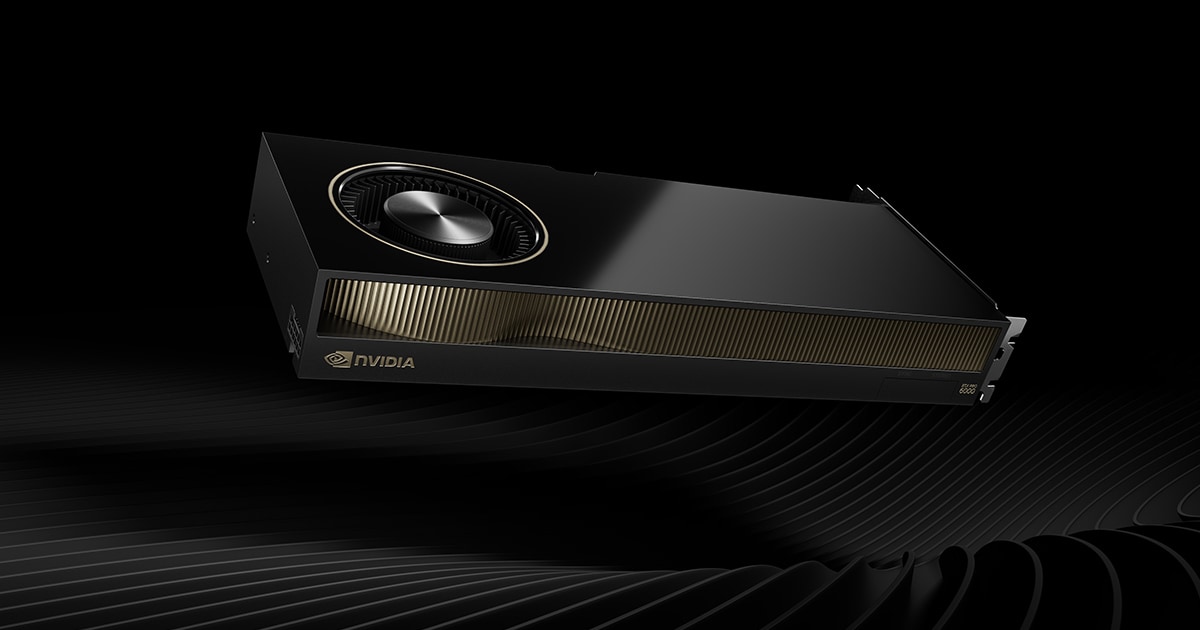
What makes the Max-Q remarkable is what it does not give up. You still get the full 96GB of GDDR7 with ECC on a 512-bit bus, delivering 1,792 GB/s of bandwidth — triple the VRAM of an RTX 5090 and enough to hold very large 3D scenes, simulation datasets, or 70B-class language models in a single card. The only meaningful concessions versus the 600W Workstation Edition are clock speed and the cooler design, which together cost roughly 5–14% of raw throughput according to Puget Systems testing.
This is unapologetically a workstation and edge-AI product, not a gaming card. It targets CAD/CAE engineers, VFX and rendering studios, AI developers, and medical/scientific visualization users who need to stack GPU horsepower and VRAM in a fixed power and acoustic envelope. If you only have room (and power headroom) for one card, the standard Workstation Edition is faster; the Max-Q exists so you can install two, three, or four of them and still keep the system stable and serviceable.
Quick verdict: The Max-Q is the smartest way to scale Blackwell pro horsepower. You keep the full GB202 die and all 96GB of ECC GDDR7, lose only a single-digit-to-low-teens percentage of performance versus the 600W card, and gain a 300W blower design built to run four-deep. The catch is price — NVIDIA has raised the list price to $13,250 and street listings in mid-2026 run roughly $9,699 to $13,250. If you're a single-GPU buyer the standard Workstation Edition is the better pick; for multi-GPU density, nothing else comes close.
NVIDIA RTX PRO 6000 Blackwell Max-Q Workstation Edition — Full Specifications
Every published field for the Max-Q, cross-checked against the NVIDIA product page and the PNY VCNRTXPRO6000BQ-PB datasheet (OEM part number 900-5G153-2200-000).
| Specification | Detail |
|---|---|
| GPU & Architecture | |
| Architecture | NVIDIA Blackwell |
| GPU | GB202 (full-die configuration) |
| Process Node | TSMC 4N (custom 5nm-class) |
| Die Size | 750 mm² |
| Transistors | 92.2 billion |
| CUDA Cores | 24,064 |
| Streaming Multiprocessors | 188 SMs |
| Tensor Cores | 752 (5th Gen, with FP4 support) |
| RT Cores | 188 (4th Gen) |
| ROPs | 192 |
| Memory | |
| Memory Size | 96 GB GDDR7 (clamshell) |
| ECC | Yes (error-correcting code) |
| Memory Bus | 512-bit |
| Memory Bandwidth | 1,792 GB/s |
| Effective Memory Speed | 28 Gbps |
| Clocks & Performance | |
| Boost Clock (approx.) | ~2,280 MHz |
| FP32 (Single-Precision) | 110 TFLOPS |
| RT Core Performance | 333 TFLOPS |
| AI Performance (FP4, sparse) | Up to 3,511 TOPS |
| Pixel Fill Rate | ~437.8 GPixel/s |
| vs Workstation Edition | ~5–14% slower (Puget Systems) |
| Cooling & Power | |
| Total Graphics Power (TGP) | 300 W |
| Cooler Type | Active blower (single radial fan) |
| Power Connector | 1x 16-pin (PCIe CEM5 / 12V-2x6) |
| Recommended PSU | 600 W+ system (single card) |
| Multi-GPU Density | Up to 4 GPUs per workstation |
| Display & I/O | |
| Bus Interface | PCI Express 5.0 x16 |
| Display Outputs | 4x DisplayPort 2.1 (UHBR20) |
| Max Resolution | 4x 4K @ 120Hz or 2x 8K @ 60Hz (DP 2.1b) |
| NVENC (Encoders) | 4x 9th Gen (incl. 4:2:2 H.264/HEVC) |
| NVDEC (Decoders) | 4x 6th Gen |
| NVJPEG Engines | 4x |
| MIG (Multi-Instance GPU) | Up to 4x 24GB, 2x 48GB, or 1x 96GB |
| Frame Lock / Sync | Compatible with NVIDIA RTX PRO Sync |
| Stereo | 3-pin mini-DIN (3D Vision) |
| Dimensions & Build | |
| Length | 10.5 in (267 mm) |
| Height | 4.4 in (112 mm), full-height |
| Slot Width | Dual-slot (FHFL) |
| Weight | ~1.23 kg |
| OEM Part Number | 900-5G153-2200-000 (PNY: VCNRTXPRO6000BQ-PB) |
| Warranty | 3-year limited (NVIDIA/PNY) |
Price & Availability (July 2026)
Pricing on this card has moved more than its specs have. The RTX PRO 6000 Blackwell family launched in March 2025 around an $8,565 list, but sustained AI demand and a tight GDDR7 supply chain pushed it upward through 2025 and 2026. Tom's Hardware reported that NVIDIA raised the official list price to $13,250 — roughly a 55% increase in a year.
Retail reality is messier than a single number, because NVIDIA-branded OEM boards, PNY retail boxes, and grey-market marketplace listings all trade at different levels:
| Channel | Typical price (July 2026) | Notes |
|---|---|---|
| NVIDIA list price | $13,250 | Raised from ~$8,565 launch list |
| Newegg (NVIDIA OEM, 900-5G153-2200-000) | ~$12,099 | Bulk/OEM packaging, intermittent stock |
| Newegg / PNY retail (VCNRTXPRO6000BQ-PB) | ~$9,699 | Retail box, 3-year warranty |
| Micro Center, Central Computer, CDW, SHI | $9,700–$13,300 | Business channel; quote-based |
| Marketplace / resellers | $14,000–$16,500 | Avoid unless you need it immediately |
| System integrators (Exxact, Puget, Lenovo, Dell) | Bundled in build | Best route for validated 2–4 GPU systems |
Practical buying advice: the PNY retail SKU at roughly $9,700 is the sanest entry point and carries a full 3-year warranty; the NVIDIA OEM bulk board saves nothing at current pricing. If you are buying two or more, go through a system integrator — Exxact has validated air-cooled 4x Max-Q workstations, and buying the cards inside a qualified chassis avoids the thermal and PSU guesswork entirely. Stock is genuinely intermittent: listings flip between "in stock" and "coming soon" week to week, so set alerts rather than assuming a price you saw last month still holds.
What "Max-Q" actually means on a workstation GPU
Max-Q started life as an NVIDIA laptop branding for efficiency-tuned mobile GPUs, and the desktop pro version borrows the same idea: take the full silicon, then find the point on the voltage-frequency curve where you keep most of the performance for far less power. Crucially, on the RTX PRO 6000 it is not a cut-down chip. The die, CUDA core count, memory capacity, bus width and bandwidth are all identical to the 600W Workstation Edition. What changes is:
- Power ceiling — 300W instead of 600W, enforced in the board's firmware.
- Sustained clocks — lower boost residency under sustained load, which is where the 5–14% deficit comes from.
- Cooler design — a single radial blower that exhausts out the rear bracket instead of a flow-through cooler that dumps heat into the chassis.
That third point is the one buyers underrate. A flow-through cooler is quieter and more effective for one card, but it recirculates hot air inside the case — which is exactly what breaks down when you put three or four cards side by side. The blower's whole job is to make GPU number four behave the same as GPU number one.
How the RTX PRO 6000 Blackwell Max-Q compares
How the 300W Max-Q stacks up against its 600W sibling, the passively cooled Server Edition, and the consumer RTX 5090 built on the same GB202 silicon.
| Specification | RTX PRO 6000 Max-Q | RTX PRO 6000 Workstation | RTX PRO 6000 Server | GeForce RTX 5090 |
|---|---|---|---|---|
| GPU Die | GB202 (full) | GB202 (full) | GB202 (full) | GB202 (cut-down) |
| CUDA Cores | 24,064 | 24,064 | 24,064 | 21,760 |
| Memory | 96 GB GDDR7 ECC | 96 GB GDDR7 ECC | 96 GB GDDR7 ECC | 32 GB GDDR7 |
| Memory Bus | 512-bit | 512-bit | 512-bit | 512-bit |
| Bandwidth | 1,792 GB/s | 1,792 GB/s | 1,792 GB/s | 1,792 GB/s |
| FP32 TFLOPS | 110 | ~125 | ~120 | ~105 |
| Board Power | 300 W | 600 W | 400–600 W (configurable) | 575 W |
| Cooler | Dual-slot blower (active) | Dual-slot flow-through | Passive (chassis airflow) | Dual-slot flow-through |
| Display Outputs | 4x DisplayPort 2.1 | 4x DisplayPort 2.1 | None (headless) | 3x DP 2.1b + HDMI 2.1b |
| Density | Up to 4 per workstation | 1–2 realistically | 8x in a qualified server | Not designed for it |
| ECC / Pro Drivers | Yes | Yes | Yes | No / Game Ready |
| MIG | Up to 4 instances | Up to 4 instances | Up to 4 instances | No |
| Price (July 2026) | ~$9,700–$13,250 | ~$9,700–$13,250 | ~$11,000–$14,000 | ~$2,000–$3,000 |
| Best Use | Dense multi-GPU workstations | Single fastest pro card | Rack servers / data centre | Gaming / prosumer AI |
Read the table as a trade-off triangle. The standard RTX PRO 6000 Blackwell Workstation Edition wins on single-card speed and desk-side acoustics. The RTX PRO 6000 Blackwell Server Edition wins on rack density but is passively cooled and headless, so it needs a qualified server chassis. The Max-Q sits in between: it is the only one of the three you can realistically put four of into a standard tower workstation that a person sits next to.
Performance & Thermals
Compute & Rendering
With the full GB202 die and 110 TFLOPS of FP32, the Max-Q is a rendering monster. In Puget Systems testing it trailed the 600W Workstation Edition by only 5–13% across V-Ray, Blender, Octane and Redshift, and 8% in DaVinci Resolve. Unreal Engine was the worst case at roughly 14% behind, and After Effects the mildest at 5–9%. The 96GB frame buffer is the real headline: it lets you render scenes and run AI models that simply will not fit on a 32GB RTX 5090.
| Workload | Max-Q vs 600W Workstation Edition |
|---|---|
| V-Ray (RTX) | ~5–13% slower |
| Blender | ~5–13% slower |
| OctaneRender | ~5–13% slower |
| Redshift | ~5–13% slower |
| DaVinci Resolve (single GPU) | ~8% slower |
| After Effects | ~5–9% slower |
| Topaz Video AI | ~13% slower (still ~23% faster than Ada gen) |
| Unreal Engine | ~14% slower (worst case) |
Multi-GPU Scaling
Scaling is the reason to buy this card rather than the flagship. Puget measured roughly 2x the throughput of a single card when running three Max-Q GPUs on GPU effects in DaVinci Resolve — a gain no single 600W board can match. Renderers with clean multi-GPU support (V-Ray, Octane, Redshift, Blender Cycles) scale similarly well. Two Max-Q cards at 600W combined beat one 600W Workstation Edition comfortably in any workload that distributes across GPUs.
AI & Tensor Throughput
Fifth-gen Tensor Cores with native FP4 deliver up to 3,511 AI TOPS (sparse), and 96GB of ECC GDDR7 means a single card can host 70B-parameter LLMs at 4-bit or large diffusion pipelines locally. This is where the density story pays off — four cards yield 384GB of pooled VRAM in one chassis, enough for far larger models or many concurrent inference tenants via MIG.
Thermals & Acoustics
The blower exhausts heat directly out the rear bracket, which is exactly what you want when several cards sit shoulder-to-shoulder. Puget's guidance is worth repeating: even with blowers, leave a single empty slot between cards where the motherboard layout allows it. Trade-off: a single radial fan under load is louder and higher-pitched than the flagship's flow-through cooler, so a lone Max-Q on a desk will be more audible than a Workstation Edition.
Power & Efficiency
At 300W for ~86–95% of the 600W card's performance, the Max-Q is dramatically more efficient per watt. That halved power draw is what makes 4-GPU configurations feasible on standard workstation PSUs and within thermal limits — the core reason this variant exists. Budget roughly 300W per card plus 200–300W for a Threadripper- or Xeon-class CPU and the rest of the system.
OC Headroom
This is a professional, validated card: it ships locked to its 300W envelope with no meaningful overclocking headroom and no RGB. If you want the extra ~10–14%, you buy the 600W Workstation Edition rather than try to push the Max-Q.
Which workstations and chassis suit it
The Max-Q is a 267mm, dual-slot, full-height card drawing 300W through one 16-pin connector, which makes system planning refreshingly simple compared with 600W boards.
| Configuration | GPU power | Recommended PSU | Chassis guidance |
|---|---|---|---|
| 1x Max-Q | 300 W | 750 W+ | Any mid/full tower with 11in clearance |
| 2x Max-Q | 600 W | 1,200 W+ | Full tower, one empty slot between cards |
| 3x Max-Q | 900 W | 1,600 W+ | Workstation chassis with front-to-back airflow |
| 4x Max-Q | 1,200 W | 2,000 W+ (or dual PSU / 200V circuit) | Validated SI build (Exxact, Puget, Lenovo, Dell) |
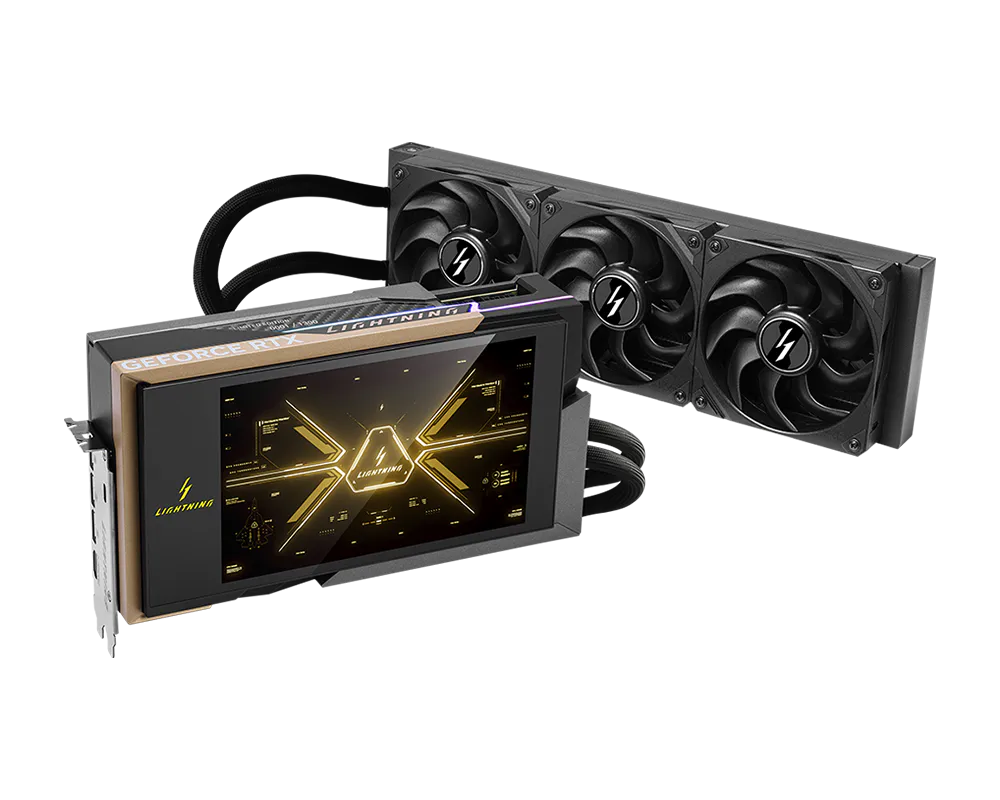
Practical notes: check that your motherboard offers enough PCIe 5.0 x16 lanes at full width — Threadripper PRO and Xeon W platforms do, mainstream desktop platforms do not. Confirm the case supports 267mm cards with the 16-pin cable bend radius behind it (allow another 30–40mm). And at three or four cards on a US 15A/120V circuit you will be flirting with the breaker under full render load, which is why integrators quote 200V circuits for quad builds. If you want the same silicon in a gaming-oriented consumer package instead, the MSI GeForce RTX 5090 Lightning Z is the closest GB202 relative — but it caps out at 32GB and has no ECC.
Pros and Cons
✅ Pros
- Full 96GB ECC GDDR7 and complete GB202 die — no VRAM or core cuts versus the flagship
- Only ~5–14% slower than the 600W Workstation Edition while drawing half the power
- Dual-slot blower exhausts heat out the back — built for 4-GPU dense configs
- 1,792 GB/s bandwidth handles enormous scenes and large local AI models
- Excellent multi-GPU scaling: ~2x single-card throughput from three cards in Resolve
- Single 16-pin connector and 300W make PSU and chassis planning easy
- Pro driver stack, ECC, RTX PRO Sync, and MIG (up to 4 instances) for enterprise reliability
- Full 4x DisplayPort 2.1 output set, unlike the headless Server Edition
❌ Cons
- NVIDIA raised list price to $13,250; street pricing runs ~$9,700–$16,500 depending on channel
- Single blower is louder and higher-pitched than the flow-through flagship for a lone desktop card
- Leaves ~5–14% of performance on the table versus the 600W Workstation Edition
- No overclocking headroom, RGB, or display-LCD niceties — strictly business
- Overkill (and the wrong cooler) if you only ever run one card
- Stock is intermittent; retail listings flip in and out of availability week to week
Who should buy the RTX PRO 6000 Blackwell Max-Q Workstation Edition?
Buy the Max-Q if you're building a dense multi-GPU workstation — two to four cards in one chassis for rendering, simulation, or local AI inference — where blower exhaust and a 300W ceiling keep the system cool, quiet enough, and within power limits. Engineers, VFX and render studios, and AI developers who need maximum pooled VRAM per slot are the target. If you only need a single card, buy the standard RTX PRO 6000 Workstation Edition instead — it's faster for the same list price and quieter on a desk. If you're filling a rack, the Server Edition's passive cooling is the right answer. And if you don't need ECC, pro drivers, or more than 32GB, an RTX 5090 saves you many thousands of dollars.
Frequently Asked Questions
What does "Max-Q" mean on the RTX PRO 6000 Blackwell?
Max-Q is NVIDIA's efficiency-tuned variant branding. On the RTX PRO 6000 Blackwell it does not mean cut-down silicon: you get the same full GB202 die, 24,064 CUDA cores, 96GB of ECC GDDR7 and 512-bit bus as the flagship. What changes is the 300W power ceiling (vs 600W), lower sustained boost clocks, and a rear-exhausting blower cooler instead of a flow-through design.
How much does the RTX PRO 6000 Blackwell Max-Q cost in 2026?
NVIDIA raised the list price to $13,250, up roughly 55% from the ~$8,565 launch list, driven by AI demand and tight GDDR7 supply. As of July 2026 the PNY retail SKU (VCNRTXPRO6000BQ-PB) has been listed around $9,699, NVIDIA-branded OEM boards around $12,099, and marketplace resellers as high as $16,500. Buying through a system integrator is usually the better route for multi-GPU builds.
What's the difference between the Max-Q and the regular RTX PRO 6000 Workstation Edition?
They share the exact same GB202 die, 24,064 CUDA cores, 96GB of ECC GDDR7 and 1,792 GB/s of bandwidth. The Max-Q is capped at 300W instead of 600W and uses a dual-slot blower instead of a flow-through cooler. In Puget Systems testing it runs about 5-14% slower but draws half the power, which is what makes up to four cards per workstation practical.
How much slower is the 300W Max-Q than the 600W card in real work?
Puget Systems measured 5-13% behind in V-Ray, Blender, Octane and Redshift, about 8% in DaVinci Resolve, 5-9% in After Effects, 13% in Topaz Video AI, and roughly 14% in Unreal Engine as the worst case. In other words you keep about 86-95% of the flagship's performance on half the power budget.
What power supply and connector does the Max-Q need?
It draws 300W through a single 16-pin PCIe CEM5 (12V-2x6) connector. A quality 750W PSU is comfortable for one card. For multi-GPU builds budget roughly 300W per card plus CPU and system overhead: about 1,200W for two, 1,600W for three, and 2,000W or more (often on a 200V circuit) for four.
Will the RTX PRO 6000 Max-Q fit in a small chassis?
It is a full-height, dual-slot card measuring 10.5 inches (267mm) long and 4.4 inches (112mm) tall, weighing about 1.23kg. That fits most mid and full towers, but it is not a small-form-factor card - there is no low-profile or single-slot version. Allow another 30-40mm behind the card for the 16-pin cable bend radius.
How many Max-Q cards can I run in one workstation?
Up to four. That is the entire reason the variant exists: the 300W ceiling and rear-exhausting blower let four cards share one chassis without thermal throttling. Exxact has validated air-cooled 4x Max-Q workstations. Where the motherboard layout allows, leaving an empty slot between cards improves airflow further.
How does the Max-Q scale across multiple GPUs?
Very well in software with genuine multi-GPU support. Puget Systems recorded roughly 2x the throughput of a single card when running three Max-Q GPUs on GPU effects in DaVinci Resolve, and renderers like V-Ray, Octane, Redshift and Blender Cycles scale similarly. Four cards also pool 384GB of VRAM in one chassis for large AI models.
Is the Max-Q worth it over a GeForce RTX 5090?
If you need more than 32GB of VRAM, ECC memory, certified pro drivers, MIG, or multi-GPU density, yes - the 96GB frame buffer alone enables workloads such as huge scenes and 70B-parameter LLMs that a 32GB RTX 5090 cannot touch. If you are gaming or doing prosumer AI that fits in 32GB, the 5090 delivers similar raw FP32 for a fraction of the price.
Is it in stock, and what warranty does it carry?
Availability is intermittent - retail listings at Newegg, Micro Center, Central Computer, CDW and SHI flip between in-stock and backordered week to week, so set stock alerts rather than assuming last month's price. NVIDIA and PNY professional cards carry a 3-year limited warranty with certified Enterprise/Studio drivers and ISV application certifications.