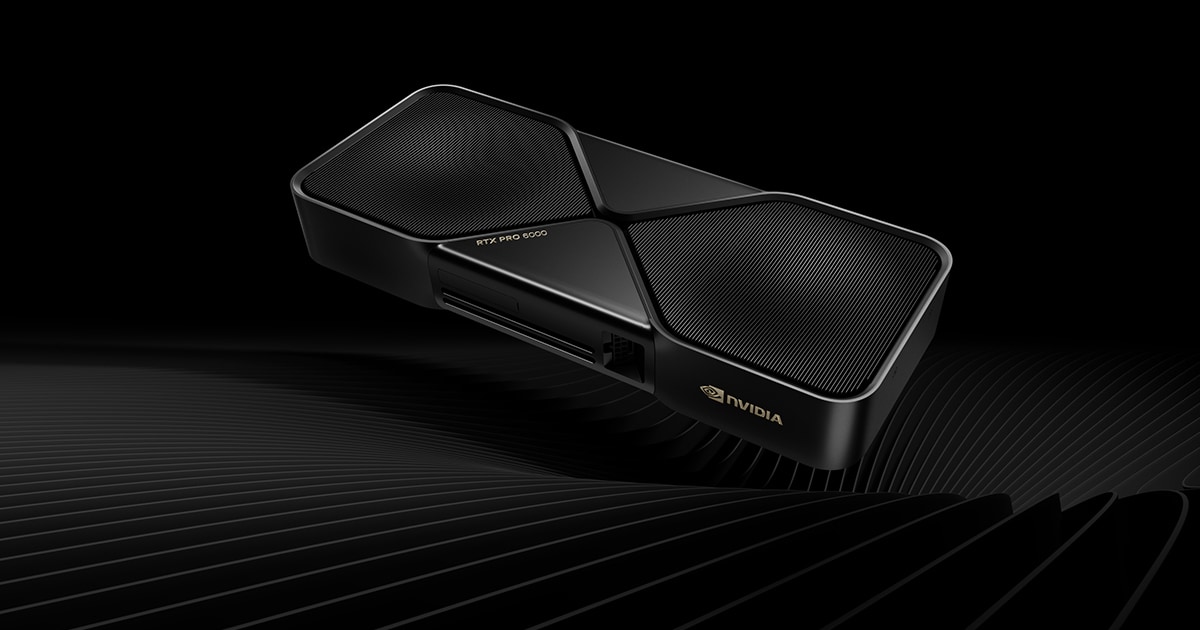
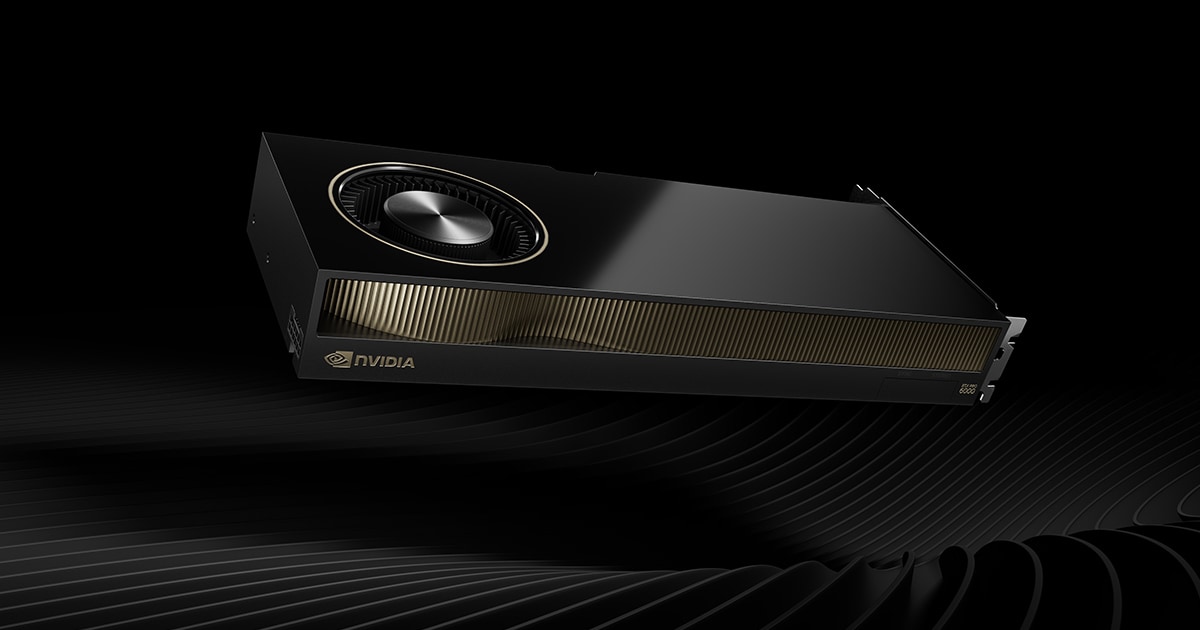
The NVIDIA RTX PRO 6000 Blackwell Server Edition is the data-center member of NVIDIA's RTX PRO 6000 Blackwell family (which also includes the Workstation and Max-Q editions). It pairs the full-fat Blackwell GB202 GPU with 96 GB of GDDR7 ECC memory in a passively cooled, server-optimized card designed to slot into validated OEM racks from Dell, HPE, Lenovo, Supermicro, ASUS and Cisco. It is, in effect, the modern successor to NVIDIA's L40 / L40S / A40 line.
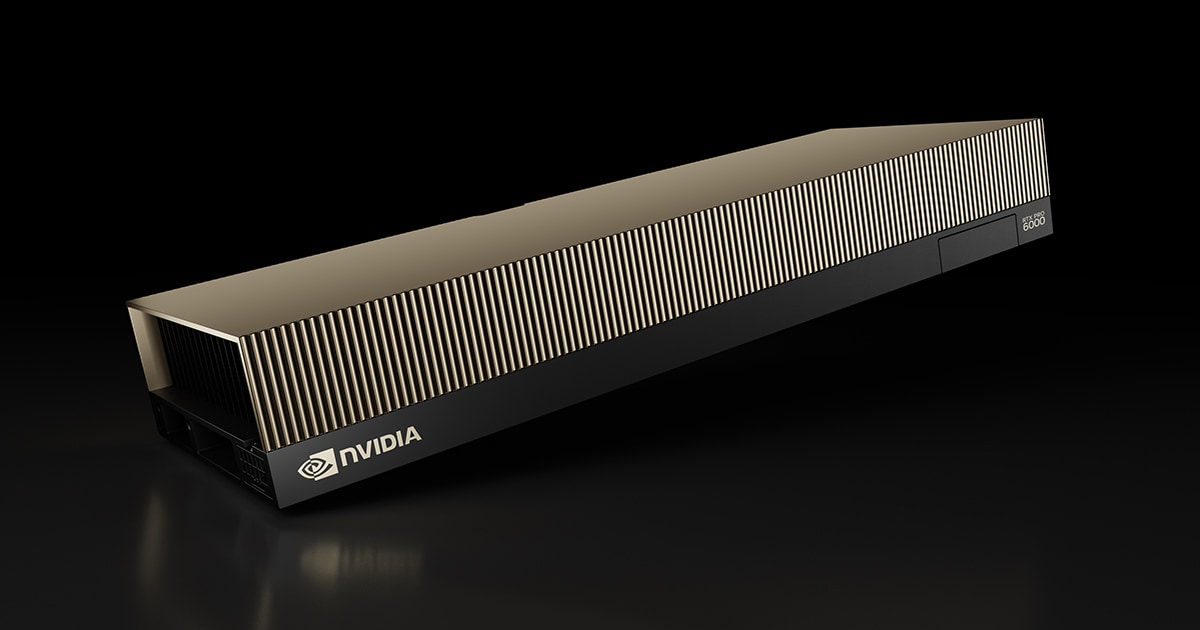
Quick verdict: An outstanding universal data-center GPU for AI inference, rendering, simulation and virtualization. Its 96GB pool, FP4 throughput and MIG/vGPU/Confidential Computing make it a clear, much faster L40S replacement. It is not a large-scale training replacement for HBM-based HGX parts (no NVLink, and GDDR7 bandwidth is lower than HBM). Score: 88/100.
Jump to: Full specs · Price & where to buy · Server vs Workstation vs Max-Q · vs L40S, H100 & L4 · Performance · Power & cooling · Supported servers · MIG & vGPU
RTX PRO 6000 Blackwell Server Edition — Full Specifications
Every figure below is cross-checked against NVIDIA's official Server Edition product page and the Lenovo Press ThinkSystem product guide. Items NVIDIA does not officially publish for this SKU are explicitly flagged.
| Specification | Detail |
|---|---|
| GPU & Architecture | |
| GPU chip | NVIDIA GB202 (Blackwell) |
| Process node | TSMC 4N-class (4nm) — flag: NVIDIA doesn't print an exact node |
| Streaming multiprocessors | 188 SMs |
| CUDA cores | 24,064 |
| RT cores | 188 (4th gen) — 355 TFLOPS peak RT performance |
| Tensor cores | 752 (5th gen, FP4-capable) |
| Boost clock | ~2,617 MHz (third-party estimate — NVIDIA does not publish clocks for this SKU) |
| Memory | |
| Memory size | 96 GB GDDR7 with ECC (clamshell configuration) |
| Memory bus | 512-bit |
| Memory bandwidth | Up to 1,597 GB/s (~1.6 TB/s) — lower than Workstation/Max-Q |
| AI & Compute (Tensor) | |
| FP4 Tensor (peak) | 4 PFLOPS |
| FP8 Tensor | 2 PFLOPS |
| FP16 / BF16 Tensor | 1 PFLOP |
| TF32 Tensor | 234 TFLOPS |
| FP32 (single precision) | 120 TFLOPS |
| Power & Cooling | |
| Total board power | Configurable, up to 600 W |
| Cooling | Passive (server front-to-back airflow); single-slot FHXL liquid-cooled SKU also offered |
| Power connector | 16-pin (2x6+4 / 12V-2x6); cable kit varies by server vendor |
| Operating inlet temperature | 0°C to 50°C (storage −40°C to 75°C) |
| Form Factor & Connectivity | |
| Form factor | Dual-slot, Full-Height Full-Length, 4.4″ H × 10.5″ L (air-cooled) |
| Interface | PCIe Gen 5 x16 |
| Display outputs | 4× DisplayPort 2.1b — disabled by default (effectively headless) |
| NVLink | Not supported (PCIe peer-to-peer only) |
| Media engine | 4× NVENC (9th gen), 4× NVDEC (6th gen), 4× JPEG decoders, AV1 encode/decode |
| Enterprise Features | |
| MIG (Multi-Instance GPU) | Up to 4 isolated instances of 24 GB each |
| vGPU | Yes — NVIDIA vPC/vApps and RTX Virtual Workstation (vWS) |
| Confidential Computing | Yes — hardware TEE for secure AI |
| Secure boot / ECC | Secure boot with root of trust; ECC on all 96 GB |
| Availability & Price | |
| Launch | Announced at GTC on March 18, 2025; broad OEM server availability from 2H 2025 |
| Launch MSRP | ~$8,565 |
| Price (July 2026) | ~$13,250 NVIDIA list; street ~$11,400–$15,000 |
| OEM part numbers | NVIDIA 900-2G153-0000-000; Lenovo 4X67B09287; HPE S6A73C |
Price and Where to Buy (July 2026)
This is the single biggest change since launch, and the reason so many buyers land on this page. The Server Edition debuted at roughly $8,565 in March 2025. It does not sell anywhere near that today. Tom's Hardware reported that NVIDIA lifted list pricing to $13,250, a roughly 55% increase in about 16 months, driven overwhelmingly by the ongoing GDDR7 memory shortage — a 96 GB clamshell board is the most memory-exposed discrete GPU on the market.
| Channel | Price (July 2026) | Notes |
|---|---|---|
| NVIDIA list / marketplace | ~$13,250 | Reference price after the 2026 increase |
| PNY (add-in-card partner) | ~$11,360 | Lowest widely quoted partner price |
| Newegg (retail) | ~$12,099 | Stock fluctuates heavily |
| NeweggBusiness (marketplace seller) | ~$14,989 | In stock, 6–8 day ship at time of writing |
| B&H Photo | ~$13,349+ | Frequently backordered |
| CDW / OEM quote (Dell, HPE, Lenovo) | Quote-based | Usually bundled into a validated server BOM |
Buying advice: if you need one or two cards for an existing chassis, retail/reseller channels are fine — but confirm the GPU is on your server's validated options list and that the vendor ships the correct 16-pin auxiliary power cable kit for your platform. For four or more cards, go through the OEM (Dell PowerEdge, HPE ProLiant, Lenovo ThinkSystem, Supermicro), where the card arrives pre-validated with the right airflow, riser and power configuration.
Rent before you buy. At $13k+ per card and volatile street pricing, cloud rental is the sane way to benchmark your workload first. The RTX PRO 6000 Server Edition is available on AWS EC2 G7e (from roughly $3.36/hr for a single GPU, scaling to ~$33/hr for 8×), Google Cloud G4 (around $4.50/hr per GPU), Azure NCv6-class instances, and neoclouds such as Vast.ai from about $1.42/hr. Prices move — treat these as order-of-magnitude, not quotes.
Server vs Workstation vs Max-Q — Same Silicon, Different Build
All three RTX PRO 6000 Blackwell variants share the same GB202 die, 24,064 CUDA cores, 752 Tensor cores, 188 RT cores and 96 GB of GDDR7 ECC. They differ in power delivery, cooling and where you can physically deploy them.
| Attribute | Server Edition | Workstation Edition | Max-Q Edition |
|---|---|---|---|
| Cooling | Passive (chassis airflow) | Active dual flow-through | Active blower |
| Power | Configurable, up to 600 W | 600 W | 300 W |
| Memory bandwidth | Up to 1,597 GB/s | 1,792 GB/s | 1,792 GB/s |
| FP32 | 120 TFLOPS | ~125 TFLOPS | ~110 TFLOPS (power-limited) |
| Display outputs | 4× DP 2.1b, disabled by default | 4× DP 2.1b, active | 4× DP 2.1b, active |
| Slots | Dual-slot FHFL (single-slot liquid SKU) | Dual-slot | Dual-slot |
| MIG | Up to 4 × 24 GB | Up to 4 × 24 GB | Up to 4 × 24 GB |
| Target | Validated OEM servers / dense racks | Desk-side tower workstation | Density-limited multi-GPU workstations |
The Server Edition is the only variant with no onboard fans — the host server is its cooling system. Note the one real raw-spec trade-off: its memory bandwidth (up to 1,597 GB/s) is slightly lower than the Workstation and Max-Q editions (1,792 GB/s), a detail many spec aggregators still get wrong. That also costs it a handful of FP32 TFLOPS versus the Workstation card.
If you are choosing between them, read our companion breakdowns of the RTX PRO 6000 Blackwell Workstation Edition and the lower-power RTX PRO 6000 Blackwell Max-Q Workstation Edition.
RTX PRO 6000 Server Edition vs L40S, H100 and L4
The Server Edition's real competition is NVIDIA's own back catalogue. Here is how the key data-center PCIe cards line up:
| Spec | RTX PRO 6000 Server | L40S | H100 PCIe (80GB) | L4 |
|---|---|---|---|---|
| Architecture | Blackwell (GB202) | Ada Lovelace (AD102) | Hopper (GH100) | Ada Lovelace (AD104) |
| Memory | 96 GB GDDR7 ECC | 48 GB GDDR6 ECC | 80 GB HBM2e | 24 GB GDDR6 |
| Bandwidth | ~1,597 GB/s | 864 GB/s | ~2,000 GB/s | 300 GB/s |
| FP32 | 120 TFLOPS | 91.6 TFLOPS | 51 TFLOPS | 30.3 TFLOPS |
| Low-precision peak | 4 PFLOPS (FP4) | 1.466 PFLOPS (FP8, sparse) | ~3.026 PFLOPS (FP8, sparse) | 0.485 PFLOPS (FP8, sparse) |
| FP4 support | Yes (5th-gen Tensor) | No | No | No |
| Board power | Up to 600 W | 350 W | 350–400 W | 72 W |
| Interface | PCIe Gen 5 x16 | PCIe Gen 4 x16 | PCIe Gen 5 x16 | PCIe Gen 4 x16 |
| NVLink | No | No | Yes (600 GB/s bridge) | No |
| RT cores / graphics | Yes (355 TFLOPS RT) | Yes | Minimal | Yes |
| Best for | Inference, rendering, VDI, mixed racks | Prior-gen equivalent | Bandwidth-bound training | Low-power video/inference edge |
The practical read: against the L40S it is a straight upgrade — double the VRAM, nearly double the bandwidth, FP4 support the L40S simply does not have, and NVIDIA's own claim of up to 5× the LLM inference throughput. Against the H100 PCIe, it wins on capacity (96 GB vs 80 GB), graphics/RT and price-per-GB, but loses on raw memory bandwidth and, critically, on NVLink — which is what makes H100/H200/B200 the right answer for large distributed pretraining. Against L4 there is no contest on performance, but the L4's 72 W envelope still owns dense low-power video inference.
Target Workloads & Performance
NVIDIA's published comparison point for this card is the L40S, and the headline figures come from its own launch materials:
| Workload | Claimed uplift vs L40S |
|---|---|
| LLM inference throughput | Up to 5× |
| Genomics (Smith-Waterman) | Up to ~6.8× |
| Text-to-video generation | Up to ~3.3× |
| Rendering / visualization | Over 2× |
| Inference concurrency (per rack) | Scales with 8× cards per 4U chassis |
Treat vendor uplift claims as best-case: most of the LLM inference gain comes from FP4 quantization plus the doubled memory pool, so a workload you refuse to quantize below FP16 will see far less than 5×. Where to expect the biggest real-world wins:
- AI inference & serving: LLMs and multimodal/agentic AI. A 96 GB pool holds a 70B-class model at FP8, or a 120B-class model at FP4, on a single card with no tensor-parallel sharding — which alone removes a large chunk of latency and complexity.
- Rendering & video: four NVENC and four NVDEC engines with AV1 make it a serious transcode and render-farm node, not just an AI part.
- Virtualization / VDI: vGPU plus MIG (4 × 24 GB) for multi-tenant virtual workstations and isolated tenant workloads.
- Scientific computing: genomics, drug discovery, CFD and data analytics all benefit from the capacity plus FP32 throughput.
- Fine-tuning / smaller training: the large VRAM helps, but with no NVLink, multi-GPU scaling rides PCIe Gen 5 — better for inference-dense and single/few-GPU jobs than massive distributed pretraining.
Power and Cooling Requirements
This is where most failed deployments come from, so it is worth being blunt. The card is passive: it has no fans and it will thermally throttle or refuse to boot in a chassis that cannot push enough air through it.
- Board power: configurable, up to 600 W. Operators commonly cap lower (in the 400–500 W range) to fit rack power and thermal budgets — you lose a modest slice of performance and gain a lot of density headroom.
- Airflow: requires strong front-to-back server airflow. A 4U 8-GPU node at full tilt is a ~5 kW box before CPUs, so plan rack PDU capacity and hot-aisle containment accordingly.
- Inlet temperature: rated for 0°C to 50°C operating inlet air; storage −40°C to 75°C.
- Auxiliary power: a 16-pin (2x6+4) connector. The cable kit is server-specific — order it from the OEM, do not improvise with a desktop 12VHPWR adapter.
- Liquid option: a single-slot, full-height full-length liquid-cooled SKU exists for the densest deployments, and is the route to more than 8 GPUs per chassis footprint.
- Not for a desktop PC: a tower case has nothing like the static pressure this card needs. If you want one at a desk, buy the Workstation Edition.
Supported OEM Servers and Compatibility
The Server Edition ships almost exclusively through validated OEM platforms. Confirmed families include:
| Vendor | Example platforms | Typical GPU count |
|---|---|---|
| Dell | PowerEdge R770, XE-series GPU nodes | 2–8 |
| HPE | ProLiant DL380a Gen12, DL385 Gen11 | up to 8 (4U) |
| Lenovo | ThinkSystem SR650 V4 / SR650a V4, SR675 V3 | 2–8 |
| Supermicro | Workload-optimized PCIe GPU systems | up to 8–10 |
| ASUS | Intel Xeon 6 and AMD EPYC 9005 4U RTX PRO Servers (with ConnectX-8 SuperNICs) | 8 |
| Cisco | UCS C-series GPU nodes | 2–8 |
It is also broadly certified on the hypervisor side — including VMware vSphere, Red Hat OpenShift/KVM and XenServer — and is offered as a first-class instance type on AWS, Google Cloud, Azure and Akamai's cloud. Before ordering, check three things: the card is on your specific server model's validated options list, the chassis has the riser slots and airflow rating for the GPU count you want, and the vendor is supplying the matching 16-pin power cable kit.
MIG, vGPU and Multi-Tenancy
Unlike the consumer Blackwell cards — the RTX 5090 class included — the Server Edition carries the full enterprise partitioning stack:
- MIG: up to four hardware-isolated instances of 24 GB each, with independent memory and compute. Ideal for Kubernetes GPU sharing, per-tenant SLAs and packing several mid-size inference services onto one card.
- vGPU: supported under NVIDIA vPC/vApps and RTX Virtual Workstation (vWS) — the route to multi-tenant virtual workstations for CAD, DCC and visualization users. Note that vGPU is licensed software with its own recurring cost; budget for it separately.
- Confidential Computing: a hardware trusted execution environment protects model weights and data in use, which matters for regulated tenants and for anyone hosting third-party models.
- Secure boot and ECC: root-of-trust secure boot, and ECC across the full 96 GB — non-negotiable for long-running production inference.
Pros and Cons
✅ Pros
- 96 GB GDDR7 ECC — the largest VRAM pool on any discrete GPU, fits large models and scenes on one card
- Strong FP4/FP8 inference (4 / 2 PFLOPS peak) — large gains over L40S
- Passive design plus configurable power enables high rack density (up to 8 per 4U)
- MIG (4 × 24 GB), vGPU and Confidential Computing for secure multi-tenant use
- Broad OEM validation (Dell, HPE, Lenovo, Supermicro, ASUS, Cisco) and PCIe Gen 5
- One universal SKU covering AI, rendering, simulation and VDI
- Available on-demand from AWS, Google Cloud, Azure and neoclouds if you would rather rent
❌ Cons
- No NVLink — limits high-bandwidth multi-GPU scaling for large training
- ~1.6 TB/s GDDR7 bandwidth trails HBM rivals and even its own Workstation sibling
- Requires a validated server with strong airflow — not a generic chassis, and not a desktop
- Display outputs disabled by default (headless)
- Price has risen roughly 55% since launch and remains volatile; vGPU adds licensing cost
The Bottom Line
Judged as a data-center product, the RTX PRO 6000 Blackwell Server Edition is excellent: category-leading VRAM capacity, superb inference and graphics-plus-AI versatility, dense passive deployment, and the full enterprise feature stack (MIG, vGPU, Confidential Computing). It loses a few points for the missing NVLink, GDDR7 bandwidth that trails HBM parts on the most bandwidth-bound workloads, and pricing that has drifted far above its launch MSRP. For inference, rendering and virtualization racks it remains the standout general-purpose choice — just benchmark it in the cloud before committing five figures per card. Our score: 88/100.
Related reading
Frequently Asked Questions
How much does the NVIDIA RTX PRO 6000 Blackwell Server Edition cost in 2026?
It launched at roughly $8,565 in March 2025, but NVIDIA raised list pricing to about $13,250 — a ~55% increase driven mainly by the GDDR7 memory shortage. As of July 2026, street pricing runs roughly $11,400 to $15,000: around $11,360 from PNY, ~$12,099 at Newegg, ~$13,349 at B&H and ~$14,989 from marketplace sellers. Large orders are usually quoted through OEMs such as Dell, HPE and Lenovo as part of a server BOM.
What are the full specs of the RTX PRO 6000 Blackwell Server Edition?
It uses the Blackwell GB202 GPU with 188 SMs, 24,064 CUDA cores, 752 fifth-gen Tensor cores and 188 fourth-gen RT cores. Memory is 96 GB GDDR7 with ECC on a 512-bit bus at up to 1,597 GB/s. Peak performance is 4 PFLOPS FP4, 2 PFLOPS FP8, 1 PFLOP FP16/BF16, 234 TFLOPS TF32, 120 TFLOPS FP32 and 355 TFLOPS RT. It is a dual-slot FHFL PCIe Gen 5 x16 card with configurable board power up to 600 W.
What is the difference between the RTX PRO 6000 Server and Workstation editions?
They use the same GB202 GPU and 96GB GDDR7 ECC memory, but the Server Edition is passively cooled (relying on server chassis airflow), has configurable power up to 600W, slightly lower bandwidth at up to 1,597 GB/s, and display outputs disabled by default. The Workstation Edition has active dual flow-through fans, 600W, the full 1,792 GB/s bandwidth, and active display outputs for a desk-side tower.
How does the RTX PRO 6000 Server Edition compare to the L40S and H100?
Versus the L40S it is a straight upgrade: 96GB vs 48GB, ~1,597 GB/s vs 864 GB/s, PCIe Gen 5, FP4 Tensor support the L40S lacks, and NVIDIA claims up to 5x the LLM inference throughput. Versus the H100 PCIe it offers more capacity (96GB vs 80GB) and far better graphics/RT performance, but the H100's HBM2e bandwidth (~2 TB/s) and NVLink make it the better pick for large distributed training.
Can I use the RTX PRO 6000 Server Edition in a normal PC?
Not practically. It has no fans and relies on high-static-pressure server front-to-back airflow, its display outputs are disabled by default, and it needs a server-specific 16-pin power cable kit. It is designed for validated OEM servers from Dell, HPE, Lenovo, Supermicro, ASUS and Cisco. For a tower workstation, choose the Workstation Edition instead.
Which servers support the RTX PRO 6000 Blackwell Server Edition?
Validated platforms include the Dell PowerEdge R770 and XE GPU nodes, HPE ProLiant DL380a Gen12 and DL385 Gen11, Lenovo ThinkSystem SR650 V4 / SR650a V4 and SR675 V3, Supermicro's workload-optimized PCIe GPU systems, ASUS Intel Xeon 6 and AMD EPYC 9005 4U RTX PRO Servers, and Cisco UCS C-series. Dense 4U platforms typically hold up to eight cards. Always check your exact server model's validated options list.
Does the RTX PRO 6000 Server Edition support MIG and vGPU?
Yes to both. MIG allows up to four hardware-isolated instances of 24 GB each with independent memory and compute, which suits Kubernetes GPU sharing and multi-tenant inference. vGPU is supported via NVIDIA vPC/vApps and RTX Virtual Workstation (vWS), though vGPU is separately licensed software with a recurring cost.
How much power does the RTX PRO 6000 Server Edition draw, and does it need special cooling?
Board power is configurable up to 600 W, and many operators cap it lower (around 400-500 W) to fit rack power and thermal budgets. The card is passively cooled with no onboard fans, rated for 0°C to 50°C inlet air, and requires strong front-to-back server airflow. A single-slot FHXL liquid-cooled SKU is available for the densest deployments.
Does the RTX PRO 6000 Server Edition support NVLink?
No. This SKU does not support NVLink — multi-GPU communication is over PCIe Gen 5 peer-to-peer only. For large-scale distributed training, NVIDIA's HBM-based HGX H100/H200/B200 platforms remain the better fit.
Can I rent the RTX PRO 6000 Server Edition in the cloud instead of buying it?
Yes, and at current prices it is often the smarter first step. It is offered on AWS EC2 G7e instances from around $3.36/hour for a single GPU (scaling to roughly $33/hour for eight), Google Cloud G4 at about $4.50/hour per GPU, Azure NCv6-class instances, and neoclouds such as Vast.ai from around $1.42/hour. Rates move frequently, so treat these as ballpark figures.