Clip-On Controller Not Working on Android? 7 Fixes
A clip-on controller that Android doesn't detect usually comes down to four things: the phone's Android version, USB OTG, a case that stops the plug seating, or lint in a USB-C port. Check them in that order. Backbone, Razer and GameSir's support pages cover these checks, and the table below compares each model's minimum Android version.
Key takeaways
- The minimum Android version depends on the model. Razer lists Android 12 or higher for the Kishi Ultra and the Kishi V2 USB-C, GameSir lists Android 9 for the X2 Type-C, and Backbone's product page says Android 10 in one place and Android 11 in another.
- A clip-on controller has no Bluetooth to fall back on. It talks to the phone through the USB-C port, so the plug, the port and the phone's USB settings are the usual suspects.
- The case is the most common blocker. Backbone, Razer and GameSir all tell you to remove it or swap the cushions or adapters before you assume the controller is broken.
- Some phones have a separate OTG switch. GameSir names Xiaomi, OPPO, vivo, Realme and iQOO phones, and Razer says to make sure no OTG timeout is set.
- Stick drift and dead buttons have their own fixes. Backbone has a built-in button test and joystick calibration in its app, and GameSir's X2 Pro has a button-press calibration.
Why isn't my Android phone detecting my clip-on controller?
The controller powers up and talks to your phone through the USB-C plug, so any of four things can break the link: the phone is below the model's minimum Android version, the phone's OTG setting is off, the plug isn't fully seated, or the port is dirty. Backbone's Android troubleshooting page lists an up-to-date phone, an up-to-date Backbone app and clean connectors as its first three checks. Razer's staff answer on its Insider forum asks for the Android version and OTG setting first. GameSir's X2 Pro FAQ adds the case and USB debugging.
The steps below follow that order. Start with the table to confirm your phone meets the minimum for your controller.
Which Android versions and phones does each clip-on controller need?
Each maker publishes its own minimum. We read these on November 29, 2026, and they come from the manufacturer's product, help or support pages, not from retailer listings.
| Controller | Minimum Android, per the maker | Fit limits the maker lists |
|---|---|---|
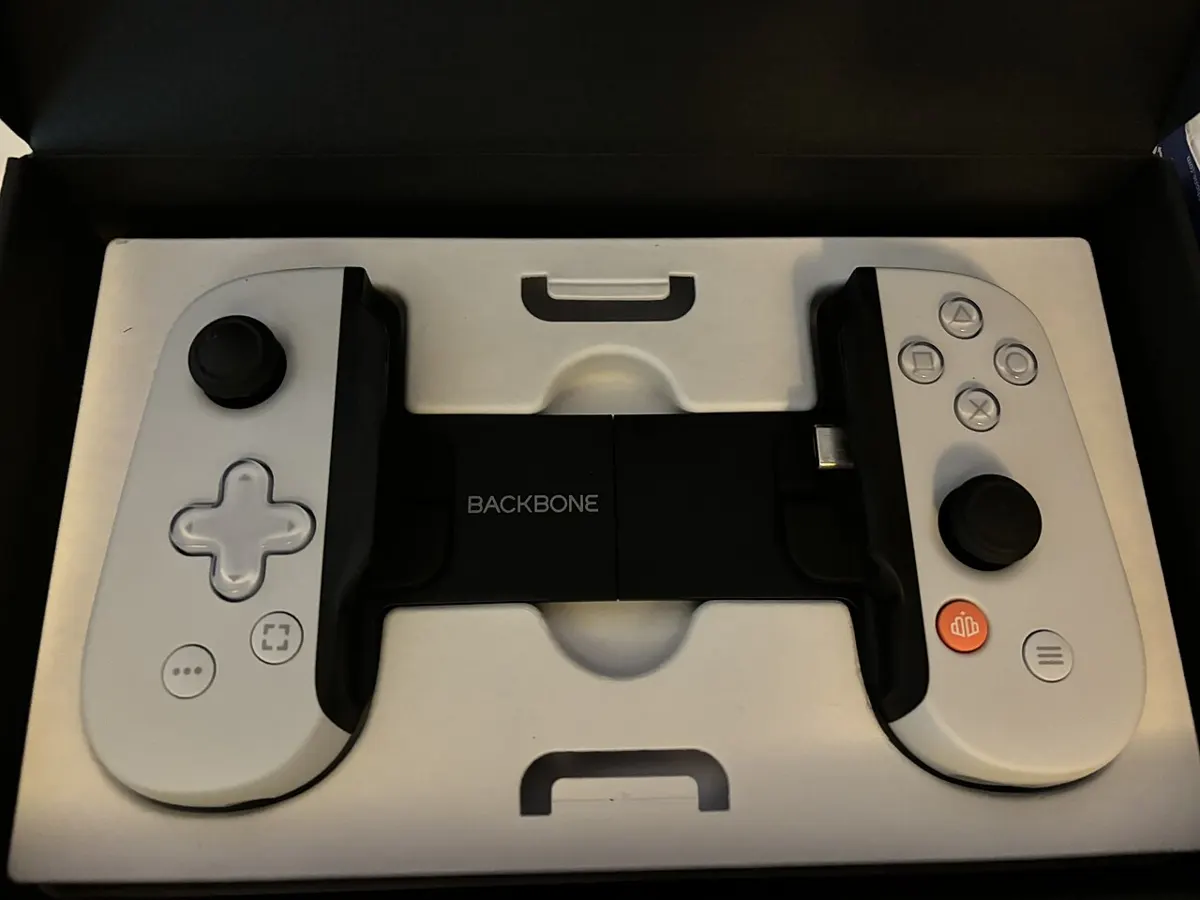
| Backbone One (USB-C, 2nd gen) | Android 11 or later in the FAQ. The feature text on the same page says Android 10. | The phone's USB-C port has to line up with the connector. Very thick or rugged cases may not fit. Foldable phones aren't confirmed yet. |
| Razer Kishi Ultra | Android 12 or higher | Phones with USB-C, plus Android tablets up to 8 inches. It works with most popular cases. Cases that cover the USB port may not work. |
| Razer Kishi V2 USB-C (RZ06-0511) | Android 12 or later, per Razer's user guide | Phones up to 11.5 mm thick, camera included, and 170 mm long. |
| Razer Kishi V2 (2022, Android) | Android 9.0 Pie or later, per its launch announcement | Check Razer's supported-phone list for your model. |
| GameSir X2 Type-C | Android 9.0 or above | Phone under 167 mm long, with OTG on. A solid blue light means it's ready. |
| GameSir X2 Pro | Android 8.0 or above | A centered USB-C port, up to 12 mm deep with no case (10 mm with a case 1 mm thick or less), camera depth up to 3 mm, and USB Power Delivery 2.0 support. |
Backbone's product page contradicts itself on the Android version, so plan for Android 11. GameSir's X2 Pro page names the Motorola moto g31, Redmi Note 11 Pro and vivo Y53 as phones it doesn't support because they lack USB Power Delivery 2.0. It also says the Lenovo Legion 2 Pro doesn't work because its USB-C port isn't centered.
How do you fix a clip-on controller that isn't detected?
Work through these seven fixes in order, and test the controller after each one.
- Check your Android version. Open Settings, then System, then About phone, which is the path Razer's staff gives. Compare it with the table above.
- Update Android and the controller's app. Backbone's troubleshooting pages tell you to update both your phone's operating system and the Backbone app first. Backbone also recommends its app so the controller receives firmware updates. GameSir's app handles firmware for its controllers too, but GameSir's X2 Pro FAQ says not to upgrade the firmware if everything works normally.
- Remove the case and swap the pads. Backbone, GameSir and Razer all ask you to try without the case. Razer's Kishi V2 USB-C guide says to replace the pre-installed rubber pads with the spare pair if your phone doesn't sit snugly, and Backbone's 2nd-generation controller uses swappable adapters for the same purpose.
- Clean both USB-C connections. Backbone asks you to check that the phone's charging port and the controller's connector are free of lint, dirt and other obstructions.
- Turn on OTG if your phone has the setting. Razer's staff say the OTG setting, if available, should be on with no timeout set. GameSir says OTG is a common setting on Xiaomi, OPPO, vivo, Realme and iQOO phones. The setting's name and place vary, so search Settings for "OTG". GameSir also lists USB debugging as a check when the X2 Pro's light keeps blinking slowly.
- Reseat the phone and read the indicator. Make sure the plug is fully in. On the GameSir X2 Type-C, a solid blue indicator means the phone is connected and ready. In the Backbone app, open Menu, then Settings, then Controller, then Calibrate and test controller, to see whether the buttons register.
- Test another phone, then contact the maker. If the controller still isn't detected, borrow a phone that is on the supported list. If it works there, your phone's USB settings or port are the issue. If it doesn't, Backbone points you to a warranty claim with a screen recording of the test, and Razer's staff ask for the serial number to check warranty and replacement options.
Why does the controller connect but not work in my game?
A controller that shows as connected can still be ignored by a game that has no controller support. Backbone says its controller works with games that support controllers on Google Play, and that it can play any controller-compatible game. Backbone also says its TouchSync feature adds controller support to some Android titles automatically.
GameSir's X2 Pro page says games without controller support need key mapping, and that mapping has to be activated first. It lists three activation routes and says an Android phone that is powered off needs activating again after it restarts. Our list of Android games with gamepad support shows which games work with a controller and which don't.
For streaming your own console, Backbone says that on Android only its PlayStation Edition is officially supported for PS Remote Play, and other Backbone controllers aren't supported there.
Why won't my clip-on controller charge my phone while I play?
Pass-through charging depends on the phone, the controller and the charger. GameSir says only some Android phones support it on the X2 Pro, and that both the phone and the charger need USB Power Delivery 2.0 or newer. If it fails, GameSir suggests turning on OTG, changing the order you plug in the cable and the controller, and trying a different charger or cable. Razer's Kishi V2 USB-C guide says its port supports charging another device but not USB-C audio or other accessories. Razer's product page says the Kishi Ultra has a 3.5 mm audio jack.
How do you fix a dead button or a drifting stick?
On Backbone, run the button test under Menu, Settings, Controller, Calibrate and test controller. To recalibrate a stick, choose Calibrate Joysticks in the same menu and pick the left or right stick. On the GameSir X2 Pro, hold View and LT for three seconds until LED 1 and LED 2 flash alternately, rotate each stick through its full range three times, press both triggers fully three times, then press LB and RB together. Backbone says its 1-year limited warranty covers joystick drift.
Should you switch to a Bluetooth controller instead?
If your phone is too thick, your case won't come off, or your phone isn't on the maker's list, a Bluetooth controller avoids the fit problem entirely. We have pairing guides for the Xbox controller, the PS5 controller, the Switch controller and the 8BitDo controller. Backbone One has no Bluetooth, so it can't connect wirelessly; Backbone says its Pro model is the wireless one.
How we made this guide
This is a researched guide. On November 29, 2026, we read Backbone's product page and help-center troubleshooting articles, Razer's Kishi Ultra product page, Razer's Kishi V2 launch announcement and support list, a Razer staff reply on Razer Insider, and GameSir's X2 Type-C help-center page and X2 Pro tutorial and FAQ. We didn't test these controllers on our own phones for this page, so we haven't confirmed that every fix works on every phone. Maker pages change, so check the one for your model before you buy.
Frequently Asked Questions
Does the Backbone One work without Bluetooth or a battery?
Yes. Backbone One connects through the phone's USB-C port and has no Bluetooth, according to Backbone's product page, checked November 29, 2026. Backbone says its Pro model is the wireless one.
Do I need the Backbone app to use Backbone One?
No. Backbone says you don't need the app or Backbone+ to play, but it recommends the free app so the controller receives firmware updates.
Does Backbone One work on foldable Android phones?
Backbone says foldable phones haven't been confirmed yet, according to its product page checked November 29, 2026. It says most phones fit, but the phone's USB-C port has to line up with the controller's connector.
What Android version does the Razer Kishi Ultra need?
Razer's product page says Android 12 or higher. The Kishi Ultra also works with Android tablets of up to 8 inches that have a USB-C port.
Can I use Backbone One for PS Remote Play on Android?
Only the PlayStation Edition. Backbone says the official PS Remote Play app on Android supports Backbone One - PlayStation Edition, and that other Backbone controllers aren't supported there.
Why does my GameSir X2 keep blinking and not connect?
GameSir's X2 Pro FAQ lists three checks: make sure the plug is fully connected and remove the case, turn on OTG in your phone's settings, and turn on USB debugging. On the X2 Type-C, a solid blue light means the controller is ready.