MMS Not Working on Android: Fix Picture and Group Texts

If MMS isn't working on your Android phone, turn off Wi-Fi, make sure Mobile data is on, and resend one small photo to one person. If that works, the problem was the data connection. If it still fails, check three things in order: Google Messages' MMS settings, your APN (reset it to default), and whether the picture is bigger than your carrier's size limit.
Also in this topic: Android Guides hub.
Jump to: symptom table · mobile data · Google Messages settings · Samsung Galaxy · APN · size limits · Wi-Fi only · groups and iPhones · carrier and plan · FAQ
Quick answer: MMS (Multimedia Messaging Service) is the carrier service that carries picture messages, videos, and most group texts. Regular texts (SMS) use the voice network, but MMS needs a working mobile data connection and your carrier's MMS settings. That's why texts can go through while pictures sit on "Sending" or show "Download" on your phone.
Why Texts Work but Picture Messages Don't
Plain texts and picture messages take different routes, so one can fail while the other works. An SMS goes over the carrier's signaling network. An MMS is uploaded to and downloaded from the carrier's MMS server over mobile data, using the server address in your APN. If RCS chats are on in Google Messages, photos to other RCS users go over the internet instead, and MMS is only the fallback. Match what you see to the likely cause:
| What you see | Most likely cause | Go to |
|---|---|---|
| Pictures stuck on "Sending" or "Not sent," texts fine | Mobile data off or blocked, or a wrong APN | Mobile data, then APN |
| Incoming pictures show a "Download" button | Auto-download is off, you're roaming, or Samsung Auto Blocker is on | Messages settings, Samsung |
| Small photos send, videos fail | The file is over your carrier's MMS limit | Size limits |
| Photos arrive blurry or tiny | The phone or carrier compressed them to fit MMS | Size limits |
| Group texts split into separate chats | Group messaging is set to "mass text," or someone lost RCS | Messages settings, groups |
| MMS stopped right after a new SIM, eSIM, or carrier switch | An old carrier's APN is still selected | APN |
| Nothing sends at all, not even plain texts | A wider texting problem | Carrier and plan |
Step 1: Turn On Mobile Data (Even If You're on Wi-Fi)
Most MMS failures come from mobile data being off, paused, or out of allowance. Google's Messages troubleshooting page lists "a data connection" as the first MMS fix. Carriers that sell talk-and-text plans are stricter: US Mobile's texting help page says MMS stops working once your data balance drops below 50 MB.
- Swipe down from the top of the screen and turn off Wi-Fi.
- Turn on Mobile data (on a Pixel, Settings > Network & internet > SIMs; on a Galaxy, Settings > Connections > Data usage).
- Check that Airplane mode is off and you have at least a couple of signal bars.
- Open a web page to confirm data works, then resend the picture.
If web pages don't load either, the problem isn't MMS. Fix the data connection first with our guide to Android mobile data not working, which covers data limits, Data Saver, and carrier SIM locks.
The hidden "MMS messages" switch for people who keep data off
Android has a setting that lets picture messages through while mobile data stays off for everything else, but most people never see it. In Android's open source Settings app, the switch is called MMS messages, with the description "Send & receive when mobile data is off." It turns on a system policy that lets only the MMS connection bypass the Mobile data switch.
The catch is that the switch is conditional. According to the Settings source code, it only appears when Mobile data is off for that SIM, your carrier has MMS enabled, and the carrier marks MMS data as metered. On a dual-SIM phone, it also stays hidden if the other SIM's data is on and automatic data switching is turned on. So if you go looking for it with data on, it won't be there. On a Pixel or a phone close to stock Android, turn Mobile data off and then open your carrier's page under Settings > Network & internet > SIMs. Android can also show a notification that reads "Tap to allow MMS messaging on [carrier] when mobile data is off." Phone makers can change this screen, so it may look different or be missing on some brands.
Step 2: Check Google Messages' MMS Settings
Google Messages has four settings that control picture messages, all in one place. Open Google Messages, tap your profile picture, then Messages settings > Advanced. Google describes them on its Messages settings page:
- Auto-download MMS: turn this on so pictures download without a tap. If it's off, incoming MMS shows a Download button.
- Auto-download MMS when roaming: this is separate, so pictures can stop downloading on a trip even when the first switch is on.
- Group messaging: choose Send an MMS reply to all recipients (group MMS). Google says the other option, "mass text," sends separate SMS messages, and replies come back as separate conversations.
- Phone number: Google says this is the number used to send files. Make sure it shows your current number, especially after a number port or SIM swap.
Also confirm that Google Messages is your default texting app: Settings > Apps > Default apps > SMS app. Google lists this among its basic checks, and it matters most if you've installed another texting app.
Resend a stuck message as MMS
If a photo to another RCS user is stuck, you can force it through your carrier instead. Google's message delivery page says to tap the timestamp under the undelivered message and choose Switch to text (SMS/MMS). Messages sent that way aren't end-to-end encrypted, and they're subject to the MMS size limits below.
Low storage can block messages
Google says Messages may stop sending or receiving until more space is available when your phone is nearly full, and it shows a notification when that happens. Clearing a few gigabytes usually fixes it; our guide on how to free up storage on Android shows the quickest wins.
On a Samsung Galaxy: Check Auto Blocker and Your Messages App
On Galaxy phones, a security feature can stop picture messages from downloading. Samsung's US support page on blocked message downloads says the Maximum restrictions option in Auto Blocker turns off automatic attachment downloads in messaging apps, to protect against malicious files. You can still tap an attachment to download it manually.
- Open Settings > Security and privacy > Auto Blocker.
- Tap Maximum restrictions and turn it off if you don't need it.
- Turn auto-download back on in your texting app. In Google Messages that's Messages settings > Advanced > Auto-download MMS. In Samsung Messages it's More options > Settings > More settings > Multimedia messages > Download automatically.
Leaving Maximum restrictions on and downloading attachments by hand is also a reasonable choice if you get a lot of scam texts.
If you still use Samsung Messages, consider switching. Samsung's discontinuation notice says Samsung Messages is no longer supported on Galaxy devices running Android 12 or higher and recommends Google Messages. Samsung Messages still works on Android 11 and lower.
Step 3: Reset or Fix Your APN
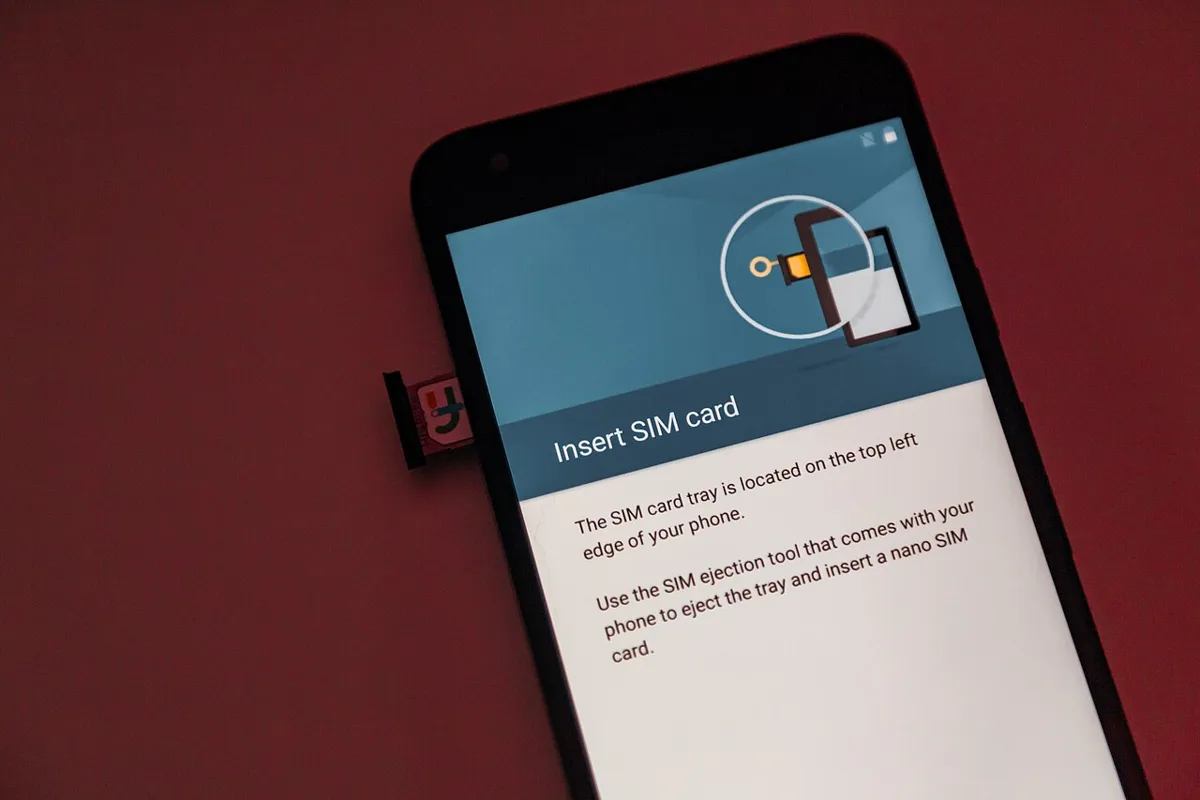
The APN (Access Point Name) tells your phone where your carrier's MMS server is. A wrong or leftover APN is the usual reason MMS breaks after you change carriers, move a SIM to an unlocked phone, or type in settings by hand. Google's first APN advice is simple: reset your APN settings to default.
- Open Access Point Names. On a Pixel, it's Settings > Network & internet > SIMs > [carrier] > Access Point Names. On a Galaxy, it's Settings > Connections > Mobile networks > Access Point Names.
- Tap the three-dot menu and choose Reset to default.
- Restart the phone and send a test picture with Wi-Fi off.
If MMS still fails, compare the APN with your carrier's published values, paying attention to the MMSC (MMS server) line and the APN type, which needs to include mms. Delete any APN left over from a previous carrier. We list current values and quirks for T-Mobile, AT&T, Cricket Wireless, and Boost Mobile. Only enter values your carrier publishes, since a wrong APN can also break mobile data.
Step 4: Check the Picture's Size Against Your Carrier's Limit
Every carrier caps MMS size, and a video that's too big will fail or arrive heavily compressed. A phone camera photo is usually several megabytes, so your phone has to shrink it to send it as MMS. Here are the limits the big three US carriers publish on their own support pages, checked on October 28, 2026:
| Carrier | MMS limit (official) | Also worth knowing |
|---|---|---|
| Verizon | 1.2 MB images, 3.5 MB video on 4G LTE and 5G (Verizon KB 14641) | Verizon says limits between carriers are typically 300 to 600 KB, and a message over the other carrier's limit may be rejected |
| AT&T | Up to 1 MB; larger files are compressed before sending (AT&T KM1041906) | If your phone is off or out of coverage, AT&T stores the MMS for up to 72 hours |
| T-Mobile | 1 MB to send, 3 MB to receive, images under 3072 x 3072 (T-Mobile messaging troubleshooting) | MMS is limited to 10 recipients per message |
The most restrictive network in the conversation wins. Verizon notes that when a file goes to a phone with a lower limit, it's reduced to fit, which is why a sharp photo can arrive blurry on a friend's phone.
Android itself has a fallback limit, too. In Android's carrier configuration code, the default maximum MMS size is 300 KB, with images capped at 640 x 480 pixels. Carriers normally replace those numbers with their own, but a phone or SIM with an incomplete carrier profile (common with imported phones and some smaller carriers) can end up sending small, low-resolution pictures.
What to do:
- Test with one small photo to one person, which is what T-Mobile recommends.
- Trim long videos before sending, or share a link from Google Photos or Google Drive instead.
- Use RCS when both people have it. T-Mobile's RCS page says RCS photos and videos can be up to 100 MB, and AT&T's plan terms list Advanced Messaging messages up to 10 MB. If anyone in the chat doesn't have RCS, the chat falls back to MMS limits.
Can You Send Picture Messages Over Wi-Fi Only?
Sometimes, depending on your carrier. Many guides and AI answers say flatly that MMS never works over Wi-Fi, and that's not quite right. T-Mobile's Wi-Fi Calling page says Wi-Fi Calling handles calls and texts, "SMS & MMS," over Wi-Fi. Apple's Messages help page also says MMS needs "a cellular data or Wi-Fi connection." Other carriers' help pages, including US Mobile's, say MMS only goes over cellular data.
In practice, assume MMS needs mobile data unless your carrier says otherwise. If pictures work with Wi-Fi off but fail at home, check that Wi-Fi Calling is working properly with our Wi-Fi calling troubleshooting guide, or simply leave Mobile data on while you're on Wi-Fi. Android keeps using Wi-Fi for everything else.
Group Texts and Pictures With iPhone Users
Mixed iPhone and Android groups use RCS when everyone has it working, and MMS when they don't. Google notes that a group can split into one-on-one conversations if a member temporarily loses their RCS connection, and it usually comes back together once they reconnect. If pictures from a group never arrive, check both ends:
- On your Android phone: set Group messaging to group MMS, as described in Step 2.
- On the iPhone: Apple says to go to Settings > Apps > Messages and turn on Send as Text Message for group MMS. If the iPhone doesn't show Send as Text Message or Group Messaging, Apple says the carrier might not support the feature. T-Mobile's help page also tells iPhone owners to make sure MMS Messaging is turned on.
- If you used to have an iPhone: deregister iMessage, or iPhones may keep trying to send you iMessages. Our guide to fixing texts from iPhones that never arrive walks through it.
When It's Your Carrier or Plan
If every step above checks out, the block is probably on the account side. Call your carrier and ask these three questions:
- Does my plan include data and MMS? On talk-and-text-only plans, plain texts work but MMS doesn't. Some prepaid carriers also stop MMS when your data balance runs low.
- Is MMS or data blocked on my line? Ask the carrier to check for any messaging or data block on the account. AT&T's terms, for example, say Advanced Messaging won't work if messaging or data is blocked on your line.
- Is my phone fully supported on your network? Imported or older phones can be missing the carrier's MMS settings.
T-Mobile suggests one more test before you call: put your SIM in another phone on the same carrier. If MMS works there, the problem is your phone's settings. If it fails there too, it's the line or the network. T-Mobile also says it's best to call support from a different phone than the one with the problem.
Plain texts failing too? Then MMS isn't the real problem. Start with signal, your plan, and Google's general checklist on its Messages troubleshooting page, and if calls are also missing, see our guide on calls going straight to voicemail.
How We Put This Guide Together
This guide is based on Google's Messages help pages, Samsung US support pages, Verizon, AT&T, and T-Mobile support and plan pages, US Mobile's help center, Apple's Messages support page, and Android's open source Settings and carrier configuration code, all checked on October 28, 2026. We didn't run these steps on our own devices for this article. Menu names differ by phone model, Android version, and carrier, so if a setting isn't where we describe, search for its name in Settings.
Frequently Asked Questions
Why can I send texts but not pictures on Android?
Because they use different routes. Regular texts (SMS) go over your carrier's signaling network, while picture messages (MMS) are uploaded and downloaded over mobile data using your carrier's MMS server. If mobile data is off, out of allowance, or your APN is wrong, texts still work but pictures fail.
How many people can be in an MMS group text?
It depends on the carrier. T-Mobile says MMS is limited to 10 recipients per message. For bigger groups or larger files, RCS chats in Google Messages are the better option when everyone has RCS turned on.
Why do pictures I receive look blurry?
MMS has strict size limits, so the sender's phone or carrier compresses photos to fit. Verizon, for example, says limits between carriers are typically 300 to 600 KB, and files are reduced to fit the receiving phone. RCS chats send much larger, sharper files when both people have RCS turned on.
Why does Google Messages show a Download button on picture messages?
Auto-download is off, you're roaming, or a security setting is blocking downloads. In Google Messages, go to Messages settings > Advanced and turn on Auto-download MMS (and the roaming version if you're traveling). On a Galaxy, also check Auto Blocker's Maximum restrictions option.
Will resetting my APN delete anything?
No messages or files are deleted. Reset to default only restores your carrier's standard APN list and removes any APNs you added by hand, so write down custom values first if your carrier gave them to you.